
Sold by: Techlatest.net
Deployed on AWS
This product has charges associated with it for seller support. Get the power of GPT without the risk of data sharing and cost of subscription and with the freedom from Vendor Lock-in
Overview
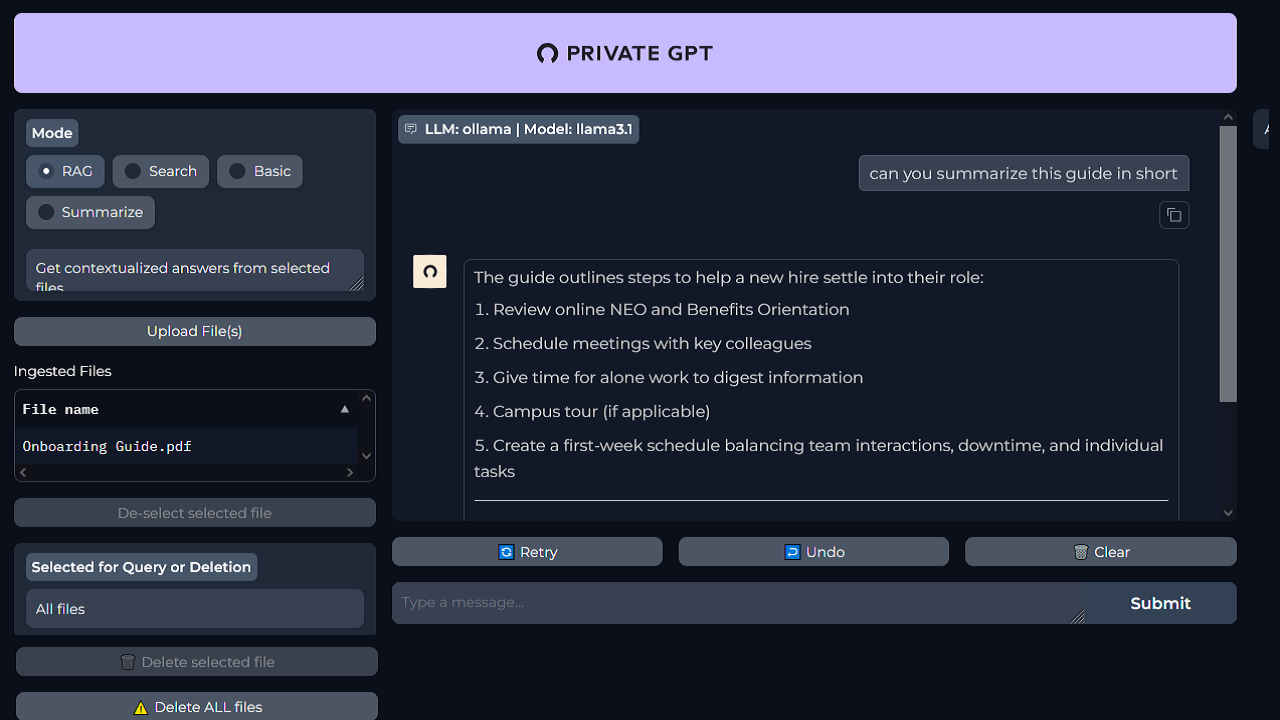
Image
Get contextualized answers for your selected files
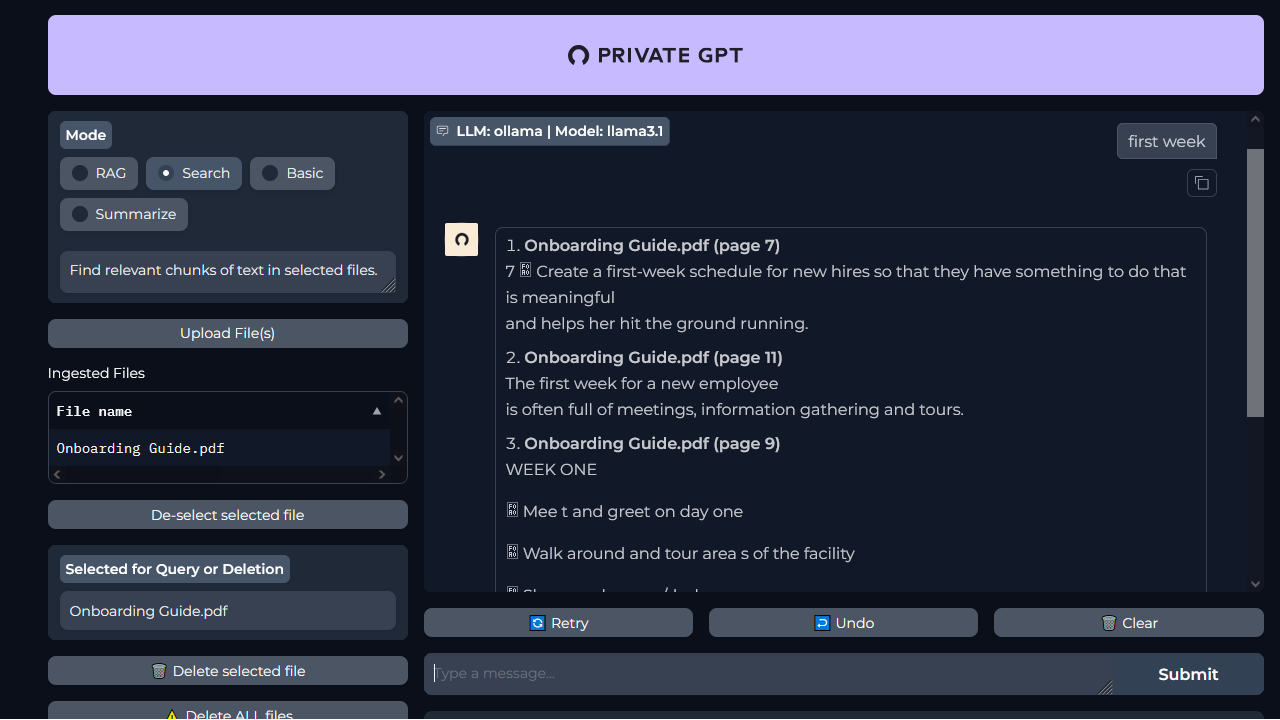
Image
Find relevant chunks in your selected files
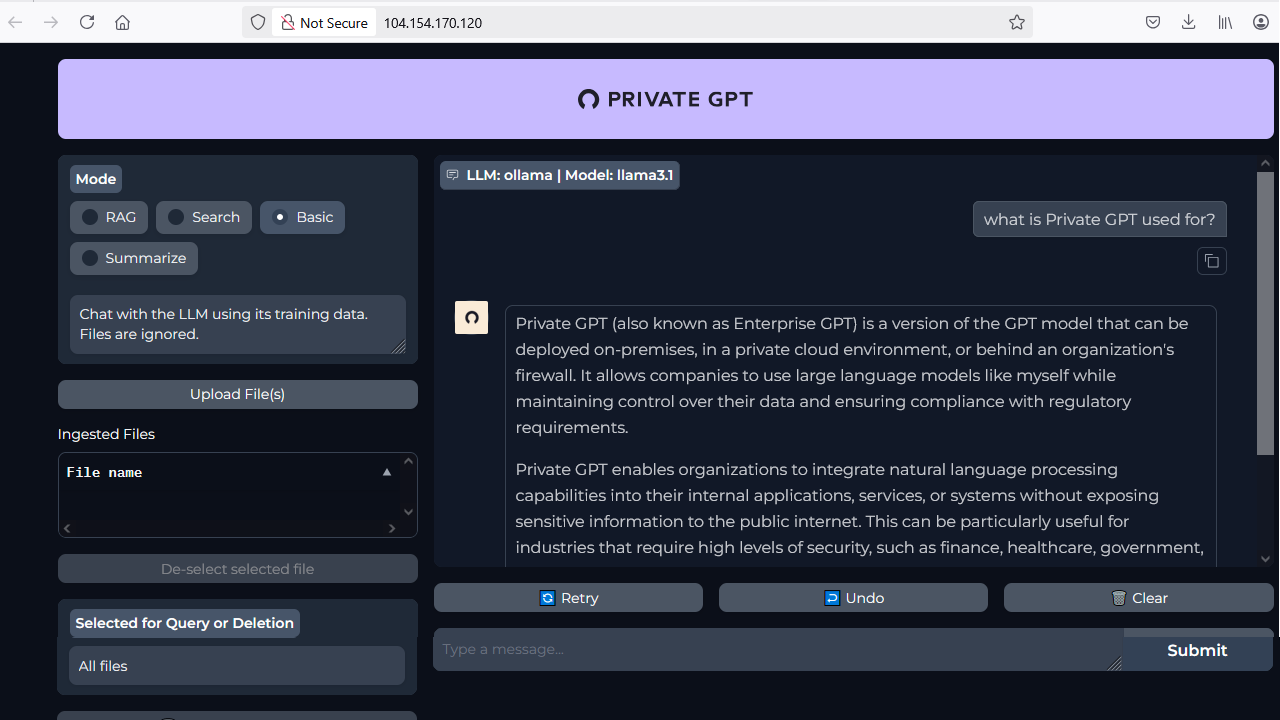
Image
Chat with LLM using its training data
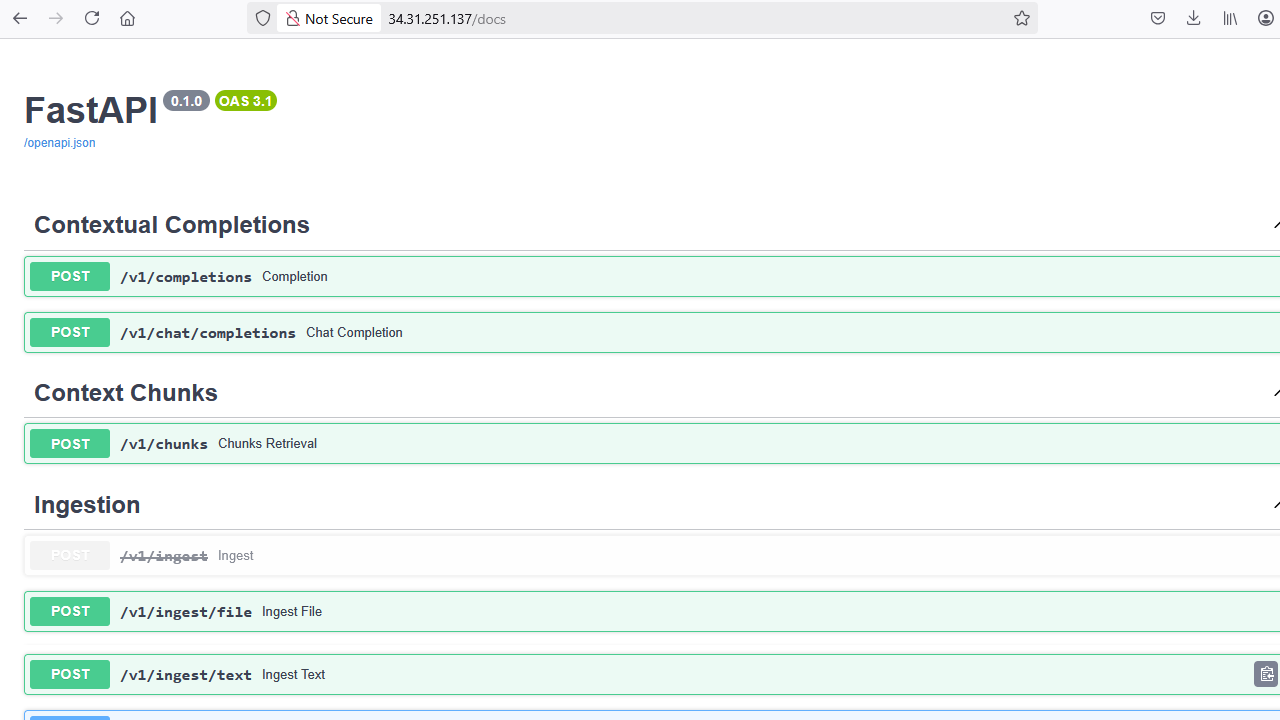
Image
FastAPI accessbile via http://public_ip_of_vm/docs
This is a repackaged open source software product wherein additional charges apply for support by TechLatest.net.
Important: For step by step guide on how to setup this vm, please refer to our Getting started guide
TechLatest Private GPT is a ready-to-use virtual machine that brings the power of GPT to your cloud infrastructure , fully private, secure, and customizable.
Built on an optimized Ubuntu 24.04 LTS environment, it includes Private GPT pre-installed and configured with support for Ollama and a modern GradioWeb UI. Perfect for enterprises and developers looking to deploy AI chat interfaces without relying on external APIs or sharing sensitive data with third parties.
Private GPT offers GPT capabilities in a fully local, self-hosted environment, giving you full control over your data, models, and integrations.
Key Features
-
Pre-installed & Configured: Private GPT, Ollama and NGINX are preconfigured for instant use.
-
Privacy First: All processing happens locally on your VM, no data leaves your cloud environment.
-
Multi-LLM Support: Use leading open-source LLMs like Mistral, LLaMA, and Qwen via Ollama.
-
Gradio-based Web UI: Interact with GPT easily through a browser interface.
-
Customizable Profiles: Tailor the behavior of GPT through easy configuration.
Use Cases:
-
Document Q&A: Upload files and query them conversationally.
-
Enterprise Knowledge Bots: Train your own internal GPT assistant on company data.
-
Confidential AI Apps: Deploy AI features in healthcare, finance, or legal domains where privacy is essential.
-
Educational Tools: Set up a private AI tutor with no external dependencies.
-
Dev/Test Sandbox: Experiment with LLMs without API rate limits or billing surprises.
Why Choose TechLatest Private GPT?
-
Instant Launch: Skip complex setup , just deploy and start chatting.
-
Modular & Open: Built on open-source tools with support for expanding model and data backends.
-
Security Focused: No outbound API calls, full data control, and hardened base image.
-
Detailed Documentation: Step-by-step setup, configuration, and usage guide included.
Disclaimer: Other trademarks and trade names may be used in this document to refer to either the entities claiming the marks and/or names or their products and are the property of their respective owners. We disclaim proprietary interest in the marks and names of others.
Highlights
- Deploy Your Own GPT in Minutes: No Vendor Lock-In, No Data Sharing, No Subscrip-tion , Secure & Private
Details
Sold by
Categories
Delivery method
Delivery option
64-bit (x86) Amazon Machine Image (AMI)
Latest version
Operating system
Ubuntu 24.04 LTS
Deployed on AWS
New
Introducing multi-product solutions
You can now purchase comprehensive solutions tailored to use cases and industries.

Features and programs
Financing for AWS Marketplace purchases
AWS Marketplace now accepts line of credit payments through the PNC Vendor Finance program. This program is available to select AWS customers in the US, excluding NV, NC, ND, TN, & VT.

Pricing
Pricing is based on actual usage, with charges varying according to how much you consume. Subscriptions have no end date and may be canceled any time.
Additional AWS infrastructure costs may apply. Use the AWS Pricing Calculator to estimate your infrastructure costs.
Dimension | Cost/hour |
|---|---|
t2.large Recommended | $0.13 |
t3a.2xlarge | $0.13 |
r4.2xlarge | $0.13 |
m5d.8xlarge | $0.13 |
f2.48xlarge | $0.13 |
r7a.large | $0.13 |
m5.xlarge | $0.13 |
r6in.12xlarge | $0.13 |
m4.10xlarge | $0.13 |
m5zn.large | $0.13 |
Dimensions summary
You pay by the hour for the AWS EC2 instance that runs this Private GPT software. The software price is the same across instances; your hourly cost changes with the instance you pick. Each dimension maps to one EC2 instance type, spanning general-purpose, compute-, memory-, storage-optimized, and GPU or accelerator families. Larger instances hold more CPU, memory, or GPU power and bill at a higher hourly rate. You run the software on your own cloud and can stop instances to stop charges. Choose the instance that fits your workload size and budget.
Top-of-mind questions for buyers
One unit is one running EC2 instance of the type you choose, billed per hour. The software runs on that single instance. Each instance type carries its own hourly software rate. You are billed for each hour the instance runs, based on the family and size you select.
The hourly software charge applies only while the instance runs. When you stop the instance, the software meter stops and no further software charges accrue. Note that underlying AWS storage or other resources tied to a stopped instance may still incur separate AWS fees.
Each dimension maps to a distinct EC2 instance type. Rates track the compute, memory, storage, or GPU and accelerator capacity of that type. General-purpose, compute-, memory-, storage-optimized, and GPU or accelerator families each carry different hourly rates. Pick the type sized to your model workload to control cost.
techlatest.net
Helpful?
Vendor refund policy
Will be charged for usage, can be canceled anytime and usage fee is non refundable.

Legal
Vendor terms and conditions
Upon subscribing to this product, you must acknowledge and agree to the terms and conditions outlined in the vendor's End User License Agreement (EULA) .
Content disclaimer
Vendors are responsible for their product descriptions and other product content. AWS does not warrant that vendors' product descriptions or other product content are accurate, complete, reliable, current, or error-free.
Delivery details
64-bit (x86) Amazon Machine Image (AMI)
Amazon Machine Image (AMI)
An AMI is a virtual image that provides the information required to launch an instance. Amazon EC2 (Elastic Compute Cloud) instances are virtual servers on which you can run your applications and workloads, offering varying combinations of CPU, memory, storage, and networking resources. You can launch as many instances from as many different AMIs as you need.
Version release notes
Third release
Additional details
Usage instructions
-
On the EC2 Console page, instance is up and running. To connect to this instance through putty, copy the IPv4 Public IP Address. (refer Putty Guide available at https://docs.aws.amazon.com/AWSEC2/latest/UserGuide/connect-linux-inst-from-windows.html for details on how to connect using putty/ssh).
-
Open putty, paste the IP address and browse your private key you downloaded while deploying the VM, by going to SSH- >Auth->Credentials , click on Open.
-
Login as ubuntu user.
-
Update the password of ubuntu user using below command : sudo passwd ubuntu
-
Once ubuntu user password is set, access the GUI environment using RDP on Windows machine or Remmina on Linux machine.
-
Copy the Public IP of the VM and paste it in the RDP. Login with ubuntu user and its password.
-
To access the Private GPT web interface , open your browser and copy paste the public IP of the VM as http://public_ip_of_vm
For more details please visit https://www.techlatest.net/support/private-gpt-vm/aws_gettingstartedguide/index.html
Support
Vendor support
Email: info@techlatest.net
AWS infrastructure support
AWS Support is a one-on-one, fast-response support channel that is staffed 24x7x365 with experienced and technical support engineers. The service helps customers of all sizes and technical abilities to successfully utilize the products and features provided by Amazon Web Services.
Similar products

This product has charges associated with it for seller support. Run & Manage latest LLMs locally, privately, securely and cost-effectively without any vendor lock-in.
This VM solution comes pre-loaded with LLaMA, Mistral, Gemma, DeepSeek, & Qwen models along with Open-WebUI as an intuitive UI to interact with the LLMs and Ollama to install new models as needed.

Preconfigured LocalAI virtual machine for running AI models on your own infrastructure. Unified platform for AI Chat, image and voice generation, LLMs and embeddings with OpenAI API compatibility.
Available in both CPU and GPU configurations.

Transform your AI development experience with our cloud-based virtual machine, pre-configured for LangChain and LangFlow. Start building intelligent applications with ease and efficiency.

An integrated No-Code AI development suit which combines LangChains robust framework with Flowise intuitive low-code tools, empowering developers to accelerate development, testing, and deployment of advanced AI & LLM-powered applications.
Customer reviews
No customer reviews yet
Be the first to review this product . We've partnered with PeerSpot to gather customer feedback. You can share your experience by writing or recording a review, or scheduling a call with a PeerSpot analyst.