
Sold by: Madarson IT
Deployed on AWS
AWS Free Tier
This product has charges associated with it for security hardening. Madarson IT security-hardened RHEL 10 AMI with pre-applied advanced controls aligned to NIST CSF, ISO 27001, HIPAA, PCI DSS, and related frameworks. Establish a compliant EC2 in minutes.
Overview

Image
Madarson IT Hardened Image Intro

Image
Red Hat Enterprise Linux Features
Image
Hardened EC2 Images for Secure Cloud Deployments

Video
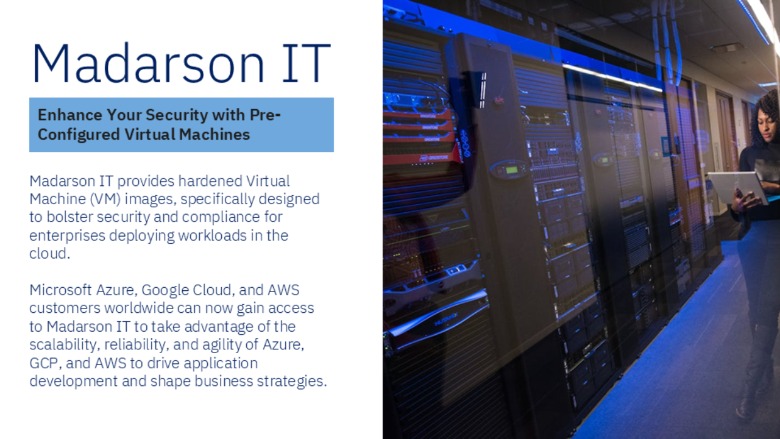
Pre-Hardened EC2 Image for AWS, Azure, and GCP

Video
Product video
This is a repackaged software product wherein additional charges apply for advanced security hardening.
Madarson IT Advanced Security Hardened Red Hat Enterprise Linux 10
This AWS EC2 AMI from Madarson IT delivers Red Hat Enterprise Linux 10 with advanced security hardening pre-applied, enabling organizations in regulated and high-risk environments to launch compliant workloads without weeks of manual configuration.
Who This Is For
Organizations with strict security and compliance obligations - including federal agencies, defense contractors, healthcare providers, and financial institutions - that need a production-ready, hardened operating system image on AWS.
Key Security Controls Applied
- Compliance framework alignment: Hardening configurations mapped to NIST Cybersecurity Framework (CSF), ISO 27001, PCI DSS, and HIPAA requirements
- Attack surface reduction: Unnecessary services and packages removed, strict firewall rules enforced, and secure kernel parameters applied
- Access control enforcement: Restrictive user permissions, SSH hardening, password complexity policies, and audit logging enabled by default
- System integrity protections: SELinux configured in enforcing mode, file integrity monitoring settings, and secure boot configurations
- Frequent security updates: Image maintained with regular patching cycles to address emerging CVEs and vulnerabilities
How It Differs From Standard RHEL Images
While a base RHEL 10 image provides a general-purpose operating system, this advanced hardened image arrives with security controls already implemented. Organizations using standard images typically spend significant time applying NIST controls and custom hardening - this image eliminates that effort by delivering those configurations pre-applied and tested.
Getting Started
- Select the AMI from AWS Marketplace and choose a compatible EC2 instance type
- Configure your VPC, subnet, and security group settings appropriate for your environment
- Launch the instance with your SSH key pair
- Verify hardening status by reviewing applied security configurations post-boot
- Integrate with your existing monitoring and compliance scanning tools
Requirements and Limitations
- This is a repackaged software product with additional charges for advanced security hardening.
- Hardening covers OS-level security configurations; application-layer security, runtime threat detection, and network architecture design remain the customer's responsibility.
- Some hardening controls may need adjustment based on your specific application requirements.
- Buyers should verify compatibility with their target EC2 instance types before deploying at scale.
- Madarson IT does not provide commercial licenses for Red Hat products. Buyers should ensure appropriate Red Hat subscription coverage for their deployment.
About Madarson IT
Madarson IT certified images are continuously updated, security-optimized, and ready to deploy. Built to industry best practices, they reduce operational risk and accelerate time-to-compliance for cloud-based workloads. Each image undergoes testing against established security benchmarks before publication.
Madarson IT also offers hardened and custom images across AWS, GCP, and Azure Marketplace, covering multiple operating systems and compliance frameworks.
Disclaimer
Red Hat, Inc. holds the trademarks for Red Hat Enterprise Linux (RHEL) and associated branding. Madarson IT does not provide commercial licenses for Red Hat products.
Highlights
- Security Controls Pre-Mapped to NIST CSF, ISO 27001, PCI DSS, and HIPAA: Hardening configurations are applied before first boot, eliminating weeks of manual compliance preparation. SELinux enforcing mode, SSH hardening, audit logging, password complexity policies, and restrictive user permissions are configured by default to support alignment with regulatory requirements across federal, defense, healthcare, and financial sectors.
- Attack Surface Minimized Through Systematic Hardening: Unnecessary services and packages are removed, strict kernel parameters are enforced, and secure firewall rules are applied. Access controls restrict unauthorized entry points while system integrity protections guard against tampering - strengthening confidentiality, integrity, and availability of your workloads from the moment the instance launches.
- Deploy Production-Ready Hardened RHEL 10 on AWS Without Building From Scratch: Madarson IT continuously updates this image with security patches and maintains alignment with evolving compliance standards, reducing your team's operational burden for ongoing security maintenance and audit preparation across your cloud infrastructure.
Details
Sold by
Categories
Delivery method
Delivery option
64-bit (x86) Amazon Machine Image (AMI)
Latest version
Operating system
Rhel 10
Deployed on AWS
New
Introducing multi-product solutions
You can now purchase comprehensive solutions tailored to use cases and industries.

Features and programs
Financing for AWS Marketplace purchases
AWS Marketplace now accepts line of credit payments through the PNC Vendor Finance program. This program is available to select AWS customers in the US, excluding NV, NC, ND, TN, & VT.

Pricing
Pricing is based on actual usage, with charges varying according to how much you consume. Subscriptions have no end date and may be canceled any time.
Additional AWS infrastructure costs may apply. Use the AWS Pricing Calculator to estimate your infrastructure costs.
If you are an AWS Free Tier customer with a free plan, you are eligible to subscribe to this offer. You can use free credits to cover the cost of eligible AWS infrastructure. See AWS Free Tier for more details. If you created an AWS account before July 15th, 2025, and qualify for the Legacy AWS Free Tier, Amazon EC2 charges for Micro instances are free for up to 750 hours per month. See Legacy AWS Free Tier for more details.
Dimension | Cost/hour |
|---|---|
m5a.large Recommended | $0.04 |
t2.micro | $0.02 |
t3.micro | $0.04 |
c5a.2xlarge | $0.16 |
r6a.24xlarge | $1.92 |
c3.2xlarge | $0.16 |
g5.4xlarge | $0.32 |
t2.small | $0.02 |
i3.8xlarge | $0.64 |
r5a.12xlarge | $0.96 |
Dimensions summary
You pay by the hour for this security-hardened Red Hat Enterprise Linux 10 image. Pricing is not tiered by features. Instead, each dimension maps to a specific EC2 instance type you choose to run. Rates scale with the size and capability of that instance. General-purpose (m, t), compute-optimized (c), memory-optimized (r), storage-optimized (d, i), and GPU (g, p) families are all available. Larger instances within a family carry higher hourly rates. You select the instance that fits your workload, and the software charge is added to standard AWS infrastructure costs.
Top-of-mind questions for buyers
Each hourly unit maps to one running EC2 instance of the type you select. The rate covers the software licence for the hardened Red Hat Enterprise Linux 10 image on that instance. You pay this per hour the instance runs, added on top of standard AWS infrastructure charges.
The software charge meters running time only. When you stop an instance, the hourly software fee stops accruing. Stopped instances may still incur AWS storage fees for attached volumes, but those are separate AWS charges, not the image licence fee.
Your hourly software rate follows the instance type you run. Larger instances within a family carry higher rates. If you move from a smaller instance to a larger one, the new rate applies to hours run on that instance. The change takes effect when you launch the new type.
madarsonit.com
Helpful?
Vendor refund policy
There is no refund policy for this image.

Legal
Vendor terms and conditions
Upon subscribing to this product, you must acknowledge and agree to the terms and conditions outlined in the vendor's End User License Agreement (EULA) .
Content disclaimer
Vendors are responsible for their product descriptions and other product content. AWS does not warrant that vendors' product descriptions or other product content are accurate, complete, reliable, current, or error-free.
Delivery details
64-bit (x86) Amazon Machine Image (AMI)
Amazon Machine Image (AMI)
An AMI is a virtual image that provides the information required to launch an instance. Amazon EC2 (Elastic Compute Cloud) instances are virtual servers on which you can run your applications and workloads, offering varying combinations of CPU, memory, storage, and networking resources. You can launch as many instances from as many different AMIs as you need.
Version release notes
Hardened Red Hat Enterprise Linux 10 image - Level 2: Advanced.
Additional details
Usage instructions
Allow inbound SSH access in your security group (TCP port 22) To connect to your instance using the Amazon EC2 console: Open the Amazon EC2 console at https://console.aws.amazon.com/ec2/ .
In the navigation pane, choose Instances. Select the instance and choose Connect. Choose the EC2 Instance Connect tab. For Connection type, choose Connect using EC2 Instance Connect. Access the ec2 with the default username: "ec2-user" OR Simply access the ec2 with the default username: "ec2-user" and the private key used to launch the instance.
Resources
Vendor resources
Support
Vendor support
Support Contact
For technical support, private offers, audit assistance, or compliance-related inquiries, contact Madarson IT at info@madarsonit.com .
Support Scope
Support covers questions related to the hardening configurations applied to this image, guidance on post-deployment customization, and assistance with compliance alignment for your specific regulatory requirements.
Getting Help
When contacting support, please include your AWS account ID, the instance ID of the affected deployment, and a description of the issue or question.
AWS infrastructure support
AWS Support is a one-on-one, fast-response support channel that is staffed 24x7x365 with experienced and technical support engineers. The service helps customers of all sizes and technical abilities to successfully utilize the products and features provided by Amazon Web Services.
Similar products

This product has charges for security hardening. Madarson IT advanced hardened RHEL 8 AMI with pre-applied controls aligned to NIST CSF, ISO 27001, HIPAA, and PCI DSS.

This product has charges associated with it for security hardening. Madarson IT security-hardened RHEL 9 AMI with pre-applied advanced controls aligned to NIST CSF, ISO 27001, HIPAA, PCI DSS, and related frameworks. Establish a compliant EC2 in minutes.

This product has charges associated with it for security hardening. Madarson IT security-hardened RHEL 10 AMI pre-configured for compliance with NIST CSF, ISO 27001, HIPAA, and PCI DSS. Deploy a secure Linux baseline on AWS EC2 in minutes.

This product has charges associated with it for security hardening. Madarson IT security-hardened RHEL 8 AMI with pre-applied foundational controls aligned to NIST CSF, ISO 27001, HIPAA, PCI DSS, and related frameworks. Establish a compliant EC2 baseline in minutes.
Customer reviews
No customer reviews yet
Be the first to review this product . We've partnered with PeerSpot to gather customer feedback. You can share your experience by writing or recording a review, or scheduling a call with a PeerSpot analyst.