Sold by: Paessler GmbH
Deployed on AWS
AWS Free Tier
PRTG monitors all the systems, devices, traffic, and applications in your IT infrastructure.
4.6
Overview
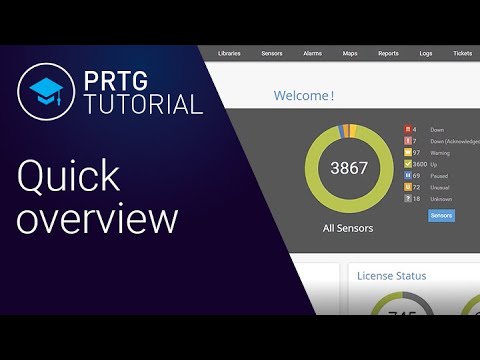
PRTG monitors all the systems, devices, traffic, and applications in your IT infrastructure. Everything is included, there is no need for additional plugins or downloads! PRTG is a powerful and easy-to-use solution, which is suitable for businesses of all sizes. Should you be interested in a PRTG Server hosted by Paessler, please find out more on https://www.paessler.com/prtg-hosted-monitor .
Highlights
- "SNMP: ready-to-use and custom options WMI and Windows Performance Counters SSH: for Linux/Unix and macOS systems Traffic analysis using flow protocols or packet sniffing HTTP requests REST APIs returning XML or JSON Ping, SQL, and many more"
- "Create dashboards with the PRTG map designer, and integrate all your network components using more than 300 different map objects such as device and status icons, traffic charts, top lists, and more. "
- PRTG comes with many built-in mechanisms for notifications, such as email, push, or HTTP requests. With our free apps for Android and iOS, you can get push notifications delivered directly to your phone.
Details
Sold by
Categories
Delivery method
Delivery option
64-bit (x86) Amazon Machine Image (AMI)
Latest version
Operating system
Win2022 1809
Deployed on AWS
New
Introducing multi-product solutions
You can now purchase comprehensive solutions tailored to use cases and industries.

Features and programs
Buyer guide
Gain valuable insights from real users who purchased this product, powered by PeerSpot.

Financing for AWS Marketplace purchases
AWS Marketplace now accepts line of credit payments through the PNC Vendor Finance program. This program is available to select AWS customers in the US, excluding NV, NC, ND, TN, & VT.

Pricing
This product is available free of charge. Free subscriptions have no end date and may be canceled any time.
Additional AWS infrastructure costs may apply. Use the AWS Pricing Calculator to estimate your infrastructure costs.
If you are an AWS Free Tier customer with a free plan, you are eligible to subscribe to this offer. You can use free credits to cover the cost of eligible AWS infrastructure. See AWS Free Tier for more details. If you created an AWS account before July 15th, 2025, and qualify for the Legacy AWS Free Tier, Amazon EC2 charges for Micro instances are free for up to 750 hours per month. See Legacy AWS Free Tier for more details.
Vendor refund policy
Please check our terms and conditions: https://www.paessler.com/terms-conditions

Legal
Vendor terms and conditions
Upon subscribing to this product, you must acknowledge and agree to the terms and conditions outlined in the vendor's End User License Agreement (EULA) .
Content disclaimer
Vendors are responsible for their product descriptions and other product content. AWS does not warrant that vendors' product descriptions or other product content are accurate, complete, reliable, current, or error-free.
Delivery details
64-bit (x86) Amazon Machine Image (AMI)
Amazon Machine Image (AMI)
An AMI is a virtual image that provides the information required to launch an instance. Amazon EC2 (Elastic Compute Cloud) instances are virtual servers on which you can run your applications and workloads, offering varying combinations of CPU, memory, storage, and networking resources. You can launch as many instances from as many different AMIs as you need.
Version release notes
Additional details
Usage instructions
- Launch the product via 1-click.
- Find the instance in the AWS console and copy the instance's public IP from the details there.
- Access the application via web browser with the public ip of your instance http://public_ip (NOTE: Has to be HTTP, not HTTPS; for setting up SSL please see https://www.paessler.com/manuals/prtg/using_your_own_ssl_certificate )
- Login using the username 'prtgadmin' and for the password use the the instance_id of the instance with a capital I at the beginning as the password. e.g. I-1234 instead of i-1234
- To receive notifications from PRTG, please change the email for the prtgadmin account by going to Setup - Account Settings - My Account (Optional)
- There you can also change the password for your PRTG installation if you'd like. (Optional)
- For all other directions about using your instance, please refer to our user manual https://www.paessler.com/manuals/prtg . There are also lots of videos on https://www.paessler.com/learn/videos explaining several aspects of PRTG.
Support
Vendor support
AWS infrastructure support
AWS Support is a one-on-one, fast-response support channel that is staffed 24x7x365 with experienced and technical support engineers. The service helps customers of all sizes and technical abilities to successfully utilize the products and features provided by Amazon Web Services.
Similar products

This product has charges associated with it for seller support. Nagios Core 4.5.9 on CentOS 10 is a powerful monitoring solution designed for IT infrastructure management. It provides comprehensive monitoring of applications, services, servers, and network devices in real-time, allowing users to quickly identify and resolve issues before they impact business operations. With an intuitive web interface, users can easily configure checks, view performance metrics, and set alerts for various system conditions. The AMI is optimized for deployment in the AWS EC2 cloud, offering scalability and flexibility to meet growing monitoring demands. Use Nagios to enhance system reliability, improve uptime, and drive operational efficiencies across your organization, making it an essential tool for DevOps teams, system administrators, and IT managers alike.

This product has charges associated with it for seller support. Nagios Core 4.4.5 on Ubuntu 18.04 LTS is a powerful monitoring tool designed to provide real-time insights into your IT infrastructure. This Amazon Machine Image (AMI) allows for seamless deployment on the EC2 cloud, enabling users to monitor system performance, network traffic, and application health effortlessly. With customizable alerting mechanisms, users can proactively respond to performance issues before they escalate, ensuring minimal downtime. Ideal for system administrators and DevOps teams, this solution supports scalability for growing environments and integrates with various plugins for extended functionality. Leverage the robustness of Nagios Core to enhance system reliability, improve operational efficiency, and maintain optimal resource utilization in your cloud-based infrastructure.

Ensure your event runs seamlessly with our comprehensive Event Network Readiness & Monitoring Services. This professional services engagement is designed to prepare your network and connectivity infrastructure ahead of time, while giving you access to skilled experts who provide proactive oversight during your event.

AKIPS is a powerful network monitoring platform. Sixfold pairs that capability with proven professional services—strategy, implementation, integration, and enablement—to fast‑track operational maturity, reduce risk, and maximise the return on your AKIPS investment. Together, we help you move from basic device polling to a reliable, efficient, and data‑driven operations practice across your AWS and On-Prem technology assets.
Customer reviews
Chandan M.
Auto-Discovery Delivers Accurate Network Maps Fast
Reviewed on Mar 10, 2026
Review provided by G2
What do you like best about the product?
The "Auto-Discovery" isn't just a gimmick. It actually maps out dependencies better than some expensive AI tools. I love that I can point it at a subnet, grab a coffee, and come back to a 90% complete network map with the correct OIDs already assigned to my Cisco gear
What do you dislike about the product?
The licensing model is based on "sensors," not devices. If you want to monitor 10 different metrics on a single core switch (CPU, RAM, and 8 high-traffic ports), that’s 10 sensors gone. It makes you feel like you have to "ration" your monitoring, which is a stressful way to manage a network
What problems is the product solving and how is that benefiting you?
It eliminated the "Is it the ISP or us?" argument. By setting up an external ping sensor alongside internal gateway monitoring, I can prove to management within 5 seconds where the packet loss is happening
Information Technology and Services
Fast, Flexible Monitoring with Powerful Auto-Discovery and Alerting
Reviewed on Mar 05, 2026
Review provided by G2
What do you like best about the product?
What I like most about PRTG is how quickly I could get meaningful monitoring without spending weeks in configuration. The auto-discovery actually worked well in our environment, and the sensor-based approach made it easy to monitor very specific things (like one service on a VM instead of the entire server).The remote probes are very helpful for segregated networks. I also like that it doesn’t feel overly complicated compared to some enterprise monitoring tools.The alerting system is flexible — I configured escalation rules so night alerts go to only one on-call engineer instead of the entire team.
What do you dislike about the product?
The licensing model based on sensors can get confusing when your environment grows. In the beginning it felt affordable, but once we started monitoring more granular metrics, we hit the sensor limit faster than expected.Also, when monitoring across multiple remote sites, troubleshooting probe disconnections sometimes takes longer than it should.
What problems is the product solving and how is that benefiting you?
Before PRTG, we were mostly reactive — users told us when something was down. Now we get alerts before the helpdesk phone even rings. It helped us identify a bandwidth bottleneck caused by nightly backups overlapping with office hours.This allowed preventive maintenance instead of emergency shutdowns. Downtime incidents reduced noticeably, and production managers now trust IT more because we prevent problems instead of reacting to them.
peeyusha d.
Auto-Discovery That Actually Works—Deep Hardware Health via SNMP
Reviewed on Feb 27, 2026
Review provided by G2
What do you like best about the product?
When I drop a new core switch or a hypervisor onto the network, PRTG’s "Auto-discovery" finds about 90% of what I need (CPU, traffic, disk) without me having to manually look up OIDs or hunt for templates. It’s the "lazy man’s" dream that makes me look like I’m working much harder than I am.
What do you dislike about the product?
Paessler counts every single metric as a sensor. Want to monitor one switch? That’s not 1 license; that’s 20 (one for ping, one for CPU, one for every active port). You hit your license limit way faster than you’d expect, which forces you to be stingy about what you monitor.
What problems is the product solving and how is that benefiting you?
We used to have constant finger-pointing between the app devs and the net-ops team. By setting up a PRTG dashboard in the main office, I can prove in 5 seconds that the latency is at the database level, not the switch. It’s saved us countless hours of "ghost-chasing."
Telecommunications
PRTG Easy to Implement and Use
Reviewed on Feb 25, 2026
Review provided by G2
What do you like best about the product?
We implemented Paessler PRTG in our production network to monitor our core and edge infrastructure, including Juniper MX routers, QFX switches, server infrastructure, and WAN circuits. We are using a mix of SNMP, NetFlow, and custom sensors to monitor interface utilization, BGP/OSPF status, CPU/memory, temperature, power supplies, and environmental sensors in our MDF/IDF locations.
Deployment was straightforward on a Windows Server VM, and adding devices via auto-discovery significantly reduced setup time. We’ve also built custom sensors for specific use cases, which has been very flexible. Updates have been smooth with no downtime issues, and the mobile app allows our team to receive alerts and acknowledge incidents while on call.
We did have one issue polling a Juniper MX router via SNMP due to configuration specifics, but Paessler support responded quickly, reviewed our logs, and helped us adjust the configuration so polling worked correctly. Overall, support has been responsive and knowledgeable.
Deployment was straightforward on a Windows Server VM, and adding devices via auto-discovery significantly reduced setup time. We’ve also built custom sensors for specific use cases, which has been very flexible. Updates have been smooth with no downtime issues, and the mobile app allows our team to receive alerts and acknowledge incidents while on call.
We did have one issue polling a Juniper MX router via SNMP due to configuration specifics, but Paessler support responded quickly, reviewed our logs, and helped us adjust the configuration so polling worked correctly. Overall, support has been responsive and knowledgeable.
What do you dislike about the product?
There are no major complaints. As our environment grows, sensor count management and licensing tiers require some planning to ensure we stay within limits. However, this is more of a scaling consideration than a product issue.
What problems is the product solving and how is that benefiting you?
PRTG provides centralized visibility into all aspects of our network infrastructure, including core routing, switching, WAN links, and critical services. Before implementing PRTG, troubleshooting often required logging into individual devices to diagnose issues. Now we receive proactive alerts for link degradation, device resource thresholds, and routing adjacency changes.
This has reduced mean time to detect (MTTD) and mean time to resolve (MTTR), improved uptime, and given management better reporting on bandwidth utilization and system health. It has become a key operational tool for maintaining network reliability and performance across our organization.
This has reduced mean time to detect (MTTD) and mean time to resolve (MTTR), improved uptime, and given management better reporting on bandwidth utilization and system health. It has become a key operational tool for maintaining network reliability and performance across our organization.
Kiran B.
PRTG Delivers Fast, Script-Free Monitoring Visibility
Reviewed on Feb 25, 2026
Review provided by G2
What do you like best about the product?
What I genuinely like about PRTG is how fast it goes from zero to useful. Within a couple of hours of installation, we had visibility into our VMware hosts, core switches, Windows servers, and even SSL expiry monitoring without writing any custom scripts.
The auto-discovery feature is surprisingly practical. It’s not perfect, but it gives a solid starting baseline. Also, the sensor-based model makes you think in terms of "what exactly do I want to monitor?" rather than just adding machines blindly.
The auto-discovery feature is surprisingly practical. It’s not perfect, but it gives a solid starting baseline. Also, the sensor-based model makes you think in terms of "what exactly do I want to monitor?" rather than just adding machines blindly.
What do you dislike about the product?
Sensor licensing can get confusing as environments grow. You start small, but once you begin monitoring disk, CPU, services, processes, ports, and custom checks — sensors increase rapidly.
Also, advanced customization sometimes feels Windows-centric. If you're heavily Linux/cloud-native, you will rely more on SSH sensors and custom scripts.
Also, advanced customization sometimes feels Windows-centric. If you're heavily Linux/cloud-native, you will rely more on SSH sensors and custom scripts.
What problems is the product solving and how is that benefiting you?
We caught disk saturation issues before they caused outages.
We identified high CPU patterns during nightly batch jobs.
SSL certificate expiration alerts saved us twice from production outages.
We identified high CPU patterns during nightly batch jobs.
SSL certificate expiration alerts saved us twice from production outages.