Sold by: cloudimg
Deployed on AWS
Free Trial
AWS Free Tier
This product has charges associated with it for seller support. Self-hosted personal CRM to organize relationships privately in your own VPC. Pre-configured and running in minutes with no setup wizard - backed by 24/7 cloudimg support.
Overview
Image
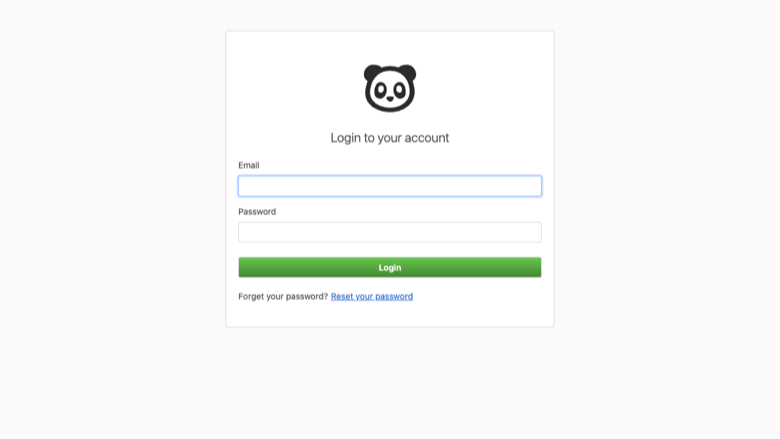
Monica sign-in
Image
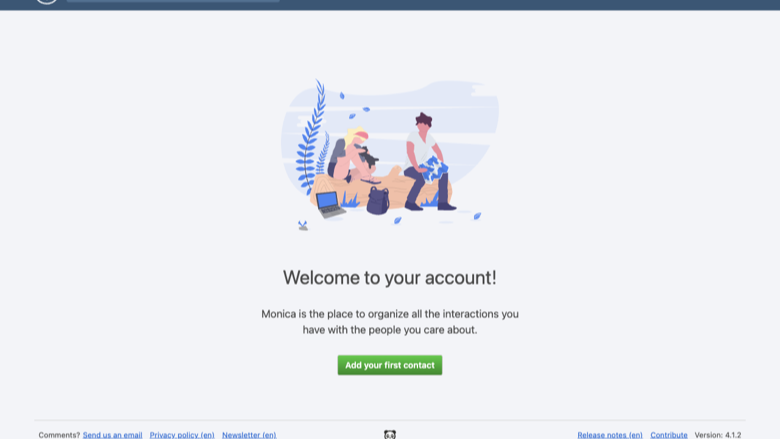
Monica dashboard
Image
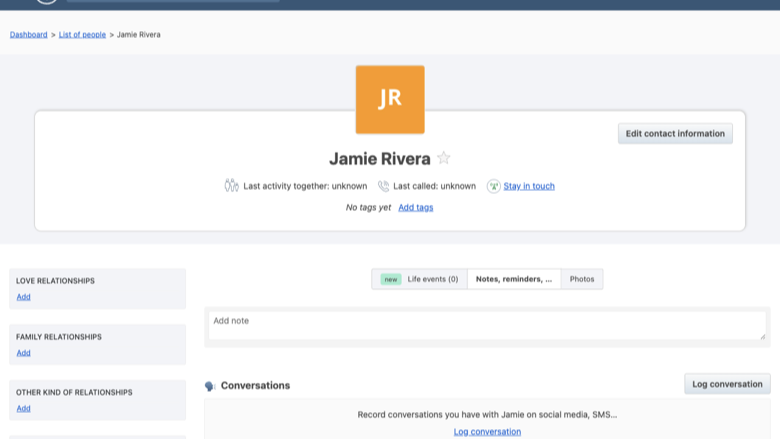
Contact profile
This is a repackaged open source software product wherein additional charges apply for cloudimg support services.
Overview
Monica is the open source personal relationship manager - a self-hosted CRM for your personal life. Keep track of the people who matter to you: record how and when you interacted with them, set reminders for birthdays and important dates, log gifts, notes, debts, tasks, activities, journal entries and relationships between contacts.
This AMI delivers Monica4.1 fully installed and configured so a complete personal CRM is running within minutes of launch - no manual setup wizard, no schema migration, and no scheduler configuration required.
Why This AMI Instead of a DIY Deployment
Deploying Monica manually means configuring nginx, PHP-FPM with OPcache, MariaDB, Laravel's task scheduler via cron or systemd, volume layout for uploads and database, credential generation, and application-key rotation. This image eliminates all of that:
- Zero-touch deployment - Launch the instance, browse to its address, and sign in. The schema, reference data, web server, and scheduler are pre-configured.
- Dedicated resizable volumes - Application files, uploads, and the database each reside on independent EBS volumes you can resize without rebuilding.
- Disabled signups - Only the per-instance administrator account exists, so there is no exposure window from open registration.
- Automatic credential generation - A first-boot service creates a unique Laravel application key, MariaDB password, and admin password, then stores the admin login in a root-only file. No shared or default credentials ever ship in the image.
Compared to generic Docker Compose deployments or community images, this AMI provides a hardened, production-ready stack with professional support included.
Application Stack
Monica is a Laravel application running on PHP 8.3 with OPcache, served by nginx with php-fpm. MariaDB provides the database backend. The Laravel task scheduler runs every minute through a systemd timer to process reminders and queued jobs.
Secure By Default
On first boot a one-shot systemd service generates a fresh Laravel application key, a fresh MariaDB password, and a fresh administrator account password - all unique to that instance. The instance's own address is set as the application URL automatically. The database is created empty at image build time, so no personal data ships in the image.
Example Use Case
A solo consultant managing200+ client relationships launches this AMI in a private VPC. After signing in, they import contacts via CardDAV sync from their phone, set birthday and follow-up reminders, and log meeting notes after each call. All data stays within their AWS account - no third-party SaaS involved. The dedicated storage volumes let them scale the database independently as their contact list grows.
Additional Scenarios
- A family office tracking relationship notes and important dates across generations with full data residency in a chosen AWS Region.
- A healthcare professional logging patient interaction notes under strict privacy requirements, keeping data out of multi-tenant platforms.
- Anyone who wants a private alternative to commercial contact managers while retaining full control over backups and exports.
cloudimg Support
24/7 technical support by email and live chat. Our engineers help with Monica deployment, upgrades, performance tuning, email relay configuration, CardDAV and CalDAV sync, two-factor authentication setup, and database administration. Critical issues receive a one-hour average response.
Getting Started
- Launch the AMI with a recommended instance type (t3.small or larger).
- Ensure your security group allows inbound traffic on ports 80 and 443.
- SSH into the instance and retrieve the generated admin credentials from the root-only file.
- Browse to the instance's public IP or DNS address.
- Sign in with the admin credentials and begin adding contacts, reminders, and notes.
All product and company names are trademarks or registered trademarks of their respective holders. Use of them does not imply any affiliation with or endorsement by them.
Highlights
- Deploy a complete personal CRM in minutes instead of hours: Monica 4.1 ships pre-configured with nginx, PHP 8.3, OPcache, MariaDB, and the Laravel task scheduler - no manual setup wizard, no schema migration, and no cron configuration. Application files, uploads, and the database reside on dedicated EBS volumes you can resize independently. Signups are disabled so only your administrator account exists. This eliminates the deployment headaches of DIY installs and unsupported community images.
- Security without shared credentials: Unlike many AMIs that ship default passwords, every instance generates its own unique Laravel application key, MariaDB password, and administrator password on first boot via a one-shot systemd service. Credentials are stored in a root-only file - never exposed in logs or metadata. No personal data ships in the image, and the application URL is set automatically. This closes the security gap that exists with generic Docker or manual deployments.
- 24/7 expert support that goes beyond break-fix: cloudimg engineers assist with CardDAV and CalDAV sync configuration, two-factor authentication setup, email relay integration, performance tuning, upgrades, and database administration - areas where unsupported community images leave you on your own. Critical issues receive a one-hour average response by email or live chat, so you have professional backing for a production personal CRM.
New
Introducing multi-product solutions
You can now purchase comprehensive solutions tailored to use cases and industries.

Features and programs
Financing for AWS Marketplace purchases
AWS Marketplace now accepts line of credit payments through the PNC Vendor Finance program. This program is available to select AWS customers in the US, excluding NV, NC, ND, TN, & VT.

Pricing
Free trial
Try this product free for 7 days according to the free trial terms set by the vendor. Usage-based pricing is in effect for usage beyond the free trial terms. Your free trial gets automatically converted to a paid subscription when the trial ends, but may be canceled any time before that.
Pricing is based on actual usage, with charges varying according to how much you consume. Subscriptions have no end date and may be canceled any time. Alternatively, you can pay upfront for a contract, which typically covers your anticipated usage for the contract duration. Any usage beyond contract will incur additional usage-based costs.
Additional AWS infrastructure costs may apply. Use the AWS Pricing Calculator to estimate your infrastructure costs.
If you are an AWS Free Tier customer with a free plan, you are eligible to subscribe to this offer. You can use free credits to cover the cost of eligible AWS infrastructure. See AWS Free Tier for more details. If you created an AWS account before July 15th, 2025, and qualify for the Legacy AWS Free Tier, Amazon EC2 charges for Micro instances are free for up to 750 hours per month. See Legacy AWS Free Tier for more details.
Dimension | Description | Cost/hour |
|---|---|---|
m5.large Recommended | m5.large | $0.08 |
t3.micro | t3.micro instance type | $0.04 |
t2.micro | t2.micro instance type | $0.04 |
c6a.24xlarge | c6a.24xlarge instance type | $0.24 |
m6a.large | m6a.large instance type | $0.08 |
c5n.4xlarge | c5n.4xlarge instance type | $0.24 |
r5a.2xlarge | r5a.2xlarge instance type | $0.24 |
d3en.8xlarge | d3en.8xlarge instance type | $0.24 |
c7a.12xlarge | c7a.12xlarge instance type | $0.24 |
c8id.48xlarge | c8id.48xlarge instance type | $0.24 |
Vendor refund policy
Refunds available on request.

Legal
Vendor terms and conditions
Upon subscribing to this product, you must acknowledge and agree to the terms and conditions outlined in the vendor's End User License Agreement (EULA) .
Content disclaimer
Vendors are responsible for their product descriptions and other product content. AWS does not warrant that vendors' product descriptions or other product content are accurate, complete, reliable, current, or error-free.
Delivery details
64-bit (x86) Amazon Machine Image (AMI)
Amazon Machine Image (AMI)
An AMI is a virtual image that provides the information required to launch an instance. Amazon EC2 (Elastic Compute Cloud) instances are virtual servers on which you can run your applications and workloads, offering varying combinations of CPU, memory, storage, and networking resources. You can launch as many instances from as many different AMIs as you need.
Version release notes
Initial release of Monica 4.1 self-hosted personal CRM.
Additional details
Usage instructions
Connect via SSH on port 22 as the default login user for your operating system variant (the user guide lists it per variant; on Ubuntu it is 'ubuntu'). Monica is served on port 80. Retrieve the generated administrator login with: sudo cat /root/monica-credentials.txt. Browse to http://<instance-public-ip>/ and sign in with the admin email and that password (the instance's address is set as APP_URL on first boot). Services are managed with systemctl (nginx, php8.3-fpm, mariadb); admin CLI tasks use 'sudo -u www-data php /var/www/monica/artisan ...'. To enable HTTPS, follow the Let's Encrypt section of the user guide.
Resources
Vendor resources
Support
Vendor support
cloudimg Support
cloudimg provides 24/7 technical support for this Monica AMI product by email and live chat.
Scope of Support
Our engineers assist with:
- Initial deployment and first-boot credential retrieval
- Monica upgrades and patch application
- Email relay and SMTP configuration
- CardDAV and CalDAV sync setup
- Two-factor authentication enablement
- Performance tuning and PHP/OPcache optimization
- MariaDB database administration and backups
- EBS volume resizing and storage management
- Troubleshooting application errors and connectivity issues
Response Times
Critical issues receive a one-hour average response. All inquiries are handled by engineers familiar with the Monica application stack and the underlying AWS infrastructure.
How to Get Help
Email: support@cloudimg.co.uk Live chat: Available 24/7
For refund requests or billing inquiries, contact us via the same channels and we will assist promptly.
Recommended Instance Sizing
For personal use with up to a few hundred contacts, a t3.small instance provides adequate compute. For heavier workloads or faster page loads, consider t3.medium or larger. Storage volumes can be resized independently as your data grows.
AWS infrastructure support
AWS Support is a one-on-one, fast-response support channel that is staffed 24x7x365 with experienced and technical support engineers. The service helps customers of all sizes and technical abilities to successfully utilize the products and features provided by Amazon Web Services.
Similar products

This product has charges associated with it for deployment, configuration, and ongoing support. Monica - Personal CRM. Self-hosted on AWS EC2.
Kriv AI discovers unauthorized AI usage across regulated enterprises (payers, pharma, banks, insurers). Network-layer scan (CASB / SSE telemetry), SaaS inventory scan (Okta / Entra SSO catalogs), endpoint + browser-extension scan, mobile AI-app scan, PHI / NPI / MNPI exposure mapping, HIPAA §164.502(b) minimum-necessary + GLBA + NYDFS §500.14 + SR 11-7 + SOC 2 CC6/CC9 + ISO 27001 A.5.19–A.5.23 + EU AI Act Article 26 + Colorado SB 24-205 + NAIC Model Bulletin gap analysis, prioritized 30/60/90-day remediation roadmap, CASB/SSE policy authoring, sanctioned-alternative enablement plan (Bedrock / Q Business / Copilot / Claude for Enterprise), executive + board briefing deck. Three tiers: $35K Foundation (3 wks, 1 cloud + 1 SaaS) / $65K Standard (4 wks, 2 clouds + 3 SaaS + CASB) / $95K Enterprise (5 wks, 3 clouds + 5 SaaS + mobile + tabletop + board). +$15K per additional tenant. AWS Select + Databricks + Anthropic CPN.

Increasingly, tech projects are AWS-enabled projects, and many can be funded through the landscape of national, state, and even local funding sources. This service helps you determine which funders are the best fit for your AWS-supported project and target the best opportunities available.
The process starts with a 30-minute introductory call with a Grants Office Grants Development Consultant to understand your project. Grants Office then produces a Funding Opportunity Report with a shortlist of best practices, application requirements, and suggested timelines for your top funding opportunities. Once you've read through the results, Grants Office will host 2 one-hour consulting sessions with you to review the requirements of the various funders, choose the best prospects, and discuss best practices for positioning your grant request.
If you are a tech company selling to grant-eligible customers, contact Grants Office to learn about leveraging this service at scale for your customers.
Customer reviews
No customer reviews yet
Be the first to review this product . We've partnered with PeerSpot to gather customer feedback. You can share your experience by writing or recording a review, or scheduling a call with a PeerSpot analyst.