Sold by: Commvault
Deployed on AWS
AWS Free Tier
The Commvault Cloud Media Agent (or Backup Gateway) is a specialized data mover (or proxy) that facilitates efficient, secure, and scalable backup/restore operations, especially in virtualized or cloud environments. It offloads data processing from source systems, performs deduplication operations, and ensures optimized data flow to backup storage. This is an infrastructure component of the Commvault software and requires an existing Commvault Cloud control plane to be used.
4.3
Overview
Commvault Cloud is an enterprise-grade platform built for unified cyber resilience across cloud-native, AI, and traditional datacenter applications to meet the demands of the hybrid enterprise in the face of ransomware and other cyber threats. Commvault Cloud unifies the best data security with the fastest recovery, advanced AI, and the power of a broad partner ecosystem to help the world's largest organizations reduce risk, minimize downtime, and keep business moving forward.
The Commvault Cloud Media Agent (or Backup Gateway) is a specialized data mover or proxy that facilitates efficient, secure, and scalable backup/restore operations, especially in virtualized or cloud environments. It offloads data processing from source systems and ensures optimized data flow to backup storage. As Media Agents, backup gateways perform deduplication operations before moving data to and from the access nodes to the storage targets. This is an infrastructure component of the Commvault software and requires an existing Commvault Cloud control plane to be used.
New in V11.42 and higher, the OS images are now pre-hardened with Center for Internet Security (CIS) Level 1 benchmark controls.
The Media Agent software is free (covered under the BYOL Commvault software license) but you will pay the AWS infrastructure costs for running the virtual machine.
Highlights
- Integrates AWS Backup and Recovery within virtualized (cloud) or Commvault on-prem solutions which provides unified cyber resilience across cloud-native, AI, and traditional datacenter applications
- Agent-less backup of EC2 instances and EBS volumes; agent-based application backup and recovery from other platforms into AWS
- Efficient replication and source side deduplication built-in for cost optimization; writes directly to S3 or other storage libraries
Details
Sold by
Delivery method
Delivery option
64-bit (x86) Amazon Machine Image (AMI)
Latest version
Operating system
AmazonLinux 2023.2.20231113.0
Deployed on AWS
New
Introducing multi-product solutions
You can now purchase comprehensive solutions tailored to use cases and industries.

Features and programs
Trust Center

Access real-time vendor security and compliance information through their Trust Center powered by Drata or Vanta. Review certifications and security standards before purchase.
Buyer guide
Gain valuable insights from real users who purchased this product, powered by PeerSpot.
Financing for AWS Marketplace purchases
AWS Marketplace now accepts line of credit payments through the PNC Vendor Finance program. This program is available to select AWS customers in the US, excluding NV, NC, ND, TN, & VT.

Pricing
Pricing and entitlements for this product are managed through an external billing relationship between you and the vendor. You activate the product by supplying a license purchased outside of AWS Marketplace, while AWS provides the infrastructure required to launch the product. AWS Subscriptions have no end date and may be canceled any time. However, the cancellation won't affect the status of the external license.
Additional AWS infrastructure costs may apply. Use the AWS Pricing Calculator to estimate your infrastructure costs.
Vendor refund policy
This product includes a Commvault license. Any and all refunds and cancellations are subject to your EULA.

Legal
Vendor terms and conditions
Upon subscribing to this product, you must acknowledge and agree to the terms and conditions outlined in the vendor's End User License Agreement (EULA) .
Content disclaimer
Vendors are responsible for their product descriptions and other product content. AWS does not warrant that vendors' product descriptions or other product content are accurate, complete, reliable, current, or error-free.
Delivery details
64-bit (x86) Amazon Machine Image (AMI)
Amazon Machine Image (AMI)
An AMI is a virtual image that provides the information required to launch an instance. Amazon EC2 (Elastic Compute Cloud) instances are virtual servers on which you can run your applications and workloads, offering varying combinations of CPU, memory, storage, and networking resources. You can launch as many instances from as many different AMIs as you need.
Additional details
Usage instructions
For documentation on input fields, see this page https://documentation.commvault.com/11.40/expert/system_requirements_for_virtual_server_agent_with_amazon_ec2.html
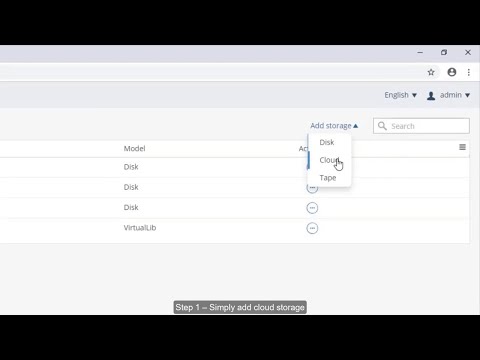
- From the Command Center navigation pane, go to "Manage" > "Servers". The "Servers" page appears.
- Click "Add Server". The "Add Servers" dialog box appears.
- Select Complete the installation if software packages are already installed on your computer.
- In "Host name", enter the IPv4 address of the AWS instance. The IPv4 address must be reachable by the CommServe server in one of the following ways: o Port 8403 (default) o A network topology ( https://documentation.commvault.com/v11/essential/network_topologies.html )
- In "Server name", enter the server name.
- Click "Install".
SSH Access: To connect to the instance via SSH, use the username(ec2-user) you configured during the launch process along with the corresponding password or key pair.
Resources
Vendor resources
Support
Vendor support
Support is purchased through Commvault along with licensing. Commvault's Customer Support Services delivers a continuum of support offerings to meet changing needs: Standard, Premium, Proactive and Enterprise. Commvault's Maintenance Advantage (MA) e-Support portal is available 24x7x365. It includes a comprehensive knowledge base, product updates, software fixes, and incident tracking and reporting, among the many capabilities that are accessible through this web-based repository.
AWS infrastructure support
AWS Support is a one-on-one, fast-response support channel that is staffed 24x7x365 with experienced and technical support engineers. The service helps customers of all sizes and technical abilities to successfully utilize the products and features provided by Amazon Web Services.
Similar products
The Commvault Cloud Access Node (or Backup Gateway) is a specialized data mover (or proxy) that facilitates efficient, secure, and scalable backup/restore operations, especially in virtualized or cloud environments. It offloads data processing from source systems and ensures optimized data flow to backup storage. This is an infrastructure component of the Commvault software and requires an existing Commvault Cloud control plane to be used.
The Commvault Cloud Access Node (or Backup Gateway) is a specialized data mover (or proxy) that facilitates efficient, secure, and scalable backup/restore operations, especially in virtualized or cloud environments. It offloads data processing from source systems and ensures optimized data flow to backup storage. This is an infrastructure component of the Commvault software and requires an existing Commvault Cloud control plane to be used.
The Commvault Cloud Access Node (or Backup Gateway) is a specialized data mover (or proxy) that facilitates efficient, secure, and scalable backup/restore operations, especially in virtualized or cloud environments. It offloads data processing from source systems and ensures optimized data flow to backup storage. This is an infrastructure component of the Commvault software and requires an existing Commvault Cloud control plane to be used.
The Commvault Cloud Access Node (or Backup Gateway) is a specialized data mover (or proxy) that facilitates efficient, secure, and scalable backup/restore operations, especially in virtualized or cloud environments. It offloads data processing from source systems and ensures optimized data flow to backup storage. This is an infrastructure component of the Commvault software and requires an existing Commvault Cloud control plane to be used.
Customer reviews
Sanjay Singh Bisht
Unified data protection has simplified hybrid backups and has improved ransomware recovery speed
Reviewed on Jun 17, 2026
Review from a verified AWS customer
What is our primary use case?
Commvault Cloud's main core use case is backup and recovery for protecting on-premises workloads, databases, the file system, NAS, and on-premises infrastructure. Another primary use case is immutable backups to protect from ransomware attacks, with air-gapped or isolated copies also providing ransomware protection.
I use Commvault Cloud for VMware to protect virtual workloads, virtual machines, and databases, including mission-critical databases such as SQL Server.
I use it for my backup environment to protect workloads.
What is most valuable?
Commvault Cloud's best feature in terms of protection is that it provides data protection and accomplishes its job effectively. It offers a unified approach to backup across all environments, including on-premises, public cloud, and SaaS applications such as M365 and Salesforce. I also use it for virtual machines and databases.
The unified protection approach helps my team manage different environments effectively. Before Commvault Cloud, I used a separate VM backup tool to protect the VMware environment. For database backup, I had to use the native tool or backup scripts. For the cloud part, I had to use the native AWS or Azure cloud tools. After moving to Commvault Cloud, a single policy or a set of backup policies is applied across virtual machines, databases, workloads, and cloud workloads. I can protect my environments, which reduces manual configuration errors. Regarding visibility, it provides one dashboard to manage and centralize monitoring of all workloads. It is very easy to track backup success or failure. I can see the SLA compliance and storage usage without needing to jump between tools to check or have visibility of it. Regarding the recovery experience, the recovery time has been reduced drastically by using Commvault Cloud. It has simplified cloud management and provides easier manageability to manage retention policies, encryption policies, and compliance rules. This helps reduce operational workloads.
Commvault Cloud has impacted me very positively. It simplifies and unifies data protection across hybrid workloads. Instead of managing multiple backup tools for virtual machines, databases, and SaaS applications, I now have a single platform with consistent policies and centralized visibility. This has really reduced my operational complexity and improved backup reliability. Regarding the cyber resiliency posture, the immutable backups and ransomware recovery workflow give me greater confidence in recovering quicker from potential risks. Commvault Cloud has positively impacted me in several key areas: unified backup management across environments, reduced operational overhead, improved ransomware resiliency, faster recovery times, better visibility for compliance, and easier management of hybrid or cloud workloads.
What needs improvement?
Commvault Cloud is a very powerful tool, but it can be improved in various ways. Commvault Cloud can be improved by simplifying its interface, reducing configuration complexity, and making more advanced features such as ransomware recovery easier to use. It can be better in the diagnostic part, and the cloud integration part can be smoother.
For how long have I used the solution?
I have been working in my current field for the last eight to nine years.
What was our ROI?
I have experienced measurable outcomes and organizational improvements in several areas. In terms of faster recovery time, before Commvault Cloud, full system recovery used to take hours to perform a complete system restore. After Commvault Cloud, this has been reduced to minutes or an hour using automated recovery workflows. The recovery time has improved by sixty to eighty percent, which totally depends on the type of workload, but especially for virtual machines and databases, the recovery timing has been improved significantly.
In terms of time saved in backup operations, there is a reduction in manual backup scripting and monitoring. The centralized backup policy automation has reduced my administrative efforts by twenty to forty percent. The onboarding of new workloads is now faster.
Regarding storage and infrastructure efficiency, I have optimized backup retention and deduplication. There is a thirty to forty percent reduction in data infrastructure overhead, which varies from environment to environment.
Downtime has been reduced because Commvault Cloud provides faster restores during business disruption. Unplanned downtime impact has been reduced due to faster and more reliable recovery workflows.
Regarding cost optimization, I would not characterize it as a direct saving, but it can be called an indirect saving because instead of purchasing multiple backup tools, I can now use one tool to manage or back up all environments. The licensing has been reduced, operational efficiency and operational overhead have been reduced, and there is lower dependency on manual intervention.
What other advice do I have?
Commvault Cloud is quite a mature product that I would advise others considering it to explore.
My advice to others is to start by clearly mapping data protection requirements across all environments, including on-premises and cloud, because the platform is most valuable when used as a unified strategy rather than a point solution. It is also important to invest time upfront in designing policies and planning, especially around retention, ransomware protection, and protecting critical systems such as Microsoft SQL and Oracle databases. This generally helps in avoiding complexity. I would also recommend getting training for Commvault Cloud, as it can help you learn about each feature.
Commvault Cloud is quite interactive, but I think there are some areas which can be improved for future versions, such as clarifying the early scopes and reducing the repetition of several questions, as some questions were repeated multiple times. I would appreciate more scenario-based questions. I would also recommend separating technical evaluation questions from business evaluation questions.
I would rate this review an eight out of ten.
Which deployment model are you using for this solution?
On-premises
If public cloud, private cloud, or hybrid cloud, which cloud provider do you use?
Amazon Web Services (AWS)
Ankit Gagneja
Hybrid backup strategy has improved recovery orchestration and now supports flexible DR planning
Reviewed on Dec 09, 2025
Review provided by PeerSpot
What is our primary use case?
I work with a variety of backup solutions including Commvault, Avamar, Rubrik, and similar tools. I am part of Tata Consultancy Services where we pitch all these solutions to customers from the backup perspective while the overall solution revolves around how we are transforming the overall IT estate for the customers. This is a subpart of it, but we do deal with the backup solutions as a solution for the customers.
I have been dealing with Commvault Cloud for about four or five years and have been selling solutions around Commvault.
When it comes to recommending Commvault Cloud, it varies from manufacturing to retail. We usually deal with all the enterprise customers with petabyte scale of data in the environment. Wherever we have reliance RTO and RPO requirements from the customers for shipping the backup copies to the cloud, we leverage different components from Commvault. For example, we basically keep the CommServe in one of the cloud environments to have the policy orchestrations and all that. To ensure that whenever required, we can restore from the latest backups using Commvault Cloud onto the public cloud environments while the primary workloads are running on-premise. This is one scenario, but it spans across the industries and across the size of the customers where we leverage all these enterprise solutions, typically for the production workloads. We also leverage the cloud-native solutions from the respective hyperscalers for the non-production workloads to ensure that we are saving on the license costs while achieving the compression and dedupe capabilities from tools such as Commvault.
What is most valuable?
We find the most valuable features in Commvault Cloud to be from the appliances perspective. I mentioned CommServe, which basically orchestrates the overall backup policies for the customers. The features are primarily from the backup and restore perspective, which is a typical use case that we solution for the customer.
Basically, the public cloud acts as a bigger solution for the on-premise while the on-premise acts as a DR for the public cloud workloads.
What needs improvement?
I think improvements could be made in Commvault Cloud. Lately what I have seen is that there are AI capabilities that different data protection organizations are coming up with, which basically revolves around tiering of not frequently accessible data to glacier kind of storage, plus bringing in a high level of compression and deduplication capabilities. All those features I believe are there in other customers and they are bringing in new use cases from the AI perspective which I have not recently seen in Commvault.
I have seen that Dell does have such features. We recently pitched a solution to the customers where we talked about data tiering and the other AI use cases, identifying the data by itself and autonomously taking decisions on how to tier the data between the different storage classes that we have. Those kind of capabilities that we have proposed to the customer as far as the partner solutions are concerned.
I would like to see AI capabilities in Commvault Cloud. The rest of the features pretty much align with the other enterprise solutions that we have in the market. It is just the AI capability that is being asked by the customers as well as that I see missing with Commvault.
For how long have I used the solution?
I have been working in this field for eight years.
How are customer service and support?
I would rate the technical support provided by Commvault from 1 to 10. I do not come from the delivery background but from the solution architect background, so I sell the solution to the customers. At the pre-sale cycle, we have spocks aligned from Commvault with whom we get in touch, and they provide all the required support that we need.
What other advice do I have?
I would assess the flexibility of Commvault Cloud in supporting cloud-based and on-premises deployments by saying that the components more or less remain the same. It depends on how many workloads that we are running onto the cloud. Whether to use production or whether to use Commvault solutions for the production workloads or take them to the non-production. We typically look for how much data storage that we need to protect via Commvault. Whether we are achieving a business case and bringing in cost-saving for the customer if the data size is too high from the non-production workloads as well. We typically go on and propose to the customer to leverage Commvault for the non-production workloads as well. For hybrid cloud customers, we have environments across on-premise and cloud. They have their virtual appliances running on Commvault in public cloud as well as the on-premise workloads. They typically use public cloud as a failover to the on-premise environment while they use on-premise for the workloads that are running on the public cloud.
To evaluate Commvault Cloud disaster recovery performance, we look for features including deduplication and how much data that we are saving and whether the cost saving comes from the actual FET that we get out of Commvault. FET is basically how much data that we need to back up using Commvault solution. Plus we look at how many licenses that we require. Competitors charge for per-VM based licenses. In Commvault we have VM-based licensing as well. I am not too sure with respect to how many licenses that we need for the file storage. These are the evaluation criteria when we are assessing what backup solution to go ahead with.
The product is competitive when it comes to the pricing. It is pretty much in line with the partner solutions.
I usually recommend other solutions instead of Commvault Cloud. We face a variety of customers where the customers already have solutions running in their environment. If not, if a customer wants a different solution, if they are moving from legacy systems to the cloud and there is a need to propose a new solution, then we go ahead with new backup data protection solutions. Otherwise, whatever that is running in the customer's environment and they are pretty much happy with it, we go ahead with the same solution for the customers.
I would rate this review overall as an eight out of ten.
Kamal Gulati
Has consistently offered robust cross-platform capabilities and impressive support
Reviewed on Jul 30, 2025
Review provided by PeerSpot
What is our primary use case?
Our main use cases for Commvault Cloud are primarily BFSI and banking.
What is most valuable?
The most helpful features of Commvault Cloud are its extensive capabilities, as they are in a position to take care of whatever use case presented to it.
Commvault Cloud provides features for managing multi-cloud environments.
Commvault Cloud has deduplication technology as part of its features.
What needs improvement?
I don't see any issue with storage efficiency or performance of the application; the only issue is it's a costly solution.
It's quite costly, but I would still consider it's worth the investment.
For how long have I used the solution?
I have been working with Commvault Cloud for approximately three years.
What was my experience with deployment of the solution?
It is not difficult to deploy Commvault Cloud; however, it requires good skills and a competent person to implement it, while Veeam will be completely simpler to deploy.
If a person knows what they are doing, deploying Commvault Cloud can take a few hours to a few days, depending on the use case.
What do I think about the stability of the solution?
I do not experience difficulties related to stability; the product is good in that regard.
I have not faced any downtimes with Commvault Cloud. The concerns arise more when I want changes or need to do some configuration, and if a bug appears, I reach out, and they are good at assisting.
What do I think about the scalability of the solution?
I would consider that Commvault Cloud is scalable enough for those types of applications, as we are using them for multiple applications.
How are customer service and support?
I am reasonably satisfied with Commvault Cloud's technical support team; however, the primary aspect is the number of people on the ground, which is limited, and the number of people who know Commvault Cloud is lesser compared to Veeam.
If I have an issue, it will indeed take more time to receive a response because they have limited resources, but otherwise, Commvault Cloud has reasonable support, although they will not come on-site and it will be remote support.
Which other solutions did I evaluate?
The main difference between Commvault Cloud and Veeam is that Commvault Cloud is much more real cross-platform and multi-cloud, designed for a real, exhaustive, real cross-platform, cross-cloud environment, evident in terms of a single pane of window. Veeam is more geared towards different types of use cases, as Veeam has naturally been for virtual environments and has been shaping up quite reasonably for cloud, being much simpler in terms of usability compared to Commvault Cloud.
What other advice do I have?
The concerns arise more when I want changes or need to do some configuration. On a scale of one to ten, I rate Commvault Cloud a nine.
DarshanDivekar
Comprehensive cloud-based management ensures security and easy integration across platforms
Reviewed on Apr 28, 2025
Review provided by PeerSpot
What is our primary use case?
I provide solutions using Commvault Cloud for multiple purposes such as endpoint backups, server backups, databases, cybersecurity solutions, and healthcare. The use cases depend on the customer, including Metallic, a cloud-based solution, tailored according to individual requirements.
What is most valuable?
Commvault Cloud offers a SaaS solution where there is no need for on-premise installations. Customers only need to purchase the solution, and Commvault takes care of everything. Other features include endpoint solutions, integration with Office 365, ransomware protection, archival for long-term retention, and no ingress or egress charges. The security is enhanced with multi-factor authentication, and data can be replicated to different clouds with one on-premise copy.
What needs improvement?
The support needs more improvement. I feel that the support is not yet up to the mark, with not enough professional engineers to provide assistance.
For how long have I used the solution?
I have been working with Commvault Cloud for almost ten years.
What was my experience with deployment of the solution?
Deployment depends on the customer, but it does not take more than two months.
What do I think about the stability of the solution?
Commvault Cloud is highly stable, and I would rate it a ten out of ten.
What do I think about the scalability of the solution?
Commvault Cloud is quite scalable, and I have not heard any complaints from customers regarding scalability.
How are customer service and support?
The support currently deserves a seven out of ten rating but could be improved to reach a nine.
How was the initial setup?
The initial setup is straightforward, and on a scale of one to ten, I would rate the ease of setup a nine.
What was our ROI?
Customers typically see a return on investment within three years.
What's my experience with pricing, setup cost, and licensing?
Commvault Cloud is expensive, and there is room for the price to be 10-15 percent lower than what they are charging currently.
What other advice do I have?
Commvault Cloud provides an excellent solution. Users get a single pane of dashboard to manage the entire backup infrastructure across different locations. My overall rating for Commvault Cloud would be nine out of ten.
reviewer1544721
Data backup and imaging streamline processes with diverse backup options available
Reviewed on Feb 26, 2025
Review provided by PeerSpot
What is our primary use case?
We use Commvault for our data backup and imaging.
How has it helped my organization?
Commvault serves us by backing up multiple versions and multiple locations, giving us availability in case of any issues in one place. It has saved us a lot of time as scheduled backups happen automatically.
What is most valuable?
Commvault is an all-in-one product that is very simple and operational for business use. It has an imaging option and a deduplication option, and our license is per node, which is not limited to storage capacity. We can back up unlimited TBs due to our per node license.
What needs improvement?
I think Commvault needs to improve its virtual solutions.
For how long have I used the solution?
We have used Commvault for almost ten years.
What do I think about the stability of the solution?
Commvault is a stable system.
What do I think about the scalability of the solution?
Commvault is scalable.
How are customer service and support?
I would rate the customer support five out of ten. Customer support has very closed departments, requiring us to shuffle between them to get one thing done because representatives have limited accessibility. We need to go through multiple layers, which is inconvenient for us as end users.
Which solution did I use previously and why did I switch?
We used to use Tivoli long ago. Now, for more than a decade, we don't have other experiences.
How was the initial setup?
I think the initial setup was straightforward.
What was our ROI?
Numbers cannot be said because it is just a backup software.
What's my experience with pricing, setup cost, and licensing?
Our licensing model is reasonable for us. We don't know the exact current licensing models in detail.
What other advice do I have?
We will recommend Commvault because it is stable and an all-in-one solution. Users can perform multiple types of backups from different sources. I rate the overall solution as an eight out of ten.