
Sold by: cloudimg
Deployed on AWS
Free Trial
AWS Free Tier
This product has charges associated with it for seller support. Launch Live Helper Chat, the open source live chat and helpdesk platform, in minutes with no setup wizard: it ships pre-configured on nginx, PHP 8.3 and MariaDB with per-instance credentials generated on first boot. Backed by 24/7 cloudimg support.
Overview
Image
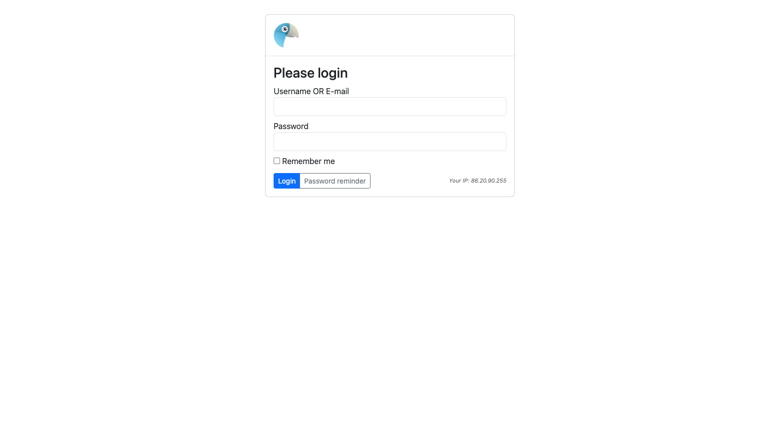
Live Helper Chat operator sign-in
Image
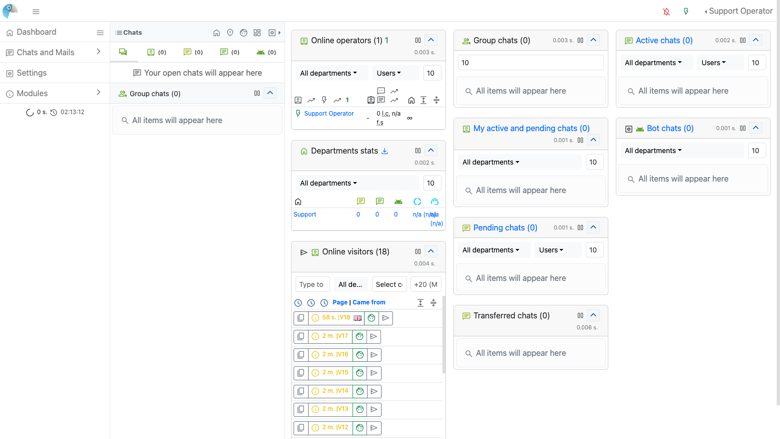
Operator dashboard
Image
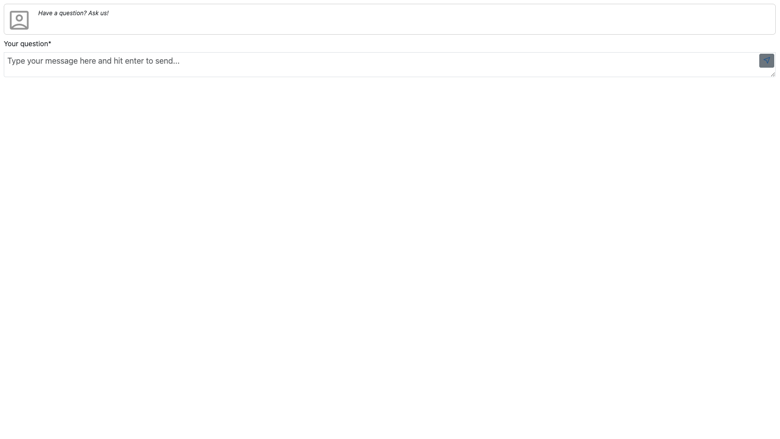
Visitor chat widget
Image
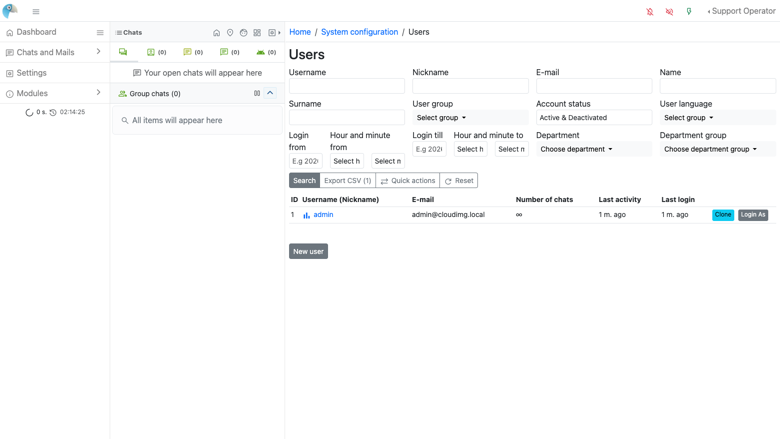
Operator management
This is a repackaged open source software product wherein additional charges apply for cloudimg support services.
Overview Live Helper Chat is a mature open source live chat and helpdesk platform for your website: an operator agent panel to answer visitor chats in real time, an embeddable visitor chat widget, canned messages, departments and routing, chat-bot hooks, offline messages, and a full REST API. This image delivers Live Helper Chat fully installed and configured on a self-contained LAMP appliance, so a complete chat platform is running within minutes of launch. The current release available is Live Helper Chat 4.87v.
Why Self-Hosted Live Chat on AWS Unlike SaaS chat tools that charge per agent and store your data on third-party servers, this image runs entirely in your own AWS VPC: no per-agent licensing fees regardless of team size, all chat transcripts stay in your account, unlimited concurrent chats, and complete REST API access for custom integrations with your existing systems.
Application Stack Live Helper Chat is a PHP application running on PHP 8.3 with OPcache and the pdo_mysql, mbstring, curl, gd, intl, xml, zip and bcmath extensions, served by nginx with php-fpm. A bundled local MariaDB provides the database, bound to loopback only. Realtime works out of the box using the default AJAX polling; the optional Node.js socket server for very high chat volumes is documented in the user guide as an opt-in upgrade. Live Helper Chat's own cron runs every minute through a systemd timer for offline-message mail, online-status timeouts and bot scheduling.
Secure By Default On the first boot of your instance a one-shot service generates a fresh per-instance operator password, rotates the internal database maintenance credential, and writes the operator password to a root-only file, eliminating the shared-password misconfiguration that comes from a baked default. No shared or default credentials ship in the image. The database listens on loopback only and the security group opens SSH, HTTP and HTTPS.
Ready To Use The Live Helper Chat code tree, web server and database are all installed and warmed, with the schema shipped so the operator panel and visitor widget respond immediately. Browse to the instance address, open the operator panel, sign in as the administrator, and start configuring departments, canned messages and the chat widget for your website in minutes.
cloudimg Support 24/7 technical support by email and chat. Help with Live Helper Chat deployment, upgrades, the visitor chat widget embed, departments and routing, canned messages and chat bots, the optional high-scale Node.js realtime server, email configuration and database administration.
Use Cases Add live chat to a website or store for real-time sales and support conversations. Run a self-hosted helpdesk with departments, canned responses and offline messages in your own VPC for data residency or compliance. Deploy a self-hosted alternative to SaaS live-chat products with a full REST API for integration into your CRM and internal systems.
All product and company names are trademarks or registered trademarks of their respective holders. Use of them does not imply any affiliation with or endorsement by them.
Highlights
- Live Helper Chat, the open source live chat and helpdesk platform, preinstalled with nginx, PHP 8.3 and MariaDB, the schema shipped and the app warmed, ready to use with no manual setup wizard
- Secure by default: a fresh per-instance operator password and internal database credential are generated for every instance on first boot and the operator password is stored in a root-only file
- 24/7 technical support from cloudimg for deployment, upgrades, the visitor chat widget, departments and routing, canned messages and chat bots, realtime scaling and database administration
Details
Sold by
Delivery method
Delivery option
64-bit (x86) Amazon Machine Image (AMI)
Latest version
Operating system
Ubuntu 24.04
Deployed on AWS
New
Introducing multi-product solutions
You can now purchase comprehensive solutions tailored to use cases and industries.

Features and programs
Financing for AWS Marketplace purchases
AWS Marketplace now accepts line of credit payments through the PNC Vendor Finance program. This program is available to select AWS customers in the US, excluding NV, NC, ND, TN, & VT.

Pricing
Free trial
Try this product free for 7 days according to the free trial terms set by the vendor. Usage-based pricing is in effect for usage beyond the free trial terms. Your free trial gets automatically converted to a paid subscription when the trial ends, but may be canceled any time before that.
Pricing is based on actual usage, with charges varying according to how much you consume. Subscriptions have no end date and may be canceled any time. Alternatively, you can pay upfront for a contract, which typically covers your anticipated usage for the contract duration. Any usage beyond contract will incur additional usage-based costs.
Additional AWS infrastructure costs may apply. Use the AWS Pricing Calculator to estimate your infrastructure costs.
If you are an AWS Free Tier customer with a free plan, you are eligible to subscribe to this offer. You can use free credits to cover the cost of eligible AWS infrastructure. See AWS Free Tier for more details. If you created an AWS account before July 15th, 2025, and qualify for the Legacy AWS Free Tier, Amazon EC2 charges for Micro instances are free for up to 750 hours per month. See Legacy AWS Free Tier for more details.
Dimension | Description | Cost/hour |
|---|---|---|
m5.large Recommended | m5.large | $0.08 |
t2.micro | t2.micro instance type | $0.04 |
t3.micro | t3.micro instance type | $0.04 |
c5a.12xlarge | c5a.12xlarge instance type | $0.24 |
c5a.16xlarge | c5a.16xlarge instance type | $0.24 |
c5a.24xlarge | c5a.24xlarge instance type | $0.24 |
c5a.2xlarge | c5a.2xlarge instance type | $0.24 |
c5a.4xlarge | c5a.4xlarge instance type | $0.24 |
c5a.8xlarge | c5a.8xlarge instance type | $0.24 |
c5a.large | c5a.large instance type | $0.08 |
Vendor refund policy
Refunds available on request.

Legal
Vendor terms and conditions
Upon subscribing to this product, you must acknowledge and agree to the terms and conditions outlined in the vendor's End User License Agreement (EULA) .
Content disclaimer
Vendors are responsible for their product descriptions and other product content. AWS does not warrant that vendors' product descriptions or other product content are accurate, complete, reliable, current, or error-free.
Delivery details
64-bit (x86) Amazon Machine Image (AMI)
Amazon Machine Image (AMI)
An AMI is a virtual image that provides the information required to launch an instance. Amazon EC2 (Elastic Compute Cloud) instances are virtual servers on which you can run your applications and workloads, offering varying combinations of CPU, memory, storage, and networking resources. You can launch as many instances from as many different AMIs as you need.
Version release notes
Initial release of Live Helper Chat 4.87v live chat and helpdesk platform.
Additional details
Usage instructions
Connect via SSH on port 22 as the default login user for your operating system variant (the user guide lists it per variant; on Ubuntu it is 'ubuntu'). Live Helper Chat is served on port 80. Retrieve the generated operator password with: sudo cat /root/live-helper-chat-credentials.txt. Browse to http://<instance-public-ip>/index.php/site_admin and sign in to the operator panel with the 'admin' username and that password; the visitor front page is at http://<instance-public-ip>/. Services are managed with systemctl (nginx, php8.3-fpm, mariadb). To enable HTTPS, follow the Let's Encrypt section of the user guide.
Resources
Vendor resources
Support
Vendor support
cloudimg provides 24/7 technical support for this Live Helper Chat image by email and live chat. Coverage includes initial deployment and first-boot credential retrieval, application upgrades and security patching, visitor chat widget embedding, department configuration and routing rules, canned messages, chat bot setup, the optional Node.js realtime server for high-volume scaling, SMTP email configuration for offline messages, and MariaDB database administration and backups. Contact support@cloudimg.co.uk by email or live chat.
AWS infrastructure support
AWS Support is a one-on-one, fast-response support channel that is staffed 24x7x365 with experienced and technical support engineers. The service helps customers of all sizes and technical abilities to successfully utilize the products and features provided by Amazon Web Services.
Similar products

This product has charges associated with it for seller support. A production-ready full-stack mail server (Postfix SMTP, Dovecot IMAP, Rspamd spam filtering and DKIM, Fail2ban) with per-instance secrets generated on first boot and 24/7 cloudimg support.

This product has charges associated with it for seller support. Launch a fully hardened Crafty Controller game server panel on EC2 in minutes - no Docker setup, no reverse-proxy wiring, no password capture required. Includes 24/7 cloudimg support.

OZ Biometric Liveness combines advanced AI-driven liveness detection with biometric face-to-face media verification, secure and seamless user authentication against spoofing and deep-fake threats.
Callaba deploys live video workflow infrastructure in your AWS account - replacing scattered tools with one control plane for SRT ingest, failover, routing, recording, and API automation.

TITAN Live is a high-quality and high-density video processing SW solution deployed in the Cloud

TITAN Live is a high-quality and high-density video processing SW solution deployed in the Cloud

This EKS Add On is for the StormForge Agent only. To use this agent, you must also have a valid StormForge SaaS account. To try StormForge for free for 45-days, you can start a free trial here: https://aws.amazon.com/marketplace/procurement?productId=prod-dk6uc2iusnjvo&offerId=offer-gfqobihiicklm
Customer reviews
No customer reviews yet
Be the first to review this product . We've partnered with PeerSpot to gather customer feedback. You can share your experience by writing or recording a review, or scheduling a call with a PeerSpot analyst.