Sold by: Askforcloud LLC
Deployed on AWS
AWS Free Tier
Kali Linux Xfce Desktop is an open-source, Debian-based distribution with hundreds of tools for penetration testing, security auditing, and forensics.
Overview
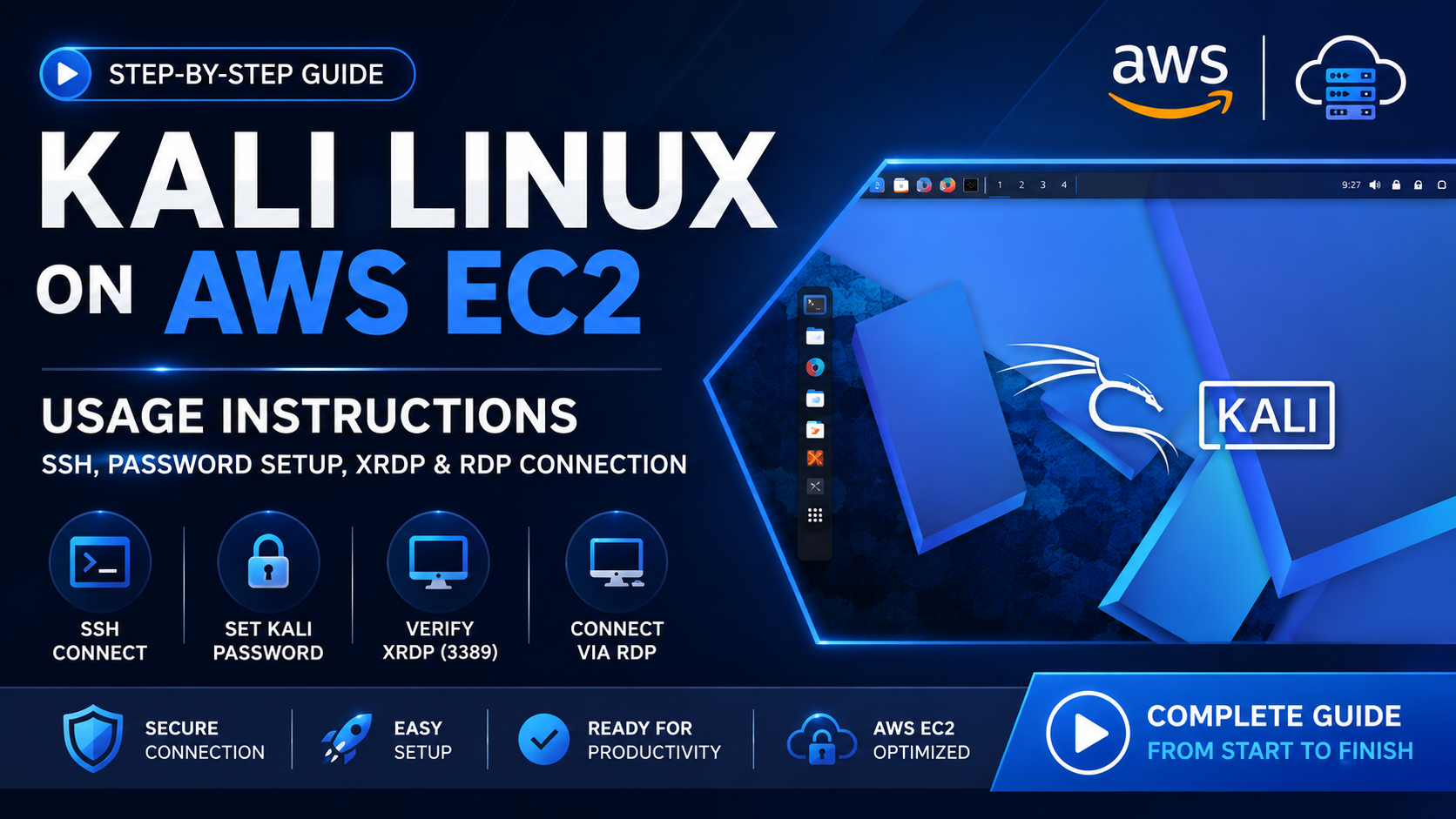
Kali Linux is a free, open source, Debian-based operating system designed for cybersecurity and penetration testing. It provides hundreds of specialized tools for tasks such as vulnerability assessment, digital forensics, reverse engineering, and security auditing.
Key Features
- Extensive Security Toolkit - Comprehensive tools for penetration testing, digital forensics, vulnerability assessment, and security research.
- Xfce Desktop - A responsive graphical environment optimized for efficient cloud usage.
- AWS eady - Launch on Amazon EC2 with flexible compute and networking options.
- Open & Customizable - Configure the environment to meet specific security, testing, and development requirements.
- Secure Software Distribution - GPG-signed packages and repositories help verify software integrity.
- Scalable & On Demand - Create dedicated security testing environments whenever and wherever required.
AMI Benefits
- On-Demand Infrastructure - Launch instances when needed for time-limited security engagements without maintaining dedicated physical hardware.
- Scalable Testing Environments - Deploy multiple instances to support distributed testing and assessment workflows across AWS infrastructure.
- Flexible Networking - Leverage AWS networking capabilities to create controlled and isolated testing environments appropriate for authorized security assessments.
- AWS Security Integration - Integrate the environment with AWS security and monitoring services to support comprehensive security assessment workflows.
Disclaimer : This AMI includes free and open source software. All software and trademarks remain the property of their respective owners. Askforcloud does not provide commercial licenses for the included products.
OffSec and Kali Linux are trademarks of OffSec Services Limited.
Highlights
- Askforcloud LLC simplifies cloud adoption with ready-to-deploy AMIs built for speed, security, and performance. Empower your workloads with scalable, reliable, and efficient cloud solutions designed for seamless deployment.
- Cloud-Ready Desktop - The Xfce desktop environment provides a responsive, resource-efficient graphical interface optimized for cloud instances. Launch on-demand AWS instances for time-limited engagements, scale across regions, and eliminate the need for dedicated testing hardware. Compliant with the Filesystem Hierarchy Standard for easy navigation and tool discovery.
Details
Sold by
Categories
Delivery method
Delivery option
64-bit (x86) Amazon Machine Image (AMI)
Latest version
Operating system
OtherLinux Kali Linux 2026.2
Deployed on AWS
New
Introducing multi-product solutions
You can now purchase comprehensive solutions tailored to use cases and industries.

Features and programs
Financing for AWS Marketplace purchases
AWS Marketplace now accepts line of credit payments through the PNC Vendor Finance program. This program is available to select AWS customers in the US, excluding NV, NC, ND, TN, & VT.

Pricing
Pricing is based on actual usage, with charges varying according to how much you consume. Subscriptions have no end date and may be canceled any time. Alternatively, you can pay upfront for a contract, which typically covers your anticipated usage for the contract duration. Any usage beyond contract will incur additional usage-based costs.
Additional AWS infrastructure costs may apply. Use the AWS Pricing Calculator to estimate your infrastructure costs.
If you are an AWS Free Tier customer with a free plan, you are eligible to subscribe to this offer. You can use free credits to cover the cost of eligible AWS infrastructure. See AWS Free Tier for more details. If you created an AWS account before July 15th, 2025, and qualify for the Legacy AWS Free Tier, Amazon EC2 charges for Micro instances are free for up to 750 hours per month. See Legacy AWS Free Tier for more details.
Dimension | Cost/hour |
|---|---|
t3.xlarge Recommended | $0.25 |
t2.micro | $0.06 |
t3.micro | $0.06 |
m8id.48xlarge | $3.50 |
m3.xlarge | $0.25 |
r8id.48xlarge | $3.50 |
c6a.large | $0.15 |
r8i.32xlarge | $3.50 |
r8idb.16xlarge | $2.00 |
m8a.48xlarge | $3.50 |
Dimensions summary
You pay by the hour for the Kali Linux XFCE Desktop machine image, with no upfront commitment. Each dimension maps to a specific AWS EC2 instance type, so your rate depends on the instance you launch. The software price is the same across sizes; your total cost scales with the compute capacity of the instance you pick. Options span general purpose, compute-optimized, memory-optimized, storage-optimized, GPU, and high-performance families, plus sizes from small shared instances to bare-metal machines. You add up hourly charges only while an instance runs.
Top-of-mind questions for buyers
Each dimension is a machine image running on one AWS EC2 instance of that named type. The rate covers the Kali Linux XFCE Desktop software on that instance size. You pay per hour the instance runs. Larger instance types carry more CPU, memory, or GPU capacity, so your hourly cost reflects that capacity.
Hourly software charges apply only while an instance runs. A fully stopped instance stops accruing the software fee. You may still pay underlying AWS storage costs for attached volumes while the instance is stopped, but the software meter counts running time only.
Yes. Your rate follows whichever instance type you launch. Switching to a different type means you stop paying the old rate and begin paying the new type's hourly rate. There is no upfront commitment, so you change instance sizes whenever your workload needs shift.
www.askforcloud.us
Helpful?
Vendor refund policy
Customers may cancel their subscription at any time. Upon cancellation, no future recurring charges will be applied, subject to the applicable AWS Marketplace billing policies. Any fees or charges incurred prior to the effective date of cancellation are non-refundable. Askforcloud LLC does not offer refunds for this AWS AMI product.

Legal
Vendor terms and conditions
Upon subscribing to this product, you must acknowledge and agree to the terms and conditions outlined in the vendor's End User License Agreement (EULA) .
Content disclaimer
Vendors are responsible for their product descriptions and other product content. AWS does not warrant that vendors' product descriptions or other product content are accurate, complete, reliable, current, or error-free.
Delivery details
64-bit (x86) Amazon Machine Image (AMI)
Amazon Machine Image (AMI)
An AMI is a virtual image that provides the information required to launch an instance. Amazon EC2 (Elastic Compute Cloud) instances are virtual servers on which you can run your applications and workloads, offering varying combinations of CPU, memory, storage, and networking resources. You can launch as many instances from as many different AMIs as you need.
Version release notes
This release delivers Kali Linux 2026.2 with the Linux 6.19 kernel and Xfce 4.20.7 desktop environment, optimized for deployment on Amazon EC2. The AMI includes the latest security updates, bug fixes, package updates, and platform improvements available at build time. It provides a ready-to-use environment with SSH and RDP/XRDP support for efficient remote administration and graphical access. This release is designed to provide a reliable and scalable foundation for authorized security testing, research, development, and cybersecurity workloads on AWS.
Additional details
Usage instructions
Usage Instructions
- Connect to the EC2 Linux Instance
After launching the EC2 instance, connect to the instance using SSH.
- Set the Kali Password
After connecting through SSH, set the password for the kali user by running:
"sudo passwd kali"
You will be prompted to:
Enter a new password. Re-enter the new password to confirm.
- Verify that XRDP Is Running
Verify that the XRDP service is running and listening on TCP port 3389 by executing:
sudo ss -lntp | grep 3389
Expected Output
LISTEN 0 2 *:3389 : users:(("xrdp",pid=875,fd=7))
If the output shows *:3389, XRDP is listening for incoming RDP connections.
The Kali Linux instance is now ready to accept RDP connections.
- Connect to the Instance Using RDP
Use an RDP client to connect to the EC2 instance.
Connection Details
Setting Value Protocol -RDP Port -3389 Username -kali Password The password configured in Step 2
Make sure that the EC2 Security Group allows TCP port 3389 from the IP address or network from which you are connecting.
- AWS Documentation
For detailed instructions on accessing EC2 Linux instances, refer to the official AWS documentation:
https://docs.aws.amazon.com/AWSEC2/latest/UserGuide/AccessingInstances.html
Support
Vendor support
For support related to this AMI, please contact Askforcloud LLC via email at support@askforcloud.us or visit <<www.askforcloud.us > >
AWS infrastructure support
AWS Support is a one-on-one, fast-response support channel that is staffed 24x7x365 with experienced and technical support engineers. The service helps customers of all sizes and technical abilities to successfully utilize the products and features provided by Amazon Web Services.
Similar products

This product has charges associated with it for AWS support & maintenance. Launch a ready-to-use Kali Linux pentest workstation with XFCE4 desktop via VNC on AWS. Pre-configured with 2500+ security tools.

By Kali
Kali Linux is an open-source, multi-platform distribution, aimed at advanced Penetration Testing and Security Auditing.
Kali Linux provides several hundred common tools and industry specific modifications, targeted towards various information security tasks, such as Penetration Testing, Security Research, Computer Forensics, Reverse Engineering, Vulnerability Management and Red Team Testing.
This product has charges associated with it for support.Kali Linux is an open-source, Debian-based Linux distribution geared towards various information security tasks, such as Penetration Testing, Security Research, Computer Forensics and Reverse Engineering.
Kali Linux Web Desktop is a professionally repackaged version of an open source security focused operating System accessible via a web browser. Kali Linux is enhanced with advanced security features and offered as a ready-to-deploy solution. While the core software remains open source, Decyphertek charges a fee for the added security enhancements and streamlined deployment process. This ensures users receive a secure, reliable, and enterprise-grade solution without the complexities of manual setup.
Customer reviews
No customer reviews yet
Be the first to review this product . We've partnered with PeerSpot to gather customer feedback. You can share your experience by writing or recording a review, or scheduling a call with a PeerSpot analyst.