
Sold by: Saga IT
Deployed on AWS
AWS Free Tier
OpenShare Engine on Windows Server 2025: the Open Integration Engine with the OpenShare admin plugin preinstalled. Run Mirth Connect / OIE channels on your own EC2 instance and administer them from the browser.
Overview
Image
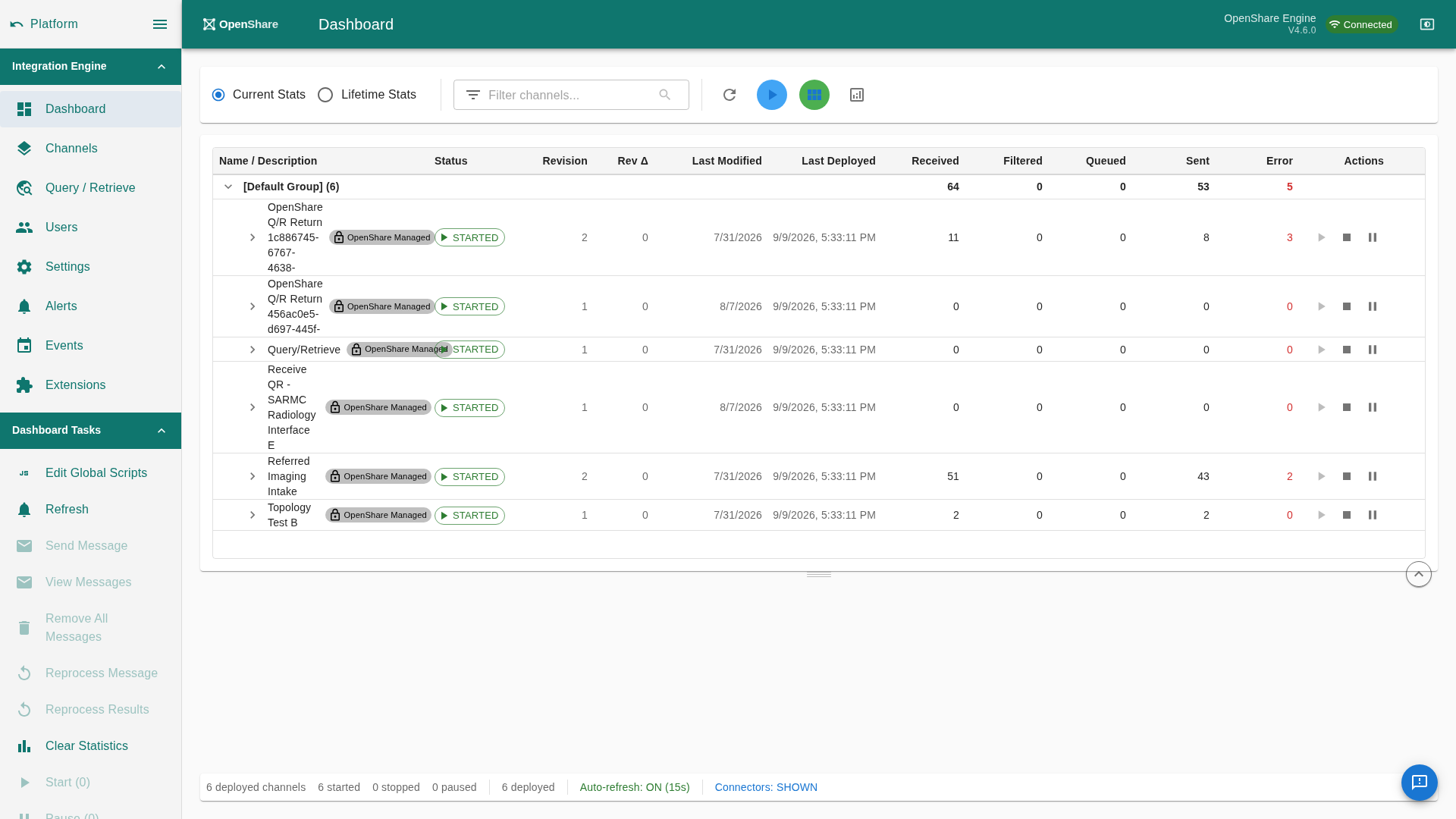
Engine dashboard in the OpenShare console
Image
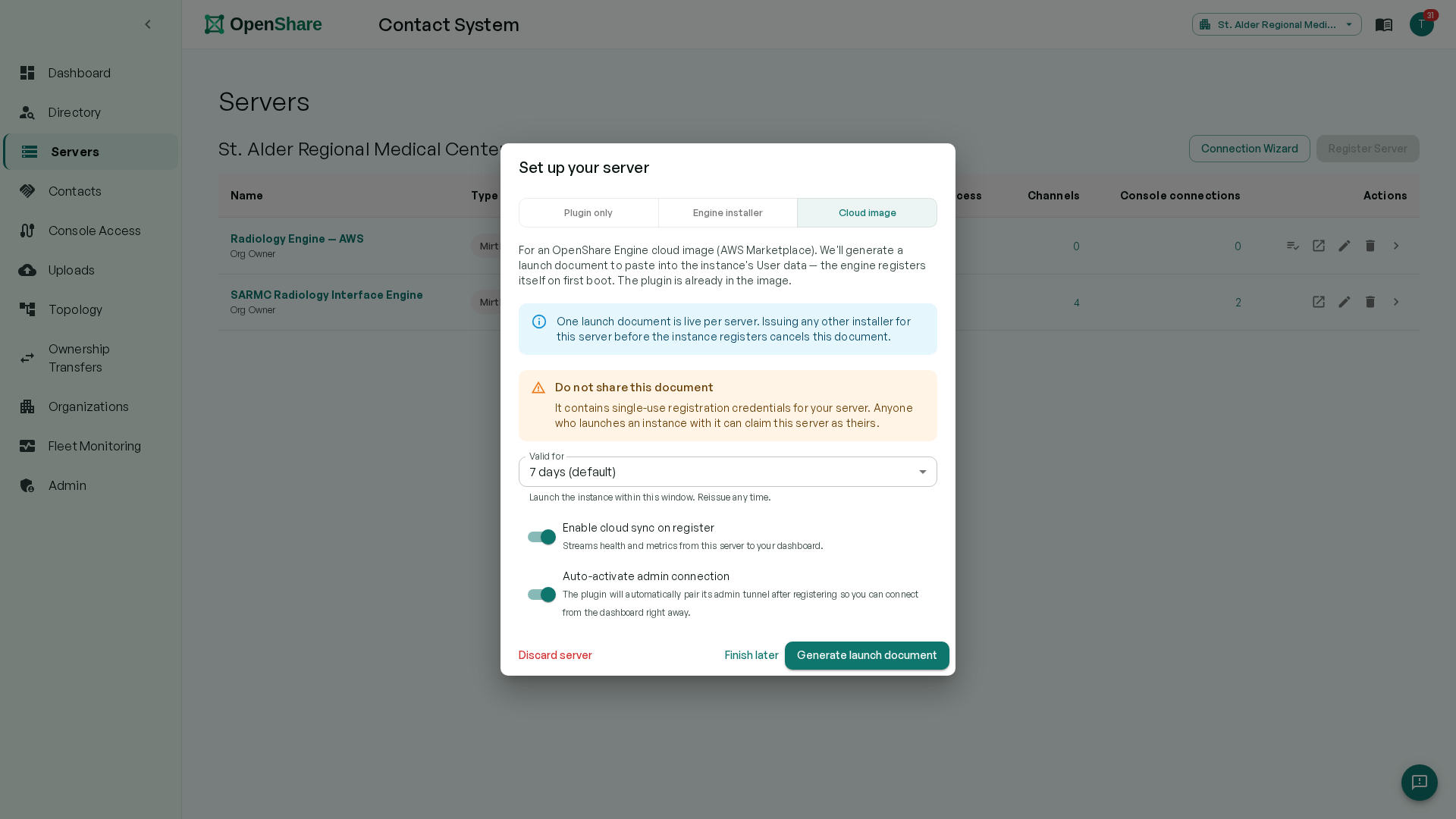
Optional: connect the engine to the free OpenShare console
Image
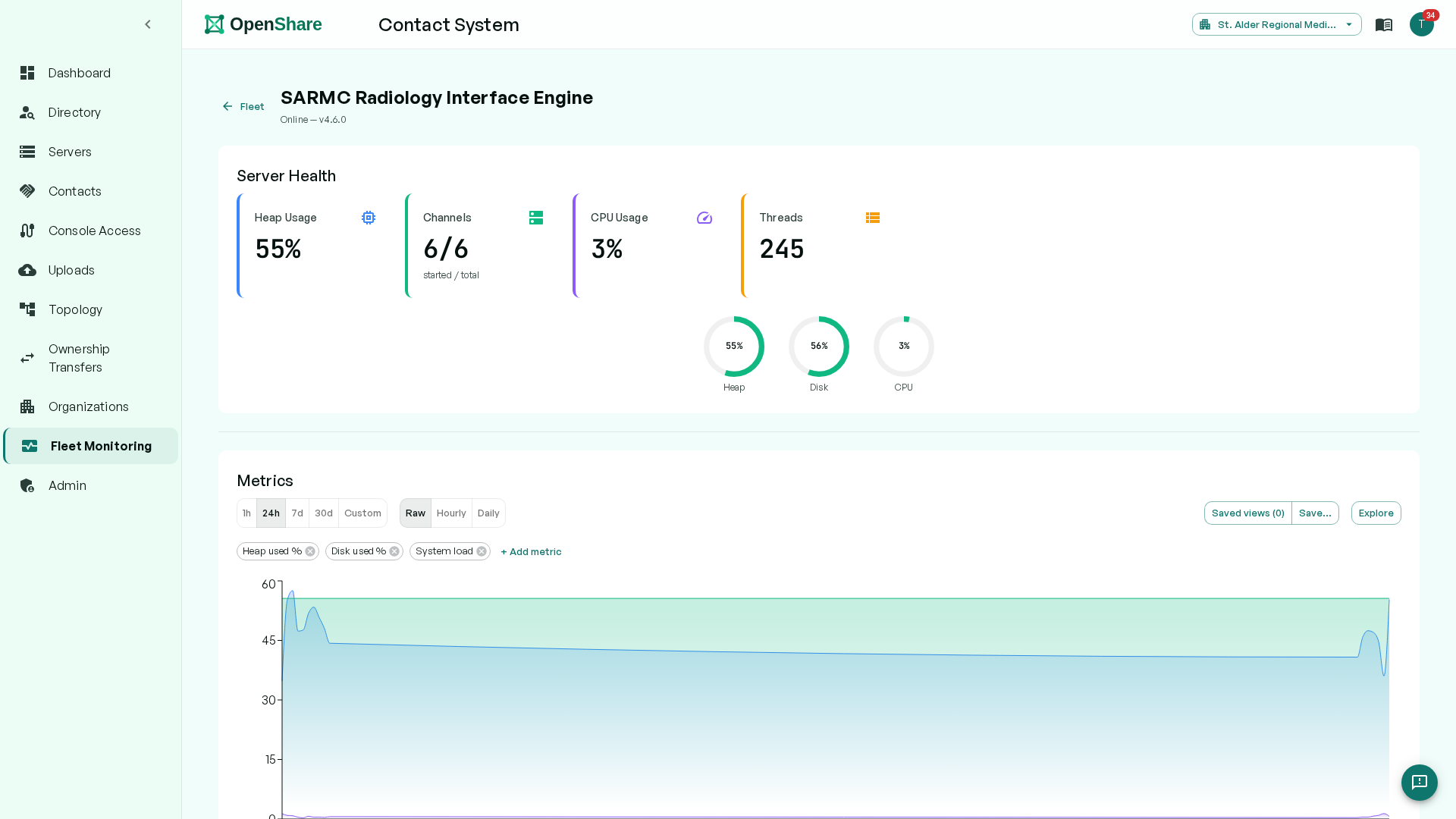
Fleet monitoring for a connected engine
Image
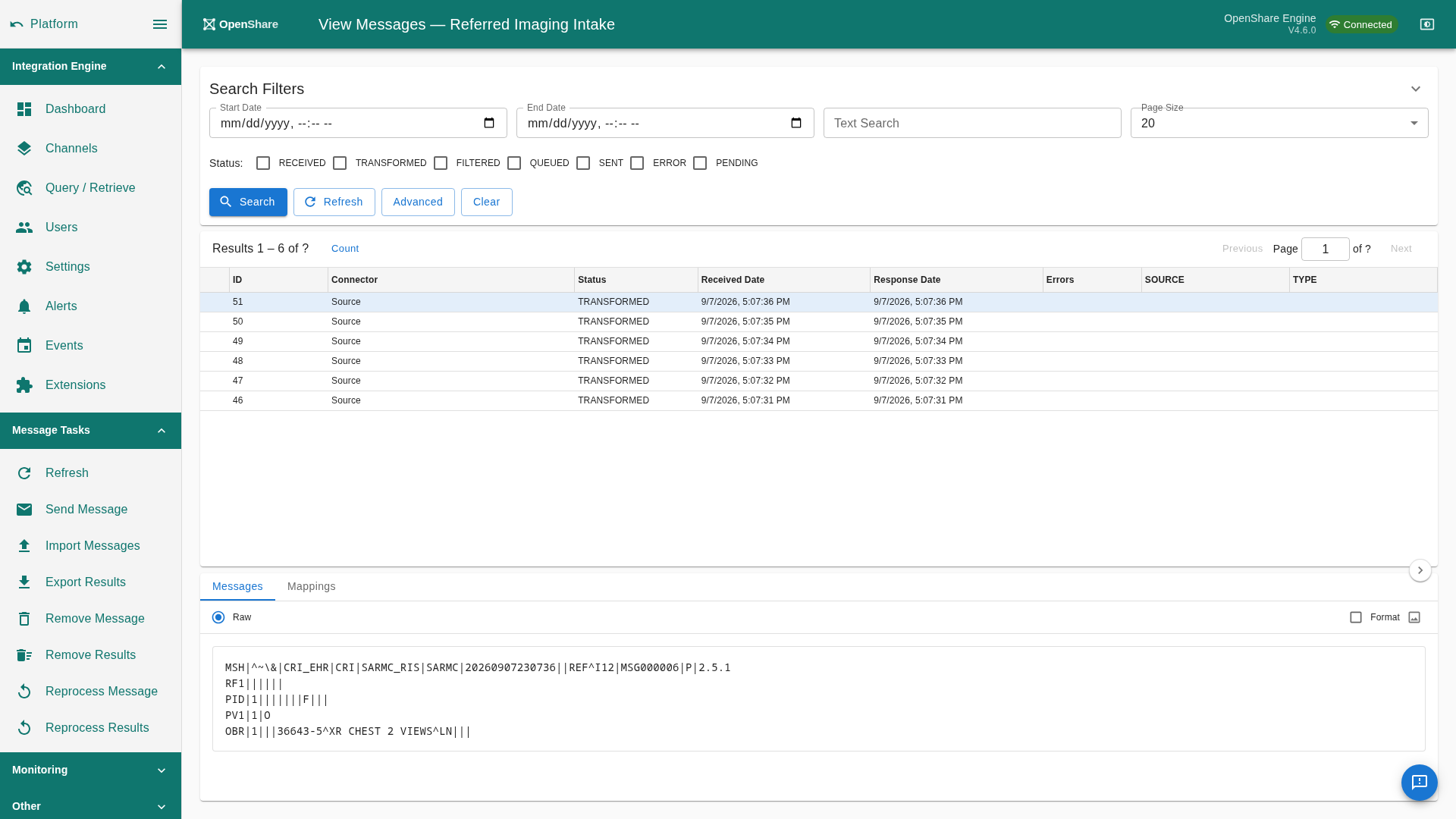
Message browser with raw HL7 view, in the OpenShare console
Image
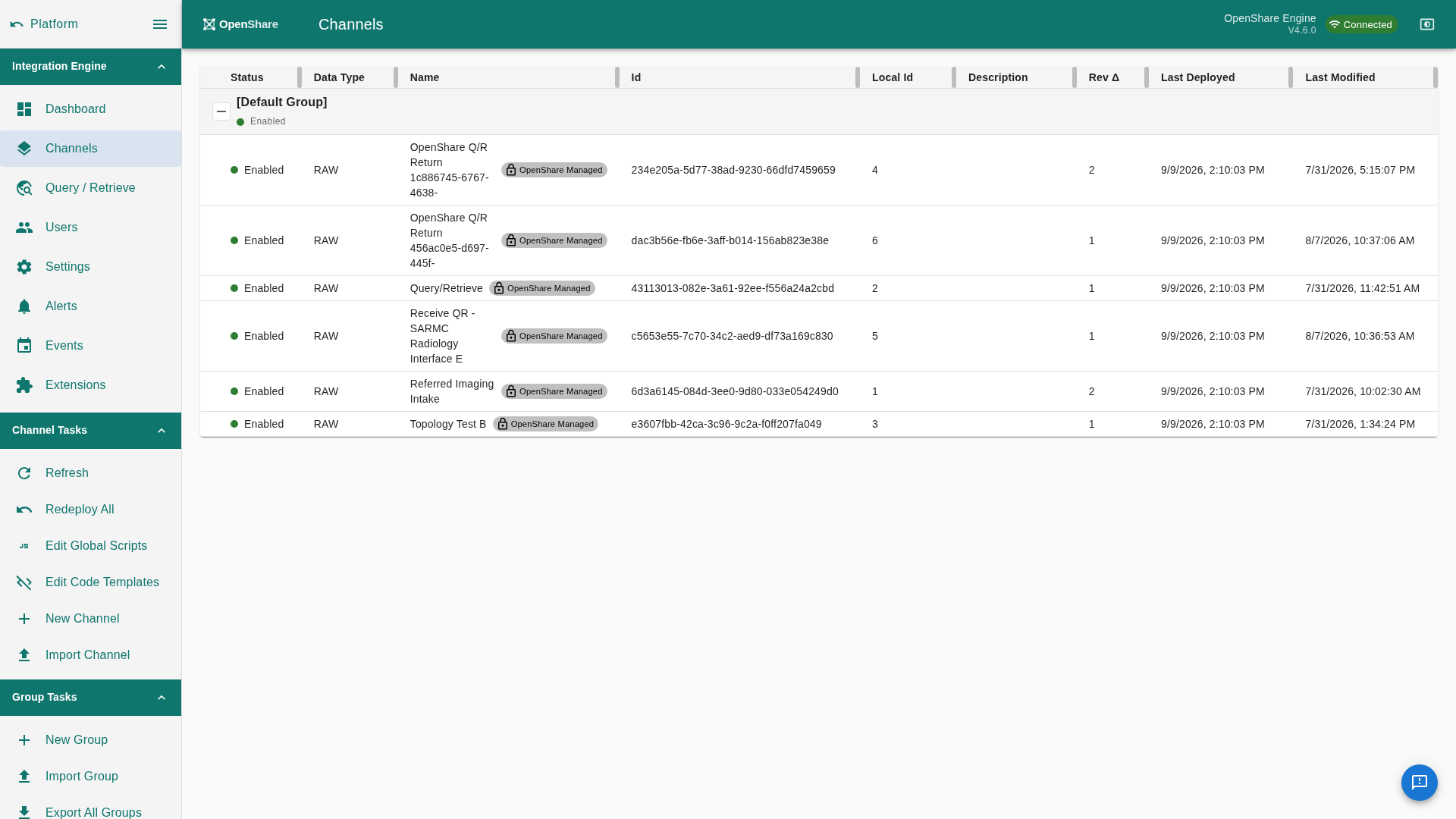
Channel list in the OpenShare console
Image
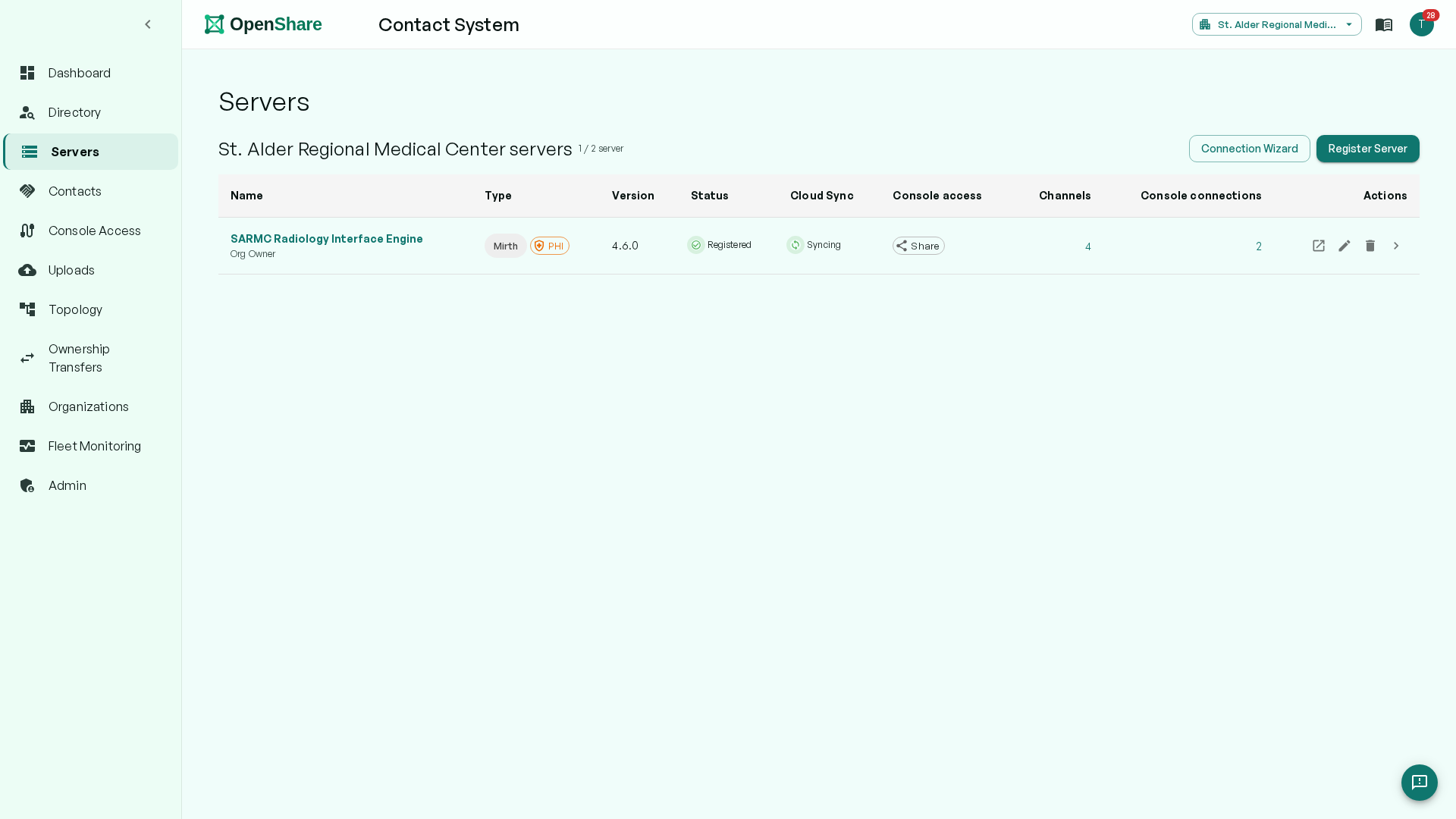
Servers in the OpenShare console
Image
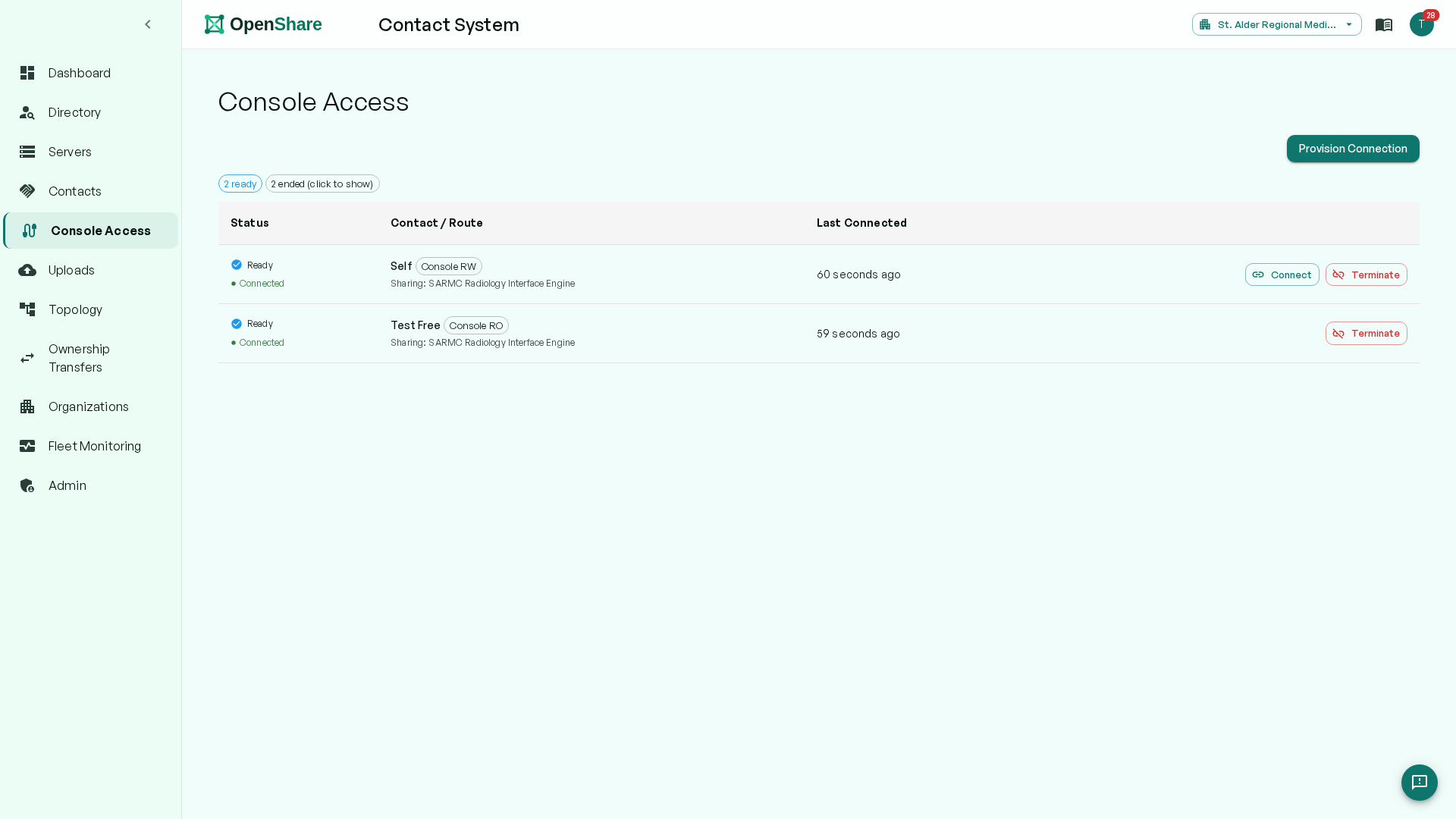
Console access connections
OpenShare Engine is Saga IT's maintained, OpenShare-branded build of the Open Integration Engine (OIE, the community continuation of Mirth Connect) as a ready-to-run image: engine 4.7.0 on Windows Server 2025 with a bundled Java 21 runtime and the signed OpenShare admin plugin preinstalled. It handles HL7 v2, FHIR, DICOM and X12; existing Mirth Connect and OIE channels import unchanged.
Patched ahead of upstream. This build carries security and bug fixes the current upstream OIE release does not: the web server is Jetty 12 where upstream still ships the end-of-life Jetty 9 line, and Derby, Jackson, Log4j and other libraries are kept current. Defects we find in the field, such as a DICOM sequence round-trip crash, are fixed here first and contributed back upstream. Code-signed by Saga IT; source published under the MPL 2.0.
Secure by default. Each instance generates its own administrator and keystore passwords at first boot; no shared or default credential exists. The password is written to a SYSTEM/Administrators-only file and retrieved with SSM Run Command, and repeated failed sign-ins lock the account. Open only port 8443 plus the ports your channels listen on; RDP is not required.
Bring your own database. Run standalone on the embedded database, or point the engine at PostgreSQL, SQL Server, MySQL or Oracle through EC2 user data at launch. Java heap is sized to half the instance's memory, so one image serves the smallest instances and the largest.
Administer it from any browser with OpenShare, a free service from Saga IT: manage the engine over an outbound-only, end-to-end encrypted connection, with no inbound ports and no PHI visible to the service, and exchange data with partner organizations under sharing agreements. Connect it at launch through EC2 user data, or later through the desktop Administrator. The engine is also fully functional on its own: sign in with the desktop OpenShare Administrator through an Administrator launcher on port 8443. Saga IT's free OpenShare Administrator Launcher connects to the engine directly.
This software is free. AWS bills the EC2 instance and EBS storage it runs on at standard rates.
Highlights
- Saga IT's maintained OpenShare build of OIE 4.7.0 (the Mirth Connect community continuation), patched ahead of upstream: Jetty 12 web server and current libraries where upstream still ships end-of-life Jetty 9; field bug fixes land here first and are contributed back. Windows Server 2025, Java 21, signed OpenShare plugin preinstalled.
- Secure from first boot: a unique administrator password and keystore password per instance, delivered in a SYSTEM/Administrators-only file read via SSM Run Command; repeated failed sign-ins lock the account; only port 8443 needs to be open and RDP is not required. HL7 v2, FHIR, DICOM and X12; existing Mirth and OIE channels import unchanged.
- Browser administration from anywhere through OpenShare, a free companion service from Saga IT: outbound-only, end-to-end encrypted management and partner data exchange with no inbound ports and no PHI visible to the service. Standalone, use the desktop Administrator.
Details
Sold by
Delivery method
Delivery option
64-bit (x86) Amazon Machine Image (AMI)
Latest version
Operating system
Win 2025
Deployed on AWS
Features and programs
Financing for AWS Marketplace purchases
AWS Marketplace now accepts line of credit payments through the PNC Vendor Finance program. This program is available to select AWS customers in the US, excluding NV, NC, ND, TN, & VT.

Pricing
This product is available free of charge. Free subscriptions have no end date and may be canceled any time.
Additional AWS infrastructure costs may apply. Use the AWS Pricing Calculator to estimate your infrastructure costs.
If you are an AWS Free Tier customer with a free plan, you are eligible to subscribe to this offer. You can use free credits to cover the cost of eligible AWS infrastructure. See AWS Free Tier for more details. If you created an AWS account before July 15th, 2025, and qualify for the Legacy AWS Free Tier, Amazon EC2 charges for Micro instances are free for up to 750 hours per month. See Legacy AWS Free Tier for more details.
Dimensions summary
This listing carries no software license fee. You install the OpenShare Engine plugin on your own Windows server and run it from your browser. The many line items you see are AWS EC2 instance types, each billed hourly. They cover compute-optimized (C), storage-dense (D, I), general-purpose (M), memory-optimized (R, X, Z), and burstable (T) families across several hardware generations. Larger instance sizes carry more CPU, memory, and higher hourly rates. Pick the instance that matches your workload; you pay only the hourly infrastructure cost while the instance runs. Running your own servers is free.
Top-of-mind questions for buyers
Each line item is one AWS EC2 instance type, billed per hour it runs. The rate covers the underlying compute infrastructure — CPU, memory, and storage tied to that instance size. The OpenShare Engine plugin itself carries no software fee; you pay only the running instance-hours.
Software charges apply only while an instance runs, metered by the hour. A fully stopped instance stops accruing hourly compute charges. Underlying AWS storage tied to a stopped instance may still incur separate AWS fees, but the instance-hour meter counts running time only.
Running your own integration servers, monitoring your fleet, and building channels are free. You pay only the hourly cost of the EC2 instance you pick here. Reaching other organizations across the exchange network becomes a separate membership feature after the open beta, not part of this hourly listing.
saga-it.com
Helpful?
Vendor refund policy
This is a free product; there is nothing to refund. Questions: support@saga-it.com

Legal
Vendor terms and conditions
Upon subscribing to this product, you must acknowledge and agree to the terms and conditions outlined in the vendor's End User License Agreement (EULA) .
Content disclaimer
Vendors are responsible for their product descriptions and other product content. AWS does not warrant that vendors' product descriptions or other product content are accurate, complete, reliable, current, or error-free.
Delivery details
64-bit (x86) Amazon Machine Image (AMI)
Amazon Machine Image (AMI)
An AMI is a virtual image that provides the information required to launch an instance. Amazon EC2 (Elastic Compute Cloud) instances are virtual servers on which you can run your applications and workloads, offering varying combinations of CPU, memory, storage, and networking resources. You can launch as many instances from as many different AMIs as you need.
Version release notes
OpenShare Engine 4.7.0-2 on Windows Server 2025, with the signed OpenShare admin plugin 0.48.2 on the current Windows Server 2025 base image and the current Microsoft Edge release at build time. OpenShare Engine 4.7.0-2 is the 4.7.0-1 engine with an updated Java runtime, Zulu 21.0.13.1, which fixes CVE-2026-114938. New in the plugin since 0.47.0: messages for an unreachable Gateway Sender partner wait in the queue and delivery resumes by itself; a Route that can't be applied shows a short reason in the OpenShare console; a channel connection starts within about a minute of becoming available, with no redeploy; a remote admin session that is left untouched ends at its idle timeout; large transfers stay within a memory limit, with the sender retrying any that are refused (run plugin 0.48.1 or later on both ends of a connection), and the engine keeps running if memory runs low during a transfer; Gateway Listeners keep accepting connections after a low-memory error; the Response setting of a managed DICOM Listener is yours to set; and a read-only session's acceptance of the login notification is recorded in the engine's event log. Each instance still generates its own administrator password at first boot. Known issue: Web Service Listener (SOAP) requests return HTTP 500 on Java 21; the 4.7.0-1 release notes at https://github.com/SagaHealthcareIT/open-integration-engine/releases/tag/openshare-v4.7.0-1 give a workaround for Linux, and a Windows form is not verified yet. Existing instances are not upgraded in place.
Additional details
Usage instructions
-
GET YOUR PASSWORD. Each instance generates a unique administrator password at first boot and writes it to C:\ProgramData\OpenShare\initial-credentials.txt (SYSTEM and Administrators only). This file is the ONLY delivery path on Windows - the password is deliberately never written to console output or the event log. Read it with SSM Run Command (AWS-RunPowerShellScript, command: Get-Content 'C:\ProgramData\OpenShare\initial-credentials.txt'); the instance needs an IAM role with AmazonSSMManagedInstanceCore. RDP works too. After you change the password the file is no longer valid; delete it.
-
SIGN IN. To manage the engine from any browser, register it with the free OpenShare service (step 4, or later through the desktop Administrator). Standalone, sign in with the desktop OpenShare Administrator. The engine has no sign-in page of its own in the browser: https://<instance-dns>:8443 only shows "Service Available" and the address for an Administrator launcher. Install the OpenShare Administrator Launcher on a Windows or Linux computer (no macOS version; no OpenShare account needed) from https://github.com/SagaHealthcareIT/open-integration-engine/releases , or give another Administrator launcher the address the page shows. In the launcher choose Add engine, enter <instance-dns>:8443 and choose Connect. The instance ships a self-signed certificate: before you choose Trust certificate, compare the SHA-256 fingerprint the launcher shows with the engine's (in PowerShell through Run Command or RDP: & 'C:\Program Files\OpenShareEngine\jre\bin\keytool.exe' -printcert -sslserver localhost:8443 | Select-String 'SHA256:'). Then sign in as 'admin' and change the password immediately. The new password needs at least 15 characters with an upper-case letter, a lower-case letter, a digit and a symbol. Five failed sign-ins lock the account for an hour. Install your own certificate for production use.
-
OPEN ONLY WHAT YOU NEED. The recommended security group opens 8443 and nothing else - you do not need inbound RDP to get started, because SSM Run Command needs no open port. If you want RDP, add 3389 yourself and scope it to your own address range rather than 0.0.0.0/0. Any inbound port your own channels listen on (for example an MLLP listener) needs BOTH a security group rule AND a Windows Firewall rule - Windows blocks it by default even when the security group allows it.
-
OPTIONAL, AT LAUNCH ONLY: EC2 user data can register the server with OpenShare and point the engine at your own database. Registration is optional and free; the engine runs standalone without it. Without user data you can still register a running engine later: sign in with the desktop Administrator and enter the Server ID and registration token from the OpenShare console in its Cloud Services settings. Paste the base64 document from the OpenShare console into user data. For an external database include TLS in the JDBC URL (PostgreSQL sslmode=require, SQL Server encrypt=true) - it carries your clinical data. Clear the user data once registration succeeds; it holds a single-use token.
-
SIZING. First boot takes several minutes while the engine initialises. Any listed instance type works; small workloads run on the smallest, and Java heap is set automatically to half the instance's memory. t3 instances earn CPU credits and a busy estate can exhaust them; for sustained production load use a non-burstable type or t3 unlimited.
Docs: https://docs.openshare.health . Support is not included with this free image: email support@saga-it.com for best-effort help (no response-time commitment), and request paid support at https://saga-it.com/contact .
Resources
Vendor resources
Support
Vendor support
Support is not included with this free image; it is provided as-is. Questions about deploying it can be emailed to support@saga-it.com and are answered on a best-effort basis during US business days, with no response-time commitment. Paid support for production use is available from Saga IT: request it at https://saga-it.com/contact .
When reporting a problem, include the engine version and build date (in the OpenShare Administrator under Other, About), your instance type, and the relevant lines from C:\Program Files\OpenShareEngine\logs\mirth.log. Never include patient data in an email.
Documentation: https://docs.openshare.health
Source code for the OpenShare Engine build (MPL 2.0): https://github.com/SagaHealthcareIT/open-integration-engine
This software is free, and so is the optional OpenShare service; the engine runs fully standalone without it.
AWS infrastructure support
AWS Support is a one-on-one, fast-response support channel that is staffed 24x7x365 with experienced and technical support engineers. The service helps customers of all sizes and technical abilities to successfully utilize the products and features provided by Amazon Web Services.
Similar products

OpenShare Engine on Ubuntu 24.04 LTS: the Open Integration Engine with the OpenShare admin plugin preinstalled. Run Mirth Connect / OIE channels on your own EC2 instance and administer them from the browser.

1 Hour Complimentary AWS Windows Migrations Consultation
Migrate your Windows Workloads to the cloud with confidence.

This product has charges associated with it for RDP and Docker optimization. Launch Docker containers and connect via remote desktop in minutes with this pre-configured Ubuntu 22.04 LTS AMI - ideal for developers without dedicated DevOps staff.

This is a repackaged open source software product wherein additional charges apply for security hardening, optimization, and pre-integration of the Docker Engine stack provided by Hanwei. Docker Engine 29.8 is installed at build time and starts with the instance, on a base running SELinux enforcing with root login locked and key-only SSH access.
Customer reviews
No customer reviews yet
Be the first to review this product . We've partnered with PeerSpot to gather customer feedback. You can share your experience by writing or recording a review, or scheduling a call with a PeerSpot analyst.