
Sold by: Madarson IT
Deployed on AWS
AWS Free Tier
This product has charges associated with it for security hardening and compliance alignment. Madarson IT pre-hardened Ubuntu 26.04 LTS AMI with SSH hardening, AIDE file integrity monitoring, and audit logging - mapped to NIST CSF, PCI DSS, and HIPAA frameworks for production compliance.
Built on Linux kernel 7.0. Ready for production workloads.
Overview

Image
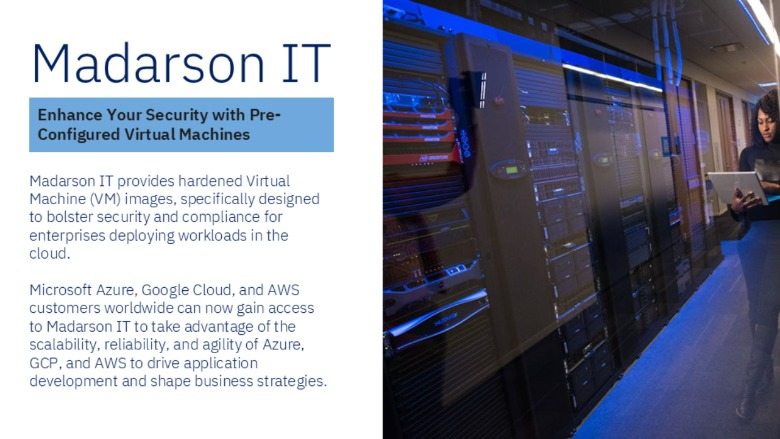
Madarson IT Hardened Image
Image
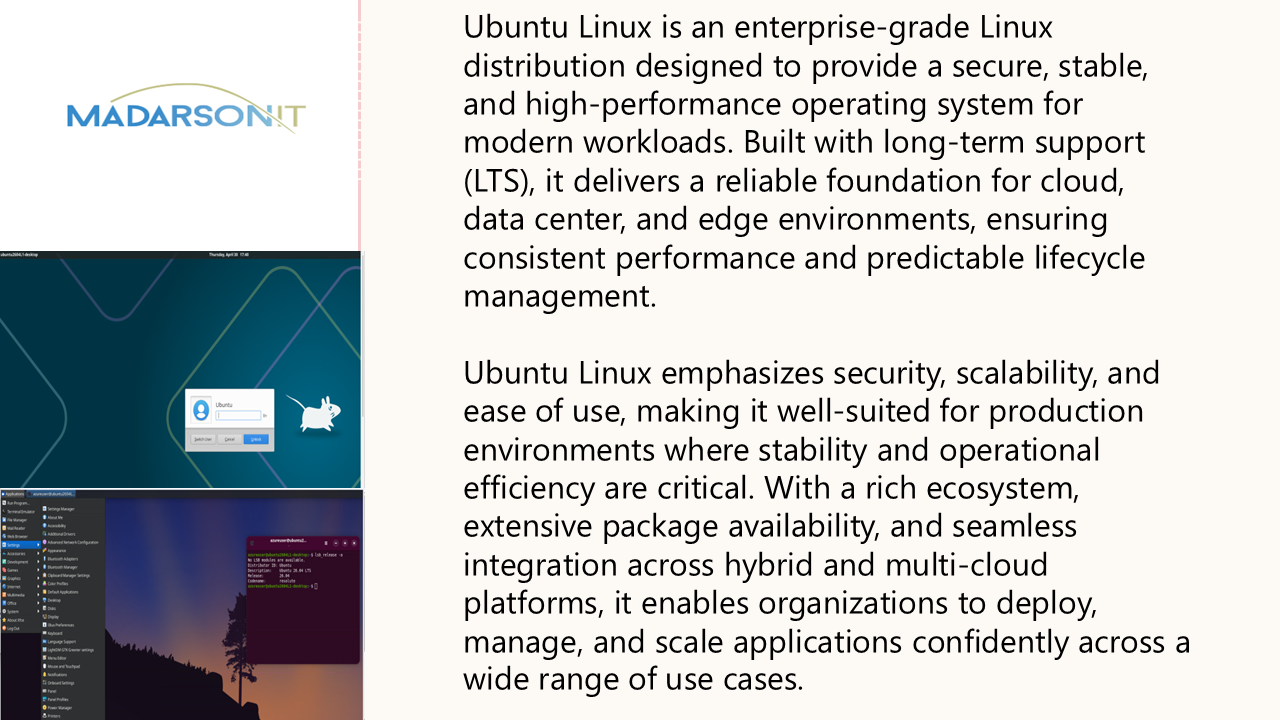
Ubuntu LTS Features
Image
Hardened EC2 Images for Secure Cloud Deployments
Madarson IT Hardened Ubuntu 26.04 LTS - Secure Cloud AMI
This is a repackaged open source software product wherein additional charges apply for security hardening, compliance alignment, and ongoing maintenance of this image.
Deploy a security-hardened Ubuntu 26.04 LTS EC2 instance that is pre-configured to align with industry compliance frameworks. This AMI eliminates the manual effort of hardening a base OS, enabling DevOps engineers, platform teams, and compliance officers to launch audit-ready infrastructure in minutes rather than days.
Who Is This For?
- Healthcare organizations preparing patient-facing applications that must meet HIPAA security requirements
- Fintech teams building payment infrastructure subject to PCI DSS audits
- SaaS platform engineers who need a secure baseline for multi-tenant workloads
- Any team that wants to reduce manual hardening effort and establish a consistent, repeatable security baseline across their AWS environment
Security Controls Included
Hardening measures applied include:
- SSH hardening with protocol enforcement, key-based authentication, idle timeout, and disabled root login
- AIDE (Advanced Intrusion Detection Environment) pre-configured for file integrity monitoring
- auditd configured for comprehensive system call logging and security event tracking
- Kernel parameter tuning to mitigate network-based attacks and enforce memory protections
- Stringent access controls, password policies, and privilege escalation safeguards
- Disabled unnecessary services and secure file permissions on critical system files
- Regular updates to address known vulnerabilities
Compliance Framework Mapping
This image maps controls to multiple established regulatory frameworks, including:
- NIST Cybersecurity Framework (CSF)
- ISO 27000 series of standards
- PCI DSS
- HIPAA
AWS Service Integration
- AWS Systems Manager (SSM) - Compatible with SSM Agent for patch management, remote command execution, and inventory tracking
- Amazon CloudWatch - Supports CloudWatch Agent installation for streaming audit logs and system metrics to centralized monitoring
- Amazon Inspector - Scannable by Inspector for continuous vulnerability assessment
- Amazon S3 - Audit logs can be forwarded to S3 for long-term retention and compliance archival
Use Case: Compliance-Ready Deployment
Consider a healthcare startup building a patient portal on AWS. Instead of spending weeks manually hardening Ubuntu instances and documenting each control for auditors, the team launches this pre-hardened AMI, runs a compliance scan to confirm alignment with HIPAA controls, and presents the results to their auditor - reducing time-to-compliance from weeks to hours.
Why Madarson IT?
Madarson IT certified images are always up to date, secure, follow industry standards, and are built to work right out of the box. This foundational hardened image helps organizations establish a baseline level of security and reduce risk exposure to common cyber threats including unauthorized access, denial of service, and data exfiltration.
Important Notes
- This image provides foundational-level hardening. Organizations may need to apply additional configurations based on their specific security requirements and risk profile.
- Application-layer security (databases, web servers, custom applications) is the responsibility of the deploying team.
- Organizations should maintain their own patch management process for ongoing updates after initial deployment.
Getting Started
Launch the AMI from AWS Marketplace, connect via SSH using your configured key pair, and verify hardening controls are active by reviewing the audit log configuration and AIDE database status.
Disclaimer: Ubuntu is a trademark of Canonical Ltd. This offering is provided by Madarson IT and is not affiliated with, endorsed by, or sponsored by Canonical Ltd.
Highlights
- Maps to NIST Cybersecurity Framework (CSF), ISO 27000, PCI DSS, and HIPAA regulatory frameworks. Pre-applied controls include SSH hardening with key-based authentication enforcement, AIDE file integrity monitoring, auditd security event logging, kernel parameter tuning against network attacks, and restrictive access controls - providing a compliance-aligned baseline from first boot rather than weeks of manual configuration.
- Compatible with AWS Systems Manager for patch management, Amazon CloudWatch for centralized log streaming, and Amazon Inspector for vulnerability scanning. Built on Ubuntu 26.04 LTS, validated before publishing, and regularly updated with the latest security patches to maintain hardened posture over time.
- Reduces attack surface by limiting potential weaknesses that make systems vulnerable to unauthorized access, denial of service, and data exfiltration. Madarson IT certified images are kept up to date, follow industry standards, and work out of the box - providing a repeatable security baseline for development, staging, and production environments.
Details
Sold by
Categories
Delivery method
Delivery option
64-bit (x86) Amazon Machine Image (AMI)
Latest version
Operating system
Ubuntu 26.04
Deployed on AWS
New
Introducing multi-product solutions
You can now purchase comprehensive solutions tailored to use cases and industries.

Features and programs
Financing for AWS Marketplace purchases
AWS Marketplace now accepts line of credit payments through the PNC Vendor Finance program. This program is available to select AWS customers in the US, excluding NV, NC, ND, TN, & VT.

Pricing
Pricing is based on actual usage, with charges varying according to how much you consume. Subscriptions have no end date and may be canceled any time.
Additional AWS infrastructure costs may apply. Use the AWS Pricing Calculator to estimate your infrastructure costs.
If you are an AWS Free Tier customer with a free plan, you are eligible to subscribe to this offer. You can use free credits to cover the cost of eligible AWS infrastructure. See AWS Free Tier for more details. If you created an AWS account before July 15th, 2025, and qualify for the Legacy AWS Free Tier, Amazon EC2 charges for Micro instances are free for up to 750 hours per month. See Legacy AWS Free Tier for more details.
Dimension | Cost/hour |
|---|---|
m5a.large Recommended | $0.50 |
t3.micro | $0.05 |
t2.micro | $0.025 |
m3.2xlarge | $2.00 |
r5ad.2xlarge | $2.00 |
t3.large | $0.50 |
r5.4xlarge | $4.00 |
t3a.xlarge | $1.00 |
t3a.large | $0.50 |
r5ad.4xlarge | $4.00 |
Dimensions summary
You pay by the hour for this hardened Ubuntu image, billed per running instance. The many options here are not tiers or feature levels. Each one maps to a specific AWS EC2 instance type, such as general-purpose, compute-optimized, memory-optimized, storage-optimized, and GPU-accelerated families. You pick the instance size that fits your workload, and the hourly software rate scales with that instance's capacity. Larger instances carry higher hourly rates than smaller ones in the same family. You only pay for the hours each instance runs, on top of standard AWS infrastructure charges.
Top-of-mind questions for buyers
The software rate meters running hours only. A stopped or paused instance does not accrue the hourly software charge. You may still owe standard AWS storage fees for attached volumes while the instance sits idle, but the software licence bills active running time.
One unit is one running EC2 instance launched from this hardened Ubuntu image, billed per hour. Each instance you run counts separately. The rate matches the instance type you select, so two running instances of the same type bill at twice the hourly rate.
The image ships security-hardened and aligned with DISA STIG, PCI-DSS, HIPAA, and NIST frameworks. This hardening is the same across every instance type. The instance type you pick only changes compute and memory capacity and the matching hourly rate, not the security configuration.
madarsonit.com
Helpful?
Vendor refund policy
There is no refund policy for this image.

Legal
Vendor terms and conditions
Upon subscribing to this product, you must acknowledge and agree to the terms and conditions outlined in the vendor's End User License Agreement (EULA) .
Content disclaimer
Vendors are responsible for their product descriptions and other product content. AWS does not warrant that vendors' product descriptions or other product content are accurate, complete, reliable, current, or error-free.
Delivery details
64-bit (x86) Amazon Machine Image (AMI)
Amazon Machine Image (AMI)
An AMI is a virtual image that provides the information required to launch an instance. Amazon EC2 (Elastic Compute Cloud) instances are virtual servers on which you can run your applications and workloads, offering varying combinations of CPU, memory, storage, and networking resources. You can launch as many instances from as many different AMIs as you need.
Version release notes
Hardened Ubuntu 26.04 LTS - Secure Cloud Server Foundational hardening. Built on Linux kernel 7.0
Additional details
Usage instructions
Allow inbound SSH access in your security group (TCP port 22) To connect to your instance using the Amazon EC2 console: Open the Amazon EC2 console at https://console.aws.amazon.com/ec2/ . In the navigation pane, choose Instances. Select the instance and choose Connect. Choose the EC2 Instance Connect tab. For Connection type, choose Connect using EC2 Instance Connect. Access the ec2 with the default username: "ubuntu"
Resources
Vendor resources
Support
Vendor support
For technical assistance, compliance documentation, or private offers, contact Madarson IT at info@madarsonit.com .
When contacting support, please include your AWS Account ID, the instance ID of the affected resource, and a description of the issue or request.
AWS infrastructure support
AWS Support is a one-on-one, fast-response support channel that is staffed 24x7x365 with experienced and technical support engineers. The service helps customers of all sizes and technical abilities to successfully utilize the products and features provided by Amazon Web Services.
Similar products

This product has charges associated with it for security hardening and compliance alignment. Madarson IT hardened Ubuntu 26.04 LTS AMI validated at 90%+ on security benchmarks. Deploy audit-ready EC2 instances mapped to NIST CSF, PCI DSS, and HIPAA frameworks.
Built on Linux kernel 7.0. Ready for production workloads.

This product has charges associated with it for security hardening, RDP pre-configuration, and GUI access. Madarson IT hardened Ubuntu 26.04 LTS cloud desktop with pre-configured Xfce and RDP access. Deploy a compliance-aligned graphical workspace on EC2 without manual hardening.

This product has charges associated with it for security hardening and compliance alignment. Madarson IT pre-hardened Ubuntu 22.04 LTS AMI with foundational security controls - deploy audit-ready EC2 instances aligned to NIST CSF, PCI DSS, and HIPAA frameworks in minutes.

This product has charges associated with it for the pre-configured VPN server setup, security hardening, and automatic encryption key generation. Self-hosted OpenVPN server on hardened Ubuntu 26.04 LTS that auto-generates unique encryption keys on first boot. Deploy, retrieve your .ovpn profile via SSH, and connect - no manual PKI setup required.
Ready to connect in minutes.
Customer reviews
No customer reviews yet
Be the first to review this product . We've partnered with PeerSpot to gather customer feedback. You can share your experience by writing or recording a review, or scheduling a call with a PeerSpot analyst.