
Sold by: Madarson IT
Deployed on AWS
AWS Free Tier
This product has charges associated with it for security hardening and compliance alignment. Madarson IT hardened Ubuntu 26.04 LTS AMI validated at 90%+ on security benchmarks. Deploy audit-ready EC2 instances mapped to NIST CSF, PCI DSS, and HIPAA frameworks.
Built on Linux kernel 7.0. Ready for production workloads.
Overview

Image
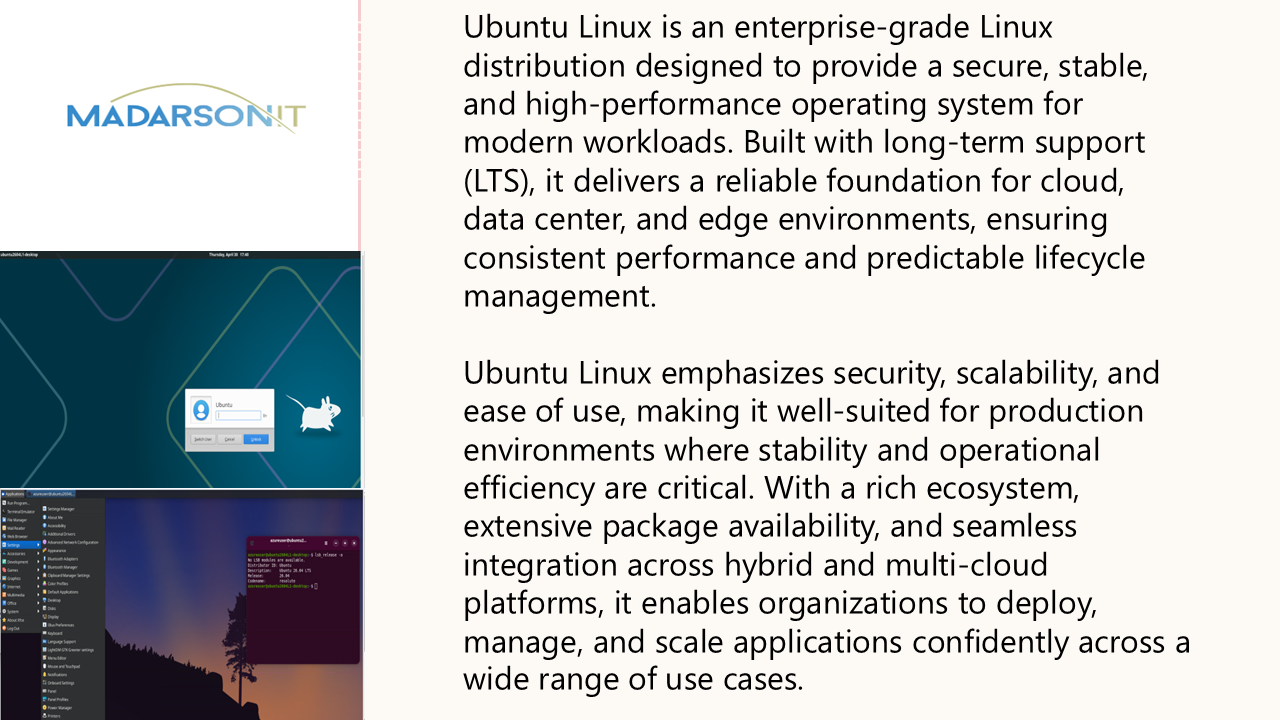
Madarson IT Hardened Image
Image
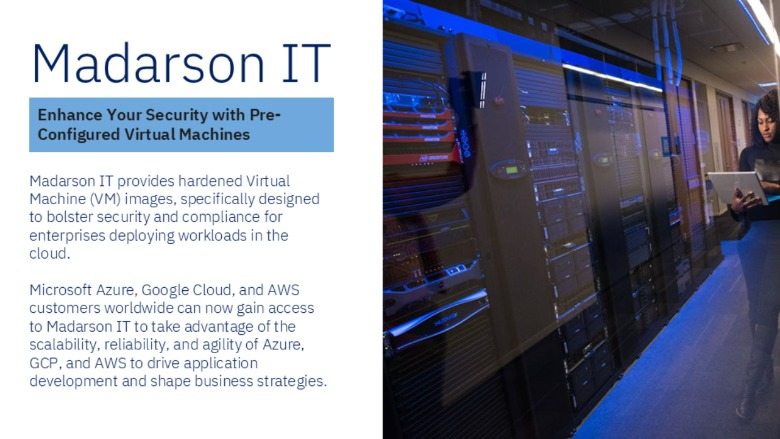
Ubuntu LTS Features
Image
Hardened EC2 Images for Secure Cloud Deployments
Madarson IT Hardened Ubuntu 26.04 LTS - Advanced Security AMI
This is a repackaged open source software product wherein additional charges apply for security hardening, compliance alignment, and ongoing maintenance of this image.
Deploy production-ready, compliance-mapped Ubuntu 26.04 LTS (Resolute Raccoon) instances on AWS EC2 with advanced security hardening already applied. Built on Linux kernel 7.0, this AMI eliminates weeks of manual hardening effort and delivers audit-ready infrastructure from first boot.
Who This Is For
This AMI is designed for organizations with elevated compliance requirements and security-sensitive workloads:
- Healthcare SaaS providers deploying HIPAA-compliant application servers that must demonstrate technical safeguards during audits
- Financial services teams running PCI DSS-scoped infrastructure where hardened operating systems reduce remediation findings
- Enterprise security teams seeking pre-validated baselines that accelerate Authority to Operate (ATO) timelines
Buyer Outcomes
- Faster audit preparation - Hardening controls are pre-mapped to NIST Cybersecurity Framework (CSF), ISO 27000 series, PCI DSS, and HIPAA, reducing the time spent documenting technical controls
- Reduced attack surface - Advanced kernel hardening, strict PAM configuration, and expanded filesystem restrictions limit potential exploitation paths before your application code is even deployed
- Continuous visibility - Comprehensive auditd rule sets capture time changes, user and group modifications, privilege escalation attempts, file access events, network changes, and kernel module loads
What Advanced Hardening Includes
- Comprehensive auditd rules covering 7+ event categories (time changes, user/group modifications, privilege escalation, file access, network changes, kernel module loads, and more)
- Stricter PAM configuration with enhanced password policies and session controls
- Enhanced kernel hardening parameters reducing exploitable kernel behavior
- Time synchronization controls ensuring accurate audit log timestamps
- Expanded filesystem restrictions limiting unauthorized mount and access patterns
- File integrity monitoring to detect unauthorized changes to critical system files
Validation and Compliance Score
This hardened image has been validated with industry-standard security scanning tools and achieved a score exceeding 90%, with accepted exceptions documented for cloud infrastructure limitations. The hardening maps to multiple established standards and regulatory frameworks, providing evidence your infrastructure meets recognized security baselines:
- NIST Cybersecurity Framework (CSF)
- ISO 27000 series of standards
- PCI DSS
- HIPAA
Getting Started
- Launch the AMI on your preferred EC2 instance type (compatible with general purpose, compute optimized, and memory optimized instance families)
- Connect via SSH using your configured key pair
- Verify hardening is active by reviewing auditd status and running the included validation script
- Review audit logs at standard syslog locations to confirm event capture
- Customize configurations as needed for your specific security requirements and risk profile
Why Madarson IT
Madarson IT certified images are always up to date, secure, follow industry standards, and are built to work right out of the box. Every image is validated before publishing and regularly updated to incorporate the latest security patches.
Important Notes
- This image provides advanced-level hardening. Organizations may need to apply additional configurations based on their specific security requirements and risk profile.
- Application
Highlights
- Validated at over 90% compliance on industry-standard security benchmark scans, with accepted exceptions documented for cloud infrastructure limitations. Advanced hardening includes comprehensive auditd rules covering 7+ event categories, stricter PAM configuration, enhanced kernel parameters, time synchronization controls, expanded filesystem restrictions, and file integrity monitoring.
- Pre-mapped to NIST Cybersecurity Framework (CSF), ISO 27000 series, PCI DSS, and HIPAA regulatory frameworks. Deploy infrastructure that already documents its alignment to recognized standards - reducing audit preparation time and remediation findings for security-sensitive workloads.
- Built on Ubuntu 26.04 LTS (Resolute Raccoon) with Linux kernel 7.0, every Madarson IT image is validated before publishing and regularly updated to incorporate the latest security patches. Launch production-ready, hardened EC2 instances that eliminate manual hardening effort and deliver a reduced attack surface.
Details
Sold by
Categories
Delivery method
Delivery option
64-bit (x86) Amazon Machine Image (AMI)
Latest version
Operating system
Ubuntu 26.06
Deployed on AWS
New
Introducing multi-product solutions
You can now purchase comprehensive solutions tailored to use cases and industries.

Features and programs
Financing for AWS Marketplace purchases
AWS Marketplace now accepts line of credit payments through the PNC Vendor Finance program. This program is available to select AWS customers in the US, excluding NV, NC, ND, TN, & VT.

Pricing
Pricing is based on actual usage, with charges varying according to how much you consume. Subscriptions have no end date and may be canceled any time.
Additional AWS infrastructure costs may apply. Use the AWS Pricing Calculator to estimate your infrastructure costs.
If you are an AWS Free Tier customer with a free plan, you are eligible to subscribe to this offer. You can use free credits to cover the cost of eligible AWS infrastructure. See AWS Free Tier for more details. If you created an AWS account before July 15th, 2025, and qualify for the Legacy AWS Free Tier, Amazon EC2 charges for Micro instances are free for up to 750 hours per month. See Legacy AWS Free Tier for more details.
Dimension | Cost/hour |
|---|---|
m5a.large Recommended | $0.05 |
t2.micro | $0.025 |
t3.micro | $0.05 |
r6a.xlarge | $0.10 |
r5a.12xlarge | $1.20 |
m5ad.4xlarge | $0.40 |
c7a.2xlarge | $0.20 |
c6a.2xlarge | $0.20 |
m5.8xlarge | $0.80 |
c8a.4xlarge | $0.40 |
Dimensions summary
You pay by the hour for this hardened Ubuntu 26.04 image, billed only while an instance runs. Each dimension maps to a specific EC2 instance type, so your rate follows the size and family you pick. General-purpose (m, t), compute-optimized (c), memory-optimized (r), storage (i, d), and GPU (g, p) families are all supported. Larger instances within a family cost more per hour because they carry more compute, memory, or storage. You choose the instance type that fits your workload, and the software fee scales accordingly on top of AWS infrastructure charges.
Top-of-mind questions for buyers
Each dimension is one running EC2 instance of that type, metered per hour. The unit counts wall-clock running time, not usage inside the instance. Each separate instance you launch bills independently. Rates differ by instance type because larger types carry more compute, memory, or storage.
The software fee meters running hours only, so a stopped instance stops accruing that hourly charge. Underlying AWS storage for the attached volumes may still apply while the instance is stopped. Charges resume when you restart the instance.
You get a security-hardened Ubuntu 26.04 image validated against DISA STIG, PCI-DSS, HIPAA, and NIST frameworks. Images are updated regularly with security patches, not a one-time snapshot. The hardening applies the same way across every instance type; only the hourly rate changes by type.
madarsonit.com
Helpful?
Vendor refund policy
There is no refund policy for this image.

Legal
Vendor terms and conditions
Upon subscribing to this product, you must acknowledge and agree to the terms and conditions outlined in the vendor's End User License Agreement (EULA) .
Content disclaimer
Vendors are responsible for their product descriptions and other product content. AWS does not warrant that vendors' product descriptions or other product content are accurate, complete, reliable, current, or error-free.
Delivery details
64-bit (x86) Amazon Machine Image (AMI)
Amazon Machine Image (AMI)
An AMI is a virtual image that provides the information required to launch an instance. Amazon EC2 (Elastic Compute Cloud) instances are virtual servers on which you can run your applications and workloads, offering varying combinations of CPU, memory, storage, and networking resources. You can launch as many instances from as many different AMIs as you need.
Version release notes
Hardened Ubuntu 26.04 LTS - Secure Cloud Server Advanced hardening. Built on Linux kernel 7.0
Additional details
Usage instructions
Allow inbound SSH access in your security group (TCP port 22) To connect to your instance using the Amazon EC2 console: Open the Amazon EC2 console at https://console.aws.amazon.com/ec2/ . In the navigation pane, choose Instances. Select the instance and choose Connect. Choose the EC2 Instance Connect tab. For Connection type, choose Connect using EC2 Instance Connect. Access the ec2 with the default username: "ubuntu"
Resources
Vendor resources
Support
Vendor support
For technical support, compliance documentation, or private offers, contact Madarson IT at info@madarsonit.com .
Support scope includes:
- Questions about the hardening configuration and applied controls
- Guidance on customizing security settings for your environment
- Assistance with compliance documentation and framework mapping
- Requests for private offers
When contacting support, please include your AWS account ID, instance ID, and a description of the issue or request.
AWS infrastructure support
AWS Support is a one-on-one, fast-response support channel that is staffed 24x7x365 with experienced and technical support engineers. The service helps customers of all sizes and technical abilities to successfully utilize the products and features provided by Amazon Web Services.
Similar products

This product has charges associated with it for security hardening and compliance alignment. Madarson IT pre-hardened Ubuntu 26.04 LTS AMI with SSH hardening, AIDE file integrity monitoring, and audit logging - mapped to NIST CSF, PCI DSS, and HIPAA frameworks for production compliance.
Built on Linux kernel 7.0. Ready for production workloads.

This product has charges associated with it for security hardening and compliance alignment. Madarson IT pre-hardened Ubuntu 22.04 LTS AMI with foundational security controls - deploy audit-ready EC2 instances aligned to NIST CSF, PCI DSS, and HIPAA frameworks in minutes.

This product has charges associated with it for security hardening. Madarson IT's security-hardened Ubuntu 24.04 LTS AMI with pre-configured NGINX for fast, secure web server and reverse proxy deployments on AWS.

This product has charges associated with it for security hardening. Madarson IT's Level 2 hardened Ubuntu 22.04 LTS AMI delivers pre-configured security controls for compliance-driven teams in healthcare, finance, and regulated industries.
Customer reviews
No customer reviews yet
Be the first to review this product . We've partnered with PeerSpot to gather customer feedback. You can share your experience by writing or recording a review, or scheduling a call with a PeerSpot analyst.