
Sold by: Software Sushi
Deployed on AWS
This is paid repackaged open-source software with additional charges for Software Sushi packaging and maintenance. Store and search application memories with Mem0 OSS, an authenticated local API, per-user Qdrant storage and SQLite history.
Overview
This is a repackaged open source software product wherein additional charges apply for Software Sushi packaging, maintenance and setup documentation. Mem0 OSS 2.2.1 is licensed under Apache-2.0. Software Sushi packages the original Python library with an authentication and service adapter on Ubuntu 24.04. Upstream project names and trademarks belong to their respective owners; this offer does not claim their endorsement.
Store text exactly, retrieve memories by ID, search using embeddings, or optionally extract facts with your configured chat provider. Each authenticated API user has separate local Qdrant storage and SQLite history. The API listens on HTTPS 127.0.0.1:8443 and requires authentication for every route. There is no browser dashboard, hosted-service subscription, enterprise control plane or graph-memory service included.
Recommended instance: t3.large with 8 GiB RAM and at least 24 GiB encrypted gp3 root storage. Supported minimum: t3.medium with 4 GiB RAM and 24 GiB EBS. The single-instance service processes one operation at a time and supports up to 100 configured users; it does not provide clustering, replication or automatic backups. Size storage and backups for your workload.
Connect with AWS Systems Manager Session Manager using an appropriate instance profile and outbound endpoint access; the session starts as ssm-user. Run sudo -iu ubuntu, then sushi-mem0-api GET /health. No public application port is required. Alternatively use SSH as ubuntu through your approved administrative network. Configure an OpenAI-compatible embedding endpoint and optional chat endpoint with the interactive on-instance helper, then run sudo -iu ubuntu bash /opt/sushi/docs/demo.sh. The walkthrough stores, searches and rereads synthetic facts, checks user isolation and saves results under ~/mem0-results.
Software costs USD 0.03 per running instance-hour on each offered instance type. EC2, EBS, data transfer and model-provider usage are charged separately. No provider keys or model weights are included. Memory text and search queries are sent to the provider you configure for embedding, and optional extraction sends text to its chat model. Review provider data handling and charges before using real information. Upstream telemetry is disabled.
Persisted data and history survive service restarts and reboots on the same EBS volume. Termination and EBS deletion can destroy them. Back up /var/lib/mem0 and /etc/mem0 together while stopped, and preserve your embedding provider identity. The English guide covers provider setup, user creation, recovery, limits and licensing. Original sources and dependency notices are retained on the instance.
Highlights
- Store exact application memories and search them with your configured embedding provider.
- Authenticated loopback HTTPS API with separate local Qdrant storage and SQLite history per API user.
- English setup guide and a synthetic store, search, isolation and readback walkthrough.
Details
Sold by
Categories
Delivery method
Delivery option
64-bit (x86) Amazon Machine Image (AMI)
Latest version
Operating system
Ubuntu 24.04
Deployed on AWS
New
Introducing multi-product solutions
You can now purchase comprehensive solutions tailored to use cases and industries.

Features and programs
Financing for AWS Marketplace purchases
AWS Marketplace now accepts line of credit payments through the PNC Vendor Finance program. This program is available to select AWS customers in the US, excluding NV, NC, ND, TN, & VT.

Pricing
Pricing is based on actual usage, with charges varying according to how much you consume. Subscriptions have no end date and may be canceled any time.
Additional AWS infrastructure costs may apply. Use the AWS Pricing Calculator to estimate your infrastructure costs.
Dimension | Cost/hour |
|---|---|
t3.large Recommended | $0.03 |
t3.medium | $0.03 |
t3.xlarge | $0.03 |
t3.2xlarge | $0.03 |
Vendor refund policy
We offer a full refund of software charges for the first 48 hours billing starts if the product does not perform as described. To request a refund, email info@softwaresushi.com with your EC2 instance ID and a description of the issue. AWS infrastructure costs (EC2, EBS, data transfer) are not eligible for refund by us.

Legal
Vendor terms and conditions
Upon subscribing to this product, you must acknowledge and agree to the terms and conditions outlined in the vendor's End User License Agreement (EULA) .
Content disclaimer
Vendors are responsible for their product descriptions and other product content. AWS does not warrant that vendors' product descriptions or other product content are accurate, complete, reliable, current, or error-free.
Delivery details
64-bit (x86) Amazon Machine Image (AMI)
Amazon Machine Image (AMI)
An AMI is a virtual image that provides the information required to launch an instance. Amazon EC2 (Elastic Compute Cloud) instances are virtual servers on which you can run your applications and workloads, offering varying combinations of CPU, memory, storage, and networking resources. You can launch as many instances from as many different AMIs as you need.
Version release notes
Mem0 OSS 2.2.1 on Ubuntu 24.04 with an authenticated local HTTPS API, per-user Qdrant storage, SQLite history, first-boot TLS identity and an English customer walkthrough. Configure your own embedding provider and optional chat provider after launch. Recommended t3.large, 8 GiB RAM and at least 24 GiB root storage.
Additional details
Usage instructions
Launch t3.large with at least 24 GiB encrypted gp3 root storage. Software is USD 0.03 per instance-hour; infrastructure and model-provider usage are separate. Connect with AWS Systems Manager Session Manager using an appropriate instance profile and endpoint access; you land as ssm-user. Run sudo -iu ubuntu, then sushi-mem0-api GET /health. Configure your embedding and optional chat provider with python3 /opt/mem0/provider-setup.py using the on-instance guide at /opt/sushi/docs/README.md. Apply the configuration with sushi-mem0-admin as documented, then run sudo -iu ubuntu bash /opt/sushi/docs/demo.sh. This authenticated API listens only on HTTPS 127.0.0.1:8443 and has no browser dashboard or public application port. Results are saved under ~/mem0-results. Full public getting-started guide: https://softwaresushi-marketplace-branding-public.s3.us-east-1.amazonaws.com/docs/mem0/28c356b57861baaa7b38/getting-started.html
Support
Vendor support
Software Sushi provides AMI packaging and setup guidance. Contact info@softwaresushi.com for installation and packaging questions. This offer does not include support from the upstream Mem0 project or a hosted Mem0 subscription.
AWS infrastructure support
AWS Support is a one-on-one, fast-response support channel that is staffed 24x7x365 with experienced and technical support engineers. The service helps customers of all sizes and technical abilities to successfully utilize the products and features provided by Amazon Web Services.
Similar products

Production-ready Hermes AI messaging agent on hardened Ubuntu 24.04. Add your model-provider and Telegram credentials and run it in your AWS account.

Tabby is an open source, self-hosted AI coding assistant server for code completion and chat that runs in your own AWS account. This Ubuntu 24.04 AMI runs the Tabby v0.32.0 CPU server on localhost, with no model weights baked in; model-backed completion is untested until you attach a model. Attach the completion model you choose and keep code and prompts in your own AWS account.

A private single-node key-value cache for your applications. Valkey 9.1.2 on Ubuntu 24.04 with TLS, a password-protected cache user, a 1536 MiB cap and least-recently-used eviction. Data is kept in memory only and is not persisted.
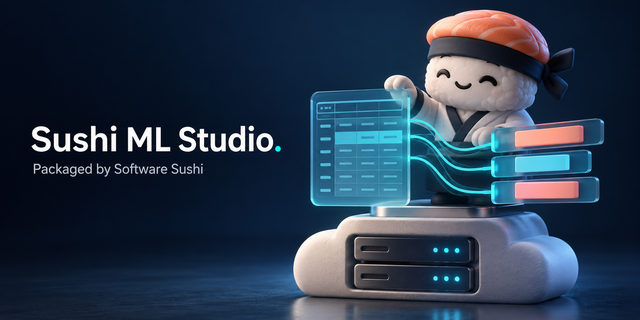
Sushi ML Studio is no-code machine learning that runs in your browser, on your own EC2 instance. Upload a CSV or Excel file, pick the column you want to predict, and it trains and compares against many scikit-learn models, tells you in plain language how good the best one is, and adds predictions to new spreadsheets. Your data never leaves the instance, and you keep the model file and the Python code that reproduces it.
Customer reviews
No customer reviews yet
Be the first to review this product . We've partnered with PeerSpot to gather customer feedback. You can share your experience by writing or recording a review, or scheduling a call with a PeerSpot analyst.