Sold by: Webkul
Deployed on AWS
Free Trial
Aureus ERP is a modern, open-source ERP platform built with Laravel 11 and Filament v5 (Livewire). This AMI is specifically engineered for AWS Graviton (ARM64) instances and delivers a pre-configured, cloud-ready Aureus ERP deployment on Ubuntu 24.04, with Nginx, PHP 8.4 (PHP-FPM), MySQL 8.0, and Composer 2.9 pre-installed. Take advantage of Graviton's price-performance benefits while deploying a complete ERP solution on AWS in minutes.
Overview
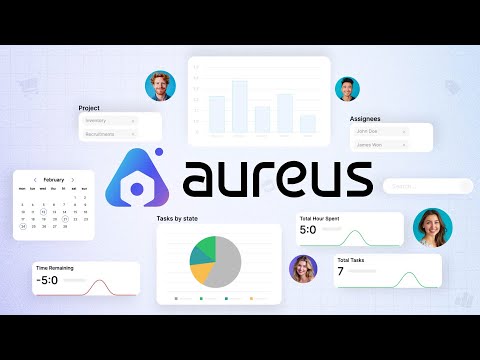
Aureus ERP is designed for businesses that want a simple, clean, and flexible solution to manage everyday operations - from sales and purchases to inventory, finance, accounting, HR, projects, and reporting. Ideal for small to mid-sized businesses.
KEY FEATURES:
Modular Architecture: Add or remove business modules as needed. Only use what fits your operations. GUI-based plugin manager for install/uninstall.
Sales & Purchase Management: Create and manage quotations, sales orders, RFQs, purchase orders, invoices, purchase agreements, and vendor records.
Inventory Control: Track stock, adjust quantities, manage multi-warehouse operations, lots/serials, scrap, and storage categories. Multi-UOM support.
Accounting & Finance: Handle journals, taxes, payment terms, bank accounts, invoices, bills, credit notes, and financial reports.
Human Resource Tools: Manage employees, departments, skills, attendance, time-off, recruitment, and payroll.
Projects & Tasks: Project dashboards, task stages, and timesheets.
REST API + Auto-generated API Documentation (Scribe).
Two-Factor Authentication (2FA) for admin users.
Role & Permission Management via Filament Shield.
Multi-company, Multi-currency, Multi-language (including full Arabic / RTL).
Customizable Dashboards & Reports.
User-Friendly Admin UI: Built on Filament v5 / Livewire for a clean, responsive experience.
Open Source & Self-Hosted: Full control over data and system.
Highlights
- ARM64 / Graviton optimized. Pre-configured LEMP stack tuned for AWS Graviton instances for better price-performance. Runs Aureus ERP on Ubuntu 24.04 with Nginx, PHP 8.4 (PHP-FPM), MySQL 8.0, and Composer 2.9.
- Automatic HTTPS provisioning via Lets Encrypt. SSL certificates are automatically generated and renewed, ensuring encrypted connections out of the box.
- Built and maintained by Webkul Pvt. Ltd. Uses Laravel best practices with secure database credential handling, correct file permissions, and same environment configuration. Regular updates and vendor support.
Details
Sold by
Categories
Delivery method
Delivery option
64-bit (Arm) Amazon Machine Image (AMI)
Latest version
Operating system
Ubuntu 24.04
Deployed on AWS
New
Introducing multi-product solutions
You can now purchase comprehensive solutions tailored to use cases and industries.

Features and programs
Financing for AWS Marketplace purchases
AWS Marketplace now accepts line of credit payments through the PNC Vendor Finance program. This program is available to select AWS customers in the US, excluding NV, NC, ND, TN, & VT.

Pricing
Free trial
Try this product free for 5 days according to the free trial terms set by the vendor. Usage-based pricing is in effect for usage beyond the free trial terms. Your free trial gets automatically converted to a paid subscription when the trial ends, but may be canceled any time before that.
Pricing is based on actual usage, with charges varying according to how much you consume. Subscriptions have no end date and may be canceled any time.
Additional AWS infrastructure costs may apply. Use the AWS Pricing Calculator to estimate your infrastructure costs.
Dimension | Cost/hour |
|---|---|
t4g.medium Recommended | $0.02 |
r8gb.48xlarge | $0.02 |
x8g.8xlarge | $0.02 |
m6g.12xlarge | $0.02 |
r7g.16xlarge | $0.02 |
r8g.48xlarge | $0.02 |
m7g.xlarge | $0.02 |
hpc7g.4xlarge | $0.02 |
t4g.large | $0.02 |
r8gn.2xlarge | $0.02 |
Dimensions summary
You pay by the hour for the EC2 instance you run this software on. Pricing scales with the ARM64/Graviton instance type you pick, not with software features. All instances share the same billing unit but differ in compute, memory, and network capacity. Compute-focused families (c-series), memory-focused families (r- and x-series), general-purpose families (m- and t-series), high-performance (hpc7g), and graphics (g5g) each offer a range of sizes. Larger sizes cost more per hour because they provide more vCPUs and memory. You only pay for the hours you use.
Top-of-mind questions for buyers
You get the software preinstalled on that ARM64/Graviton EC2 instance, billed per running hour. Each instance type maps to a set number of vCPUs, memory, and network capacity. Larger sizes provide more compute and memory. The hourly rate covers the software licence; AWS charges the underlying infrastructure separately.
Software charges accrue only while the instance runs. A stopped or paused instance stops the hourly software meter. You may still owe AWS storage fees for attached volumes, but the software licence bills running time only. Restart the instance and hourly charges resume automatically.
You pay only for hours the instance runs, so charges stop when the instance is off. The vendor licence is granted for use on one deployment and is non-refundable once purchased. There is no ongoing charge beyond the metered hourly usage of the running instance.
webkul.com
Helpful?
Vendor refund policy
The instance can be terminated at anytime to stop incurring charges.

Legal
Vendor terms and conditions
Upon subscribing to this product, you must acknowledge and agree to the terms and conditions outlined in the vendor's End User License Agreement (EULA) .
Content disclaimer
Vendors are responsible for their product descriptions and other product content. AWS does not warrant that vendors' product descriptions or other product content are accurate, complete, reliable, current, or error-free.
Delivery details
64-bit (Arm) Amazon Machine Image (AMI)
Amazon Machine Image (AMI)
An AMI is a virtual image that provides the information required to launch an instance. Amazon EC2 (Elastic Compute Cloud) instances are virtual servers on which you can run your applications and workloads, offering varying combinations of CPU, memory, storage, and networking resources. You can launch as many instances from as many different AMIs as you need.
Version release notes
Pre configured AMI with a fully automated AureusERP setup,includes Nginx, MySQL8.0, PHP 8.2, and Composer. Prepared for production use with secure default settings, SSL integration via Lets Encrypt, and automatic generation of MySQL credentials. Designed for fast and hassle free deployment on AWS.
Additional details
Usage instructions
Usage instructions
- Sign in to the AWS EC2 Console.
- Click Launch Instance to start a new server.
- In the AWS Marketplace,search for and select the Aureus ERP AMI. 4.Choose an instance type (Recommended: t3.medium or larger for optimal performance.)
- Set up your Key Pair,select an existing key pair or create a new one (.pem file). Download and save the .pem file securely.
- Configure Network Settings: Public IP: Assign a public IP (Elastic IP recommended). Security Group Rules: Allow TCP Port 22 (SSH) Allow TCP Port 80 (HTTP) and Allow TCP Port 443 (HTTPS)
- Launch the instance and note the public IP or Elastic IP from the EC2 dashboard.
- Connect to your instance via SSH: ssh -i /path/to/your-key.pem ubuntu@<your-public-ip>
- Run the configuration and SSL setup script: sudo bash setup.sh
- Follow the prompts to: Enter MySQL details (DATABASE_NAME, USERNAME and PASSWORD),enter your domain name and create admin credentials.
- Log in to the admin panel
- Enter your admin credentials to access the Aureus ERP dashboard.
For full installation steps and configuration details,please refer to the complete setup guide: https://cloudkul.com/blog/aureus-erp-ami-installer-user-guide/
Resources
Vendor resources
Support
Vendor support
For help related to this Aureuserp AMI, including setup, usage, or feature inquiries, you can reach out to the team at Webkul. Contact: support@webkul.com Webkul provides guidance for initial configuration, module development.
AWS infrastructure support
AWS Support is a one-on-one, fast-response support channel that is staffed 24x7x365 with experienced and technical support engineers. The service helps customers of all sizes and technical abilities to successfully utilize the products and features provided by Amazon Web Services.
Similar products

QloApps is a open-source hotel management software with PMS, Booking Engine, and customizable website, pre installed on AWS with Nginx, PHP & MySQL ready for secure, scalable, and high-performance deployment.Optimized for AWS ARM Graviton processor to deliver maximum efficiency

Deploy UVdesk on AWS Graviton using an NGINX server. This ARM64 image speeds up
response times. It helps busy teams cut compute costs without losing performance.
Aureus ERP is a modern, open-source ERP platform built with Laravel 11 and Filament v5 (Livewire). This AMI delivers a pre-configured, cloud-ready Aureus ERP deployment on Ubuntu 24.04, with Nginx, PHP 8.4 (PHP-FPM), MySQL 8.0, and Composer 2.9 pre-installed. Deploy a complete ERP solution on AWS within minutes - no manual setup required.

Odoo is a powerful, open-source business management platform that integrates CRM, eCommerce, accounting, inventory, point of sale, and more into a unified solution. Designed for flexibility and scalability, Odoo is ideal for businesses of all sizes looking to streamline operations.Optimized for AWS ARM Graviton processor to deliver maximum efficiency
Customer reviews
No customer reviews yet
Be the first to review this product . We've partnered with PeerSpot to gather customer feedback. You can share your experience by writing or recording a review, or scheduling a call with a PeerSpot analyst.