
Sold by: IARM Information Security Inc
Deployed on AWS
Run phishing simulations at a fixed cost pay for emails, not users. Stay in control with self-hosted deployment on AWS and keep your data inside your VPC. Launch customizable phishing campaigns, track user interactions in real time, generate audit ready reports
Overview
Image
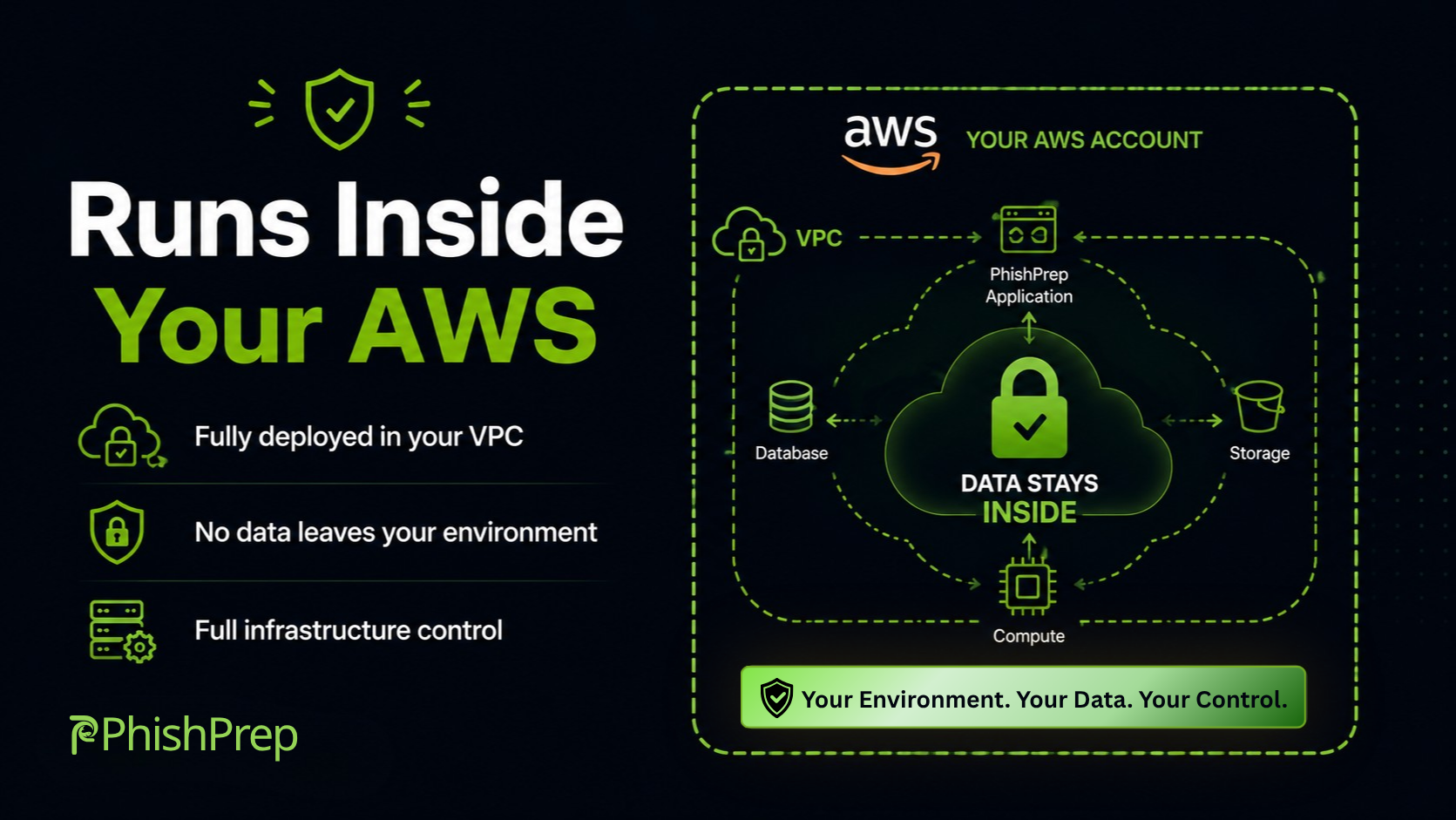
AWS Phishing Simulation Platform | VPC Deployment
Image
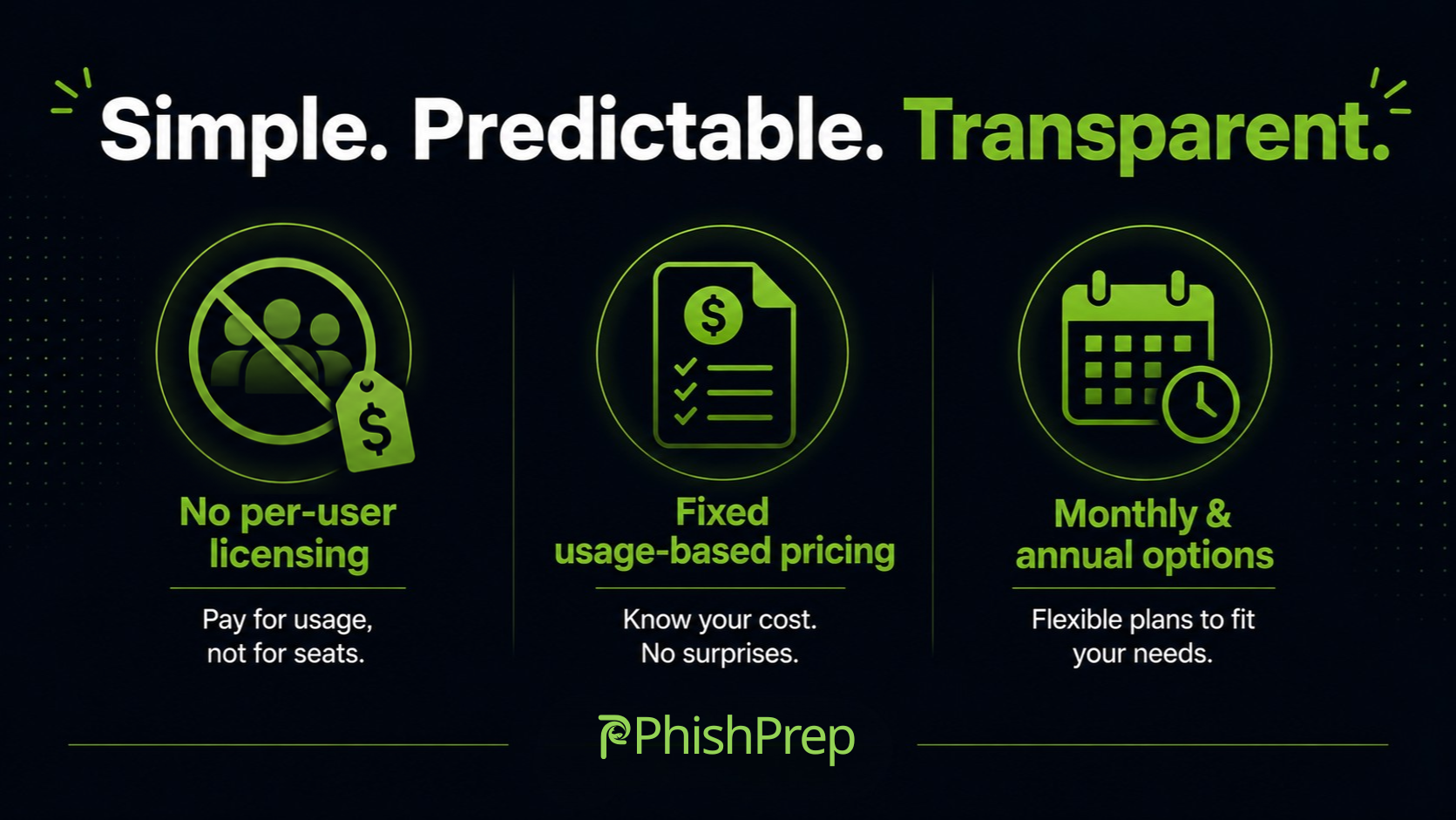
Phishing Simulation Pricing | No Per-User
Image
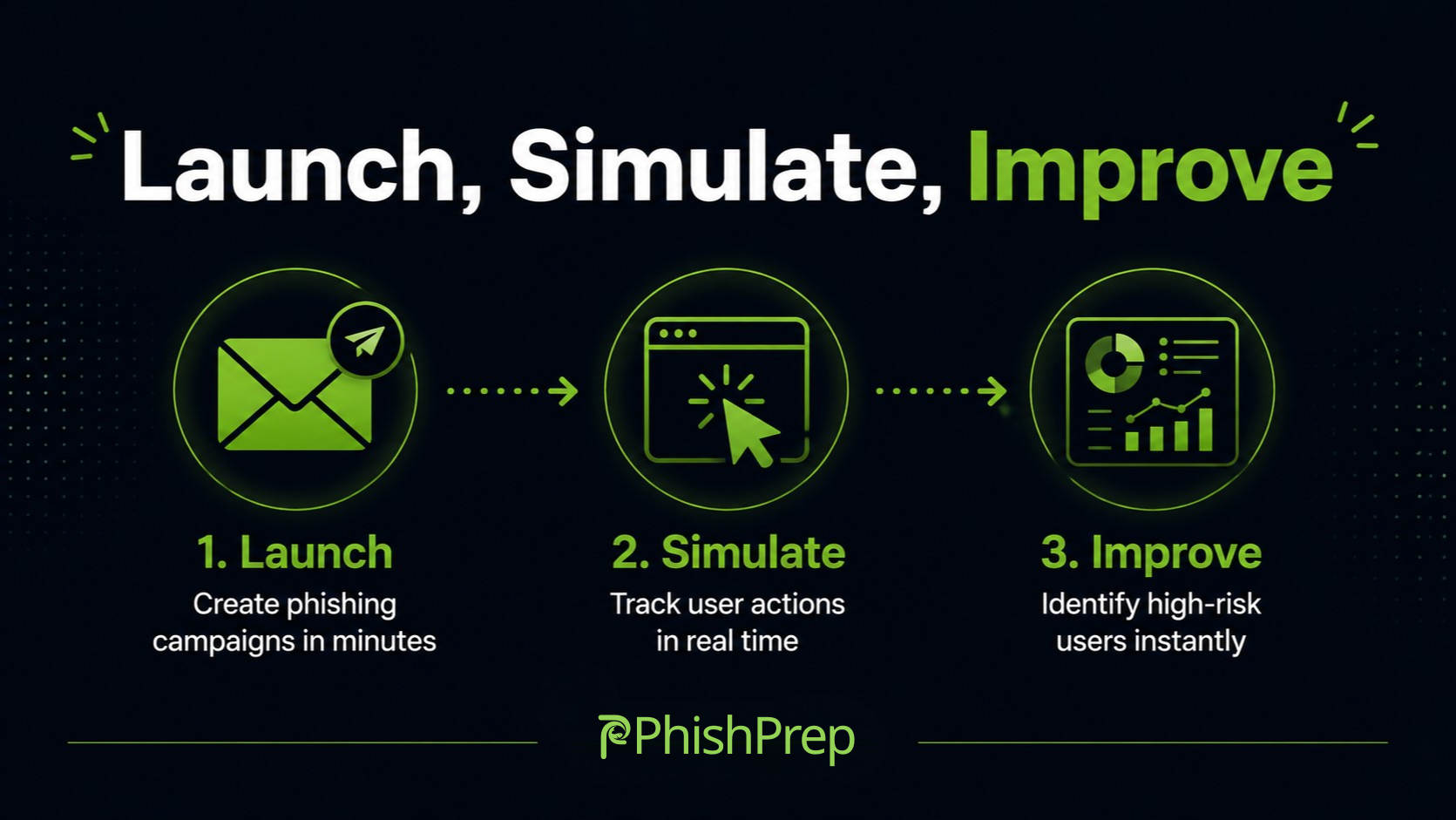
Phishing Simulation & User Risk Analytics
Image
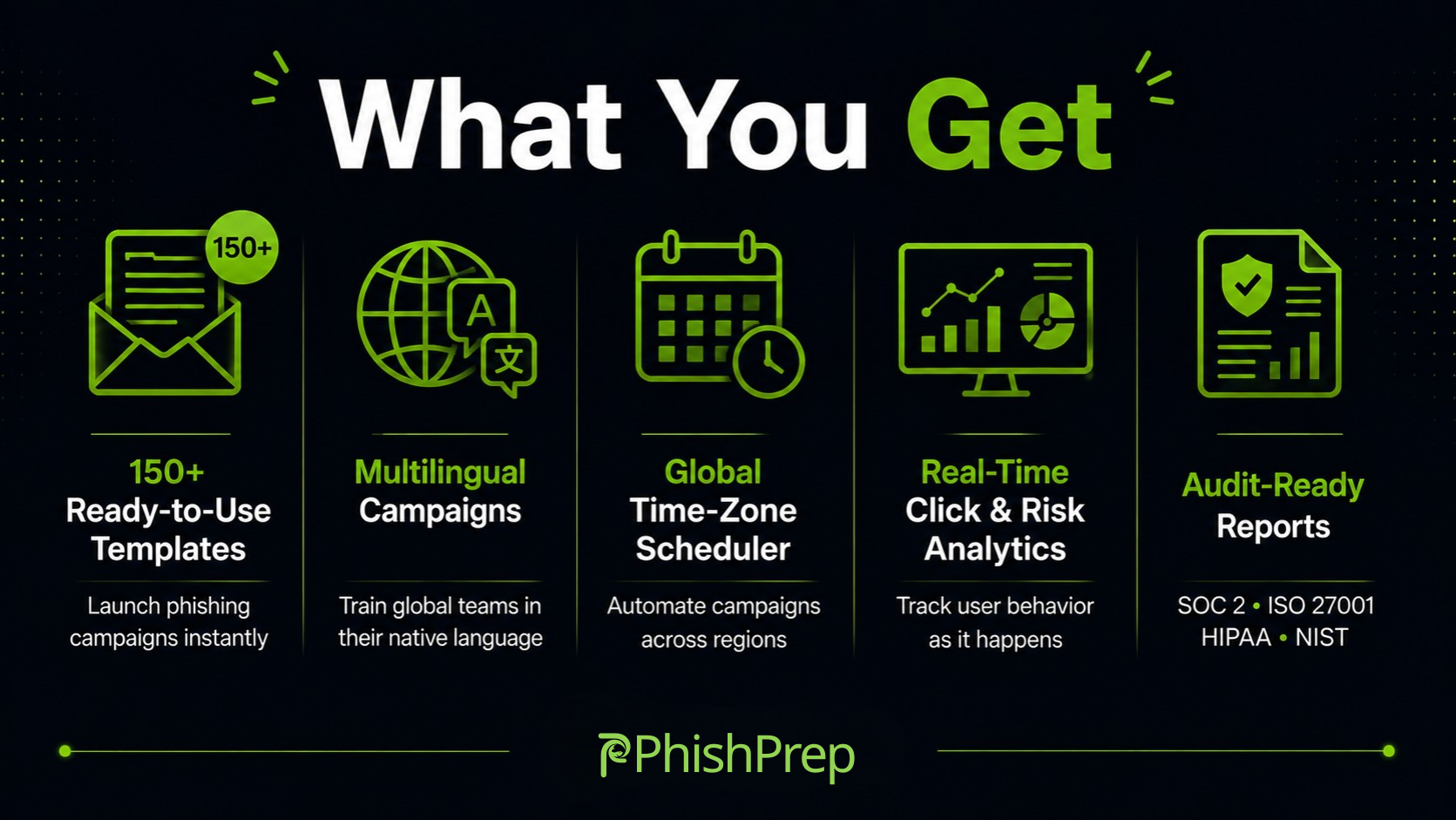
Phishing Simulation & Security Awareness
PhishPrep is a simple and cost predictable phishing simulation platform designed for modern security teams.
Deployed as an Amazon Machine Image AMI, PhishPrep runs entirely within your AWS environment, providing complete control over your data, infrastructure, and campaigns.
Unlike traditional tools that charge per user, PhishPrep uses an email usage based pricing model instead of user based licensing. This allows organizations to scale their workforce without additional licensing concerns.
Run realistic phishing simulations, monitor user behavior, and strengthen organizational security readiness while keeping all data within your AWS environment.
Highlights
- Secure, Hardened AMI Built with security best practices no password-based remote access, no hardcoded credentials or keys, and only supported OS and packages. In VPC Deployment with Full Data Control Runs entirely within your AWS environment, ensuring sensitive user data never leaves your account.
- Ready to Use Campaigns & Templates Launch phishing campaigns quickly using prebuilt templates, customizable landing pages, and reusable campaign configurations. Real Time Analytics & Risk Insights Track user behavior (opens, clicks, submissions), view timelines, and measure phishing risk across departments with exportable reports.
- Usage-based phishing simulation platform with flexible fixed-cost with subscription billing models. Includes 150+ ready-to-use phishing templates, multilingual campaign support, and a smart global scheduler for across all the regions and time zones. Helps organizations efficiently manage and scale phishing simulations aligned with security and compliance goals.
Details
Categories
Delivery method
Delivery option
64-bit (x86) Amazon Machine Image (AMI)
Latest version
Operating system
Ubuntu 24.04
Deployed on AWS
New
Introducing multi-product solutions
You can now purchase comprehensive solutions tailored to use cases and industries.

Features and programs
Financing for AWS Marketplace purchases
AWS Marketplace now accepts line of credit payments through the PNC Vendor Finance program. This program is available to select AWS customers in the US, excluding NV, NC, ND, TN, & VT.

Pricing
Pricing is based on the duration and terms of your contract with the vendor. This entitles you to a specified quantity of use for the contract duration. If you choose not to renew or replace your contract before it ends, access to these entitlements will expire.
Additional AWS infrastructure costs may apply. Use the AWS Pricing Calculator to estimate your infrastructure costs.
Dimension | Description | Cost/month |
|---|---|---|
Emails Per Month | Number of phishing simulation emails allowed per calendar month. Resets automatically each calendar month. | $0.85 |
[DEPRECATED] Annual Email Quota | Legacy dimension - no longer supported. Please select 'Emails Per Month' instead. | $0.85 |
Dimensions summary
This contract deploys the phishing simulation tool from an Amazon Machine Image (AMI). Pricing works through one active dimension: Emails Per Month. You choose how many phishing simulation emails you can send in a calendar month, and the quota resets automatically each month. Your cost scales with the email volume you select. A second dimension, Annual Email Quota, is deprecated and no longer supported. Select Emails Per Month instead. There are no separate tiers or instance sizes here — you pick one monthly email volume that fits your team's testing needs.
Top-of-mind questions for buyers
One unit is a single phishing simulation email you send during a calendar month. Each simulated message delivered to an employee counts toward your monthly quota. The count resets automatically at the start of each calendar month, so unused capacity does not carry over.
Your quota resets automatically each calendar month. Unused emails do not roll over to the next month. You select a monthly email volume, and that same allowance renews at the start of every calendar month regardless of prior usage.
The tool runs from an Amazon Machine Image and deploys phishing simulation capabilities. The seller describes multichannel testing including voice, SMS, and messaging-based simulations. However, your Marketplace charge meters only the number of simulation emails you send per calendar month, so email volume drives your cost.
phishprep.com
Helpful?
Vendor refund policy
All subscriptions are billed based on the selected contract monthly or annual. Due to the nature of digital software licensing and immediate access to the product upon launch no refunds are provided once the subscription is activated.

Legal
Vendor terms and conditions
Upon subscribing to this product, you must acknowledge and agree to the terms and conditions outlined in the vendor's End User License Agreement (EULA) .
Content disclaimer
Vendors are responsible for their product descriptions and other product content. AWS does not warrant that vendors' product descriptions or other product content are accurate, complete, reliable, current, or error-free.
Delivery details
64-bit (x86) Amazon Machine Image (AMI)
Amazon Machine Image (AMI)
An AMI is a virtual image that provides the information required to launch an instance. Amazon EC2 (Elastic Compute Cloud) instances are virtual servers on which you can run your applications and workloads, offering varying combinations of CPU, memory, storage, and networking resources. You can launch as many instances from as many different AMIs as you need.
Version release notes
v3.1 patch release: Fixed entitlement lookup via API Gateway (no IAM role required on instance), JWT session extended to 24 hours, cookie-based authentication fallback added, default mail limit set to 0 to enforce proper entitlement enforcement.
Additional details
Usage instructions
Step 1 Launch EC2 instance Launch the Phishprep AMI using a recommended instance type such as t3a.medium or higher. Step 2 Associate Elastic IP Associate an Elastic IP address to the instance to ensure a stable public IP address. Step 3 Configure security group Configure the security group to allow HTTP access on port 80 from your organization public IP for web access. Allow ports 587 and 8000 for application functionality as required. Step 4 Access setup wizard After the instance is running, copy the public IP address from the EC2 console. Open a web browser and navigate to http://YOUR-PUBLIC-IP/setup-wizard.html Step 5 Initial configuration Complete the setup wizard and create the first administrator account using your organization email address.
Resources
Vendor resources
Support
Vendor support
PhishPrep provides 24x7 customer support to ensure smooth deployment, faster onboarding, and uninterrupted platform operation across your AWS environment. For deployment assistance, configuration support, or operational guidance, our support team is available at phishcare@iarminfo.com . Our support services include AMI deployment guidance, AWS setup and configuration assistance, Amazon SES and SMTP integration support, troubleshooting, issue resolution, and operational best practices to help security teams deploy and manage phishing simulations efficiently. Critical issues are prioritized to minimize downtime and ensure continuous platform availability. For private offers, custom enterprise pricing, or volume-based licensing, connect with our team here -
AWS infrastructure support
AWS Support is a one-on-one, fast-response support channel that is staffed 24x7x365 with experienced and technical support engineers. The service helps customers of all sizes and technical abilities to successfully utilize the products and features provided by Amazon Web Services.
Similar products

This product has charges associated with it for configuration of ClamAV antivirus. SmartAMI openSUSE Leap 16 with ClamAV Antivirus. SmartAMI upgrades it periodically so it includes newest available packages.

This product has charges associated with it for configuration of ClamAV antivirus. Ubuntu Server 26.04 Resolute Raccoon LTS for Graviton ARM with ClamAV antivirus protection. SmartAMI upgrades it periodically so it includes newest available packages.

This product has charges associated with it for configuration of ClamAV antivirus. Ubuntu Server 24.04 Noble Numbat LTS with ClamAV antivirus protection. SmartAMI upgrades it periodically so it includes newest available packages.

This product has charges associated with it for configuration of ClamAV antivirus. Ubuntu Server 26.04 Resolute Raccoon LTS with ClamAV antivirus protection. SmartAMI upgrades it periodically so it includes newest available packages.
Customer reviews
No customer reviews yet
Be the first to review this product . We've partnered with PeerSpot to gather customer feedback. You can share your experience by writing or recording a review, or scheduling a call with a PeerSpot analyst.