Sold by: OrbisID
Deployed on AWS
OrbisID Community Edition is a free, self-hosted Privileged Access Management (PAM) detection tool that discovers, classifies, and reports on privileged access across up to 10 target systems. It surfaces unknown admin access, ex-employee risk, and compliance gaps against frameworks including NIST 800-53, ISO 27001, and Cyber Essentials, all without your data ever leaving your environment.
Overview
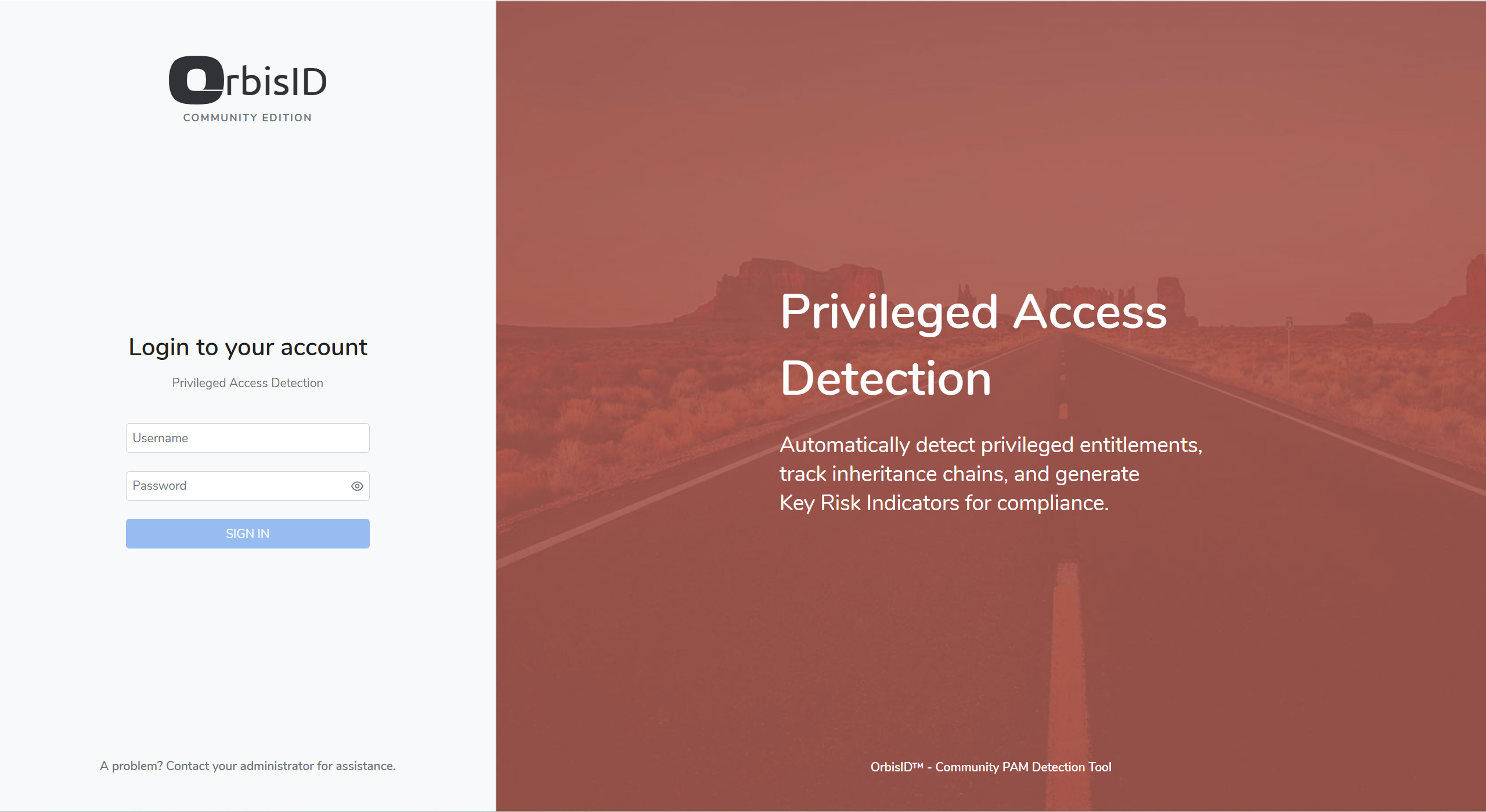
OrbisID Community Edition is a free, self-hosted Privileged Access Management (PAM) detection and governance tool for teams that need visibility into privileged access without adding another vault to manage. It discovers, classifies, and continuously reports on privileged accounts and access paths across up to 10 target systems, surfacing the risks that matter most: unknown or orphaned admin access, ex-employee accounts that were never deprovisioned, shared credentials, and privilege sprawl that traditional identity tools miss. A visual access graph maps relationships between identities, accounts, and systems, making it straightforward to trace who can reach what, and why.
Community Edition includes a set of built-in key risk indicators covering privileged accounts without an owner, unlinked accounts, standing privileges, and shared privileged accounts, plus in-app reporting across accounts, entitlements, and systems. On-demand scanning gives a single user a clear, point-in-time view of privileged access risk, without the manual spreadsheet exercise this normally involves. (Automated compliance gap analysis against frameworks such as NIST 800-53, ISO 27001, SOX, GxP, HIPAA, and Cyber Essentials, along with KRI trend history, scheduling, and multi-user access, are part of the paid Commercial edition.)
OrbisID Community Edition deploys as a single Docker Compose package and runs entirely within your own infrastructure, so privileged access data never leaves your network. It is designed to sit alongside existing PAM vaults such as CyberArk, BeyondTrust, and Delinea as a detection and governance layer, rather than replacing them, making it a natural starting point for SMBs and mid-market IT and security teams that want stronger identity security posture without a lengthy vault migration.
Highlights
- Discover privileged access across up to 10 target systems, free, surfacing unknown admin accounts, ex-employee risk, and privilege sprawl before they become an audit finding or a breach.
- Get built-in key risk indicators, such as privileged accounts without an owner, standing privileges, and shared credentials, plus in-app reports across accounts, entitlements, and systems, free of charge.
- Deploy as a self-contained EC2 instance that runs entirely within your own AWS environment, complementing existing PAM vaults such as CyberArk, BeyondTrust, and Delinea.
Details
Sold by
Categories
Delivery method
Delivery option
64-bit (x86) Amazon Machine Image (AMI)
Latest version
Operating system
AmazonLinux Amazon Linux 2023
Deployed on AWS
New
Introducing multi-product solutions
You can now purchase comprehensive solutions tailored to use cases and industries.

Features and programs
Financing for AWS Marketplace purchases
AWS Marketplace now accepts line of credit payments through the PNC Vendor Finance program. This program is available to select AWS customers in the US, excluding NV, NC, ND, TN, & VT.

Pricing
This product is available free of charge. Free subscriptions have no end date and may be canceled any time.
Additional AWS infrastructure costs may apply. Use the AWS Pricing Calculator to estimate your infrastructure costs.
Dimensions summary
The Community Edition software licence is free. You pay only for the AWS infrastructure that runs it. The five dimensions are EC2 instance sizes, each billed by the hour. Choose t3a.large, t3.large, or m5.large for larger instances, or t3a.medium and t3.medium for smaller ones. These are not feature tiers — the software is the same across all of them. Your hourly cost depends on which instance size you pick. Because it runs in your own AWS account, you can resize the same way you would any other EC2 workload.
Top-of-mind questions for buyers
The medium options (t3a.medium, t3.medium) offer fewer virtual CPUs and less memory than the large options (t3a.large, t3.large, m5.large). All five run the same Community Edition software. Your choice affects only compute capacity and hourly infrastructure cost, not features.
The Community Edition software licence is free. You pay AWS only for the EC2 instance hours and related infrastructure like storage. The hourly rate you see reflects the instance size you pick, not a software fee.
Hourly instance charges apply while the instance runs. A stopped instance stops accruing compute-hour charges. You may still pay AWS for attached storage while the instance is stopped. Because it runs in your own AWS account, this follows standard EC2 billing behavior.
orbisid.com
Helpful?
Vendor refund policy
OrbisID Community Edition is offered at no charge. There are no software fees associated with this product, and therefore no software charges are eligible for refund. Standard AWS infrastructure costs incurred while running this product (EC2 instance hours, EBS storage, data transfer, etc.) are billed directly by AWS under your own AWS account and are governed by AWS's own service terms, not by OrbisID as the seller.

Legal
Vendor terms and conditions
Upon subscribing to this product, you must acknowledge and agree to the terms and conditions outlined in the vendor's End User License Agreement (EULA) .
Content disclaimer
Vendors are responsible for their product descriptions and other product content. AWS does not warrant that vendors' product descriptions or other product content are accurate, complete, reliable, current, or error-free.
Delivery details
64-bit (x86) Amazon Machine Image (AMI)
Amazon Machine Image (AMI)
An AMI is a virtual image that provides the information required to launch an instance. Amazon EC2 (Elastic Compute Cloud) instances are virtual servers on which you can run your applications and workloads, offering varying combinations of CPU, memory, storage, and networking resources. You can launch as many instances from as many different AMIs as you need.
Version release notes
OrbisID Community Edition Quick Launch AMI, build 20260904-f38dec01. Always launches the latest published OrbisID release. See https://orbisid.com/releases for release notes.
Additional details
Usage instructions
- Launch this AMI (1-Click Launch, or manually from the EC2 console/CLI). No parameters are required.
Recommended instance type: t3.large (2 vCPU / 8 GB) for headroom as scan/audit history grows; t3.medium (2 vCPU / 4 GB) is the minimum. t3a equivalents (AMD) and m5.large (no burstable-credit throttling) also work. Community Edition has no AI features, so a larger size won't unlock anything.
Recommended security group: by default, restrict inbound 443 (HTTPS) and 80 (redirects to 443) to your own network (VPC CIDR, VPN, or Direct Connect range), not the internet; 22 (SSH) is optional, for checking first-boot progress. Open 0.0.0.0/0 only if you want this instance reachable from the public internet.
A public IP is not required - launch into any subnet with or without one. The instance uses whichever hostname/IP it has (public if assigned, otherwise private) to generate its TLS certificate. Without a public IP you'll need to be on the same network (VPN/Direct Connect/bastion) to reach it; to expose it later, attach an Elastic IP (see step 3's note).
-
Wait 3-5 minutes after "running" for first boot to finish (image pull, DB migrations, service startup). Watch progress via EC2 console (Actions, Monitor and troubleshoot, Get system log) or SSH in and check /etc/motd or tail -f /var/log/orbisid-first-boot.log.
-
Browse to the HTTPS URL shown in the system log/MOTD (public DNS/IP if one was assigned, otherwise the private IP - reachable only from your own network). Your browser will warn about the self-signed certificate; this is expected with no domain configured. Accept the warning to continue.
Note: attaching an Elastic IP later won't match the certificate already generated. Don't re-run first-boot provisioning to fix this - it regenerates the encryption key and database password and breaks existing data. Instead SSH in and run:
sudo openssl req -x509 -nodes -newkey rsa:2048 -days 3650 -keyout /opt/orbisid/ssl/privkey.pem -out /opt/orbisid/ssl/fullchain.pem -subj "/CN=<new-ip>" -addext "subjectAltName=IP:<new-ip>" && sudo chmod 600 /opt/orbisid/ssl/privkey.pem && cd /opt/orbisid && sudo docker compose restart nginx
replacing <new-ip> with the Elastic IP, then browse to https://<new-ip>.
- Sign in with the administrator account. The initial password is unique to this instance:
Username: admin Password: this instance's EC2 instance ID (for example, i-0123456789abcdef0) - shown in the MOTD/system log next to the URL, and visible in the EC2 console/CLI.
Change this password immediately from the Profile menu.
- From Systems, begin onboarding target systems for scanning (up to 10 in Community Edition). No license key is required.
Troubleshooting: if the URL doesn't load at all, check the security group first - it must allow inbound 443 (and ideally 80/22) from wherever you're connecting: your network's CIDR by default, or 0.0.0.0/0 only if you deliberately opened it up. If launched without a public IP, the instance is only reachable from your own network (VPN/Direct Connect/bastion) by design - it won't respond from the open internet.
Note: this instance's database lives on its own EBS root volume. Stopping/starting preserves data; terminating does not. For your own domain, a trusted certificate, managed RDS, and high availability, see the "OrbisID - Community Edition" CloudFormation/ECS delivery option.
Support
Vendor support
Support URL: https://github.com/OrbisID/OrbisID-Community/issues/new/choose
Support for OrbisID Community Edition is provided through our public GitHub repository. Raise an issue at the link above for bug reports, feature requests, or general questions - you can track triage status and see community discussion directly on the issue thread. There is no guaranteed response time for the free edition, but issues are reviewed regularly.
AWS infrastructure support
AWS Support is a one-on-one, fast-response support channel that is staffed 24x7x365 with experienced and technical support engineers. The service helps customers of all sizes and technical abilities to successfully utilize the products and features provided by Amazon Web Services.
Similar products

OroCommerce Community Edition is an open-source eCommerce platform built from the ground up for B2B companies in manufacturing, distribution, wholesale, and retail.

This product has charges associated with it for configuration of ClamAV antivirus. Ubuntu Server 26.04 Resolute Raccoon LTS for Graviton ARM with ClamAV antivirus protection. SmartAMI upgrades it periodically so it includes newest available packages.
This product has charges associated with it for automated deployment, security hardening, first-boot credential generation, system optimization, and support services provided by KBLT Software Group LLC.

This product has charges associated with it for configuration of ClamAV antivirus. SmartAMI openSUSE Leap 16 with ClamAV Antivirus. SmartAMI upgrades it periodically so it includes newest available packages.
Customer reviews
No customer reviews yet
Be the first to review this product . We've partnered with PeerSpot to gather customer feedback. You can share your experience by writing or recording a review, or scheduling a call with a PeerSpot analyst.