
Sold by: Cloudviz.io
Deployed on AWS
Visualize your cloud architecture. Cloudviz.io saves you time on manual AWS architecture diagram and documentation creation and keep your AWS documentation always up to date.
Overview
Video
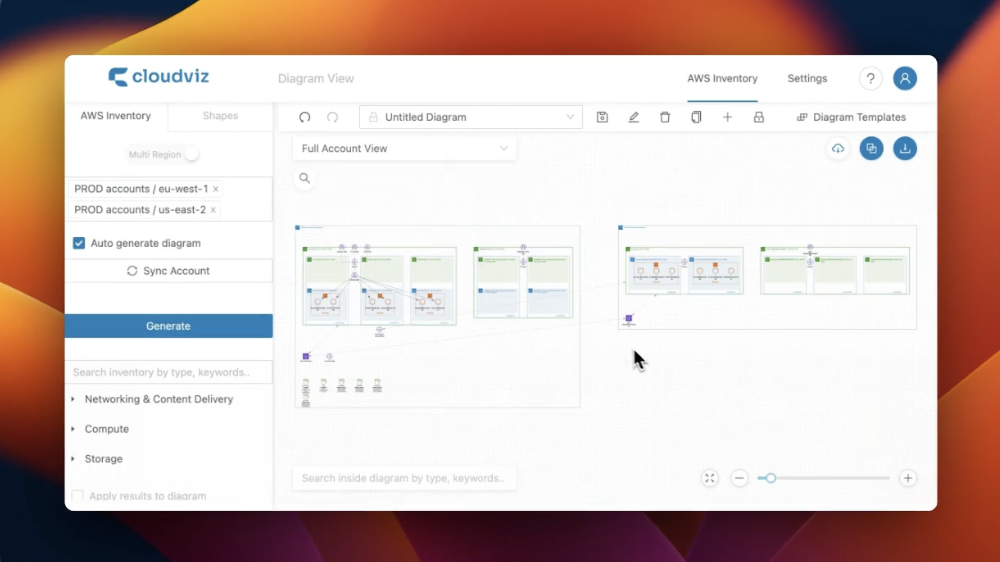
Multi-Region & Account Diagrams
Image
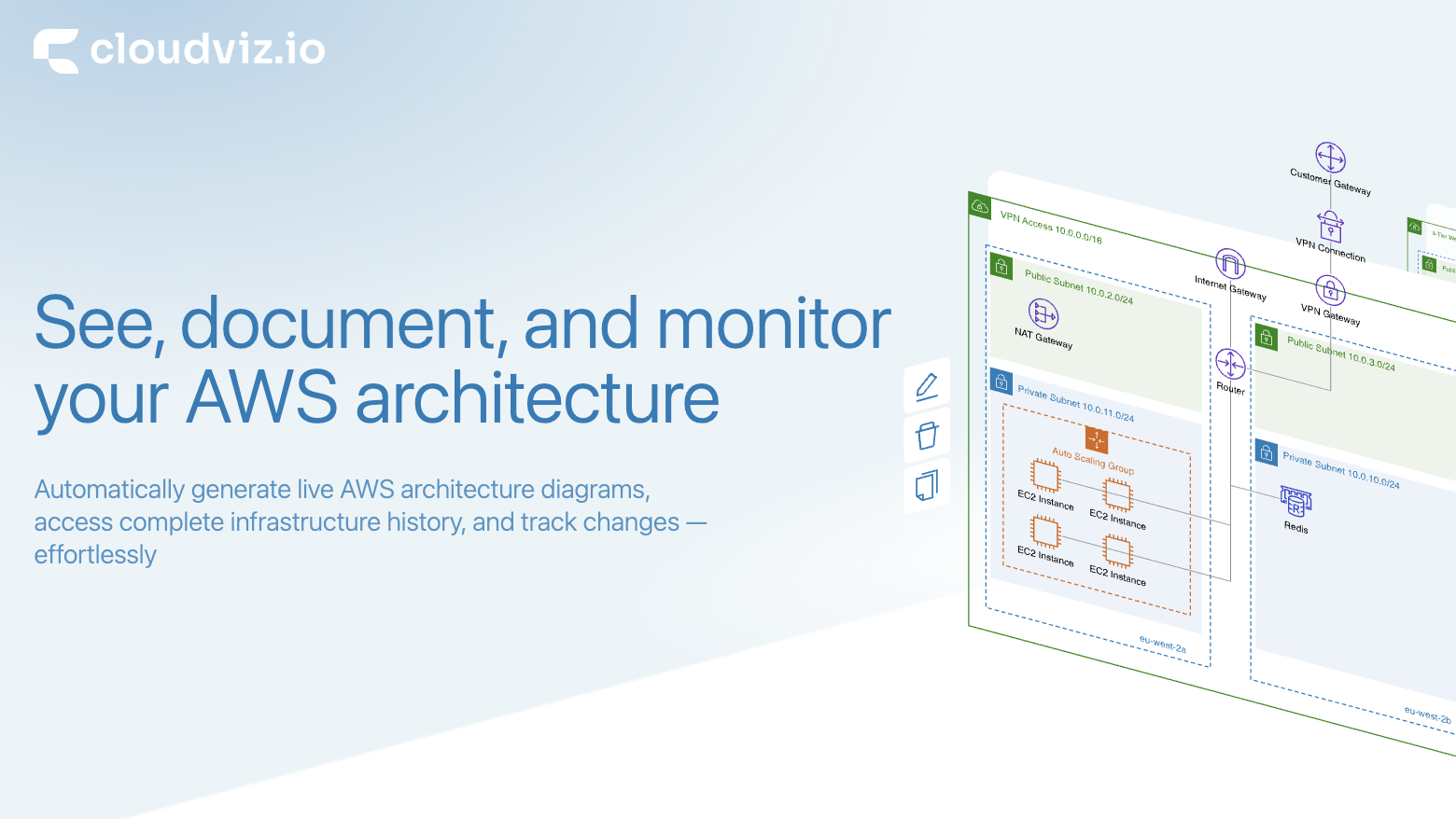
See, document, and monitor your AWS architecture
Visualize your cloud architecture. Autogenerate AWS architecture diagrams and technical documentation in a few clicks. Cloudviz.io saves you time on manual AWS architecture diagram and documentation creation and keep your AWS documentation always up to date.
See how your cloud infrastructure looked last week, last month, or any point in the past with our automated monitoring and version history. Quickly identify whats been added, modified, or deleted with clear, color-coded highlights, making it easier to troubleshoot issues, investigate unexpected cost changes, or recover from errors. Perfect for debugging deployment issues, auditing infrastructure changes, or tracking down the source of breaking changes in your environment
The Cloudviz.io API provides an easy way to generate live diagrams (SVG, PNG, PDF or Drawio) or complete JSON snapshot of your AWS account with one API request. Integrate into your CI/CD pipelines and compare changes before and after deployment using generated snapshots or diagrams.
Leave automated diagramming and documentation to us and focus more on real business values to improve your product or services.
Highlights
- Autogenerate AWS architecture diagrams and technical documentation. Set custom diagram generation settings and use your own documentation templates to apply your own branding to generated documentation
- Automated infrastructure monitoring combined with diagram history gives our users superpowers: * Be notified when something changes in your infrastructure, so you can always verify if these changes as expected or not * Know exactly whats changed in the form of a visual diagram or JSON diff * Complete history of your infrastructure changes. Access your infrastructure change history whenever you need it - whether debugging failed deployments, troubleshooting issues, or conducting security audits
- Use our Cloudviz API to integrate with your internal workflows like automatically generate diagrams (in your CI/CD workflows) after new deployments and push these to your Slack, Teams channels, Confluence pages, Wikis or dashboards.
Details
Sold by
Delivery method
Deployed on AWS
New
Introducing multi-product solutions
You can now purchase comprehensive solutions tailored to use cases and industries.

Features and programs
Financing for AWS Marketplace purchases
AWS Marketplace now accepts line of credit payments through the PNC Vendor Finance program. This program is available to select AWS customers in the US, excluding NV, NC, ND, TN, & VT.

Pricing
Pricing is based on the duration and terms of your contract with the vendor. This entitles you to a specified quantity of use for the contract duration. If you choose not to renew or replace your contract before it ends, access to these entitlements will expire.
Additional AWS infrastructure costs may apply. Use the AWS Pricing Calculator to estimate your infrastructure costs.
Dimension | Description | Cost/month |
|---|---|---|
Cloudviz Base | 1 user | $9.95 |
Cloudviz Team | 10 users, API access, Automatically track infrastructure changes | $49.00 |
Dimensions summary
You choose between two contract tiers based on team size. Cloudviz Base covers one user for generating diagrams and documentation. Cloudviz Team covers ten users and adds API access plus automatic tracking of infrastructure changes. Both are subscription contracts billed through AWS Marketplace. The tiers scale by number of users and included capabilities, so the choice depends on whether you work solo or with a team that needs shared access and automated change monitoring.
Top-of-mind questions for buyers
One user is one account login within your subscription. Cloudviz Base covers a single user. Cloudviz Team includes ten users. You can add extra users after your trial by editing the subscription and adjusting the user quantity, with charges prorated for the remaining subscription period.
Cloudviz Team adds API access for programmatic diagram generation and automatic tracking of infrastructure changes. Change monitoring checks your AWS resource configurations every three hours. Each Team subscriber can monitor up to 5 account-region pairs and up to 20 diagrams. You can raise these limits by contacting the vendor.
No. The Team tier includes ten users. Adding more users is a manual change you make in the subscription settings. You edit the subscription and adjust the user quantity. New users are charged prorated for the time left in your current subscription period, not applied automatically.
cloudviz.io+2
Helpful?
Vendor refund policy
10-day money back guarantee. If Cloudviz.io doesn't work for you please contact support@cloudviz.io

Legal
Vendor terms and conditions
Upon subscribing to this product, you must acknowledge and agree to the terms and conditions outlined in the vendor's End User License Agreement (EULA) .
Content disclaimer
Vendors are responsible for their product descriptions and other product content. AWS does not warrant that vendors' product descriptions or other product content are accurate, complete, reliable, current, or error-free.
Delivery details
Software as a Service (SaaS)
SaaS delivers cloud-based software applications directly to customers over the internet. You can access these applications through a subscription model. You will pay recurring monthly usage fees through your AWS bill, while AWS handles deployment and infrastructure management, ensuring scalability, reliability, and seamless integration with other AWS services.
Resources
Support
Vendor support
Email us at support@cloudviz.io or use the "Contact Support" section in the application
AWS infrastructure support
AWS Support is a one-on-one, fast-response support channel that is staffed 24x7x365 with experienced and technical support engineers. The service helps customers of all sizes and technical abilities to successfully utilize the products and features provided by Amazon Web Services.
Updated weekly

By Hava.io
![Hyperglance: Up to 500 Resources [Pay as you go]](https://d7umqicpi7263.cloudfront.net/img/product/db2ff6a7-a409-4199-b22c-9cf5c1f6e10e.png)
By Hyperglance
Top
100
In Collaboration & Productivity, IT Business Management, Monitoring
Top
25
In Infrastructure as Code
Top
25
In Monitoring
Sentiment is AI generated from actual customer reviews on AWS and G2
Functionality
Ease of use
Customer service
Cost effectiveness
Positive reviews
Mixed reviews
Negative reviews
AI generated from product descriptions
Automated Diagram Generation
Autogenerate AWS architecture diagrams in multiple formats including SVG, PNG, PDF, and Drawio with customizable settings and branding templates.
Infrastructure Change Tracking
Monitor infrastructure changes with automated version history, color-coded highlights for additions, modifications, and deletions, and complete historical snapshots at any point in time.
API Integration Capability
Provide REST API endpoints to generate live diagrams or complete JSON snapshots of AWS accounts, enabling integration with CI/CD pipelines and deployment workflows.
Change Notification System
Deliver automated alerts when infrastructure changes occur, with visual diagram comparisons and JSON diff representations of modifications.
Technical Documentation Generation
Autogenerate technical documentation with support for custom templates and automated integration into collaboration platforms including Slack, Teams, Confluence, and wikis.
Automated Cloud Infrastructure Visualization
Generates interactive cloud diagrams automatically from multiple cloud vendors without manual drawing or configuration
Real-time Configuration Monitoring
Continuously polls cloud configuration and automatically updates diagrams when changes are detected
Version History and Change Tracking
Archives previous diagram versions and enables comparison of historical environment configurations
Security and Resource Analysis
Displays configured resources, security groups, route tables, resource connections, and subnets for vulnerability identification
Diagram Export and Documentation
Exports interactive diagrams in multiple formats and integrates with knowledge base systems for on-demand documentation delivery
Cost Analysis and Optimization
Real-time cost exploration and analysis with cost-saving recommendations including wastage identification, right-sizing, and reserved instance optimization; projected cloud bill forecasting and trend/anomaly detection.
Multi-Cloud Architecture Visualization
Interactive real-time architecture diagrams with metadata overlay for multi-cloud environments including AWS, GovCloud, and Kubernetes clusters; search, filter, and export capabilities for aggregated cloud inventory.
Security and Compliance Scanning
Continuous automated scanning for policy breaches, misconfigurations, and vulnerabilities with built-in compliance monitoring for AWS Well-Architected, NIST, CIS, HIPAA, PCI DSS, and FedRAMP frameworks.
Codeless Automation and Remediation
Customizable rule-based automations triggered by metadata, cost metrics, and alarms to enforce organizational policies, implement resource-tagging strategies, and remediate issues in real-time.
Agentless Self-Hosted Deployment
Self-hosted deployment on EC2 instances with agentless architecture; includes SAML authentication support and RESTful API access with no credential sharing requirements.
Standard contract
No
No
No
Customer reviews
No customer reviews yet
Be the first to review this product . We've partnered with PeerSpot to gather customer feedback. You can share your experience by writing or recording a review, or scheduling a call with a PeerSpot analyst.