
Sold by: Madarson IT
Deployed on AWS
AWS Free Tier
This product has charges associated with it for the enterprise VPN management dashboard service. Self-hosted VPN with a browser-based dashboard for user provisioning, access revocation, live monitoring, and audit log export. Automatic HTTPS and AES-256 encryption included.
Overview
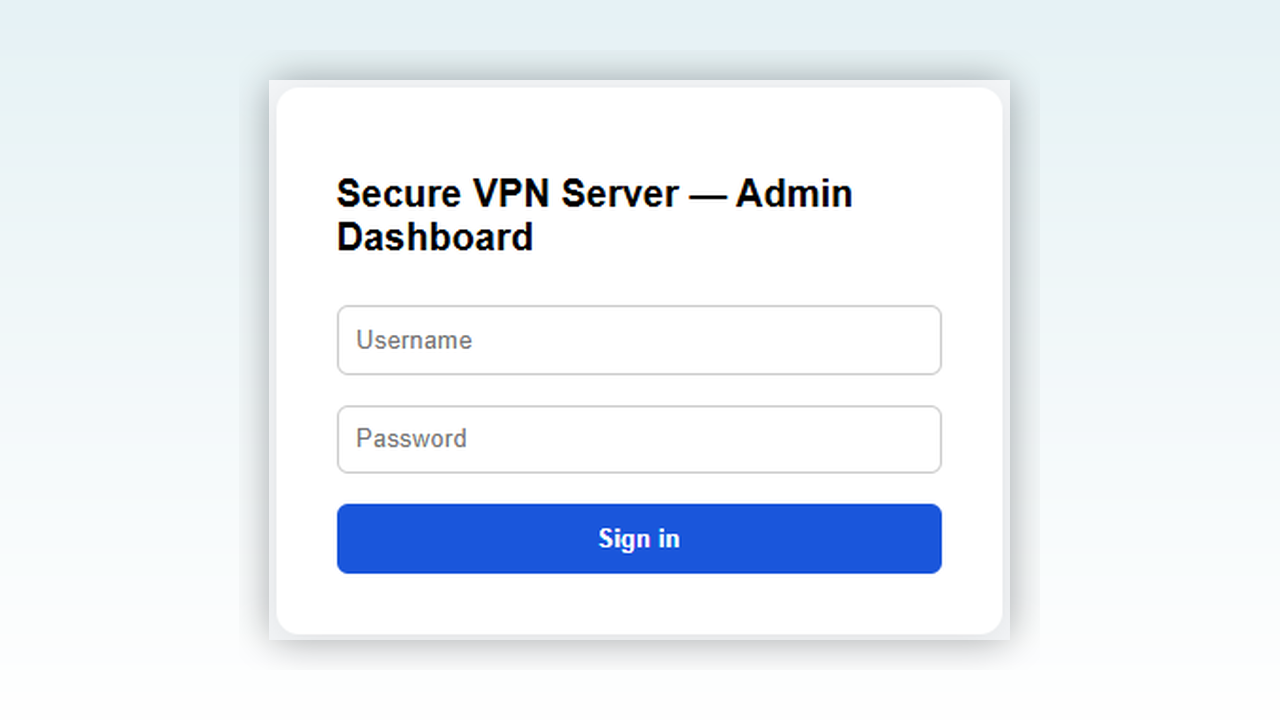
Image
Enterprise Admin Dashboard
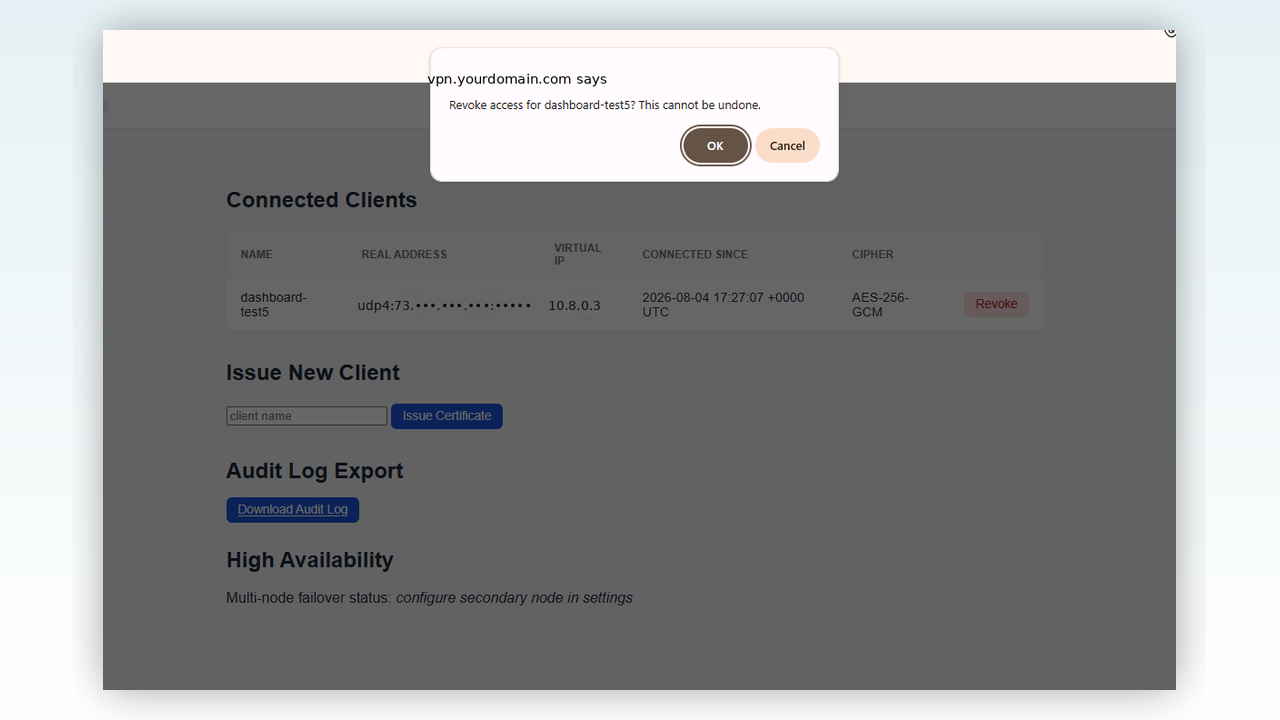
Image
Instant, One-Click Revocation
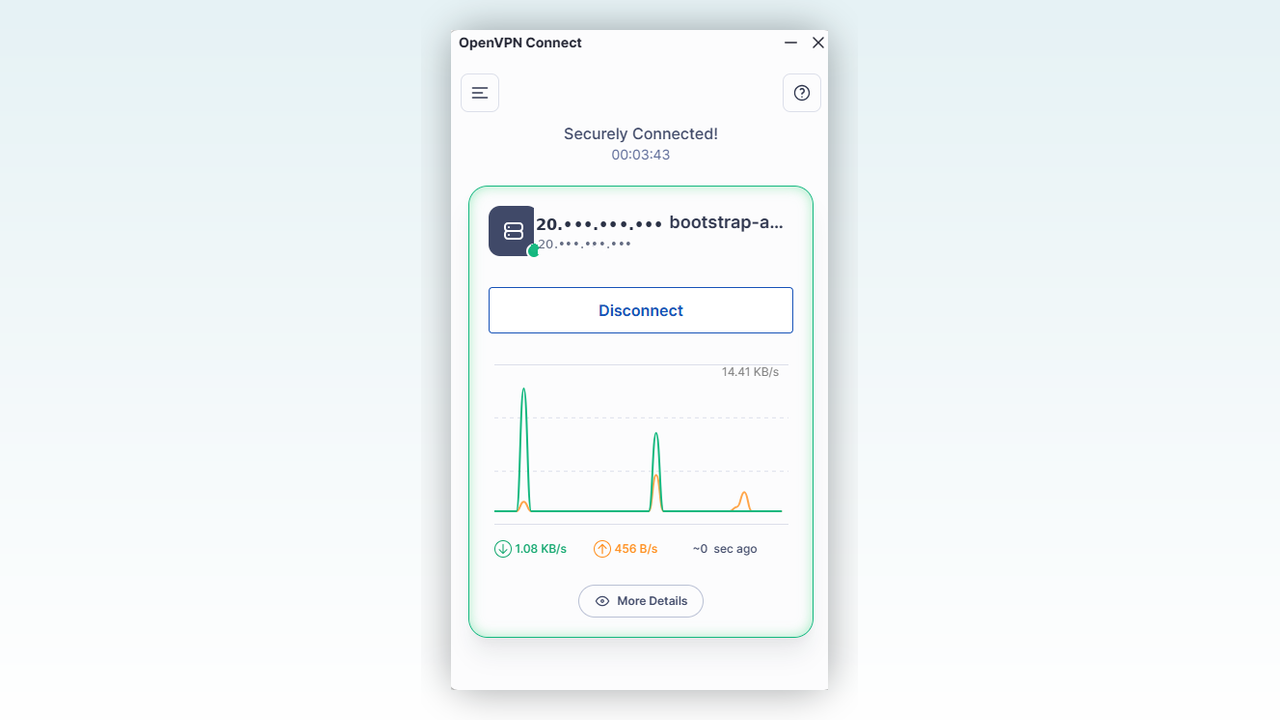
Image
Live Connection Monitoring
Secure VPN Server Enterprise - Management Dashboard Edition
This is a repackaged open source software product. Additional charges apply for the enterprise VPN management dashboard service.
A complete, self-hosted VPN solution with a built-in web-based management dashboard. Deploy secure remote access for your team and manage it entirely from your browser - no command-line expertise required for day-to-day operations.
How It Works
Deploy the instance and it configures itself automatically: a unique admin password and independent encryption keys are generated on first boot. Point a domain you own at your instance, and a trusted HTTPS certificate is issued and renewed automatically - no manual certificate handling required.
Key Capabilities
- One-Click User Provisioning - Issue new VPN profiles from the dashboard, delivered as single-use, time-limited download links rather than raw file transfers
- Instant Access Revocation - Remove a departing employee's access in seconds directly from the dashboard with no SSH required
- Live Connection Monitoring - See exactly who is connected, from where, and since when, at a glance
- Exportable Audit Logs - Every login and access change is recorded and ready for compliance reviews
- Automatic HTTPS - Trusted certificates are issued and renewed automatically once your domain is configured
- Unique Per-Instance Security - Each deployment generates its own admin password and encryption keys on first boot
Enterprise-Grade Encryption
The underlying VPN layer uses a hardened, production-ready OpenVPN foundation with modern AES-256/TLS 1.3 encryption, automatic intrusion protection, and automatic security updates.
Use-Case Scenario
Consider a growing team with 10-50 remote contractors who need temporary, auditable access to internal systems. With this product, an IT administrator provisions a new user profile in one click, sends a time-limited download link, and revokes access the moment the engagement ends - all from the browser dashboard. The exportable audit trail documents every access event for compliance reviews, making it well-suited for teams subject to data-protection requirements or security audits.
Getting Started
- Launch the instance and allow a minute or two for first-boot initialization
- Connect over SSH to retrieve your admin credentials (shown automatically at login)
- Point a domain you control at your instance's public IP with an A record
- Run sudo configure-dashboard-domain your-domain.com
- Open your dashboard in any browser at your configured domain and sign in
- Click "Issue Certificate" to create your first user's VPN profile
- Send the download link to your user - they install the free OpenVPN Connect app, import the profile, and connect
Note: A domain or subdomain you control is required for automatic HTTPS due to a Let's Encrypt policy restriction on AWS-assigned instance hostnames. Full setup instructions are available in the on-instance admin guide at /usr/share/doc/secure-vpn-server/ADMIN-GUIDE.md.
Who This Is For
Teams that need self-hosted VPN infrastructure with centralized user management, compliance-ready audit trails, and browser-based administration - without the complexity of managing certificates and configurations via command line. Ideal for IT departments managing remote workforces, organizations onboarding and offboarding contractors frequently, and teams preparing for security audits that require documented access controls.
Evaluate Before You Buy
To schedule a guided walkthrough of the management dashboard or discuss your deployment requirements, contact Madarson IT through the support channel listed on this page.
Looking for a Simpler Option?
For a single-user VPN without the management dashboard, see the Madarson IT base edition on AWS Marketplace .
Responsible Use: For authorized deployment only; comply with applicable data-protection and network security laws in your jurisdiction.
Disclaimer: OpenVPN is a registered trademark of OpenVPN Inc. Ubuntu is a trademark of Canonical Ltd. Let's Encrypt is a trademark of the Internet Security Research Group. This offering is provided by Madarson IT and is not affiliated with, endorsed by, or sponsored by OpenVPN Inc., Canonical Ltd., or the Internet Security Research Group.
Highlights
- Web-Based Self-Service Management - Issue and revoke VPN access, monitor live connections, and export audit logs entirely from your browser. Day-to-day administration requires no SSH access, making it accessible for IT teams managing remote workforce connectivity without command-line expertise. User profiles are delivered as single-use, time-limited download links for added security.
- Automatic HTTPS and Unique Per-Instance Security - Every deployment generates its own independent admin password and encryption keys on first boot, ensuring no two instances share credentials. Once you point your domain at the instance, a trusted HTTPS certificate is automatically issued and renewed via Let's Encrypt.
- Instant Revocation and Compliance-Ready Audit Trail - Terminate a departing user's VPN access with a single click from the dashboard - no SSH session or command-line interaction needed. A complete, exportable log of every login and access change is maintained automatically, giving you the documentation needed for compliance reviews and security audits. Well-suited for teams subject to data-protection requirements who need to demonstrate controlled, auditable access to internal resources.
Details
Sold by
Categories
Delivery method
Delivery option
64-bit (x86) Amazon Machine Image (AMI)
Latest version
Operating system
Ubuntu 26.04
Deployed on AWS
New
Introducing multi-product solutions
You can now purchase comprehensive solutions tailored to use cases and industries.

Features and programs
Financing for AWS Marketplace purchases
AWS Marketplace now accepts line of credit payments through the PNC Vendor Finance program. This program is available to select AWS customers in the US, excluding NV, NC, ND, TN, & VT.

Pricing
Pricing is based on actual usage, with charges varying according to how much you consume. Subscriptions have no end date and may be canceled any time.
Additional AWS infrastructure costs may apply. Use the AWS Pricing Calculator to estimate your infrastructure costs.
If you are an AWS Free Tier customer with a free plan, you are eligible to subscribe to this offer. You can use free credits to cover the cost of eligible AWS infrastructure. See AWS Free Tier for more details. If you created an AWS account before July 15th, 2025, and qualify for the Legacy AWS Free Tier, Amazon EC2 charges for Micro instances are free for up to 750 hours per month. See Legacy AWS Free Tier for more details.
Dimension | Cost/hour |
|---|---|
t3.small Recommended | $0.06 |
t2.micro | $0.03 |
t3.micro | $0.06 |
t2.small | $0.03 |
c3.large | $0.06 |
c5a.large | $0.06 |
c6a.large | $0.06 |
c7a.large | $0.06 |
c8a.large | $0.06 |
i3.large | $0.06 |
Dimensions summary
You pay by the hour for the software running on your chosen AWS EC2 instance type. Each dimension maps to one instance size, so you pick the compute that fits your workload. Options span general-purpose (t2, t3, t3a, m-series), compute-optimized (c-series), memory-optimized (r-series), storage-optimized (i-series, d-series), and GPU-accelerated (g-series, p-series) families. Within each family, sizes scale from nano and micro up to 4xlarge. Your hourly rate rises with instance capacity. You are billed only for the hours you run, with no upfront commitment or fixed term.
Top-of-mind questions for buyers
You pay for a security-hardened VPN server image with an enterprise management dashboard. The image is pre-configured and validated to meet security frameworks like DISA STIG, PCI-DSS, HIPAA, and NIST. AWS bills the underlying EC2 compute separately from this software charge.
The software fee meters running instance-hours only. When you stop an instance, the hourly software charge stops accruing. Underlying AWS storage fees for the stopped volume may still apply, but those are separate from the software license charge.
Each dimension maps to one EC2 instance type. The software rate scales with the instance capacity you select. Instance families differ in focus — general-purpose, compute, memory, storage, or GPU — and sizes range from nano up to 4xlarge. You choose the instance that fits your VPN workload.
madarsonit.com
Helpful?
Vendor refund policy
There is no refund policy for this image.

Legal
Vendor terms and conditions
Upon subscribing to this product, you must acknowledge and agree to the terms and conditions outlined in the vendor's End User License Agreement (EULA) .
Content disclaimer
Vendors are responsible for their product descriptions and other product content. AWS does not warrant that vendors' product descriptions or other product content are accurate, complete, reliable, current, or error-free.
Delivery details
64-bit (x86) Amazon Machine Image (AMI)
Amazon Machine Image (AMI)
An AMI is a virtual image that provides the information required to launch an instance. Amazon EC2 (Elastic Compute Cloud) instances are virtual servers on which you can run your applications and workloads, offering varying combinations of CPU, memory, storage, and networking resources. You can launch as many instances from as many different AMIs as you need.
Version release notes
Secure VPN Server Enterprise - Management Dashboard Edition: Initial AWS release.
Additional details
Usage instructions
Allow inbound access in your security group (TCP ports 22, 80, 443, and UDP port 1194).
To connect to your instance using the Amazon EC2 console:
- Open the Amazon EC2 console at https://console.aws.amazon.com/ec2/
- In the navigation pane, choose Instances.
- Select the instance and choose Connect.
- Choose the EC2 Instance Connect tab.
- For Connection type, choose Connect using EC2 Instance Connect.
- Access the EC2 instance with the default username: ubuntu
After launch, allow a minute or two for first-boot initialization (the appliance generates a unique admin password, its own encryption keys, and detects its public IP automatically). Retrieve your admin password by connecting over SSH and running:
sudo cat /etc/vpn-appliance/initial-admin-password.txt
Point a domain you own at your instance's IP, then run:
sudo configure-dashboard-domain your-domain.com
This enables your browser-based management dashboard. Full instructions are available in the on-instance admin guide at /usr/share/doc/secure-vpn-server/ADMIN-GUIDE.md.
Resources
Vendor resources
Support
Vendor support
Support
For dashboard setup assistance, domain configuration help, custom enterprise configurations, or to schedule a guided walkthrough of the management dashboard, contact Madarson IT at info@madarsonit.com .
On-Instance Documentation
A comprehensive admin guide is included with every deployment at /usr/share/doc/secure-vpn-server/ADMIN-GUIDE.md. This guide covers initial setup, domain configuration, user management, troubleshooting, and security architecture details.
Refund Policy
There is no refund policy for this image.
AWS infrastructure support
AWS Support is a one-on-one, fast-response support channel that is staffed 24x7x365 with experienced and technical support engineers. The service helps customers of all sizes and technical abilities to successfully utilize the products and features provided by Amazon Web Services.
Similar products

This product has charges associated with it for the pre-configured VPN server setup, security hardening, and automatic encryption key generation. Self-hosted OpenVPN server on hardened Ubuntu 26.04 LTS that auto-generates unique encryption keys on first boot. Deploy, retrieve your .ovpn profile via SSH, and connect - no manual PKI setup required.
Ready to connect in minutes.

This product has charges associated with it for the pre-configured Ubuntu desktop environment and RDP access. Madarson IT pre-configured Ubuntu 22.04 LTS Desktop AMI with instant RDP access - launch a secure cloud desktop in minutes without manual setup.

This product has charges associated with it for Docker, RDP GUI and cockpit web optimization.
Pre-configured Ubuntu 22.04 LTS AMI with Docker, xrdp remote desktop, and Cockpit web management - ready to deploy containers in minutes without manual setup.

This product has charges associated with it for Podman, Buildah, Skopeo, RDP, and Cockpit optimization. Madarson IT pre-configured Ubuntu 24.04 LTS AMI with Podman, Buildah, Skopeo, RDP, and Cockpit for secure, rootless container management and deployment.
Customer reviews
No customer reviews yet
Be the first to review this product . We've partnered with PeerSpot to gather customer feedback. You can share your experience by writing or recording a review, or scheduling a call with a PeerSpot analyst.