
Sold by: Madarson IT
Deployed on AWS
AWS Free Tier
This product has charges associated with it for the pre-configured VPN server setup, security hardening, and automatic encryption key generation. Self-hosted OpenVPN server on hardened Ubuntu 26.04 LTS that auto-generates unique encryption keys on first boot. Deploy, retrieve your .ovpn profile via SSH, and connect - no manual PKI setup required.
Ready to connect in minutes.
Overview
Image
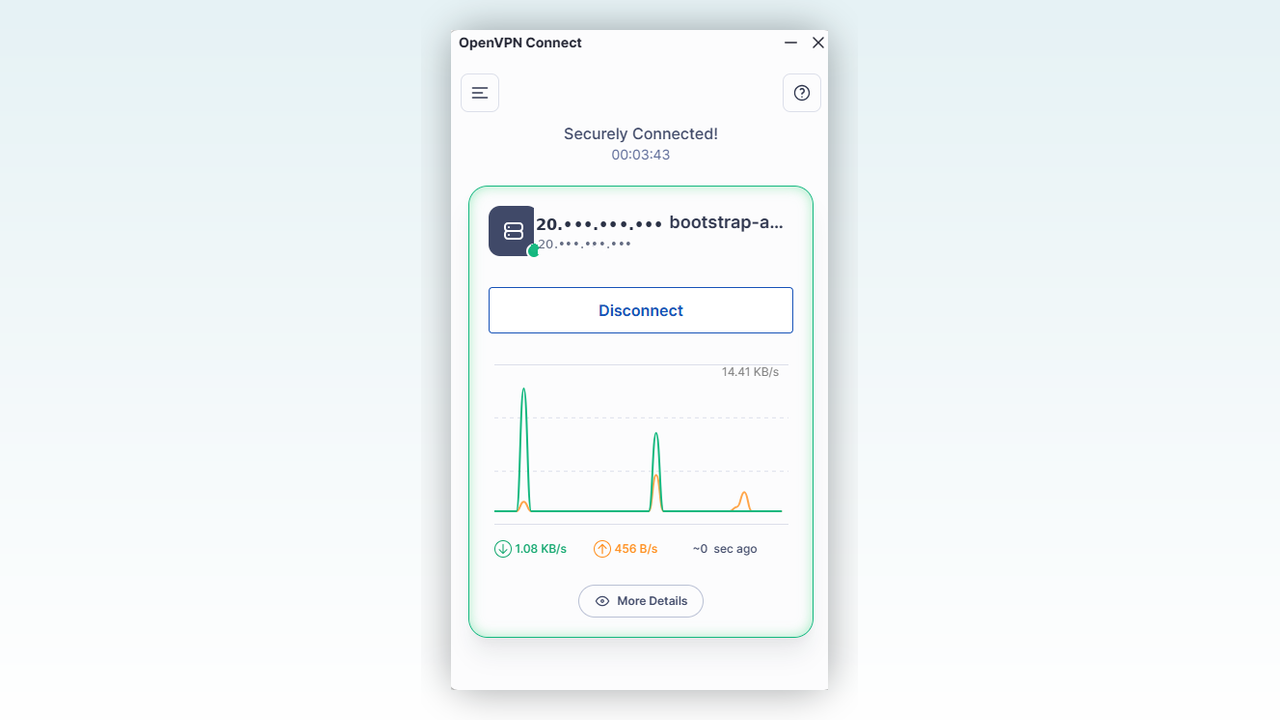
Connected and Secured
Image
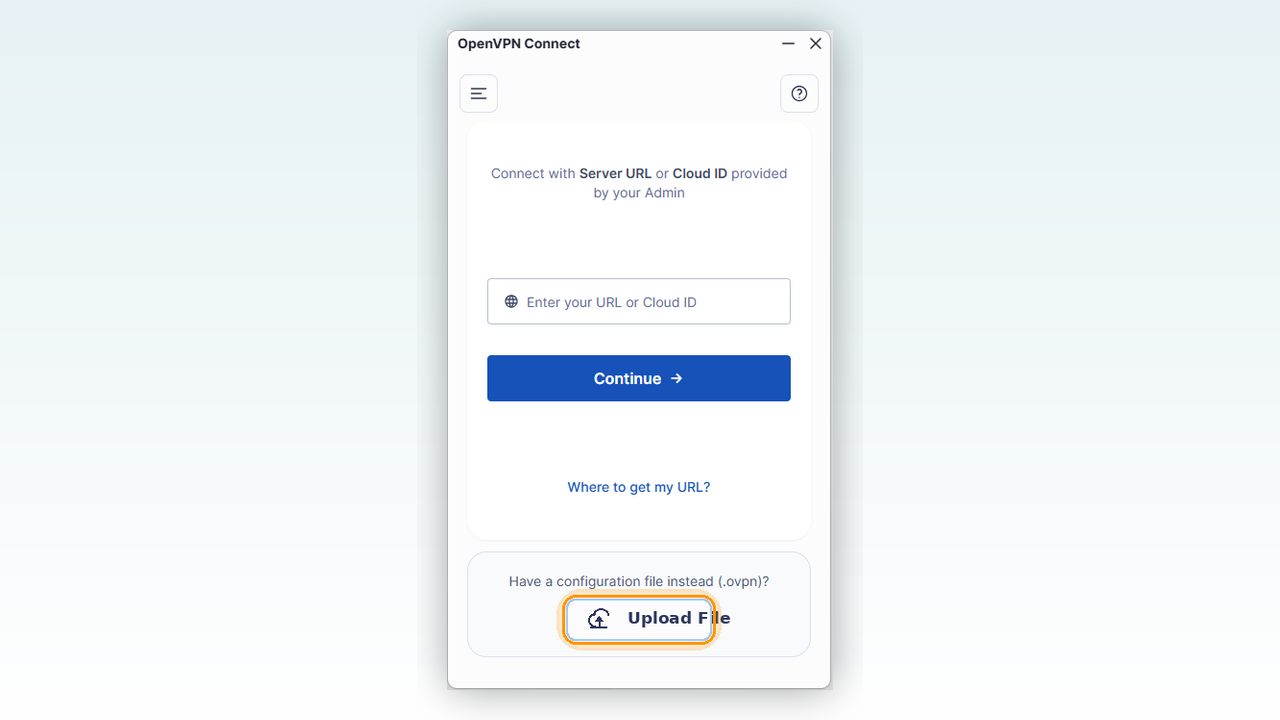
Simple Profile Import
Image
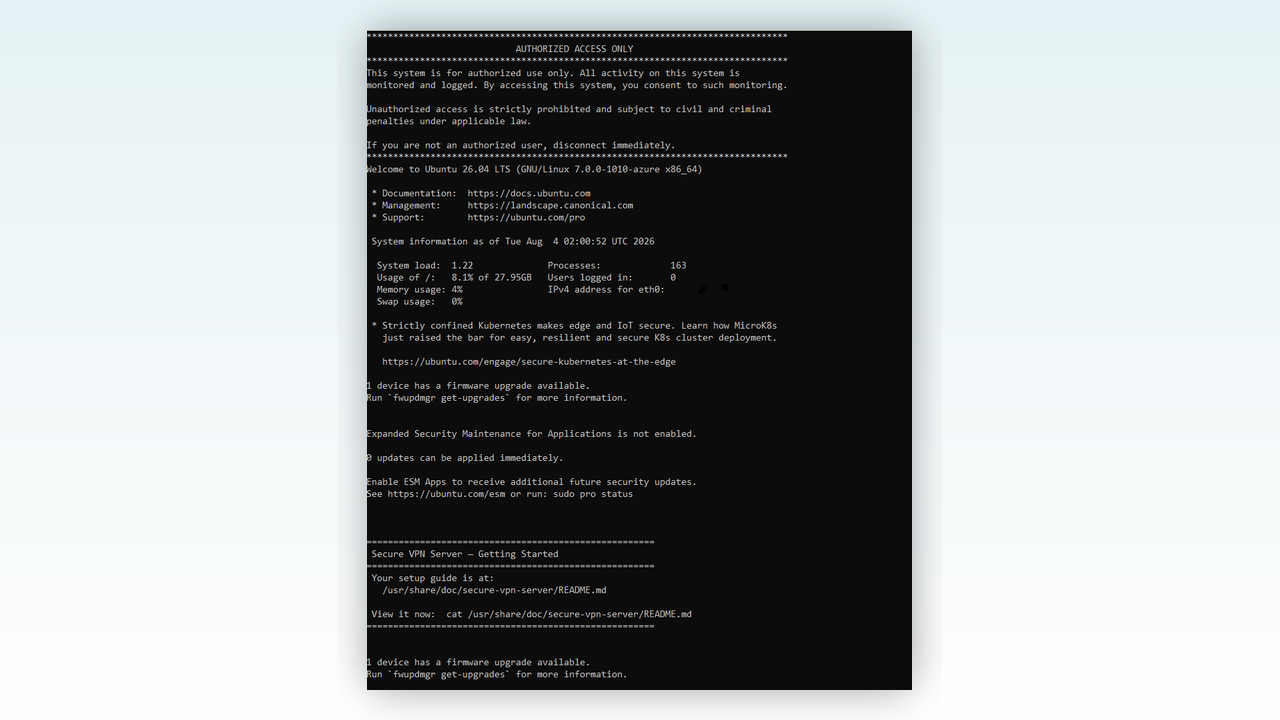
Guided First-Boot Setup
Secure VPN Server on Hardened Ubuntu 26.04 LTS
This is a repackaged open source software product. Additional charges apply for the VPN server service and ongoing maintenance of this deployment.
Deploy a production-ready, self-hosted OpenVPN appliance that configures itself automatically on first boot. Every instance generates its own unique encryption key set - no two deployments ever share the same root of trust. Unlike manual OpenVPN installations that require generating a Certificate Authority, server certificates, Diffie-Hellman parameters, and individual client profiles, this appliance handles the entire PKI lifecycle automatically.
Why This Approach Matters
Many pre-built VPN AMIs ship with baked-in certificates shared across every customer who launches the same image. This means a compromise of one instance exposes the cryptographic trust chain for all deployments. Our approach eliminates that risk entirely - each instance creates a fresh, independent PKI on first boot, so your VPN server's cryptographic identity is unique from the moment it launches.
Key Benefits
- Unique Security Per Deployment - Each instance automatically generates independent encryption keys on first boot, ensuring no shared credentials across customers or deployments.
- Zero-Configuration Setup - Deploy the instance, connect over SSH once to retrieve your starter connection profile, and you are online in minutes. No manual key generation, no certificate management, no complex server tuning.
- Modern Encryption Standards - AES-256 and TLS 1.3 protect every connection with industry-standard cryptography.
- Cross-Platform Compatibility - Works with the free OpenVPN Connect app on Windows, macOS, iOS, Android, and Linux.
- Built-In Intrusion Protection - Automatically monitors and blocks suspicious login attempts without manual intervention.
- Automatic Security Patching - The underlying OS stays protected against newly discovered vulnerabilities without manual maintenance.
- Production-Grade Networking - Reliable connectivity persists through reboots and updates with no manual intervention required.
Use Cases
- Remote Team Access - A 15-person consulting firm gives each contractor a unique .ovpn profile so access can be revoked instantly when an engagement ends, without regenerating keys for the entire team.
- Site-to-Site Connectivity - Connect branch offices with encrypted tunnels that each maintain their own independent key material.
- Public Wi-Fi Protection - Developers and remote workers route traffic through their own private VPN rather than trusting hotel or airport networks.
- Sensitive Data Transfer - Establish private encrypted channels for regulated data that must remain within your AWS VPC rather than traversing third-party SaaS infrastructure.
Getting Started
- Launch the instance from AWS Marketplace.
- Ensure your security group allows inbound TCP port 22 (SSH) and UDP port 1194 (OpenVPN).
- Wait under a minute for first-boot initialization to complete.
- Connect over SSH - you will see a welcome message pointing to your setup guide.
- Retrieve your starter .ovpn connection profile directly from the server.
- Install the free OpenVPN Connect app on your device.
- Import the profile and connect.
Full instructions are available on-instance at /usr/share/doc/secure-vpn-server/README.md.
AWS Integration
Deploys as a standard EC2 instance within your VPC. Use EC2 Instance Connect for secure SSH access directly from the AWS console. Leverage AWS Security Groups to control inbound access to your VPN server. All traffic stays within your AWS infrastructure - no data leaves your VPC to reach a third-party VPN provider.
Need Team Management Features?
For managing VPN access for a whole team with a web dashboard for self-service certificate issuance, instant revocation, and audit logging, see the Madarson IT Secure VPN Server - Enterprise Management Dashboard Edition on AWS Marketplace .
Responsible Use
For authorized deployment only. Comply with applicable data-protection and network security laws in your jurisdiction.
Disclaimer: OpenVPN is a registered trademark of OpenVPN Inc. Ubuntu is a trademark of Canonical Ltd. This offering is provided by Madarson IT and is not affiliated with, endorsed by, or sponsored by OpenVPN Inc. or Canonical Ltd.
Highlights
- Unique Encryption Keys Per Deployment - Every instance generates its own independent PKI on first boot. Unlike AMIs that ship shared certificates across all customers, your cryptographic identity is created fresh at launch. A compromise of any other deployment has zero impact on yours because no two instances share key material.
- Deploy to Connected in Minutes - No manual Certificate Authority setup, no Diffie-Hellman parameter generation, no complex server configuration. The appliance handles the entire PKI lifecycle automatically. Retrieve your ready-to-use .ovpn profile over SSH and connect immediately using the free OpenVPN Connect app on Windows, macOS, iOS, Android, or Linux.
- Hardened and Self-Maintaining - Built on security-hardened Ubuntu 26.04 LTS with automatic security patching against newly discovered vulnerabilities. Includes intrusion protection that monitors and blocks suspicious login attempts, AES-256 and TLS 1.3 encryption on every connection, and production-grade networking that persists through reboots and updates without manual intervention.
Details
Sold by
Categories
Delivery method
Delivery option
64-bit (x86) Amazon Machine Image (AMI)
Latest version
Operating system
Ubuntu 26.04
Deployed on AWS
New
Introducing multi-product solutions
You can now purchase comprehensive solutions tailored to use cases and industries.

Features and programs
Financing for AWS Marketplace purchases
AWS Marketplace now accepts line of credit payments through the PNC Vendor Finance program. This program is available to select AWS customers in the US, excluding NV, NC, ND, TN, & VT.

Pricing
Pricing is based on actual usage, with charges varying according to how much you consume. Subscriptions have no end date and may be canceled any time.
Additional AWS infrastructure costs may apply. Use the AWS Pricing Calculator to estimate your infrastructure costs.
If you are an AWS Free Tier customer with a free plan, you are eligible to subscribe to this offer. You can use free credits to cover the cost of eligible AWS infrastructure. See AWS Free Tier for more details. If you created an AWS account before July 15th, 2025, and qualify for the Legacy AWS Free Tier, Amazon EC2 charges for Micro instances are free for up to 750 hours per month. See Legacy AWS Free Tier for more details.
Dimension | Cost/hour |
|---|---|
t3.small Recommended | $0.05 |
t2.micro | $0.025 |
t3.micro | $0.05 |
t2.small | $0.025 |
c3.large | $0.05 |
c5a.large | $0.05 |
c6a.large | $0.05 |
c7a.large | $0.05 |
c8a.large | $0.05 |
i3.large | $0.05 |
Dimensions summary
You pay by the hour for the EC2 instance type you run this VPN server on. The product software carries one hourly rate; your total also reflects the compute size you pick. Options span many instance families, including general-purpose (t and m), compute-optimized (c), memory-optimized (r), storage (i and d), and GPU-capable (g and p) types. Sizes range from nano through 16xlarge. Larger or more specialized instances cost more per hour because they provide more CPU, memory, or accelerated hardware. Choose the family and size that matches your workload. Billing stops when you stop the instance.
Top-of-mind questions for buyers
The hourly software rate meters running time only. When you stop the instance, the software charge stops. A stopped instance may still accrue AWS storage fees for its attached volumes, but the hourly software license charge applies only while the instance runs.
One unit is one running EC2 instance of the type you select, billed per hour. The rate combines the product software charge with the compute size. The software includes a self-hosted VPN on hardened Ubuntu 26.04 LTS, with keys generated on first boot.
Pick a smaller instance family or size. General-purpose t and m types and sizes like nano or micro carry lower hourly rates than larger c, r, i, d, g, or p instances. Match the instance to your expected connection load to control cost.
madarsonit.com
Helpful?
Vendor refund policy
There is no refund policy for this image.

Legal
Vendor terms and conditions
Upon subscribing to this product, you must acknowledge and agree to the terms and conditions outlined in the vendor's End User License Agreement (EULA) .
Content disclaimer
Vendors are responsible for their product descriptions and other product content. AWS does not warrant that vendors' product descriptions or other product content are accurate, complete, reliable, current, or error-free.
Delivery details
64-bit (x86) Amazon Machine Image (AMI)
Amazon Machine Image (AMI)
An AMI is a virtual image that provides the information required to launch an instance. Amazon EC2 (Elastic Compute Cloud) instances are virtual servers on which you can run your applications and workloads, offering varying combinations of CPU, memory, storage, and networking resources. You can launch as many instances from as many different AMIs as you need.
Version release notes
Secure VPN Server on Hardened Ubuntu 26.04 LTS - initial AWS release.
Additional details
Usage instructions
Allow inbound access in your security group (TCP port 22, UDP port 1194).
To connect to your instance using the Amazon EC2 console:
- Open the Amazon EC2 console at https://console.aws.amazon.com/ec2/
- In the navigation pane, choose Instances.
- Select the instance and choose Connect.
- Choose the EC2 Instance Connect tab.
- For Connection type, choose Connect using EC2 Instance Connect.
- Access the instance with the default username: ubuntu
After launch, allow under a minute for first-boot initialization (the appliance generates its own unique encryption keys and starter connection profile). Retrieve your starter .ovpn file by connecting over SSH and following the instructions shown at login, or view the full guide anytime with:
sudo cat /usr/share/doc/secure-vpn-server/README.md
Resources
Vendor resources
Support
Vendor support
Support Information
For setup assistance, custom configurations, private offers, or volume deployment inquiries, contact the Madarson IT support team at info@madarsonit.com .
On-instance documentation is available at /usr/share/doc/secure-vpn-server/README.md and covers initial setup, client profile generation, and ongoing administration.
Refund Policy: There is no refund policy for this image.
AWS infrastructure support
AWS Support is a one-on-one, fast-response support channel that is staffed 24x7x365 with experienced and technical support engineers. The service helps customers of all sizes and technical abilities to successfully utilize the products and features provided by Amazon Web Services.
Similar products

This product has charges associated with it for security hardening and compliance alignment. Madarson IT pre-hardened Ubuntu 26.04 LTS AMI with SSH hardening, AIDE file integrity monitoring, and audit logging - mapped to NIST CSF, PCI DSS, and HIPAA frameworks for production compliance.
Built on Linux kernel 7.0. Ready for production workloads.

This product has charges associated with it for security hardening and NGINX configuration. Madarson IT security-hardened Ubuntu 22.04 LTS AMI with pre-configured NGINX, optimized for fast, secure web server and reverse proxy deployments on AWS EC2.

This product has charges associated with it for security hardening, RDP pre-configuration, and GUI access. Madarson IT hardened Ubuntu 26.04 LTS cloud desktop with pre-configured Xfce and RDP access. Deploy a compliance-aligned graphical workspace on EC2 without manual hardening.

This product has charges associated with it for security hardening. Madarson IT's security-hardened Ubuntu 24.04 LTS AMI with pre-configured NGINX for fast, secure web server and reverse proxy deployments on AWS.
Customer reviews
No customer reviews yet
Be the first to review this product . We've partnered with PeerSpot to gather customer feedback. You can share your experience by writing or recording a review, or scheduling a call with a PeerSpot analyst.