
Sold by: Box Inc
Deployed on AWS
AWS Free Tier
The Box MCP server provides AI tools with secure access to content, connecting agents to your enterprise knowledge in Box. This allows agents to perform advanced search, multi-file analysis, and data extraction across your files, delivering richer context for more intelligent and responsive agentic experiences.
Overview
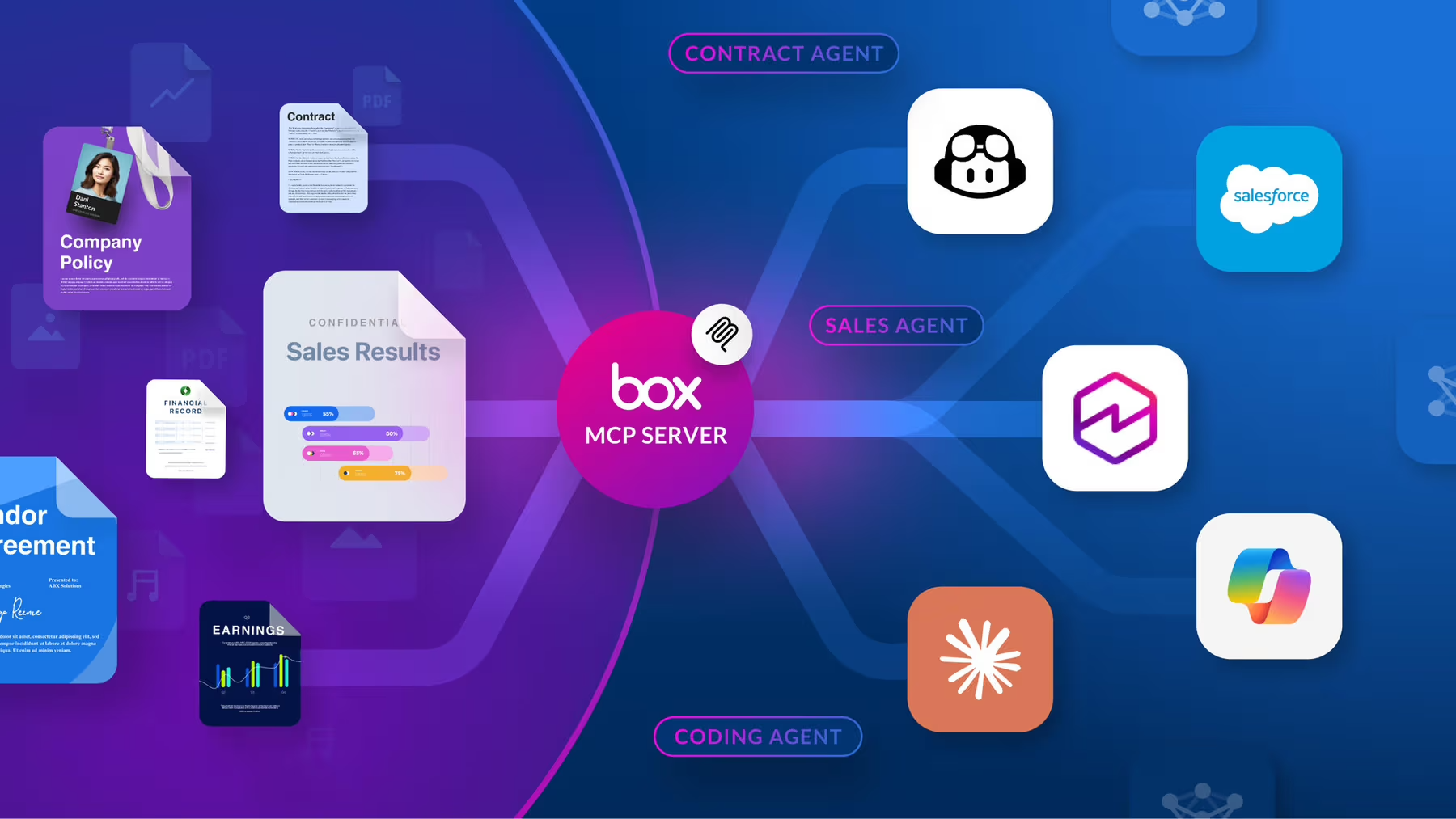
The remote Box MCP server is a standardized way for AI agents to connect and interact with Box, enabling seamless access to content and AI capabilities across platforms. The Box MCP server acts as a bridge that allows customers and leading AI agent platforms, such as Amazon Quick Suite, to securely query and utilize Box data and AI-powered tools without exposing raw file content. Through OAuth authorization, users can grant AI agents controlled access to their Box accounts, enabling intelligent document handling, advanced search, data extraction, and multi-file AI queries directly within AI agents and platforms.
Highlights
- Extract insights: Get information and insights from your enterprise content and data in Box
- Generate new content: Create new content, like a first draft of a marketing brief or a summary of a legal review, based on context from your files in Box
- Maintain complete control: Every interaction is validated against Box's granular permissions, ensuring agents only access the content users are authorized to see
Details
Sold by
Delivery method
Integration protocol
Type
Deployed on AWS
New
Introducing multi-product solutions
You can now purchase comprehensive solutions tailored to use cases and industries.

Features and programs
Financing for AWS Marketplace purchases
AWS Marketplace now accepts line of credit payments through the PNC Vendor Finance program. This program is available to select AWS customers in the US, excluding NV, NC, ND, TN, & VT.

Pricing
This product is available free of charge. Free subscriptions have no end date and may be canceled any time.
Additional AWS infrastructure costs may apply. Use the AWS Pricing Calculator to estimate your infrastructure costs.
Dimensions summary
This listing has one pricing dimension: Free. You are not charged to use the Box MCP server through AWS Marketplace. There are no tiers, instance sizes, or usage-based add-ons to choose from. The single Free dimension covers your use of the server, which connects AI agents to enterprise content while enforcing existing permissions. Because pricing is a single free option, there is no scaling or per-unit billing to plan for.
Top-of-mind questions for buyers
You can connect AI agents to your enterprise content for secure search, multi-file analysis, and metadata extraction. The server enforces your existing permissions, so agents only access content the user is already authorized to view or edit. More tools are added over time.
No. The listing has a single Free dimension with no usage-based charges, per-user fees, or throughput tiers. Connecting additional agents, running more searches, or extracting data across more files does not add cost through AWS Marketplace.
The remote server is hosted by the vendor at a public endpoint, so you do not run it yourself. A self-hosted option exists for developers who prefer to run it locally. Either way, this listing carries no software charge. Some capabilities, like document generation, may require a separate Enterprise license.
www.box.com+1
Helpful?
Vendor refund policy
See Box terms of service

Legal
Vendor terms and conditions
Upon subscribing to this product, you must acknowledge and agree to the terms and conditions outlined in the vendor's End User License Agreement (EULA) .
Content disclaimer
Vendors are responsible for their product descriptions and other product content. AWS does not warrant that vendors' product descriptions or other product content are accurate, complete, reliable, current, or error-free.
Delivery details
API-Based Agents & Tools
API-Based Agents and Tools integrate through standard web protocols. Your applications can make API calls to access agent capabilities and receive responses.
Additional details
Usage instructions
MCP
Exact steps for adding Box MCP server may vary depending on the AI platform. Refer to your platform’s documentation for client-side setup instructions. Specific instructions for Box MCP integration with custom agents and other platforms, such as: Amazon Quick Suite, Anthropic Claude, Microsoft Copilot Studio, & more can be found in link below. https://developer.box.com/guides/box-mcp/remote/
Available tools
The remote Box MCP server provides access to a comprehensive set of tools that enable AI agents to interact with Box content and features. These tools are organized by functional category to help you quickly identify the right capabilities for your use case.
User and authentication
Manage user authentication and retrieve information about the authenticated user.
| Tool | Description |
|---|---|
| who_am_i | Returns detailed information about the currently authenticated Box user. |
Content management
Manage files and folders, perform searches, and handle content operations across your Box environment.
File operations
| Tool | Description |
|---|---|
| get_file_content | Returns the content of a file stored in Box. |
| get_file_details | Gets comprehensive file information from Box including metadata, permissions, and version details. |
| update_file_properties | Updates file properties, including name, description, tags, and collections. |
| upload_file | Uploads a new file to Box. |
| upload_file_version | Uploads a new file version by providing the entire file contents to update an existing file in Box. |
Folder operations
| Tool | Description |
|---|---|
| create_folder | Creates a new folder in Box. |
| get_folder_details | Retrieves comprehensive folder information including metadata, permissions, and collaboration settings. |
| list_folder_content_by_folder_id | Lists files, folders, and web links in a folder. |
| update_folder_properties | Updates folder properties, including name, description, tags, and collections. |
Search
| Tool | Description |
|---|---|
| search_files_keyword | Searches for files using keywords. Supports metadata filters, file extension filtering, and field selection. |
| search_folders_by_name | Searches for folders within Box by name using keyword matching. |
Box AI
Use AI-powered tools to ask questions, extract insights, and analyze content across files and hubs.
| Tool | Description |
|---|---|
| ai_qa_hub | Asks a question to a Box Hub using Box AI. |
| ai_qa_single_file | Asks a question to a single file using Box AI. |
| ai_qa_multi_file | Asks a question to multiple files using Box AI. |
| ai_extract_freeform | Extracts metadata from files using Box AI in freeform format without requiring predefined template structures. |
| ai_extract_structured | Extracts structured metadata from files using Box AI based on either custom fields definition or an existing metadata template. |
Collaboration
Enable team collaboration through comments, shared links, and collaboration management tools.
| Tool | Description |
|---|---|
| create_file_comment | Creates a new comment on a specific file. |
| list_file_comments | Lists all comments on a specific file. |
| list_tasks | Lists all tasks associated with a specific file, including status, message, and due dates. |
Hubs
Create and manage Box Hubs for organizing collaborative content and resources around specific topics or projects.
| Tool | Description |
|---|---|
| add_items_to_hub | Adds files, folders, or web links to a specific hub. |
| create_hub | Creates a new hub. |
| get_hub_details | Retrieves detailed information about a specific hub. |
| get_hub_items | Gets items (files and folders) associated with a specific hub. |
| list_hubs | Lists all hubs accessible to the authenticated user. |
| update_hub | Updates the title and description of a specific hub. |
Resources
Vendor resources
Support
Vendor support
AWS infrastructure support
AWS Support is a one-on-one, fast-response support channel that is staffed 24x7x365 with experienced and technical support engineers. The service helps customers of all sizes and technical abilities to successfully utilize the products and features provided by Amazon Web Services.
Similar products

The Wiz Model Context Protocol (MCP) Server acts as an MCP-compatible service that translates plain-language queries into Wiz-specific operations, like querying resources, or assessing risks.

A docker image for the Brave Search MCP server: the #1 solution for connecting LLMs to the Web.

Bright Data Model Context Protocol (MCP) is a powerful server solution that enables AI models, LLMs, and intelligent agents to access and interact with real-time public web data - without getting blocked or rate-limited.
With MCP, your applications can search the web, navigate websites, and extract both static and dynamic content effortlessly. Its ideal for use cases such as web scraping, data aggregation, market research, and AI training - all without the need to build or maintain complex scraping infrastructure.

An MCP Server that connects directly to Confluent, allowing agents to interact with your Confluent environment
Customer reviews
No customer reviews yet
Be the first to review this product . We've partnered with PeerSpot to gather customer feedback. You can share your experience by writing or recording a review, or scheduling a call with a PeerSpot analyst.