Sold by: Progress Software Corporation
Deployed on AWS
Chef Cloud provides enterprise job orchestration capabilities at scale, on the cloud, to manage your IT infrastructure.
4.3
Overview
Image
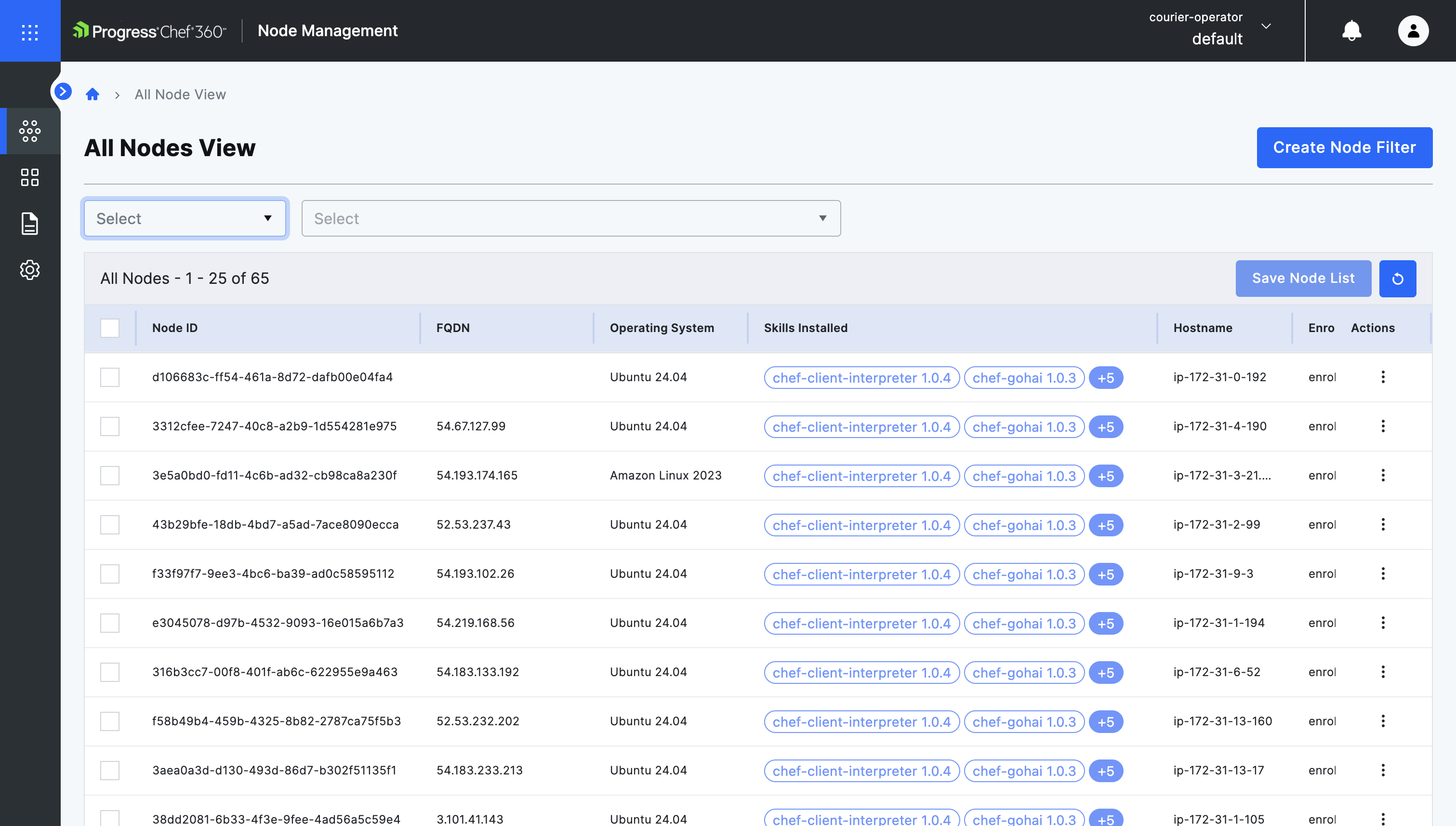
List of Managed Nodes
Image
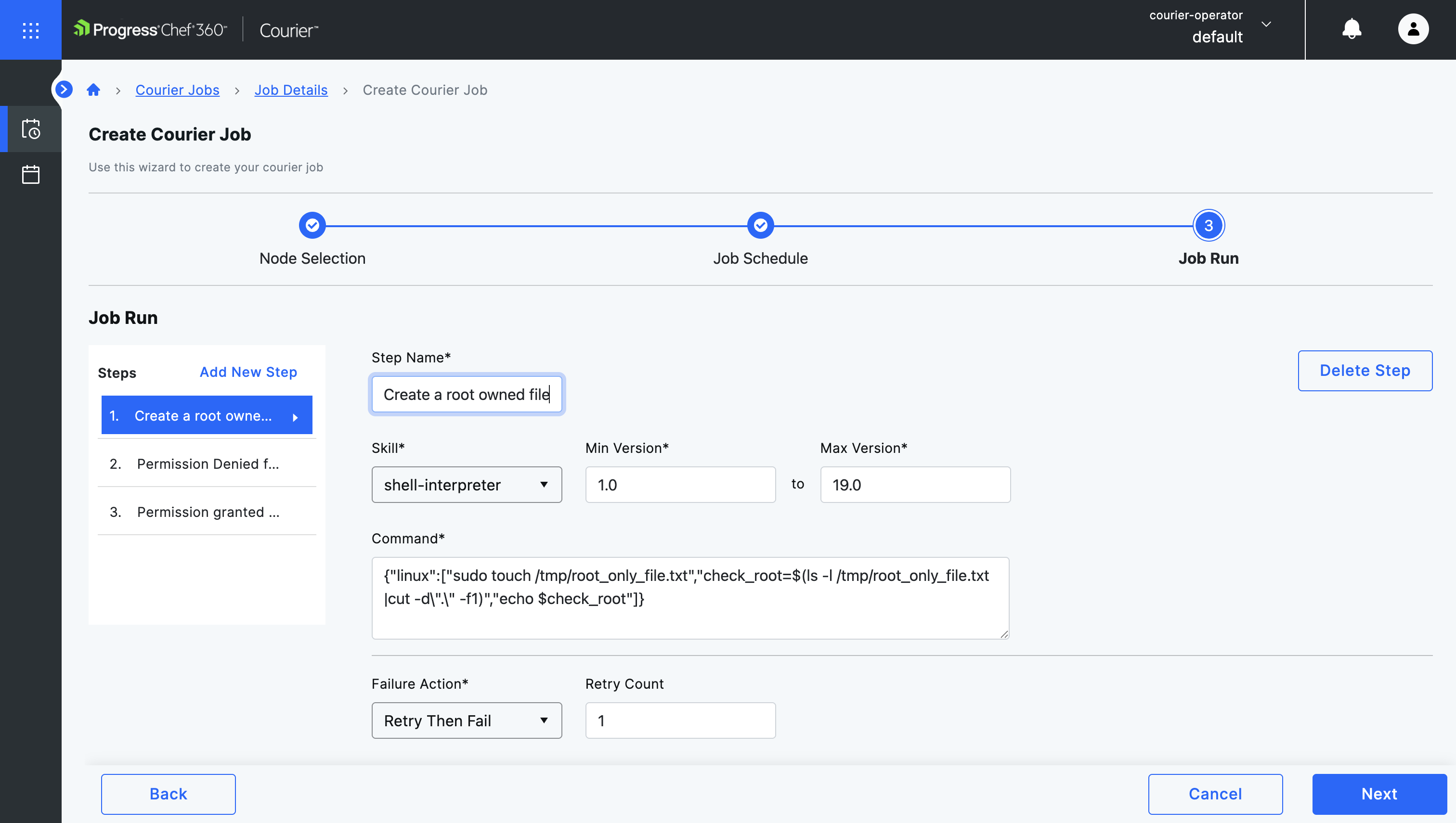
Creating a Courier Job
Image
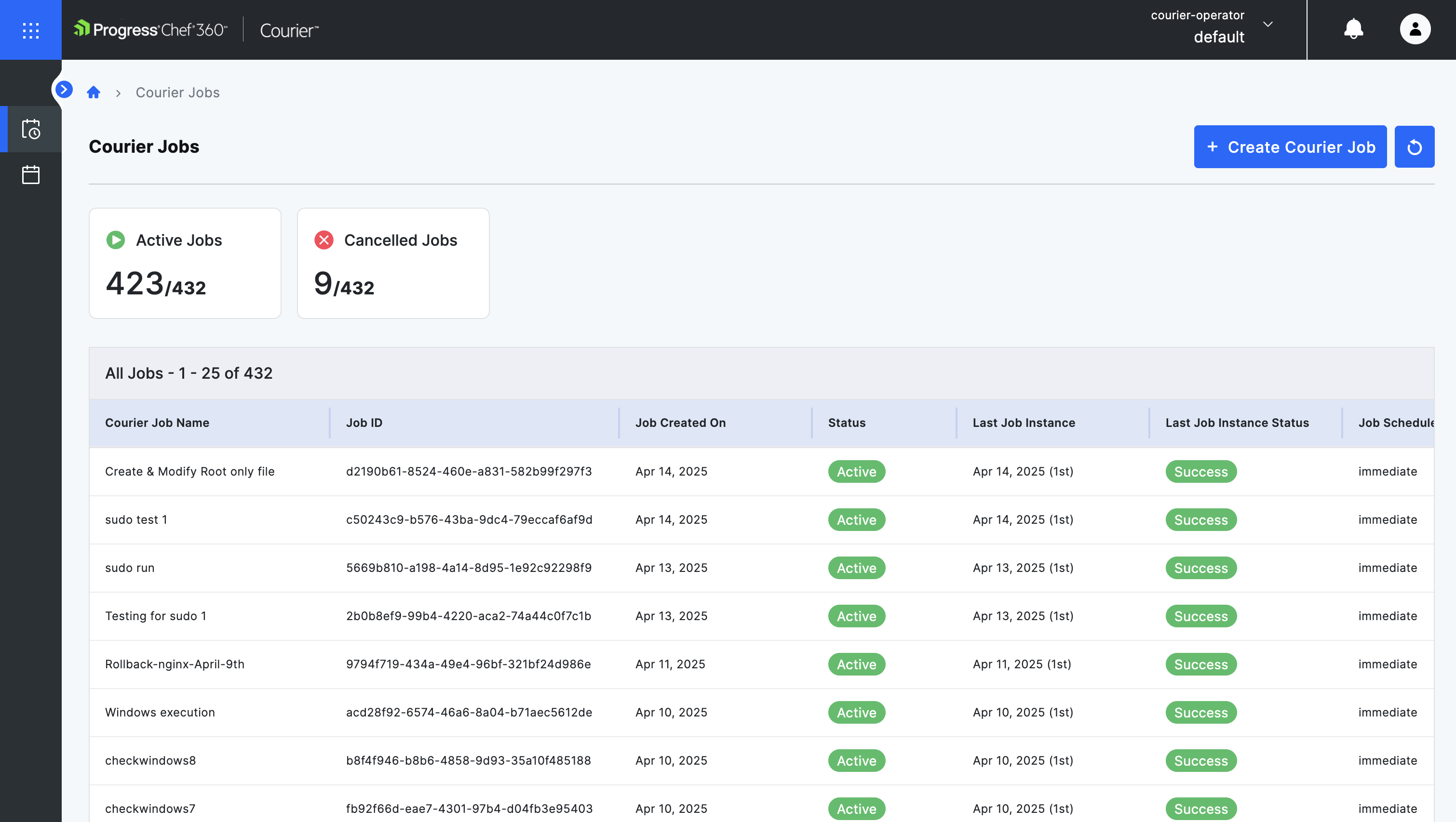
List of All Courier Jobs
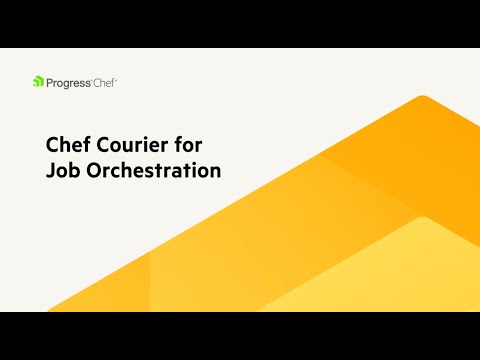
Video
Product video
Chef Cloud Business allows IT Administrators to run scheduled or ad-hoc jobs on the cloud, for any node(s) within the infrastructure, eliminating the need for custom solutions. Administrators can easily create tailored node lists, schedule and run jobs on them, or create conditions and workflows for systematic job orchestration. This provides granular control over nodes in the IT infrastructure.
Highlights
- Easily run ad hoc jobs on any node(s) in your diverse infrastructure
- Run, schedule or create condition-based jobs for your infrastructure
- React quickly and easily to unplanned changes needed on the fleet
Details
Delivery method
Deployed on AWS
New
Introducing multi-product solutions
You can now purchase comprehensive solutions tailored to use cases and industries.

Features and programs
Financing for AWS Marketplace purchases
AWS Marketplace now accepts line of credit payments through the PNC Vendor Finance program. This program is available to select AWS customers in the US, excluding NV, NC, ND, TN, & VT.

Pricing
Pricing is based on the duration and terms of your contract with the vendor. This entitles you to a specified quantity of use for the contract duration. If you choose not to renew or replace your contract before it ends, access to these entitlements will expire.
Additional AWS infrastructure costs may apply. Use the AWS Pricing Calculator to estimate your infrastructure costs.
Dimension | Description | Cost/12 months |
|---|---|---|
1 | 50 nodes of Chef Cloud for Business | $2,950.00 |
2 | Any nodes for Chef Cloud for Business above 50 are priced per node | $59.00 |
3 | 50 nodes of Chef Cloud Enterprise | $9,450.00 |
4 | Any nodes for Chef Cloud Enterprise above 50 are priced per node | $189.00 |
Dimensions summary
Chef Cloud comes in two product editions: Chef Cloud for Business and Chef Cloud Enterprise. Each edition uses the same two-part pricing structure based on nodes, which are the servers or machines you manage. You start with a base of 50 nodes for your chosen edition. When you exceed 50 nodes, each additional node is billed individually at a per-node rate. This lets you begin with a fixed capacity and expand by adding nodes as your infrastructure grows.
Top-of-mind questions for buyers
A node is a server or machine that the platform manages, whether it runs in the cloud or on-premises. Each managed system counts as one node. Both product editions count nodes the same way, so your node total drives what you pay beyond the base 50.
Only the nodes above 50 are billed at the per-node rate. The base of 50 nodes stays priced as a fixed block for your chosen edition. Adding nodes does not change how the first 50 are billed. You pay per node only for each machine beyond that base.
Both editions use the same node-based pricing with a 50-node base and per-node charges above that. The editions differ in the capabilities included, such as auditing across a full IT fleet and added security and compliance features. Pick the edition that matches your governance and compliance needs.
www.chef.io
Helpful?
Vendor refund policy
Custom pricing options
Request a private offer to receive a custom quote.

Legal
Vendor terms and conditions
Upon subscribing to this product, you must acknowledge and agree to the terms and conditions outlined in the vendor's End User License Agreement (EULA) .
Content disclaimer
Vendors are responsible for their product descriptions and other product content. AWS does not warrant that vendors' product descriptions or other product content are accurate, complete, reliable, current, or error-free.
Delivery details
Software as a Service (SaaS)
SaaS delivers cloud-based software applications directly to customers over the internet. You can access these applications through a subscription model. You will pay recurring monthly usage fees through your AWS bill, while AWS handles deployment and infrastructure management, ensuring scalability, reliability, and seamless integration with other AWS services.
Support
Vendor support
AWS infrastructure support
AWS Support is a one-on-one, fast-response support channel that is staffed 24x7x365 with experienced and technical support engineers. The service helps customers of all sizes and technical abilities to successfully utilize the products and features provided by Amazon Web Services.
Similar products
Chef capabilities are available as cloud-based services, providing customers with the same powerful automation capabilities with the added benefit of reduced infrastructure overhead and faster time to value.
Progress Chef accelerates your DevSecOps journey, modernizes the continuous delivery of secure applications and infrastructure, and enables you to define Policy as Code to confidently manage your entire fleet.
Progress Chef accelerates your DevSecOps journey, modernizes the continuous delivery of secure applications and infrastructure, and enables you to define Policy as Code to confidently manage your entire fleet.

Chef Professional Services provides expert guidance and support to help organizations maximize the value of the Chef engineering platform. Please contact us to learn more.
Customer reviews
Nonkululeko K.
Effortless Automation, Simple Setup
Reviewed on Aug 20, 2026
Review provided by G2
What do you like best about the product?
I like how Progress Chef makes everything easier around my workplace by automating tasks such as installing software, managing services, and updating settings. It's simple and easy to get used to, and I'd highly recommend it.
What do you dislike about the product?
It came late ...wish it came earlier so I could introduce it to my team.
What problems is the product solving and how is that benefiting you?
Progress Chef automates repetitive IT tasks, like configuring servers and managing services, easing our workload and simplifying operations.
Sithembiso N.
Effortless Automation, Powerful Testing Tools
Reviewed on Aug 20, 2026
Review provided by G2
What do you like best about the product?
I appreciate how Progress Chef effortlessly automates repetitive system administration duties. Creating reusable cookbooks allows for the quick deployment, updating, and standardization of servers in various environments, which streamlines and enhances infrastructure management. I truly appreciate the testing ecosystem surrounding Chef, particularly tools like Test Kitchen and InSpec. The ability to test infrastructure code locally in isolated environments before deploying it to live servers provides significant confidence and ensures that updates won’t disrupt production. Test Kitchen simplifies the process of testing Chef cookbooks in clean, isolated virtual environments prior to code release. InSpec offers easy-to-read tests that automatically check system configurations and compliance policies. Together, they remove uncertainty and help avoid expensive misconfigurations in production environments. The setup with Chef Workstation and modern CLI tools like chef-generate went relatively smoothly. Once we configured the initial server connection and authentication keys, bootstrapping new nodes through SSH became a quick and automated process. Progress Chef integrates smoothly into our toolchain. We utilize Git to manage the cookbook source code, Terraform for initial provisioning of cloud infrastructure, Jenkins to automate testing and deployments through Test Kitchen and InSpec.
What do you dislike about the product?
I find managing Chef server and configuring agents across a large number of servers can increase operational overhead. Sometimes executing client runs on heavily loaded nodes can slow down performance, and initial configuration management may seem unnecessarily complicated for very small straightforward deployments.
What problems is the product solving and how is that benefiting you?
I use Progress Chef to automate infrastructure, reducing manual server handling. It speeds up deployments, eases server updates, and smooths scaling. With Test Kitchen and InSpec, I ensure infrastructure consistency and avoid costly errors. Creating reusable cookbooks enhances deployment, standardization, and management.
Princess M.
Great for Automated Server Configuration, but Complex to Learn and Troubleshoot
Reviewed on Aug 17, 2026
Review provided by G2
What do you like best about the product?
It automates and manage server configurations,maintain infrastructure and compliance and consistency of system
What do you dislike about the product?
It’s complex to learn and configure,especially for troubleshooting issues
What problems is the product solving and how is that benefiting you?
Reduces manual errors and configuration drift
Lindokuhle T.
Reliable automation that simplifies infrastructure management
Reviewed on Aug 10, 2026
Review provided by G2
What do you like best about the product?
The most helpful aspect of Progress Chef is its ability to eliminate manual server setup through Infrastructure as Code (IaC) and automated configuration drift management.
What do you dislike about the product?
The least helpful part that I discovered about progress chef, is that I can take time to learn, especially when you are still getting familiar with the setup and configuration.
What problems is the product solving and how is that benefiting you?
It helps me with, solve the problem of having to manually configure and manage infrastructure across different systems.
Retail
Chef 360 Helps Us Migrate Infrastructure and Deliver New Customer Features
Reviewed on Jul 30, 2026
Review provided by G2
What do you like best about the product?
Chef 360 is the product which I can try to migrate from infra server in my organisation to uplift new features for our customers
What do you dislike about the product?
Progress team has to come up with an AI option if possible so that we can think of how it would be useful for us to improve our infrastructure experience for customers
What problems is the product solving and how is that benefiting you?
Compliance is one of the key which we have used to solve our hardening operating system