
Sold by: MAYA
Deployed on AWS
Protect privacy of SAP S/4HANA or SAP ECC production copies via data anonymization
Overview
Image
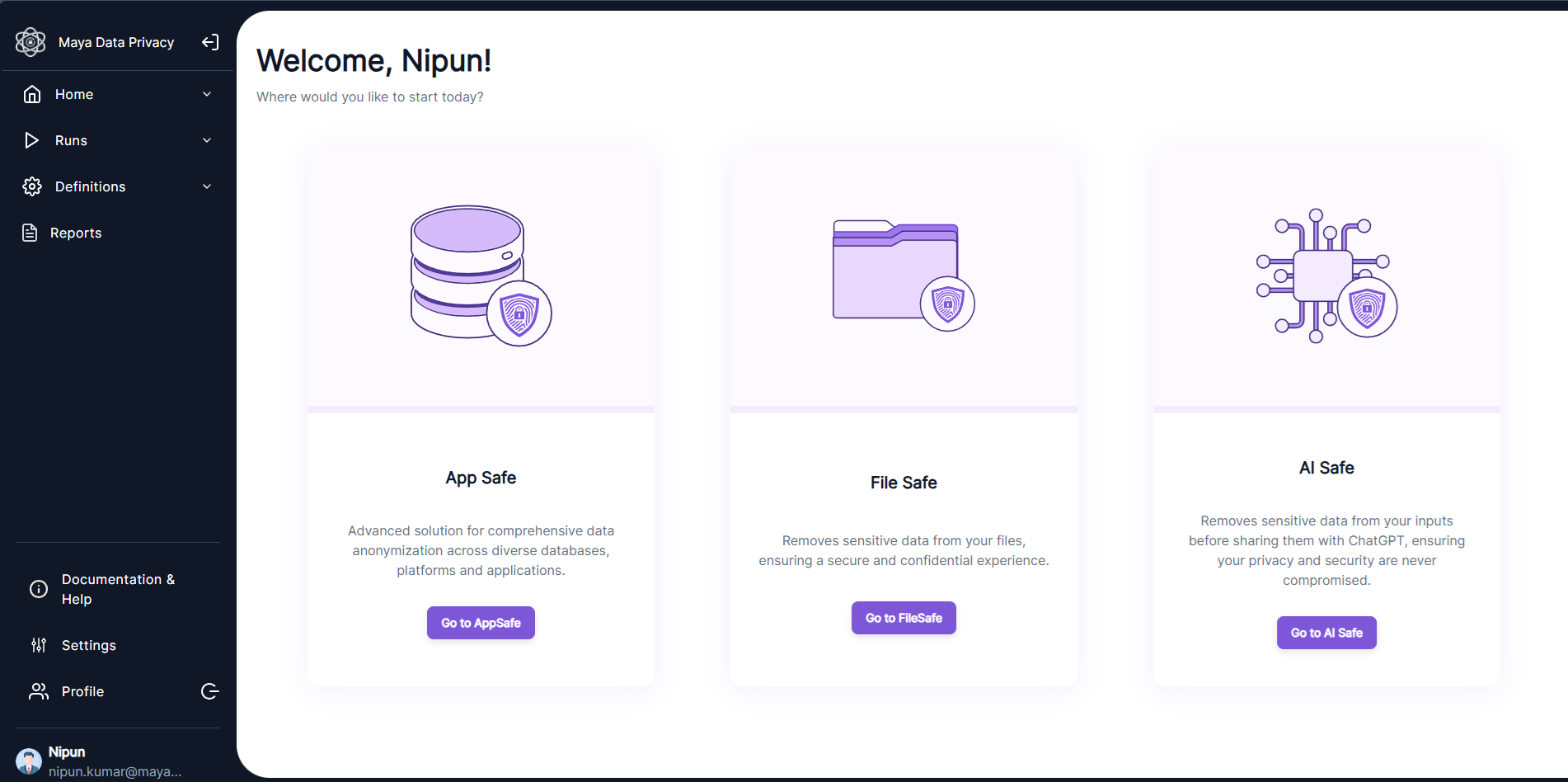
Maya Product Dashboard
Image
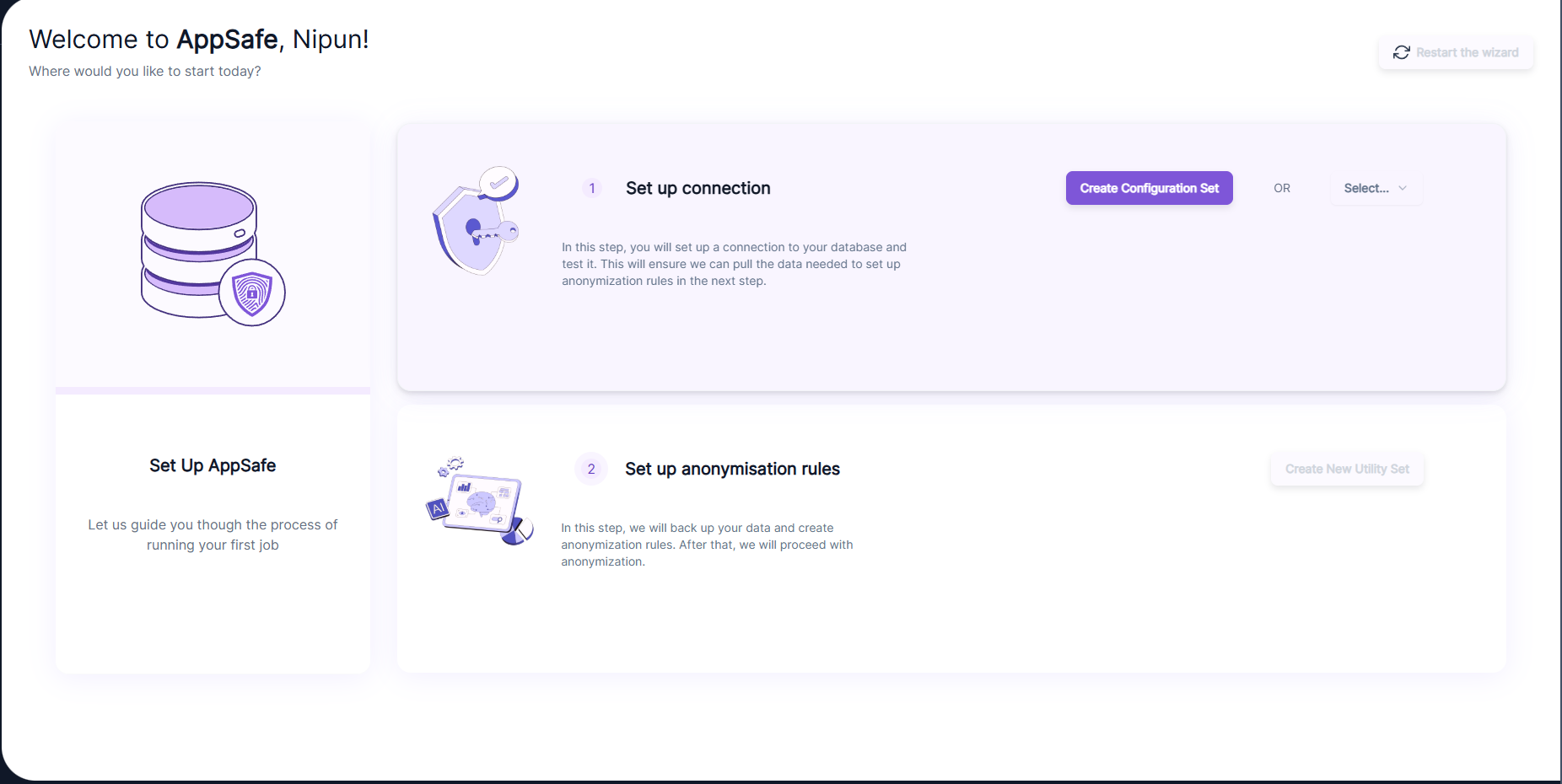
Set Up AppSafe
Image
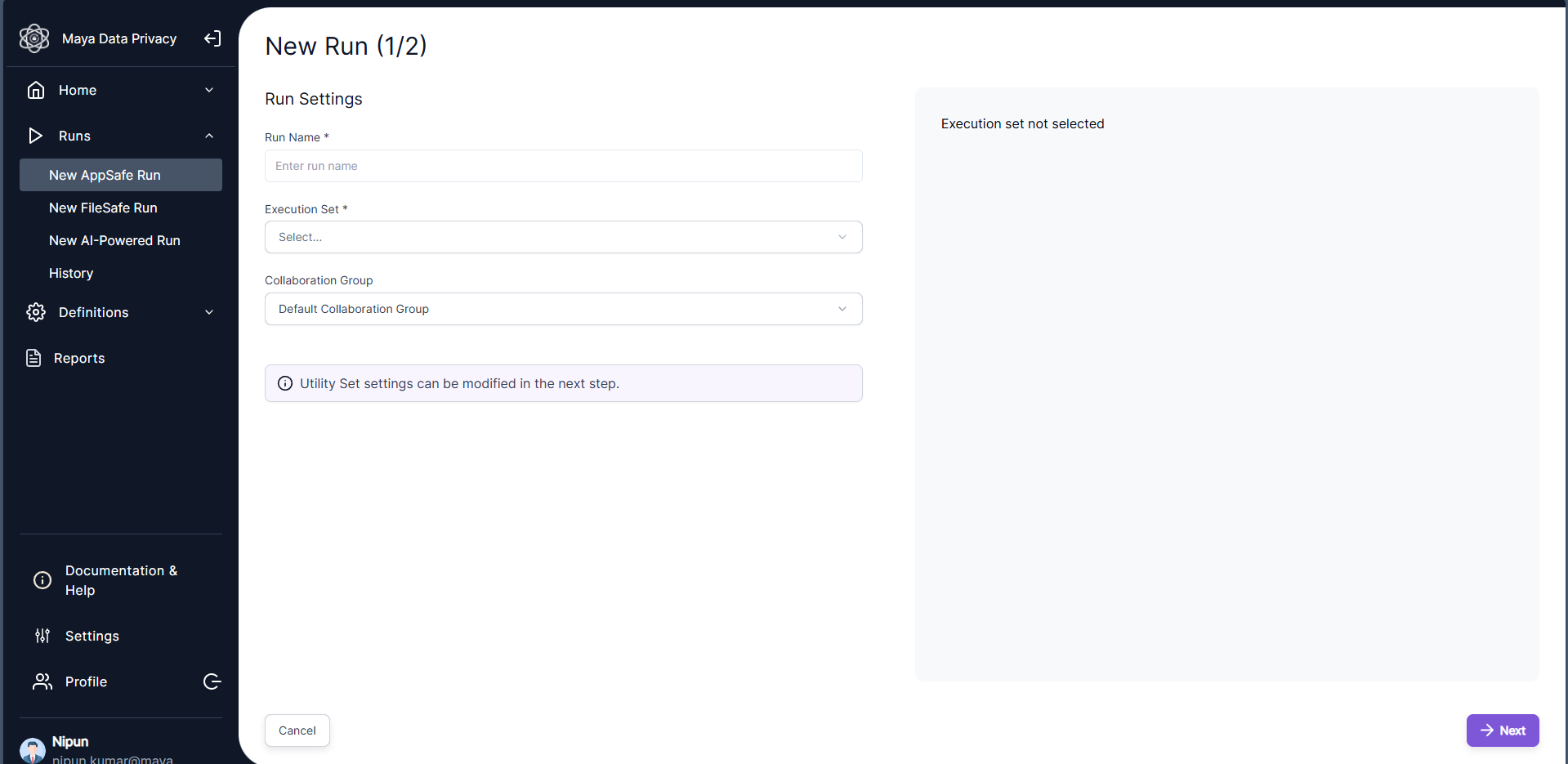
Manual AppSafe Setup
Image
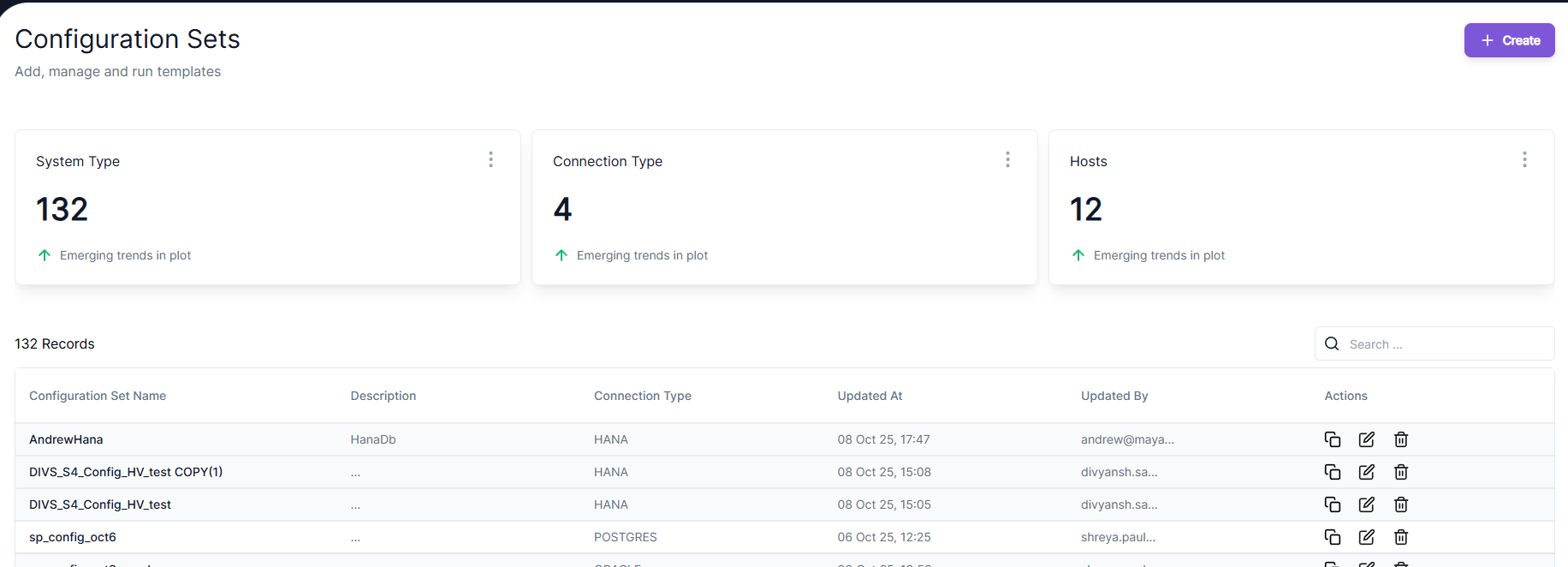
Config Set Dashboard
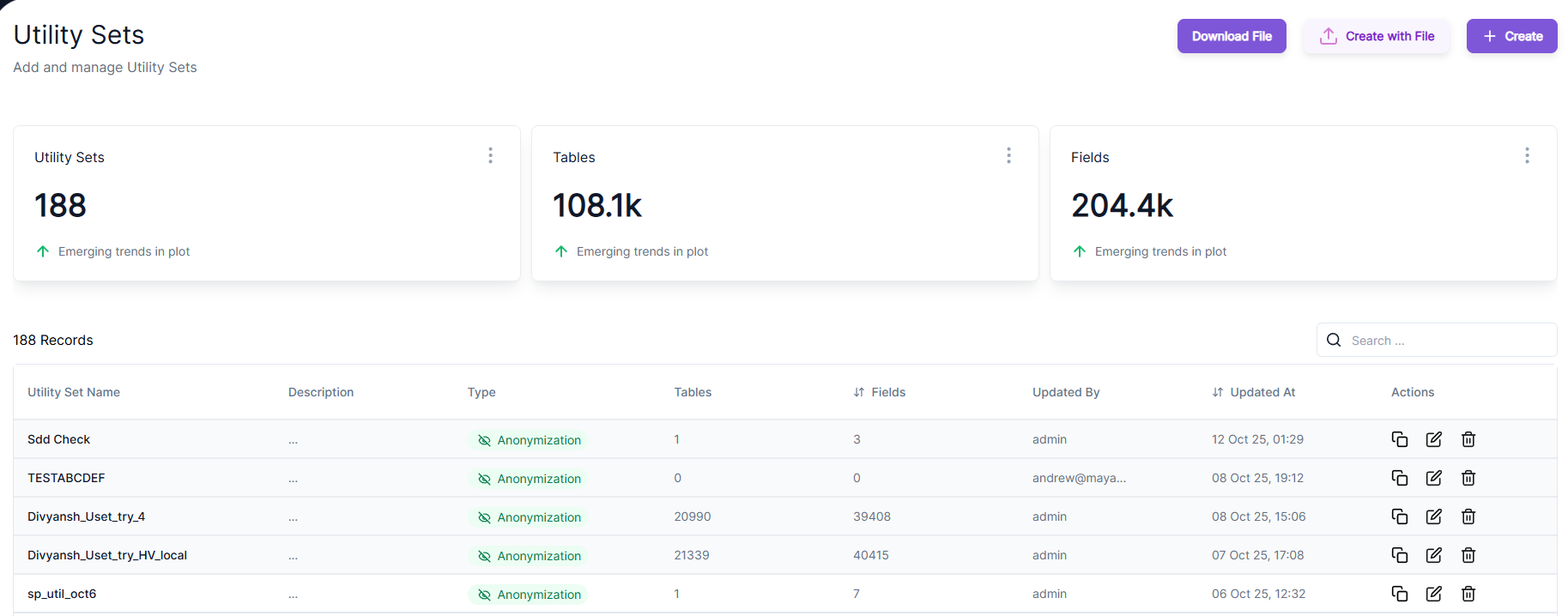
Image
Utility Set Dashboard

Video
Product video
Manage and refresh your test data for an SAP-centric IT landscape. Consistently anonymize production copies across SAP and non-SAP systems. Use the anonymized data for use cases where the use of personal information is prohibited, undesirable, or unnecessary. Use anonymized copies of production as test data for RISE with SAP (Private Cloud), SAP ECC to SAP S/4HANA migration, etc. Also use anonymized data as the training data for AI models.
Highlights
- Protect your confidential information. Scramble the copies of your production data that can disclose your competitive advantage and your trade secrets. Ensure that you are not inadvertently disclosing data and insights that you'd like to protect.
- Comply with data privacy regulations such as GDPR, HIPAA, CCPA and others. Anonymize to eliminate all personally identifiable information (PII) from your data complying with incumbent data privacy laws. Get rid of sensitive data and the associated risk where the presence of sensitive data is prohibited, unwanted, or unnecessary.
- Anonymize data consistently across multiple systems. Anonymize data consistently across multiple systems such as SAP S/4HANA, non-SAP CRM, File system, etc. consistently with the same entity represented the same way, even after anonymization. This helps retain relational integrity within the anonymized databases and across the data sources.
Details
Sold by
Categories
Delivery method
Delivery option
64-bit (x86) Amazon Machine Image (AMI)
Latest version
Operating system
Ubuntu 22
Deployed on AWS
New
Introducing multi-product solutions
You can now purchase comprehensive solutions tailored to use cases and industries.

Features and programs
Financing for AWS Marketplace purchases
AWS Marketplace now accepts line of credit payments through the PNC Vendor Finance program. This program is available to select AWS customers in the US, excluding NV, NC, ND, TN, & VT.

Pricing
Pricing and entitlements for this product are managed through an external billing relationship between you and the vendor. You activate the product by supplying a license purchased outside of AWS Marketplace, while AWS provides the infrastructure required to launch the product. AWS Subscriptions have no end date and may be canceled any time. However, the cancellation won't affect the status of the external license.
Additional AWS infrastructure costs may apply. Use the AWS Pricing Calculator to estimate your infrastructure costs.
Vendor refund policy
30 Days Refund policy for selected countries

Legal
Vendor terms and conditions
Upon subscribing to this product, you must acknowledge and agree to the terms and conditions outlined in the vendor's End User License Agreement (EULA) .
Content disclaimer
Vendors are responsible for their product descriptions and other product content. AWS does not warrant that vendors' product descriptions or other product content are accurate, complete, reliable, current, or error-free.
Delivery details
64-bit (x86) Amazon Machine Image (AMI)
Amazon Machine Image (AMI)
An AMI is a virtual image that provides the information required to launch an instance. Amazon EC2 (Elastic Compute Cloud) instances are virtual servers on which you can run your applications and workloads, offering varying combinations of CPU, memory, storage, and networking resources. You can launch as many instances from as many different AMIs as you need.
Version release notes
AppSafe: First Release Features
This is the initial release of AppSafe, which introduces the following core capabilities:
-
License Protection: The application is now secured with a license, preventing unauthorized use or abuse.
-
Automatic PII Utility Generation (S/4HANA): AppSafe now supports the automatic generation of utility sets for S/4HANA instances. This allows the application to automatically identify all PII (Personally Identifiable Information) columns and tables, eliminating the need for manual configuration by the user.
-
One-Click Job Execution: Streamlined job runs are now supported with a single click.
Additional details
Usage instructions
Sensitive Information & Data Storage
- Configuration Files Location: All essential setup files for Maya AppSafe are located in the directory: /opt/maya/setup. a. This folder contains crucial files, inc luding the docker-compose file and environment files used by the application's containers.
- Data Privacy Commitment: Maya Data Privacy is designed not to store any sensitive user information.
Usage Instructions (Getting Started)
- Automatic Startup a. The Amazon Machine Image (AMI) is pre-configured with a startup script. This script automatically executes upon system reboot, ensuring all necessary containers are started. b. Accessing the Application: NGINX is set up to expose the application automatically. You can access the application via your web browser at the following URL: c. The application is available on port 80: http://<EC2_Instance_Public_DNS>
- License Activation a. License Protection: The application is licensed. The first time you access the URL, you will be redirected to the /license screen, where you must upload a valid license file. b. Obtaining a License: To get a license file, please contact our support team at support@mayadataprivacy.eu . c. License File Contents: The license file defines the following: i. License Expiry Date: The application will automatically lock upon license expiration, requiring the customer to renew. ii. Admin User: Contains the admin user's email, granting full access and functionality. iii. Normal User: Defines a standard user who can log in with limited privileges compared to the admin.
- Default Credentials a. The credentials are generated when you upload the license file for the first time. Make sure to copy and save the username and password at that point. b. Action Required: When you sign in for the first time using the default credentials, you'll be prompted to create a new password.
- Detailed Documentation a. For comprehensive guidance on using our complex application, please refer to our official documentation. Each component is thoroughly explained here: i. https://docs.mayadataprivacy.eu b. Just create an account for accessing the doc as it's not public.
- Usage Protection & Licensing a. Licensed Software: Maya AppSafe is licensed software. Your license grants you the right to use the application. b. Prohibited Actions: You are strictly prohibited from: i. Reselling the software. ii. Reverse engineering of the software. c. Security: All user licenses are digitally signed during the application's license generation process.
Resources
Vendor resources
Support
Vendor support
For any support questions, please email us directly at support@mayadataprivacy.eu
AWS infrastructure support
AWS Support is a one-on-one, fast-response support channel that is staffed 24x7x365 with experienced and technical support engineers. The service helps customers of all sizes and technical abilities to successfully utilize the products and features provided by Amazon Web Services.
Similar products

Zero Trust clean rooms powered by Confidential Computing for sensitive AI and ML data analytics. A new generation of multiparty data collaboration and attack surface control.

SafeOps Attack Intelligence engine analyzes your web and mobile applications within minutes, continuously performing real-world penetration testing scenarios to evaluate your security stance as part of your development pipeline.

A complementary file to the "Non-adherence reasons" products.
This file contains a mapping between survey answers to responses presented to users.

Annual access for up to 50 users to Application Security Training Courses, Role-Based Learning Paths and Hands-On Labs delivered through Security Compass Learning Management System (LMS).
Customer reviews
No customer reviews yet
Be the first to review this product . We've partnered with PeerSpot to gather customer feedback. You can share your experience by writing or recording a review, or scheduling a call with a PeerSpot analyst.