Sold by: StayCharted
Deployed on AWS
Train AI to categorize the way your team does, with no code. StayCharted AI Model Trainer (AMT) turns your team's past decisions (tickets routed, SharePoint and NTFS file permissions set, invoices coded, photos inspected) into a private model that handles the next ones the same way, shows how often it's right, and sends the answers it's unsure about to a person.
Overview
Image
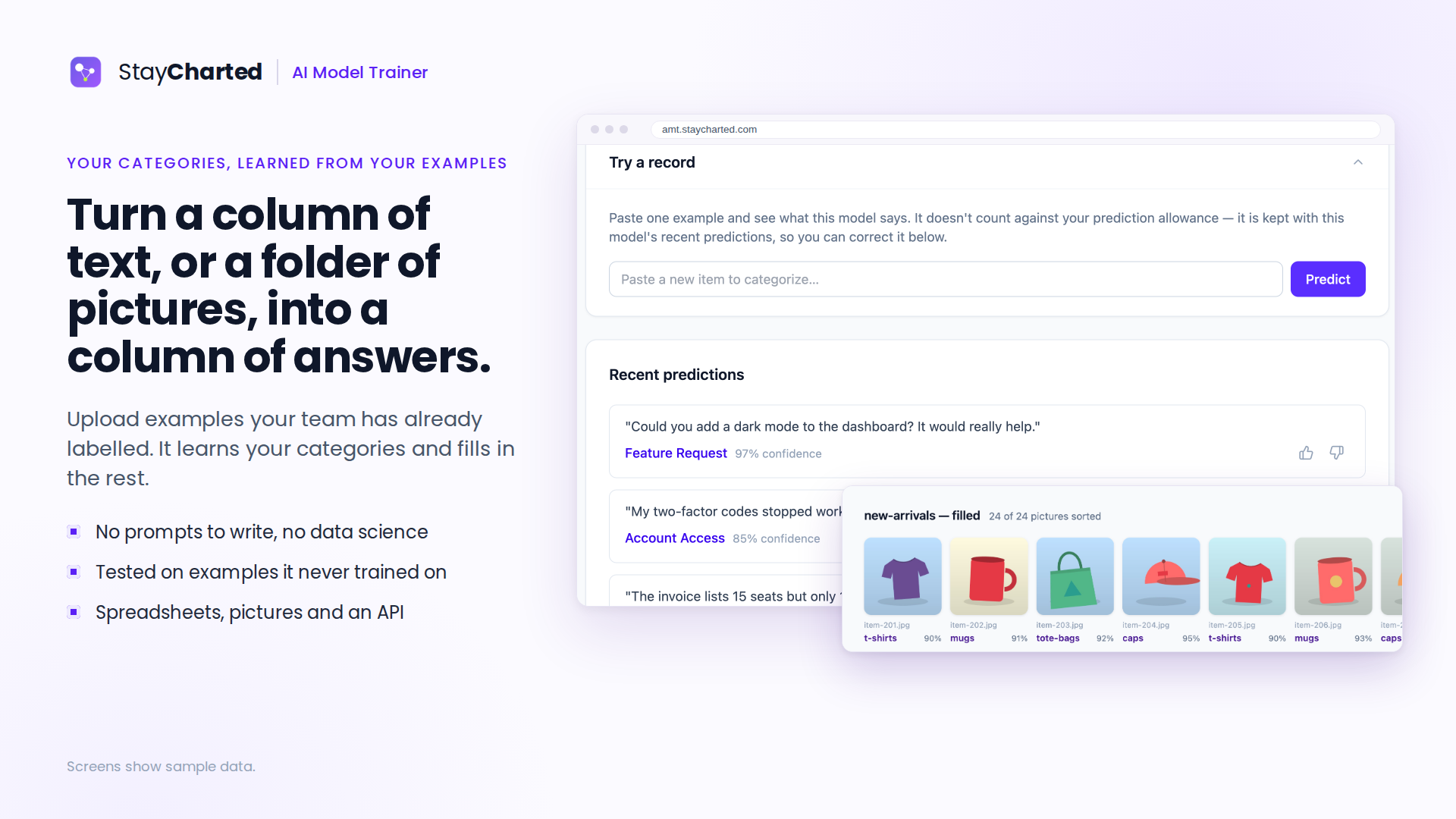
Turn text or pictures into a column of answers
Image
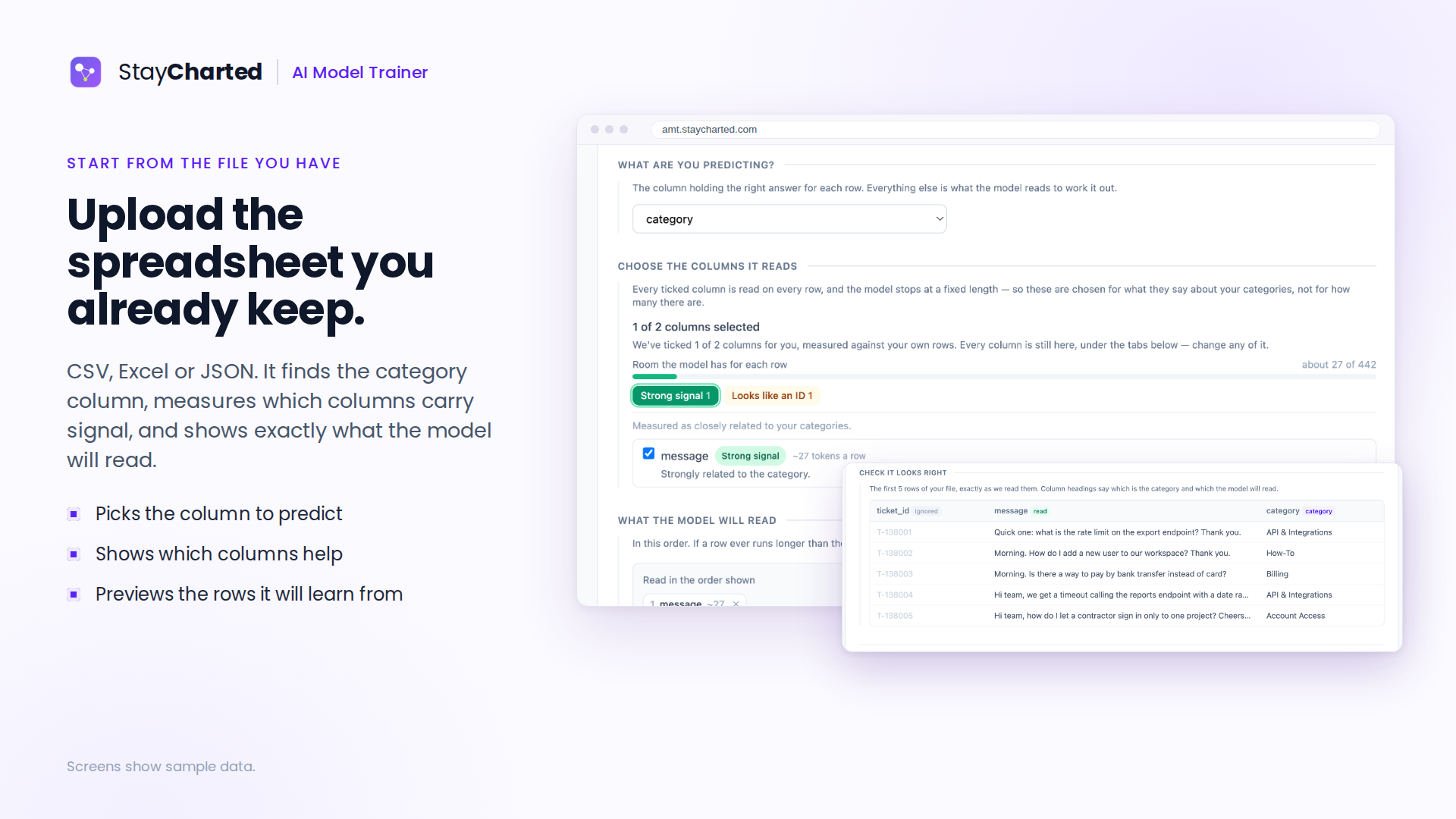
Upload the spreadsheet you already keep
Image
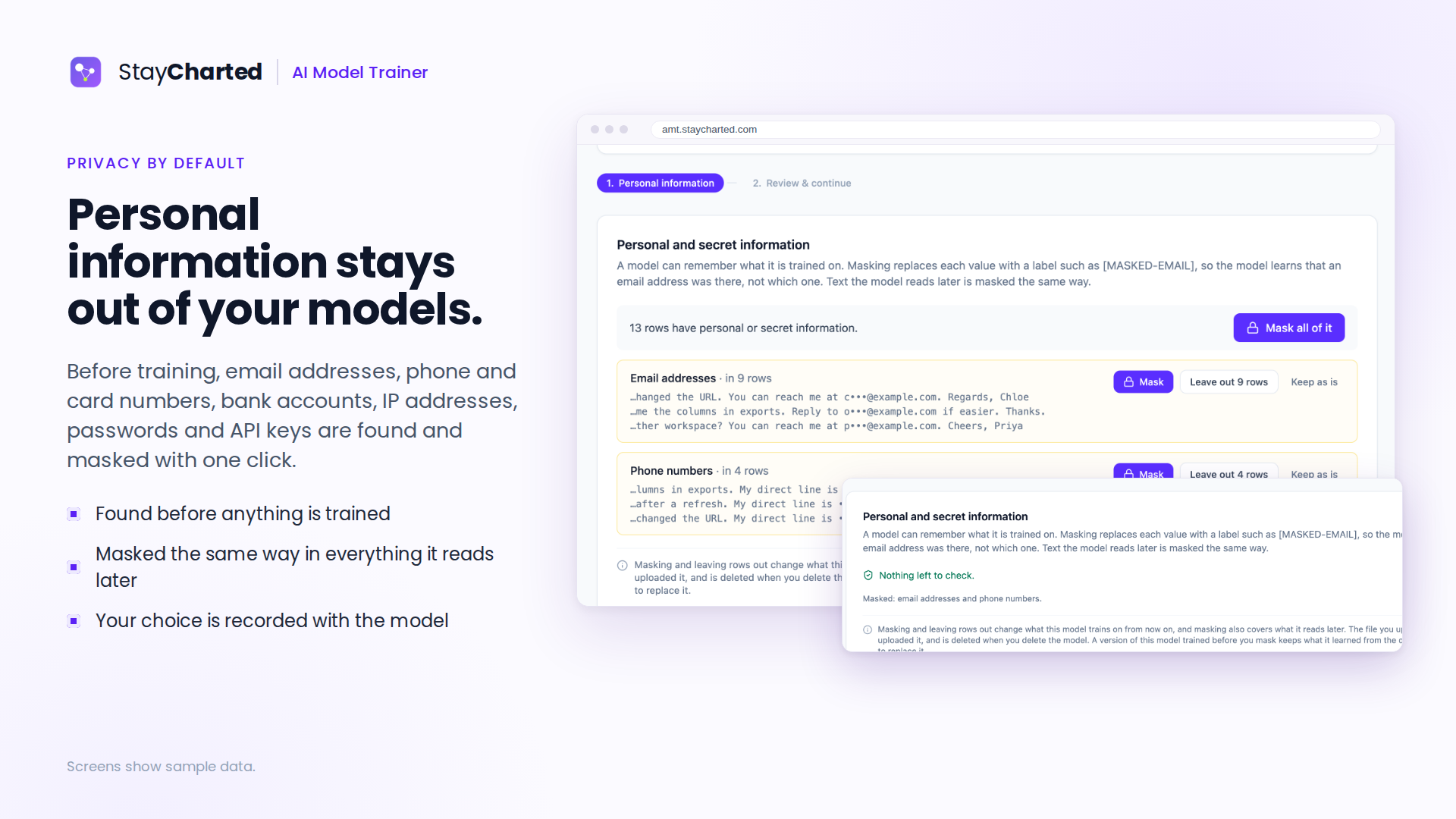
Personal information stays out of your models
Image
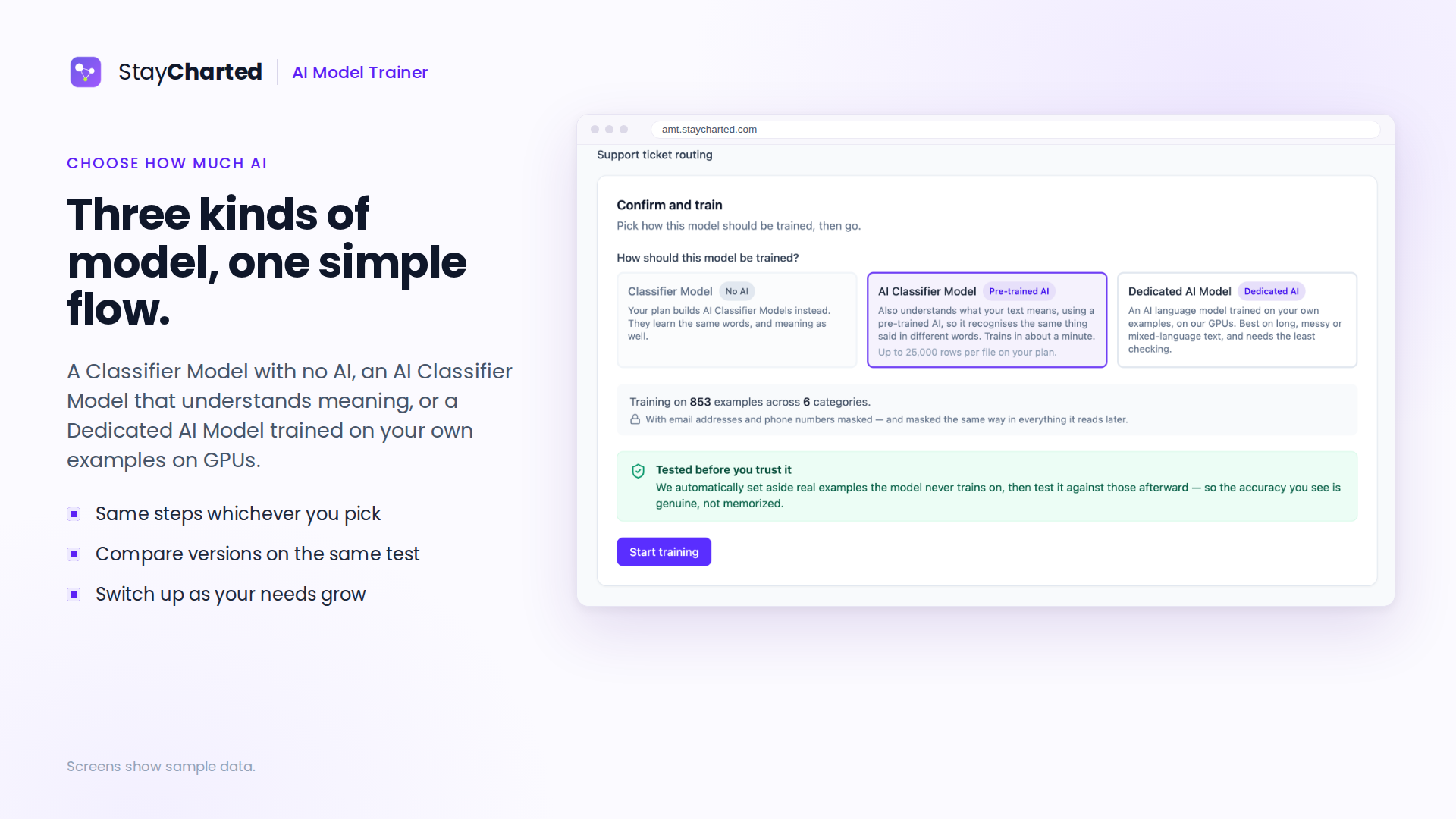
Three kinds of model, one simple flow
Image
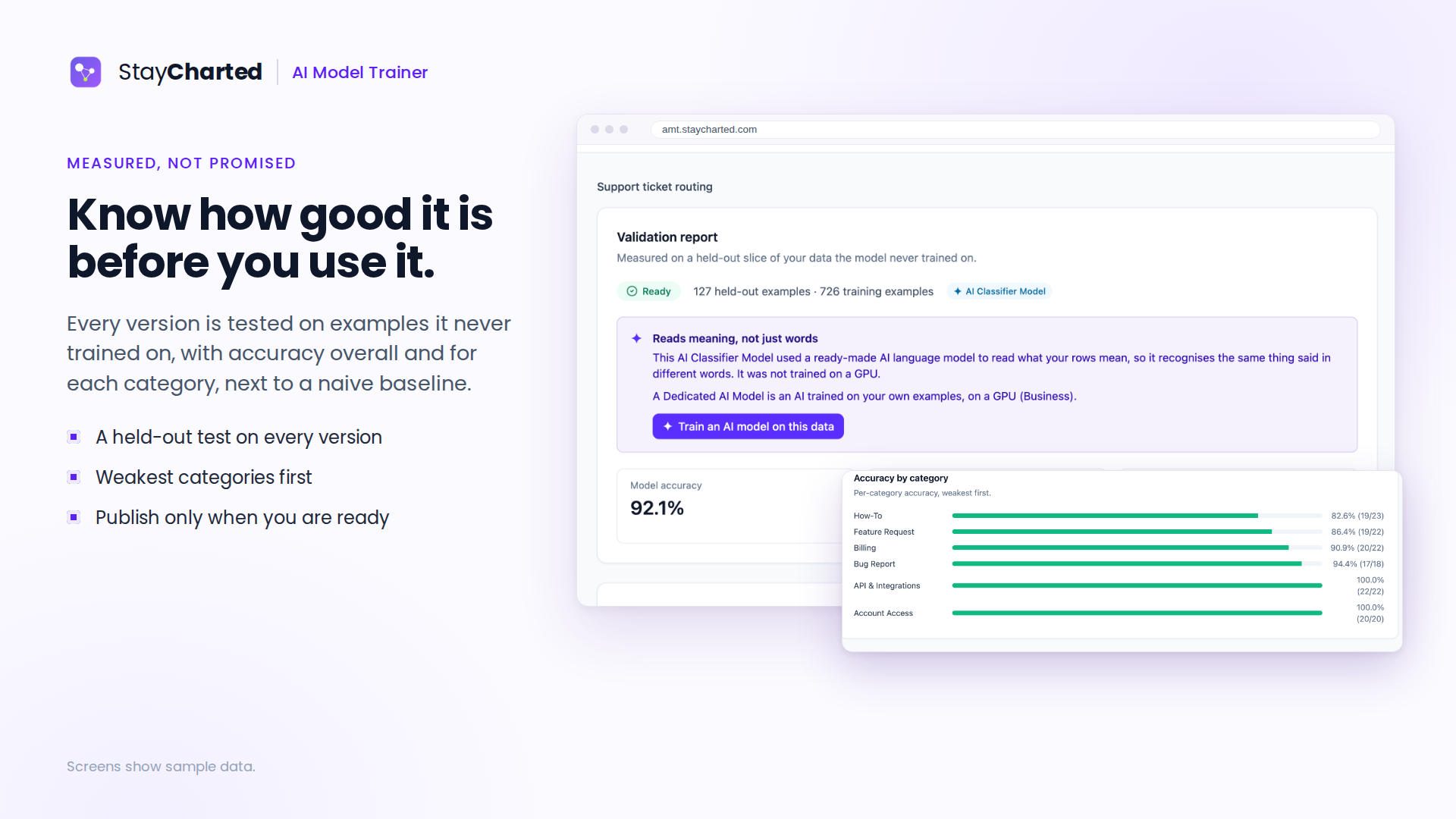
Know how good it is before you use it
Image
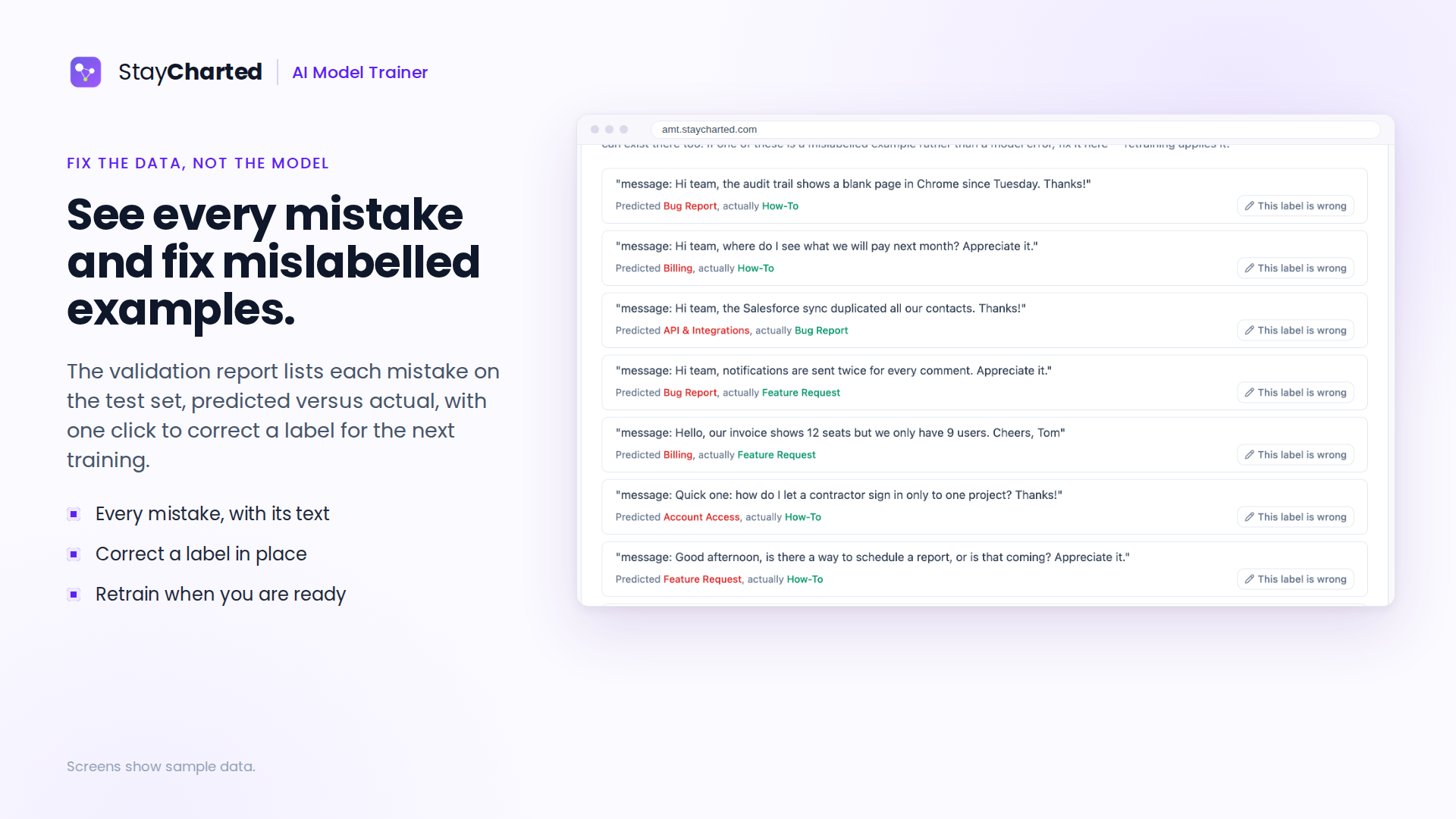
See every mistake and fix mislabelled examples
Image
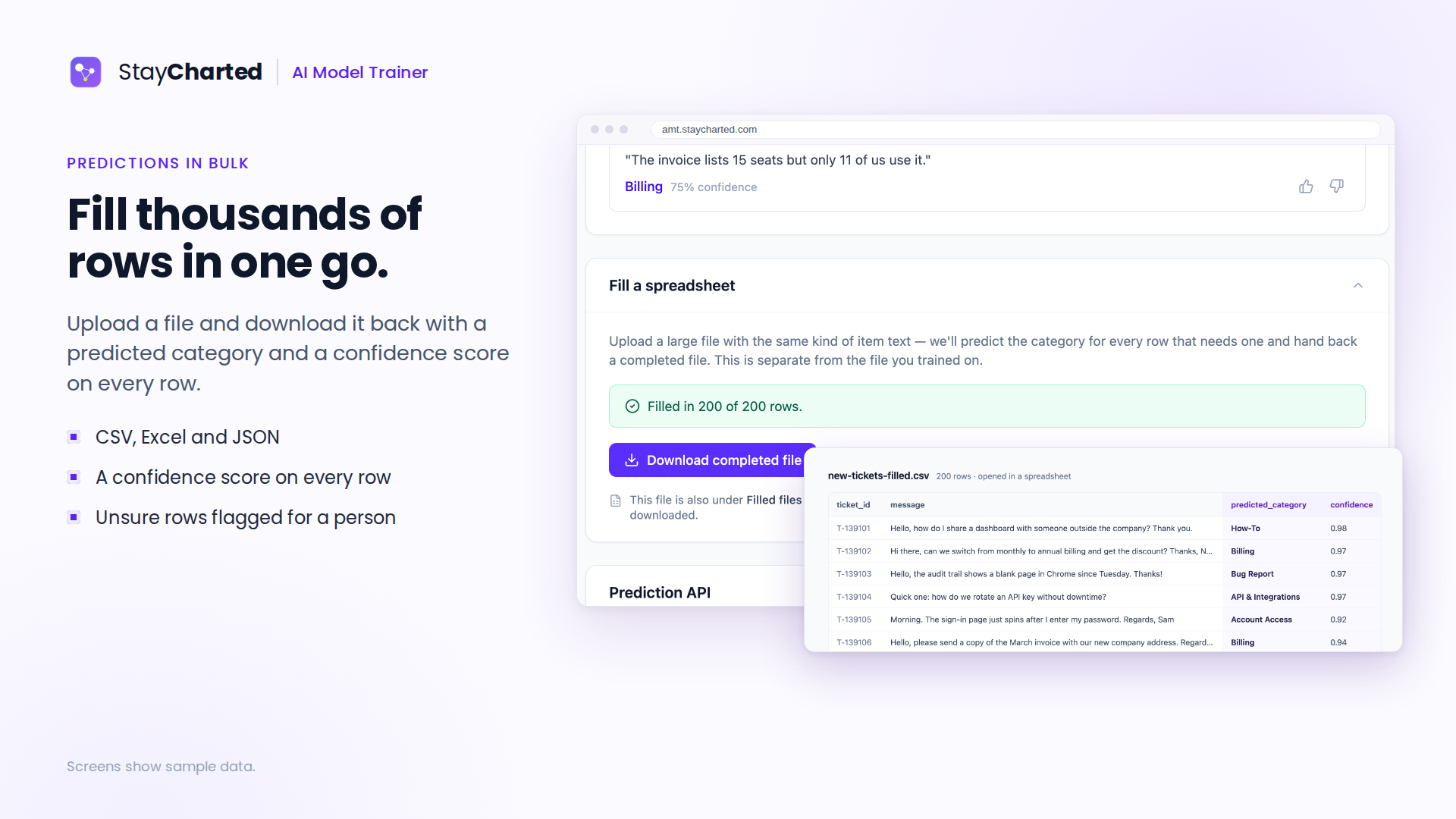
Fill thousands of rows in one go
Image
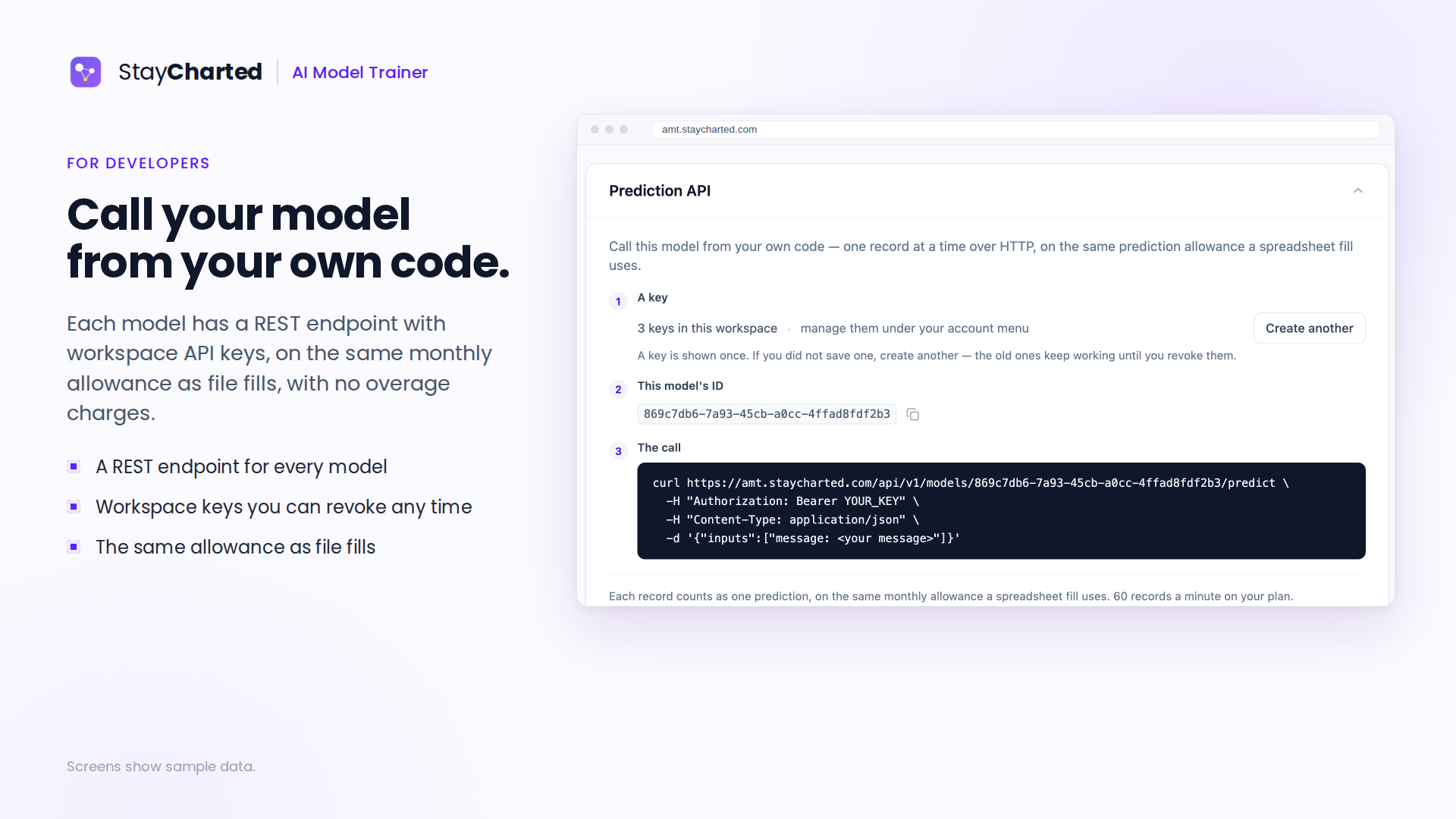
Call your model from your own code
Image
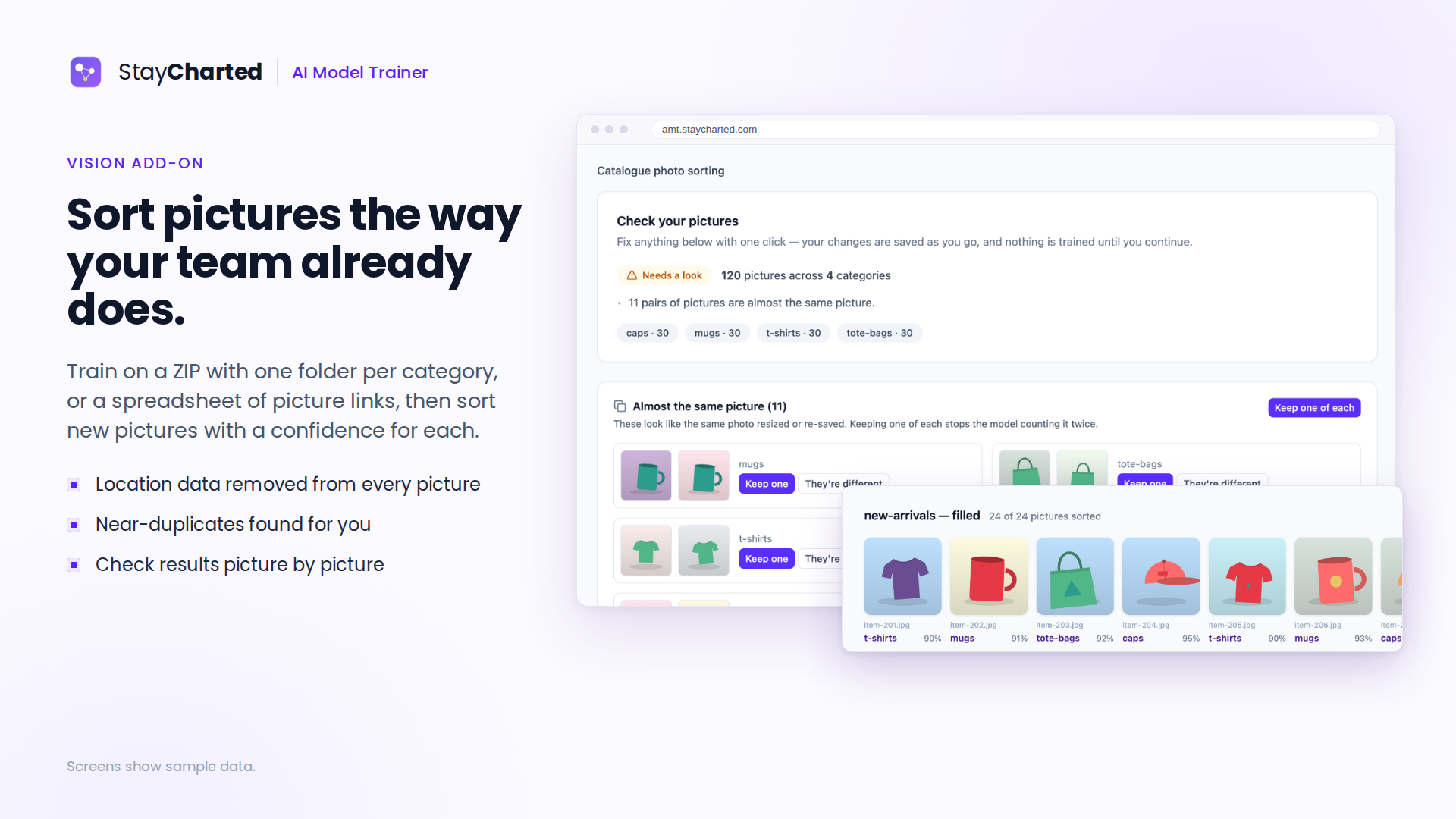
Sort pictures the way your team already does
Image
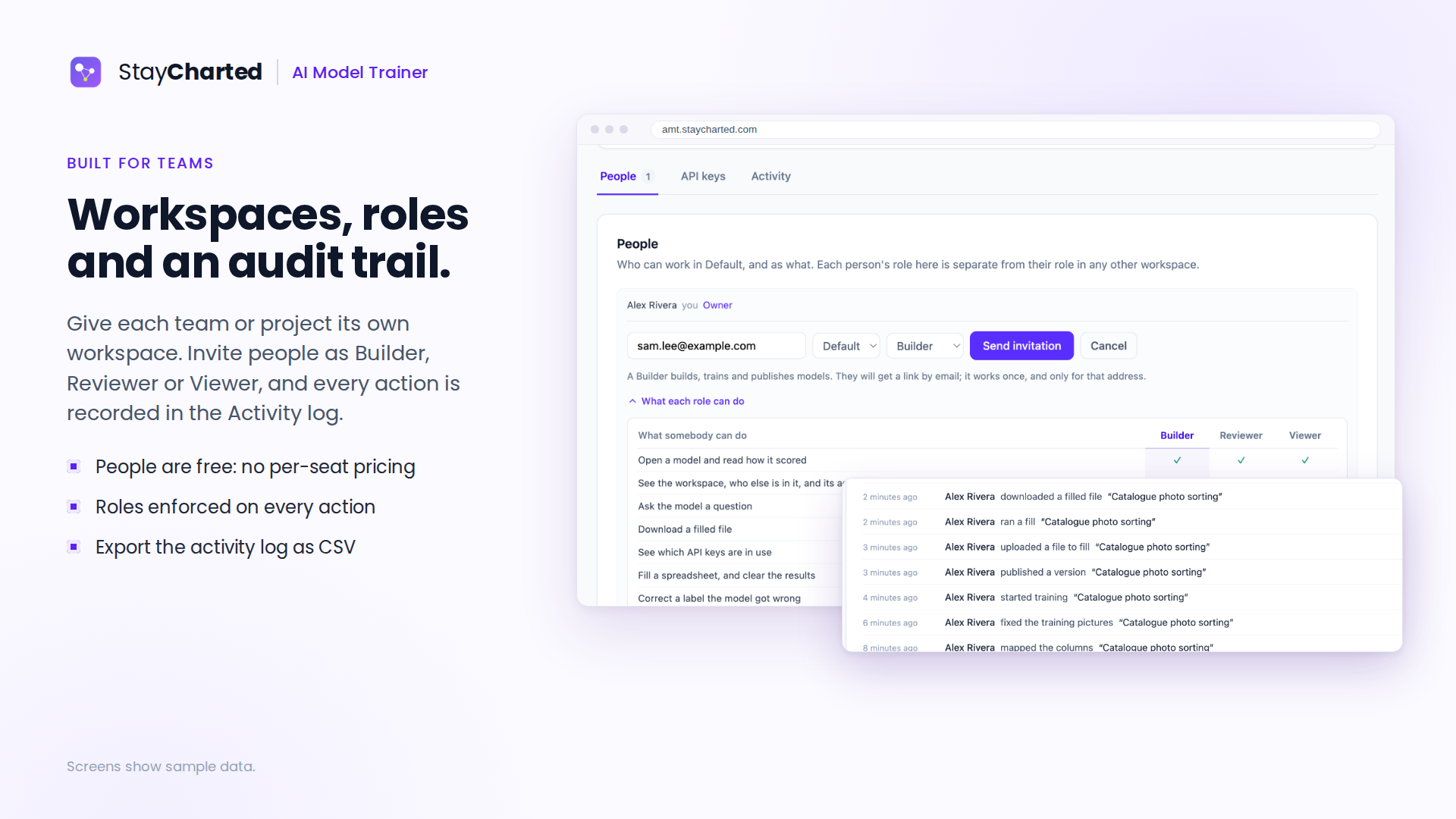
Workspaces, roles and an audit trail
Video
StayCharted AI Model Trainer in two minutes
Video
Build a support-ticket model, step by step
Video
Sort product photos with Vision
Video
Connect Claude or ChatGPT to AMT
Your team's past decisions, trained into a private AI model that makes the next ones.
Your team has already routed thousands of tickets, coded invoices, inspected photos and decided who can open which files. StayCharted AI Model Trainer (AMT) turns that history into a private model that handles the next ones the same way, shows how often it is right, and sends the answers it is unsure about to a person. No code, and no data science team.
What it can learn
- Support and IT tickets: category, assignment group and priority, from your resolved tickets. Works with ServiceNow, Jira Service Management, Freshservice, Zendesk and other ITSM tools through the API.
- SharePoint and NTFS file permissions: upload your SharePoint permission export as it is, or a folder permission export from your file servers, and get suggested access for new files, folders and sites, and suggested outcomes for access requests. Anything that widens access goes to a person.
- Text and records: classify documents and product listings, code invoice lines (several fields at once, such as GL account and cost center).
- Photos, with or without a note: inspection results, damage types and product categories (Vision add-on).
Train with StayCharted, or use your own AI on Amazon Bedrock
- StayCharted trains and runs the model for you: nothing to set up beyond your examples.
- Your AI Models add-on: use a model your company already runs on Amazon Bedrock (or Microsoft Foundry, Google Cloud, OpenAI or Anthropic). With every question it is given your categories and the most similar rows your team already categorized. Nothing is trained, and it is tested the same way before anyone uses it.
- On Business, train a Dedicated AI Model with Bedrock's own fine-tuning in your AWS account. The trained model stays in your account and answers there.
How it works
- Upload examples your team already handled: a spreadsheet, photos in folders, or a permission export. No answers yet? On Essentials and Business, StayCharted groups similar rows so you can name them.
- Check them: duplicates, thin categories and personal information such as emails and phone numbers are found before training, and masked in one click.
- Train, or set up Your AI Model, and see how often it is right on examples it never saw, category by category.
- Use it: fill CSV, Excel or JSON files, fill empty rows in Google Sheets, call the REST API from your own systems, or ask it from Claude and ChatGPT. Answers below your cutoff from every channel wait in one Review Queue for a person, and what they decide goes into the next version.
Private by design Your examples train only your models, in your workspace. StayCharted runs its own models and sends your data to an AI provider only when you connect your own AI platform, such as your Amazon Bedrock, and choose to use it.
For teams Workspaces keep each team's models and data separate, with Owner, Builder, Reviewer and Viewer roles and an activity history. Members are included at no per-seat charge. Each paid workspace is bought on its own; the Vision and Your AI Models add-ons attach to one workspace.
Highlights
- Learns from your team's past work: train private AI models on tickets, records, photos and SharePoint or NTFS permission exports, with no code.
- Know how good it is before you use it: every version is tested on examples it never saw, category by category, and unsure answers go to a person.
- Your AI, or ours: StayCharted trains and runs the model, or use a model you already run on Amazon Bedrock, or train in your own AWS account. Files, Google Sheets, a REST API, and Claude or ChatGPT, with one Review Queue.
Details
Sold by
Delivery method
Deployed on AWS
New
Introducing multi-product solutions
You can now purchase comprehensive solutions tailored to use cases and industries.

Features and programs
Financing for AWS Marketplace purchases
AWS Marketplace now accepts line of credit payments through the PNC Vendor Finance program. This program is available to select AWS customers in the US, excluding NV, NC, ND, TN, & VT.

Pricing
Pricing is based on the duration and terms of your contract with the vendor. This entitles you to a specified quantity of use for the contract duration. If you choose not to renew or replace your contract before it ends, access to these entitlements will expire.
Additional AWS infrastructure costs may apply. Use the AWS Pricing Calculator to estimate your infrastructure costs.
Dimension | Description | Cost/month |
|---|---|---|
Free Workspace | One workspace with 3 models, one of which can be an AI Classifier Model. | $0.00 |
Essentials workspace | One workspace on Essentials | $49.00 |
Business workspace | One workspace on Business | $99.00 |
Vision for an Essentials workspace | Vision on one Essentials workspace | $49.00 |
Vision for a Business workspace | Vision on one Business workspace | $99.00 |
Your AI Models add-on (Essentials) | Use your own AI (Amazon Bedrock, Microsoft Foundry, Google Cloud, OpenAI or Anthropic) as a model in one Essentials workspace. | $49.00 |
Your AI Models add-on (Business) | Use your own AI (Amazon Bedrock, Microsoft Foundry, Google Cloud, OpenAI or Anthropic) as a model in one Business workspace. | $99.00 |
Dimensions summary
You buy by workspace, and each workspace carries its own plan and allowances. Three plan options exist: Free Workspace with 3 models including one AI Classifier Model, Essentials, and Business. Each paid workspace is billed separately, so adding workspaces multiplies the per-workspace charge. Two add-ons attach to a paid workspace: Vision, priced separately for Essentials or Business, and Your AI Models, which lets you use your own AI provider in an Essentials or Business workspace. Add-ons bill with their workspace. You pick each option per workspace based on the work needed.
Top-of-mind questions for buyers
One unit is one workspace on that plan. A workspace holds its own models, files, and limits. Each paid workspace bills separately, so three Essentials workspaces means three separate charges. Team members are unlimited and never billed per seat; model counts fall under the workspace allowance.
Work stops at a limit and you are offered an upgrade; there are no overage charges or surprise invoices. You can change plans up or down any time. Downgrading keeps your work: models above the new limit switch off rather than delete, and switch back on when you move up.
Add-ons attach to a single paid workspace and bill alongside it. Vision adds image models to one Essentials or Business workspace at its own price. Your AI Models lets you use your own AI provider in one Essentials or Business workspace. Each add-on charge applies per workspace, so costs add together for every workspace you equip.
www.staycharted.com
Helpful?
Vendor refund policy
Fees are non-refundable except as required by law, applicable AWS Marketplace policies, or your agreement. For public contracts cancelled within 48 hours of purchase, contact AWS Customer Service to request a full refund. Other approved refunds are initiated by StayCharted. Contact support@staycharted.com with your AWS Marketplace agreement ID and reason for the request. Approved Marketplace refunds are processed through AWS Marketplace.

Legal
Vendor terms and conditions
Upon subscribing to this product, you must acknowledge and agree to the terms and conditions outlined in the vendor's End User License Agreement (EULA) .
Content disclaimer
Vendors are responsible for their product descriptions and other product content. AWS does not warrant that vendors' product descriptions or other product content are accurate, complete, reliable, current, or error-free.
Delivery details
Software as a Service (SaaS)
SaaS delivers cloud-based software applications directly to customers over the internet. You can access these applications through a subscription model. You will pay recurring monthly usage fees through your AWS bill, while AWS handles deployment and infrastructure management, ensuring scalability, reliability, and seamless integration with other AWS services.
Resources
Support
Vendor support
Email: support@staycharted.com Support URL: https://staycharted.com/contact
Email support is available for account setup, billing, model training, predictions, and troubleshooting. Include your workspace and a description of the issue. No guaranteed response time or uptime SLA is included unless separately agreed in writing.
AWS infrastructure support
AWS Support is a one-on-one, fast-response support channel that is staffed 24x7x365 with experienced and technical support engineers. The service helps customers of all sizes and technical abilities to successfully utilize the products and features provided by Amazon Web Services.
Similar products

OpenAI GPT-5.6 Terra brings a balanced GPT-5.6 model for everyday work, software engineering, knowledge workflows, and scalable AI applications to Amazon Bedrock.

Perforated is the data-efficiency layer for machine learning that helps teams build smaller, more accurate models using less training data. By adding biological-inspired dendritic modules to artificial neurons during training, Perforated allows PyTorch models to extract more value from existing datasets.

TeamStation AI provides nearshore MLOps engineering for machine learning workloads on AWS. Team roles, deliverables, and acceptance criteria are scoped in an AWS Marketplace private offer.
Customer reviews
No customer reviews yet
Be the first to review this product . We've partnered with PeerSpot to gather customer feedback. You can share your experience by writing or recording a review, or scheduling a call with a PeerSpot analyst.