
Sold by: cloudimg
Deployed on AWS
Free Trial
AWS Free Tier
This product has charges associated with it for seller support. Deploy a fully private marketing automation stack in minutes - no manual setup. Mautic preinstalled with PHP 8.3, nginx, and MariaDB, backed by 24/7 cloudimg support.
Overview
Image
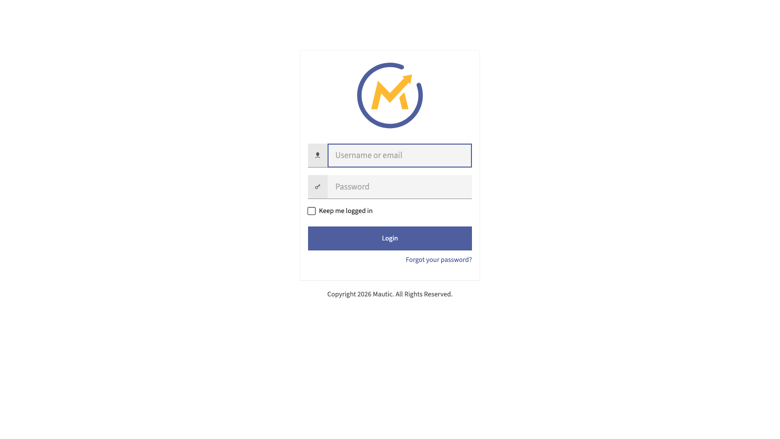
Mautic sign-in
Image
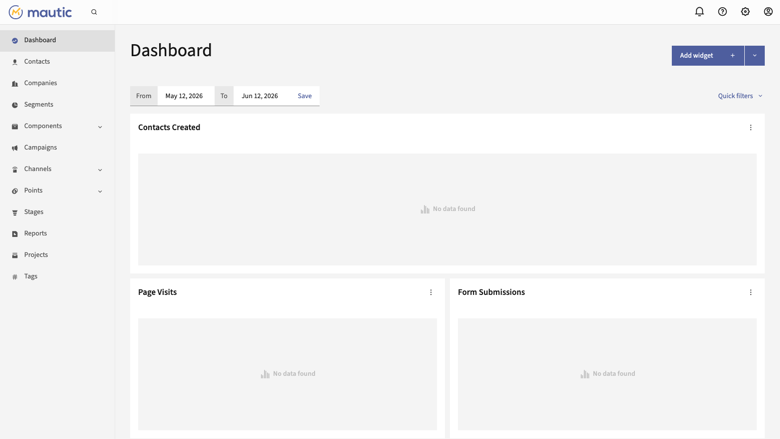
Mautic dashboard
Image
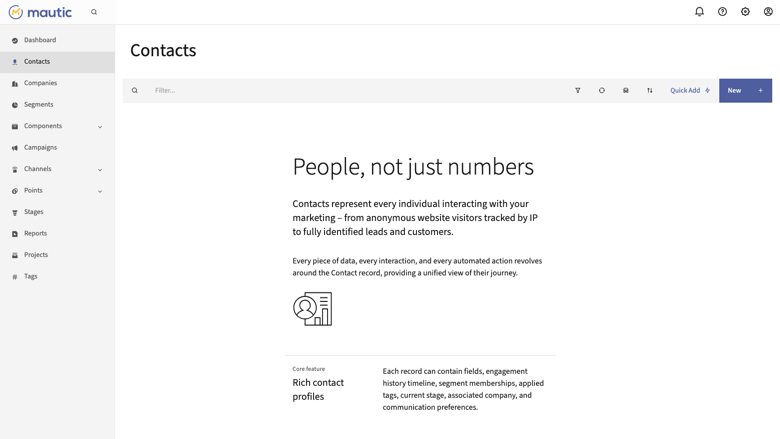
Mautic contacts
Image
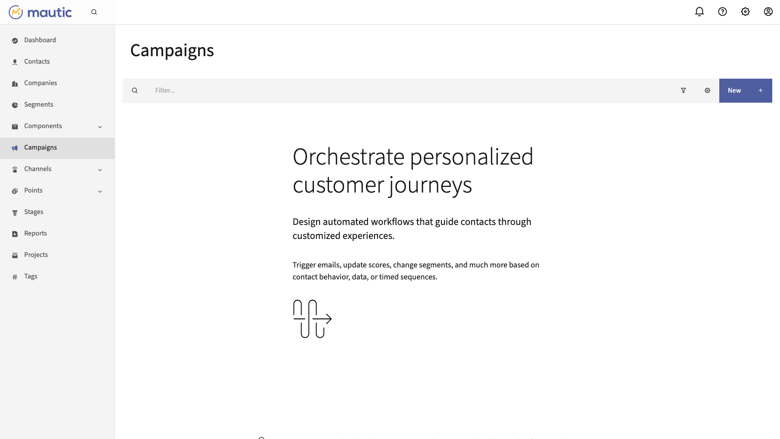
Mautic campaigns
This is a repackaged open source software product wherein additional charges apply for cloudimg support services.
Overview
Mautic is the leading open source marketing automation platform, backed by a global community of over 200,000 organizations. Marketing teams use it to capture and nurture leads, score contacts, build visual multi-step campaigns, send email journeys and newsletters, publish landing pages and forms, and track engagement across every channel. Segment your audience dynamically, trigger actions from contact behaviour, and keep your entire marketing database private on infrastructure you control. This image delivers Mautic fully installed and configured, so a complete marketing automation service is running within minutes of launch. The current release available is Mautic 7.1.2.
Application Stack
Mautic is a Symfony application built on:
- PHP 8.3 with OPcache and every extension Mautic requires
- nginx web server with TLS-ready configuration serving the Mautic front controller
- A local MariaDB database
- The MariaDB data directory and the Mautic application tree each live on their own dedicated, independently resizable EBS data volume
- The database schema is migrated at build time and background jobs (segment updates, campaign rebuild and trigger, email send, broadcasts) run as systemd timers - no manual cron configuration required
The platform is fully operational the moment it boots, unlike manual installs or Docker-based deployments that require additional orchestration and cron setup.
Security and Data Privacy
On first boot a one-shot service generates a fresh application secret unique to that instance, rotates the database password, sets a fresh administrator password, points the site URL at your instance address, and writes credentials to a root-only file. No shared or default credentials ship in the image.
nginx is pre-configured for TLS termination. Data volumes support EBS encryption at rest. All marketing contact data - emails, behavioural events, scoring history - stays within your own VPC, giving you full data sovereignty. This architecture supports GDPR data-residency requirements because personal data never leaves infrastructure you control.
Recommended network configuration: restrict inbound access via Security Groups to HTTPS (443) and SSH (22) from trusted IPs only, and deploy within a private VPC subnet with a NAT gateway for outbound SMTP traffic.
Integrations
Mautic integrates with the tools your team already uses:
- Email delivery: Amazon SES, Mailgun, SendGrid, Mandrill, SparkPost, or any SMTP provider
- CRM: Salesforce, HubSpot CRM, SuiteCRM, Vtiger
- CMS and eCommerce: WordPress, WooCommerce, Drupal
- Automation and APIs: Zapier, n8n, custom webhooks, full REST API
- AWS services: Amazon SES for transactional and bulk email, Amazon S3 for asset storage
Connect your preferred SMTP provider in the email settings to start sending immediately.
Evaluation Path
To evaluate Mautic before committing to production, launch the AMI on a small instance type such as t3.small. Browse to the instance address, sign in with the generated administrator credentials, and explore the campaign builder, segment editor, and email composer. When ready for production, resize the instance and EBS volumes to match your contact list and sending volume.
Use Cases
E-commerce re-engagement: An online retailer with 50,000 contacts runs abandoned-cart email sequences and post-purchase nurture campaigns while keeping all customer behavioural data in their own VPC for GDPR compliance.
B2B lead qualification: A SaaS startup uses lead scoring and multi-step nurture campaigns to qualify marketing-qualified leads before passing them to sales via CRM integration with Salesforce or HubSpot.
Agency multi-instance management: A digital marketing agency deploys separate Mautic instances per client, each with isolated data and custom branding, all backed by cloudimg support.
Self-hosted alternative: Teams replacing commercial platforms like HubSpot, Marketo, or ActiveCampaign gain full data ownership, unlimited contacts, and no per-seat fees.
cloudimg Support
24/7 technical support by email and live chat. Our engineers assist with deployment, upgrades, campaign and segment design, email deliverability and SMTP configuration, performance tuning, and database administration. Book a guided setup call to get your first campaign running with expert assistance.
All product and company names are trademarks or registered trademarks of their respective holders. Use of them does not imply any affiliation with or endorsement by them.
Highlights
- Mautic7.1.2 marketing automation fully installed and operational on boot - no manual cron setup, no Docker orchestration, no missing dependencies. PHP 8.3, nginx with TLS-ready config, and a local MariaDB database with schema pre-migrated. Background jobs (segment updates, campaign triggers, email sends) run as systemd timers so campaigns fire reliably from the first minute.
- Zero shared credentials and full data sovereignty. First boot generates a unique application secret, rotates the database password, and creates a fresh admin account stored in a root-only file - unlike images that ship default passwords. nginx supports TLS termination, EBS volumes support encryption at rest, and all contact PII stays in your own VPC. This architecture supports GDPR data-residency requirements without relying on a third-party SaaS vendor to handle your marketing data.
- 24/7 expert support from cloudimg by email and live chat, with one-hour average response for critical issues. Our engineers help with Mautic deployment, campaign design, email deliverability tuning, Amazon SES and SMTP configuration, upgrades, and database administration. Unlike community-only support available with free Mautic installs, you get direct access to specialists who can troubleshoot production issues and guide your first campaign setup.
Details
Sold by
Delivery method
Delivery option
64-bit (x86) Amazon Machine Image (AMI)
Latest version
Operating system
Ubuntu 24.04
Deployed on AWS
New
Introducing multi-product solutions
You can now purchase comprehensive solutions tailored to use cases and industries.

Features and programs
Financing for AWS Marketplace purchases
AWS Marketplace now accepts line of credit payments through the PNC Vendor Finance program. This program is available to select AWS customers in the US, excluding NV, NC, ND, TN, & VT.

Pricing
Free trial
Try this product free for 7 days according to the free trial terms set by the vendor. Usage-based pricing is in effect for usage beyond the free trial terms. Your free trial gets automatically converted to a paid subscription when the trial ends, but may be canceled any time before that.
Pricing is based on actual usage, with charges varying according to how much you consume. Subscriptions have no end date and may be canceled any time. Alternatively, you can pay upfront for a contract, which typically covers your anticipated usage for the contract duration. Any usage beyond contract will incur additional usage-based costs.
Additional AWS infrastructure costs may apply. Use the AWS Pricing Calculator to estimate your infrastructure costs.
If you are an AWS Free Tier customer with a free plan, you are eligible to subscribe to this offer. You can use free credits to cover the cost of eligible AWS infrastructure. See AWS Free Tier for more details. If you created an AWS account before July 15th, 2025, and qualify for the Legacy AWS Free Tier, Amazon EC2 charges for Micro instances are free for up to 750 hours per month. See Legacy AWS Free Tier for more details.
Dimension | Description | Cost/hour |
|---|---|---|
m5.large Recommended | m5.large | $0.08 |
t2.micro | t2.micro instance type | $0.04 |
t3.micro | t3.micro instance type | $0.04 |
m7i.xlarge | m7i.xlarge instance type | $0.12 |
m6id.16xlarge | m6id.16xlarge instance type | $0.24 |
h1.4xlarge | h1.4xlarge instance type | $0.24 |
r5d.24xlarge | r5d.24xlarge instance type | $0.24 |
r8i.48xlarge | r8i.48xlarge instance type | $0.24 |
i4i.32xlarge | i4i.32xlarge instance type | $0.24 |
r5b.xlarge | r5b.xlarge instance type | $0.12 |
Vendor refund policy
Refunds available on request.

Legal
Vendor terms and conditions
Upon subscribing to this product, you must acknowledge and agree to the terms and conditions outlined in the vendor's End User License Agreement (EULA) .
Content disclaimer
Vendors are responsible for their product descriptions and other product content. AWS does not warrant that vendors' product descriptions or other product content are accurate, complete, reliable, current, or error-free.
Delivery details
64-bit (x86) Amazon Machine Image (AMI)
Amazon Machine Image (AMI)
An AMI is a virtual image that provides the information required to launch an instance. Amazon EC2 (Elastic Compute Cloud) instances are virtual servers on which you can run your applications and workloads, offering varying combinations of CPU, memory, storage, and networking resources. You can launch as many instances from as many different AMIs as you need.
Version release notes
Initial release of Mautic 7.1.2.
Additional details
Usage instructions
Connect via SSH on port 22 as the default login user for your operating system variant (the user guide lists it per variant). Mautic is served on port 80. Browse to http://<instance-public-ip>/ and sign in with the generated administrator account. Retrieve the generated credentials with: sudo cat /root/mautic-credentials.txt. To send email, configure your SMTP provider under Configuration > Email Settings. To enable HTTPS, follow the Let's Encrypt section of the user guide.
Resources
Vendor resources
Support
Vendor support
cloudimg Support
cloudimg provides 24/7 technical support for this Mautic product by email and live chat.
Channels:
- Email: support@cloudimg.co.uk
- Live chat: available around the clock
Response Times:
- Critical issues (service down, data loss risk): one-hour average response
- General inquiries (configuration, upgrades, how-to): responded to within the same business day
Scope of Support: Our engineers assist with Mautic deployment and initial configuration, campaign and segment design, email deliverability optimization, SMTP and Amazon SES setup, performance tuning, database administration, upgrades to new Mautic releases, and general troubleshooting.
Instance Sizing Guidance: For evaluation or small lists (under 5,000 contacts), a t3.small instance is sufficient. For production workloads with 50,000+ contacts and regular campaign sends, we recommend m5.large or larger with appropriately sized EBS volumes. Our support team can help you right-size your deployment based on your sending volume and contact database.
Getting Started: After subscribing, launch the AMI and retrieve your administrator credentials from the root-only file. If you need guided assistance with your first campaign or SMTP configuration, contact our support team for a setup walkthrough.
Refunds: For billing questions or refund requests related to support charges, contact support@cloudimg.co.uk with your instance details and we will respond within one business day.
AWS infrastructure support
AWS Support is a one-on-one, fast-response support channel that is staffed 24x7x365 with experienced and technical support engineers. The service helps customers of all sizes and technical abilities to successfully utilize the products and features provided by Amazon Web Services.
Similar products

This product has charges associated with it for seller support. Mautic is an open-source marketing automation platform designed to help businesses manage their marketing campaigns across various channels, including email, social media, and web. It offers tools for lead management, campaign creation, and detailed analytics to optimize marketing efforts and improve customer engagement.

Automate marketing campaigns with Mautic pre-configured on AWS. Includes Apache2, MySQL, PHP, phpMyAdmin, and Webmin for hassle-free deployment.

This product has charges associated with it for seller support. Simple, Secure and Supported deployment with the Hossted CLI, for easy self-maintenance.

This product has charges associated with it for seller support and pre-configured product. Mautic automates the process of finding and nurturing contacts through landing pages and forms, sending email, text messages, web notifications, tracking social media, and integrating with your CRM and other systems.

This product has charges associated with it for Websoft9 support. Pre-configured, web-based, cloud-native, secure, one-click to deploy Mautic with Websoft9 Applications Hosting Platform on AWS. Mautic is Open Source Marketing Automation Software, used for Marketing.
Customer reviews
No customer reviews yet
Be the first to review this product . We've partnered with PeerSpot to gather customer feedback. You can share your experience by writing or recording a review, or scheduling a call with a PeerSpot analyst.