
Sold by: cloudimg
Deployed on AWS
Free Trial
AWS Free Tier
This product has charges associated with it for seller support. Pre-configured Checkmate AMI for self-hosted uptime monitoring - no per-seat SaaS fees, full data residency in your VPC, and 24/7 cloudimg support included.
Overview
Image
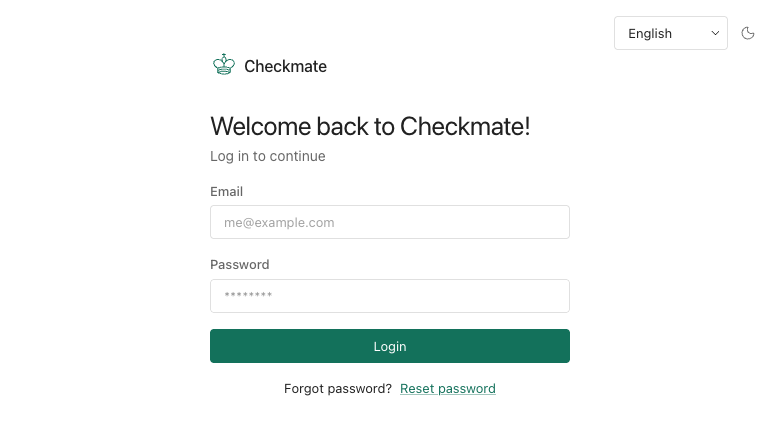
Checkmate sign-in
Image
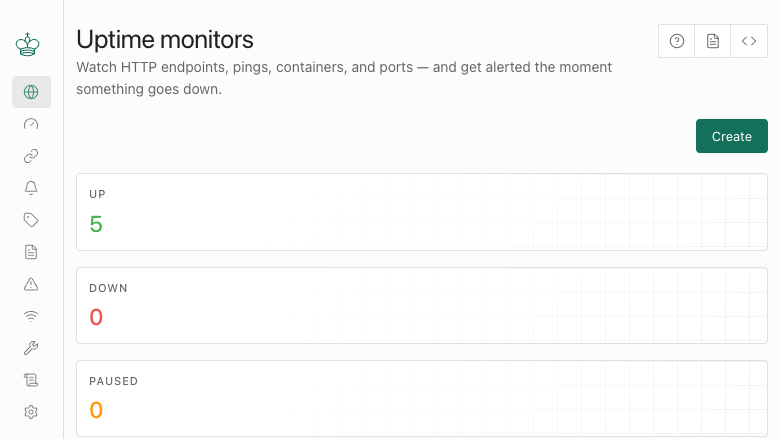
Uptime monitors dashboard
Image
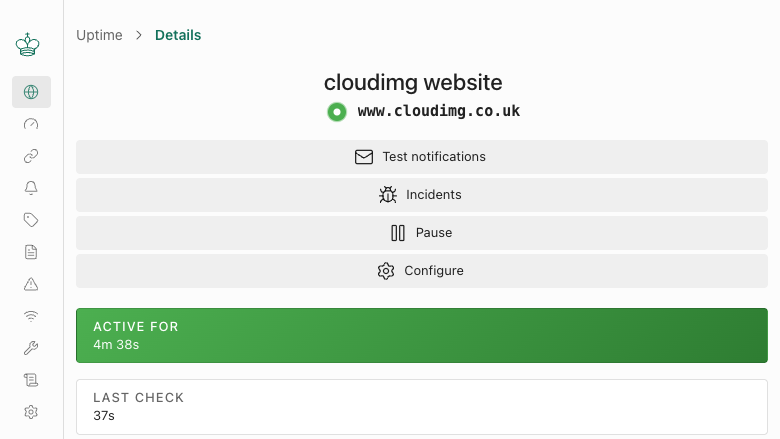
Monitor detail
Image
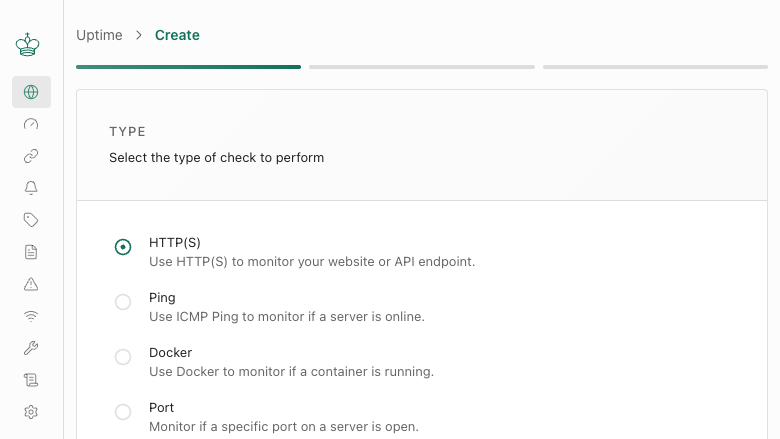
Create a monitor
This is a repackaged open source software product wherein additional charges apply for cloudimg support services.
Overview
Checkmate (by BlueWave Labs) is an open source uptime, infrastructure and incident monitoring platform. It continuously checks the availability and response time of your websites, HTTP APIs, TCP ports, ping targets and DNS records, and presents their status, uptime percentage and response time history in a clean React dashboard backed by a REST API. Add a monitor for each endpoint you care about, set the check interval, and Checkmate records every result so you see current status at a glance, track incidents and publish status pages. An optional Capture agent extends monitoring to server hardware metrics. The current release available is Checkmate v3.9.2.
Why Choose This AMI Over Manual Installation
Deploying Checkmate from source requires building the TypeScript server and the React client, provisioning and securing MongoDB, wiring up nginx as a reverse proxy, and generating secrets and the first administrator by hand. This AMI eliminates that work entirely - you launch an instance and sign in. Compared to hosted SaaS monitoring services, a self-hosted deployment in your own VPC gives you full data residency control and avoids per-monitor or per-seat pricing at scale. cloudimg provides ongoing 24/7 support for upgrades, TLS termination, alert integration and database administration - support the open source community project does not offer.
Application Stack
Checkmate runs bare-metal from the pinned upstream release: the Node.js and Express server is built with TypeScript and reverse-proxied by nginx on port 80, and the React client is served as a static bundle by the same nginx. All monitoring data is stored in a local MongoDB 8.0 on a dedicated, independently resizable EBS volume, with the database bound to loopback. The check queue is MongoDB backed, so there is no separate Redis to run, keeping the appliance lean.
Secure By Default
The image ships with no default credential. On the first boot of every instance a unique JWT signing secret and MongoDB password are generated at random, MongoDB and the Node server are bound to loopback, and a single administrator is registered with a random per-instance password written to a root-only file. Self registration closes after that first account, so the dashboard is never left open. No shared or default credentials ship in the image, eliminating the default credential exposure common in manual installations.
Ready To Use
The web server, application server and database are all configured, with the monitoring database on its own dedicated storage volume. Browse to the instance address, sign in as the administrator with the retrieved credentials, and add your first monitor. To evaluate the product at minimal cost, launch on a small instance type and scale up as your monitor count grows. Port 443 is open in the security group for you to add TLS with your own certificate.
Use Cases
SaaS and DevOps Teams: Monitor dozens of microservice endpoints from a single dashboard. Configure monitors for each service, set check intervals as low as one minute, route alerts to Slack, Telegram, Discord or Webhooks when latency spikes or endpoints go down, and publish a customer-facing status page - all without sending data outside your VPC.
Regulated Industries (Healthcare, Financial Services): Organizations with data residency or compliance requirements can run uptime monitoring entirely within their own AWS account. All check results, incident history and response time data remain on your dedicated EBS volume - no third-party SaaS provider stores or processes your monitoring telemetry.
Internal Infrastructure Teams: Track availability of internal APIs, TCP services and DNS records that are not reachable from external monitoring providers. Combine with the Capture agent for server hardware metrics alongside uptime data.
Get Started
Launch the AMI, retrieve your unique administrator credentials from the instance, and add your first monitor in under five minutes. To discuss TLS setup, alert integration, capacity planning or a guided deployment walkthrough, contact cloudimg support at any time - we are available 24/7 by email and live chat.
All product and company names are trademarks or registered trademarks of their respective holders. Use of them does not imply any affiliation with or endorsement by them.
Highlights
- Deploy in under five minutes versus hours of manual setup: this AMI ships Checkmate fully configured with Node.js, nginx, and MongoDB 8.0 on a dedicated EBS volume - no building from source, no provisioning databases, no generating secrets by hand. Unlike per-seat or per-monitor SaaS services, you pay only for the EC2 instance and support, with no limits on the number of monitors, users, or check frequency as your infrastructure scales.
- Zero default credentials - every instance generates its own unique administrator password, JWT signing secret, and MongoDB password on first boot, stored in a root-only file. Self-registration closes automatically after the first account is created, so the dashboard is never exposed. MongoDB and the Node server bind to loopback only. This eliminates the shared-credential risk common in manual installations and gives compliance-focused teams a hardened baseline from launch.
- 24/7 technical support from cloudimg with a one-hour average response time for critical issues. Our engineers assist with Checkmate upgrades, TLS termination, alert integration (Slack, Telegram, Discord, Webhooks), and MongoDB administration - ongoing operational help that the open source community project does not provide. Contact us any time by email or live chat for deployment walkthroughs or capacity planning guidance.
Details
Sold by
Categories
Delivery method
Delivery option
64-bit (x86) Amazon Machine Image (AMI)
Latest version
Operating system
Ubuntu 24.04
Deployed on AWS
New
Introducing multi-product solutions
You can now purchase comprehensive solutions tailored to use cases and industries.

Features and programs
Financing for AWS Marketplace purchases
AWS Marketplace now accepts line of credit payments through the PNC Vendor Finance program. This program is available to select AWS customers in the US, excluding NV, NC, ND, TN, & VT.

Pricing
Free trial
Try this product free for 7 days according to the free trial terms set by the vendor. Usage-based pricing is in effect for usage beyond the free trial terms. Your free trial gets automatically converted to a paid subscription when the trial ends, but may be canceled any time before that.
Pricing is based on actual usage, with charges varying according to how much you consume. Subscriptions have no end date and may be canceled any time. Alternatively, you can pay upfront for a contract, which typically covers your anticipated usage for the contract duration. Any usage beyond contract will incur additional usage-based costs.
Additional AWS infrastructure costs may apply. Use the AWS Pricing Calculator to estimate your infrastructure costs.
If you are an AWS Free Tier customer with a free plan, you are eligible to subscribe to this offer. You can use free credits to cover the cost of eligible AWS infrastructure. See AWS Free Tier for more details. If you created an AWS account before July 15th, 2025, and qualify for the Legacy AWS Free Tier, Amazon EC2 charges for Micro instances are free for up to 750 hours per month. See Legacy AWS Free Tier for more details.
Dimension | Description | Cost/hour |
|---|---|---|
m5.large Recommended | m5.large | $0.08 |
t2.micro | t2.micro instance type | $0.04 |
t3.micro | t3.micro instance type | $0.04 |
c5a.12xlarge | c5a.12xlarge instance type | $0.24 |
c5a.16xlarge | c5a.16xlarge instance type | $0.24 |
c5a.24xlarge | c5a.24xlarge instance type | $0.24 |
c5a.2xlarge | c5a.2xlarge instance type | $0.24 |
c5a.4xlarge | c5a.4xlarge instance type | $0.24 |
c5a.8xlarge | c5a.8xlarge instance type | $0.24 |
c5a.large | c5a.large instance type | $0.08 |
Vendor refund policy
Refunds available on request.

Legal
Vendor terms and conditions
Upon subscribing to this product, you must acknowledge and agree to the terms and conditions outlined in the vendor's End User License Agreement (EULA) .
Content disclaimer
Vendors are responsible for their product descriptions and other product content. AWS does not warrant that vendors' product descriptions or other product content are accurate, complete, reliable, current, or error-free.
Delivery details
64-bit (x86) Amazon Machine Image (AMI)
Amazon Machine Image (AMI)
An AMI is a virtual image that provides the information required to launch an instance. Amazon EC2 (Elastic Compute Cloud) instances are virtual servers on which you can run your applications and workloads, offering varying combinations of CPU, memory, storage, and networking resources. You can launch as many instances from as many different AMIs as you need.
Version release notes
Initial release of Checkmate uptime and infrastructure monitoring, version 3.9.2.
Additional details
Usage instructions
Connect via SSH on port 22 as the default login user for your operating system variant (the user guide lists it per variant; on Ubuntu it is 'ubuntu'). Checkmate is served on port 80. Retrieve the generated administrator credentials with: sudo cat /root/checkmate-credentials.txt. Browse to http://<instance-public-ip>/ and sign in with the administrator email and password from that file (self registration is closed after this first account). Add a monitor for each website, API, port, ping target or DNS record you want to watch and set its check interval. Services are managed with systemctl (nginx, checkmate, mongod). All monitoring data is stored in MongoDB on a dedicated data volume mounted at /var/lib/mongodb. Port 443 is open in the security group; to enable HTTPS, install your certificate and add a TLS server block to nginx as described in the user guide.
Resources
Vendor resources
Support
Vendor support
cloudimg provides 24/7 technical support for this Checkmate AMI product by email and live chat.
What We Help With
Our engineers assist with deployment, initial configuration, software upgrades, alert and notification integration (Slack, Telegram, Discord, Webhooks), TLS termination, MongoDB administration, performance tuning, capacity planning, and general troubleshooting.
Response Times
Critical issues receive a one-hour average response time. Our team monitors support channels around the clock, including weekends and holidays.
Instance Sizing Guidance
To evaluate the product at minimal cost, launch on a small instance type such as t3.small. As your monitor count grows, scale vertically to a larger instance. The MongoDB data volume is on a dedicated EBS volume that can be resized independently of the instance. Contact our team for personalized capacity planning recommendations based on your endpoint count and check intervals.
How to Reach Us
Email: support@cloudimg.co.uk Live chat: available 24/7
Refunds and Billing
For billing inquiries, subscription changes, or refund requests, contact us at the same email address above. We will respond to billing matters within one business day.
Scope of Support
Support covers the Checkmate application as delivered in this AMI, including the Node.js server, nginx reverse proxy and MongoDB database. We assist with configuration within the appliance and integration with your existing infrastructure. For issues outside the Checkmate application (such as the underlying EC2 instance or VPC networking), AWS Support is the appropriate channel.
AWS infrastructure support
AWS Support is a one-on-one, fast-response support channel that is staffed 24x7x365 with experienced and technical support engineers. The service helps customers of all sizes and technical abilities to successfully utilize the products and features provided by Amazon Web Services.
Similar products
Checkmate on CentOS 9 is a preconfigured open source uptime and infrastructure monitoring platform that enables real time server and service monitoring with dashboards and incident tracking, delivered with optional professional support by ThinkCloud.

This product has charges associated with it for Websoft9 support. Pre-configured, web-based, cloud-native, secure, one-click to deploy Websoft9 Applications Hosting Platform on AWS. Websoft9 is a lightweight, self-hosting PaaS that allows you to deploy multiple applications on your own cloud infrastructure.
Customer reviews
No customer reviews yet
Be the first to review this product . We've partnered with PeerSpot to gather customer feedback. You can share your experience by writing or recording a review, or scheduling a call with a PeerSpot analyst.