
Sold by: Meetrix.io
Deployed on AWS
Free Trial
Supabase is an open source backend platform built on Postgres that gives you a database, authentication, instant REST APIs, realtime subscriptions, file storage, and edge functions in one self-hosted stack. This preconfigured AMI deploys Supabase self-hosted v0.8.3 with Postgres 17, Supabase Studio, and the Supavisor connection pooler on Ubuntu 26.04, behind an Nginx reverse proxy with automatic Let's Encrypt SSL. Every secret, API key, and database password is generated on first boot for your deployment only, and optional daily database backups go to your own S3 bucket. Ideal for developers, startups, SaaS platforms, and enterprises that want a self-hosted Firebase alternative with full ownership of their data and no vendor lock-in.
Overview
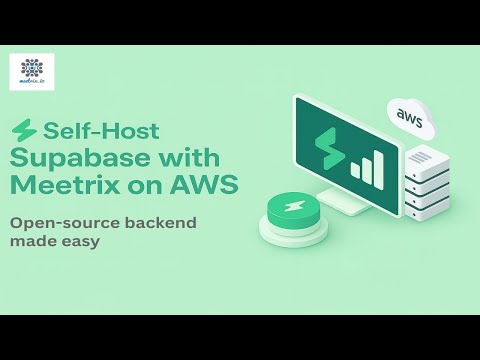
Supabase is an open source backend platform built on Postgres. It combines a Postgres database, user authentication, instant REST APIs, realtime subscriptions, file storage, and serverless edge functions, all managed from the Supabase Studio dashboard. This preconfigured Supabase AMI is built for developers, startups, SaaS platforms, and enterprises that want a self-hosted Firebase alternative with full control over their data and no vendor lock-in. It launches on AWS in minutes with a CloudFormation template, and the stack completes only once Supabase is up and running.
Supabase Step by step Installation Guide: https://meetrix.io/blogs/supabase-developer-guide/
For custom projects of your choice with personalized support, contact us at https://meetrix.io/contact-us
Instant Deployment: Launch a fully configured Supabase stack in minutes using a ready-to-use AMI and CloudFormation template. Docker images are pre-pulled into the AMI, so the database initializes and every service starts on first boot without waiting for downloads.
Postgres 17 Database: Run a full Postgres 17 database with Row Level Security, extensions, and a visual table editor and SQL editor in Supabase Studio. The Supavisor connection pooler handles large numbers of connections from serverless and edge workloads.
Instant REST APIs: PostgREST turns your database schema into a secure REST API automatically, so client apps can query new tables as soon as you create them, with access controlled by your Row Level Security policies.
Built-In Authentication: Sign users up and in with email and password, magic links, and OAuth providers. Auth issues JSON Web Tokens that work directly with Row Level Security, and sends sign-up and password reset emails once you add your SMTP server.
Realtime and File Storage: Subscribe to database changes, broadcast messages, and track user presence over WebSockets. Store files in buckets with access policies and resize images on the fly through imgproxy.
Edge Functions: Write and run server-side TypeScript functions on the Deno-based Edge Runtime for webhooks, third-party integrations, and custom business logic.
Per-Deployment Secrets: The JWT secret, API keys, Postgres password, and encryption keys are generated on first boot for each deployment and are never shared between instances. Supabase Studio is protected by the dashboard username and password you choose at launch.
Secure HTTPS Access: Nginx serves Studio and the APIs over HTTPS with an automatic Let's Encrypt certificate through the Route 53 DNS challenge. Postgres, the connection pooler, and the API gateway listen only on localhost, and SSH is restricted to your chosen IP range.
Daily Database Backups: Set an S3 bucket at launch to back up all databases, roles, and Auth users every day at 12:00 UTC, with no extra setup.
Version: v0.8.3
Operating System: Ubuntu 26.04
Supabase gives developers, startups, SaaS platforms, and enterprises a complete open source backend for web apps, mobile apps, SaaS products, and AI-powered features. Deploy your own Supabase backend in minutes and keep full ownership of your database, users, and files. Supabase Step by step Installation Guide: https://meetrix.io/blogs/supabase-developer-guide/
Highlights
- Complete Postgres Backend: Get a Postgres 17 database, authentication, instant REST APIs, realtime subscriptions, file storage, and edge functions in one self-hosted stack, managed from the Supabase Studio dashboard.
- Ready in Minutes: A CloudFormation template launches Supabase with pre-pulled images, an Nginx reverse proxy, and automatic Let's Encrypt SSL, and the stack completes only once Supabase is up and running.
- Secure by Default: Secrets, API keys, and the database password are generated on first boot for your deployment only. Only web ports 80 and 443 are public, SSH is limited to your IP range, and optional daily database backups go to your S3 bucket.
Details
Sold by
Categories
Delivery method
Delivery option
Supabase Deployment with Postgres Backend and Automatic SSL
Supabase AMI Deployment Architecture on AWS
Latest version
Operating system
Ubuntu 26.04
Deployed on AWS
New
Introducing multi-product solutions
You can now purchase comprehensive solutions tailored to use cases and industries.

Features and programs
Financing for AWS Marketplace purchases
AWS Marketplace now accepts line of credit payments through the PNC Vendor Finance program. This program is available to select AWS customers in the US, excluding NV, NC, ND, TN, & VT.

Pricing
Free trial
Try this product free for 5 days according to the free trial terms set by the vendor. Usage-based pricing is in effect for usage beyond the free trial terms. Your free trial gets automatically converted to a paid subscription when the trial ends, but may be canceled any time before that.
Pricing is based on actual usage, with charges varying according to how much you consume. Subscriptions have no end date and may be canceled any time. Alternatively, you can pay upfront for a contract, which typically covers your anticipated usage for the contract duration. Any usage beyond contract will incur additional usage-based costs.
Additional AWS infrastructure costs may apply. Use the AWS Pricing Calculator to estimate your infrastructure costs.
Dimension | Cost/hour |
|---|---|
m4.large | $0.024 |
m5.large | $0.024 |
c6a.large | $0.024 |
c5.large | $0.024 |
c5a.large | $0.024 |
t3a.medium | $0.024 |
m5a.large | $0.024 |
t3.medium | $0.024 |
m6a.large | $0.024 |
m7a.medium | $0.024 |
Dimensions summary
You pay by the hour based on the Amazon EC2 instance type you choose to run this self-hosted software. All 34 dimensions bill the same way; they differ only by the instance size and family you select. General-purpose families (t2, t3, t3a, m-series) suit mixed workloads, compute-optimized families (c5, c5a, c6a) favor processing-heavy tasks, and memory-optimized families (r5, r5a, r6a, r6i) handle larger data needs. Within each family, larger sizes (large, xlarge) add more vCPU and memory. Your hourly rate scales with the size and family picked. The deployment guide recommends t3.medium as a starting point.
Top-of-mind questions for buyers
Each dimension bills one running Amazon EC2 instance of the chosen type per hour. The rate covers the pre-configured image with Postgres, Auth, Storage, Realtime and Studio self-hosted in your own AWS account. You deploy it through a CloudFormation script and run it on the instance size you select.
Hourly software charges apply only while the instance runs. If you stop the EC2 instance, the hourly rate stops accruing. You can restart it later from the EC2 console. Underlying AWS storage for the stopped instance may still incur separate AWS fees, which are billed by AWS, not this listing.
Switching instance types is a manual change you make through CloudFormation or EC2. There is no automatic upgrade. Your hourly rate becomes the rate tied to the new instance type for the hours it runs. Moving up in family or size raises the rate; moving down lowers it.
meetrix.io
Helpful?
Vendor refund policy
We do not currently support refunds, but you can cancel at any time.

Legal
Vendor terms and conditions
Upon subscribing to this product, you must acknowledge and agree to the terms and conditions outlined in the vendor's End User License Agreement (EULA) .
Content disclaimer
Vendors are responsible for their product descriptions and other product content. AWS does not warrant that vendors' product descriptions or other product content are accurate, complete, reliable, current, or error-free.
Delivery details
Supabase Deployment with Postgres Backend and Automatic SSL
This deployment launches Supabase on a single EC2 instance using a CloudFormation template. The stack creates a VPC with a public subnet, the instance with a gp3 root volume of your chosen size (30 GiB by default) and an Elastic IP, a security group that opens HTTP and HTTPS and restricts SSH to your chosen IP range, and an IAM role that allows Route 53 DNS validation for Let's Encrypt SSL and uploads of database backups to your S3 bucket. On first boot, UserData generates the JWT secret, API keys, Postgres password, and encryption keys for this deployment, sets your domain and Studio dashboard login, and starts Supabase self-hosted v0.8.3 with Docker Compose: Postgres 17, Studio, Auth, PostgREST, Realtime, Storage, imgproxy, Edge Functions, the Supavisor connection pooler, and the Envoy API gateway. It then requests the SSL certificate and, when you set an S3 bucket, schedules a daily database backup at 12:00 UTC. Nginx serves HTTPS and proxies Studio and the APIs, while Postgres, the pooler, and the gateway listen only on localhost. Allow about 5 minutes for first boot, then open the URL shown in the stack Outputs, log in to Studio with your dashboard username and password, and call the APIs at https:///rest/v1/, /auth/v1/, /storage/v1/, /realtime/v1/, and /functions/v1/. This architecture provides a complete, private backend for web and mobile apps with simple management.
CloudFormation Template (CFT)
AWS CloudFormation templates are JSON or YAML-formatted text files that simplify provisioning and management on AWS. The templates describe the service or application architecture you want to deploy, and AWS CloudFormation uses those templates to provision and configure the required services (such as Amazon EC2 instances or Amazon RDS DB instances). The deployed application and associated resources are called a "stack."
Version release notes
Second Release
Additional details
Usage instructions
Click the "View purchase options" button. After subscribing, you will need to accept the terms and conditions. Click on "Accept Terms" to proceed. Please wait for a few minutes while the processing takes place. Once it's completed, click on "Continue to Configuration".
IAM Role is set up and configured with the necessary permissions to assume the role for the Supabase service. The IAM Policy is created and responsible for access Route53 and create Letsencrypt SSL certificates. After the stack is created, please point DNS. Then access the Supabase through https://<your domain name>
If you want to ssh into the server please use the port 22 and username 'ubuntu'. Admin email is neded for SSL generation.
For more information please read our developer guide: https://meetrix.io/blogs/supabase-developer-guide/
Resources
Vendor resources
Support
Vendor support
Please contact us through aws@meetrix.io . Please allow up to 12 hours for our support team to address your request.
AWS infrastructure support
AWS Support is a one-on-one, fast-response support channel that is staffed 24x7x365 with experienced and technical support engineers. The service helps customers of all sizes and technical abilities to successfully utilize the products and features provided by Amazon Web Services.
Similar products
Build apps faster with managed Postgres, Auth, instant APIs, Edge Functions, Realtime, and Storage in one open-source platform - so your team ships products, not backend plumbing.

This is a repackaged open source software product wherein additional charges apply for hardening, security configuration, and setup support.
Supabase is an open-source Firebase alternative: a PostgreSQL database with instant REST and GraphQL APIs, an authentication server, realtime subscriptions, and object storage, delivered as a self-hosted docker-compose stack with the Studio dashboard. This Lynxroute build is hardened and ready out of the box: every secret and both API keys regenerated per instance at first boot, host Nginx with TLS in front of the Kong gateway, all eleven container images SHA-pinned, UFW firewall pre-configured, on a CIS Level 1 hardened Ubuntu 24.04 LTS base.
Apache-2.0 license - fully auditable, no vendor lock-in.
DBLab Standard Edition (DBLab SE) delivers fast, cost-effective database cloning, enabling agile teams to create instant, full-size production clones for development, testing, and staging, all managed like code, integrated into CI/CD pipelines, and optimized with transparent pricing.
This is a repackaged open source software product wherein additional charges apply for a pre-hardened AMI with automated startup and pre-configured deployment. Self-hosted open-source backend with real-time database, authentication,
Customer reviews
No customer reviews yet
Be the first to review this product . We've partnered with PeerSpot to gather customer feedback. You can share your experience by writing or recording a review, or scheduling a call with a PeerSpot analyst.