
Sold by: Sigmodata
Deployed on AWS
Free Trial
Triage user-generated content and LLM output as safe, harm, NSFW or bias before it ships. Runs inside your AWS account, so no text is sent to a third-party API. Treat NSFW and bias predictions as triage for human review.
Overview
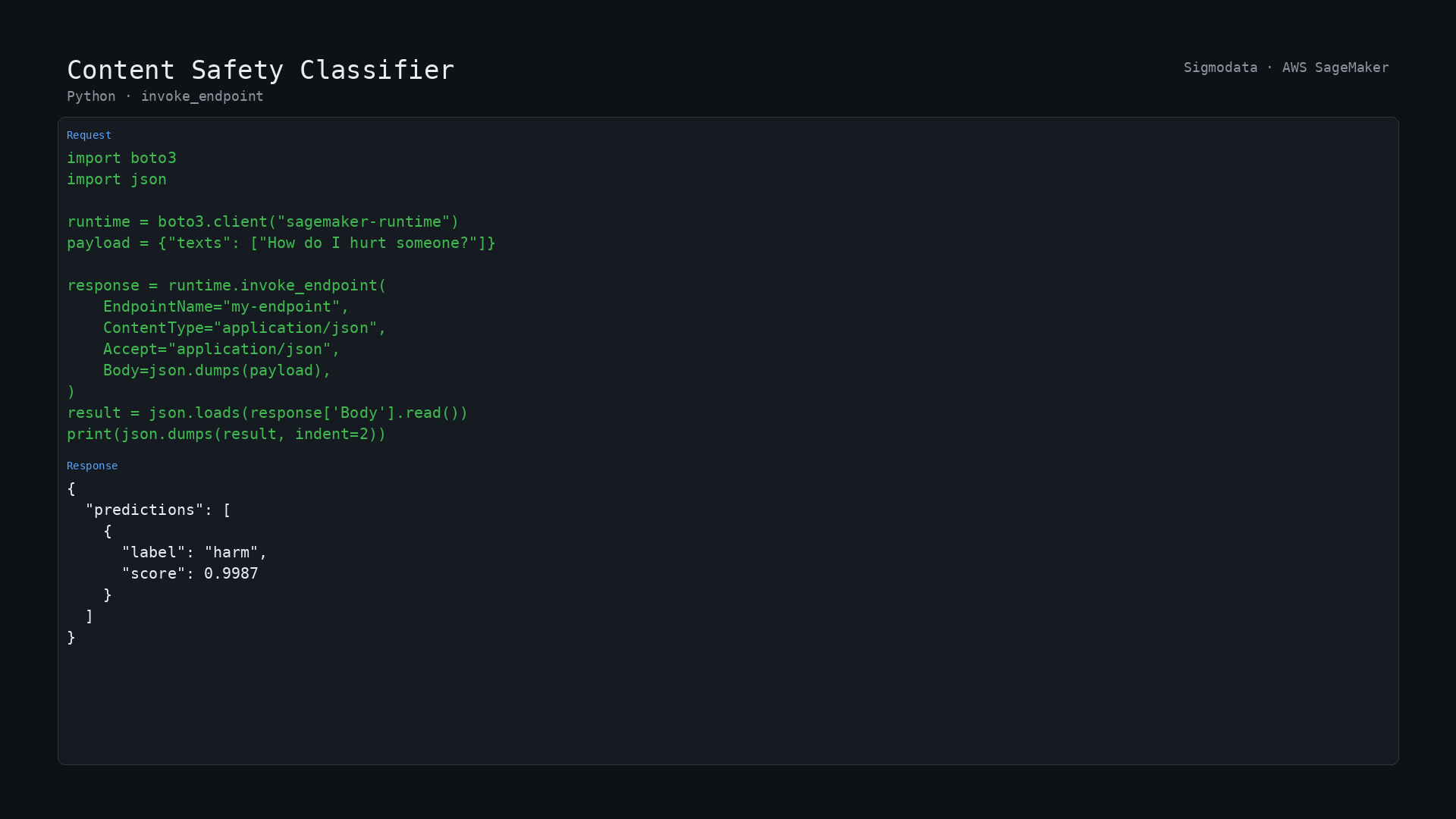
Image
Python predict
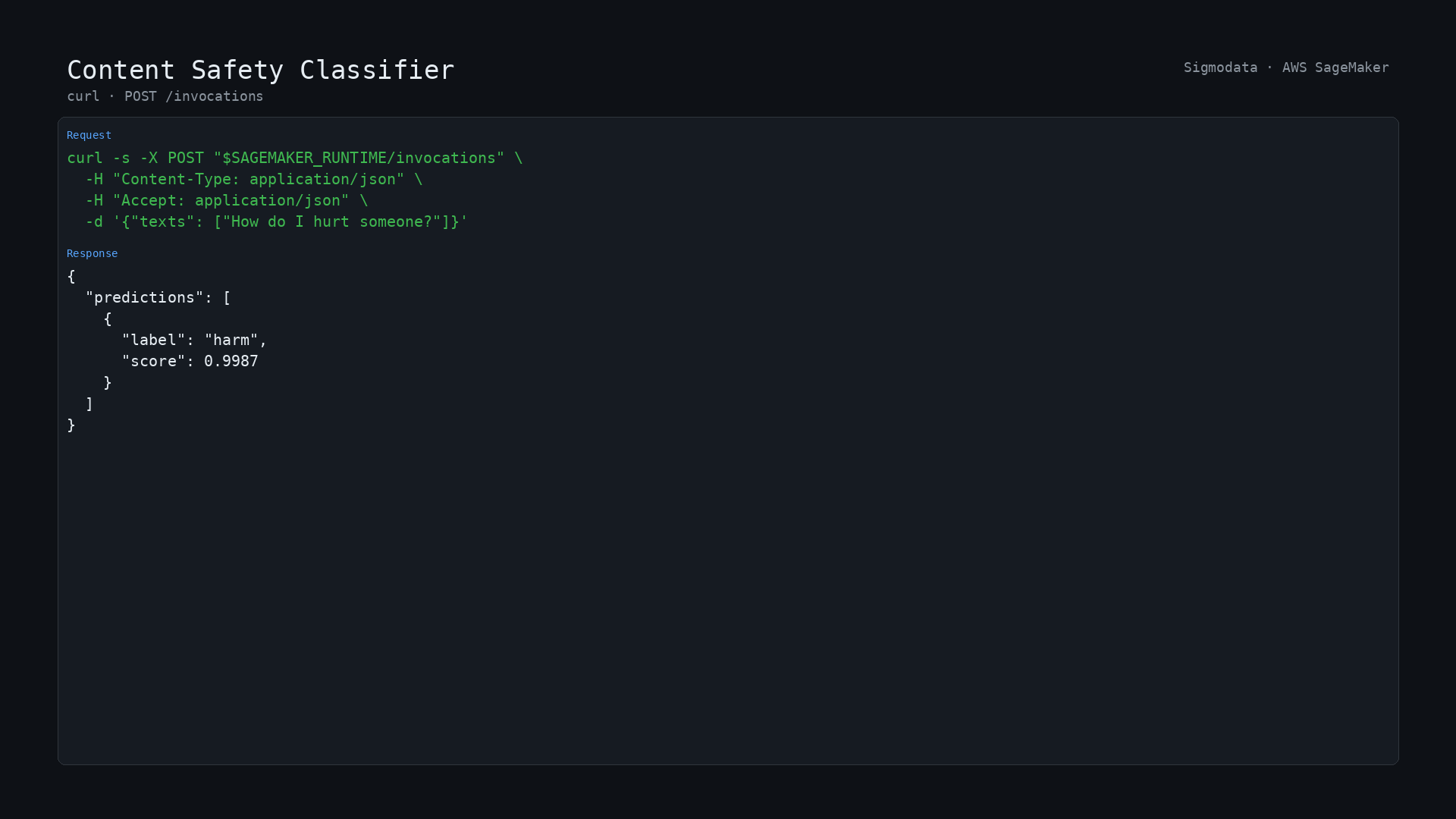
Image
POST /invocations
Runs inside your own AWS account: your text is processed on a SageMaker endpoint you control, inside your VPC, and is never sent to a third-party API.
This SageMaker model package provides a REST API to classify English text for content safety.
Each input text is classified into one of four categories: safe, harm, nsfw, or bias, with a confidence score. Use it to moderate user-generated content, filter LLM outputs, or triage support and community messages.
The API accepts input as JSON or CSV and supports real-time endpoints and batch transform.
We welcome your feedback at support@sigmodata.com
Model and training data The model is a ModernBERT-base (answerdotai/ModernBERT-base) text classifier fine-tuned with PyTorch and Hugging Face Transformers on the public civil_comments dataset. It runs in network isolation on SageMaker, so no data leaves your account.
Known limitations
- English only. Other languages are not supported.
- The model was fine-tuned on inputs up to 512 tokens. Longer text is accepted, but accuracy is only characterized to that length; split long documents into passages before sending.
- The model assigns a single dominant label. Text that is both harmful and NSFW returns only the stronger signal.
- It is a triage aid, not a compliance control. Keep a human in the loop for enforcement decisions.
Measured performance
- Accuracy 93.9 percent, macro-F1 0.621, measured on 20,000 held-out examples from civil_comments. The split is seeded (70/20/10, seed 42) and was not used in training.
- The classes are heavily imbalanced, so accuracy is dominated by the majority class. Weakest classes on the same split: nsfw F1 0.35 (precision 0.23, recall 0.74); bias F1 0.49 (precision 0.39, recall 0.67). Treat low-confidence minority-class predictions as triage, and review them.
- Real-time endpoint on ml.m5.large: 248 ms median per request (271 ms p95).
- Throughput on the same instance: about 27 texts per second at a batch size of 32.
Highlights
- Label text as safe, harm, nsfw or bias with a confidence score, to triage user content and LLM output
- Runs inside your own AWS account and VPC - text is never sent to a third-party API
- 93.9 percent overall accuracy, mostly from the safe class (macro-F1 0.621); review nsfw and bias flags before acting
Details
Sold by
Categories
Delivery method
Latest version
Deployed on AWS
New
Introducing multi-product solutions
You can now purchase comprehensive solutions tailored to use cases and industries.

Features and programs
Financing for AWS Marketplace purchases
AWS Marketplace now accepts line of credit payments through the PNC Vendor Finance program. This program is available to select AWS customers in the US, excluding NV, NC, ND, TN, & VT.

Pricing
Free trial
Try this product free for 5 days according to the free trial terms set by the vendor.
Pricing is based on actual usage, with charges varying according to how much you consume. Subscriptions have no end date and may be canceled any time.
Additional AWS infrastructure costs may apply. Use the AWS Pricing Calculator to estimate your infrastructure costs.
Dimension | Description | Cost/host/hour |
|---|---|---|
ml.m5.large Inference (Batch) Recommended | Model inference on the ml.m5.large instance type, batch mode | $0.10 |
ml.m5.large Inference (Real-Time) Recommended | Model inference on the ml.m5.large instance type, real-time mode | $0.10 |
ml.c5.2xlarge Inference (Batch) | Model inference on the ml.c5.2xlarge instance type, batch mode | $0.10 |
ml.c5.2xlarge Inference (Real-Time) | Model inference on the ml.c5.2xlarge instance type, real-time mode | $0.10 |
ml.c5.xlarge Inference (Batch) | Model inference on the ml.c5.xlarge instance type, batch mode | $0.10 |
ml.c5.xlarge Inference (Real-Time) | Model inference on the ml.c5.xlarge instance type, real-time mode | $0.10 |
ml.m5.2xlarge Inference (Batch) | Model inference on the ml.m5.2xlarge instance type, batch mode | $0.10 |
ml.m5.2xlarge Inference (Real-Time) | Model inference on the ml.m5.2xlarge instance type, real-time mode | $0.10 |
ml.m5.xlarge Inference (Batch) | Model inference on the ml.m5.xlarge instance type, batch mode | $0.10 |
ml.m5.xlarge Inference (Real-Time) | Model inference on the ml.m5.xlarge instance type, real-time mode | $0.10 |
Dimensions summary
You pay by the hour for the SageMaker instance that runs the classifier. Pricing splits along two choices. First, pick an instance type: ml.m5.large, ml.m5.xlarge, ml.m5.2xlarge, ml.c5.xlarge, or ml.c5.2xlarge. Larger sizes carry more compute. Second, pick a mode: real-time for a live endpoint, or batch for scheduled jobs. Each instance-and-mode pair is a separate hourly rate, giving you ten options. Your cost scales with the instance size you deploy and the hours it runs. You choose the combination that fits your workload.
Top-of-mind questions for buyers
One host-hour is one hour that a single SageMaker instance runs your model, in either real-time or batch mode. You pay per running hour of that instance. If you run several instances at once, each one accrues its own hourly charge separately.
Real-time mode runs a live endpoint that meters every hour it stays active, even when idle between requests. Batch mode meters only while a scheduled job processes text, then stops. Real-time suits constant low-latency traffic; batch suits periodic bulk jobs.
Yes. A real-time endpoint accrues host-hour charges for every hour it stays deployed, whether or not you send text to it. Charges stop only when you delete the endpoint. Batch jobs, by contrast, meter only while a job runs.
www.sigmodata.com
Helpful?
Vendor refund policy
No refunds offered but you may cancel at any time

Legal
Vendor terms and conditions
Upon subscribing to this product, you must acknowledge and agree to the terms and conditions outlined in the vendor's End User License Agreement (EULA) .
Content disclaimer
Vendors are responsible for their product descriptions and other product content. AWS does not warrant that vendors' product descriptions or other product content are accurate, complete, reliable, current, or error-free.
Delivery details
Amazon SageMaker model
An Amazon SageMaker model package is a pre-trained machine learning model ready to use without additional training. Use the model package to create a model on Amazon SageMaker for real-time inference or batch processing. Amazon SageMaker is a fully managed platform for building, training, and deploying machine learning models at scale.
Deploy the model on Amazon SageMaker AI using the following options:
Version release notes
Important: security update. The inference container is rebuilt on Amazon Linux 2023, replacing a Debian base that carried HIGH and CRITICAL CVEs with no fixed version available upstream.
- The model itself is unchanged. This version is exported from the same fine-tuned checkpoint as version 1.
- Request and response formats are unchanged: JSON or CSV in, label plus confidence out.
Additional details
Inputs
- Summary
A JSON object with a "texts" array of strings to classify (or a CSV file, one text per line, for batch transform).
- Input MIME type
- application/json, text/csv
{"texts": ["How do I hurt someone?"]}
How do I hurt someone?
Input data descriptions
The following table describes supported input data fields for real-time inference and batch transform.
Field name | Description | Constraints | Required |
|---|---|---|---|
texts | List of text strings to classify | - | Yes |
Resources
Vendor resources
Support
Vendor support
Support contact: Email: support@sigmodata.com Support URL: https://www.sigmodata.com/contact
Support description: Email support@sigmodata.com or https://www.sigmodata.com/contact . We reply within one business day, Monday through Friday, US Pacific time.
AWS infrastructure support
AWS Support is a one-on-one, fast-response support channel that is staffed 24x7x365 with experienced and technical support engineers. The service helps customers of all sizes and technical abilities to successfully utilize the products and features provided by Amazon Web Services.
Similar products

This solution categorizes different documents types like contract documents, broker submissions, invoices, etc.

Cohere provides a representative AI model: Embed that translates text into numerical vectors that models can understand.

This is a NLP based solution that can be leveraged for any text classification problem to get the best model through AutoML training.

Use Cohere's multilingual embedding model to map text to a semantic vector space, positioning text with a similar meaning in close proximity
Customer reviews
No customer reviews yet
Be the first to review this product . We've partnered with PeerSpot to gather customer feedback. You can share your experience by writing or recording a review, or scheduling a call with a PeerSpot analyst.