
Sold by: cloudimg
Deployed on AWS
Free Trial
AWS Free Tier
This product has charges associated with it for seller support. KeyDB, the fast multithreaded open source fork of Redis, preinstalled as a systemd service bound to port 6379 with append only file persistence on a dedicated data volume. A unique strong password is generated and enforced on first boot. Drop in compatible with the Redis protocol and clients. Backed by 24/7 cloudimg support.
Overview
Image
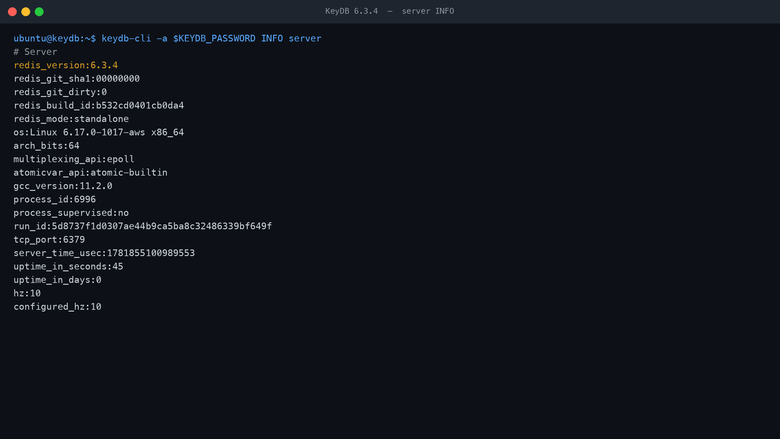
KeyDB server INFO
Image
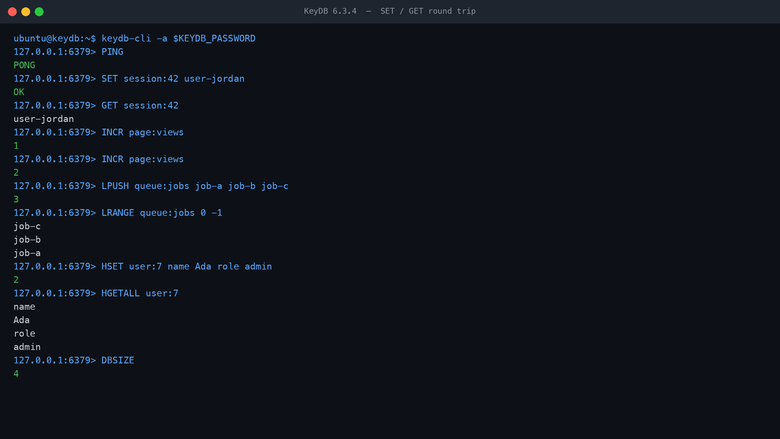
KeyDB SET GET round trip
Image
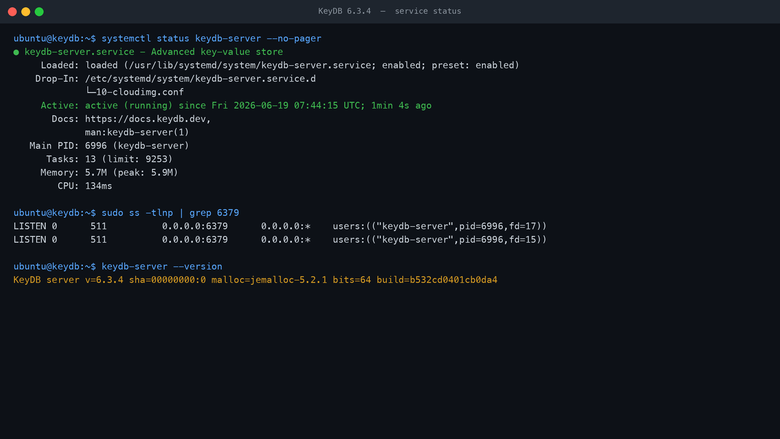
KeyDB service status
This is a repackaged open source software product wherein additional charges apply for cloudimg support services.
Overview KeyDB is a high performance, fully open source fork of Redis that adds multithreading, allowing a single node to use all of the cores on your instance and serve far more operations per second than single threaded Redis on the same hardware. KeyDB speaks the Redis protocol and is a drop in replacement for Redis, so your existing Redis clients, libraries and tooling work unchanged. This image delivers KeyDB fully installed and configured as a system service, so a production grade in memory data store is running within minutes of launch.
Application Stack The KeyDB server installed from the official project package and run by the bundled systemd service. The database bound to port 6379 with protected mode disabled and password authentication enforced. Append only file persistence enabled so writes survive a restart. The persistence directory placed on a dedicated, independently resizable EBS data volume so the data set is kept off the operating system disk.
In Memory Data Store Use KeyDB as a cache, a session store, a message broker, a rate limiter, a leaderboard, or a primary key value store. It supports the full Redis data model including strings, hashes, lists, sets, sorted sets, streams, bitmaps and hyperloglogs, along with pub/sub, transactions, Lua scripting and keyspace notifications. Multithreading lets a single instance saturate modern multi core hardware.
Secure First Boot On the first boot of your instance a one shot service generates a fresh strong password, unique to that instance, sets it as the KeyDB requirepass and writes it to a root only file. No shared or default credentials ship in the image and the database refuses unauthenticated connections.
Ready To Use Connect from your application or from the bundled keydb-cli using the generated password. Point your existing Redis client libraries at the instance on port 6379 with the password and they work without code changes. The append only file and snapshots live on the dedicated data volume.
cloudimg Support 24/7 technical support by email and chat. Help with deployment, client configuration, persistence and durability tuning, memory and eviction policy, multithreading, replication and TLS.
Use Cases Application and session caching. A Redis compatible primary data store. Message brokering and pub/sub. Rate limiting and leaderboards. A faster drop in alternative to single threaded Redis.
All product and company names are trademarks or registered trademarks of their respective holders. Use of them does not imply any affiliation with or endorsement by them.
Highlights
- Multithreaded open source fork of Redis preinstalled as a systemd service bound to port 6379, drop in compatible with the Redis protocol and all existing Redis clients, no manual setup required
- Append only file persistence enabled with the data set on a dedicated, independently resizable and snapshottable EBS data volume, keeping the database off the operating system disk
- Hardened first boot generates and enforces a fresh strong password for every instance and stores it in a file only the root user can read, with 24/7 technical support from cloudimg
Details
Sold by
Categories
Delivery method
Delivery option
64-bit (x86) Amazon Machine Image (AMI)
Latest version
Operating system
Ubuntu 24.04
Deployed on AWS
New
Introducing multi-product solutions
You can now purchase comprehensive solutions tailored to use cases and industries.

Features and programs
Financing for AWS Marketplace purchases
AWS Marketplace now accepts line of credit payments through the PNC Vendor Finance program. This program is available to select AWS customers in the US, excluding NV, NC, ND, TN, & VT.

Pricing
Free trial
Try this product free for 7 days according to the free trial terms set by the vendor. Usage-based pricing is in effect for usage beyond the free trial terms. Your free trial gets automatically converted to a paid subscription when the trial ends, but may be canceled any time before that.
Pricing is based on actual usage, with charges varying according to how much you consume. Subscriptions have no end date and may be canceled any time. Alternatively, you can pay upfront for a contract, which typically covers your anticipated usage for the contract duration. Any usage beyond contract will incur additional usage-based costs.
Additional AWS infrastructure costs may apply. Use the AWS Pricing Calculator to estimate your infrastructure costs.
If you are an AWS Free Tier customer with a free plan, you are eligible to subscribe to this offer. You can use free credits to cover the cost of eligible AWS infrastructure. See AWS Free Tier for more details. If you created an AWS account before July 15th, 2025, and qualify for the Legacy AWS Free Tier, Amazon EC2 charges for Micro instances are free for up to 750 hours per month. See Legacy AWS Free Tier for more details.
Dimension | Description | Cost/hour |
|---|---|---|
m6i.large Recommended | m6i.large | $0.08 |
t2.micro | t2.micro instance type | $0.04 |
t3.micro | t3.micro instance type | $0.04 |
r8idn.large | r8idn.large instance type | $0.08 |
c8i.96xlarge | c8i.96xlarge instance type | $0.24 |
m5a.24xlarge | m5a.24xlarge instance type | $0.24 |
r5dn.8xlarge | r5dn.8xlarge instance type | $0.24 |
c7a.large | c7a.large instance type | $0.08 |
i3en.2xlarge | i3en.2xlarge instance type | $0.24 |
i7i.48xlarge | i7i.48xlarge instance type | $0.24 |
Vendor refund policy
Refunds available on request.

Legal
Vendor terms and conditions
Upon subscribing to this product, you must acknowledge and agree to the terms and conditions outlined in the vendor's End User License Agreement (EULA) .
Content disclaimer
Vendors are responsible for their product descriptions and other product content. AWS does not warrant that vendors' product descriptions or other product content are accurate, complete, reliable, current, or error-free.
Delivery details
64-bit (x86) Amazon Machine Image (AMI)
Amazon Machine Image (AMI)
An AMI is a virtual image that provides the information required to launch an instance. Amazon EC2 (Elastic Compute Cloud) instances are virtual servers on which you can run your applications and workloads, offering varying combinations of CPU, memory, storage, and networking resources. You can launch as many instances from as many different AMIs as you need.
Version release notes
Initial release of KeyDB 6.3.4 multithreaded Redis compatible in memory data store.
Additional details
Usage instructions
Connect via SSH on port 22 as the default login user for your operating system variant (the user guide lists it per variant). KeyDB listens on port 6379 with password authentication. Retrieve the generated password with: sudo cat /root/keydb-credentials.txt. From the instance, connect with the bundled CLI: keydb-cli -a <password> PING should return PONG. From your application, point any Redis client library at <instance-public-ip>:6379 using the generated password (the AUTH command or the password field of your client). The persistence directory (append only file and snapshots) lives on a dedicated data volume mounted at /var/lib/keydb. Open port 6379 in the security group only to the networks that need database access.
Resources
Vendor resources
Support
Vendor support
cloudimg provides 24/7 technical support for this product by email and live chat. Our engineers help with deployment, configuration, updates, performance tuning and troubleshooting; critical issues receive a one hour average response. Contact support@cloudimg.co.uk .
AWS infrastructure support
AWS Support is a one-on-one, fast-response support channel that is staffed 24x7x365 with experienced and technical support engineers. The service helps customers of all sizes and technical abilities to successfully utilize the products and features provided by Amazon Web Services.
Similar products

This product has charges associated with it for seller support. Coolify, the open source self-hosted platform as a service for deploying applications, databases and services from Git, preinstalled as a Docker compose stack with the dashboard published on port 8000 behind its own authentication and a built in Traefik proxy on ports 80 and 443 for the apps you deploy. A unique admin login is generated on first boot. Backed by 24/7 cloudimg support.

This product has charges associated with it for deployment, configuration, and ongoing support. Multi-threaded, Redis-compatible in-memory database with 5x throughput and high availability, Docker-based on EC2.

This product has charges associated with it for deployment, configuration, and ongoing support. Distributed database with ACID transactions and ordered key-value store on EC2.
Customer reviews
No customer reviews yet
Be the first to review this product . We've partnered with PeerSpot to gather customer feedback. You can share your experience by writing or recording a review, or scheduling a call with a PeerSpot analyst.