
Sold by: Madarson IT
Deployed on AWS
AWS Free Tier
This product has charges associated with it for security hardening and compliance alignment. Madarson IT Level 1 hardened Windows Server 2025 Core AMI - pre-configured for regulatory compliance, headless operation, and automation-first cloud workloads on AWS.
These options are for Madarson IT Secure Windows Server 2025 Core - Hardened AMI.
View 1 other optionOverview

Image
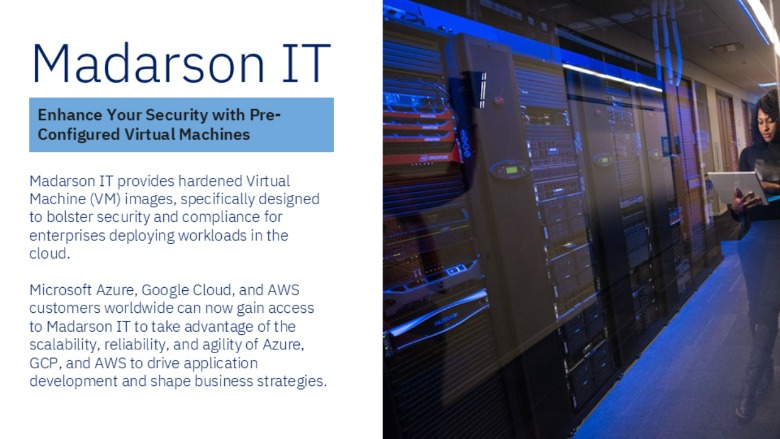
Madarson IT Hardened Image Intro
Image
Hardened EC2 Images for Secure Cloud Deployments

Video
Pre-Hardened EC2 Image for AWS, Azure, and GCP
Madarson IT Secure Windows Server 2025 Core - Level 1 Hardened Image
This is a repackaged software product wherein additional charges apply for security hardening, compliance alignment, and ongoing maintenance of this image.
This pre-hardened EC2 AMI delivers a security-optimized Windows Server 2025 Core environment built for organizations that require regulatory compliance, data protection, and minimal attack surface in production cloud workloads.
Who This Image Is For
This image is designed for security-conscious teams operating in regulated industries who need a hardened, GUI-free Windows Server baseline. Common use cases include:
- Healthcare organizations running HIPAA-scoped backend services and automation workloads that must pass compliance audits without remediation
- Financial services teams deploying PCI DSS-compliant container hosts or infrastructure roles that require quarterly ASV scans
- Enterprise IT teams building automation-first infrastructure using AWS Systems Manager, EC2 Image Builder, and PowerShell-based remote management
Key Security Features
- Regulatory framework alignment: Hardening controls map to NIST CSF, ISO 27000, PCI DSS, and HIPAA requirements
- Reduced attack surface: No GUI, no RDP enabled by default - designed exclusively for remote administration and scripting
- Hardened configuration: Registry settings, Windows services, and PowerShell environment locked down to limit unauthorized access and denial of service vectors
- Current security updates: Image maintained with latest Microsoft security patches
- EC2Launch v2 pre-installed and validated: Ready for automated provisioning workflows
AWS Integration
- AWS Systems Manager (SSM): Connect and manage instances without RDP using Session Manager
- EC2 Image Builder: Use as a base image in automated image pipelines
- AWS License Manager: Track and manage licensing compliance
- IAM integration: Leverage instance profiles for secure, credential-free access to AWS services
Requirements and Connectivity
Since RDP is disabled by default, connect to this instance using AWS Systems Manager Session Manager. Ensure the following prerequisites are met before launch:
- Instance must have an IAM role with the AmazonSSMManagedInstanceCore policy attached
- VPC must allow outbound HTTPS (443) connectivity to SSM endpoints (or use VPC endpoints)
- Security groups do not need inbound RDP (3389) rules
- Compatible with general-purpose and compute-optimized instance types (t3, m5, m6i, c5, c6i and similar)
Deployment Steps
- Subscribe to the product through AWS Marketplace
- Launch an EC2 instance from the AMI with an SSM-enabled IAM role
- Verify SSM connectivity in the AWS Systems Manager console
- Connect via Session Manager to validate the hardened configuration
- Integrate into your EC2 Image Builder pipelines or deploy directly for production workloads
Why Madarson IT
Madarson IT certified Core images are:
- Always up to date and security-hardened against current threats
- Built for automation, cloud compliance, and remote management
- Ideal for headless workloads, container hosts, and infrastructure roles
- Designed to help organizations establish a secure baseline while remaining flexible for custom security policies and operational needs
This foundational hardened image helps your team reduce manual hardening effort, maintain compliance posture, and deploy secure Windows infrastructure consistently across your AWS environment.
Disclaimer: Windows Server is a trademark of Microsoft Corporation. This offering is provided by Madarson IT and is not affiliated with, endorsed by, or sponsored by Microsoft Corporation.
Highlights
- Regulatory Framework Alignment - This hardened image applies security controls that map to NIST Cybersecurity Framework (CSF), ISO 27000 series, PCI DSS, and HIPAA. The hardened configuration helps organizations in regulated industries such as healthcare and financial services maintain compliance posture and pass audits with reduced remediation effort.
- Zero GUI Attack Surface with AWS-Native Connectivity - RDP and desktop components are removed by default, eliminating common attack vectors. Connect and manage instances securely through AWS Systems Manager Session Manager, with full compatibility for EC2 Image Builder pipelines and PowerShell-based automation workflows.
- Production-Ready Hardened Baseline - Registry settings, Windows services, and PowerShell environment are locked down out of the box to protect data confidentiality, integrity, and availability. EC2Launch v2 is pre-installed and validated, enabling rapid deployment on general-purpose and compute-optimized instance types without manual hardening effort.
Details
Sold by
Categories
Delivery method
Delivery option
64-bit (x86) Amazon Machine Image (AMI)
Latest version
Operating system
Win 2025
Deployed on AWS
Features and programs
Financing for AWS Marketplace purchases
AWS Marketplace now accepts line of credit payments through the PNC Vendor Finance program. This program is available to select AWS customers in the US, excluding NV, NC, ND, TN, & VT.

Pricing
Pricing is based on actual usage, with charges varying according to how much you consume. Subscriptions have no end date and may be canceled any time.
Additional AWS infrastructure costs may apply. Use the AWS Pricing Calculator to estimate your infrastructure costs.
If you are an AWS Free Tier customer with a free plan, you are eligible to subscribe to this offer. You can use free credits to cover the cost of eligible AWS infrastructure. See AWS Free Tier for more details. If you created an AWS account before July 15th, 2025, and qualify for the Legacy AWS Free Tier, Amazon EC2 charges for Micro instances are free for up to 750 hours per month. See Legacy AWS Free Tier for more details.
Dimension | Cost/hour |
|---|---|
m5a.xlarge Recommended | $0.10 |
t3.micro | $0.05 |
r3.xlarge | $0.10 |
p3.8xlarge | $0.80 |
i3.2xlarge | $0.20 |
g2.2xlarge | $0.20 |
t3.xlarge | $0.10 |
m3.large | $0.05 |
r5a.xlarge | $0.10 |
t2.xlarge | $0.10 |
Dimensions summary
You pay by the hour for this hardened Windows Server 2025 Core image. Pricing follows the EC2 instance type you run, so your rate changes with the compute you choose. Options span general-purpose, compute-optimized, memory-optimized, storage-optimized, and GPU instance families, in sizes from nano up to very large. Smaller instances carry lower hourly rates; larger instances with more CPU, memory, storage, or GPU carry higher rates. You run only the sizes you need and stop billing when you stop the instance. No upfront commitment applies.
Top-of-mind questions for buyers
You pay for the hardened Windows Server 2025 Core software image running on your chosen EC2 instance. The rate covers the vendor's software per hour. Underlying EC2 compute and any Windows licensing are billed separately through AWS, following the instance type you select.
Hourly software charges apply only while the instance runs. When you stop the instance, software billing stops. Stopped instances may still incur AWS storage fees for attached volumes, but the image meters running time only. There is no upfront commitment.
Each instance type carries its own hourly rate tied to its CPU, memory, storage, or GPU capacity. The same hardened image runs on all of them. You pick the family and size matching your workload, and your rate follows that choice.
madarsonit.com
Helpful?
Vendor refund policy
There is no refund policy for this image.

Legal
Vendor terms and conditions
Upon subscribing to this product, you must acknowledge and agree to the terms and conditions outlined in the vendor's End User License Agreement (EULA) .
Content disclaimer
Vendors are responsible for their product descriptions and other product content. AWS does not warrant that vendors' product descriptions or other product content are accurate, complete, reliable, current, or error-free.
Delivery details
64-bit (x86) Amazon Machine Image (AMI)
Amazon Machine Image (AMI)
An AMI is a virtual image that provides the information required to launch an instance. Amazon EC2 (Elastic Compute Cloud) instances are virtual servers on which you can run your applications and workloads, offering varying combinations of CPU, memory, storage, and networking resources. You can launch as many instances from as many different AMIs as you need.
Version release notes
Hardened Windows Server 2025 Base image with Level 1: Foundational.
Additional details
Usage instructions
This image is built on Windows Server Core and does not include a desktop experience. Customers can access and manage the instance using: AWS Systems Manager (SSM) . No need for public IP or open ports . Secure shell access via AWS Console or CLI . Requires IAM role with AmazonSSMManagedInstanceCore PowerShell Remoting (WinRM) . Enable TCP port 5985 in your security group . Connect using Enter-PSSession from a remote PowerShell session Windows Admin Center (Optional) . Install WAC on a local machine or gateway VM . Connect via WinRM for GUI-based remote management
Support
Vendor support
For questions about this hardened Windows Server 2025 Core image, including configuration guidance, private offers, audit documentation, or compliance needs, contact Madarson IT at info@madarsonit.com .
Support scope includes:
- Guidance on connecting to the instance via AWS Systems Manager Session Manager
- Questions about the hardening configuration and applied security controls
- Assistance with private offers and volume licensing
- Compliance and audit-related inquiries including framework mapping documentation
Since RDP is disabled by default, use AWS Systems Manager Session Manager to connect:
- Ensure your EC2 instance has an IAM role with the AmazonSSMManagedInstanceCore policy
- Verify outbound HTTPS (443) connectivity to SSM endpoints from your VPC
- Open the AWS Systems Manager console and connect via Session Manager
When contacting support, please include your AWS account ID and instance ID.
AWS infrastructure support
AWS Support is a one-on-one, fast-response support channel that is staffed 24x7x365 with experienced and technical support engineers. The service helps customers of all sizes and technical abilities to successfully utilize the products and features provided by Amazon Web Services.
Similar products

This product has charges associated with it for security hardening and compliance alignment. Madarson IT pre-hardened Windows Server 2025 Core AMI aligned to DISA STIG and NIST 800-53 - built for regulated, automation-first environments.

This product has charges associated with it for security hardening and compliance alignment. Madarson IT hardened Windows Server 2022 AMI - pre-configured for NIST CSF, PCI DSS, and HIPAA compliance. Deploy a security-optimized EC2 instance ready for regulated workloads.

This product has charges associated with it for DISA STIG security hardening. Pre-hardened Windows Server 2025 Core AMI aligned with DISA STIG controls. Built for headless, automation-first federal and DoD workloads with no GUI or RDP enabled by default.

This product has charges associated with it for security hardening and compliance alignment. Madarson IT pre-hardened Windows Server 2022 AMI helps compliance teams achieve audit-readiness on day one, eliminating manual hardening for NIST CSF, PCI DSS, and HIPAA workloads.
Customer reviews
No customer reviews yet
Be the first to review this product . We've partnered with PeerSpot to gather customer feedback. You can share your experience by writing or recording a review, or scheduling a call with a PeerSpot analyst.