
Sold by: Madarson IT
Deployed on AWS
AWS Free Tier
This product has charges associated with it for DISA STIG security hardening. Pre-hardened Windows Server 2025 Core AMI aligned with DISA STIG controls. Built for headless, automation-first federal and DoD workloads with no GUI or RDP enabled by default.
Overview
Image
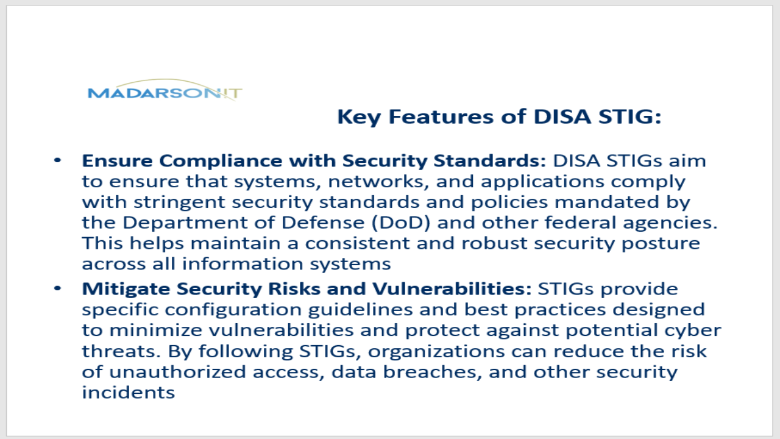
Madarson IT DISA STIG Hardened Image
Image
Hardened EC2 Images for Secure Cloud Deployments
This is a repackaged software product wherein additional charges apply for DISA STIG security hardening.
Madarson IT Windows Server 2025 Core - DISA STIG Hardened AMI
This AWS EC2 image from Madarson IT delivers Windows Server 2025 Core pre-hardened to align with Defense Information Systems Agency (DISA) Security Technical Implementation Guides (STIGs). The minimal-footprint, headless configuration is purpose-built to help organizations accelerate Authority to Operate (ATO) timelines, reduce exposure to cyber threats, and strengthen compliance posture in federal and DoD environments.
What You Get
A production-ready AMI with DISA STIG technical controls pre-applied at the operating system layer. No GUI, no RDP, and no unnecessary services enabled by default - reducing your attack surface from the moment you launch.
Key Features
- DISA STIG Alignment: Technical security controls applied to meet DISA requirements for federal and DoD systems
- Secure-by-Default Configuration: Hardened system settings, restricted services, tight access controls, and a DoD-standard login banner pre-configured
- Minimal Attack Surface: Windows Server Core edition with no GUI or RDP enabled, limiting exposure to common attack vectors
- Audit Readiness: Supports FISMA, RMF, and other federal security mandates requiring STIG validation
- Faster ATO: Pre-applied technical controls reduce the manual hardening steps required before achieving Authority to Operate
- EC2Launch v2: Pre-installed and validated for reliable instance initialization
- AWS Integration: Compatible with AWS Systems Manager (SSM), EC2 Image Builder, and License Manager for automated management and patching workflows
How to Deploy
- Subscribe to this product on AWS Marketplace
- Launch an EC2 instance using the AMI from your subscriptions
- Ensure your instance has an IAM instance profile with SSM permissions attached
- Connect to the instance via AWS Systems Manager Session Manager (RDP is disabled by default)
- Validate STIG compliance using your preferred scanning tool (e.g., STIG Viewer, SCAP)
Note: Since RDP is not enabled, plan to use SSM Session Manager or WinRM over a secure channel for remote access.
Requirements and Limitations
- This is a repackaged software product with additional charges for DISA STIG security hardening.
- Buyers should verify compatibility with their target EC2 instance types before deploying at scale.
- Application-layer STIGs and any CAT I findings requiring manual action remain the buyer's responsibility.
- DISA STIG compliance requires more than technical controls at the operating system layer. Customers remain responsible for organizational, procedural, and additional infrastructure controls.
About Madarson IT
Madarson IT certified images are continuously updated, designed for rapid deployment in regulated cloud environments, and follow industry best practices across multiple compliance frameworks. Built specifically for automation, compliance, and remote management, these images are ideal for headless workloads, container hosts, and infrastructure roles where security cannot be an afterthought.
Disclaimer
Microsoft, Windows, and Windows Server are registered trademarks of Microsoft Corporation. Madarson IT does not provide commercial licenses for Microsoft products.
Highlights
- Minimal Attack Surface by Design: Windows Server 2025 Core edition with no GUI, no RDP, and restricted services enabled by default. This headless configuration eliminates common attack vectors from the start, making it ideal for automation-first workloads, container hosts, and infrastructure roles where remote desktop access is unnecessary and introduces risk.
- Pre-Applied DISA STIG Technical Controls for Faster ATO: DISA STIG security controls are applied at the operating system layer before you launch, including hardened system settings, strict access controls, immutable audit configuration, and a DoD-standard login banner. This reduces the manual hardening steps your team must perform before achieving Authority to Operate in federal and DoD environments.
- Built for AWS Automation and Compliance Workflows: Fully compatible with AWS Systems Manager (SSM) for agentless remote management, EC2 Image Builder for automated image pipelines, and License Manager for tracking. EC2Launch v2 is pre-installed and validated. Designed for teams managing compliance at scale without manual intervention.
Details
Sold by
Categories
Delivery method
Delivery option
64-bit (x86) Amazon Machine Image (AMI)
Latest version
Operating system
Win2025 2025 Core
Deployed on AWS
Features and programs
Financing for AWS Marketplace purchases
AWS Marketplace now accepts line of credit payments through the PNC Vendor Finance program. This program is available to select AWS customers in the US, excluding NV, NC, ND, TN, & VT.

Pricing
Pricing is based on actual usage, with charges varying according to how much you consume. Subscriptions have no end date and may be canceled any time.
Additional AWS infrastructure costs may apply. Use the AWS Pricing Calculator to estimate your infrastructure costs.
If you are an AWS Free Tier customer with a free plan, you are eligible to subscribe to this offer. You can use free credits to cover the cost of eligible AWS infrastructure. See AWS Free Tier for more details. If you created an AWS account before July 15th, 2025, and qualify for the Legacy AWS Free Tier, Amazon EC2 charges for Micro instances are free for up to 750 hours per month. See Legacy AWS Free Tier for more details.
- ...
Dimension | Cost/hour |
|---|---|
m5a.xlarge Recommended | $0.12 |
t2.micro | $0.03 |
t3.micro | $0.06 |
m7a.large | $0.06 |
r8a.4xlarge | $0.48 |
g5.12xlarge | $1.44 |
m7a.8xlarge | $0.96 |
r6a.2xlarge | $0.24 |
t3.medium | $0.06 |
c6a.12xlarge | $1.44 |
Dimensions summary
You pay by the hour for this hardened Windows Server 2025 Core image, billed per running EC2 instance. Pricing has one dimension: the software cost tied to your chosen instance type. Each listed instance size carries its own hourly software rate, so your charge scales with the compute size you select. Smaller sizes like t3.nano and t2.micro cost less per hour, while larger sizes such as p5.4xlarge and g5.16xlarge cost more. You add AWS infrastructure charges separately. No upfront commitment or fixed term applies, so you pay only for hours used.
Top-of-mind questions for buyers
The rate covers a security-hardened Windows Server 2025 Core image configured to DISA STIG standards. The image is validated and updated regularly with security patches and compliance settings. It is pre-configured to deploy quickly. AWS infrastructure charges for compute, storage, and data transfer are billed separately.
The hourly software rate meters running time only. A stopped or powered-off instance does not accrue the software charge. Stopped instances may still incur underlying AWS storage fees for attached volumes, but those are separate from the per-hour software license.
Each instance type carries its own hourly software rate. The rate is tied to the compute size you select, so a larger instance carries a higher software charge per hour than a smaller one. You choose the instance type that fits your workload, and your bill follows that choice.
madarsonit.com
Helpful?
Vendor refund policy
There is no refund policy for this image.

Legal
Vendor terms and conditions
Upon subscribing to this product, you must acknowledge and agree to the terms and conditions outlined in the vendor's End User License Agreement (EULA) .
Content disclaimer
Vendors are responsible for their product descriptions and other product content. AWS does not warrant that vendors' product descriptions or other product content are accurate, complete, reliable, current, or error-free.
Delivery details
64-bit (x86) Amazon Machine Image (AMI)
Amazon Machine Image (AMI)
An AMI is a virtual image that provides the information required to launch an instance. Amazon EC2 (Elastic Compute Cloud) instances are virtual servers on which you can run your applications and workloads, offering varying combinations of CPU, memory, storage, and networking resources. You can launch as many instances from as many different AMIs as you need.
Version release notes
Advanced-Hardened image for Microsoft Windows Server 2025 - DISA STIG Compliance
Additional details
Usage instructions
This image is built on Windows Server Core and does not include a desktop experience. Customers can access and manage the instance using: AWS Systems Manager (SSM) . No need for public IP or open ports . Secure shell access via AWS Console or CLI . Requires IAM role with AmazonSSMManagedInstanceCore PowerShell Remoting (WinRM) . Enable TCP port 5985 in your security group . Connect using Enter-PSSession from a remote PowerShell session Windows Admin Center (Optional) . Install WAC on a local machine or gateway VM . Connect via WinRM for GUI-based remote management
Resources
Vendor resources
Support
Vendor support
Madarson IT Support
For questions, private offers, compliance documentation, audit support, or custom hardening requirements, contact the Madarson IT team at info@madarsonit.com .
Scope of Support:
- STIG hardening configuration questions
- Private offer requests and custom requirements
- Compliance documentation and audit support
- Deployment guidance for SSM, EC2 Image Builder, and License Manager integration
Please include your AWS Account ID and instance details when reporting technical issues to help us assist you efficiently.
AWS infrastructure support
AWS Support is a one-on-one, fast-response support channel that is staffed 24x7x365 with experienced and technical support engineers. The service helps customers of all sizes and technical abilities to successfully utilize the products and features provided by Amazon Web Services.
Similar products

This is a repackaged software product wherein additional charges apply for a pre-hardened, SI Core STIG Hardened image and seller support. Windows Server 2022 delivers a robust platform for modern workloads, offering enhanced security features that promote a more secure computing environment. With built-in compliance enhancements and the ability to run applications in containers, Windows Server 2022 is ideal for businesses aiming to optimize performance while maintaining security and regulatory compliance. The product also includes advanced multi-layer security, integration with Azure, and improved storage capabilities, making it perfect for both enterprise and small business use. By choosing Windows Server 2022, users can effortlessly safeguard their data and streamline management processes.

This is a repackaged software product wherein additional charges apply for a pre-hardened, SI Core STIG Hardened image and seller support. Windows Server 2025 delivers enhanced security and performance, optimized for cloud environments. With built-in automation tools and support for hybrid cloud deployments, Windows Server 2025 allows seamless management of on-premises and cloud workloads. Benefit from advanced capabilities, such as improved containerization and AI-driven analytics, to streamline operations. Ideal for enterprises looking to modernize their IT infrastructure, Windows Server 2025 ensures compliance with industry standards while reducing operational costs. Empower your organization with the reliability and scalability of Windows Server 2025, designed to meet the demands of today's digital landscape.

This is a repackaged software product wherein additional charges apply for a pre-hardened, SI Core STIG Hardened image and seller support. Windows Server 2019 provides a robust cloud-ready platform designed for developing and managing scalable applications. With its advanced security features, including Shielded Virtual Machines and Windows Defender, Windows Server 2019 ensures the protection of your sensitive data. Efficiently manage your workloads across on-premises and cloud infrastructures, leveraging hybrid capabilities that enhance performance and flexibility. Ideal for enterprises seeking to modernize their IT environments, Windows Server 2019 simplifies the integration of containers and microservices. Utilize Windows Server 2019 to build resilient and high-performing applications effortlessly.
This product has charges associated with the pre-built hardening to the CIS Benchmarks™ and recurring maintenance. The CIS Hardened Images® are hardened in accordance with the associated CIS Benchmarks, an industry best practice for secure configuration. Reduce cost, time, and risk by building your AWS solution with CIS AMIs.
Customer reviews
No customer reviews yet
Be the first to review this product . We've partnered with PeerSpot to gather customer feedback. You can share your experience by writing or recording a review, or scheduling a call with a PeerSpot analyst.