
Sold by: Software Sushi
Deployed on AWS
This is paid repackaged open-source software. Evaluate assistant answers with DeepEval, optional model judging and saved JSON score reports on Ubuntu 24.04.
Overview
This is paid repackaged open-source software supplied by Software Sushi. DeepEval 4.2.4 core uses Apache License 2.0; dependencies retain their own licenses and original notices. The image supplies the unmodified upstream DeepEval CLI, a pinned Python environment and local evaluation examples on Ubuntu 24.04 x86_64. Software Sushi is not affiliated with or endorsed by Confident AI. Confident AI hosted services, dashboard subscriptions and commercial platform features are not included.
The supplied example evaluates two fixed synthetic returns-policy answers. The correct answer states a 30-day window with a receipt; the incorrect answer states 90 days without one. DeepEval JSON correctness checks run locally without a model. An optional configured OpenAI-compatible model acts as a separate GEval judge of those answers. It does not generate the assistant answers. Reports retain original scores, thresholds, reasons and good/bad results, then a separate reader verifies the saved example. Model scores can vary and need human review.
Start with t3.medium, 4 GiB RAM and at least 24 GiB encrypted root storage. No GPU is required for the examples. Connect through AWS Systems Manager Session Manager with your own appropriate instance role and outbound endpoint access, or use your own SSH key and restricted network setup. The product has no web UI, HTTP API listener or application inbound port. Access is controlled by the Ubuntu operating-system account.
Run sudo -iu ubuntu bash /opt/sushi/docs/demo.sh. To add a judge, run sushi-deepeval configure as ubuntu and enter an entitled provider endpoint, exact model ID and provider key through the hidden prompt. Then run bash /opt/sushi/docs/demo.sh --judge. Remote endpoints require HTTPS and JSON-object chat responses. No provider key, model weights, provider credits or Confident AI account is supplied. Judge requests send the synthetic question, actual answer and reference answer to your chosen endpoint; review provider privacy and retention terms before using sensitive data.
Each run creates a new JSON report under /home/ubuntu/deepeval-results. Settings under /home/ubuntu/.config/deepeval/judge.json use mode 0600. Reports and settings persist through reboot on the same root volume. Back them up before replacement or termination. The on-instance README explains configuration, native CLI use, independent readback and recovery. Original source distributions, wheels and notices are retained on the instance. Additional upstream workflows can require optional packages or separate service agreements.
Software is USD 0.03 per running instance-hour on each offered type. EC2, EBS, data transfer and model-provider usage are billed separately. English getting-started guide: https://softwaresushi-marketplace-branding-public.s3.us-east-1.amazonaws.com/docs/deepeval/9a7b75dab712492d745e/getting-started.html
Highlights
- Run actual DeepEval local JSON correctness checks against explicit good and bad synthetic answers.
- Optionally use your entitled OpenAI-compatible model as a separate GEval factual-correctness judge.
- Keep original JSON reports, scores and thresholds on the instance with independent saved-result readback.
Details
Sold by
Categories
Delivery method
Delivery option
64-bit (x86) Amazon Machine Image (AMI)
Latest version
Operating system
Ubuntu 24.04
Deployed on AWS
New
Introducing multi-product solutions
You can now purchase comprehensive solutions tailored to use cases and industries.

Features and programs
Financing for AWS Marketplace purchases
AWS Marketplace now accepts line of credit payments through the PNC Vendor Finance program. This program is available to select AWS customers in the US, excluding NV, NC, ND, TN, & VT.

Pricing
Pricing is based on actual usage, with charges varying according to how much you consume. Subscriptions have no end date and may be canceled any time.
Additional AWS infrastructure costs may apply. Use the AWS Pricing Calculator to estimate your infrastructure costs.
Dimension | Cost/hour |
|---|---|
t3.medium Recommended | $0.03 |
t3.large | $0.03 |
t3.xlarge | $0.03 |
t3.2xlarge | $0.03 |
Vendor refund policy
We offer a full refund of software charges for the first 48 hours billing starts if the product does not perform as described. To request a refund, email info@softwaresushi.com with your EC2 instance ID and a description of the issue. AWS infrastructure costs (EC2, EBS, data transfer) are not eligible for refund by us.

Legal
Vendor terms and conditions
Upon subscribing to this product, you must acknowledge and agree to the terms and conditions outlined in the vendor's End User License Agreement (EULA) .
Content disclaimer
Vendors are responsible for their product descriptions and other product content. AWS does not warrant that vendors' product descriptions or other product content are accurate, complete, reliable, current, or error-free.
Delivery details
64-bit (x86) Amazon Machine Image (AMI)
Amazon Machine Image (AMI)
An AMI is a virtual image that provides the information required to launch an instance. Amazon EC2 (Elastic Compute Cloud) instances are virtual servers on which you can run your applications and workloads, offering varying combinations of CPU, memory, storage, and networking resources. You can launch as many instances from as many different AMIs as you need.
Version release notes
DeepEval 4.2.4 on Ubuntu 24.04 x86_64 with automatic workspace initialization, native CLI, synthetic return-policy JSON correctness checks, optional OpenAI-compatible GEval judging and independent saved-report readback. No web UI, listening application API, hosted dashboard or model weights. Recommended t3.medium with at least 4 GiB RAM and 24 GiB root storage. Configure your own entitled JSON-object-capable HTTPS provider after launch; provider usage is separate. Verified version: 0.1.1 (DeepEval 4.2.4). Source AMI: ami-0f5a0ea2223a75f26.
Additional details
Usage instructions
Launch t3.medium or larger x86_64 with at least 4 GiB RAM and 24 GiB encrypted gp3 root storage, and require IMDSv2. Software is USD 0.03 per running instance-hour; EC2, EBS, transfer and model-provider use are billed separately. To use AWS Systems Manager Session Manager, attach your own appropriate instance profile and provide outbound regional endpoint access; sessions initially open as ssm-user. Alternatively configure your own SSH key and tightly restricted access. Run sudo cloud-init status --wait, then sudo -iu ubuntu bash /opt/sushi/docs/demo.sh. There is no application web UI, HTTP API listener or application inbound port. The example evaluates two fixed synthetic return-policy answers with actual DeepEval JSON correctness checks and verifies saved JSON scores, thresholds and good/bad results. Each run writes a new report under /home/ubuntu/deepeval-results. Read an exact saved report with sushi-deepeval read FULL_REPORT_PATH as ubuntu. For optional real model judging, run sushi-deepeval configure as ubuntu in an unrecorded session; enter your HTTPS OpenAI-compatible base URL including its /v1 path, entitled JSON-object-capable model ID and key through the hidden prompt. Configuration is ~/.config/deepeval/judge.json, mode 0600, owned by ubuntu; the command refuses an existing file. Do not place credentials in arguments, logs, recordings or screenshots. Then run bash /opt/sushi/docs/demo.sh --judge as ubuntu. This makes billable GEval judge requests about the synthetic answers; it does not generate the assistant answers and does not include Confident AI hosted services or provider credits. Only successful independent saved-result verification prints SUSHI_CUSTOMER_DEMO_PASSED. Reports and settings survive reboot on the same root volume; configure backups and retention before termination or replacement. Failed provider requests create no accepted report: check endpoint, entitlement, model, JSON support, permissions and outbound access, then rerun. Preserve old reports. On-instance documentation is /opt/sushi/docs/README.md. Full English guide: https://softwaresushi-marketplace-branding-public.s3.us-east-1.amazonaws.com/docs/deepeval/9a7b75dab712492d745e/getting-started.html
Resources
Vendor resources
Support
Vendor support
Software Sushi provides AMI packaging and setup guidance. Contact info@softwaresushi.com for installation questions. Support coverage requires a separate agreement; upstream project and model-provider support are not included.
AWS infrastructure support
AWS Support is a one-on-one, fast-response support channel that is staffed 24x7x365 with experienced and technical support engineers. The service helps customers of all sizes and technical abilities to successfully utilize the products and features provided by Amazon Web Services.
Similar products

Compare prompt variants, run response assertions and inspect persisted JSON and SQLite evaluation results with Promptfoo on Ubuntu 24.04.

This is paid repackaged open-source software. Build stateful workflows with LangGraph OSS, SQLite checkpoints and a human-approval API on Ubuntu 24.04.

This is paid repackaged open-source software. Compare tabular datasets with Evidently 0.7.23 on Ubuntu 24.04, inspect drift reports in a local monitoring UI, and export HTML and JSON. No model or Evidently account is required.
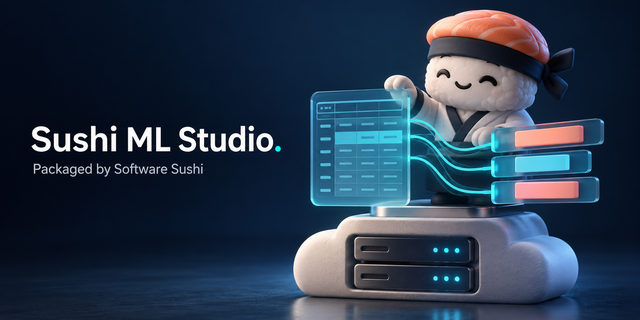
Sushi ML Studio is no-code machine learning that runs in your browser, on your own EC2 instance. Upload a CSV or Excel file, pick the column you want to predict, and it trains and compares against many scikit-learn models, tells you in plain language how good the best one is, and adds predictions to new spreadsheets. Your data never leaves the instance, and you keep the model file and the Python code that reproduces it.
Customer reviews
No customer reviews yet
Be the first to review this product . We've partnered with PeerSpot to gather customer feedback. You can share your experience by writing or recording a review, or scheduling a call with a PeerSpot analyst.