
Sold by: Software Sushi
Deployed on AWS
Compare prompt variants, run response assertions and inspect persisted JSON and SQLite evaluation results with Promptfoo on Ubuntu 24.04.
Overview

Compare prompt variants and check expected responses with the Promptfoo 0.124.1 command-line evaluation workbench, packaged by Software Sushi for Ubuntu 24.04. The included example runs two prompt variants over two synthetic cases, runs four passing and four intentionally failing assertions (the failing suite keeps Promptfoo's standard non-zero exit code), and independently checks JSON results and SQLite state. The example uses a bounded local fixture and requires no model account or model download.
Launch t3.medium with at least 4 GiB RAM and 32 GiB encrypted gp3 root storage. Require IMDSv2 and keep inbound application ports closed. Connect with AWS Systems Manager Session Manager, wait for cloud-init to complete, and run sudo -iu ubuntu bash /opt/sushi/docs/demo.sh. Results are saved under ~/promptfoo-results and the evaluation database under ~/.local/share/promptfoo. The installed guide describes repeat-run readback and consistent backups. No browser viewer starts automatically. The optional upstream viewer has no built-in authentication and listens on network interfaces. The public guide shows a transient systemd unit that restricts its network access to the instance and stops it after one hour; use an authenticated instance tunnel and keep inbound application ports closed. Other instance users may access the viewer and its results.
Use your own evaluation configuration and supply model-provider credentials after launch. The optional Amazon Nova Lite example requires an instance role with bedrock:InvokeModel permission for amazon.nova-lite-v1:0 in us-east-1 and available model access. This package includes no provider subscription, model weights or enterprise features. Promptfoo is licensed under MIT; dependencies, including native components, retain their own licenses and notices delivered under /usr/share/doc/promptfoo. Software Sushi provides AMI packaging and setup guidance. This independent offering does not imply sponsorship or endorsement by Promptfoo or Amazon Web Services.
Software costs USD 0.03 per running instance-hour. EC2, EBS, data transfer and any model-provider usage are billed separately. Contact info@softwaresushi.com for installation questions. Upstream documentation: https://www.promptfoo.dev/docs/intro/ .
Getting started: https://softwaresushi-marketplace-branding-public.s3.amazonaws.com/docs/promptfoo/getting-started.html
Highlights
- Compare prompt variants with repeatable assertions and inspect JSON and SQLite results.
- Start with an included model-free example that checks passing and deliberately failing evaluations.
- Configure your own model provider after launch and retain evaluation history across restarts.
Details
Sold by
Categories
Delivery method
Delivery option
64-bit (x86) Amazon Machine Image (AMI)
Latest version
Operating system
Ubuntu 24.04
Deployed on AWS
New
Introducing multi-product solutions
You can now purchase comprehensive solutions tailored to use cases and industries.

Features and programs
Financing for AWS Marketplace purchases
AWS Marketplace now accepts line of credit payments through the PNC Vendor Finance program. This program is available to select AWS customers in the US, excluding NV, NC, ND, TN, & VT.

Pricing
Pricing is based on actual usage, with charges varying according to how much you consume. Subscriptions have no end date and may be canceled any time.
Additional AWS infrastructure costs may apply. Use the AWS Pricing Calculator to estimate your infrastructure costs.
Dimension | Cost/hour |
|---|---|
t3.medium Recommended | $0.03 |
Dimensions summary
This listing uses one usage-based pricing dimension, billed per hour on a t3.medium Amazon EC2 instance. You pay the software charge for each hour the instance runs. There are no tiers or quantity commitments to choose between. The software is delivered as a prebuilt Amazon Machine Image (AMI) that launches in your own AWS account. AWS infrastructure costs, such as EC2 compute, storage, and data transfer, are billed separately. Any connected model providers or external services carry their own charges. Review the current listing before subscribing to confirm all applicable terms.
Top-of-mind questions for buyers
The software runs on a t3.medium Amazon EC2 instance, a general-purpose size with 2 virtual CPUs and 4 GiB of memory. The hourly software charge covers the prebuilt image only. The EC2 compute, storage, and data transfer for that instance are billed separately by AWS.
The software charge meters each hour the instance runs. A fully stopped instance does not accrue the hourly software charge. Stopped instances may still incur AWS storage fees for attached volumes. To halt all software charges, stop or terminate the instance in your AWS account.
No. You add your own credentials, such as model-provider keys or passwords, after launch. Each instance generates its own secrets on first boot. Any connected model providers, messaging channels, or external services require their own accounts and may charge for their usage, separate from the hourly software charge.
softwaresushi.com
Helpful?
Vendor refund policy
We offer a full refund of software charges for the first 48 hours billing starts if the product does not perform as described. To request a refund, email info@softwaresushi.com with your EC2 instance ID and a description of the issue. AWS infrastructure costs (EC2, EBS, data transfer) are not eligible for refund by us.

Legal
Vendor terms and conditions
Upon subscribing to this product, you must acknowledge and agree to the terms and conditions outlined in the vendor's End User License Agreement (EULA) .
Content disclaimer
Vendors are responsible for their product descriptions and other product content. AWS does not warrant that vendors' product descriptions or other product content are accurate, complete, reliable, current, or error-free.
Delivery details
64-bit (x86) Amazon Machine Image (AMI)
Amazon Machine Image (AMI)
An AMI is a virtual image that provides the information required to launch an instance. Amazon EC2 (Elastic Compute Cloud) instances are virtual servers on which you can run your applications and workloads, offering varying combinations of CPU, memory, storage, and networking resources. You can launch as many instances from as many different AMIs as you need.
Version release notes
Compare prompt variants with Promptfoo 0.124.1 on Ubuntu 24.04. Includes a command-line example, positive and deliberately failing assertions, persisted JSON and SQLite results, repeat-run readback and installed source/license notices. Recommended t3.medium with 4 GiB RAM and 24 GiB root storage.
Additional details
Usage instructions
Launch t3.medium with at least 4 GiB RAM and 24 GiB encrypted gp3 root storage. Require IMDSv2 and keep inbound application ports closed. Connect with AWS Systems Manager Session Manager, which initially uses ssm-user, wait for cloud-init to complete, then run sudo -iu ubuntu bash /opt/sushi/docs/demo.sh. The CLI example uses a bounded local fixture without a model account, verifies four passing and four deliberately failing assertions, preserves the failing suite's exit 100, and independently reads JSON and SQLite results. Each later invocation checks the earlier evaluation IDs and unchanged JSON before creating new results beneath ~/promptfoo-results. Evaluation state persists in ~/.local/share/promptfoo/promptfoo.db; stop CLI processes before copying this directory for backup. No browser viewer starts automatically and the CLI needs no inbound application port. The optional upstream viewer has no built-in authentication and listens on network interfaces. Follow the public guide to start it as ubuntu inside a transient systemd unit with network access restricted to this instance, a one-hour lifetime, and port 15500. Keep inbound ports closed and use a Session Manager port-forwarding session to that port. Other users on the instance may still access its results. Configure your own model provider after launch with credentials readable only by ubuntu; never pass keys as command arguments. The optional /opt/sushi/bin/promptfoo-run-suite --bedrock example makes eight short model requests and requires model availability and bedrock:InvokeModel access for amazon.nova-lite-v1:0 in us-east-1. Read https://softwaresushi-marketplace-branding-public.s3.amazonaws.com/docs/promptfoo/getting-started.html and /opt/sushi/docs/README.md for configuration, persistence and backups. Software costs USD 0.03 per running instance-hour; EC2, EBS, data transfer and model-provider usage are billed separately. Installation support: info@softwaresushi.com .
Resources
Vendor resources
Support
Vendor support
Software Sushi provides AMI packaging and setup guidance. Contact info@softwaresushi.com for installation questions. Support coverage requires a separate agreement; this offer does not include upstream project support.
AWS infrastructure support
AWS Support is a one-on-one, fast-response support channel that is staffed 24x7x365 with experienced and technical support engineers. The service helps customers of all sizes and technical abilities to successfully utilize the products and features provided by Amazon Web Services.
Similar products

This is paid repackaged open-source software. Evaluate assistant answers with DeepEval, optional model judging and saved JSON score reports on Ubuntu 24.04.

AnythingLLM is a self-hosted workspace for chatting with your own documents and websites (RAG) using the LLM and embedding providers you choose. This Ubuntu 24.04 AMI stores documents persistently and creates its admin password on first boot. You reach the UI through Session Manager port forwarding.

This is paid repackaged open-source software. Compare tabular datasets with Evidently 0.7.23 on Ubuntu 24.04, inspect drift reports in a local monitoring UI, and export HTML and JSON. No model or Evidently account is required.
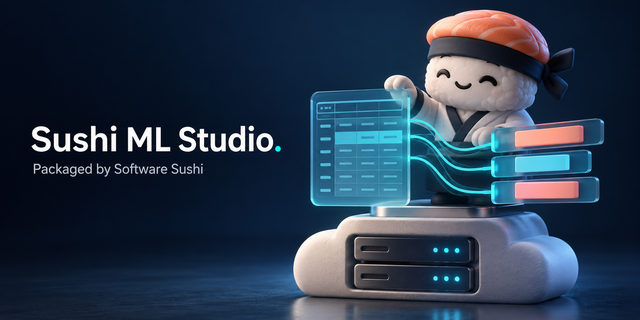
Sushi ML Studio is no-code machine learning that runs in your browser, on your own EC2 instance. Upload a CSV or Excel file, pick the column you want to predict, and it trains and compares against many scikit-learn models, tells you in plain language how good the best one is, and adds predictions to new spreadsheets. Your data never leaves the instance, and you keep the model file and the Python code that reproduces it.
Customer reviews
No customer reviews yet
Be the first to review this product . We've partnered with PeerSpot to gather customer feedback. You can share your experience by writing or recording a review, or scheduling a call with a PeerSpot analyst.