
Sold by: Solve DevOps
Deployed on AWS
AWS Free Tier
SFTPRoo is a secure, cloud ready Linux SFTP server with a modern Web UI for managing users, SSH keys, chroot access, and backups. Built for teams that need to exchange files with partners, clients, or agencies without the complexity of manual SFTP setup. SFTPRoo simplifies file sharing with an intuitive interface and enterprise grade security.
Overview
Image
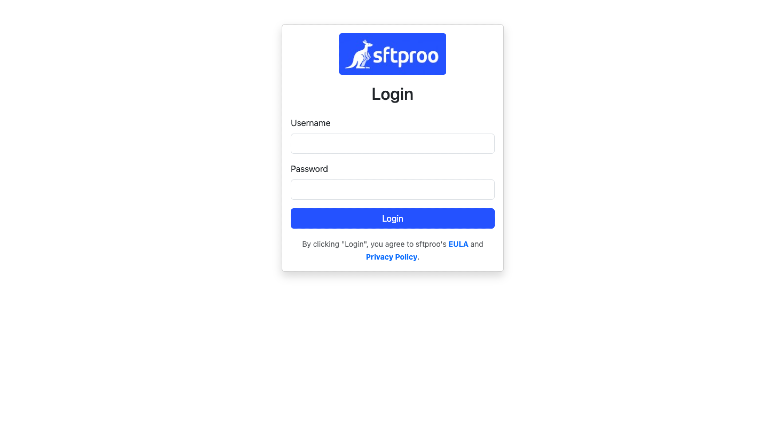
SFTPRoo Login
Image
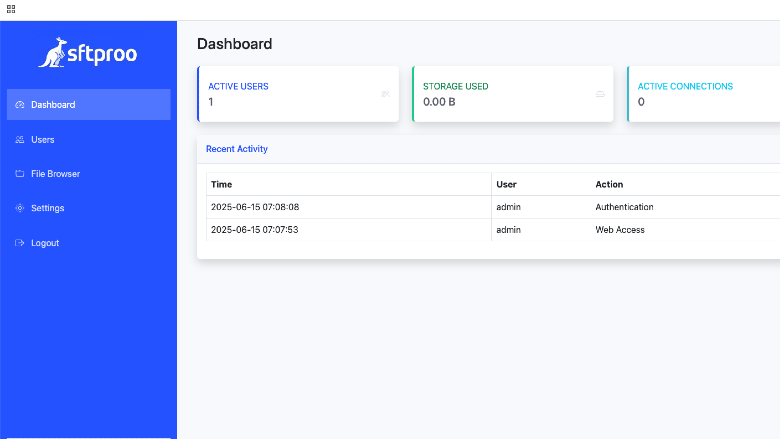
SFTPRoo Dashboard
Image
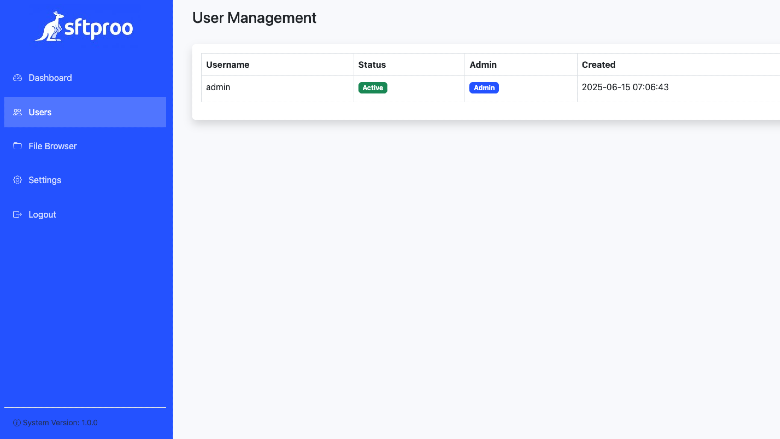
SFTPRoo User Management
Image
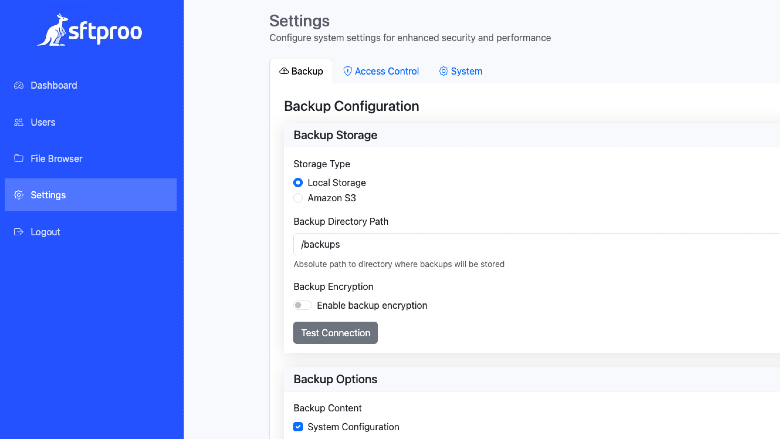
SFTPRoo Settings
SFTPRoo was built for teams and organizations that need to securely exchange files with partners, clients, or government agencies without the complexity of managing traditional SFTP infrastructure. Manual tasks like configuring SSH keys, setting up chroot environments, and managing user accounts via the command line are time consuming and error prone. SFTPRoo solves this by providing a secure, cloud ready SFTP server with a powerful, easy to use web interface.
Who is this perfect for? Organizations that require secure, compliant, and well governed file transfer systems. Whether you're handling sensitive documents or client data, SFTPRoo offers:
- Secure SFTP access with role based permissions
- Rapid deployment and scalable architecture
- Centralized user management and detailed audit logging
- Support for internal policies and external compliance standards
What can SFTPRoo do for you?
With a built-in web UI, SFTPRoo lets you:
- Set up a production grade SFTP server in minutes no config files required
- Create and manage users with password or SSH key authentication
- Isolate each user using chroot for strict directory access control
- Assign unique directories per partner, client, or department
- Monitor file transfers and user activity from a central dashboard
- Apply configuration changes instantly, without downtime
SFTPRoo is designed for professionals who value both security and simplicity. Available on AWS Marketplace, it combines the reliability of a hardened Linux server with the convenience of modern web based management no scripting, no third-party tools, and zero downtime updates.
Ready to simplify secure file sharing? Launch SFTPRoo on AWS Marketplace today and get your SFTP server running in minutes fully managed, fully secure, and built for your workflow.
Getting Started with SFTPRoo Once your SFTPRoo instance is running, you can access the following services:
Web Interface: Open your browser and navigate to https://:8443
SFTP Service: Connect your SFTP client to sftp://:2222
Default Admin Credentials: The initial admin username and password are stored on the instance at: /opt/default-sftproo-credentials.txt
Use these credentials to log in to the web interface for the first time. For security, we recommend updating the password immediately after logging in.
Highlights
- Web UI Management System for Users, Keys and Backups
- SFTP in Minutes without the complicated setups
- Monitor usage and activity logs from the browser
Details
Sold by
Categories
Delivery method
Delivery option
64-bit (x86) Amazon Machine Image (AMI)
Latest version
Operating system
Ubuntu 26.04
Deployed on AWS
New
Introducing multi-product solutions
You can now purchase comprehensive solutions tailored to use cases and industries.

Features and programs
Financing for AWS Marketplace purchases
AWS Marketplace now accepts line of credit payments through the PNC Vendor Finance program. This program is available to select AWS customers in the US, excluding NV, NC, ND, TN, & VT.

Pricing
Pricing is based on actual usage, with charges varying according to how much you consume. Subscriptions have no end date and may be canceled any time.
Additional AWS infrastructure costs may apply. Use the AWS Pricing Calculator to estimate your infrastructure costs.
If you are an AWS Free Tier customer with a free plan, you are eligible to subscribe to this offer. You can use free credits to cover the cost of eligible AWS infrastructure. See AWS Free Tier for more details. If you created an AWS account before July 15th, 2025, and qualify for the Legacy AWS Free Tier, Amazon EC2 charges for Micro instances are free for up to 750 hours per month. See Legacy AWS Free Tier for more details.
Dimension | Cost/hour |
|---|---|
t3.large Recommended | $0.04 |
t2.micro | $0.04 |
t3.micro | $0.04 |
t3.medium | $0.04 |
t2.nano | $0.04 |
t2.2xlarge | $0.04 |
t2.medium | $0.04 |
t3.2xlarge | $0.04 |
c4.xlarge | $0.04 |
m5.metal | $0.04 |
Dimensions summary
You pay by the hour for the EC2 instance type you launch. All 37 options run the same software image with a Professional license pre-applied. Pricing scales with the instance size you pick, not with features. The t2 and t3 families cover small to mid workloads. The c4 family targets compute-heavy transfers. The m5 family balances compute and memory. The r5 family suits memory-heavy use, including bare-metal (.metal) options. Choose a size based on how many concurrent transfers you expect. You can start small and move up as your transfer load grows.
Top-of-mind questions for buyers
Each hourly charge covers one running instance of the chosen type. That single instance runs the SFTP server, the web admin UI, and an optional backup service from one image. You pick capacity by instance size, so a larger type handles more concurrent transfers.
The software fee meters running instance-hours only. A fully stopped instance stops accruing software charges. You may still pay underlying AWS storage fees for the attached disk while stopped. Starting the instance again resumes the hourly software charge.
No separate charge applies. Every instance type launches with a Professional license pre-applied. That activates cloud backup, encrypted backups, and priority support on first boot. These features cost nothing beyond the hourly instance price you select.
sftproo.com
Helpful?
Vendor refund policy
Cancel Anytime.

Legal
Vendor terms and conditions
Upon subscribing to this product, you must acknowledge and agree to the terms and conditions outlined in the vendor's End User License Agreement (EULA) .
Content disclaimer
Vendors are responsible for their product descriptions and other product content. AWS does not warrant that vendors' product descriptions or other product content are accurate, complete, reliable, current, or error-free.
Delivery details
64-bit (x86) Amazon Machine Image (AMI)
Amazon Machine Image (AMI)
An AMI is a virtual image that provides the information required to launch an instance. Amazon EC2 (Elastic Compute Cloud) instances are virtual servers on which you can run your applications and workloads, offering varying combinations of CPU, memory, storage, and networking resources. You can launch as many instances from as many different AMIs as you need.
Version release notes
Updates to the latest Security Patches for SFTPRoo and Ubuntu 26.04
Additional details
Usage instructions
Getting Started:
- Provision a VM with a suitable capacity for your needs.
- Access EC2 instance over SSH username: ubuntu password: EC2instance ID More advanced use cases can be found here: https://sftproo.com/docs.html
Support and Suggestions: support@sftproo.com
Resources
Vendor resources
Support
Vendor support
24x7 support available at support@sftproo.com
AWS infrastructure support
AWS Support is a one-on-one, fast-response support channel that is staffed 24x7x365 with experienced and technical support engineers. The service helps customers of all sizes and technical abilities to successfully utilize the products and features provided by Amazon Web Services.
Similar products

FileMage Gateway is a FTP and SFTP server backed by Amazon S3. A web based file sharing portal is also available with customizable branding.

The official Ubuntu Linux optimized for AWS, with ten years of maintenance including an additional 23,000 packages beyond the main operating system, with easy access to compliance requirements (e.g. FIPS, CIS, DISA) and management tools

The official Ubuntu Linux optimized for AWS, with ten years of maintenance including an additional 23,000 packages beyond the main operating system

The official Ubuntu Linux optimized for AWS, with ten years of maintenance including an additional 23,000 packages beyond the main operating system
Customer reviews
No customer reviews yet
Be the first to review this product . We've partnered with PeerSpot to gather customer feedback. You can share your experience by writing or recording a review, or scheduling a call with a PeerSpot analyst.