
Sold by: Techlatest.net
Deployed on AWS
Ready-to-use OpenClaw stack for executing automation workflows, system tasks, and AI-driven operations with flexible CPU/GPU deployment and support for both local and API-based models.
Overview
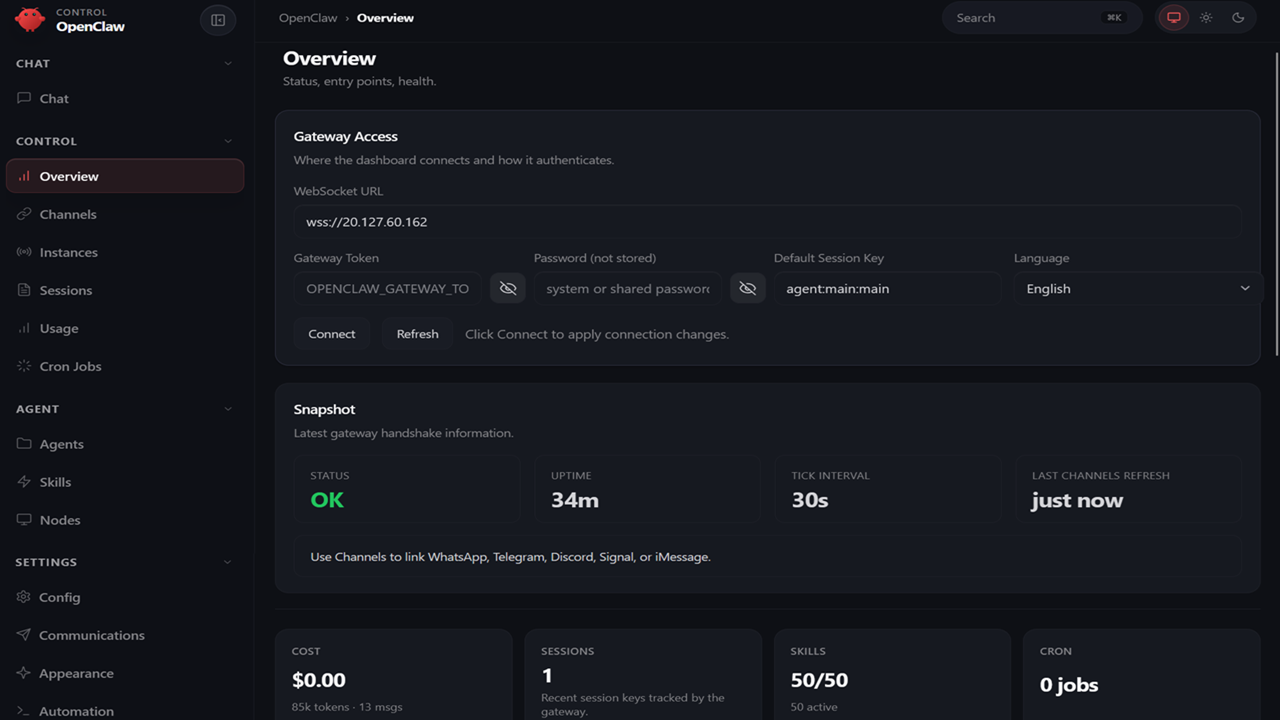
Image
Openclaw Overview Page
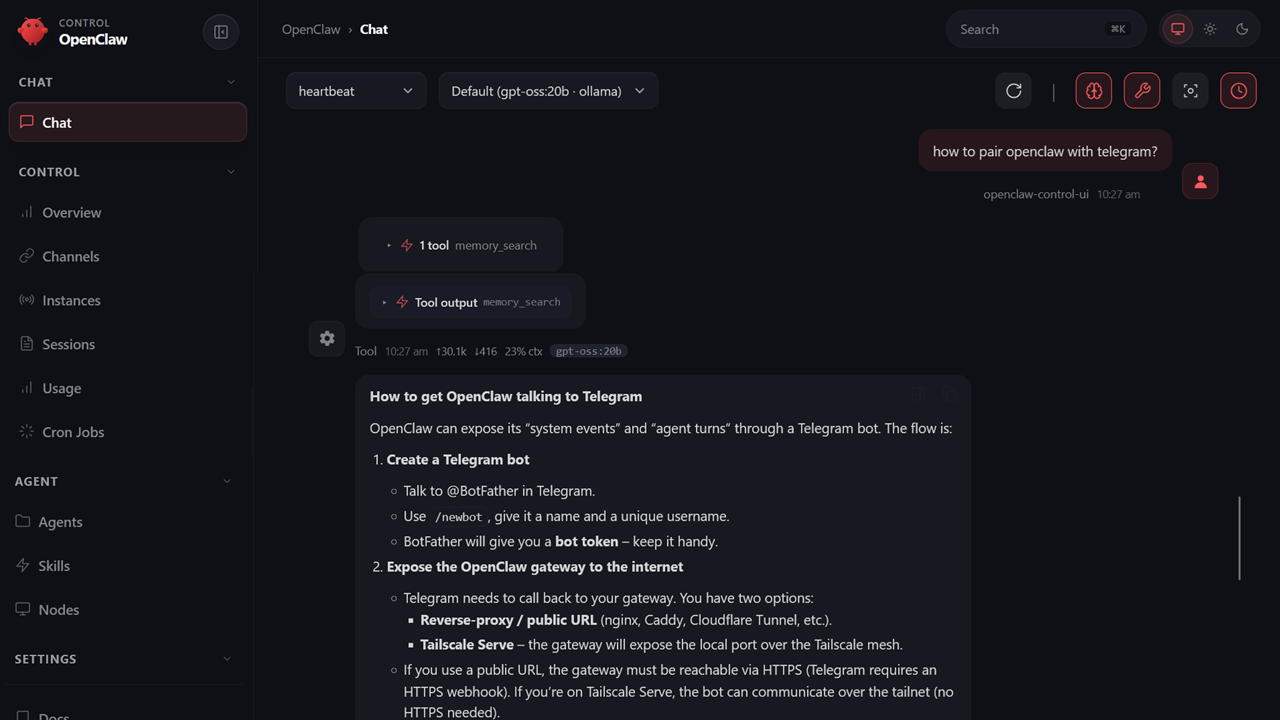
Image
Openclaw Chat Window
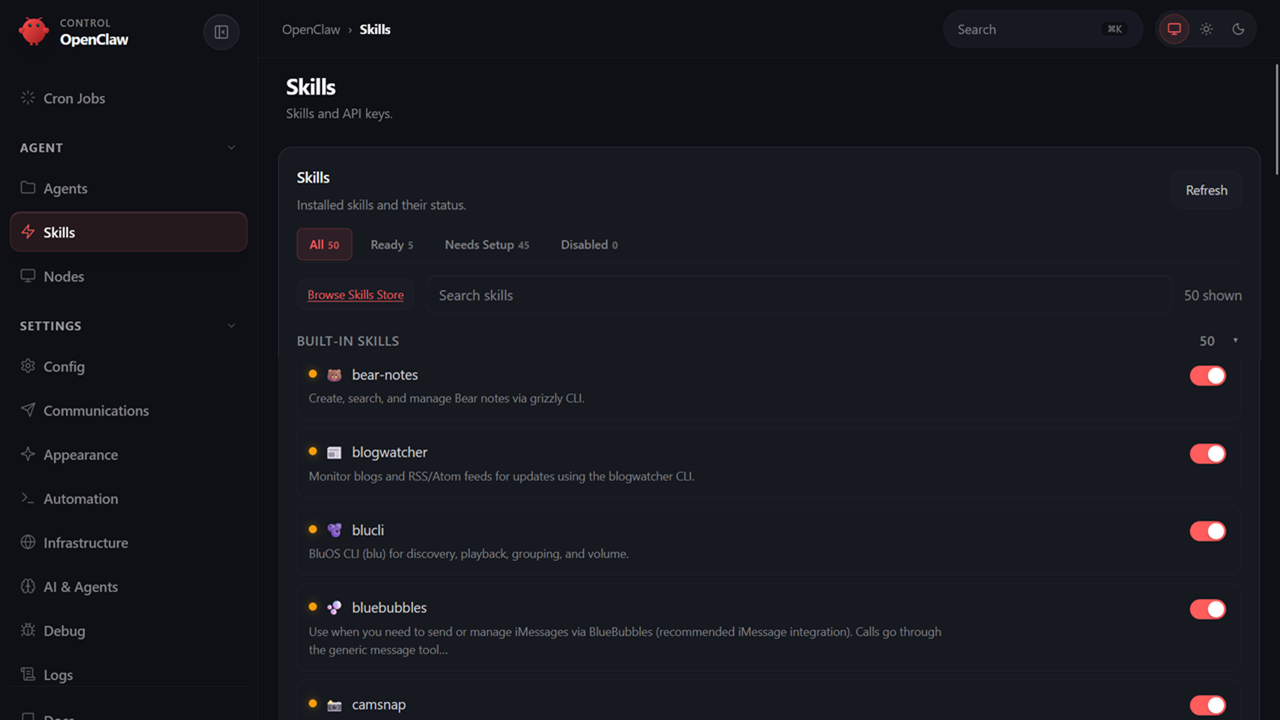
Image
OpenClaw Skill Window
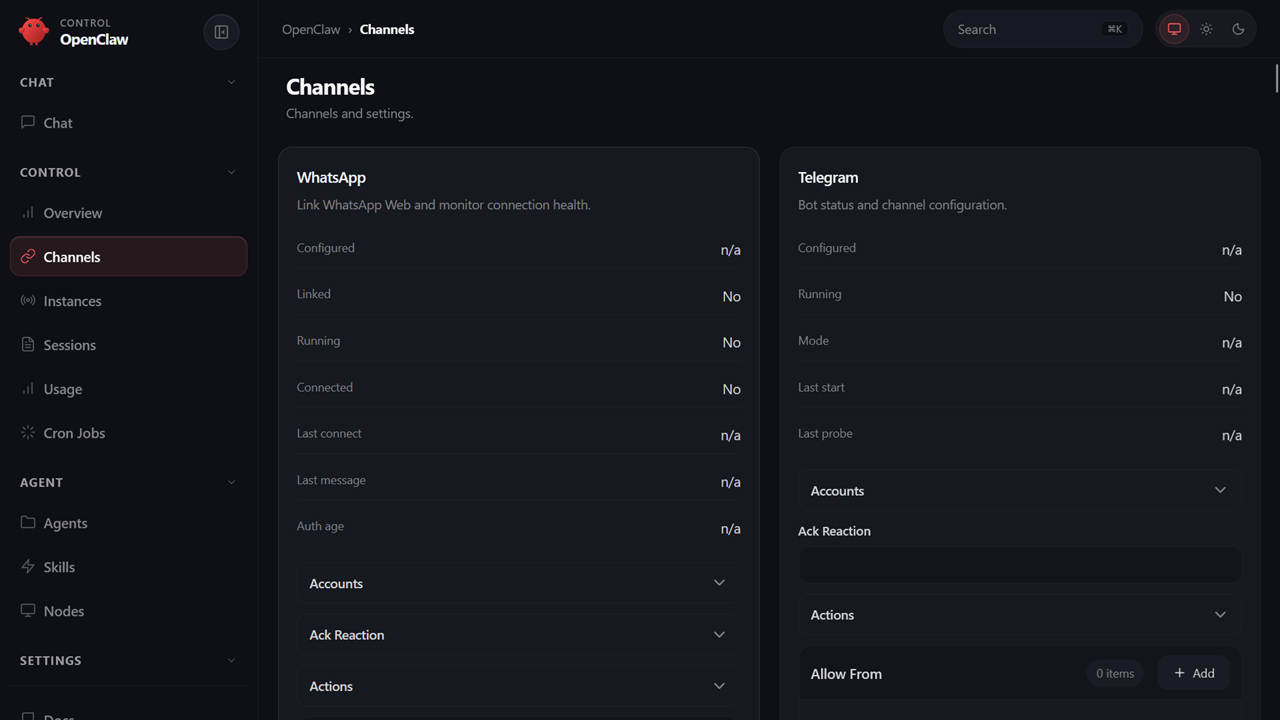
Image
Openclaw Channel Window
Image
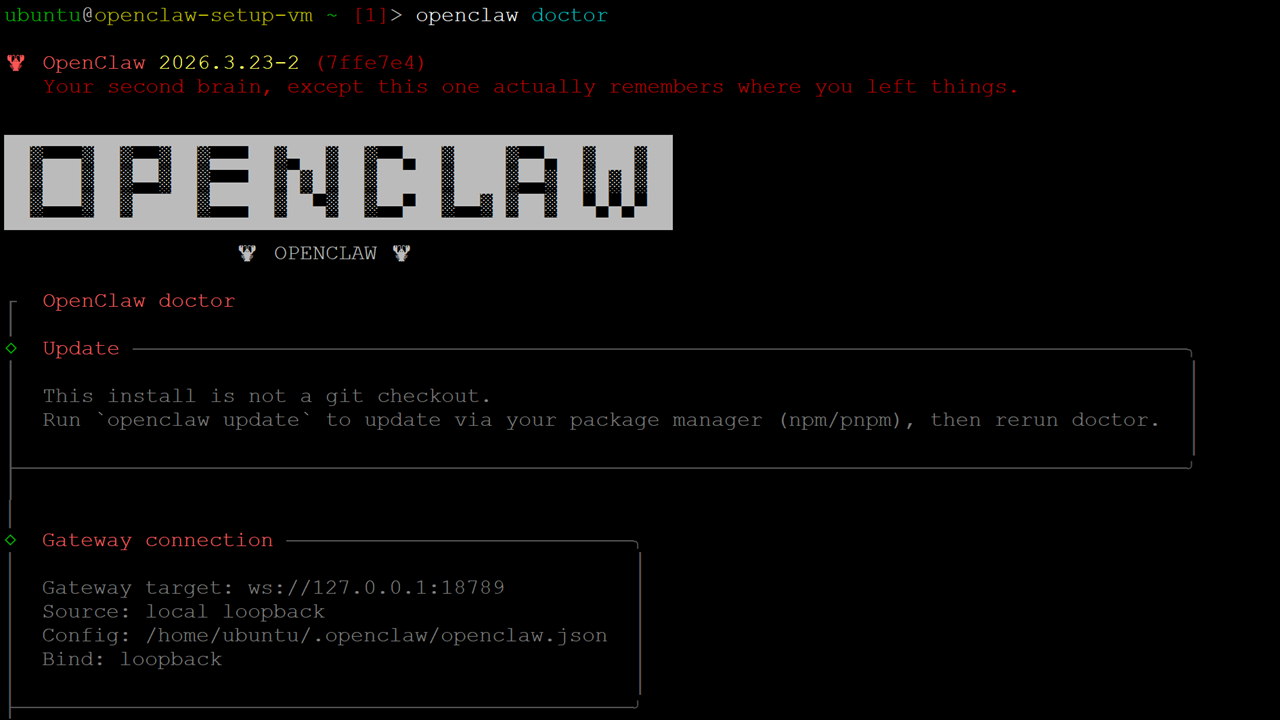
Openclaw Doctor
Important: For step by step guide on how to setup this vm , please refer to our Getting Started guide
OpenClaw VM is a pre-configured, cloud-based virtual machine designed to help you quickly deploy and run advanced AI agents with minimal setup. It combines the power of OpenClaw with a fully optimized runtime environment, enabling users to automate workflows, execute system-level tasks, and integrate AI into real-world operations.
Built for flexibility and performance, the solution supports both CPU and GPU deployments, allowing teams to align infrastructure with their specific AI workloads.
About OpenClaw
OpenClaw is an open-source AI agent framework that extends beyond traditional prompt-based systems. It enables AI agents to interact directly with operating systems, execute commands, manage files, and handle multi-step processes autonomously.
Solution Components
The VM comes pre-installed and configured with:
- OpenClaw (fully optimized)
- Ollama for local large language model execution
- Pre-installed dependencies and runtime environment
- Optional GPU support for accelerated workloads
The environment is ready to use immediately after deployment, eliminating manual installation and configuration effort.
Deployment Options
This solution supports both CPU and GPU configurations, depending on workload requirements:
GPU Instances
- Recommended for compute-intensive AI workloads
- Significantly improves performance for local model inference using Ollama
- Enables faster response times and smoother execution of complex agent workflows
CPU Instances
- Suitable for API-based AI integrations using providers such as OpenAI, Anthropic, Google Gemini, etc.
- Recommended baseline configuration: 4 vCPU / 16 GB RAM
- Cost-efficient for lightweight and externally processed workloads
Note: GPU is not mandatory for all use cases; however, it provides substantial performance benefits, especially when running local Ollama models.
Built-In Privacy & Security Advantage
OpenClaw is designed to interact with system-level resources, which can introduce risks when deployed on local machines. This VM-based approach provides a controlled and secure alternative.
Our VM-based approach turns this into a major advantage:
-
Complete Isolation
OpenClaw runs in a cloud VM, completely separate from your local system. -
Zero Local Exposure
Your personal files, credentials, and sensitive data remain safe and untouched. -
Controlled Data Access
Only the data you explicitly upload exists inside the VM. -
Safe Experimentation Environment
Run advanced agents and automation workflows without fear of damaging your system.
In short: you get full system-level AI power without compromising your local security.
Why Choose This VM Solution?
Instant Productivity
Launch a fully functional AI environment in minutes-no installation, no debugging, no delays.
High Performance, On Demand
Scale from CPU to GPU depending on workload. Get the power you need, when you need it.
Zero Setup Overhead
Everything is pre-configured-from drivers to dependencies-so you can focus purely on building.
Built for Scale
Easily adapt resources for prototyping, testing, or production-grade deployments.
Disclaimer: Other trademarks and trade names may be used in this document to refer to either the entities claiming the marks and/or names or their products and are the property of their respective owners. We disclaim proprietary interest in the marks and names of others.
Highlights
- Run automated workflows with OpenClaw in a secure, scalable environment
Details
Sold by
Categories
Delivery method
Delivery option
64-bit (x86) Amazon Machine Image (AMI)
Latest version
Operating system
Ubuntu 24.04 LTS
Deployed on AWS
New
Introducing multi-product solutions
You can now purchase comprehensive solutions tailored to use cases and industries.

Features and programs
Financing for AWS Marketplace purchases
AWS Marketplace now accepts line of credit payments through the PNC Vendor Finance program. This program is available to select AWS customers in the US, excluding NV, NC, ND, TN, & VT.

Pricing
Pricing is based on actual usage, with charges varying according to how much you consume. Subscriptions have no end date and may be canceled any time.
Additional AWS infrastructure costs may apply. Use the AWS Pricing Calculator to estimate your infrastructure costs.
Dimension | Cost/hour |
|---|---|
t2.xlarge Recommended | $0.13 |
m2.2xlarge | $0.13 |
r6i.xlarge | $0.13 |
m6idn.16xlarge | $0.13 |
m7i.large | $0.13 |
i3.16xlarge | $0.13 |
r8i-flex.4xlarge | $0.13 |
i3en.metal | $0.13 |
m8id.12xlarge | $0.13 |
m5n.12xlarge | $0.13 |
Dimensions summary
You pay by the hour for the EC2 instance type you run this software on. Every dimension maps to a specific AWS instance size, so pricing scales with the compute you pick. Options range from small general-purpose instances to large memory-optimized, compute-optimized, storage-heavy, and GPU-accelerated types. CPU instances suit API-based AI integrations and lighter workloads. GPU instances handle compute-intensive local model inference. You control cost by matching the instance to your workload. Nothing is tiered by feature set; all instances run the same pre-configured software. Billing accrues only while an instance runs.
Top-of-mind questions for buyers
You get one running EC2 virtual machine of that size, with the software pre-installed. It includes the AI agent framework, a local model runtime, and dependencies. The default configuration is 4 vCPUs and 16 GB RAM. Larger instance types give more vCPUs, memory, storage, or GPU capacity.
Software charges accrue per hour only while an instance runs. A stopped or powered-off instance stops software charges. Underlying AWS storage fees may still apply for attached volumes, but the software meters running time only. Stop instances you are not using to control cost.
CPU instances suit API-based AI integrations and lighter workloads. GPU instances handle compute-intensive local model inference and faster agent workflows. Both run the same pre-configured software; your bill reflects the hourly rate of the instance type you select. Match the instance to your workload to manage cost.
www.techlatest.net+1
Helpful?
Vendor refund policy
will be charged for usage, can be canceled anytime and usage fee is non refundable.

Legal
Vendor terms and conditions
Upon subscribing to this product, you must acknowledge and agree to the terms and conditions outlined in the vendor's End User License Agreement (EULA) .
Content disclaimer
Vendors are responsible for their product descriptions and other product content. AWS does not warrant that vendors' product descriptions or other product content are accurate, complete, reliable, current, or error-free.
Delivery details
64-bit (x86) Amazon Machine Image (AMI)
Amazon Machine Image (AMI)
An AMI is a virtual image that provides the information required to launch an instance. Amazon EC2 (Elastic Compute Cloud) instances are virtual servers on which you can run your applications and workloads, offering varying combinations of CPU, memory, storage, and networking resources. You can launch as many instances from as many different AMIs as you need.
Version release notes
fourth release
Additional details
Usage instructions
1.On the EC2 Console page, instance is up and running. To connect to this instance through putty, copy the IPv4 Public IP Address (refer Putty Guide available at https://docs.aws.amazon.com/AWSEC2/latest/UserGuide/connect-linux-inst-from-windows.html for details on how to connect using putty/ssh)
2.Open putty, paste the IP address and browse your private key you downloaded while deploying the VM, by going to **SSH- >Auth **, click on Open.
3.login as ubuntu
4.run below command to get the auto-generated password to login to OpenClaw Web Interface.
sudo cat /home/ubuntu/setup/.gateway_pass
5.Access OpenClaw Web Interface in your browser using https://public_ip_of_vm . provide password from above step.4
6.You will receive pairing request. Go to SSH terminal as shown in step3 and run below command to get the request ID.
openclaw devices list
7.Copy the request Id and replace in below approval command to approve the request.
openclaw devices approve <requestId>
e.g openclaw devices approve 5252ebdf65b176-6ythr3968a
8.Now back to Web Interface , refresh the browser and login with password. You
should be able to login now.
For more details please visit - https://www.techlatest.net/support/openclaw-support/aws_gettingstartedguide/index.html
Support
Vendor support
Email: info@techlatest.net
AWS infrastructure support
AWS Support is a one-on-one, fast-response support channel that is staffed 24x7x365 with experienced and technical support engineers. The service helps customers of all sizes and technical abilities to successfully utilize the products and features provided by Amazon Web Services.
Similar products

OpenClaw is a one click AI agent platform for intelligent browser automation on AWS. Deploy autonomous AI agents powered by Claude or OpenAI to control web applications, perform workflows, and execute complex tasks securely inside your own EC2 instance.

Pre-installed and security-hardened OpenClaw AI agent AMI. Launch an EC2 instance, add your credentials, and start using your agent. Ready to configure out of the box.
Fresh OpenClaw 2.0 AI workstation AMI with OpenClaw 2026.8.1, Hermes Agent, Open WebUI, Ollama, browser automation, Tailscale, Caddy, and Docker.

Launch AI agents in minutes. Pre-configured with Claude Code, Codex, OpenCode, OpenClaw, Docker, Playwright, and Caddy on Ubuntu 24.04. Onboarding starts on boot.
Customer reviews
No customer reviews yet
Be the first to review this product . We've partnered with PeerSpot to gather customer feedback. You can share your experience by writing or recording a review, or scheduling a call with a PeerSpot analyst.