
Sold by: SolarWinds
Deployed on AWS
SolarWinds® Database Performance Analyzer (DPA) pinpoints performance issues while providing expert advice with tuning advisors. Anomaly detection powered by machine learning allows DBAs, AppDevs, SREs, and DevOps to proactively optimize databases before small issues become big problems.
4.5
Overview

SolarWinds is a leading provider of simple, powerful, and secure solutions, trusted by more than 300,000 customers worldwide to help accelerate their business transformation in todays hybrid IT world. SolarWinds gives organizations of any size or complexity the power to accelerate productivity and deliver seamless resiliency. With integrated actionable intelligence for your entire ecosystem, we have got IT covered.
SolarWinds® Database Performance Analyzer (DPA) is the cross-platform solution to help you monitor, diagnose, and optimize your databases from anywhere, providing database performance monitoring on AWS and on-premises, spanning Aurora®, SQL Server®, MySQL®, PostgreSQL, and Oracle® and much more.
Whether you are running your database instances in RDS or EC2, DPA uses response-time analysis to identify the root cause of the hardest performance problems in minutes, not hours. Experience the clear, standardized view available for yourself in our Guided Tour video or test drive it on our DPA demo site.
From SQL statements and indexes to execution plans and blocking, DPA provides a complete view of all performance data. With custom historical views and reports, you see trends and the impact of changes. Drag-and-drop custom email alert templates combined with the RESTful management APIs allow you to automate instance monitoring and alerting.
Trusted by thousands of customers worldwide, DPA gives you the power to find your most complex performance issues while optimizing database performance without over-provisioning. To experience DPA firsthand, give it a try with the free 14-day trial available in this image, or contact SolarWinds now for a private offer.
Highlights
- Monitor: A clear, standardized view of your databases in real time. From resource usage to wait times, intuitive interfaces help you stay informed and in control.
- Diagnose and Optimize: Combine anomaly detection, root cause analysis, and query diagnostics to uncover performance issues and receive actionable insights to fine-tune your database for peak efficiency.
- Everywhere: On AWS®, on-premises, or across hybrid environments - track and optimize the database you rely on.
Details
Sold by
Categories
Delivery method
Delivery option
64-bit (x86) Amazon Machine Image (AMI)
Latest version
Operating system
AmazonLinux 3
Deployed on AWS
New
Introducing multi-product solutions
You can now purchase comprehensive solutions tailored to use cases and industries.

Features and programs
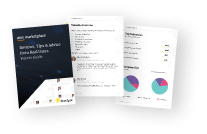
Buyer guide
Gain valuable insights from real users who purchased this product, powered by PeerSpot.
Financing for AWS Marketplace purchases
AWS Marketplace now accepts line of credit payments through the PNC Vendor Finance program. This program is available to select AWS customers in the US, excluding NV, NC, ND, TN, & VT.

Pricing
Pricing is based on actual usage, with charges varying according to how much you consume. Subscriptions have no end date and may be canceled any time.
Additional AWS infrastructure costs may apply. Use the AWS Pricing Calculator to estimate your infrastructure costs.
Dimension | Cost/host/hour |
|---|---|
1 to 4 Database Instances | $0.136 |
5 to 19 Database Instances | $0.129 |
20 to 49 Database Instances | $0.122 |
50 to 99 Database Instances | $0.115 |
100 to 199 Database Instances | $0.108 |
200 or More Database Instances | $0.101 |
Vendor refund policy
We do not currently support refunds. Please contact sales for further questions (dpa-aws@solarwinds.com ).

Legal
Vendor terms and conditions
Upon subscribing to this product, you must acknowledge and agree to the terms and conditions outlined in the vendor's End User License Agreement (EULA) .
Content disclaimer
Vendors are responsible for their product descriptions and other product content. AWS does not warrant that vendors' product descriptions or other product content are accurate, complete, reliable, current, or error-free.
Delivery details
64-bit (x86) Amazon Machine Image (AMI)
Amazon Machine Image (AMI)
An AMI is a virtual image that provides the information required to launch an instance. Amazon EC2 (Elastic Compute Cloud) instances are virtual servers on which you can run your applications and workloads, offering varying combinations of CPU, memory, storage, and networking resources. You can launch as many instances from as many different AMIs as you need.
Additional details
Usage instructions
For complete instructions on starting a DPA instance, please follow this link for more information: http://www.solarwinds.com/documentation/kbloader.aspx?kb=MT2494
Once you verify in the EC2 console that your AMI EC2 instance is running, launch DPA by opening a browser and entering this URL: http://<Your_Public_DNS> (for example: http://ec2-54-175-249-214.compute-1.amazonaws.com ).
You can copy and paste <Your_Public_DNS> from your EC2 console. The initial DPA password will be your EC2 instance_id, which you can get also from your EC2 console. When you log in to DPA for the first time, you will be asked to: 1) Create a DPA repository. 2) Agree to the EULA. 3) Select a default timezone. Then you can then start registering databases for monitoring.
Resources
Vendor resources
Support
Vendor support
If you require technical support for your AWS implementation, please open a support ticket (https://customerportal.solarwinds.com/support/submit-a-ticket ). If you have questions about obtaining support, please email customerservice@solarwinds.com for assistance.
AWS infrastructure support
AWS Support is a one-on-one, fast-response support channel that is staffed 24x7x365 with experienced and technical support engineers. The service helps customers of all sizes and technical abilities to successfully utilize the products and features provided by Amazon Web Services.
Updated weekly
By SolarWinds
By Redgate
By Rapydo Technologies
Sentiment is AI generated from actual customer reviews on AWS and G2
Functionality
Ease of use
Customer service
Cost effectiveness
Positive reviews
Mixed reviews
Negative reviews
AI generated from product descriptions
Anomaly Detection
Machine learning-powered anomaly detection to proactively identify performance deviations and potential issues
Response-Time Analysis
Root cause analysis using response-time methodology to identify performance problems in databases
Cross-Platform Database Support
Monitoring and optimization across multiple database platforms including Aurora, SQL Server, MySQL, PostgreSQL, and Oracle on AWS RDS, EC2, and on-premises environments
Query and Execution Plan Diagnostics
Comprehensive performance data analysis covering SQL statements, indexes, execution plans, and blocking scenarios
Custom Alerting and Automation
RESTful management APIs and customizable email alert templates for automated instance monitoring and alerting
Multi-Database Platform Support
Unified monitoring across SQL Server, PostgreSQL, Oracle, MySQL and MongoDB databases on premises, cloud and hybrid environments from a single centralized dashboard
Cloud Cost Visibility and Optimization
Integration with AWS to display virtual machine cost data including allocated versus actual usage across vCPUs, memory and storage with period-over-period spend comparison and right-sizing recommendations
Security Auditing and Compliance
Automated security auditing checks configurations against CIS Benchmark standards, permission tracking for user access rights across the estate and sensitive action logging for audit accountability
Performance Monitoring and Alerting
Customizable intelligent alerting with deep dive performance metrics, instance timeline tracking of deployments alongside key database metrics and context-rich drill-down capabilities for problem diagnosis
High Availability Architecture
Multiple Base Monitors behind load balancers ensuring monitoring continuity during maintenance or component failures with Data API integration for feeding monitoring data into existing operational tooling and dashboards
Real-time Database Monitoring
Unobtrusive real-time monitoring solution that detects problematic queries and demand spikes for immediate issue identification
Multi-target Database Fleet Observation
Capability to observe large fleets of relational databases and explore queries, tables, and databases across multiple targets
Infrastructure and Database Metrics Correlation
Correlates infrastructure-related metrics with database metrics to identify root causes of performance issues
Historical Performance Trend Analysis
Aggregates data over time to track long-term trends in database performance, user behavior, and platform engineering protocols
SQL Query Execution and Analysis
Executes custom SQL scripts or pre-verified scripts from repository to analyze schema drifts, database user management, and historical query trends
Standard contract
No
No
Customer reviews
Information Technology and Services
Service Operations Center Analyst
Reviewed on Jul 20, 2026
Review provided by G2
What do you like best about the product?
Being able to see what goes down and utilize child dependencies to see a clear view of issue
What do you dislike about the product?
I can't think of any dislikes besides the platform running slow sometimes. I would think that all comes down to how the platform instance is managed.
What problems is the product solving and how is that benefiting you?
It's helping me visualize our network and how it performs.
Marhamsyah .
It helps DBAs and application teams quickly identify slow queries, deadlocks, database bottlenecks
Reviewed on Jul 10, 2026
Review provided by G2
What do you like best about the product?
Excellent database performance analysis
Easy to identify slow queries and bottlenecks
Supports major databases such as SQL Server, Oracle, MySQL, and PostgreSQL
Saves a lot of troubleshooting time
Easy to identify slow queries and bottlenecks
Supports major databases such as SQL Server, Oracle, MySQL, and PostgreSQL
Saves a lot of troubleshooting time
What do you dislike about the product?
Mainly useful for database administrators
Requires SQL and database knowledge
Licensing may become costly for multiple database instances
Requires SQL and database knowledge
Licensing may become costly for multiple database instances
What problems is the product solving and how is that benefiting you?
This product is very powerful, but only if your daily job involves databases. Infrastructure engineers may not use it as often as database teams.
Information Technology and Services
Database processing essential ingredient for monitoring
Reviewed on Jun 10, 2026
Review provided by G2
What do you like best about the product?
The solution is not just providing data metrics on how the database server is consuming resource and its internal KPI metrics. It is looking at the queries the database is processing and correlates to the applications asking the database server to process. This makes is super valuable to identify what, where and how are issues, slowness being seen within the application stack.
What do you dislike about the product?
The Database component of the Observability SaaS platform does not have the same power and capability the excellent Database Performance Analyser and SQL Sentry standalone products have. As SolarWinds add these power features to Database Observability, it will be a vital inclusion in any monitoring toolset.
What problems is the product solving and how is that benefiting you?
Letting AI surface issues, that knowledge and experience and time are required to identify and deal with. Seeing how the database service is being consumed, by what, from where and the queries being passed to it. This provides insight, which can be very time consuming to put together outside of such a solution and in a way that we can trace the query back to the application and the code that is sending the queries in the first place.
Government Administration
Fantastic Product
Reviewed on May 19, 2026
Review provided by G2
What do you like best about the product?
The amount of data that is presented to you is phenomenal
What do you dislike about the product?
Dashboard creation could be improved upon
What problems is the product solving and how is that benefiting you?
Detecting database anomalies
Information Technology and Services
A Great System To Work With!!!
Reviewed on May 05, 2026
Review provided by G2
What do you like best about the product?
The monitoring of our switches and the alerting functions.
What do you dislike about the product?
One down side would be the fixed custom alerting for SQL or SWQL.
What problems is the product solving and how is that benefiting you?
We use the system to monitor everything on our network.