
Sold by: Booz Allen Hamilton
Deployed on AWS
Booz Allen Strivus is a real-time event stream processor (ESP) and visual data pipeline that connects, transforms, and routes enterprise data at TB-to-PB scale on AWS.
Overview
Image
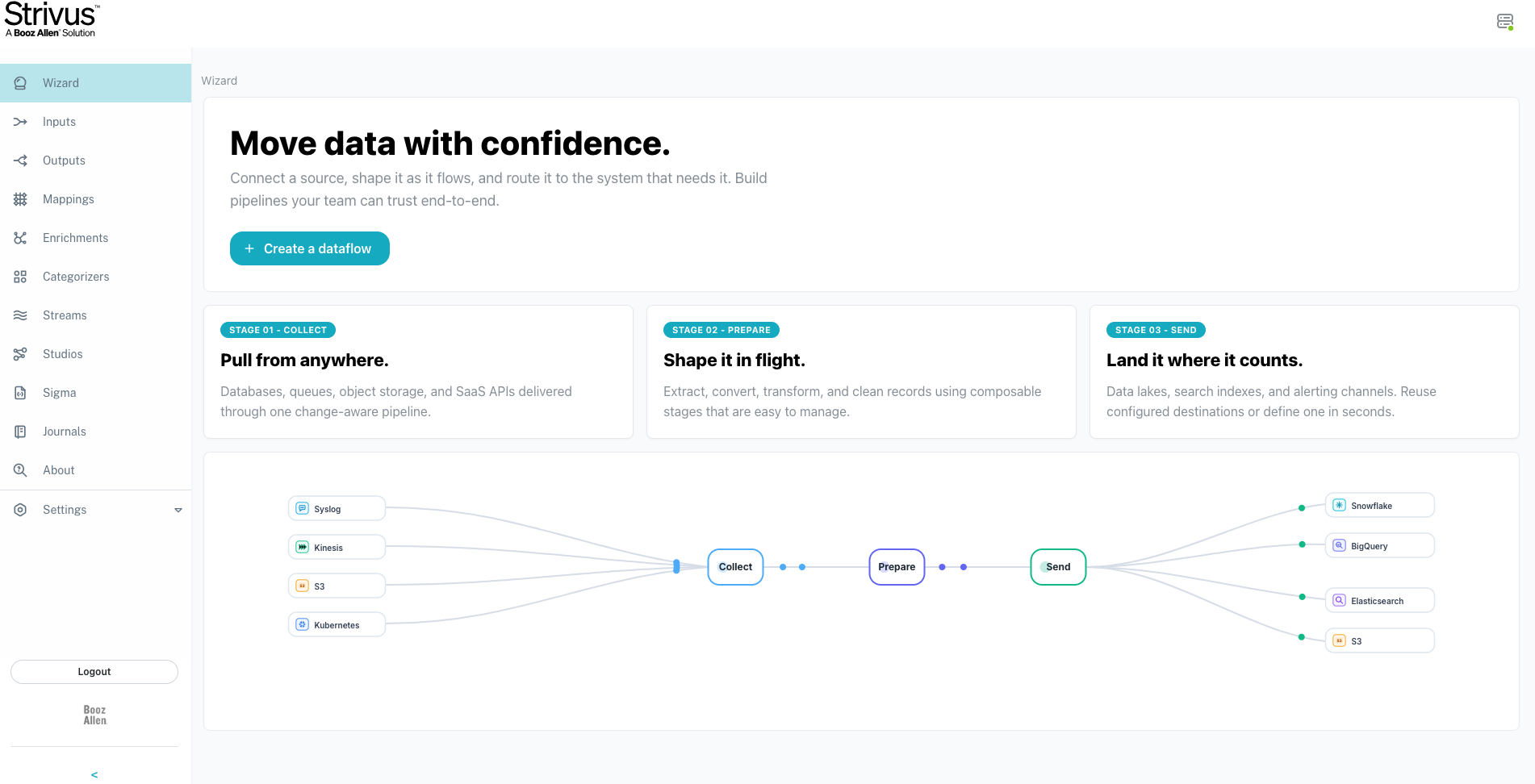
Strivus Wizard
Image
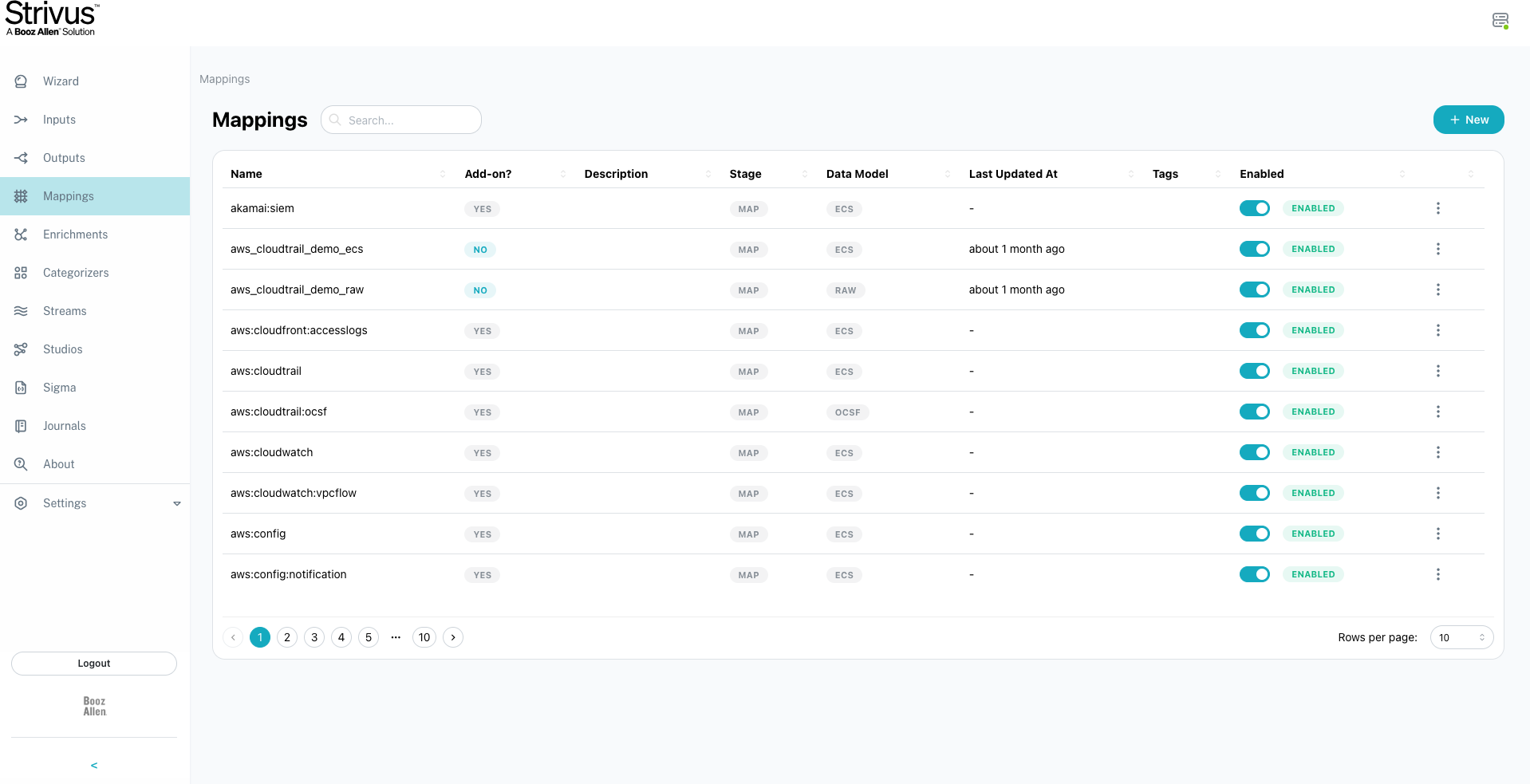
Strivus Mappings
Image
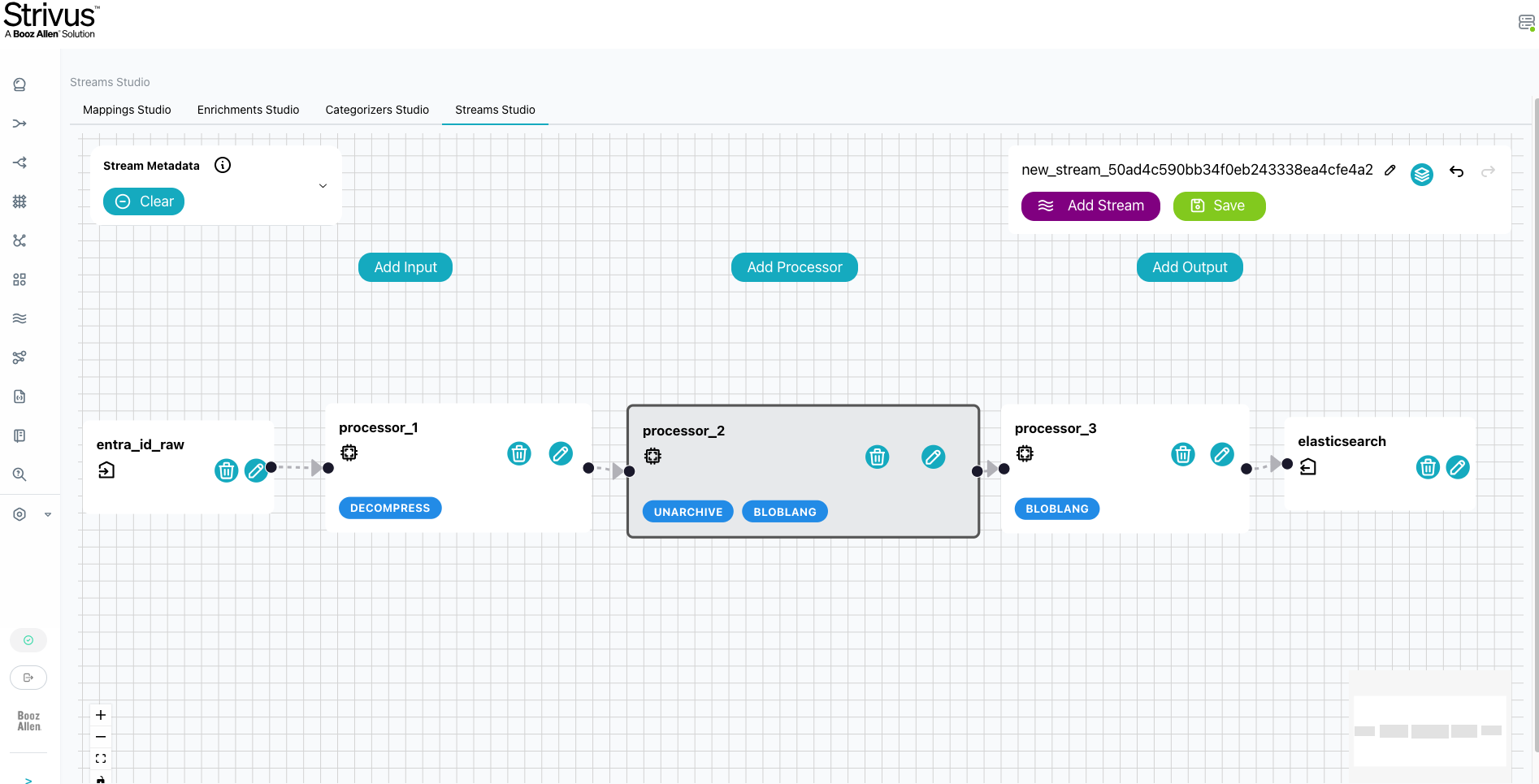
Strivus Streams Studio

Video
Strivus Features
Booz Allen Strivus - Real-Time Event Stream Processor and Data Pipeline
Booz Allen Strivus is a containerized event stream processor (ESP) and data pipeline that helps enterprises connect, transform, enrich, and route massive volumes of data in real-time. Designed for data engineering and security operations teams, Strivus reduces the complexity and cost of centralizing and processing enterprise data at scale on AWS.
The Challenge: Rising Data Demands
Managing and securing massive enterprise data is costly and complex. Data engineering and security teams struggle to process and analyze large volumes of streaming data, and centralizing that data across disparate sources is expensive. These teams need a solution that reduces stress on existing investments and enhances operational and data processing efficiency in cloud environments.
How Strivus Solves It
Strivus streamlines data engineering by offering a collaborative, visual drag-and-drop workflow canvas that seamlessly connects, transforms, and enriches data sources both inside and outside of AWS. Key capabilities include:
- Visual Pipeline Builder: A drag-and-drop canvas with multiple data models and connectors that enables multiple teams to collaboratively build and manage data streams without writing complex code
- Data Transformation: Apply essential transformations including decompression, normalization, filtering, and enrichment to ensure only high-quality, relevant data reaches your analytics tools
- Data Optimization: Filter out irrelevant data at the stream level, reducing storage costs and improving signal-to-noise ratio for downstream analytics
- Scalable Processing: Process terabytes to petabytes of data to and from AWS, scaling with your enterprise data demands
- Multi-Source Connectivity: Connect to data sources both inside and outside of AWS using built-in connectors and data models
AWS Integration
Strivus routes high-quality, transformed data directly to your AWS analytics and security tools. By combining real-time data optimization with the scale of AWS services, Strivus delivers cleaner insights in a standardized and scalable approach. The solution is designed to work within your existing AWS environment, connecting to your analytics stack for immediate value.
Getting Started
Learn more about Strivus on AWS, here.
Highlights
- Easy to install and stream data
- Scalable to process TB to PB of data to and from AWS
- Predictable cost structures and no additional costs for modules, related capabilities, or packs
Details
Sold by
Delivery method
Supported services
Delivery option
Strivus_6.1.0 Full Package
Latest version
Operating system
Linux
Deployed on AWS
New
Introducing multi-product solutions
You can now purchase comprehensive solutions tailored to use cases and industries.

Features and programs
Financing for AWS Marketplace purchases
AWS Marketplace now accepts line of credit payments through the PNC Vendor Finance program. This program is available to select AWS customers in the US, excluding NV, NC, ND, TN, & VT.

Pricing
Pricing is based on the duration and terms of your contract with the vendor. This entitles you to a specified quantity of use for the contract duration. If you choose not to renew or replace your contract before it ends, access to these entitlements will expire.
Additional AWS infrastructure costs may apply. Use the AWS Pricing Calculator to estimate your infrastructure costs.
Dimension | Description | Cost/month |
|---|---|---|
Trial License 1 Month | 1 Month Trial License for unlimited data processing. After 1 month, the trial license ends and annual license options and terms for renewal are presented by Booz Allen Hamilton to customer. A customer should not use the 1 month trial method for longer than 6 months as this can result in larger maintenance and impacts availability between months for customer over time. It is recommended to procure an enterprise license plan. | $20,000.00 |
Vendor refund policy
We do not support refunds; but you can cancel at any time.
Custom pricing options
Request a private offer to receive a custom quote.

Legal
Vendor terms and conditions
Upon subscribing to this product, you must acknowledge and agree to the terms and conditions outlined in the vendor's End User License Agreement (EULA) .
Content disclaimer
Vendors are responsible for their product descriptions and other product content. AWS does not warrant that vendors' product descriptions or other product content are accurate, complete, reliable, current, or error-free.
Delivery details
Strivus_6.1.0 Full Package
Supported services: Learn more
- Amazon EKS
Helm chart
Helm charts are Kubernetes YAML manifests combined into a single package that can be installed on Kubernetes clusters. The containerized application is deployed on a cluster by running a single Helm install command to install the seller-provided Helm chart.
Version release notes
Strivus 6.1.0 Release Notes
New Features Strivus 6.1.0 introduces feature updates, security updates/fixes, migration guidance from 6.0.1 to 6.1.0; and updated documentation. The features impacted are Usage Metrics, Licensing Model Changes, User Access control, Terraform Client Credential Provider Login, and Configuration Auditing.
Usage Metrics and Licensing Model Changes
Strivus 6.1.0 introduces a new metrics data panel on the UI homepage which displays your previous and current month's average daily usage. In addition to the raw data count, the UI will automatically warn you when your average daily usage is 80% of the quota for your license. In order to use Strivus, you will need to configure a valid Prometheus instance. You can either configure the helm chart to use the URL of an existing Prometheus, or to have Strivus set it up for you.
User Access Control
Strivus 6.1.0 introduces attribute-based user access control for permissions. Whenever a user successfully logs into the application, they will be placed into a pending approval state with no permissions. An existing user with the "users" permissions can use the new User Management page in the UI. Existing Strivus 6.0 (or prior) users will need to log in again and be granted permissions by a user with the User Management permission. To setup the new permissions, an admin will need to have their permissions configured by a Kubernetes administrator in the database. They will need to be granted the "users" and "read" permissions so they can manage permissions for any additional user through the User Management page.
Terraform Client Credential Provider Login
Added support for provider login using a client ID and client secret for admin service account privileges. This client and its issuer will need to be specified in the new adminClientBinding (in the format of |) for security. The provider continues to support basic credential login for the primary identity provider.
Configuration Auditing
Audit recording has been added for significant events such as creation, deletion, and updating of configurations, user permission changes, and installing and uninstalling packs. The audit records the ID and email of the performing user, the ID of the object they are operating on, and an event message indicating what operation the action took.
Updates, Fixes, and Security
- Terraform now allows categorizer resource to specify prefilter and postfiler stages
- Processors are now available in Streams Studios
- Removed certain inputs and processors (file, awk) that may pose a security risk
- Ensure encryption of sensitive data across all API endpoints; secured nil pointers.
- Fixed replays of files no longer in data lake always remaining in queued state
- Added new Access Logs parameter in the helm chart to enable route logging
- Added helm chart signature files for validation
- Beta input support for Crowdstrike Falcon EDR streams
Migration Guide (6.0.1 -> 6.1.0)
- Upgrade Helm values before rollout:
- Set controller.oidc.adminClientBindings for each automation/service account client.
- Set pipeline.jackknife.url to your intended fixed Jackknife endpoint.
- Verify controller.metrics.prometheusURL points to a reachable Prometheus instance.
- Validate automation and Terraform authentication:
- If using client credentials mode, ensure provider client_id/client_secret correspond to a configured adminClientBindings entry.
- Re-run Terraform plan/apply and confirm API authentication succeeds.
- Run post-upgrade smoke checks:
- Confirm users can authenticate and access expected pages based on permission grants.
- Confirm pipeline deploy/update succeeds with current config set.
- Confirm usage metrics and quota banners load from Prometheus-backed metrics.
Roadmap: Coming in 6.1.1 and 6.2, planned features include improvements to Strivus collectors, dedicated streams, a new pipeline summary page, and pipeline error correlation, In addition, key integration initiatives include Azure marketplace integration, MSFT Sentinel output definition, UDM mapping packs planned, AWS environment and resource integrations, SIEM integration(s), continued updates to multi-data model support for data normalization, and multi-cloud compatibility.
Additional details
Usage instructions
Prerequisites for Strivus, the Booz Allen Hamilton event stream processor with data pipeline capabilities: Kubernetes 1.27+, Helm 3.0+, AMD64 (x86_64) architecture, Minimum: three node cluster (2 to 4 vCPU/node, 16 GB RAM, 20 GB disk), Required services available before install: PostgreSQL, Redis, and an OIDC compatible IdP (e.g., Keycloak). 5 Key installation steps and detailed technical guide is below:
- Configure Dependencies: Collect connection info for PostgreSQL (host, port, credentials, DB name), the Redis URL, your IdP, and OIDC Secret
- Configure values.yaml: Set OIDC URLs and certPath, Establish Postgres connection; and Database Encryption. Note: Strivus 6.0 added database encryption, which is a recommended security best practice.
- Create a PGP Keypair and enable database encryption
- Install Helm Chart: Run helm install command
- Monitor performance by configuring Prometheus and Grafana
For complete detailed installation steps, helm chart values reference, security best practices, packs (e.g., data processors), and additional support, see: (Installation Guide)[https://bah-aws-marketplace-docs.s3.us-east-1.amazonaws.com/Strivus/Strivus_Technical+Installation+Guide_6.1.pdf ]
Resources
Vendor resources
Support
Vendor support
Strivus Labor Support is designed to assist users throughout their journey with Booz Allen Strivus. The support team is technical hands-on team with a defined approach and experience working with multi-cloud and security infrastructure.
To reach out contact methods include the following:
- Email Support: Customers can contact support via email at Strivus_Support@bah.com which is the technical support team inbox and issues will be triaged.
- Support Portal: Available for licensed customers only, this portal helps customers file a ticket, access additional technical documentation, and product updates. https://support.strivus.boozallen.com/strivus
- Labor Support: Customers can explore and procure various levels of labor support defined to cover maintenance, operations and enhancements to accelerate data processing in their enterprise. For further information, please contact Strivus_Sales@bah.com or file a ticket in the Support Portal.
- Enterprise Support: Provides structured approach aligned to defined service levels, getting packs (e.g., data processors), and coordinating training sessions for a customer staff. It is recommended to consider combining a labor support package with enterprise support granted through license to achieve a success in the deployment, use and scaling of the Strivus product.
AWS infrastructure support
AWS Support is a one-on-one, fast-response support channel that is staffed 24x7x365 with experienced and technical support engineers. The service helps customers of all sizes and technical abilities to successfully utilize the products and features provided by Amazon Web Services.
Similar products

Unlock the power of data messaging and streaming with StreamNative Cloud on-demand, powered by Apache Kafka® & Apache Pulsar™
Ingest, search, and analyze your CloudWatch logs with Athena, OpenSearch, and pre-built dashboards. The solution runs entirely in your AWS account - no data leaves your VPC.
Streamline business processes and improve decision-making with a structured approach to unstructured content and data. AWS Intelligent Document Processing (IDP) by TekStream enables users to quickly understand, process and manage critical business documents, images, forms, video files, and unstructured data from a wide variety of sources through the power of AWS Integrated Services.

Unlock the power of data messaging, cost-effective and ready for the enterprise, powered by Apache Kafka® & Apache Pulsar™
Customer reviews
No customer reviews yet
Be the first to review this product . We've partnered with PeerSpot to gather customer feedback. You can share your experience by writing or recording a review, or scheduling a call with a PeerSpot analyst.