
Sold by: Madarson IT
Deployed on AWS
AWS Free Tier
This product has charges associated with it for the pre-configured AI/ML environment. Madarson IT's RHEL 10 AI/ML environment with JupyterLab eliminates manual setup so data science teams can run secure notebooks in minutes, not hours.
Overview
Image
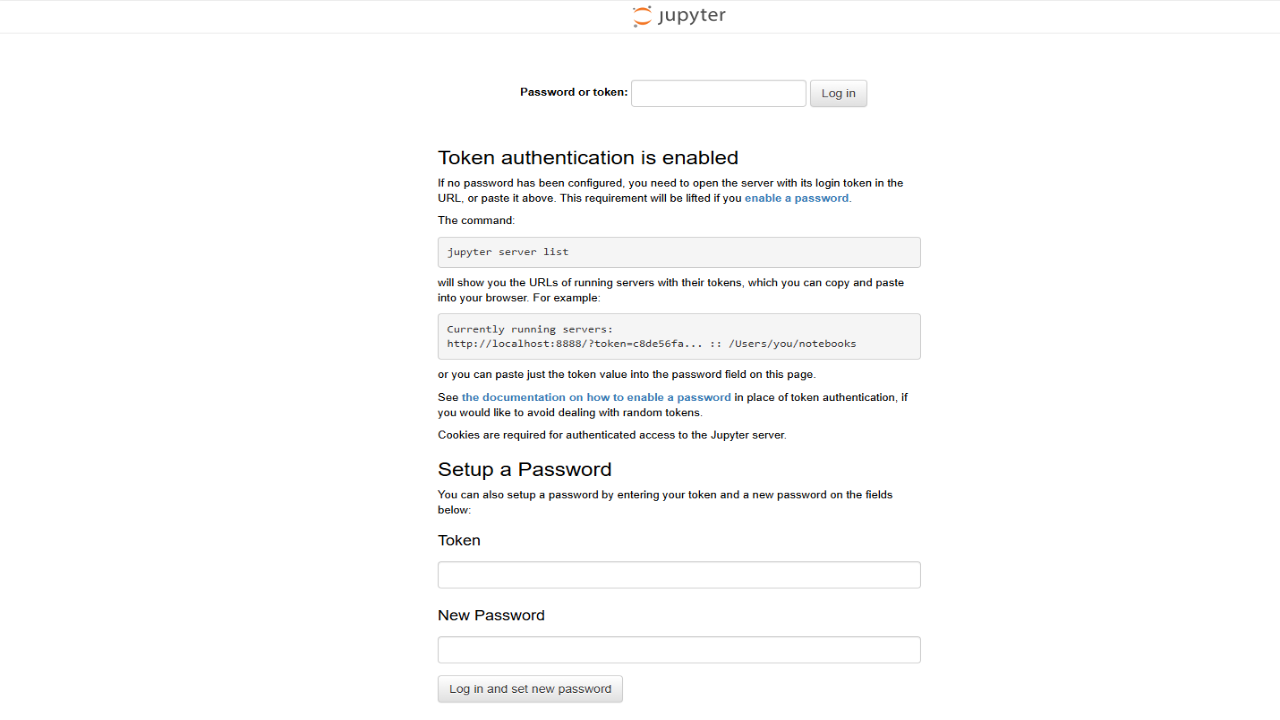
Secure JupyterLab Access via Token Authentication
Image
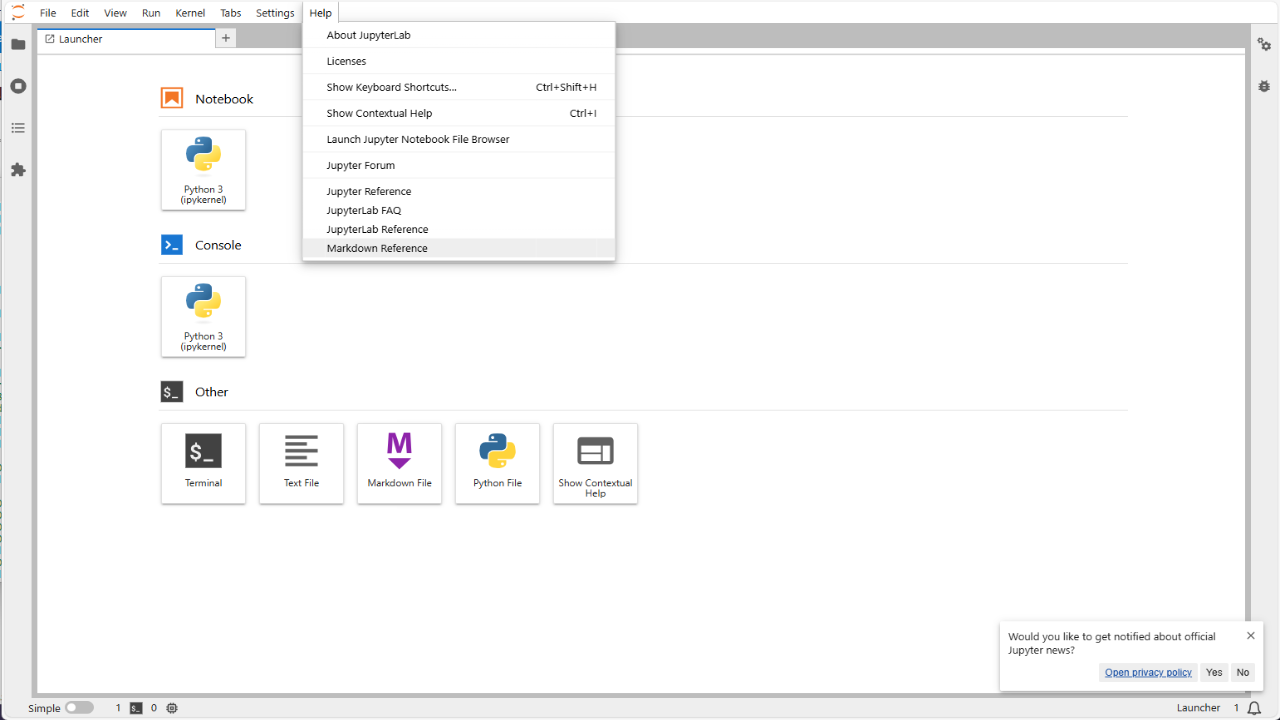
Preconfigured JupyterLab Environment
Image
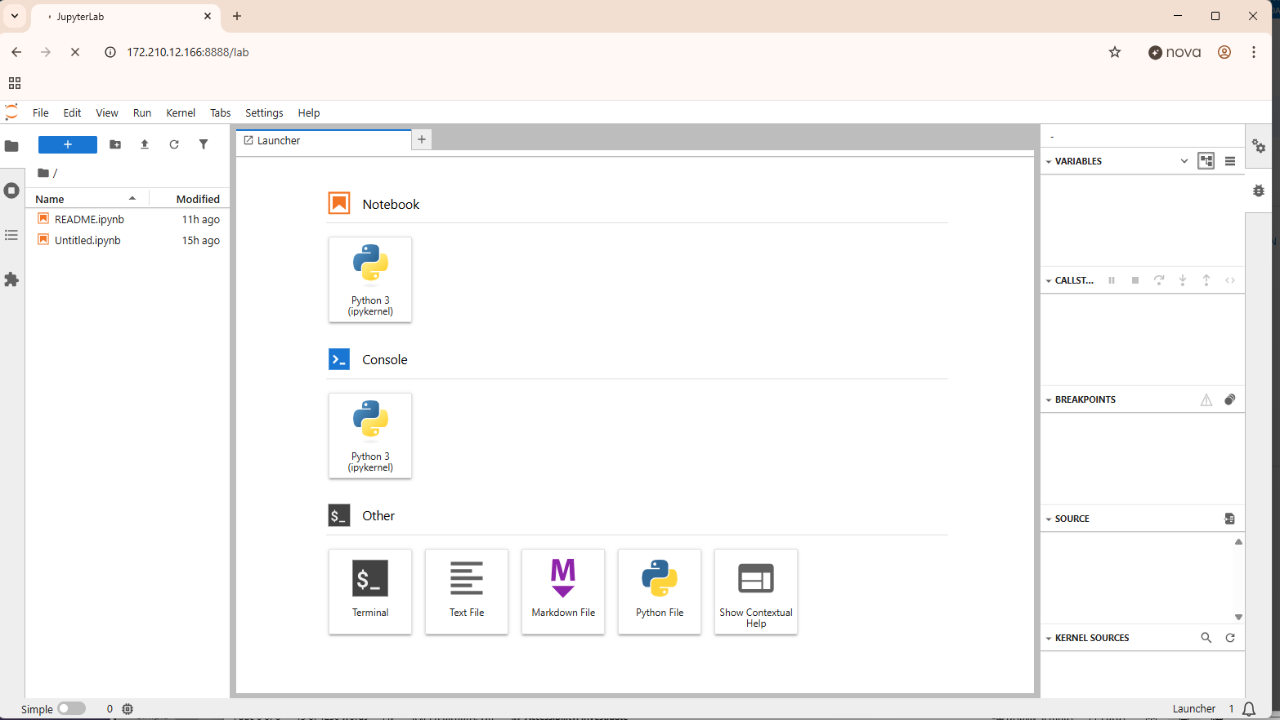
Integrated Notebook and Development Tools
This is a repackaged software product wherein additional charges apply for the pre-configured AI/ML environment.
Madarson IT RHEL 10 AI/ML Environment with JupyterLab
Deploy a production-ready AI and machine learning workspace without spending hours on manual configuration. This Red Hat Enterprise Linux 10 image from Madarson IT delivers a fully configured JupyterLab environment with 7+ pre-installed data science libraries, enterprise-grade security defaults, and persistent storage - ready for your first notebook within minutes of launch.
What You Get
- Pre-installed ML stack: Python virtual environment with NumPy, Pandas, scikit-learn, XGBoost, LightGBM, and visualization libraries - no pip-install sessions required
- JupyterLab as a systemd service: Automatically starts on boot, restarts on failure, and simplifies operations for teams managing multiple environments
- Enterprise security by default: SELinux enforcing mode, firewall enabled, runtime-generated access tokens, and zero hardcoded credentials
- Persistent storage architecture: Notebooks and environment data stored on durable disks, not ephemeral storage - survives reboots and redeployments
- Customer-controlled network exposure: JupyterLab listens on TCP port 8888 but requires explicit inbound access configuration via your cloud security group
Why This Image Instead of Building Your Own
A typical manual setup of JupyterLab on RHEL with proper security hardening, persistent storage configuration, systemd service management, and library installation requires multiple hours of engineering time. This image eliminates that burden:
- Skip security hardening - SELinux policies, firewall rules, and token authentication are pre-configured
- Avoid dependency conflicts - libraries are tested together in a clean Python virtual environment
- Reduce operational risk - systemd management ensures JupyterLab recovers automatically from crashes
- No ephemeral storage surprises - storage architecture follows cloud best practices
Use Case: Data Science Team Running ML Proof-of-Concepts
A 3-to-10 person analytics team prototyping classification or regression models can deploy one instance per team member for independent experimentation. Each analyst gets an isolated, secure JupyterLab workspace with the full ML toolkit pre-loaded - ideal for churn prediction, demand forecasting, or anomaly detection workflows.
Getting Started
- Deploy the VM from AWS Marketplace
- Connect via SSH (requires an SSH key pair)
- Allow inbound TCP port 8888 in your network security group
- Let systemd auto-start handle JupyterLab on boot
- Retrieve your runtime-generated access token from the service logs
- Open your browser to the VM's public IP on port 8888 and paste the token
Requirements and Limitations
- This is a repackaged software product with additional charges for the pre-configured AI/ML environment.
- JupyterLab listens on TCP port 8888; buyers must explicitly open this port in their security group.
- This image is intended for CPU-based workloads. GPU-accelerated training may require additional configuration.
- Buyers should verify compatibility with their target EC2 instance types before deploying at scale.
- Madarson IT does not provide commercial licenses for Red Hat products. Buyers should ensure appropriate Red Hat subscription coverage for their deployment.
About Madarson IT
Madarson IT certified images are continuously updated, security-optimized, and built to meet enterprise requirements with minimal configuration. Madarson IT also offers hardened and custom images across AWS, GCP, and Azure Marketplace, covering multiple operating systems and compliance frameworks.
Disclaimer
Red Hat, Inc. holds the trademarks for Red Hat Enterprise Linux (RHEL) and associated branding. Madarson IT does not provide commercial licenses for Red Hat products.
Highlights
- 7+ Pre-Installed ML Libraries Ready at Launch: Deploy with NumPy, Pandas, scikit-learn, XGBoost, LightGBM, and visualization libraries pre-loaded in a clean Python virtual environment. No manual pip-install sessions, no dependency conflict debugging. Data science teams can open JupyterLab and run their first notebook within minutes of instance launch rather than spending hours on environment setup.
- Enterprise Security Active from First Boot: SELinux enforcing mode, firewall rules, and runtime-generated access tokens are pre-configured with zero hardcoded credentials. JupyterLab requires explicit inbound port configuration via your security group, giving teams a secure-by-default workspace that meets enterprise and regulated-industry requirements without additional lockdown steps.
- JupyterLab as a Managed systemd Service with Persistent Storage: JupyterLab runs as a systemd service that auto-starts on boot and self-recovers from crashes without manual intervention. Notebooks and environment data are stored on durable persistent disks rather than ephemeral storage, ensuring your work survives reboots and redeployments across the instance lifecycle.
Details
Sold by
Categories
Delivery method
Delivery option
64-bit (x86) Amazon Machine Image (AMI)
Latest version
Operating system
Rhel 10
Deployed on AWS
New
Introducing multi-product solutions
You can now purchase comprehensive solutions tailored to use cases and industries.

Features and programs
Financing for AWS Marketplace purchases
AWS Marketplace now accepts line of credit payments through the PNC Vendor Finance program. This program is available to select AWS customers in the US, excluding NV, NC, ND, TN, & VT.

Pricing
Pricing is based on actual usage, with charges varying according to how much you consume. Subscriptions have no end date and may be canceled any time.
Additional AWS infrastructure costs may apply. Use the AWS Pricing Calculator to estimate your infrastructure costs.
If you are an AWS Free Tier customer with a free plan, you are eligible to subscribe to this offer. You can use free credits to cover the cost of eligible AWS infrastructure. See AWS Free Tier for more details. If you created an AWS account before July 15th, 2025, and qualify for the Legacy AWS Free Tier, Amazon EC2 charges for Micro instances are free for up to 750 hours per month. See Legacy AWS Free Tier for more details.
Dimension | Cost/hour |
|---|---|
m5a.xlarge Recommended | $0.20 |
t2.micro | $0.05 |
t3.micro | $0.10 |
d3.xlarge | $0.20 |
c5a.xlarge | $0.20 |
g5.xlarge | $0.20 |
t3.nano | $0.05 |
t3a.nano | $0.05 |
m5a.2xlarge | $0.40 |
m6a.4xlarge | $0.80 |
Dimensions summary
You pay by the hour for the EC2 instance type you run this AI/ML environment on. Each dimension maps to a specific instance size, so pricing scales with the compute you choose. Smaller general-purpose instances like t3.nano and t2.micro carry the lowest hourly rates. Larger compute, memory, storage, and GPU instances (such as c6a, r6a, i2, and g5 or p-series) cost more per hour to match their added resources. Choose the instance family that fits your workload; the hourly software charge applies on top of standard AWS infrastructure fees.
Top-of-mind questions for buyers
The hourly rate covers the software licence for this hardened RHEL 10 AI/ML environment with JupyterLab. You pay this on top of the standard AWS charge for the EC2 instance you run it on. Storage and data transfer follow standard AWS pricing and are billed separately.
The software charge meters running time only. A stopped or paused instance does not accrue the hourly software fee. Note that stopped instances may still incur standard AWS storage fees for attached volumes, which are billed by AWS, not by this software licence.
Each dimension maps to one EC2 instance type. Pick a general-purpose type (t, m, c families) for standard notebooks and lighter compute. Choose memory-optimized (r families) for large in-memory datasets, storage-optimized (i, d families) for heavy data, or GPU types (g and p families) for model training. Cost rises with instance resources.
madarsonit.com
Helpful?
Vendor refund policy
There is no refund policy for this image.

Legal
Vendor terms and conditions
Upon subscribing to this product, you must acknowledge and agree to the terms and conditions outlined in the vendor's End User License Agreement (EULA) .
Content disclaimer
Vendors are responsible for their product descriptions and other product content. AWS does not warrant that vendors' product descriptions or other product content are accurate, complete, reliable, current, or error-free.
Delivery details
64-bit (x86) Amazon Machine Image (AMI)
Amazon Machine Image (AMI)
An AMI is a virtual image that provides the information required to launch an instance. Amazon EC2 (Elastic Compute Cloud) instances are virtual servers on which you can run your applications and workloads, offering varying combinations of CPU, memory, storage, and networking resources. You can launch as many instances from as many different AMIs as you need.
Version release notes
Red Hat Enterprise Linux 10 AI/ML Environment with JupyterLab
Additional details
Usage instructions
Allow inbound SSH access in your security group (TCP port 22) Allow inbound Jupyter web access in your security group on TCP port 8888 To connect to your instance using the Amazon EC2 console: Open the Amazon EC2 console at https://console.aws.amazon.com/ec2/ . In the navigation pane, choose Instances. Select the instance and choose Connect. Choose the EC2 Instance Connect tab. For Connection type, choose Connect using EC2 Instance Connect. Access the ec2 with the default username: "ec2-user" OR Alternatively, access Jupyter web console at http://your-vm-ip:8888 To Get access URL / token from the terminal: sudo journalctl -u jupyterlab | grep token
Resources
Vendor resources
Support
Vendor support
Support Contact
For technical issues, private offers, audit requirements, or compliance needs, contact Madarson IT at info@madarsonit.com .
Scope
Support covers questions related to image deployment, JupyterLab service startup and configuration, token retrieval, and network access setup.
Please include your AWS account ID and instance details when contacting support to help us respond efficiently.
AWS infrastructure support
AWS Support is a one-on-one, fast-response support channel that is staffed 24x7x365 with experienced and technical support engineers. The service helps customers of all sizes and technical abilities to successfully utilize the products and features provided by Amazon Web Services.
Similar products

This product has charges associated with it for DISA STIG security hardening. Madarson IT pre-hardened RHEL 9 AMI for DISA STIG compliance. Launch a security-optimized EC2 instance ready for DoD and federal workloads out of the box.

This product has charges associated with it for RDP/GUI optimization. Madarson IT pre-configured RHEL 9 cloud virtual desktop AMI with RDP/GUI optimization - launch and connect to a graphical Linux desktop in minutes.

This product has charges associated with it for security hardening. Madarson IT's pre-hardened RHEL 10 AMI with 300+ security controls, Cockpit web console, and RHEL Lightspeed AI assistant. Deploy production-ready, compliance-aligned infrastructure in minutes.

This product has charges associated with it for security hardening. Madarson IT security-hardened RHEL 10 AMI pre-configured for compliance with NIST CSF, ISO 27001, HIPAA, and PCI DSS. Deploy a secure Linux baseline on AWS EC2 in minutes.
Customer reviews
No customer reviews yet
Be the first to review this product . We've partnered with PeerSpot to gather customer feedback. You can share your experience by writing or recording a review, or scheduling a call with a PeerSpot analyst.