Sold by: Newt Global
Deployed on AWS
Agentic modernization support for Oracle and Microsoft SQL Server for use with Amazon RDS for PostgreSQL and Amazon Aurora PostgreSQL, including schema conversion, data migration and validation, and application remediation with GenAI and GitHub Copilot integration.
Overview
Image
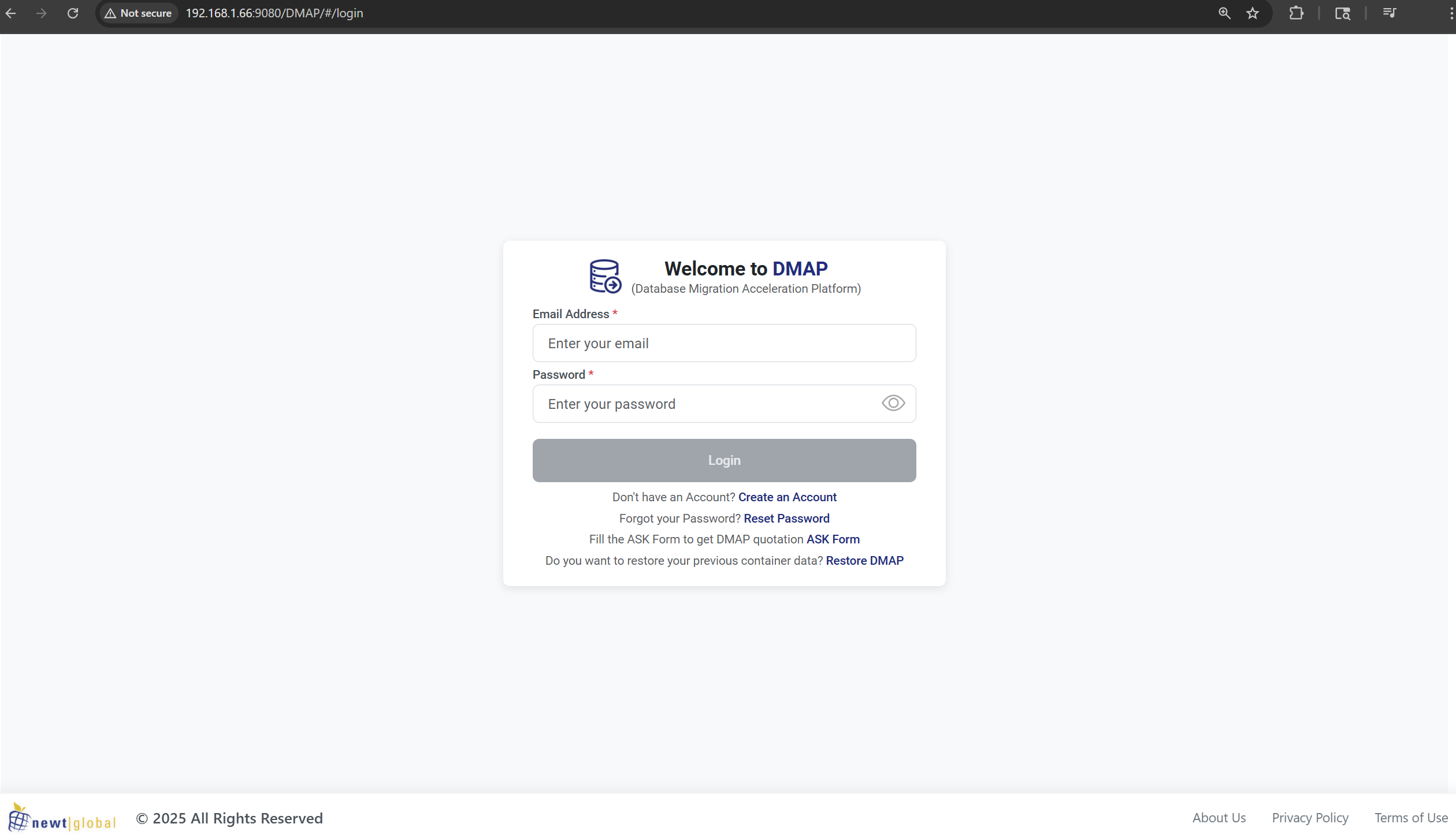
Dmap Login Page
Image
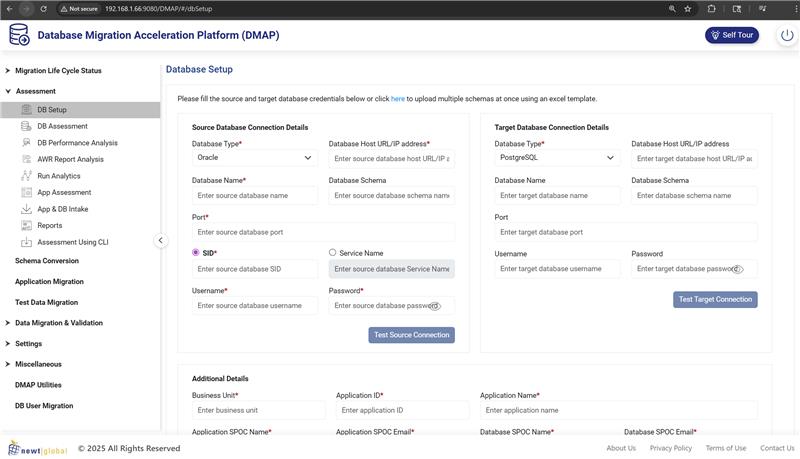
Database Configuration Page
Image
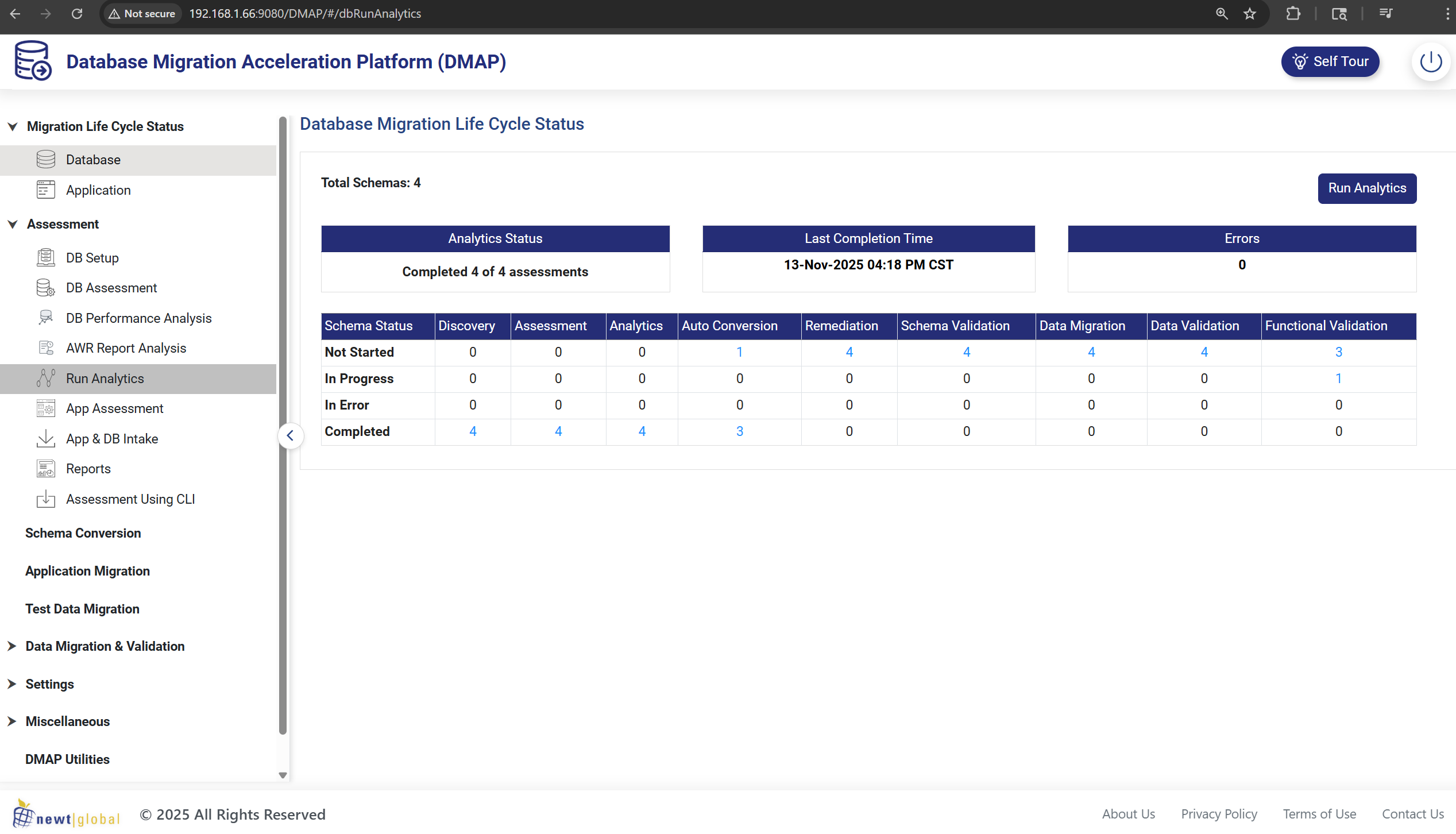
Database Lifecycle Page
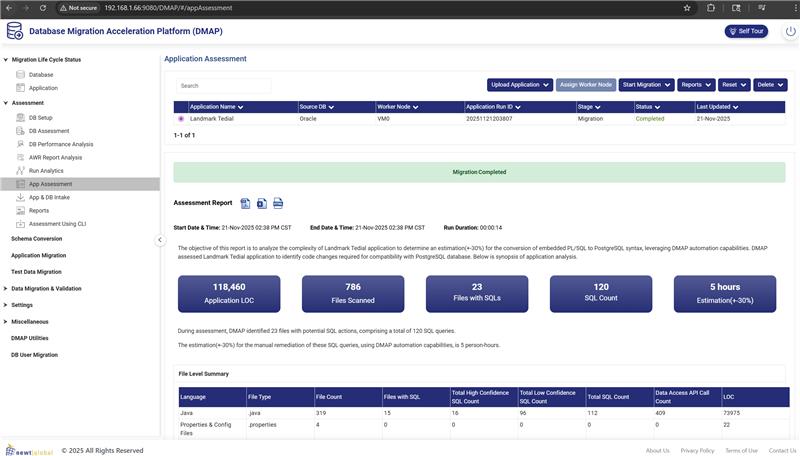
Image
Application Migration Page

Video
Product video
Newt Global Data Modernization Acceleration Platform (DMAP AI) is an agentic modernization solution that supports Oracle and Microsoft SQL Server database and application migration for use with Amazon RDS for PostgreSQL and Amazon Aurora PostgreSQL. DMAP AI provides database and application assessment across multiple schemas and applications, including analysis of embedded SQL patterns, conversion statistics, and conversion error details. It supports schema and code conversion for supported database objects and assists with remediation of Oracle PL/SQL patterns in application code where applicable. DMAP AI provides Oracle workload insights using Automatic Workload Repository (AWR) trends, including resource utilization and SQL analysis, to support target planning and configuration considerations. It supports data migration for multiple databases and schemas, including concurrent approaches designed to reduce downtime, and includes schema and data validation to verify structure, constraints, and migrated data accuracy and completeness. DMAP AI produces migration blueprints, estimates, target architecture guidance, and sizing recommendations. AI-assisted and agentic workflows, including GenAI integrations and GitHub Copilot support, help teams move through analysis, remediation, and validation cycles more quickly.
Highlights
- Ready to Use Tool/Solution/Accelerator
- Fixed Time commitment: Schema and application code conversion support (where applicable). Agentic and AI-assisted modernization workflows (DMAP AI), including GenAI integrations and GitHub Copilot support, help teams convert and remediate code, review changes, and iterate through validation cycles more quickly.
- Assessment, migration, and validation features for Oracle and Microsoft SQL Server to PostgreSQL modernization on Amazon Web Services (AWS).
Details
Sold by
Delivery method
Delivery option
64-bit (x86) Amazon Machine Image (AMI)
Latest version
Operating system
AmazonLinux Amazon Linux 3
Deployed on AWS
New
Introducing multi-product solutions
You can now purchase comprehensive solutions tailored to use cases and industries.

Features and programs
Financing for AWS Marketplace purchases
AWS Marketplace now accepts line of credit payments through the PNC Vendor Finance program. This program is available to select AWS customers in the US, excluding NV, NC, ND, TN, & VT.

Pricing
This product is available free of charge. Free subscriptions have no end date and may be canceled any time.
Additional AWS infrastructure costs may apply. Use the AWS Pricing Calculator to estimate your infrastructure costs.
Dimensions summary
This listing bills through a single dimension: the t3.xlarge instance, priced by the hour. The software itself carries no license fee, so your only cost is the hourly rate for running it on that instance size. You pay for the hours the instance runs, and stop paying when you stop it. There are no tiers, quantities, or add-ons to choose between. The platform installs as container images to migrate Oracle databases and their applications to PostgreSQL on AWS RDS and Aurora.
Top-of-mind questions for buyers
The rate covers running the software on a t3.xlarge instance. This size gives 4 virtual CPUs and 16 GB of memory. You are billed for each hour the instance runs. The software has no license fee, so the hourly charge reflects usage time only.
The software meters running time only. When you stop the instance, hourly software charges stop too. A stopped instance may still incur underlying AWS storage fees for attached volumes, but no software time accrues while it is not running.
You can attach multiple worker containers to scale migration and remediation. Each running instance is billed by the hour. Adding workers speeds parallel schema conversion, data validation, and SQL remediation, but each active instance accrues its own hourly software charge.
newtglobal.com+2
Helpful?
Vendor refund policy
Refund Policy: This AWS Marketplace listing is free $0. Because no fees are charged through AWS Marketplace, refunds are not applicable. This is a BYOL product any license fees are purchased separately from us and are subject to our separate terms.

Legal
Vendor terms and conditions
Upon subscribing to this product, you must acknowledge and agree to the terms and conditions outlined in the vendor's End User License Agreement (EULA) .
Content disclaimer
Vendors are responsible for their product descriptions and other product content. AWS does not warrant that vendors' product descriptions or other product content are accurate, complete, reliable, current, or error-free.
Delivery details
64-bit (x86) Amazon Machine Image (AMI)
Amazon Machine Image (AMI)
An AMI is a virtual image that provides the information required to launch an instance. Amazon EC2 (Elastic Compute Cloud) instances are virtual servers on which you can run your applications and workloads, offering varying combinations of CPU, memory, storage, and networking resources. You can launch as many instances from as many different AMIs as you need.
Version release notes
Additional details
Usage instructions
DMAP Application Usage Instructions
Step 1: Launch the AMI. Log in to AWS Management Console and navigate to EC2. Click Launch Instance and select this DMAP AMI. Choose instance type t3.xlarge or higher for optimal performance.
Step 2: Configure Security Group. Create or select a security group with inbound rules allowing SSH on port 22, DMAP Application UI on port 9091, DMAP Database UI on port 9090, Database Port 5433, and Python Service port 7002 from your IP address or as needed.
Step 3: Select or create a key pair, download the PEM file, review configuration and launch the instance. Wait for Running state and note the Public IP address.
Step 4: Connect to Instance. Open terminal and run chmod 400 followed by path to your PEM file. Connect via SSH using ssh -i followed by PEM file path and ec2-user@ followed by instance public IP.
Step 5: Start Docker Service. Run sudo systemctl enable docker then sudo systemctl start docker to enable and start Docker service.
Step 6: Launch Database Container. Run sudo docker run -d -it -p 5433:5432 -p 9090:8080 -p 7002:5002 -e UI_PORT=9090 -e SERVICE_PORT=7002 -e DB_PORT=5433 -e ONLINE=Y --name=dmap_db_prod ngdmapo/dmap_db_prod:latest
Step 7: Launch Application Container. Run sudo docker run -d -it -p 9091:8080 -p 5002:5000 --name=dmap_app_prod ngdmapo/dmap_app_prod:latest
Step 8: Verify containers are running using sudo docker ps. You should see both dmap_db_prod and dmap_app_prod containers with Up status.
Step 9: Access Application. Open browser and navigate to http:// followed by your instance public IP :9091/DMAP/#/login
Troubleshooting: If unable to access, check Security Group rules ensure port 9091 is open. Verify containers using sudo docker ps -a. Check logs using sudo docker logs dmap_app_prod or sudo docker logs dmap_db_prod. Restart containers if needed using sudo docker restart dmap_app_prod dmap_db_prod.
Port Configuration: Default ports are 5433 for database, 9090 for database UI, 7002 for Python service, 9091 for application UI, and 5002 for internal services. Ports can be customized but update security group accordingly.
License Validation: Set ONLINE=Y for online license validation requiring internet connectivity or ONLINE=N for offline validation using local license files.
Important: Database container must start before application container. All commands require sudo privileges. Ensure chosen ports are available and not used by other processes.
Resources
Vendor resources
Support
Vendor support
AWS infrastructure support
AWS Support is a one-on-one, fast-response support channel that is staffed 24x7x365 with experienced and technical support engineers. The service helps customers of all sizes and technical abilities to successfully utilize the products and features provided by Amazon Web Services.
Similar products
Unify your data across Oracle and AWS with Oracle Database services running on Oracle Cloud Infrastructure (OCI) within AWS. Modernize mission-critical workloads and develop new, intelligent applications with a low latency networking connection between Oracle Database capabilities, such as Oracle Database 23ai AI Vector Search, and AWS services. Maintain full feature availability, architectural compatibility, and the same performance as on-premises.

Get up to 1 hour free with our AWS-certified DBA’s to help answer all your questions around your Database Modernization or Optimization project! RapidScale can help you Modernize, Optimize and Monetize your legacy or End-of-Life databases to an AWS cloud-native platform.

Mactores Application and Database Modernization helps enterprises reduce Microsoft SQL Server, Oracle, DB2, Teradata, and SSIS licensing costs while retiring legacy application and database technical debt. We modernize databases, stored procedures, application code, ETL pipelines, APIs, and downstream dependencies together, not as disconnected migration workstreams. Using, Mactores’ proprietary agent platform, plus CodeConverter, CodeAnalyzer, and forward-deployed engineers, we automate dependency discovery, schema conversion, T-SQL/PL-SQL to PL/pgSQL conversion, application code remediation, parity testing, validation, and cutover planning. Common paths include SQL Server to Amazon Aurora PostgreSQL, Oracle to Aurora, SSIS to AWS Glue, and monolithic applications to Amazon ECS, Amazon EKS, AWS Lambda, or AWS Fargate. Customers use this offering to reduce TCO, improve performance, minimize migration risk, and build a scalable AWS-native foundation.

Virtusa has helped migrate several customers out of their commercial on-prem DBs using proprietary frameworks, tools & methodology built for purpose. Our approach and tools are engineered to help clients assess, migrate and modernize out of Oracle DB to AWS.
Customer reviews
No customer reviews yet
Be the first to review this product . We've partnered with PeerSpot to gather customer feedback. You can share your experience by writing or recording a review, or scheduling a call with a PeerSpot analyst.