Sold by: Device42
Deployed on AWS
Device42 provides the data you need for intelligent migration to the cloud and clear insights into your complex hybrid IT environment to simplify daily management and service delivery. Leverage Device42s auto-discovery, application mapping, and cloud recommendation engine to get to the cloud faster and manage hybrid IT effectively. Device42 comes with its own, automated CMDB and can auto-populate CMDBs. With this insight, you can: Create cloud migration move groups effortlessly and automatically with affinity group dependency diagrams, which use auto-discovered infrastructure details Enjoy instance sizing suggestions and pricing estimates for AWS from our Cloud Recommendation Engine Get a clear and easily updated view of IT and application assets across your hybrid IT enterprise Start your free trial today and see what Device42 can do for you at: https://www.device42.com/download/ To learn more, contact us at info@device42.com or visit www.device42.com
4.6
Overview
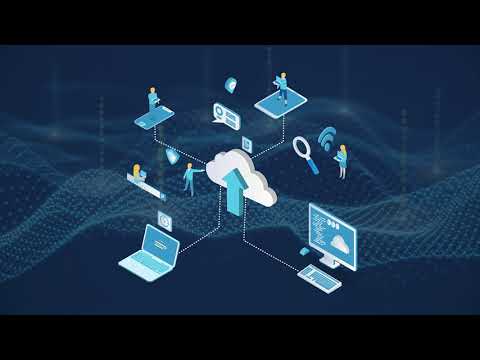
Device42 provides you with the accurate, detailed data you need for intelligent migration to the cloud and simplifies hybrid IT management as your organization changes. Leverage Device42 comprehensive auto-discovery, application mapping, affinity groups, and cloud recommendation engine to get to the cloud faster and manage your complex hybrid IT environment effectively as you go.
Device42 comes with its own, automated CMDB and can auto-populate CMDBs in most ITSM solutions. With this insight, you can:
- Create cloud migration move groups effortlessly and automatically with affinity group dependency diagrams, which use auto-discovered infrastructure details
- Create your own, customized cloud migration procedure
- Enjoy instance sizing suggestions and pricing estimates for your workloads on AWS from our Cloud Recommendation Engine
- Get a clear and easily updated view of IT and application assets across your complex hybrid IT enterprise--including storage, legacy, and resources in multiple cloud environments--to simplify management and ensure service delivery
Device42 provides a comprehensive agentless discovery system for hybrid IT. Device42 can continuously discover, map, and provide insight to optimize infrastructure and applications across data centers and cloud, with accurate views of your IT ecosystem. Once discovered, Device42 intelligently groups workloads by application affinities, dramatically reducing the effort required to create move groups, capturing all communications. Deploy Device42 once, discover your IT estate as it changes, and distribute data and gain insight wherever it is needed.
Customers in more than 60 countries including Global 2000 clients and systems integrators use these capabilities as they manage and modernize their IT infrastructure and application.
Start your free trial today and see what Device42 can do for you at: https://www.device42.com/download/ To learn more, contact us at info@device42.com or visit <www.device42.com >
Highlights
- Infrastructure and Application Modernization - When planning your cloud migration, you need a single source that shows everything in your environment before, during, and after a move. With Device42, you can: -Efficiently and correctly achieve your cloud migration -Optimize your application portfolio, and visually see application dependencies -Increase the speed and ease at which you can complete your hardware and software refreshes -Quickly achieve workload and micro-segmentation analysis
- Hybrid IT Service Delivery - The heartbeat of your business is your IT infrastructure and more and more is demanded from IT than any other business segment. Device42 gives you total visibility into your environment end-to-end. To run your IT business, with Device42, you can: -Get a complete out-of-the-box CMDB/ITSM integration based on all the detailed, accurate data Device42 collects -Improve your service levels -Dramatically reduce mean-time to repair (MTTR) -Easily prepare for changes
- Compliance and Audit - As if your job wasnt hard enough, IT also has to abide by regulatory compliance requirements. Device42 makes compliance easy by putting all the information at your fingertips. With Device42, you can: -Get a complete inventory of all your hybrid IT assets for internal and external audits -Meet mandates such as PCI, SOC 2, HIPAA, SOX, and others with ease -Speed up IT planning and budgeting based on the latest and most accurate information
Details
Sold by
Delivery method
Delivery option
64-bit (x86) Amazon Machine Image (AMI)
Latest version
Operating system
OtherLinux Rocky Linux 8.10
Deployed on AWS
New
Introducing multi-product solutions
You can now purchase comprehensive solutions tailored to use cases and industries.

Features and programs
Buyer guide
Gain valuable insights from real users who purchased this product, powered by PeerSpot.

Financing for AWS Marketplace purchases
AWS Marketplace now accepts line of credit payments through the PNC Vendor Finance program. This program is available to select AWS customers in the US, excluding NV, NC, ND, TN, & VT.

Pricing
Pricing is based on actual usage, with charges varying according to how much you consume. Subscriptions have no end date and may be canceled any time. Alternatively, you can pay upfront for a contract, which typically covers your anticipated usage for the contract duration. Any usage beyond contract will incur additional usage-based costs.
Additional AWS infrastructure costs may apply. Use the AWS Pricing Calculator to estimate your infrastructure costs.
Dimension | Cost/hour |
|---|---|
t3.xlarge Recommended | $0.001 |
c4.8xlarge | $0.001 |
t3.2xlarge | $0.001 |
m6i.4xlarge | $0.001 |
r6i.2xlarge | $0.001 |
m6i.8xlarge | $0.001 |
r6i.4xlarge | $0.001 |
Dimensions summary
You pay by the hour based on the EC2 instance size you run this software on. All seven options deliver the same agentless discovery and dependency mapping; they differ only in compute capacity. The t3.xlarge and t3.2xlarge are burstable general-purpose sizes. The c4.8xlarge is compute-focused. The m6i.4xlarge and m6i.8xlarge are general-purpose sizes. The r6i.2xlarge and r6i.4xlarge are memory-focused sizes. Pick a size to match the scale of your IT environment. Larger instances handle bigger workloads and cost more per hour. Billing scales with hours used.
Top-of-mind questions for buyers
You pay software charges only while the instance runs, billed per hour. A fully stopped instance stops accruing hourly software charges. Underlying AWS storage fees for the stopped instance may still apply separately. To halt software billing, stop the instance running Device42.
Choose based on the scale of your IT environment. Device42 uses agentless, automated discovery across physical, virtual, and cloud assets. Larger environments with more devices, VMs, and cloud resources benefit from more compute or memory. Bigger instances handle bigger discovery workloads at a higher hourly rate.
All seven instance sizes run the same software and provide the same agentless discovery and dependency mapping features. Sizes differ only in compute and memory capacity, not features. You choose a size to match workload scale, not to unlock functionality. The hourly rate reflects the instance size you select.
www.device42.com
Helpful?
Vendor refund policy
Refunds will be approached on a case by case basis. Please contact aws-marketplace@device42.com with any questions.

Legal
Vendor terms and conditions
Upon subscribing to this product, you must acknowledge and agree to the terms and conditions outlined in the vendor's End User License Agreement (EULA) .
Content disclaimer
Vendors are responsible for their product descriptions and other product content. AWS does not warrant that vendors' product descriptions or other product content are accurate, complete, reliable, current, or error-free.
Delivery details
64-bit (x86) Amazon Machine Image (AMI)
Amazon Machine Image (AMI)
An AMI is a virtual image that provides the information required to launch an instance. Amazon EC2 (Elastic Compute Cloud) instances are virtual servers on which you can run your applications and workloads, offering varying combinations of CPU, memory, storage, and networking resources. You can launch as many instances from as many different AMIs as you need.
Version release notes
Additional details
Usage instructions
-
Launch the product via 1-Click.
-
Use a web browser to access the application at https://<EC2_Instance_Public_DNS>
-
Log in using the following credentials:
-
Username: admin
-
Password: the instance_id of the instance
For detailed usage instructions please review: https://docs.device42.com/getstarted/installation/installation-amazon-web-services/
Resources
Vendor resources
Support
Vendor support
This AMI may be a few versions behind the production Device42 release. Please download the latest update from https://www.device42.com/update/
You can find instructions on applying the update available at - https://support.device42.com/hc/en-us/articles/222221228-Upgrade-Steps-Device42
Online Support, Email Support
AWS infrastructure support
AWS Support is a one-on-one, fast-response support channel that is staffed 24x7x365 with experienced and technical support engineers. The service helps customers of all sizes and technical abilities to successfully utilize the products and features provided by Amazon Web Services.
Updated weekly

By Flexera

By CloudSphere
Sentiment is AI generated from actual customer reviews on AWS and G2
Functionality
Ease of use
Customer service
Cost effectiveness
Positive reviews
Mixed reviews
Negative reviews
AI generated from product descriptions
Agentless Discovery System
Comprehensive agentless discovery mechanism that continuously discovers, maps, and provides insight across data centers and cloud environments without requiring agent deployment on infrastructure.
Automated CMDB with Integration
Automated Configuration Management Database with capability to auto-populate CMDBs in most ITSM solutions and provide out-of-the-box CMDB/ITSM integration.
Application Dependency Mapping
Intelligent application mapping and affinity group dependency diagrams that automatically group workloads by application affinities and capture all communications between resources.
Cloud Recommendation Engine
Cloud recommendation engine that provides instance sizing suggestions and pricing estimates for AWS workloads to optimize cloud migration planning.
Hybrid IT Asset Inventory
Comprehensive inventory and visibility of IT and application assets across hybrid IT enterprise including storage, legacy systems, and resources in multiple cloud environments for compliance and audit purposes.
Multi-Source Data Normalization
Normalizes IT data from multiple discovery sources to provide consistent and reliable asset information across software and hardware inventory.
Market Data Enrichment
Enriches asset inventory with market data covering over 4 million products through Technopedia to improve decision-making capabilities.
Lifecycle Management
Identifies IT assets that have reached end of life or end of support status to manage obsolescence and plan asset replacement.
CMDB Integration
Provides direct integrations and APIs to configuration management databases for maintaining clean data and maximizing ITSM return on investment.
Unified Analytics and Visualization
Delivers analytics and dashboard creation capabilities with clear visualization of hybrid IT environments spanning on-premises, SaaS, and cloud infrastructure.
Agentless Discovery
Agentless deep application discovery capability for inventory and application mapping without requiring agent installation
Service Mapping and Dependency Visualization
Automated service mapping with pattern-based identification covering at least 50% of in-scope servers and business service graphing
Performance Metrics Collection
Advanced performance metrics collection through deep discovery including CloudWatch metrics, database metrics, and performance benchmarking data
Optimization and Modernization Framework
CloudSphere Optimization & Modernization Framework (COMF) providing instance rightsizing, license reduction, and modernization recommendations
Standard contract
No
No
No
Customer reviews
Pankaj K.
Simplifying IT Infrastructure Discovery and Dependency Management
Reviewed on Aug 25, 2026
Review provided by G2
What do you like best about the product?
Device42's automated discovery, dependency mapping, and centralized infrastructure visibility are its biggest strengths. It helps maintain accurate IT asset information, understand relationships between infrastructure components, reduce manual effort, and support effective troubleshooting, impact analysis, and infrastructure planning.
What do you dislike about the product?
The main area for improvement is the user interface and navigation, which can feel a little complex initially. Some workflows and reporting options could be more intuitive, and performance can occasionally slow down when handling very large data sets. Better documentation and more streamlined reporting would further improve the overall user experience.
What problems is the product solving and how is that benefiting you?
Device42 solves IT asset visibility and dependency management challenges by providing automated discovery and a centralized view of infrastructure. It helps reduce manual effort, troubleshoot issues faster, assess change impact, and make better migration and infrastructure decisions.
EricBlack
Discovery has become faster and network topology mapping provides clear disaster recovery plans
Reviewed on Apr 09, 2026
Review provided by PeerSpot
What is our primary use case?
My main use case for Device42 is that we use it as a CMDB and affinity map to check out network topology or determine when we need to decom something in a life cycle. We use it for many different purposes.
A quick specific example of how we use Device42 for one of those purposes is that being able to deploy it at a customer site and do a mapping of the environment gives us an overview of how we would go about structuring the rest of the products that we would put in place. We use the topology map to build out, say, network segments or understand server affinity mapping architecture and build our disaster recovery plans around that.
In addition to my main use case, we use Device42 as a lifecycle manager as well, and I know many people do not use that, but it does have functionality to be able to pull data CMDB-wise.
What is most valuable?
The best features Device42 offers, in my opinion, are the network mapping and topology; I think that is the best functionality of the software.
What stands out for me about the network mapping and topology is the visualization, which is the biggest part of it. Being able to see the topology and affinity mapping out in front of you on the screen in the way that they create it is very handy.
Device42 has positively impacted my organization by definitely speeding up our discovery process when we are working with clients or new clients up front with the onboarding. To build out a proper DR recovery for people, it is a necessity to understand their environment, and Device42 helps us understand those environments much quicker compared to manual intervention or running other tools in a segment and several other applications to gather roughly the same type of mapping data.
Device42 saves a significant amount of time, with onboarding and discovery being reduced significantly, specifically around understanding how to build out a client's circuits and network topology. Typically, we have to match that on our side to do a proper disaster recovery environment for individuals, and we build out clean rooms and do the full setup at a hot site. Being able to match that identically with a mapping that we know to be the source of truth and to be accurate saves weeks and weeks of time within the discovery process.
What needs improvement?
I think Device42 can be improved by adding more features around the CMDB aspect and lifecycle management. I do not think many people use it for that functionality, but if they were to expand the subset of tools available with that and maybe dig a bit deeper with what you could do with the data mining from that, it would be beneficial. Making it expansible into other types of reporting that does not exist right now, or perhaps a complete reporting engine, and being able to visualize that data from the lifecycle pieces of it in a more consumeristic way would be valuable. We want to be able to go to that and just look at the reporting for CMDB to understand, at a fast pace, when lifecycles are coming up and help us identify and manage those into, say, the capacity planning process and all that. I think that data could be useful in many different functions if the mining aspect and reporting aspect were improved and extensive.
For how long have I used the solution?
I have been using Device42 for five years.
What do I think about the stability of the solution?
Device42 is stable.
What do I think about the scalability of the solution?
I feel Device42's scalability is easy; I do not have a problem with adding devices to it or any other aspect within that, or installing it in multiple places and using it. Everything works scale-wise. I feel it scales fine.
How are customer service and support?
I have only used customer support a handful of times, but they have always been responsive, pleasant, and solved my problems. I have no complaints there.
Which solution did I use previously and why did I switch?
I previously used Cloudscape for affinity mapping before switching to Device42. IBM bought them, and then it turned into another product, and so it just seemed to be a hassle continuing with that product, and that is when we started using Device42.
What was our ROI?
I have not seen a return on investment in terms of cutting employees and have not really tracked the monetary savings that we have. The time investment is the biggest piece that we have noticed as a whole, and it is significant. We are saving weeks and weeks of time during discovery processes, and that is repeatable. Onboarding a new customer, we save time. Every customer we onboard and we use Device42 as a mapping agent, we save time with. Eventually it extends into major time savings over the course of a year.
Which other solutions did I evaluate?
I evaluated Cloudscape before choosing Device42.
What other advice do I have?
My advice to others looking into using Device42 is to definitely take into account the flexibility of being able to use it as a CMDB source or data source with lifecycle management. I feel many people miss that aspect of it or do not use it for that, but it can be quite flexible in that direction. I would rate this product an eight out of ten.
Krishna Gopal Singh
Automated discovery has unified hybrid inventories and provides deep utilization insights
Reviewed on Mar 13, 2026
Review from a verified AWS customer
What is our primary use case?
We are using Device42 for various customers who are starting from scratch and implementing this tool in their environment. We are doing ADDM, ITOM, and migrations as well with help from Device42 data. This makes it very useful for different use cases.
The client's main requirement for Device42 depends on how large the customer's environment is and what kind of implementation they need. If they have their infrastructure on-premises, they can go with the on-premises installation. However, if they have their environment running in the cloud as well, there is a separate installation and separate prerequisites we need to follow for deploying the tool in the cloud. Apart from deployment, we need port enablement on the network side and some service accounts which will be configured into the main appliance. We need to enable some ports at the network side to reach out to the remote collector and target devices. There is a plenty of prerequisites which the customer team also needs to fulfill during or after deployment and during execution of discovery as well.
Automated discovery means that most customers do not know about their environment. They do not know what servers, network devices, or storage they have. We have customers provide us some subnet ranges, and we run those subnet ranges in Device42 and can schedule those. This performs automated discovery for those subnet ranges and tells everything that is behind those subnet ranges, including which servers are there, which are Linux, which are Windows, which network devices are there, and which storage devices are there. Automated discovery means it does everything automatically without any manual intervention for collecting data about how many Windows or Linux servers exist. Device42 does everything automatically. You only need to have the prerequisites fulfilled and have the subnet ranges from the network team, and then you are in good shape after running the discovery.
There is no use if you cannot integrate the discovery solution with your IT infrastructure. Device42 has the capability to integrate with Remedy ITSM and ServiceNow ITSM. There are other integrations as well, as plenty of third-party ITSM tools are available where we can integrate Device42. This information is available on their website for all ITSM platforms that you can integrate with Device42.
How has it helped my organization?
Discovery tools such as Device42 are very useful for enterprise level organizations. For end users, if any end user is working on the management side of managing all the environment and infrastructure, it is very useful for them because it actually makes their job easy. They can manage all the infrastructure and all the required details they need from the infrastructure in a very efficient way.
Through automated discovery, they have everything with all inventory in their hand. Device42 provides a very holistic view of the infrastructure showing which things are running in the environment. If the infrastructure is segregated with some parts running in one region and other parts running in different regions, you can have all those infrastructure on a single screen. You can get everything from your infrastructure including what things you have, what licenses you have, which things are expired, and which things are unknown.
Most of the time what happens is that application teams provision servers or provision any new device without informing the inventory team or the CMDB team. These discovery tools are useful for getting those hidden things and providing you those unknown things so that by looking at all those unknown things, you can verify and have all those hidden things in your environment in front of you. This is why it helps end users who are managing the infrastructure and is very useful at the enterprise level.
What is most valuable?
Various discovery tools in the market do almost the same thing such as collecting inventory and hardware details, running application instances, and end of life details of operating systems. However, in Device42 specifically, we can do resource utilization analysis. There is an ADM feature which you can enable for resource utilization that provides details of RAM utilization, CPU utilization, input and output, and IOPS details. Those kinds of details can be provided from the deeper server level.
Visualization capabilities are also available with ADDM things and visualizations. You can create application layouts, though the caveat is that these are not dynamic. However, you can set some alerts where it can update as well.
What needs improvement?
Device42 is working on a SaaS-based product with a SaaS-based version where the implementation is going to be easy. As of now, we are doing heavy implementation where we are downloading the main appliance OVF file, downloading the remote collector, and downloading Windows Discovery Service separately. The installation is a bit hectic because the customer needs to provision these VMs and appliances in their environment and then needs to enable the discovery in their environment. After this SaaS version is released, most of the things will be in the hands of Device42 where maintenance can easily be handled by Device42.
Currently, maintenance is handled by the customer team or the Device42 admin who manages those maintenance tasks. If space utilization is getting increased in Device42, we need to add some disk, do database compression activities, or release some data from Device42 that is older than a certain age. All those maintenance activities will be done by Device42 automatically once the SaaS version is released.
Another capability that could be improved is the reporting part. As of now, reporting is good and we can create standard reports and custom reports through DQL queries. However, those DQL queries are a bit tricky because you need to have good SQL knowledge for generating and fetching data from Device42. Device42 has already introduced an AI feature called Inside AI that helps in creating those queries, but they can improve that feature further. If you want an exact result or exact list of servers depending upon your conditions or trigger conditions, the AI feature should provide that. Device42 can improve that AI feature for helping end users in creating those DQL queries to fetch the data from Device42.
Another area is support. Support is good as of now since Device42 has been acquired by Freshworks. Previously, Device42 was a separate company, but now it has been acquired by Freshworks and the management has changed. Device42 is working on enhancing the tool in a better way so that it can be used at a bigger enterprise level, can integrate with most ITSM platforms, and can do more things such as migration and help in other use cases. However, that progress is a bit slow.
For how long have I used the solution?
Starting from the beginning of my career, I have been working on Device42 for 12 years now.
What do I think about the scalability of the solution?
Scalability-wise, they are adding some features into the tool and scaling it. Since Device42 has been acquired by Freshworks, they are working on releasing their SaaS model as well. They are also working on enhancing their AI features. From a scalability perspective, they are working on it and scalability is going good, definitely.
How are customer service and support?
Support is good as of now since Device42 has been acquired by Freshworks. The management has changed, and Device42 is working on enhancing the tool in a better way so that it can be used at a bigger enterprise level and can integrate with most ITSM platforms. However, that progress is a bit slow.
Which other solutions did I evaluate?
The main competitors as of now are BMC Discovery, which is the main competitor of Device42, and ServiceNow Discovery. Most customers are using ServiceNow Discovery because they are using the ServiceNow ITSM and want to integrate the ServiceNow Discovery data with the ServiceNow CMDB.
Other discovery tools are also in the market such as StratoZone for Google, cloud scape or CloudImage for AWS, and Azure Migrate for Azure discovery. However, those are cloud-native discovery tools that provide all the details related to the cloud and are used for preparing assessments. Those are not core discovery tools and are high-level discovery tools. The ones doing deep discovery are Helix and ServiceNow Discovery.
Price-wise, from what I understand from my leadership, Device42 has some cost and it is a bit high compared to other discovery tools such as BMC Discovery or BMC Helix. Their rates are a bit high because they treat every server as one unit of one license. One server means one license, and for storage, if you are doing it for 0.10 unit for one storage, their costs are a bit high from what I understood from my previous engagements and in my current team. I would rate this product an 8 overall.
Hafidz Rusydi
Asset discovery and certificate tracking have improved but dependency mapping still needs work
Reviewed on Feb 23, 2026
Review provided by PeerSpot
What is our primary use case?
My main use case for Device42 is day-to-day asset discovery in our organization where we discover our devices like virtual machines, NICs, and operating systems such as Windows and Linux. I use it to track the expiry of certificates through a dashboard to ensure proper change management for renewals.
For asset discovery with Device42, I monitor a few VMs, and for certificate management, I deal with applications that utilize TLS certificates. A recent situation that was particularly helpful was our renewal process which occurs every six months to a year where I ensure the certificates are up to date and monitor our virtual machines on the dashboard including both on-premises and cloud resources.
I use Device42 to integrate with our Jira for our ticketing system, which is very helpful in providing alerts about our inventory's status, whether it is end of life or needs updates. It aids in certificate management by informing us through Jira, thus supporting our reporting processes and compliance efforts.
What is most valuable?
The best features of Device42 include the asset inventory, which I find very important for organizations to maintain an up-to-date inventory of their end devices and users for auditing purposes.
Device42's asset inventory feature helps our organization by making auditing easier as I can generate reports and automate dashboards for top management. I also plan to leverage features related to AI and artificial intelligence to integrate with change management systems like Jira or ServiceNow.
Device42 positively impacts our organization by providing dependency mapping for our devices, and it integrates well with applications, especially our cloud service Microsoft Azure, giving us complete visibility across our infrastructure for efficient operations and modern compliance.
What needs improvement?
To improve Device42, I hope it can revolutionize ITSM with continuously updated configuration data while simplifying compliance and license navigation. However, the dependency mapping feature needs improvement as it currently requires manual identification of device relationships.
Regarding improvements to user experience, while it is generally acceptable, I have faced some issues needing OS upgrades, which have occasional blockers. Support from Device42 has been helpful in resolving certain issues, particularly with dependency mapping. However, the asset inventory and certificate management functions work well.
For how long have I used the solution?
I have been using Device42 for the past two years.
What do I think about the stability of the solution?
Stability for Device42, in terms of reliability, is generally acceptable. However, it requires correct configuration to function as demonstrated.
What do I think about the scalability of the solution?
Device42 handles scalability well. I have successfully scaled a few times, accommodating our growing assets.
How are customer service and support?
My experience with Device42's customer support has been positive, particularly with Karl Wasberg and Wahi Nascisian, despite the challenges posed by time zone differences.
Which solution did I use previously and why did I switch?
I evaluated other options before choosing Device42 but ultimately opted for it.
How was the initial setup?
Device42 was not purchased through the Azure Marketplace. It was acquired through our organization via our partner Aizeno, and I obtained the image from the Marketplace.
What was our ROI?
I have not seen a return on investment with Device42, as it primarily provides information and not revenue. I have just recently upgraded our licensing to avoid unnecessary charges by limiting what I discover.
What's my experience with pricing, setup cost, and licensing?
I am not involved in the pricing details, but I believe the costs are manageable and within our budget range.
Which other solutions did I evaluate?
If others are considering Device42, it depends on their budget. There are many asset discovery tools available, and they should evaluate whether Device42 is the right tool for them.
What other advice do I have?
Device42 is deployed in our organization on a private cloud, specifically under Microsoft Azure, and it is not on-premises. I would rate this review a seven out of ten.
reviewer2804190
Accurate dependency mapping has enabled smooth cloud migration planning and fast application testing
Reviewed on Feb 20, 2026
Review provided by PeerSpot
What is our primary use case?
My main use case for Device42 is for transformation projects to assess the application workloads of different organizations that are ready to move to cloud.
In one of those transformation projects, I used Device42 for assessing application dependencies and obtaining infrastructure details such as current usage, how applications are dependent on each other, networking components, memory, CPU, and other details. This allowed me to get the as-is information and application dependencies to define how to move the workloads forward and whether the applications were ready to move to cloud, essentially to check their readiness and fit for cloud migration.
I have used Device42 for transformation and modernization projects, and it has been very useful because I obtained as much detail as required for successful execution of the project.
What is most valuable?
Device42 offers great and detailed application dependency data, networking components, and provides as-is details with interconnections between applications.
The detailed application dependency data and networking components stand out in my projects because application dependency is a major factor that helps evaluate how applications and workloads will be migrated and in what move group. It is easier to define the move groups of applications to be migrated to cloud using the application dependency data, so I can easily decide what set of applications can be moved together. This is very helpful.
Device42 has positively impacted my organization by helping us lead successful migration and transformation projects, and I have successfully completed cloud movement implementation from standard data center deployments to the cloud. It was very helpful in both transformation and transition phases.
What needs improvement?
Device42 can be improved by adding more reporting features and architectural diagrams. If visual representations for application dependencies could be incorporated, that would be helpful.
For how long have I used the solution?
I have been using Device42 for two years.
What do I think about the stability of the solution?
Device42 is stable.
What do I think about the scalability of the solution?
Device42's scalability is good because it can handle larger workloads. I have not faced any challenges in terms of scalability with Device42.
How are customer service and support?
Customer support for Device42 is effective. I receive responses to queries or issues related to the tool within 24 hours, and critical issues are also addressed quickly.
Which solution did I use previously and why did I switch?
I was previously using other tools such as Azure Migrate and Cloudscape before switching to Device42.
What was our ROI?
I have seen a return on investment because if I am well-versed with the tool, I would need fewer people to evaluate or perform manual assessment. In that way, it is helpful.
Which other solutions did I evaluate?
Before choosing Device42, I evaluated other options and found that Device42 is the more effective tool that can be used.
What other advice do I have?
Specific outcomes and metrics from those migration projects that I can share include that I identified very accurate details. I did not face any migration issues, and the migrations were quick and effective. Application testing post-migration was also completed very quickly because I had the pre-assessment and assessment details ready to use because of Device42. It was accurate and very effective.
On a scale of one to ten, I would rate Device42 an eight. I chose eight because I think overall everything is great about the tool and it really helps in assessing applications and migrating workloads to cloud. However, I still feel there is always room for improvement in everything.
My advice to others looking into using Device42 is to explore their options. It depends on the organization and how they want to utilize which tool. I had a great experience using Device42, so I would recommend people to give it a try for transformation projects. I would rate Device42 an eight out of ten.