
Sold by: cloudimg
Deployed on AWS
Free Trial
AWS Free Tier
This product has charges associated with it for seller support. Launch a production-ready, self-hosted Git server in minutes. Gitea preconfigured with nginx, SQLite, and automated credential hardening - backed by 24/7 cloudimg support.
Overview
Image
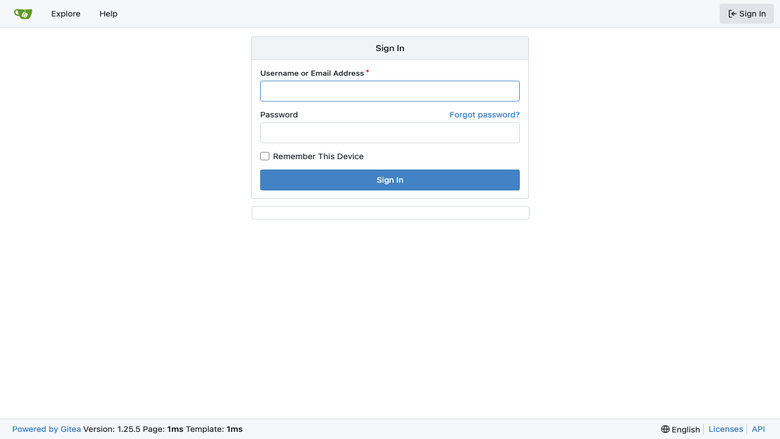
Gitea sign-in page
Image
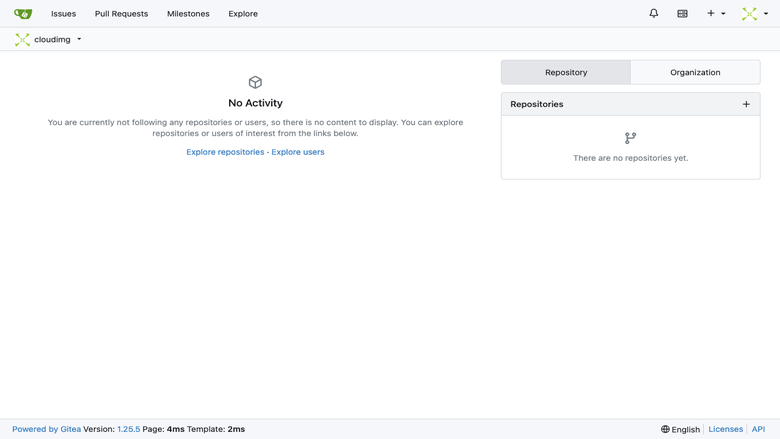
Gitea dashboard
Image
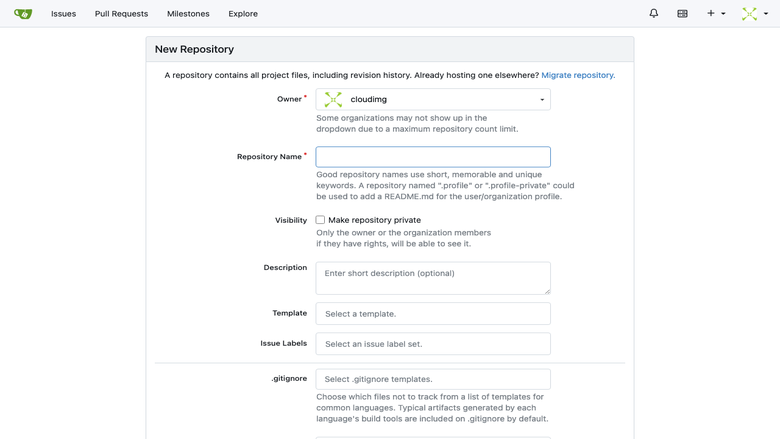
Create repository form
Image
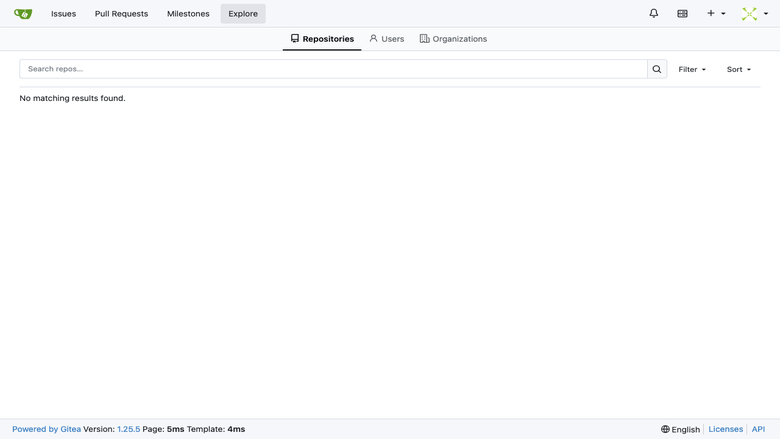
Explore repositories
This is a repackaged open source software product wherein additional charges apply for cloudimg support services.
Overview
Gitea is a popular open source, self-hosted Git service used by teams and individuals to manage code, track issues, and run pull requests on their own infrastructure. This AMI delivers Gitea fully installed and configured so a working Git server is running within minutes of launch. The current release available is Gitea 1.25.
Unlike images that require you to provision a separate database or ship with default credentials, this deployment uses an embedded SQLite database and automatically rotates all secrets on first boot - giving you a hardened, zero-configuration Git server from the moment your instance starts.
Application Stack
- Gitea single binary served behind nginx on port 80
- SQLite as the embedded database - no separate database server required
- SSH for git push and pull on port 222, keeping the operating system SSH on port 22 free for administration
- Dedicated git system user running the Gitea service
Secure First Boot
On the first boot of your instance, a one-shot service performs the following hardening steps:
- Rotates the Gitea secret key, internal token, and JWT secret
- Generates a fresh password for the cloudimg administrator account
- Writes the password to a root-only file (not accessible to other users)
No shared or default credentials ship in the image. For data in transit, configure TLS termination at nginx or place the instance behind an AWS Application Load Balancer with an ACM certificate. For data at rest, launch the instance with an encrypted EBS volume to protect your SQLite database and repository storage.
AWS Integrations and Ecosystem Compatibility
This Gitea deployment works with common AWS services and DevOps tools:
- AWS CodePipeline / CodeBuild - trigger CI/CD pipelines from Gitea webhooks
- Amazon S3 - configure as a storage backend for Git Large File Storage (LFS) objects
- Amazon CloudWatch - forward nginx and Gitea logs for centralized monitoring and alerting
- LDAP / OAuth2 providers - connect to AWS IAM Identity Center, Keycloak, or Active Directory for single sign-on
- Jenkins, Drone CI, Woodpecker - integrate with popular self-hosted CI runners via Gitea's built-in webhook support
Ready To Use
The Gitea service, the database, and the nginx reverse proxy are all configured and start on boot. Browse to the instance address and sign in as the cloudimg administrator to create repositories, invite users, configure organisations, and run pull requests. Gitea adapts to whatever hostname or IP address you reach it on.
Example Use Case
A 10-person engineering team at a software consultancy needs private source control with client-isolated repositories and cannot use a public SaaS due to data residency requirements. They launch this AMI on a t3.medium instance, connect it to their existing LDAP directory, and within minutes have a fully functional Git server supporting feature-branch workflows, code review via pull requests, and webhook-triggered CI builds - all running inside their own AWS VPC with no data leaving their account.
Additional Use Cases
- Self-hosted source control for engineering teams needing data sovereignty
- Private repositories for product code and infrastructure as code
- Internal collaboration around pull requests, issues, and wikis
- Continuous integration and deployment tooling on private code
Network Configuration
Open the following ports in your security group:
- Port 80 - HTTP access to the Gitea web interface (or 443 if you configure TLS)
- Port 222 - SSH access for git push/pull operations
- Port 22 - OS-level SSH for server administration
cloudimg Support
24/7 technical support by email and live chat. Our engineers help with Gitea deployment, upgrades, performance tuning, authentication integration, database administration, and migration from other Git platforms.
All product and company names are trademarks or registered trademarks of their respective holders. Use of them does not imply any affiliation with or endorsement by them.
Highlights
- Gitea preinstalled and ready, with nginx fronting it on port 80 and SQLite as the embedded database, no manual setup required
- Hardened first boot rotates the Gitea secret key, internal token and JWT secret and generates a fresh administrator password into a file only the root user can read
- 24/7 technical support from cloudimg, with expert assistance for Gitea deployment, configuration, upgrades and performance tuning
Details
Sold by
Delivery method
Delivery option
64-bit (x86) Amazon Machine Image (AMI)
Latest version
Operating system
Ubuntu 24.04
Deployed on AWS
New
Introducing multi-product solutions
You can now purchase comprehensive solutions tailored to use cases and industries.

Features and programs
Financing for AWS Marketplace purchases
AWS Marketplace now accepts line of credit payments through the PNC Vendor Finance program. This program is available to select AWS customers in the US, excluding NV, NC, ND, TN, & VT.

Pricing
Free trial
Try this product free for 7 days according to the free trial terms set by the vendor. Usage-based pricing is in effect for usage beyond the free trial terms. Your free trial gets automatically converted to a paid subscription when the trial ends, but may be canceled any time before that.
Pricing is based on actual usage, with charges varying according to how much you consume. Subscriptions have no end date and may be canceled any time. Alternatively, you can pay upfront for a contract, which typically covers your anticipated usage for the contract duration. Any usage beyond contract will incur additional usage-based costs.
Additional AWS infrastructure costs may apply. Use the AWS Pricing Calculator to estimate your infrastructure costs.
If you are an AWS Free Tier customer with a free plan, you are eligible to subscribe to this offer. You can use free credits to cover the cost of eligible AWS infrastructure. See AWS Free Tier for more details. If you created an AWS account before July 15th, 2025, and qualify for the Legacy AWS Free Tier, Amazon EC2 charges for Micro instances are free for up to 750 hours per month. See Legacy AWS Free Tier for more details.
Dimension | Description | Cost/hour |
|---|---|---|
m5.large Recommended | m5.large | $0.08 |
t3.micro | t3.micro instance type | $0.04 |
t2.micro | t2.micro instance type | $0.04 |
c5ad.16xlarge | c5ad.16xlarge instance type | $0.24 |
c8i.8xlarge | c8i.8xlarge instance type | $0.24 |
c5d.24xlarge | c5d.24xlarge instance type | $0.24 |
c8in.2xlarge | c8in.2xlarge instance type | $0.24 |
c7i.16xlarge | c7i.16xlarge instance type | $0.24 |
m6a.4xlarge | m6a.4xlarge instance type | $0.24 |
c8i.48xlarge | c8i.48xlarge instance type | $0.24 |
Vendor refund policy
Refunds available on request.

Legal
Vendor terms and conditions
Upon subscribing to this product, you must acknowledge and agree to the terms and conditions outlined in the vendor's End User License Agreement (EULA) .
Content disclaimer
Vendors are responsible for their product descriptions and other product content. AWS does not warrant that vendors' product descriptions or other product content are accurate, complete, reliable, current, or error-free.
Delivery details
64-bit (x86) Amazon Machine Image (AMI)
Amazon Machine Image (AMI)
An AMI is a virtual image that provides the information required to launch an instance. Amazon EC2 (Elastic Compute Cloud) instances are virtual servers on which you can run your applications and workloads, offering varying combinations of CPU, memory, storage, and networking resources. You can launch as many instances from as many different AMIs as you need.
Version release notes
Initial release of Gitea 1.25 self hosted Git server.
Additional details
Usage instructions
Connect via SSH on port 22 as the default login user for your operating system variant (the user guide lists it per variant). Gitea is served on port 80. Browse to http://<instance-public-ip>/ and sign in as the 'cloudimg' user. Retrieve the generated administrator password with: sudo cat /root/gitea-credentials.txt. Git operations over SSH use port 222: git clone ssh://git@<instance-public-ip>:222/<owner>/<repo>.git. To enable HTTPS, follow the Let's Encrypt section of the user guide.
Resources
Vendor resources
Support
Vendor support
cloudimg provides 24/7 technical support for this Gitea AMI by email and live chat.
How to Get Help
Contact our support team at support@cloudimg.co.uk for any issues including deployment, configuration, updates, performance tuning, authentication integration, database administration, and troubleshooting.
Response Times
Critical issues receive a one-hour average response. Our engineers are available around the clock to help resolve problems affecting your Git server availability or data integrity.
What We Support
- Initial deployment and first-boot configuration
- Retrieving the generated administrator password
- Gitea upgrades and version migrations
- Performance tuning for your instance size
- Authentication setup (LDAP, OAuth2, SAML)
- Backup and restore procedures
- Troubleshooting nginx, SSH, and Gitea service issues
Refunds
If you experience issues with the product, contact support@cloudimg.co.uk and our team will work to resolve them. Refund requests are handled on a case-by-case basis.
Getting Started
After launching your instance, retrieve the administrator password from the root-only file at /root/.gitea_admin_password (accessible via SSH on port 22). Open port 80 and port 222 in your security group, then browse to your instance's public IP to sign in.
AWS infrastructure support
AWS Support is a one-on-one, fast-response support channel that is staffed 24x7x365 with experienced and technical support engineers. The service helps customers of all sizes and technical abilities to successfully utilize the products and features provided by Amazon Web Services.
Similar products

This product is associated with charges for a standard one-click install solution for Gitea 1.21.5, a free and open-source Git service with a web interface running on a classical Linux stack. The AMI comes pre-installed with NGINX web server, MariaDB for MySQL database, Git version control system, and includes an integrated unlock system for secure access. The solution is deployed on Amazon Linux 2023 with automated configuration, database migration, systemd service management, and features secure password generation for both database and admin accounts.

This product has charges associated with it for seller support. Launch a private Git server in minutes with Gitea pre-configured on PostgreSQL and nginx. Secure by default with per-instance credentials and backed by24/7 cloudimg support.

This product has charges associated with it for deployment, configuration, and ongoing support. Self-hosted Git service with issues, pull requests, CI/CD pipelines, and package registry. Docker-based deployment on EC2 with REST API and SSO/LDAP authentication.

This product has charges associated with it for hardening, security configuration, and support.
Gitea is an open-source, lightweight self-hosted Git service with code hosting, pull requests, issues, and Gitea Actions CI/CD. This Lynxroute build is security baked in: PostgreSQL 16 backend, Nginx reverse proxy with TLS, unique admin credentials at first boot, UFW firewall pre-configured, and CIS Level 1 hardened Ubuntu 24.04 LTS base.
MIT license - fully auditable, no vendor lock-in.
Customer reviews
No customer reviews yet
Be the first to review this product . We've partnered with PeerSpot to gather customer feedback. You can share your experience by writing or recording a review, or scheduling a call with a PeerSpot analyst.