
Sold by: ACAY SOFTWARE LLC
Deployed on AWS
AWS Free Tier
This product has charges associated with it for automated deployment, security hardening, first-boot credential generation, system optimization, and support services provided by Acay Software LLC.
Overview
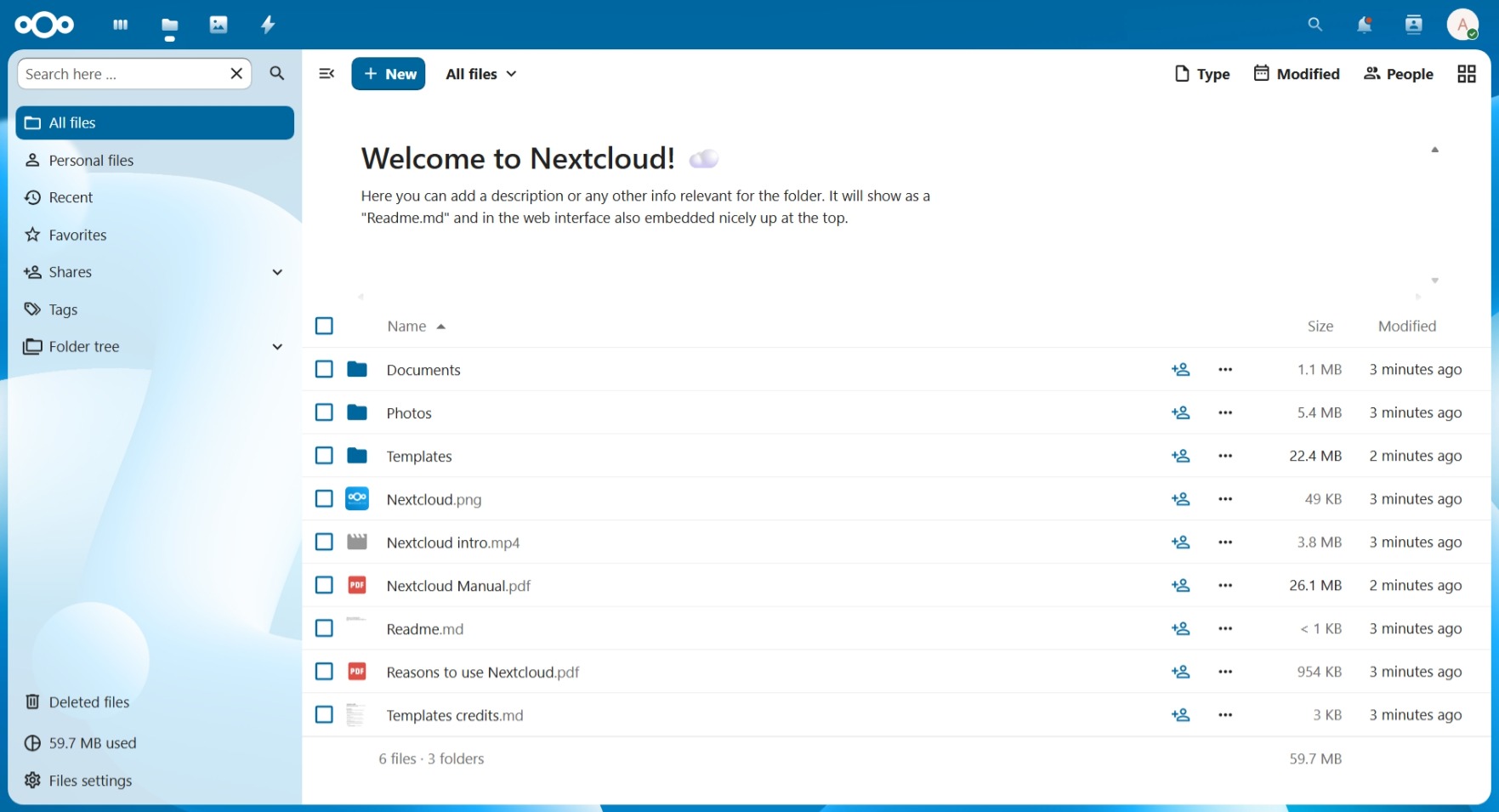
Image
NextCloud
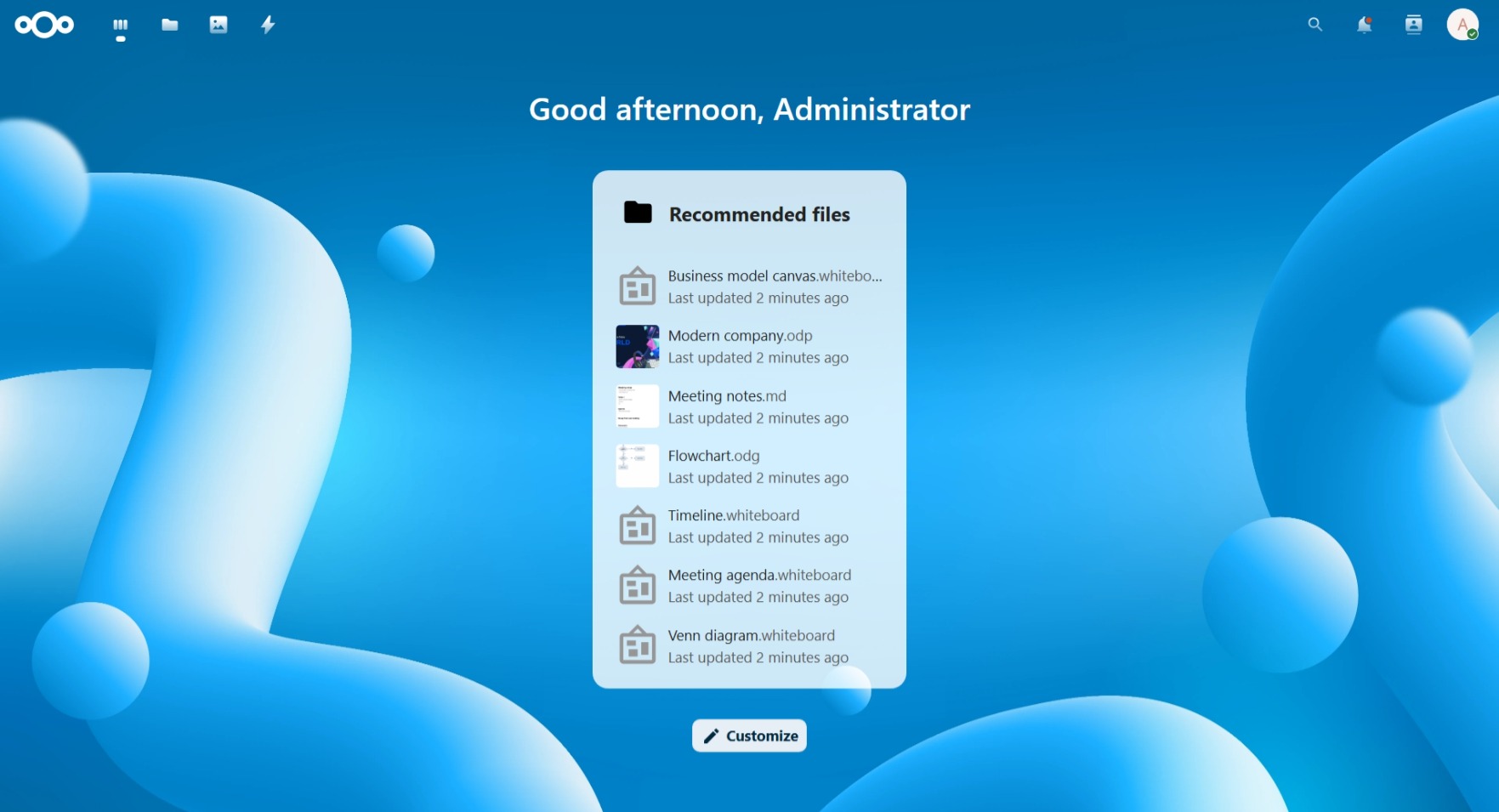
Image
NextCloud-Mainpage
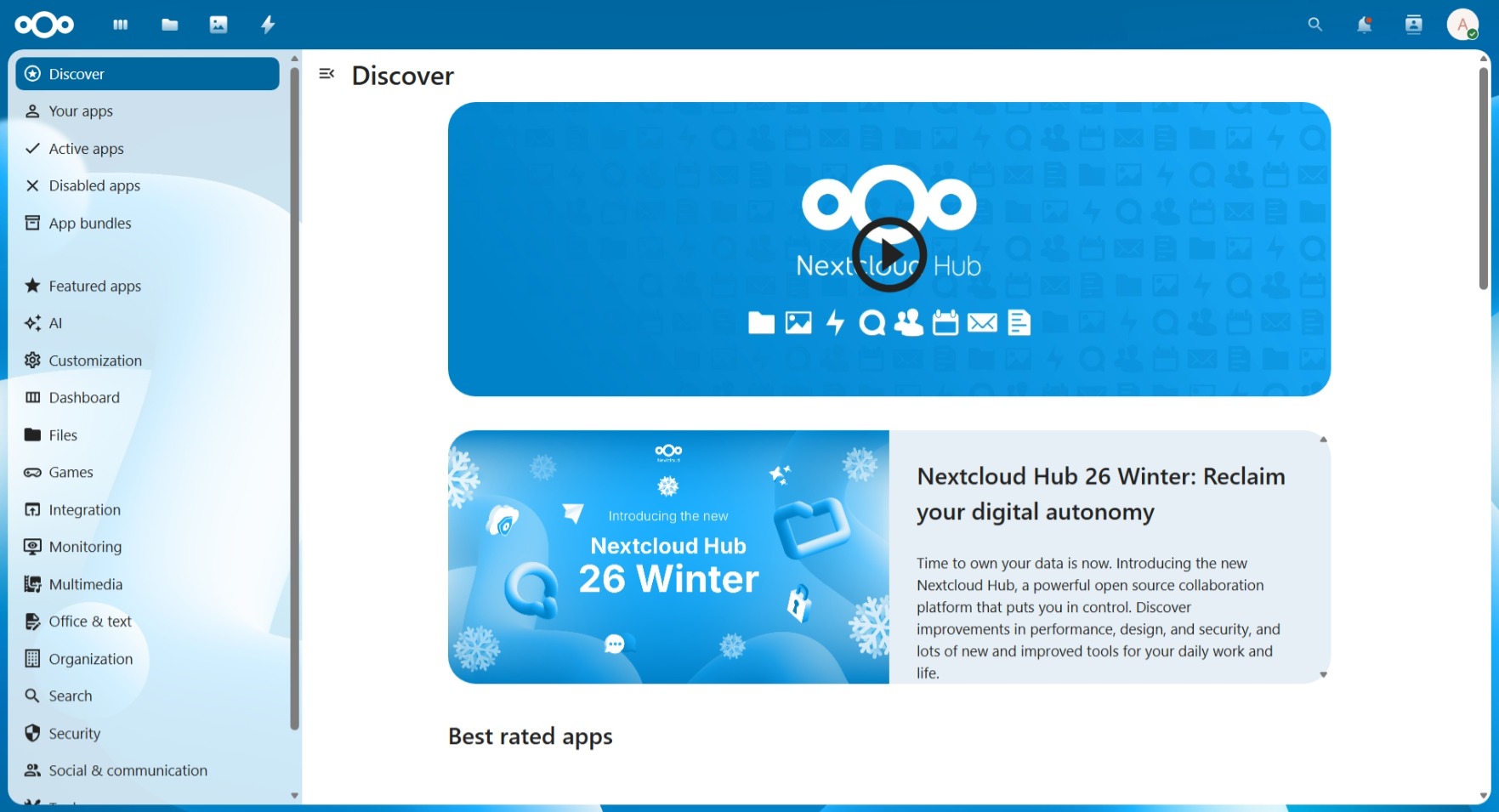
Image
NextCloud-App
This is a repackaged open source software product wherein additional charges apply for professional support, enterprise security hardening, automated deployment configuration, performance optimization, and ongoing maintenance services provided by Acay Software LLC.
WHAT YOU ARE PAYING FOR
- Professional AMI configuration and optimization for AWS EC2
- Enterprise-grade security hardening with SSH and UFW firewall
- Automated first-boot initialization with unique credential generation
- Performance tuning for cloud workloads
- Technical support for deployment and configuration questions
ABOUT NEXTCLOUD
Nextcloud is the world's most deployed self-hosted file sync and share platform, trusted by millions of users and thousands of organizations worldwide. Nextcloud Hub brings together files, talk, groupware, and office tools in a single, privacy-respecting platform that keeps your data under your complete control. Organizations choose Nextcloud as a sovereign alternative to Google Drive, Dropbox, and Microsoft OneDrive - with no vendor lock-in, no third-party data access, and full compliance with data sovereignty requirements including GDPR.
TECHNICAL SPECIFICATIONS
Complete production-ready stack:
- Nextcloud 33.0.3 (Latest Stable - Hub 26 Winter)
- Ubuntu 24.04 LTS with long-term security support until 2029
- Apache 2.4 with mod_rewrite, headers, and SSL support
- PHP 8.3 with OPcache, APCu, ImageMagick, and all required extensions
- MySQL 8.0 with security hardening and localhost-only binding
- Certbot pre-installed for free SSL/TLS certificates via Let's Encrypt
AUTOMATED FIRST-BOOT DEPLOYMENT
Every instance launched from this AMI goes through a one-time automated initialization:
- MySQL database user created with a unique randomly generated password
- Nextcloud configuration updated with instance-specific credentials
- Trusted domain automatically set to the instance public IP
- Administrator account created with unique username and password
- All credentials written to ~/credentials.txt (owner-only permissions)
- System fully operational within 2-3 minutes of instance launch
ENTERPRISE SECURITY HARDENING
- UFW firewall configured for ports 22, 80, and 443 only
- SSH root login permanently disabled
- Password-based SSH authentication disabled - key pair required
- MySQL bound to localhost only - no external DB access
- Apache server tokens set to production mode
- No default or shared credentials - every instance gets unique secrets
- IMDSv2 enforced for instance metadata access
GETTING STARTED
- Launch an EC2 instance from this AMI with an SSH key pair
- Open ports 22, 80, and 443 in your security group
- Wait 2-3 minutes for first-boot initialization to complete
- SSH into the instance: ssh -i your-key.pem ubuntu@YOUR_IP
- Retrieve your credentials: cat ~/credentials.txt
- Open your browser and navigate to: http://YOUR_IP
- Log in with the username and password from credentials.txt
RECOMMENDED INSTANCE TYPES
Personal use and small teams:
- t3.small or t3.medium (2 vCPU, 2-4 GB RAM)
Small to medium organizations:
- t3.large or t3.xlarge (2-4 vCPU, 8-16 GB RAM)
Large deployments with many concurrent users:
- t3.2xlarge or larger
SSL AND CUSTOM DOMAIN SETUP
After pointing your domain to the instance Elastic IP: sudo certbot --apache -d yourdomain.com HTTPS will be configured automatically with auto-renewal enabled.
SYSTEM REQUIREMENTS AND DEPENDENCIES
- Minimum recommended instance type: t3.small (2 vCPU, 2 GB RAM)
- Minimum storage: 20 GB EBS volume (larger recommended for file storage)
- An EC2 key pair is required for SSH access
- Ports 22, 80, and 443 must be open in the security group
- IMDSv2 is used during first-boot to retrieve instance metadata
- No external packages or dependencies are downloaded at launch time
PRODUCT LIMITATIONS
- Single-node deployment - high availability and clustering not included by default
- HTTPS is not pre-configured - an SSL certificate must be installed post-launch
- Email notifications not pre-configured - SMTP must be set up in Nextcloud admin
- Automatic OS and application updates are the responsibility of the customer
- An Elastic IP is recommended for production to maintain a stable IP address
- This AMI is designed for single-region deployment in us-east-1
SUPPORT
Contact: info@acaysoftwarellc.com Website: https://acaysoftwarellc.com
ABOUT ACAY SOFTWARE LLC
Acay Software LLC delivers production-grade cloud deployment solutions on AWS, specializing in hardened AMIs with enterprise security configurations, automated initialization systems, and professional support services.
NEXTCLOUD LICENSE
Nextcloud is free and open-source software licensed under the GNU Affero General Public License v3.0 (AGPL-3.0). The software itself carries no license fee. Charges on this listing apply exclusively to the professional AMI configuration, security hardening, automated deployment infrastructure, and support services provided by Acay Software LLC.
Highlights
- Production-ready Nextcloud 33.0.3 on Ubuntu 24.04 LTS - automated first-boot generates unique credentials per instance, configures trusted domains, and creates the admin account with zero manual intervention.
- Enterprise security hardening included: key-only SSH access, root login disabled, UFW firewall pre-configured, MySQL localhost-only binding, and no shared default credentials across instances.
- Self-hosted Google Drive alternative with full data sovereignty - files, sharing, collaboration, and office tools under your control, pre-configured and ready within minutes of launch, supported by Acay Software LLC.
Details
Sold by
Categories
Delivery method
Delivery option
64-bit (x86) Amazon Machine Image (AMI)
Latest version
Operating system
Ubuntu 24.04
Deployed on AWS
New
Introducing multi-product solutions
You can now purchase comprehensive solutions tailored to use cases and industries.

Features and programs
Financing for AWS Marketplace purchases
AWS Marketplace now accepts line of credit payments through the PNC Vendor Finance program. This program is available to select AWS customers in the US, excluding NV, NC, ND, TN, & VT.

Pricing
Pricing is based on the duration and terms of your contract with the vendor. This entitles you to a specified quantity of use for the contract duration. If you choose not to renew or replace your contract before it ends, access to these entitlements will expire.
Additional AWS infrastructure costs may apply. Use the AWS Pricing Calculator to estimate your infrastructure costs.
Dimension | Description | Cost/month |
|---|---|---|
NextCloud License | Produciton-ready NextCloud AMI deployment with supported by Acay Software LLC | $400.00 |
Vendor refund policy
This product is billed based on actual EC2 instance usage hours. You may terminate your instance at any time to stop all charges. No refunds are issued for partial usage periods already billed. For billing questions or disputes, contact info@acaysoftwarellc.com before opening a claim through AWS Marketplace.

Legal
Vendor terms and conditions
Upon subscribing to this product, you must acknowledge and agree to the terms and conditions outlined in the vendor's End User License Agreement (EULA) .
Content disclaimer
Vendors are responsible for their product descriptions and other product content. AWS does not warrant that vendors' product descriptions or other product content are accurate, complete, reliable, current, or error-free.
Delivery details
64-bit (x86) Amazon Machine Image (AMI)
Amazon Machine Image (AMI)
An AMI is a virtual image that provides the information required to launch an instance. Amazon EC2 (Elastic Compute Cloud) instances are virtual servers on which you can run your applications and workloads, offering varying combinations of CPU, memory, storage, and networking resources. You can launch as many instances from as many different AMIs as you need.
Version release notes
RELEASE: Nextcloud 33.0.3 (Hub 26 Winter) on Ubuntu 24.04 LTS Release Date: May 2026 Prepared by: Acay Software LLC
INCLUDED SOFTWARE VERSIONS
- Nextcloud 33.0.3 Community Edition
- Ubuntu 24.04.4 LTS
- PHP 8.3 with OPcache, APCu, ImageMagick, IMAP, LDAP, BZ2
- MySQL 8.0
- Apache 2.4
- Certbot pre-installed
- UFW firewall pre-configured
AUTOMATED FIRST-BOOT SYSTEM
Each new instance launch triggers a one-time initialization sequence:
- Waits for MySQL to become fully available before proceeding
- Retrieves instance metadata (ID and public IP) via IMDSv2
- Falls back to private IP if no public IP is assigned
- Creates a unique MySQL database user with a randomly generated password
- Updates Nextcloud configuration with new database credentials
- Sets trusted domain to the instance public IP
- Deletes the placeholder user and creates a fresh admin account via occ
- Writes all credentials to ~/credentials.txt with owner-only permissions
- Creates a lock file to prevent re-execution on subsequent reboots
SECURITY HARDENING APPLIED
- SSH PermitRootLogin: disabled
- SSH PasswordAuthentication: disabled
- MySQL root: auth_socket (no password)
- MySQL bind-address: 127.0.0.1
- Apache ServerTokens: Prod
- Apache ServerSignature: Off
- UFW: active, ports 22/80/443 only
- No hardcoded credentials in AMI
- No shared passwords across instances
- IMDSv2 enforced
KNOWN LIMITATIONS
- HTTPS not pre-configured - SSL certificate required after launch
- SMTP not pre-configured - email settings must be configured in Nextcloud Admin
- Single-node only - no built-in HA or clustering
- Elastic IP not included by default
OPEN SOURCE NOTICE
Nextcloud is free and open-source software licensed under the GNU Affero General Public License v3.0. Source code is available at https://github.com/nextcloud/server
SUPPORT
Email: info@acaysoftwarellc.com Website: https://acaysoftwarellc.com
Additional details
Usage instructions
CONNECTING TO YOUR INSTANCE
After launching, wait 2-3 minutes for first-boot to complete.
Connect via SSH: ssh -i your-key.pem ubuntu@YOUR_PUBLIC_IP
Retrieve your login credentials: cat ~/credentials.txt
The file contains your Nextcloud admin username, password, and database details.
ACCESSING NEXTCLOUD
Open a browser and go to: http://YOUR_PUBLIC_IP
Sign in with the username and password from credentials.txt. Change your administrator password immediately after first login.
SECURITY GROUP REQUIREMENTS
Open the following inbound ports:
- TCP 22 - SSH administration
- TCP 80 - Web access
- TCP 443 - HTTPS (after SSL setup)
Restrict port 22 to your own IP address for better security.
RECOMMENDED INSTANCE TYPES
Personal / small team: t3.small or t3.medium Organization: t3.large or t3.xlarge Large deployment: t3.2xlarge or larger
SSL AND DOMAIN CONFIGURATION
- Assign an Elastic IP to keep a stable address
- Point your domain DNS A record to the Elastic IP
- Run the following command on the instance: sudo certbot --apache -d yourdomain.com
- HTTPS will be fully configured with auto-renewal
CHECKING SERVICE STATUS
sudo systemctl status apache2 sudo systemctl status mysql sudo systemctl status php8.3-fpm
RESTARTING SERVICES
sudo systemctl restart apache2 sudo systemctl restart php8.3-fpm sudo systemctl restart mysql
VIEWING FIRST-BOOT LOG
sudo cat /var/log/nextcloud-first-boot.log
IMPORTANT NOTES
- credentials.txt is readable only by the ubuntu user (chmod 600)
- The first-boot script runs only once - rebooting will not regenerate credentials
- Each launched instance receives completely unique credentials
- Root SSH login is permanently disabled - always connect as ubuntu
- Password-based SSH is disabled - an EC2 key pair is always required
- For production use, an Elastic IP and SSL certificate are strongly recommended
Support
Vendor support
Technical support for this product is provided by Acay Software LLC.
Support contact: Email: info@acaysoftwarellc.com Website: https://acaysoftwarellc.com
Support scope includes: Instance launch and configuration guidance First-boot initialization troubleshooting Credentials retrieval assistance Nextcloud web interface access issues Apache, PHP, and MySQL service diagnostics AWS security group and networking guidance SSL certificate installation walkthrough
Support scope does not include: Custom Nextcloud app development or integration Third-party plugin support Data migration from external platforms Business workflow or content consulting
Response times may vary based on request complexity and business hours.
AWS infrastructure support
AWS Support is a one-on-one, fast-response support channel that is staffed 24x7x365 with experienced and technical support engineers. The service helps customers of all sizes and technical abilities to successfully utilize the products and features provided by Amazon Web Services.
Similar products
This product has a fee associated with the provision and deployment of the application and AMI support. Nextcloud combines the convenience and ease of use of consumer-grade solutions like Dropbox and Google Drive with the security, privacy and control business needs.

This product has charges associated with it for seller support. Hossted Platform offers an intuitive dashboard and CLI that delivers comprehensive security, monitoring, logging, and applicative insights.

This product has charges associated with it for seller support and pre-configured stack (phpMyAdmin and Webmin) in it. Intuz NextCloud is a pre-configured, ready to run image for running NextCloud on Amazon EC2 and has Apache2, MySQL, PHP, phpMyAdmin, Webmin, and Scripts which make it easy for you.

This product has charges associated with it for Websoft9 support. Pre-configured, web-based, cloud-native, secure, one-click to deploy Nextcloud with Websoft9 Applications Hosting Platform on AWS. Nextcloud is open source file sync and share software for everyone.

Deploy Nextcloud instantly with a preconfigured AMI for secure file sharing, cloud storage, and team collaboration. This self hosted platform enables file sync, document management, and private cloud storage with encryption and full data control. Ideal for organizations seeking scalable and secure collaboration infrastructure.
Customer reviews
No customer reviews yet
Be the first to review this product . We've partnered with PeerSpot to gather customer feedback. You can share your experience by writing or recording a review, or scheduling a call with a PeerSpot analyst.