Sold by: cloudimg
Deployed on AWS
Free Trial
AWS Free Tier
This product has charges associated with it for seller support. Deploy Drupal 11 in minutes with PHP 8.3, nginx, and MariaDB pre-configured. Unique credentials generated per instance. Backed by 24/7 cloudimg support.
Overview
Image
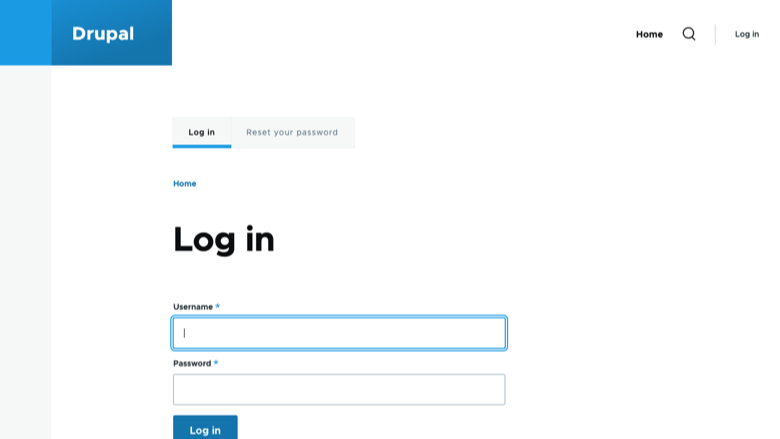
Drupal sign-in page
Image
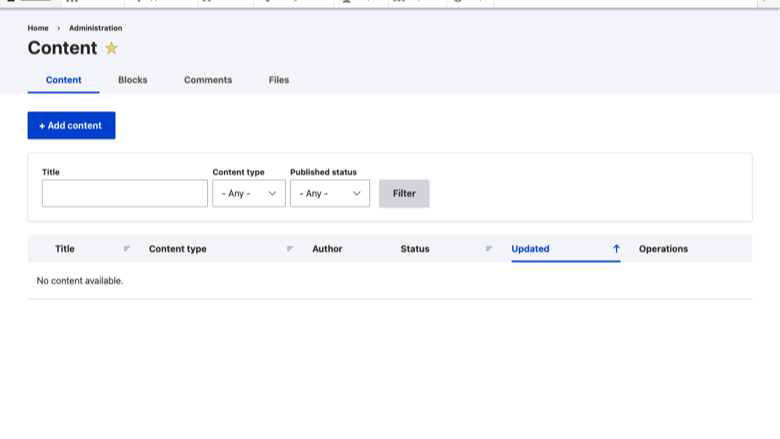
Administrator dashboard
Image
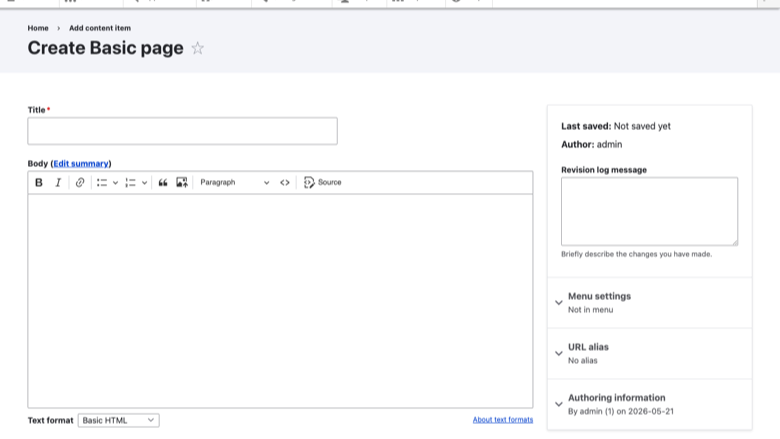
Content creation
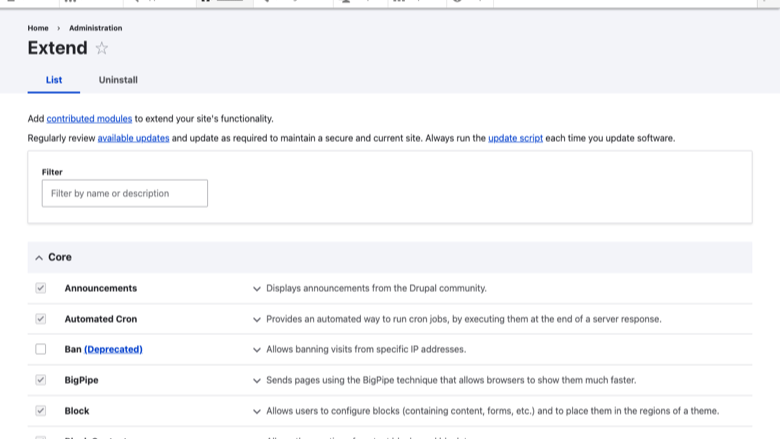
Image
Extend with modules
This is a repackaged open source software product wherein additional charges apply for cloudimg support services.
Drupal 11 CMS - Production-Ready on AWS
Launch a fully configured Drupal 11 content management platform on AWS in minutes - no manual installation, no shared credentials, and no complex setup. This AMI eliminates the hours of manual provisioning typically required to stand up a secure Drupal environment, letting your team focus on building content rather than configuring infrastructure.
Why This AMI Over Alternatives
Unlike AMIs that ship with default or shared passwords, every instance of this image generates cryptographically fresh MariaDB and Drupal administrator credentials on first boot. These are stored in a root-only file, meaning no credential is ever reused across deployments. The nginx web server is chosen over Apache for its superior concurrency handling under Drupal workloads, delivering better performance for high-traffic sites without additional tuning.
Application Stack
- Drupal 11 - Latest stable release of the enterprise CMS
- PHP 8.3 with OPcache and all required Drupal extensions
- nginx web server optimized for PHP-FPM workloads
- MariaDB database server
- Composer dependency manager for module and theme installation
- drush command line tool for site administration
- systemd timer running scheduled Drupal cron tasks hourly
Secure First Boot
On first launch, a one-shot systemd service generates unique credentials for both MariaDB and the Drupal administrator account. Passwords are written to a file readable only by root. No default credentials exist in the image at any point. This approach closes the security gap present in AMIs that rely on buyers to manually change shared passwords after deployment.
Compatible AWS Services
This AMI integrates with your broader AWS architecture:
- Amazon S3 - Configure the S3 File System module to offload media storage, reducing EBS costs and enabling CDN delivery
- Amazon CloudFront - Place CloudFront in front of your Drupal instance for global content delivery and DDoS protection
- Amazon SES - Use Simple Email Service for reliable transactional email delivery from Drupal (password resets, notifications, contact forms)
- Amazon RDS - Migrate the local MariaDB to a managed RDS instance for automated backups, Multi-AZ failover, and simplified scaling
Security and Hardening
The image ships with TLS-ready nginx configuration. Buyers should attach an SSL certificate (via AWS Certificate Manager and a load balancer, or Let's Encrypt directly) to enable HTTPS. We recommend enabling EBS encryption for data at rest and configuring security groups to restrict SSH access to trusted IP ranges. The database port is bound to localhost and is not exposed externally.
Use Cases
- Corporate and marketing websites - Launch campaign sites and brand portals with full editorial workflow
- Government and education portals - Multilingual, accessible publishing for public-facing services handling thousands of concurrent visitors
- Intranets and knowledge bases - Internal documentation and collaboration platforms with role-based access
- High-traffic publishing - News and media sites leveraging nginx and OPcache for fast page delivery under load
24/7 cloudimg Support
Every subscription includes around-the-clock technical support from cloudimg engineers via email and live chat. Our team assists with Drupal deployment, upgrades, performance tuning, module configuration, and database administration. Critical issues receive a one-hour average response time.
Getting Started
- Launch the AMI from AWS Marketplace on your chosen instance type
- SSH into the instance as the default user
- Retrieve your unique credentials from the root-only file
- Browse to your instance's public IP or hostname
- Sign in as the Drupal administrator and begin building your site
All product and company names are trademarks or registered trademarks of their respective holders. Use of them does not imply any affiliation with or endorsement by them.
Highlights
- Drupal 11 running in minutes, not hours - PHP 8.3 with OPcache, nginx, MariaDB, Composer, and drush are pre-installed and configured. Unlike manual deployments that require installing dependencies, configuring virtual hosts, and securing database access, this AMI delivers a production-ready CMS from first boot. The nginx web server handles concurrent Drupal requests more efficiently than Apache-based alternatives, giving you better performance without manual tuning.
- Security that eliminates shared-credential risk - Every instance generates cryptographically unique MariaDB and Drupal administrator passwords on first boot, stored in a root-only file. This closes the vulnerability present in AMIs that ship with default or published credentials that buyers must remember to change. The database listens only on localhost, and the nginx configuration is TLS-ready for immediate HTTPS enablement via AWS Certificate Manager or Let's Encrypt.
- 24/7 expert support with one-hour critical response - cloudimg engineers provide around-the-clock assistance via email and live chat for Drupal deployment, upgrades, performance tuning, module configuration, and database administration. Critical issues receive a one-hour average response. This is dedicated CMS expertise on demand - not a generic hosting helpdesk - so your team spends time on content strategy rather than infrastructure troubleshooting.
Details
Sold by
Delivery method
Delivery option
64-bit (x86) Amazon Machine Image (AMI)
Latest version
Operating system
Ubuntu 24.04
Deployed on AWS
New
Introducing multi-product solutions
You can now purchase comprehensive solutions tailored to use cases and industries.

Features and programs
Financing for AWS Marketplace purchases
AWS Marketplace now accepts line of credit payments through the PNC Vendor Finance program. This program is available to select AWS customers in the US, excluding NV, NC, ND, TN, & VT.

Pricing
Free trial
Try this product free for 7 days according to the free trial terms set by the vendor. Usage-based pricing is in effect for usage beyond the free trial terms. Your free trial gets automatically converted to a paid subscription when the trial ends, but may be canceled any time before that.
Pricing is based on actual usage, with charges varying according to how much you consume. Subscriptions have no end date and may be canceled any time. Alternatively, you can pay upfront for a contract, which typically covers your anticipated usage for the contract duration. Any usage beyond contract will incur additional usage-based costs.
Additional AWS infrastructure costs may apply. Use the AWS Pricing Calculator to estimate your infrastructure costs.
If you are an AWS Free Tier customer with a free plan, you are eligible to subscribe to this offer. You can use free credits to cover the cost of eligible AWS infrastructure. See AWS Free Tier for more details. If you created an AWS account before July 15th, 2025, and qualify for the Legacy AWS Free Tier, Amazon EC2 charges for Micro instances are free for up to 750 hours per month. See Legacy AWS Free Tier for more details.
Dimension | Description | Cost/hour |
|---|---|---|
m5.large Recommended | m5.large | $0.08 |
t3.micro | t3.micro instance type | $0.04 |
t2.micro | t2.micro instance type | $0.04 |
m5dn.2xlarge | m5dn.2xlarge instance type | $0.24 |
c8a.8xlarge | c8a.8xlarge instance type | $0.24 |
c8id.4xlarge | c8id.4xlarge instance type | $0.24 |
d3en.xlarge | d3en.xlarge instance type | $0.12 |
c6in.xlarge | c6in.xlarge instance type | $0.12 |
m8azn.medium | m8azn.medium instance type | $0.04 |
r7a.48xlarge | r7a.48xlarge instance type | $0.24 |
Vendor refund policy
Refunds available on request.

Legal
Vendor terms and conditions
Upon subscribing to this product, you must acknowledge and agree to the terms and conditions outlined in the vendor's End User License Agreement (EULA) .
Content disclaimer
Vendors are responsible for their product descriptions and other product content. AWS does not warrant that vendors' product descriptions or other product content are accurate, complete, reliable, current, or error-free.
Delivery details
64-bit (x86) Amazon Machine Image (AMI)
Amazon Machine Image (AMI)
An AMI is a virtual image that provides the information required to launch an instance. Amazon EC2 (Elastic Compute Cloud) instances are virtual servers on which you can run your applications and workloads, offering varying combinations of CPU, memory, storage, and networking resources. You can launch as many instances from as many different AMIs as you need.
Version release notes
Initial release of Drupal 11 CMS.
Additional details
Usage instructions
Connect via SSH on port 22 as the default login user for your operating system variant (the user guide lists it per variant). Drupal is served on port 80. Browse to http://<instance-public-ip>/ and sign in at /user/login as the 'admin' user. Retrieve the generated administrator password with: sudo cat /root/drupal-credentials.txt. To enable HTTPS, follow the Let's Encrypt section of the user guide.
Resources
Vendor resources
Support
Vendor support
cloudimg Technical Support
cloudimg provides 24/7 technical support for this Drupal AMI via email and live chat. Our engineers specialize in Drupal deployment, configuration, upgrades, performance tuning, module troubleshooting, and MariaDB database administration.
Response Times
- Critical issues (site down, data loss risk): one-hour average response
- General inquiries (configuration help, upgrade guidance): handled during the same business day
How to Reach Us
- Email: support@cloudimg.co.uk
- Live chat: available 24/7
What We Help With
- Initial deployment and credential retrieval
- Drupal core and module upgrades
- Performance tuning (PHP OPcache, nginx, MariaDB query optimization)
- Security hardening and TLS configuration
- Integration with AWS services (S3, CloudFront, SES, RDS)
- Troubleshooting errors and failed updates
- Refund requests and billing inquiries
Recommended Instance Sizing
- Small sites (under 1,000 daily visitors): t3.small or t3.medium with 20 GB EBS
- Medium sites (1,000-10,000 daily visitors): t3.large or m5.large with 50 GB EBS
- High-traffic sites (10,000+ daily visitors): m5.xlarge or larger, consider Amazon RDS for the database tier
For detailed pricing of AWS infrastructure, refer to the AWS EC2 pricing page. Support charges for this product are shown on the pricing tab of this listing.
AWS infrastructure support
AWS Support is a one-on-one, fast-response support channel that is staffed 24x7x365 with experienced and technical support engineers. The service helps customers of all sizes and technical abilities to successfully utilize the products and features provided by Amazon Web Services.
Similar products

This product has charges associated with it for seller support. The LAMP Stack Ubuntu 24.04 LTS AMI provides a robust and scalable environment for developers and businesses looking to host dynamic web applications. Combining Linux, Apache, MySQL, and PHP, this pre-configured image simplifies deployment and accelerates development workflows. Users can easily launch and manage their web services in the cloud, taking advantage of the flexibility and reliability offered by AWS EC2. Ideal for small to medium enterprises, developers can utilize this AMI for rapid development, testing, and production environments, ensuring compatibility with the latest Ubuntu enhancements. With built-in security features and the ability to seamlessly integrate with other AWS services, this Ubuntu 24.04 LAMP Stack image is tailored for those seeking an efficient solution for web application hosting and development.

This product has charges associated with it for seller support. The LAMP Stack CentOS 9 AMI provides a robust and reliable environment for deploying dynamic web applications. Combining the power of Linux, Apache, MySQL, and PHP, this AMI simplifies the setup process, allowing developers to focus on building applications rather than server configuration. Its compatibility with CentOS 9 ensures that you benefit from enhanced security and performance optimizations. Ideal for web developers, startups, and enterprises, this AMI offers scalable infrastructure to efficiently handle varying workloads. With support for modern PHP frameworks and a streamlined package management system, it facilitates rapid deployment and easy updates. Experience a powerful foundation for your projects and leverage the stability of CentOS combined with the flexibility of the LAMP stack.

This product has charges associated with it for seller support. The LAMP Stack Oracle Linux 10 AMI provides a robust environment for deploying dynamic web applications powered by Linux, Apache, MySQL, and PHP. With the reliability of Oracle Linux, you benefit from enhanced performance, security, and compatibility with enterprise applications. Ideal for developers and businesses, this AMI simplifies the setup process, allowing you to launch scalable web applications quickly and efficiently. Enjoy automatic updates and comprehensive support, ensuring your environment remains secure and up-to-date. This pre-configured solution is perfect for hosting content management systems, web services, and custom applications, making it an essential choice for development teams and startups looking to accelerate their deployment pipeline in the AWS cloud.

This product has charges associated with it for seller support. The LAMP Stack Debian 12 AMI provides a robust, secure, and scalable environment for deploying web applications quickly and efficiently. Leveraging the combination of Linux, Apache, MySQL, and PHP, this image offers a streamlined setup, ideal for developers seeking a reliable platform for hosting dynamic websites and applications. With Debian 12's latest features and long-term support, users can benefit from enhanced security and performance. The pre-configured environment minimizes setup time, allowing teams to focus on development rather than server configuration. Whether for lightweight applications or complex web services, this AMI is the perfect solution for businesses looking to accelerate their development cycle in the AWS cloud.
Customer reviews
No customer reviews yet
Be the first to review this product . We've partnered with PeerSpot to gather customer feedback. You can share your experience by writing or recording a review, or scheduling a call with a PeerSpot analyst.