
Sold by: cloudimg
Deployed on AWS
Free Trial
AWS Free Tier
This product has charges associated with it for seller support. Deploy a production-ready LAMP stack in minutes with unique per-instance credentials, PHP-FPM, and phpMyAdmin - backed by 24/7 cloudimg support.
Overview
Image
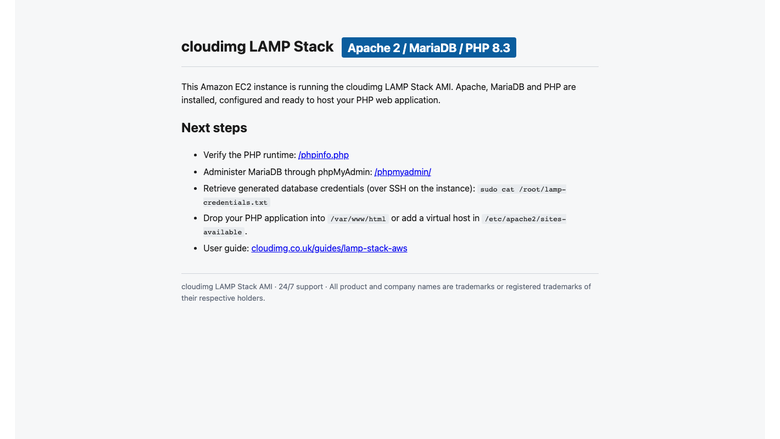
LAMP welcome page
Image
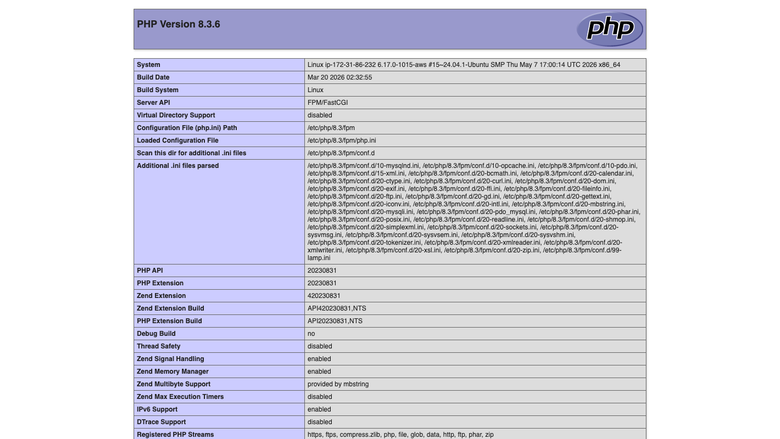
PHP runtime information
Image
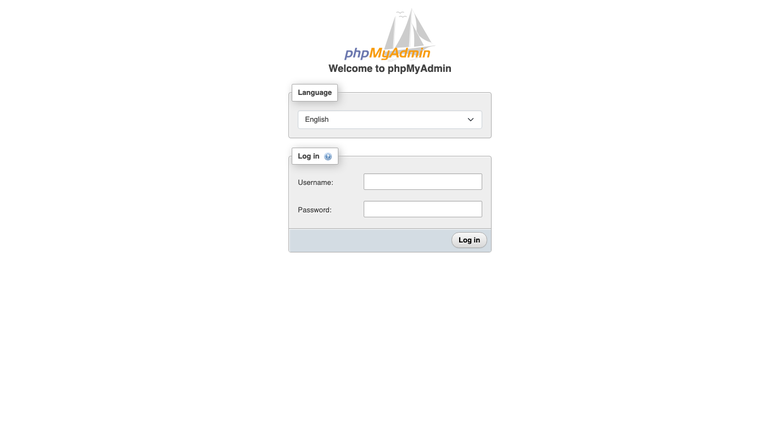
phpMyAdmin sign-in
This is a repackaged open source software product wherein additional charges apply for cloudimg support services.
Production-Ready LAMP Stack With24/7 Expert Support
Launch a fully configured Apache, PHP 8.3, and MariaDB environment on Linux in under five minutes. Unlike generic LAMP images that ship with shared default passwords and require manual hardening, this stack generates unique database credentials on first boot and removes all default maintenance users - so your instance is secure from the moment it starts.
This is a repackaged open source software product with additional charges for cloudimg support services.
Why This Stack Over Alternatives
- PHP-FPM with event MPM - Apache uses the high-performance event Multi-Processing Module with mod_proxy_fcgi, delivering significantly better concurrency than legacy mod_php configurations found in many competing images.
- Secure by default - No shared credentials ship in the image. A one-shot first-boot service generates fresh MariaDB root and phpMyAdmin passwords unique to your instance, stored in a root-only file.
- Let's Encrypt ready - TLS/HTTPS configuration support is available, enabling you to secure your site with free certificates.
- Optimized for smaller instances - Configuration is tuned for cost-effective instance types, making it ideal for freelance developers, small teams, and agencies managing client sites.
Application Stack Details
- Apache HTTP Server 2 with event MPM and mod_proxy_fcgi
- PHP 8.3 running under PHP-FPM with extensions modern applications expect: mysql, curl, gd, mbstring, xml, zip, intl, bcmath, and opcache
- MariaDB 10.11 as the drop-in MySQL replacement
- phpMyAdmin for browser-based database administration at /phpmyadmin
Security and Hardening
- Fresh MariaDB root password generated per instance on first boot
- Fresh phpMyAdmin pma user password generated per instance
- All default OS maintenance database users removed at build time
- Credentials stored in a root-only file - never exposed in logs or metadata
- HTTPS/HTTP2 support available with Let's Encrypt auto-configuration
Getting Started
- Launch the AMI from AWS Marketplace on your preferred instance type (t3.small or larger recommended).
- Ensure your security group allows inbound traffic on ports 22(SSH), 80 (HTTP), and 443 (HTTPS).
- SSH into your instance and retrieve your database credentials from the root-only credentials file.
- Access phpMyAdmin at your-instance-ip/phpmyadmin using the generated pma credentials.
- Deploy your PHP application to /var/www/html or configure a virtual host in /etc/apache2/sites-available.
- Verify your PHP environment at /phpinfo.php (remove this file before going to production).
Use Cases
- Freelance developers and agencies - Spin up isolated client staging sites on t3.small instances in under five minutes, each with unique credentials and no cross-contamination risk.
- Small e-commerce and CMS deployments - Run WordPress, Joomla, Magento, or MediaWiki with PHP-FPM's superior request handling and opcache enabled out of the box.
- Development and staging environments - Give PHP teams instant, consistent environments that mirror production without manual stack assembly.
- Internal tools and dashboards - Deploy admin panels and reporting tools on cost-effective instances with browser-based database management via phpMyAdmin.
- Learning environments - Teach full-stack web development with a real production-grade stack rather than toy configurations.
About cloudimg
cloudimg maintains LAMP Stack images across multiple cloud marketplaces including AWS and Microsoft Azure, covering distributions such as Rocky Linux, Alma Linux, and CentOS Stream. Images are engineered and updated regularly to deliver secure, high-performance web application hosting.
24/7 Expert Support
Every subscription includes round-the-clock technical support from cloudimg engineers via email and live chat. Get help with LAMP deployment, virtual host configuration, PHP-FPM tuning, MariaDB administration, and TLS/Let's Encrypt setup. Critical issues receive a one-hour average response time.
All product and company names are trademarks or registered trademarks of their respective holders. Use of them does not imply any affiliation with or endorsement by them.
Highlights
- Apache 2, MariaDB and PHP 8.3 preinstalled and configured with phpMyAdmin for browser-based database administration, no manual setup required
- Hardened first boot generates fresh MariaDB and phpMyAdmin credentials for every instance and stores them in a root only file, with all default database users removed
- 24/7 technical support from cloudimg, with expert assistance for LAMP deployment, vhost configuration, PHP tuning and database administration
Details
Sold by
Delivery method
Delivery option
64-bit (x86) Amazon Machine Image (AMI)
Latest version
Operating system
Ubuntu 24.04
Deployed on AWS
New
Introducing multi-product solutions
You can now purchase comprehensive solutions tailored to use cases and industries.

Features and programs
Financing for AWS Marketplace purchases
AWS Marketplace now accepts line of credit payments through the PNC Vendor Finance program. This program is available to select AWS customers in the US, excluding NV, NC, ND, TN, & VT.

Pricing
Free trial
Try this product free for 7 days according to the free trial terms set by the vendor. Usage-based pricing is in effect for usage beyond the free trial terms. Your free trial gets automatically converted to a paid subscription when the trial ends, but may be canceled any time before that.
Pricing is based on actual usage, with charges varying according to how much you consume. Subscriptions have no end date and may be canceled any time. Alternatively, you can pay upfront for a contract, which typically covers your anticipated usage for the contract duration. Any usage beyond contract will incur additional usage-based costs.
Additional AWS infrastructure costs may apply. Use the AWS Pricing Calculator to estimate your infrastructure costs.
If you are an AWS Free Tier customer with a free plan, you are eligible to subscribe to this offer. You can use free credits to cover the cost of eligible AWS infrastructure. See AWS Free Tier for more details. If you created an AWS account before July 15th, 2025, and qualify for the Legacy AWS Free Tier, Amazon EC2 charges for Micro instances are free for up to 750 hours per month. See Legacy AWS Free Tier for more details.
Dimension | Description | Cost/hour |
|---|---|---|
m5.large Recommended | m5.large | $0.08 |
t2.micro | t2.micro instance type | $0.04 |
t3.micro | t3.micro instance type | $0.04 |
m7a.large | m7a.large instance type | $0.08 |
c6a.12xlarge | c6a.12xlarge instance type | $0.24 |
z1d.xlarge | z1d.xlarge instance type | $0.12 |
m5dn.16xlarge | m5dn.16xlarge instance type | $0.24 |
r6a.2xlarge | r6a.2xlarge instance type | $0.24 |
m5zn.3xlarge | m5zn.3xlarge instance type | $0.24 |
t3.medium | t3.medium instance type | $0.04 |
Vendor refund policy
Refunds available on request.

Legal
Vendor terms and conditions
Upon subscribing to this product, you must acknowledge and agree to the terms and conditions outlined in the vendor's End User License Agreement (EULA) .
Content disclaimer
Vendors are responsible for their product descriptions and other product content. AWS does not warrant that vendors' product descriptions or other product content are accurate, complete, reliable, current, or error-free.
Delivery details
64-bit (x86) Amazon Machine Image (AMI)
Amazon Machine Image (AMI)
An AMI is a virtual image that provides the information required to launch an instance. Amazon EC2 (Elastic Compute Cloud) instances are virtual servers on which you can run your applications and workloads, offering varying combinations of CPU, memory, storage, and networking resources. You can launch as many instances from as many different AMIs as you need.
Version release notes
Remediates CVE-2024-38475 + flagged CVEs: apache upgraded to 2.4.68 (ondrej PPA), full apt update; rng-tools added.
Additional details
Usage instructions
Connect via SSH on port 22 as the default login user for your operating system variant (the user guide lists it per variant). The Apache welcome page is served on port 80. Browse to http://<instance-public-ip>/ to verify, http://<instance-public-ip>/phpinfo.php for the PHP runtime information, and http://<instance-public-ip>/phpmyadmin/ to administer MariaDB through phpMyAdmin. Retrieve the generated MariaDB root and phpMyAdmin pma passwords with: sudo cat /root/lamp-credentials.txt. To enable HTTPS, follow the Let's Encrypt section of the user guide.
Resources
Vendor resources
Support
Vendor support
cloudimg 24/7 Technical Support
Every subscription includes round-the-clock technical support from cloudimg engineers, available via email and live chat.
Support Channels:
- Email: support@cloudimg.co.uk
- Live chat: Available 24/7
Response Times:
- Critical issues: One-hour average response
- General inquiries: Handled during the next available support window
What We Help With:
- Initial deployment and instance launch guidance
- Apache virtual host configuration
- PHP-FPM performance tuning and extension management
- MariaDB administration, backup, and optimization
- TLS/SSL setup with Let's Encrypt
- Troubleshooting application errors and connectivity issues
- Security hardening recommendations
Getting Started After Launch:
- SSH into your instance using your key pair.
- Retrieve your unique database credentials from the root-only file (location provided in usage instructions).
- Open ports 80, 443, and 22 in your security group.
- Access phpMyAdmin at your-instance-ip/phpmyadmin.
- Deploy your application to /var/www/html.
If you encounter any issues during setup or need a guided walkthrough of your deployment, contact our support team and an engineer will assist you directly.
Refunds and Billing: For billing questions or refund requests, contact support@cloudimg.co.uk with your AWS account ID and instance details.
AWS infrastructure support
AWS Support is a one-on-one, fast-response support channel that is staffed 24x7x365 with experienced and technical support engineers. The service helps customers of all sizes and technical abilities to successfully utilize the products and features provided by Amazon Web Services.
Similar products

This product has charges associated with it for seller support. Reduce downtime with pre-configured Nagios Core on AWS. Monitor networks, servers, and apps with 24/7 cloudimg expert support on Alma Linux 9 or Ubuntu.

This product has charges associated with it for seller support. Deploy Oracle Database 19c Standard Edition on Windows Server in minutes with production-ready ENA networking up to 25 Gbps and24x7 cloudimg engineer support.

This product has charges associated with it for seller support. Migrate from CentOS 8 EOL to Alma Linux 8 in under 60 seconds with zero licensing fees. 1:1 RHEL 8 compatible, AWS-optimized, backed by 24/7 support with guaranteed 24hr response SLA.

This product has charges associated with it for seller support. Pre-configured Jenkins CI/CD server on Windows for .NET and DevOps teams. Launch in minutes with guaranteed 24-hour response support from cloudimg.

This product has charges associated with it for seller support. Oracle Database 19c Standard Edition AMI pre-configured on enterprise Linux with BYOL licensing. Deploy production-ready Oracle on AWS with 24/7 expert support from cloudimg.
Customer reviews
No customer reviews yet
Be the first to review this product . We've partnered with PeerSpot to gather customer feedback. You can share your experience by writing or recording a review, or scheduling a call with a PeerSpot analyst.