Sold by: Nademark
Deployed on AWS
Free Trial
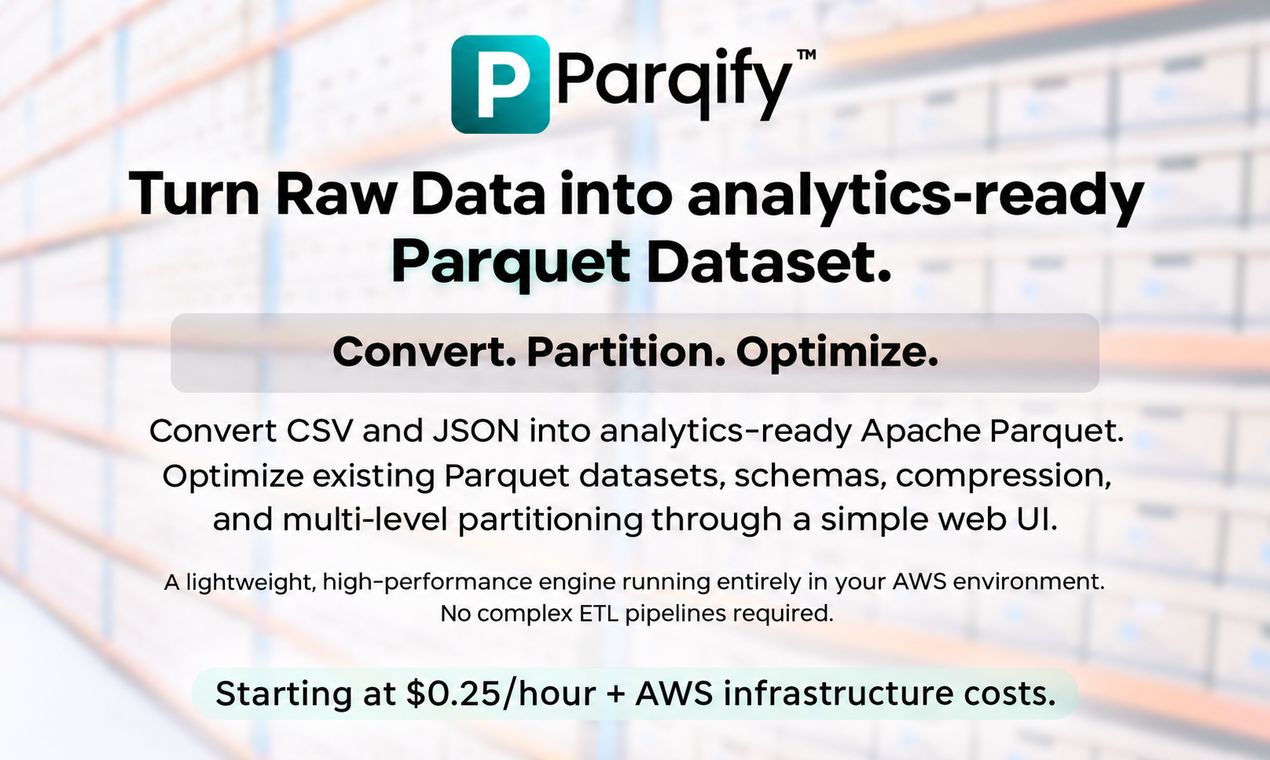
Parqify is a high-performance data conversion and Parquet optimization engine running in your AWS environment. It converts raw CSV and JSON data into Apache Parquet and optimizes existing Parquet datasets for efficient storage, faster queries, and analytics-ready data.
Through a web UI, users can manage schema inference and data types, configure multi-level partitioning, select compression settings, and optimize Parquet file layout without building complex ETL pipelines. Parqify supports parallel processing, job monitoring, and downloadable logs, with optimization profiles for Amazon Athena, AWS Glue, Apache Spark, Trino, and Presto.
Deployed on Linux within the customer's AWS account, Parqify keeps data, IAM permissions, storage, and networking under customer control. It supports public and private subnets, including private-only configurations using VPC endpoints.
Parqify simplifies data lake preparation and Parquet optimization for modern analytics workloads.
These options are for Parqify : Conversion , Schema , Parquet partitioning and optimization.
View 1 other optionOverview
Image
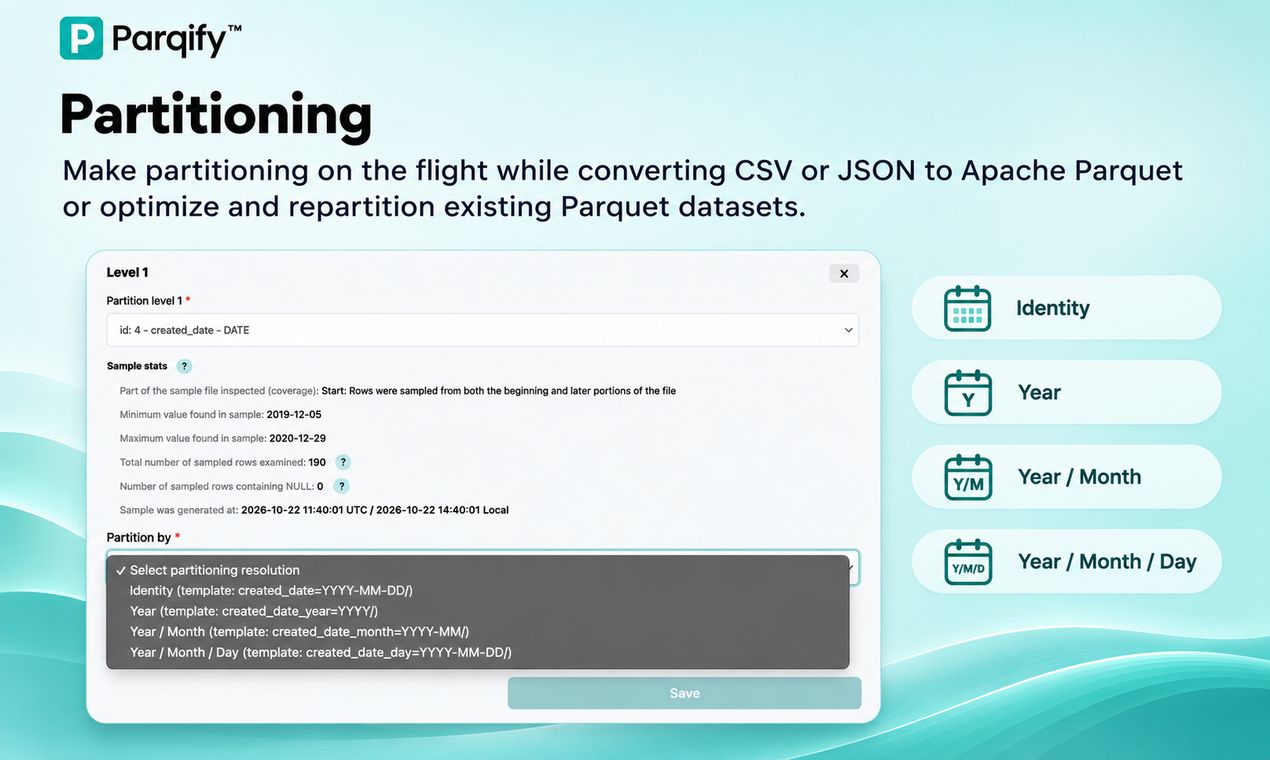
Partitioning
Image
Turn Raw Data Into analytics-ready Parquet Dataset
Image
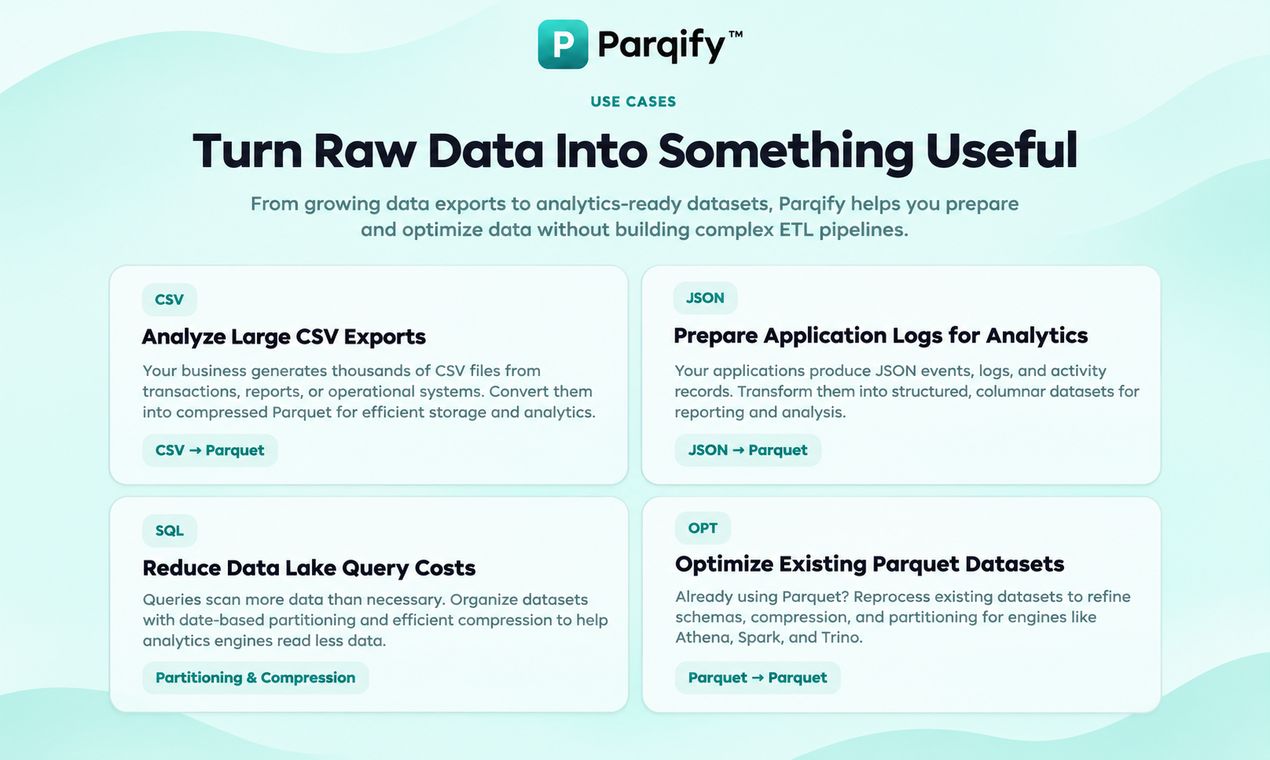
Parqify Use Cases
Image
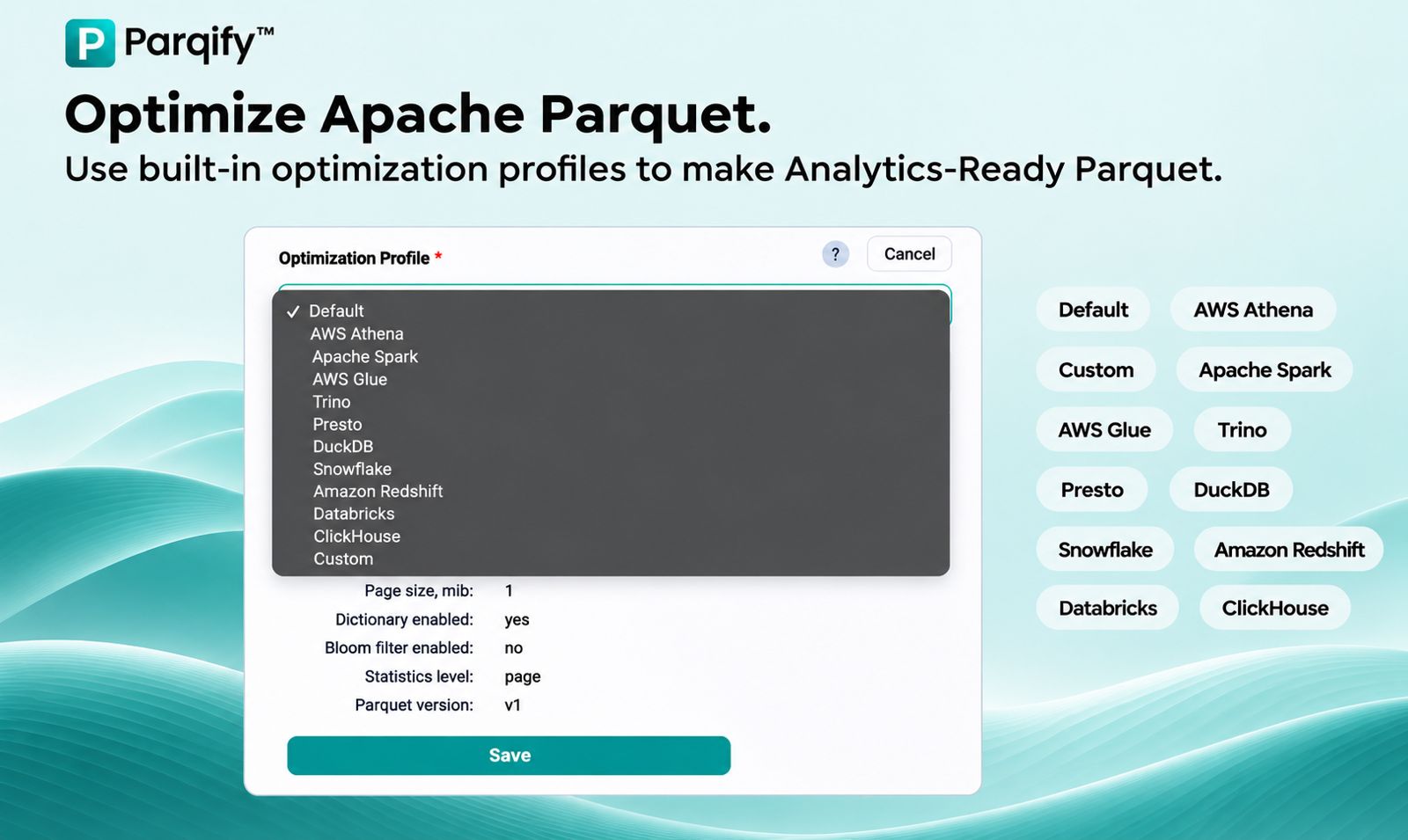
Optimize Apache Parquet
Image
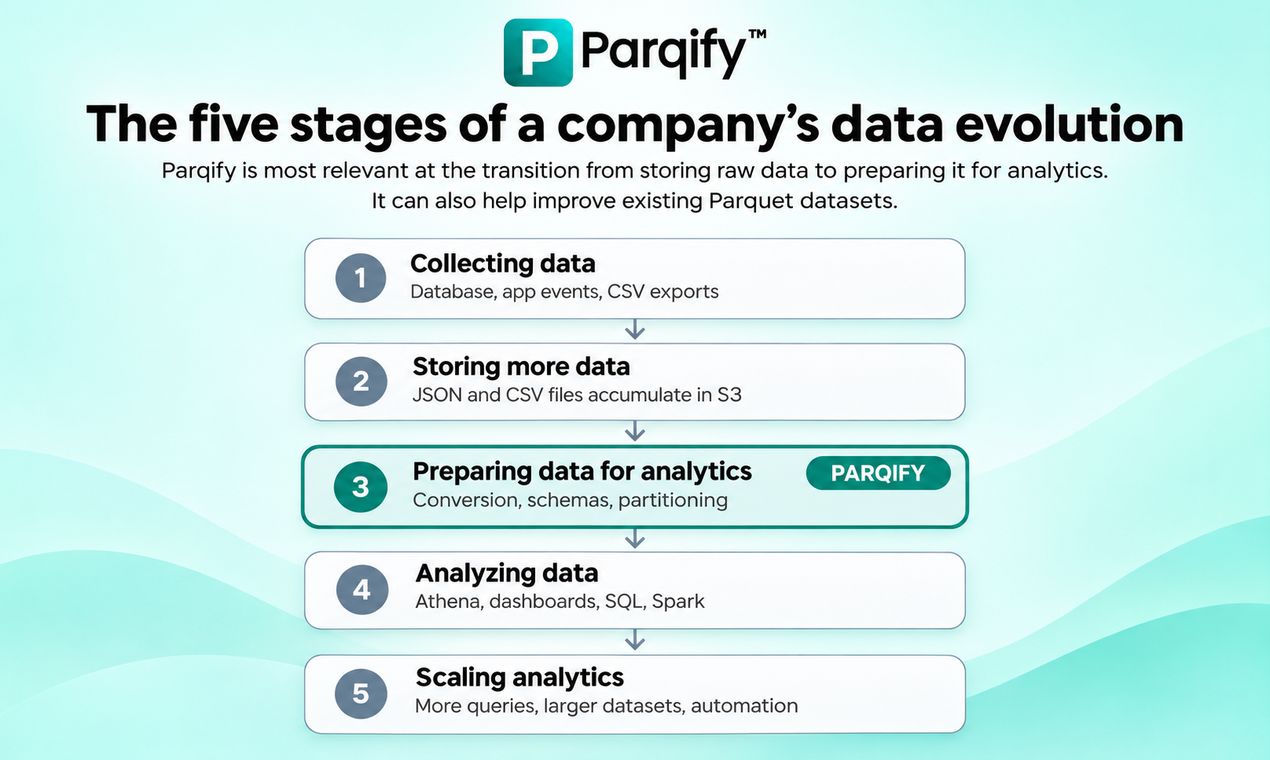
The five stages of a company's data evolution
Video
Product video
Parqify is a self-hosted Apache Parquet converter that runs from an AMI on a single EC2 instance in your own AWS account. It handles CSV to Parquet and JSON to Parquet data conversion (JSON arrays, objects and JSON Lines) and rewrites existing Parquet files with new compression, row groups and column types. S3 to Parquet jobs stream data from your source bucket to your destination bucket without staging files on local disk, so multi-gigabyte files and jobs with millions of files run on a modest instance. A web UI and REST API let you configure a conversion, run it, track progress, pause, resume or cancel it, and download its logs, with no ETL pipeline or Spark cluster to build and no external SaaS control plane. You can also upload a single file from your browser and download the converted Parquet file.
Schema inference and Parquet optimization: Parqify samples your data and proposes column names and types, either per file or as one saved schema taken from the largest file or a sample file you choose. You can review and change any column type before a job runs, and a value that does not fit its chosen type fails the file instead of being silently truncated or dropped. Parquet settings cover compression codec and level, row group and page size, dictionary encoding, statistics, bloom filters and format version, with built-in profiles for Amazon Athena, AWS Glue, Apache Spark, Amazon Redshift, Trino, Presto, Snowflake, Databricks, ClickHouse and DuckDB, plus a custom profile. Parquet partitioning writes up to three levels of Hive-style date folders (year, month, day or the date itself) from your date and timestamp columns, with sample statistics and example paths to help you choose, so data lake query engines read only the folders a query needs. This query optimization reduces the data that Athena and Redshift Spectrum scan and bill for.
Reliable operation in your environment: files convert in parallel, every output object is written with a conditional put so objects already in your destination are never overwritten, a per-job manifest lets a paused or interrupted job resume where it stopped, and a duplicate-file policy decides whether existing destination files are skipped, pause the job or fail it. Your data, IAM permissions, S3 buckets and network stay under your control. Parqify runs in public or private subnets, including private-only deployments with VPC endpoints, serves its UI over HTTPS by default with a per-instance certificate or your own, and is activated with a one-time code and an administrator password.
Highlights
- CSV to Parquet, JSON to Parquet, and Parquet re-optimization for S3 data lakes, all from a browser UI.
- Date-based, multi-level Hive-style Parquet partitioning, so data lake query engines read only the folders they need.
- Supports deployment in public or private subnets, including private-only VPC endpoints, while keeping data, IAM, storage, and networking under customer control.
Details
Sold by
Delivery method
Delivery option
Parqify Single-AMI CloudFormation Deployment for Existing VPC
64-bit (x86) Amazon Machine Image (AMI)
Latest version
Operating system
AmazonLinux Amazon Linux 2023
Deployed on AWS
Features and programs
Financing for AWS Marketplace purchases
AWS Marketplace now accepts line of credit payments through the PNC Vendor Finance program. This program is available to select AWS customers in the US, excluding NV, NC, ND, TN, & VT.

Pricing
Free trial
Try this product free for 5 days according to the free trial terms set by the vendor. Usage-based pricing is in effect for usage beyond the free trial terms. Your free trial gets automatically converted to a paid subscription when the trial ends, but may be canceled any time before that.
Pricing is based on actual usage, with charges varying according to how much you consume. Subscriptions have no end date and may be canceled any time.
Additional AWS infrastructure costs may apply. Use the AWS Pricing Calculator to estimate your infrastructure costs.
Dimension | Cost/hour |
|---|---|
c6in.2xlarge Recommended | $0.45 |
c6in.8xlarge | $1.50 |
c6i.8xlarge | $1.50 |
c6in.4xlarge | $0.80 |
r6i.4xlarge | $0.80 |
r7i.xlarge | $0.25 |
r7i.4xlarge | $0.80 |
r6i.2xlarge | $0.45 |
r6i.xlarge | $0.25 |
r7i.2xlarge | $0.45 |
Dimensions summary
You pay by the hour for the AWS EC2 instance that runs this conversion engine. Pricing is not tiered by features; every instance type includes the same software. Instead, the hourly rate tracks the compute size you choose. Options fall into two families: compute-optimized (c6i, c6in) and memory-optimized (r6i, r6in, r7i). Within each family, sizes scale from xlarge up to 8xlarge, so larger instances cost more per hour. The 'in' and newer-generation variants reflect added network or performance capacity. Pick the instance that matches your dataset size and processing speed needs.
Top-of-mind questions for buyers
The rate covers the running EC2 instance that hosts Parqify, billed per hour of active runtime. A stopped instance stops accruing software charges. You may still pay underlying AWS storage fees for the saved volume while the instance sits stopped.
The hourly rate is fixed for whichever instance type you launch. More data means the job runs longer, so you pay for more hours at the same rate. Moving to a larger instance is a manual choice you make, not an automatic upgrade.
Compute-optimized (c6i, c6in) favors CPU-heavy parallel conversion. Memory-optimized (r6i, r6in, r7i) favors larger datasets held in memory during conversion. Parqify ingests files from S3, converts them to Parquet, and writes them back, so match the instance to your dataset size and speed needs.
nademark.com
Helpful?
Vendor refund policy
There is no refund policy.

Legal
Vendor terms and conditions
Upon subscribing to this product, you must acknowledge and agree to the terms and conditions outlined in the vendor's End User License Agreement (EULA) .
Content disclaimer
Vendors are responsible for their product descriptions and other product content. AWS does not warrant that vendors' product descriptions or other product content are accurate, complete, reliable, current, or error-free.
Delivery details
64-bit (x86) Amazon Machine Image (AMI)
Amazon Machine Image (AMI)
An AMI is a virtual image that provides the information required to launch an instance. Amazon EC2 (Elastic Compute Cloud) instances are virtual servers on which you can run your applications and workloads, offering varying combinations of CPU, memory, storage, and networking resources. You can launch as many instances from as many different AMIs as you need.
Version release notes
Parqify for AWS Marketplace : Release Notes (v1.0.11): Bug fixes and performance improvements. Note: This product is under active development. Frequent updates, feature enhancements, and bug fixes are implemented regularly.
Additional details
Usage instructions
Subscribe to Parqify in AWS Marketplace and choose the AMI delivery option. Launch an EC2 instance from the Parqify AMI in your target AWS Region. Select an instance type supported by this product Configure networking: Public deployment: launch in a public subnet with a public IPv4. Private deployment: launch in a private subnet and ensure private connectivity from your client network. Configure the security group: Allow HTTPS 443 from your trusted client CIDR. Allow SSH 22 from your trusted admin CIDR. Avoid open access from 0.0.0.0/0 unless required for testing. Configure storage: Use a root EBS volume of at least 30 GiB (gp3 recommended). Attach an EC2 instance profile (IAM role) with required S3 permissions for your source and destination buckets. Launch the instance and wait until it reaches running and status checks pass. Retrieve the one-time activation code: In EC2 console, open the instance and go to Actions -> Monitor and troubleshoot -> Get system log. Search for: PARQIFY INITIAL ACTIVATION CODE (ONE-TIME): Open the Parqify UI: Public deployment: https://<public-ip>/ Private deployment: https://<private-ip>/ from a connected path (VPN / Direct Connect / bastion / Session Manager tunnel). On first login, enter the one-time Activation Code, then set a new password when prompted. Run a simple conversion job: Example source: s3://my-source-bucket/input/sample.csv Example destination: s3://my-destination-bucket/output/ Start the job, monitor progress in the UI, and wait for completion. Verify output files in the destination S3 bucket/prefix (Parquet output).
Troubleshooting: If you see S3 AccessDenied, verify IAM role permissions and bucket/KMS policies. If private deployment cannot reach required AWS services, verify subnet egress (NAT and/or existing VPC endpoints) per your network policy. If activation code is missed in console logs, access the instance and read parqify-bootstrap.env. For more detailed instructions, visit: https://parqify.com .
Resources
Vendor resources
Support
Vendor support
Please contact us via email: support@nademark.com
AWS infrastructure support
AWS Support is a one-on-one, fast-response support channel that is staffed 24x7x365 with experienced and technical support engineers. The service helps customers of all sizes and technical abilities to successfully utilize the products and features provided by Amazon Web Services.
Similar products

Parqify Viewer lets you instantly preview Parquet files (including schema) and CSV files directly from Amazon S3 via a web UI without building pipelines or downloading data.

NucleusTeq’s Data Lake Optimization service maximizes the performance, storage efficiency, and cost-effectiveness of enterprise data lakes on AWS. By leveraging core AWS services alongside modern analytics tools, NucleusTeq refines data layouts, implements intelligent storage tiering, and accelerates query performance. This service helps organizations eliminate data bloat, optimize compute workloads, and reduce overall cloud storage and processing costs while maintaining high-speed analytics.
Query your tables as a graph. Supporting Iceberg, Hive, MySQL, and more!

The Generative AI-based Mactores Database CoPilot Tool simplifies database management and migration on Amazon RDS. Leverage AI to optimize SQL queries, design efficient schemas, generate ER diagrams, and automate tasks. Migrate seamlessly between database systems like MS SQL, Oracle, PostgreSQL, and MySQL on Aurora RDS with schema and object conversion, and application code adjustments.
Customer reviews
No customer reviews yet
Be the first to review this product . We've partnered with PeerSpot to gather customer feedback. You can share your experience by writing or recording a review, or scheduling a call with a PeerSpot analyst.