Sold by: Q-bis Consult S.R.L.
Deployed on AWS
Free Trial
AWS Free Tier
My-Drive offers secure file management and sharing for your team.
Deployed in your private cloud, it gives you full control of your data. With built-in online document editors, your files remain in your VPC at all times.
My-Drive includes multi-factor authentication (MFA), brute-force protection, strong encryption at rest and in transit, and role-based access control to secure file access while staying easy to use.
Secure file transfer to third parties is also supported.
Overview
Image
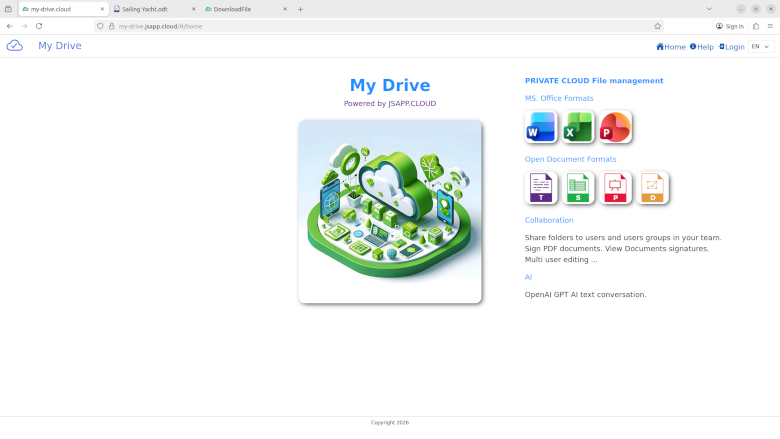
WebApp Start page
Image
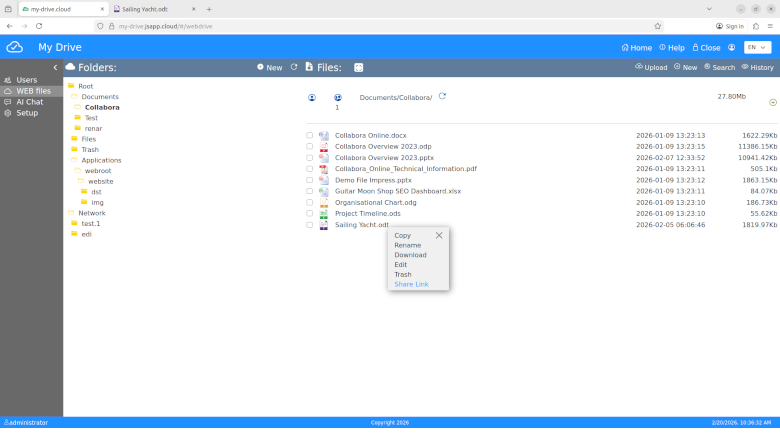
The File Manger module
Image
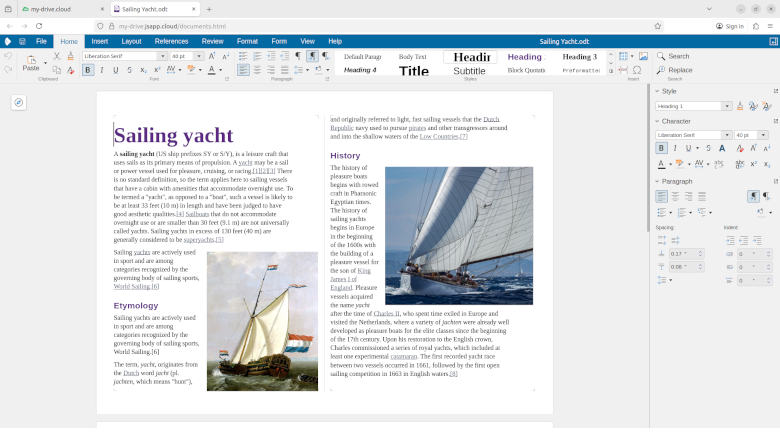
Online documents editors
Image
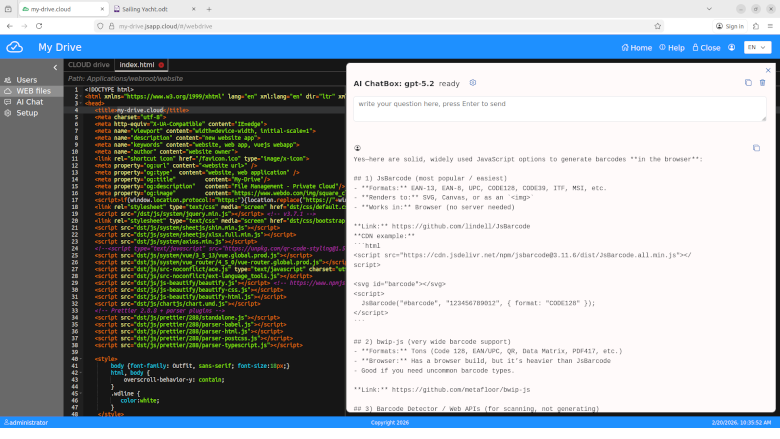
Code editor
Image
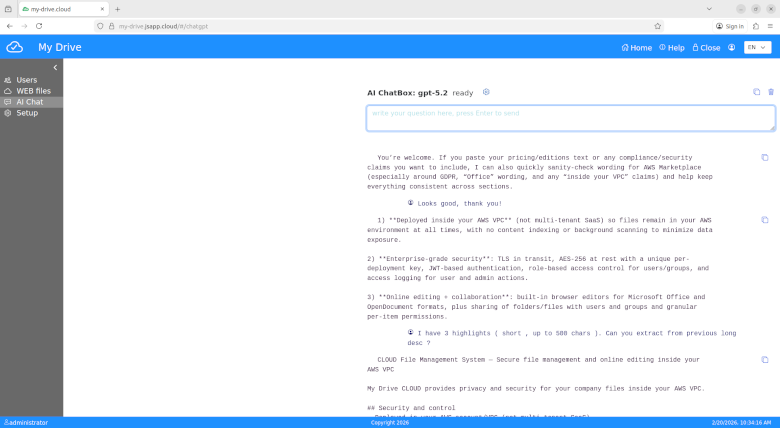
AI chatbox
Image
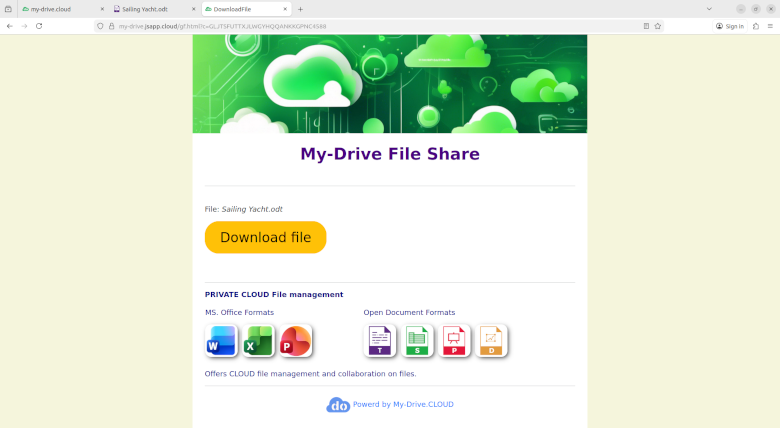
File transfer
CLOUD File Management System
Secure file management and online document editing inside your AWS VPC My Drive CLOUD is a private, secure file management platform that enables organizations to store, manage, share, and edit files entirely within their own AWS environment. Unlike multi-tenant SaaS solutions, My Drive CLOUD is deployed directly into your AWS account and VPC, giving you full control over your data, security posture, and configuration. Built for organizations that require privacy, compliance alignment, and enterprise-grade file collaboration, My Drive CLOUD combines secure storage, browser-based editing, granular permissions, and extensibility in a modern web platform.
Key Benefits Security and Control
- Deployed in your own AWS account/VPC, not as a multi-tenant SaaS service
- Encryption in transit using TLS
- Encryption at rest using AES-256 with a unique key per deployment
- JWT-based authentication on every request
- Role-based access control (RBAC) for users and groups
- Access logging for both user and administrator actions
- No content indexing or background scanning, minimizing unnecessary data exposure
- Files remain in your AWS environment at all times
Online Editing
- Built-in online editing for Microsoft Office file formats:
- DOC / DOCX
- XLS / XLSX
- PPT / PPTX
- Support for OpenDocument formats:
- ODT
- ODS
- ODP
- ODG
- Integrated browser-based editor with access enforced through JWT and RBAC
Sharing and Collaboration
- Share files and folders with individual users or groups
- Apply granular permissions at the item level
- Support secure collaboration while maintaining administrative control
Quick Deployment in AWS
- Procured through AWS Marketplace
- Deployed into your environment using AWS CloudFormation
- Can be operational quickly after initial configuration, including:
- SSO
- storage
- logging
- Highly customizable and extensible for standard enterprise requirements and integrations
- Default sizing is designed for small and mid-size organizations
- Configurable for horizontal scaling and high availability (contact us for advanced deployment options)
Storage and Performance
- File storage powered by Amazon S3 with virtually unlimited capacity
- Secure streamed uploads and downloads for large files
- Encryption includes:
- TLS in transit
- AES-256 at rest with a unique per-deployment key
Platform and Integrations
- Built on the JSAPP.CLOUD web application platform
<www.jsapp.cloud > - Online document editing provided through Collabora Online, integrated via the WOPI protocol
- Standards-based REST APIs
- JWT-secured requests across the platform
- Modular architecture supports:
- third-party API integrations
- feature extensions
- enterprise customization
- Modern HTML5/CSS/JavaScript web client
- Supports branding and theming with minimal code changes
- Includes CLOUD Code Editor
- Includes AI Chatbox based on the OpenAI API (GPT)
Privacy and Compliance
- Designed with privacy by design principles
- No content indexing to reduce data exposure
- Access logging helps support auditing and accountability
- Designed to help organizations meet EU GDPR obligations
- Aligns with security best practices for enterprise document management
About the Vendor
My Drive CLOUD is developed by Q-Bis Consult SRL
<www.qbis.ro >
The solution is built on the JSAPP.CLOUD platform.
Highlights
- Deployed inside your AWS VPC: (not multi-tenant SaaS) so files remain in your AWS environment at all times, with no content indexing or background scanning to minimize data exposure.
- Enterprise-grade security: TLS in transit, AES-256 at rest with a unique per-deployment key, JWT-based authentication, role-based access control for users/groups, and access logging for user and admin actions.
- Online editing + collaboration: built-in browser editors for Microsoft Office and OpenDocument formats, plus sharing of folders/files with users and groups and granular per-item permissions.
Details
Sold by
Delivery method
Delivery option
My-Drive v.2.0
Latest version
Operating system
Ubuntu 24.04.3 LTS
Deployed on AWS
New
Introducing multi-product solutions
You can now purchase comprehensive solutions tailored to use cases and industries.

Features and programs
Financing for AWS Marketplace purchases
AWS Marketplace now accepts line of credit payments through the PNC Vendor Finance program. This program is available to select AWS customers in the US, excluding NV, NC, ND, TN, & VT.

Pricing
Free trial
Try this product free for 15 days according to the free trial terms set by the vendor. Usage-based pricing is in effect for usage beyond the free trial terms. Your free trial gets automatically converted to a paid subscription when the trial ends, but may be canceled any time before that.
Pricing is based on actual usage, with charges varying according to how much you consume. Subscriptions have no end date and may be canceled any time.
Additional AWS infrastructure costs may apply. Use the AWS Pricing Calculator to estimate your infrastructure costs.
If you are an AWS Free Tier customer with a free plan, you are eligible to subscribe to this offer. You can use free credits to cover the cost of eligible AWS infrastructure. See AWS Free Tier for more details. If you created an AWS account before July 15th, 2025, and qualify for the Legacy AWS Free Tier, Amazon EC2 charges for Micro instances are free for up to 750 hours per month. See Legacy AWS Free Tier for more details.
Dimension | Cost/hour |
|---|---|
t2.micro | $0.025 |
t3.micro | $0.025 |
t3a.xlarge | $0.15 |
t3a.large | $0.08 |
t3.large | $0.08 |
t2.large | $0.09 |
t3.medium | $0.05 |
t2.medium | $0.06 |
c5a.xlarge | $0.15 |
c5ad.large | $0.08 |
Dimensions summary
You pay by the hour for the software running on an Amazon EC2 instance you choose. Each dimension matches a specific EC2 instance size, spanning t2, t3, and t3a burstable types plus c5, c5a, and c5ad compute types. Smaller instances (micro, small) suit light file-explorer use with few users. Larger instances (medium, large, xlarge) provide more CPU and memory for concurrent online office editing. Your rate scales with the instance size you select. You also pay AWS separately for the EC2 compute and S3 object storage within your own AWS account.
Top-of-mind questions for buyers
Each dimension matches an EC2 instance with set CPU and memory. For example, a medium instance offers 2 virtual CPUs and 4GB RAM. Plan for about 10 concurrent office-editor users per CPU and at least 50MB per concurrent user. File-explorer-only use consumes far fewer resources.
You pay the hourly software rate for your chosen instance size. Separately, AWS bills you for EC2 compute hours and S3 object storage within your own AWS account. All charges run pay-as-you-go and appear alongside your AWS resource usage. Storage is metered per gigabyte per month.
The software rate meters running instance-hours only. When the instance is stopped, the hourly software charge does not accrue. You may still pay AWS for underlying storage and any retained resources within your own account. Charges resume when you restart the instance.
www.my-drive.cloud
Helpful?
Vendor refund policy

Legal
Vendor terms and conditions
Upon subscribing to this product, you must acknowledge and agree to the terms and conditions outlined in the vendor's End User License Agreement (EULA) .
Content disclaimer
Vendors are responsible for their product descriptions and other product content. AWS does not warrant that vendors' product descriptions or other product content are accurate, complete, reliable, current, or error-free.
Delivery details
My-Drive v.2.0
My-Drive ( <www.my-drive.cloud > )
- Foundation: Built on our JSAPP.CLOUD web application platform (<www.jsapp.cloud >)
- Online editors: Collabora Online integrated via the WOPI protocol (server-side WOPI host)
- APIs and auth: Standards-based REST APIs with JWT on every request; RBAC for users and groups, multi factor authorization based on authentication app
- Extensibility: Integrates with third‑party APIs; modular architecture for feature extensions
- Web client: Modern HTML5/CSS/JS UI; branding and theming with minimal code changes
- Privacy and compliance: Access logging and privacy-by-design (no content indexing); designed to help you meet EU GDPR obligations and align with security best practices for document management
CloudFormation Template (CFT)
AWS CloudFormation templates are JSON or YAML-formatted text files that simplify provisioning and management on AWS. The templates describe the service or application architecture you want to deploy, and AWS CloudFormation uses those templates to provision and configure the required services (such as Amazon EC2 instances or Amazon RDS DB instances). The deployed application and associated resources are called a "stack."
Version release notes
My Drive - File management
- Online Office files editors
- multi factor authorization
- new web UI
Additional details
Usage instructions
My-Drive v.2.0 application server. ( API's and Collabora CODE editors server ) Use the Cloud Formation Template installation from the AWS Marketplace, discover products, My-Drive ,version 2.x Installation details can be found here: https://www.my-drive.cloud/files/my-drive-install.pdf At installation: ( check next )
- Stack name; enter your installation name here
- chose you VPC and subnet
- EC2 access; you may need a KeyPairLogin ( if you need SSH login to the instance )
- set Network access; 0.0.0.0/0 to allow access to the pubic ports from Internet
- S3 bucket, set a bucket name, is mandatory for an easy system configuration
- I acknowledge that AWS CloudFormation might create IAM resources; it creates an IAM role with access rights to created S3 Bucket
The CloudFormation Template will add the security group for the EC2 instance, please check and configure accordingly if needed, the configuration application settings starts at https://<your domain name or IP address>
Resources
Vendor resources
Support
Vendor support
Basic technical support to the system administrator. Mail to mydrive@qbis.ro or
AWS infrastructure support
AWS Support is a one-on-one, fast-response support channel that is staffed 24x7x365 with experienced and technical support engineers. The service helps customers of all sizes and technical abilities to successfully utilize the products and features provided by Amazon Web Services.
Similar products

MyWorkDrive Cloud File Sharing Server provides easy file share remote access using any web browser with our Web File Manager, Mobile Device or Mapped Drive app. Instantly create your own private cloud and collaborate without sync or migrating your files.
Hyper-Secure File Sharing, Sync, Backup and Remote Access for Businesses

Ellipsis Drive is a fully interoperable, cloud based, spatial data management solution that simplifies and automates spatial data transformation, management and integration. It provides you with fast and secure access to your spatial content from any workflow. By converting uploaded geodata files into beautiful live maps and web services that can be accessed and queried via your endpoints of choice, they seamlessly render into your workflows, apps and tools.
Trusted by over 7,000+ customers from over 40 countries, FileWave is a pioneer in multi-platform endpoint management. FileWave provides a single management solution for apps, devices, and configurations for macOS, Windows, iOS, ChromeOS, and Android, and offers a fully customizable and streamlined approach to device management, asset management, and security.
Customer reviews
No customer reviews yet
Be the first to review this product . We've partnered with PeerSpot to gather customer feedback. You can share your experience by writing or recording a review, or scheduling a call with a PeerSpot analyst.