
Sold by: Solve DevOps
Deployed on AWS
AWS Free Tier
This is a repackaged open-source software product wherein additional charges apply for a ready-to-run FusionPBX multi-tenant PBX with per-instance admin and database password generation, Amazon CloudWatch log and metric shipping, AWS Systems Manager agent integration, SSH hardening, and vendor support.
Overview
Image
FusionPBX Login
Image
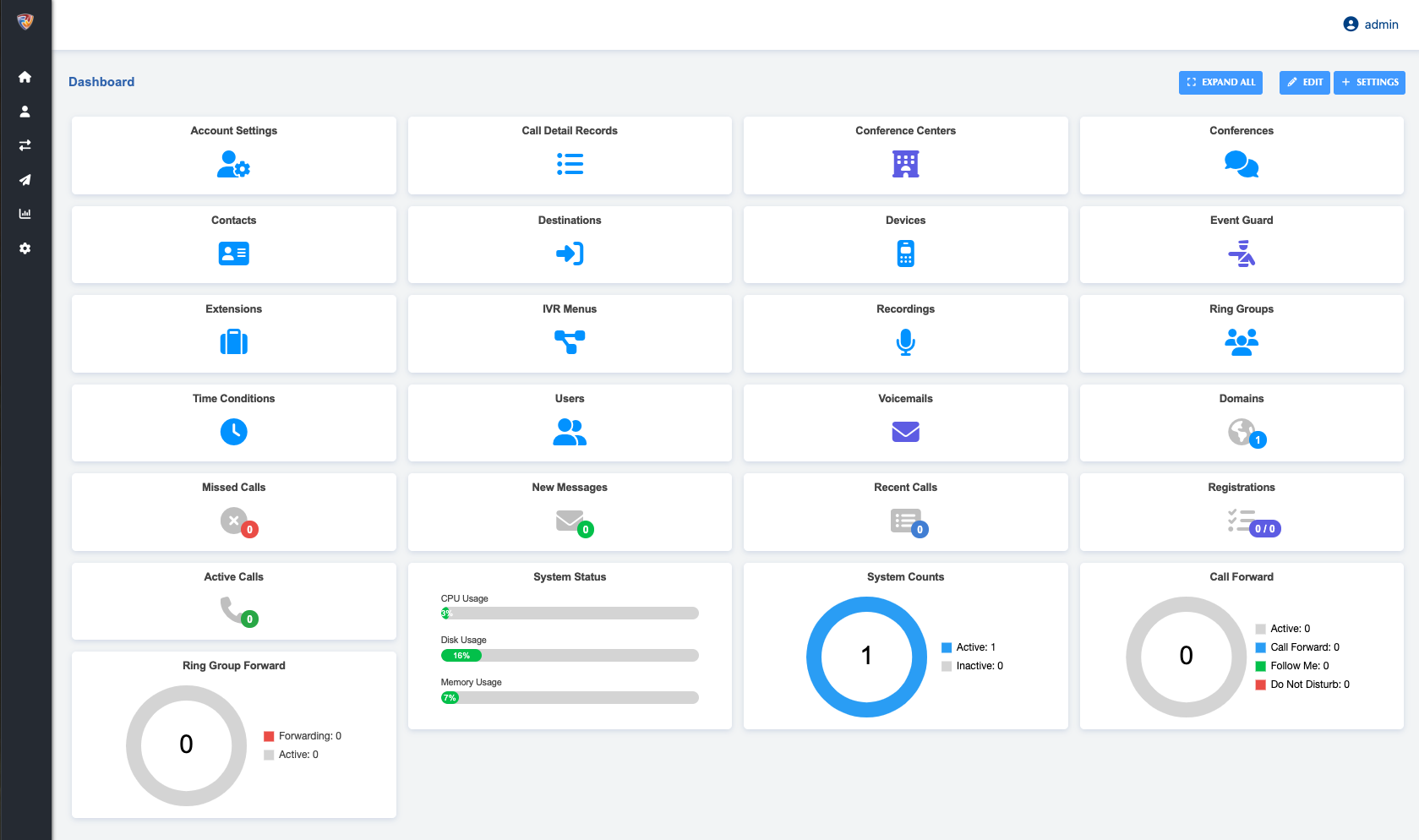
FusionPBX Dashboard
Image
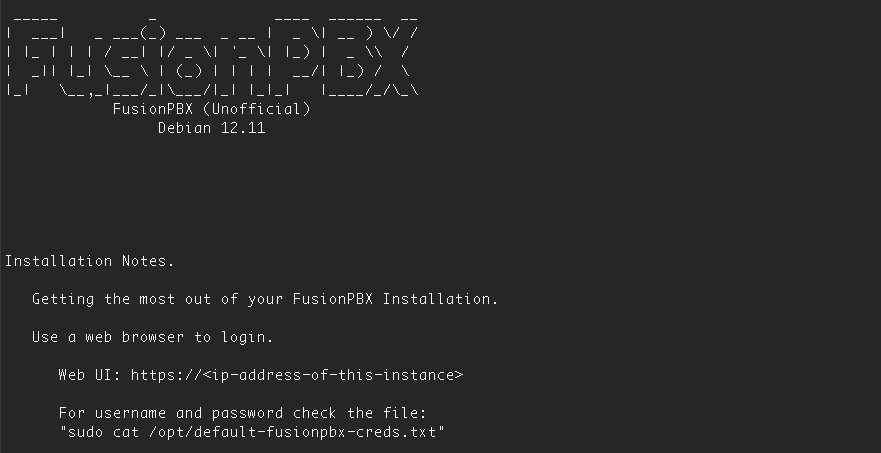
FusionPBX SSH Prompt
FusionPBX is a full-featured, multi-tenant open-source PBX and voice platform built on FreeSWITCH. This AWS Marketplace image from Solve DevOps delivers a complete, production-ready FusionPBX stack, hardened at first boot with instance-unique credentials and pre-integrated with AWS-native observability and management services.
Who Is This For?
This solution is built for VoIP service providers, managed service providers (MSPs), call centres, and enterprises that need a powerful, web-managed PBX without the overhead of on-premises hardware. Whether you are an MSP onboarding multiple client tenants under a single installation, a contact centre managing agent queues and call recording, or a regional VoIP provider routing SIP trunks for subscribers, FusionPBX on AWS gives you the multi-tenant architecture and flexibility to support your workflow.
What Is Included in This Image
- Pre-configured FusionPBX stack: Installed via the upstream fusionpbx-install.sh flow, including FreeSWITCH, nginx with PHP-FPM, PostgreSQL, and fail2ban. The web UI is available over HTTPS immediately after launch.
- Per-instance credential generation: A first-boot script sets the FusionPBX domain to the instance's primary IPv4 address, generates a unique admin password and a unique PostgreSQL password derived from the instance identity, writes admin login details to /opt/default-fusionpbx-creds.txt (mode 600), reloads PHP-FPM and FreeSWITCH, and then deletes itself.
- Amazon CloudWatch integration: The CloudWatch agent ships FreeSWITCH, nginx, PostgreSQL, fail2ban, syslog, and auth logs to CloudWatch Logs (log groups /solvedevops/fusionpbx/*, 30-day retention) and publishes CPU, memory, disk, TCP connection, and process metrics under the SolveDevOps/FusionPBX namespace with InstanceId, InstanceType, and AutoScalingGroupName dimensions.
- AWS Systems Manager integration: The SSM agent is installed and enabled so the instance can be reached with Session Manager, patched with Patch Manager, and managed with Run Command -- without opening inbound SSH.
- Security hardening: SSH key-only authentication with root login disabled, no shared admin or database passwords baked into the image, fail2ban enabled, installer sources removed, and build-time SSH keys and cloud-init state scrubbed so every launch starts clean.
- Operational quick-start MOTD: The login message of the day displays the web UI address, credential file location, upstream training and documentation links, the CloudWatch namespace, and the IAM policies required to activate the agents.
Core PBX Capabilities
- SIP trunk management and call routing
- Interactive voice response (IVR) with multi-language support
- Call queues, call recording, and voicemail
- Time-based routing rules
- Built-in conference bridge
- Secure SIP/TLS and SRTP encryption
- Multi-tenant domain management from a single installation
Getting Started
- Launch the instance: Select your preferred AWS region and EC2 instance size. Attach an IAM instance role that includes the CloudWatchAgentServerPolicy and AmazonSSMManagedInstanceCore managed policies. The agents start automatically and detect the Region at boot.
- Configure security groups: Open TCP 443 (and 80) for the web UI, UDP/TCP 5060 and TCP 5061 for SIP, UDP 16384-32768 for RTP, and TCP 22 for SSH if you are not using Session Manager.
- Retrieve credentials: SSH into the instance and run: sudo cat /opt/default-fusionpbx-creds.txt
- Access the web UI: Log in at https:// with the generated admin credentials.
- Configure your PBX: Add domains, extensions, SIP trunks, IVRs, and call routing rules through the FusionPBX web interface.
- Monitor with CloudWatch: Review logs and metrics in the SolveDevOps/FusionPBX CloudWatch namespace. Edit the agent configuration at /opt/aws/amazon-cloudwatch-agent/etc/amazon-cloudwatch-agent/fusionpbx.json as needed.
Full root access is provided. FusionPBX configuration is in /etc/fusionpbx/config.conf and /var/www/fusionpbx. FreeSWITCH configuration is in /etc/freeswitch.
Deploy FusionPBX on AWS today and take control of your business communications with a scalable, secure, and fully integrated VoIP solution.
Highlights
- FusionPBX installed with FreeSWITCH, nginx, PHP-FPM, PostgreSQL and fail2ban using the upstream installer, with the web UI served over HTTPS and the tenant domain set automatically to the instance's IP on first boot.
- Security: unique admin and database passwords are generated per instance at first boot (written to /opt/default-fusionpbx-creds.txt, root-only) so no two launches share credentials; SSH key-only with no root login; fail2ban protects SIP and web logins.
- Observability and operations: Amazon CloudWatch agent configured for FreeSWITCH, nginx, PostgreSQL, fail2ban, syslog, and auth logs, plus host metrics (SolveDevOps/FusionPBX); AWS Systems Manager agent for Session Manager and patching; vendor support from SolveDevOps.
Details
Sold by
Delivery method
Delivery option
64-bit (x86) Amazon Machine Image (AMI)
Latest version
Operating system
Debian 12
Deployed on AWS
New
Introducing multi-product solutions
You can now purchase comprehensive solutions tailored to use cases and industries.

Features and programs
Financing for AWS Marketplace purchases
AWS Marketplace now accepts line of credit payments through the PNC Vendor Finance program. This program is available to select AWS customers in the US, excluding NV, NC, ND, TN, & VT.

Pricing
Pricing is based on actual usage, with charges varying according to how much you consume. Subscriptions have no end date and may be canceled any time.
Additional AWS infrastructure costs may apply. Use the AWS Pricing Calculator to estimate your infrastructure costs.
If you are an AWS Free Tier customer with a free plan, you are eligible to subscribe to this offer. You can use free credits to cover the cost of eligible AWS infrastructure. See AWS Free Tier for more details. If you created an AWS account before July 15th, 2025, and qualify for the Legacy AWS Free Tier, Amazon EC2 charges for Micro instances are free for up to 750 hours per month. See Legacy AWS Free Tier for more details.
Dimension | Cost/hour |
|---|---|
t3.large Recommended | $0.0076 |
t3.micro | $0.0076 |
r5.4xlarge | $0.0076 |
r5.12xlarge | $0.0076 |
m5.2xlarge | $0.0076 |
m4.16xlarge | $0.0076 |
r5.xlarge | $0.0076 |
m4.2xlarge | $0.0076 |
m5.16xlarge | $0.0076 |
m4.10xlarge | $0.0076 |
Dimensions summary
You pay by the hour for FusionPBX running on your chosen Amazon EC2 instance type. There is no fixed subscription; billing tracks the hours each instance runs. Each dimension maps to a specific EC2 instance size across the t2, t3, c4, c5, m4, m5, r5, and gr6 families. Smaller instances like t3.nano and t3.micro suit light workloads, while larger and metal instances like m5.metal or c5.24xlarge handle heavier call volumes. Your rate changes based on the instance size you select. Pick the instance that matches your compute, memory, or bare-metal needs.
Top-of-mind questions for buyers
The hourly rate covers the FusionPBX software running on your selected EC2 instance. The underlying AWS compute is billed separately by AWS. You pay one rate per instance-hour for each dimension you run. FusionPBX itself is open-source software packaged as a supported cloud image.
The software fee meters running time only, so a stopped instance does not accrue the hourly software charge. Charges apply for each hour the instance is active. Note that AWS may still bill separately for storage attached to a stopped instance.
Yes. Each dimension maps to a specific EC2 instance size, and your rate follows whichever size you run. To scale up, launch a larger instance type such as m5.metal or c5.24xlarge. Billing then tracks that instance's hourly rate for the hours it runs.
www.solvedevops.com
Helpful?
Vendor refund policy
Cancel Anytime.

Legal
Vendor terms and conditions
Upon subscribing to this product, you must acknowledge and agree to the terms and conditions outlined in the vendor's End User License Agreement (EULA) .
Content disclaimer
Vendors are responsible for their product descriptions and other product content. AWS does not warrant that vendors' product descriptions or other product content are accurate, complete, reliable, current, or error-free.
Delivery details
64-bit (x86) Amazon Machine Image (AMI)
Amazon Machine Image (AMI)
An AMI is a virtual image that provides the information required to launch an instance. Amazon EC2 (Elastic Compute Cloud) instances are virtual servers on which you can run your applications and workloads, offering varying combinations of CPU, memory, storage, and networking resources. You can launch as many instances from as many different AMIs as you need.
Version release notes
Updates to the latest Security Patches for FusionPBX and Debain 12
Additional details
Usage instructions
Getting Started:
- Provision an EC2 instance with the right capacity for your needs. For smaller installations we suggest; - 4 GB RAM - 30 GB hard disk.
- Access your Server using the IP Address issued by AWS for the initial setup e.g. https://ip-address
- Enjoy the Power of FusionPBX.
Support
Vendor support
Solve DevOps provides email-based support for installation and configuration questions related to this FusionPBX AMI. To reach the support team, contact support@solvedevops.com .
AWS infrastructure support
AWS Support is a one-on-one, fast-response support channel that is staffed 24x7x365 with experienced and technical support engineers. The service helps customers of all sizes and technical abilities to successfully utilize the products and features provided by Amazon Web Services.
Similar products

This is a repackaged open-source software product wherein additional charges apply for a source-built FreeSWITCH softswitch with production file descriptor and kernel tuning, per-instance SIP password generation, Amazon CloudWatch log and metric shipping, AWS Systems Manager agent integration, SSH hardening, and vendor support.

This is a repackaged open-source software product with additional charges for a ready-to-run FreePBX and Asterisk PBX, pre-tuned PHP and web server settings, Amazon CloudWatch log and metric shipping, AWS Systems Manager agent integration, SSH hardening, and vendor support.

This is a repackaged open-source software product with additional charges for a ready-to-run FreePBX® and Asterisk PBX, pre-tuned PHP and web server settings, Amazon CloudWatch log and metric shipping, AWS Systems Manager agent integration, SSH hardening, and vendor support.

This is a repackaged open source software product wherein additional charges apply for a cloud-ready base image with automatic disk growth, Amazon CloudWatch log and metric shipping, AWS Systems Manager integration, security hardening, and vendor support.
Customer reviews
No customer reviews yet
Be the first to review this product . We've partnered with PeerSpot to gather customer feedback. You can share your experience by writing or recording a review, or scheduling a call with a PeerSpot analyst.