Sold by: TurnKey GNU/Linux
Deployed on AWS
Free Trial
AWS Free Tier
This product has charges associated with it for TurnKey Linux integration, automated security updates, backup tooling, and bundled support. It provides Faveo Helpdesk on Debian 13.
Overview
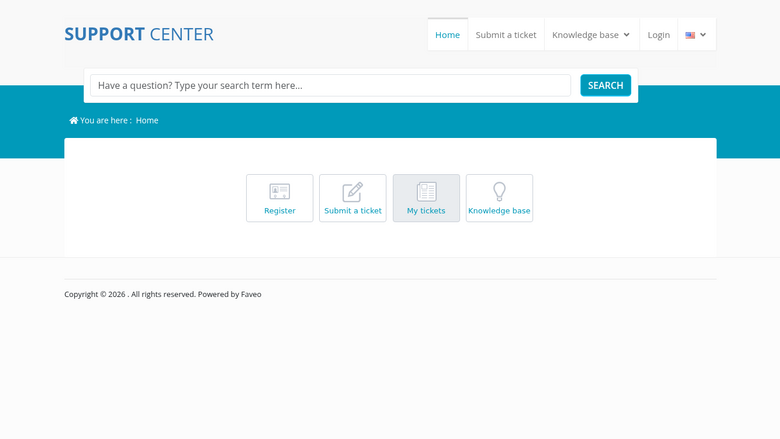
This product has charges associated with it for TurnKey Linux integration, automated security updates, backup tooling, and bundled support. TurnKey Faveo Helpdesk helps save you time and money by providing a ready-to-run Faveo Helpdesk solution that is secure, supported and easy to maintain. The system auto-updates itself with security fixes and is built in a transparent 100% open source process free of hidden backdoors. Faveo Helpdesk is an automated Helpdesk system to allow you to manage customer support. It is built on the popular Laravel PHP framework. The TurnKey appliance includes the open source Community Edition.
Highlights
- Secure, supported and easy to maintain: auto-updated daily with latest security patches. Bundled support for no extra charge.
- Free from hidden backdoors and vendor lock-in: transparent 100% opensource build of Debian GNU/Linux with no proprietary components or secret sauce.
- Free 1-click backup, restore and migrate: bundled backup software saves changes to files, databases and package management to encrypted storage which servers can be automatically restored from.
Details
Sold by
Delivery method
Delivery option
64-bit (x86) Amazon Machine Image (AMI)
Latest version
Operating system
Debian 13/Trixie
Deployed on AWS
New
Introducing multi-product solutions
You can now purchase comprehensive solutions tailored to use cases and industries.

Features and programs
Financing for AWS Marketplace purchases
AWS Marketplace now accepts line of credit payments through the PNC Vendor Finance program. This program is available to select AWS customers in the US, excluding NV, NC, ND, TN, & VT.

Pricing
Free trial
Try this product free for 7 days according to the free trial terms set by the vendor. Usage-based pricing is in effect for usage beyond the free trial terms. Your free trial gets automatically converted to a paid subscription when the trial ends, but may be canceled any time before that.
Pricing is based on actual usage, with charges varying according to how much you consume. Subscriptions have no end date and may be canceled any time. Alternatively, you can pay upfront for a contract, which typically covers your anticipated usage for the contract duration. Any usage beyond contract will incur additional usage-based costs.
Additional AWS infrastructure costs may apply. Use the AWS Pricing Calculator to estimate your infrastructure costs.
If you are an AWS Free Tier customer with a free plan, you are eligible to subscribe to this offer. You can use free credits to cover the cost of eligible AWS infrastructure. See AWS Free Tier for more details. If you created an AWS account before July 15th, 2025, and qualify for the Legacy AWS Free Tier, Amazon EC2 charges for Micro instances are free for up to 750 hours per month. See Legacy AWS Free Tier for more details.
Dimension | Cost/hour |
|---|---|
t3.small Recommended | $0.02 |
t2.micro | $0.02 |
t3.micro | $0.02 |
c1.medium | $0.02 |
c3.large | $0.02 |
c3.xlarge | $0.02 |
c4.large | $0.02 |
c4.xlarge | $0.02 |
c5.large | $0.02 |
c5.xlarge | $0.02 |
Dimensions summary
You pay by the hour for the EC2 instance size you choose, so billing scales with the compute you run. The dimensions map to standard AWS instance families. The t-family (t1, t2, t3, t3a) covers small burstable sizes from nano up to large. The c-family (c1 through c8i) targets compute-focused work. The m-family (m1 through m8i) offers balanced general-purpose sizes. The r8i sizes emphasize memory, and i7i sizes emphasize storage. Larger sizes cost more per hour. The software itself is open source, so you pay for the instance running it.
Top-of-mind questions for buyers
You pay the hourly rate for the EC2 instance running the appliance, not for the software itself. The appliance bundles the open source Community Edition of the ticket system. Your bill scales with the instance size you select and how many hours it runs.
Hourly software charges apply only while the instance runs. A fully stopped instance does not accrue hourly software fees. Note that stopped instances may still incur underlying AWS storage costs for attached volumes, which are separate from this listing's per-hour charge.
The t-family (t1, t2, t3, t3a) uses burstable performance for light or variable loads. The c-family favors compute-heavy work, the m-family balances resources, r8i emphasizes memory, and i7i emphasizes storage. Each family bills per hour, and larger sizes within a family cost more.
www.turnkeylinux.org
Helpful?
Vendor refund policy
90 day "no questions asked" refund policy.

Legal
Vendor terms and conditions
Upon subscribing to this product, you must acknowledge and agree to the terms and conditions outlined in the vendor's End User License Agreement (EULA) .
Content disclaimer
Vendors are responsible for their product descriptions and other product content. AWS does not warrant that vendors' product descriptions or other product content are accurate, complete, reliable, current, or error-free.
Delivery details
64-bit (x86) Amazon Machine Image (AMI)
Amazon Machine Image (AMI)
An AMI is a virtual image that provides the information required to launch an instance. Amazon EC2 (Elastic Compute Cloud) instances are virtual servers on which you can run your applications and workloads, offering varying combinations of CPU, memory, storage, and networking resources. You can launch as many instances from as many different AMIs as you need.
Version release notes
TurnKey faveo-helpdesk 19.0 is based on Debian 13 (Trixie). See https://www.turnkeylinux.org/updates/faveo-helpdesk for appliance-specific release notes.
Additional details
Usage instructions
System initialization
After launch, browse to http://<Public_DNS>/ and complete the first-boot configuration, or connect by SSH using the key pair selected at launch.
Operating system access
Connect using SSH as the Linux user admin with the selected EC2 key pair. Run privileged commands with sudo; this provides full OS-level administration.
Application access
Open http://<Public_DNS>/ in a web browser. The application may redirect to HTTPS after configuration.
Documentation: https://www.turnkeylinux.org/faveo-helpdesk
Resources
Support
Vendor support
Basic "getting started" type support when first starting, plus one free support incident per month. E-mail support is provided through the TurnKey Hub at no additional cost. Once you sign up to the TurnKey Hub, your AWS marketplace subscription will be automatically identified. https://hub.turnkeylinux.org/ support@turnkeylinux.org
AWS infrastructure support
AWS Support is a one-on-one, fast-response support channel that is staffed 24x7x365 with experienced and technical support engineers. The service helps customers of all sizes and technical abilities to successfully utilize the products and features provided by Amazon Web Services.
Similar products

Our user-friendly software helps you quickly and easily manage customer support inquiries.

A robust help desk and customer service platform for delivering WOW customer experience and empower support teams.

Origami Helpdesk unifies all support channels, tickets, and customer conversations in one no-code platform. Automate routing, SLAs, and escalations while giving agents full visibility and AI-assisted resolution tools.

Freshdesk is an advanced ticketing solution that enables businesses to streamline and manage support operations at any scale.
Customer reviews
No customer reviews yet
Be the first to review this product . We've partnered with PeerSpot to gather customer feedback. You can share your experience by writing or recording a review, or scheduling a call with a PeerSpot analyst.