
Sold by: NLSQL
Deployed on AWS
Free Trial
NLSQL is AI data analytics App, that allows users to query databases by simply typing plain English questions. It automatically converts natural language into optimized SQL queries, making data access, analytics, and reporting faster and more accessible for non-technical users. Perfect for business intelligence, automation, and self-service analytics.
5
Overview
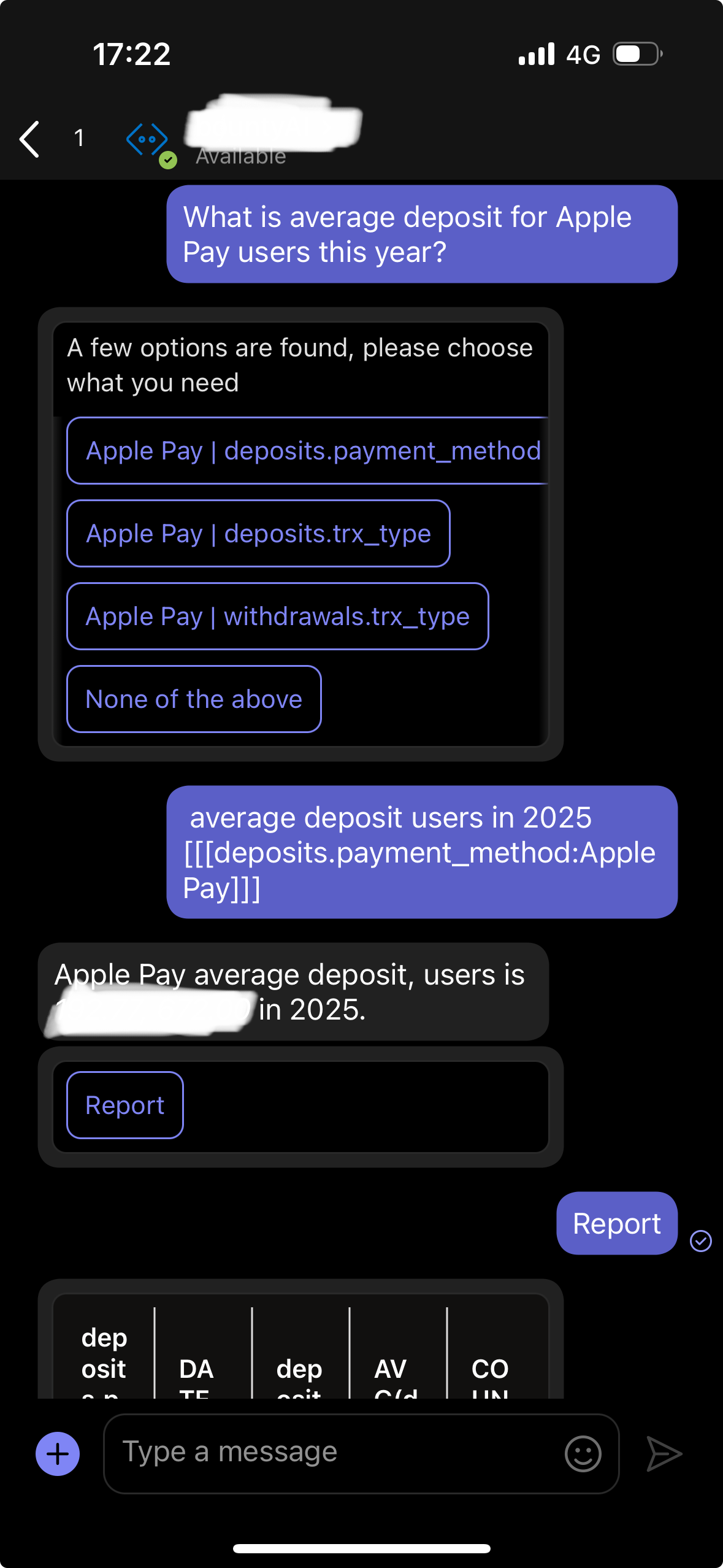
NLSQL is an advanced AI-powered data analytics application designed to make data access and analysis effortless for everyone, regardless of technical expertise. With NLSQL, users can interact with databases using simple, plain English questions - eliminating the need to write complex SQL queries manually. The app intelligently translates natural language input into highly optimized SQL queries, ensuring fast, accurate, and reliable data retrieval. By bridging the gap between business users and data, NLSQL empowers organizations to perform analytics, generate reports, and uncover insights more efficiently than ever before. Whether you are conducting business intelligence, automating workflows, or enabling self-service analytics, NLSQL streamlines the entire process, allowing teams to focus on decision-making instead of query construction. With a user-friendly interface and powerful AI-driven backend, NLSQL democratizes data, enabling anyone - from analysts to managers - to explore databases, generate actionable insights, and drive smarter business decisions in real time. Experience a new era of accessible, intuitive, and efficient data analytics with NLSQL.
Highlights
- AI data analytics
- Intelligent AI agent for database analytics
- Business Intelligence Bot
Details
Sold by
Delivery method
Supported services
Delivery option
NLSQL on Amazon ECS (Fargate)
Latest version
Operating system
Linux
Deployed on AWS
New
Introducing multi-product solutions
You can now purchase comprehensive solutions tailored to use cases and industries.

Features and programs
Financing for AWS Marketplace purchases
AWS Marketplace now accepts line of credit payments through the PNC Vendor Finance program. This program is available to select AWS customers in the US, excluding NV, NC, ND, TN, & VT.

Pricing
Free trial
Try this product free for 30 days according to the free trial terms set by the vendor. Usage-based pricing is in effect for usage beyond the free trial terms. Your free trial gets automatically converted to a paid subscription when the trial ends, but may be canceled any time before that.
Pricing is based on actual usage, with charges varying according to how much you consume. Subscriptions have no end date and may be canceled any time.
Additional AWS infrastructure costs may apply. Use the AWS Pricing Calculator to estimate your infrastructure costs.
Dimension | Description | Cost/unit/hour |
|---|---|---|
Hours | Container Hours | $1.33 |
Dimensions summary
NLSQL uses a single usage-based dimension billed by container hours. You pay for each hour the container runs, so costs scale with how long the service stays active. There are no separate tiers, instance sizes, or add-ons to choose from. Your total depends only on accumulated runtime. This product converts plain-language questions into database queries and runs inside your own environment. Note that this usage charge covers the software; any underlying cloud compute resources you consume are billed separately.
Top-of-mind questions for buyers
One container hour is one hour that the software container runs. The meter tracks elapsed runtime, not the number of queries or users. Partial usage accrues while the container stays active. Charges accumulate for every hour the service is running, regardless of how many people query the data.
Software charges apply only while the container runs. When you stop the container, hourly software charges stop accruing. Any underlying cloud compute or storage you keep provisioned may still incur separate infrastructure fees, but the software meter counts running time only.
No. The container-hour charge covers the software only. The product runs inside your own cloud environment, so any compute resources you consume are billed separately by your cloud provider. Your software cost depends only on how long the container stays active.
nlsql.com+1
Helpful?
Vendor refund policy
100% refund within 30 days (after deployment) notice to info@nlsql.com

Legal
Vendor terms and conditions
Upon subscribing to this product, you must acknowledge and agree to the terms and conditions outlined in the vendor's End User License Agreement (EULA) .
Content disclaimer
Vendors are responsible for their product descriptions and other product content. AWS does not warrant that vendors' product descriptions or other product content are accurate, complete, reliable, current, or error-free.
Delivery details
NLSQL on Amazon ECS (Fargate)
Supported services: Learn more
- Amazon ECS
Container image
Containers are lightweight, portable execution environments that wrap server application software in a filesystem that includes everything it needs to run. Container applications run on supported container runtimes and orchestration services, such as Amazon Elastic Container Service (Amazon ECS) or Amazon Elastic Kubernetes Service (Amazon EKS). Both eliminate the need for you to install and operate your own container orchestration software by managing and scheduling containers on a scalable cluster of virtual machines.
Version release notes
improved reporting
Additional details
Usage instructions
FULL GUIDE: https://github.com/denissa4/nlsql-gcp-marketplace/blob/AWS-ECS/docs/aws-deployment-guide.md
WHAT THIS DEPLOYS An ECS cluster, a Fargate service running NLSQL, a load balancer, a CloudFront distribution terminating HTTPS, IAM task roles and a log group, all billed by AWS separately. The container listens on TCP 8080 as uid 10001, with the load balancer forwarding port 80 to it. Writing your own task definition, map 8080 - port 80 never goes healthy.
EXTERNAL DEPENDENCY NLSQL needs an ongoing internet connection: api.nlsql.com translates questions into SQL, and the AWS Marketplace Metering Service verifies your subscription. Your database is queried inside your own VPC and its contents go to neither service. Tasks need outbound internet access.
BEFORE YOU START
- Subscribe first and deploy into the SAME AWS account. The container verifies the subscription at start-up and exits if the account is not entitled.
- Use one Region throughout: the secret must be in the stack's Region, as ECS cannot read one from another. Leave the 709825985650.dkr.ecr.us-east-1.amazonaws.com image path as written in every Region.
- Two or more PUBLIC subnets in different Availability Zones, each routed to an internet gateway. The load balancer shares them with the tasks.
- A database reachable from those subnets: Microsoft SQL Server, MySQL, PostgreSQL or Snowflake. Read-only user recommended - NLSQL issues only SELECT. Snowflake: account identifier in DataSource, plus Warehouse and DbSchema.
- An NLSQL API token, self-service at https://nlsql.com . The NLSQL account is included with your AWS Marketplace subscription - no separate purchase.
- An Azure Bot resource in your Entra tenant with a single-tenant app registration. Note its App ID, secret and tenant ID.
- Rights to create IAM roles (what CAPABILITY_IAM acknowledges), secretsmanager:CreateSecret, and the usual ECS, ELB, EC2, CloudFront and Logs access.
STEP 1 - STORE CREDENTIALS aws secretsmanager create-secret --name nlsql/credentials --region us-east-1 --secret-string '{"ApiToken":"YOUR_TOKEN","DbPassword":"YOUR_DB_PASSWORD","AppPassword":"YOUR_BOT_SECRET"}' Note the ARN. All three keys are required; AppPassword is the Azure Bot secret.
STEP 2 - LAUNCH THE STACK Download the deployment template linked on this listing, then CloudFormation > Create stack > Upload a template file. Required: VpcId, SubnetIds, DataSource, DbName, DbUser, CredentialsSecretArn, MicrosoftAppId, MicrosoftAppTenantId. ImageUri defaults to this version's image. Creation takes 10-20 minutes, mostly CloudFront. Outputs exist only once it finishes: aws cloudformation wait stack-create-complete --stack-name nlsql --region us-east-1 DesiredCount defaults to 1. The trial covers one task for 30 days; after that every task is billed hourly, and a second task bills from the moment you start it.
STEP 3 - CONNECT MICROSOFT TEAMS Stack outputs: aws cloudformation describe-stacks --stack-name nlsql --query 'Stacks[0].Outputs' --region us-east-1 Paste MessagingEndpoint into that Azure Bot resource's Messaging endpoint field, add the Microsoft Teams channel to it, then install the bot in Teams.
STEP 4 - CONFIRM Open ApplicationUrl and ask a question about your data. HealthCheck returns 200 once in service; logs are in the group named by LogGroupName. A task restarting repeatedly means the account is not subscribed, or the subnets lack outbound internet access.
IAM AND DATA ExecutionRole pulls the image, writes logs, and reads GetSecretValue on only the secret ARN you supply. TaskRole grants only aws-marketplace:RegisterUsage, so the task can verify entitlement and report hours. Your secrets stay in Secrets Manager, encrypted at rest, never in the task definition, image or logs. To rotate: update the secret, then aws ecs update-service --cluster nlsql --service <name> --force-new-deployment
SUPPORT info@nlsql.com - https://nlsql.com/contacts
Resources
Vendor resources
Support
Vendor support
+4407493859693 info@nlsql.com https://nlsql.com/contacts
AWS infrastructure support
AWS Support is a one-on-one, fast-response support channel that is staffed 24x7x365 with experienced and technical support engineers. The service helps customers of all sizes and technical abilities to successfully utilize the products and features provided by Amazon Web Services.
Similar products
AI agent provides intelligent access to your company knowledge base for employees and product portfolio guidance for external users (web chat user interface) and internal users via Microsoft Teams.

InterSystems IRIS® Cloud SQL and InterSystems IRIS® Cloud IntegratedML® cloud-native services accelerate developers' access to high performance, proven relational database and automated machine learning (AutoML) capabilities.
By ONEKQ
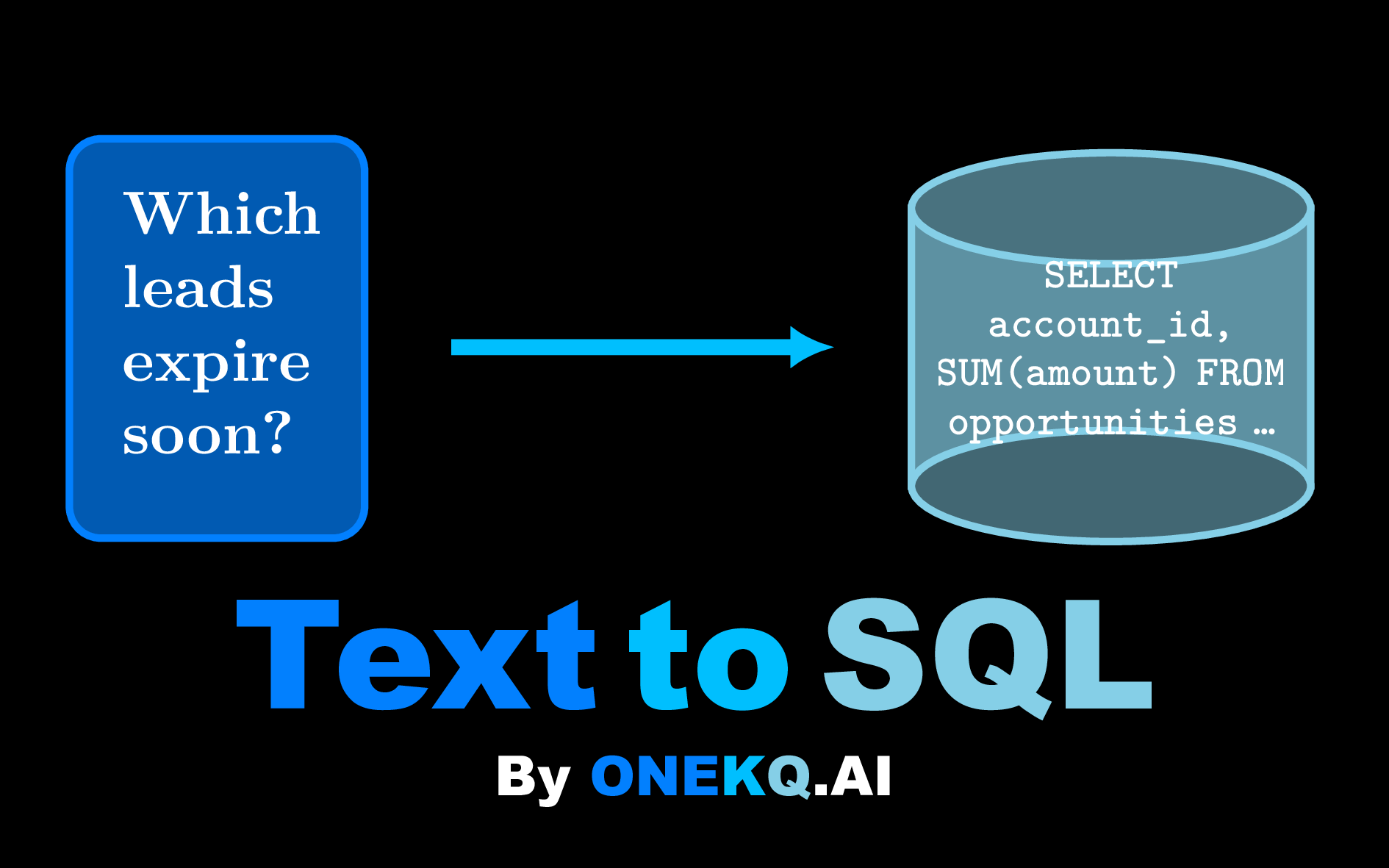
ONEKQ Text-to-SQL converts documents and questions into structured data and SQL queries via AI.
Extract tables from free-form text (FREE) and generate SQL from natural language (ONE CENT PER QUERY).
Available via REST and MCP, you can integrate the service to any agent workflow. The price is ONE CENT PER QUERY. Get instant refund for inaccurate queries.
Catch-Phrase gives agents controlled, hallucination-free natural language access to databases. So agents can ask questions or issue update commands with the confidence that only correct SQL will ever be executed over the database.
Customer reviews
reviewer2904561
Self-service analytics has empowered non-technical teams and drives consistent data decisions
Reviewed on Sep 29, 2026
Review from a verified AWS customer
What is our primary use case?
We have a custom-built reporting data lake in PostgreSQL that synchronizes data from multiple sources every day. NLSQL sits on top of this data lake as a self-service AI analytics tool, with a conversational user interface (TUI) available in MS Teams. This setup provides non-technical users access to insights without granting them SQL access to the data lake database.
How has it helped my organization?
It helps people across the organization make data-driven decisions faster. Non-technical employees can validate their improvement ideas quickly and create PowerPoint presentations backed by real numbers, rather than relying on assumptions alone.
What is most valuable?
NLSQL includes an embedded knowledge graph built around your company’s ontology, configured specifically for your organization based on your data governance documentation and database schema. This enables users to work with the business indicators and terminology they are already familiar with. Moreover, these indicators are calculated consistently according to the agreed business definitions. This builds trust among key stakeholders and ensures that everyone gets the same answer to the same business question.
What needs improvement?
Building the ontology layer requires some manual configuration, which depends on the internal team’s understanding of the organization’s terminology, vocabulary, and KPIs.
For how long have I used the solution?
I have been using the solution for 1 year.
What do I think about the stability of the solution?
It is deployed as ECS with CloudFront ssl encrypted messaging endpoint. The resource is healthy now
What do I think about the scalability of the solution?
NLSQL can scale fast but we don't have thousands of users now
How are customer service and support?
Brilliant
Which solution did I use previously and why did I switch?
I used PowerBI, but we still use it in parallel as the main dashboard tool. The NLSQL bot is capable of sending URLs to dashboards as well.
How was the initial setup?
Initial setup is complex as it requires prerequisites for building ontology layer specifically for our company
What about the implementation team?
We didn't use this ones
What was our ROI?
What's my experience with pricing, setup cost, and licensing?
The free trial is a great way to prove NLSQL's value before making any commitment.
Which other solutions did I evaluate?
Thoughtspot
What other advice do I have?
Running NLSQL in the customer’s own AWS cloud means data stays within the company AWS ecosystem, which makes it much easier to approach from an IT and security perspective.
Which deployment model are you using for this solution?
Private Cloud
If public cloud, private cloud, or hybrid cloud, which cloud provider do you use?
Amazon Web Services (AWS)