Sold by: Bitwarden
Deployed on AWS
AWS Free Tier
Self-hosted Bitwarden password manager on a pre-configured Ubuntu VM with Docker and automated setup. Full data control, enterprise features like SSO and directory sync, and air-gapped support.
4.6
Overview
Image
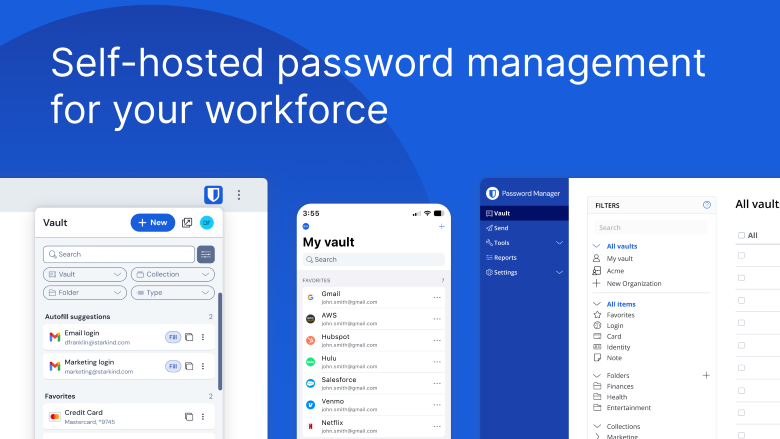
Bitwarden Password Manager
Image
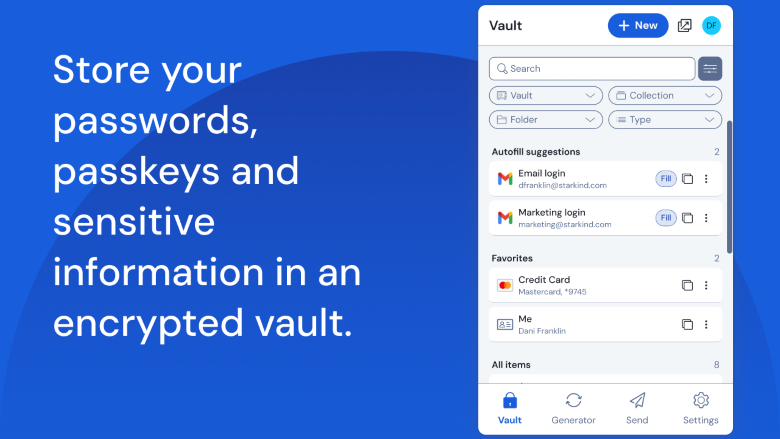
Safely store passwords and sensitive information
Image
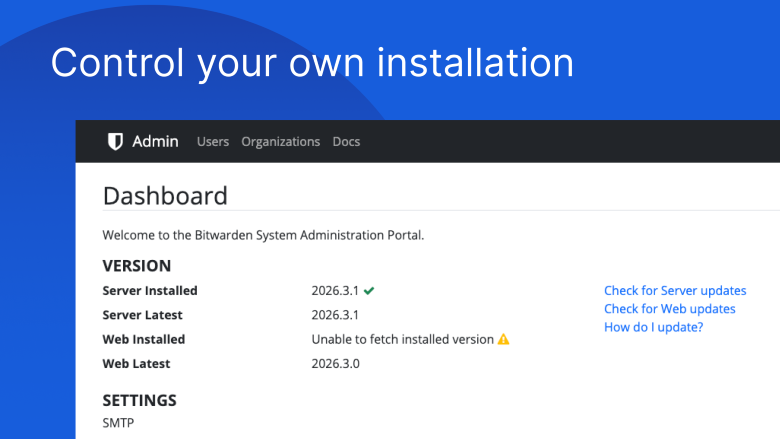
Self-host on your own servers
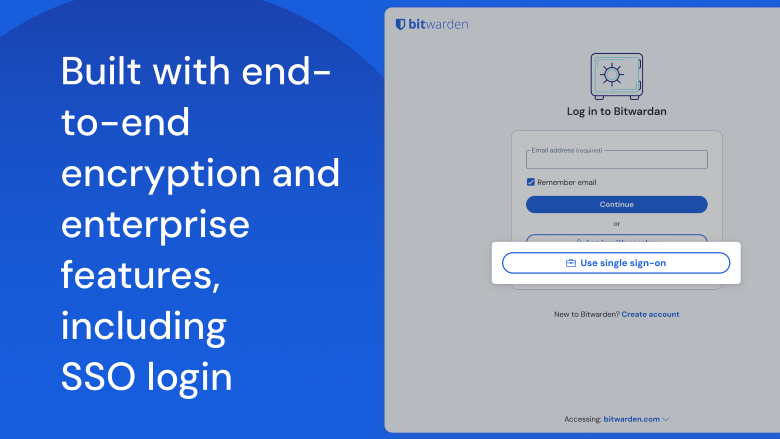
Image
A complete enterprise solution
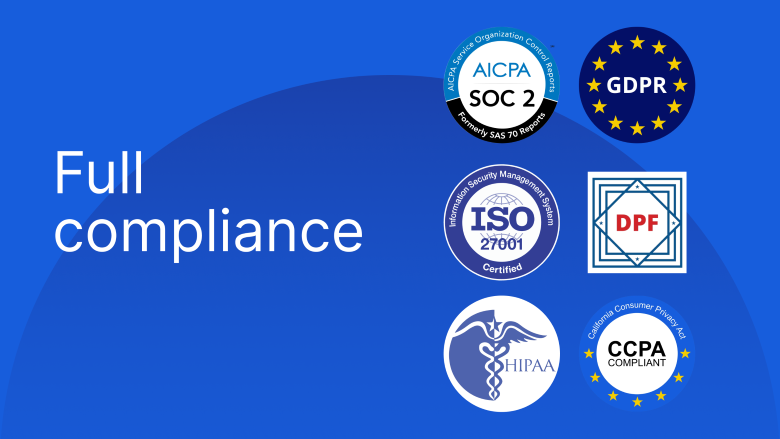
Image
Tested and trusted

Video
Bitwarden for Business
Deploy and manage your own Bitwarden password management server on AWS. Bitwarden is an open source password manager trusted by millions of individuals, teams, and organizations worldwide to securely store and share sensitive information.
Why self-host Bitwarden?
- Full data control - Your vault data stays on your infrastructure, in your AWS account, under your governance policies
- Compliance - Meet data residency and regulatory requirements by keeping credentials within your environment
- Customization - Configure SSO, directory sync, policies, and other enterprise features on your terms
- Air-gapped deployments - Run Bitwarden in network-restricted environments where cloud services are not permitted
What's included in this image
This pre-configured Ubuntu 22.04 LTS AMI includes everything needed to get a Bitwarden server running:
- Docker Engine and Docker Compose (required runtime for Bitwarden services)
- Bitwarden setup container and installation script
- UFW firewall pre-configured for HTTPS (443) and HTTP (80)
- Automatic first-login installation wizard - just SSH in and follow the prompts
- Weekly automatic update cron job to keep your server current
Getting started
- Launch this AMI from the AWS Marketplace
- Ensure ports 80 and 443 are open in your Security Group
- SSH into your instance - the Bitwarden installer runs automatically on first login
- Follow the interactive prompts to configure your domain, SSL certificate, and database
- Access your Bitwarden web vault at your configured domain
Recommended instance type: t3.medium (2 vCPUs, 4 GB RAM) or larger
Requirements
- A registered domain name pointed to your instance's public IP address
- An SSL certificate (Let's Encrypt is supported and free) or your own certificate
- A Bitwarden installation ID and key (free at bitwarden.com/host )
Support and documentation
About Bitwarden
Bitwarden is the trusted open source password manager for businesses and individuals. With end-to-end encryption, cross-platform apps, and enterprise features like SSO and directory sync, Bitwarden helps organizations secure their credentials at scale. More at bitwarden.com . Source code is available at github.com/bitwarden .
Highlights
- Complete self-hosted password management. Deploy Bitwarden on your own AWS infrastructure with full control over your vault data. Meet data residency, compliance, and regulatory requirements by keeping credentials within your environment. Supports air-gapped and network-restricted deployments where cloud-hosted password management is not permitted.
- Pre-configured and ready to launch. This AMI includes Docker, the Bitwarden installation script, firewall rules, and SSH protection out of the box. An automated first-run setup wizard walks you through domain, SSL, and database configuration. Bitwarden services start immediately after setup - go from launch to a running password manager in minutes.
- Enterprise features and open source transparency. Bitwarden supports SSO, directory sync, organization policies, role-based access control, and event logging. End-to-end encryption protects all vault data. Bitwarden's source code is publicly available at https://github.com/bitwarden, enabling independent security audits and full transparency.
New
Introducing multi-product solutions
You can now purchase comprehensive solutions tailored to use cases and industries.

Features and programs
Financing for AWS Marketplace purchases
AWS Marketplace now accepts line of credit payments through the PNC Vendor Finance program. This program is available to select AWS customers in the US, excluding NV, NC, ND, TN, & VT.

Pricing
This product is available free of charge. Free subscriptions have no end date and may be canceled any time.
Additional AWS infrastructure costs may apply. Use the AWS Pricing Calculator to estimate your infrastructure costs.
Dimensions summary
The software itself is free. You pay only for the AWS EC2 instance you run it on, billed hourly. The 17 options map to different EC2 instance types across the t2, t3, t3a, c7a, and c8a families. Sizes range from small through 2xlarge, so hourly cost scales with the compute and memory each instance provides. Larger sizes carry more resources and cost more per hour. Pick the instance type that matches your expected server load. All options run the same self-hosted server; they differ only in underlying hardware capacity.
Top-of-mind questions for buyers
Each unit is one running AWS EC2 instance of the chosen type, billed per hour. The Bitwarden server software is free. Your hourly charge reflects the underlying compute and memory of that instance family and size, such as t3.medium or c7a.medium.
Hourly software charges apply only while the instance runs. A fully stopped instance stops accruing hourly charges. Underlying AWS storage fees for the attached volume may still apply while the instance is stopped, but the metered hours count only running time.
All 17 options run the same self-hosted server, so choice depends on server load, not features. Larger sizes add compute and memory for more concurrent users and directory sync. The c7a and c8a options are compute-focused; t2, t3, and t3a families offer burstable general-purpose sizing.
bitwarden.com
Helpful?
Vendor refund policy
Contact support at https://bitwarden.com/help/

Legal
Vendor terms and conditions
Upon subscribing to this product, you must acknowledge and agree to the terms and conditions outlined in the vendor's End User License Agreement (EULA) .
Content disclaimer
Vendors are responsible for their product descriptions and other product content. AWS does not warrant that vendors' product descriptions or other product content are accurate, complete, reliable, current, or error-free.
Delivery details
64-bit (x86) Amazon Machine Image (AMI)
Amazon Machine Image (AMI)
An AMI is a virtual image that provides the information required to launch an instance. Amazon EC2 (Elastic Compute Cloud) instances are virtual servers on which you can run your applications and workloads, offering varying combinations of CPU, memory, storage, and networking resources. You can launch as many instances from as many different AMIs as you need.
Version release notes
Version 2026.10.0
Additional details
Usage instructions
Before you begin with your Bitwarden VM, you will need to obtain:
- A hostname (domain or subdomain) where you can create a DNS record pointing to your VM's IP address
- A Bitwarden installation ID and key from https://bitwarden.com/host/ . Bitwarden requires at least 2GB of RAM, so make sure to choose a plan with enough memory during creation. After you create your Bitwarden VM, Bitwarden's dependencies and installation scripts will be preinstalled and ready for you to use. You will need to connect to the VM via SSH to complete the setup.
ssh ubuntu@your_vm_ip
Once you connect, you'll be prompted to complete Bitwarden's installation. Provide the hostname that you will use (be sure you have setup the DNS record), your installation ID and key, and answer the questions about how you will configure SSL with your Bitwarden installation. Bitwarden requires a secure HTTPS connection to operate. The installer can generate a self-signed certificate for you if you do not have one.
After you have completed the installation, you can visit your Bitwarden domain in a web browser, register a Bitwarden user account, and log in.
Your Bitwarden VM has also been preconfigured with automatic updates so you won't need to worry about keeping the Bitwarden server application up to date. Update checks will occur weekly.
Finally, application settings (such as a SMTP mail server) can be configured in /home/bitwarden/bwdata/env/global.override.env. If you need to make changes to your server's installation settings, you can do so in /home/bitwarden/bitwarden/bwdata/config.yml.
More information on managing your Bitwarden server can be found at https://help.bitwarden.com/hosting/ .
Support
Vendor support
AWS infrastructure support
AWS Support is a one-on-one, fast-response support channel that is staffed 24x7x365 with experienced and technical support engineers. The service helps customers of all sizes and technical abilities to successfully utilize the products and features provided by Amazon Web Services.
Similar products
Access Server is a self-hosted business VPN and ZTNA software solution developed by the creators of the OpenVPN protocol. Deploy on EC2 and get secure access to VPCs and other connected networks. Route traffic by domain name for application-aware access control, and leverage Data Channel Offload (DCO) for kernel-accelerated throughput that keeps pace with demanding AWS workloads. With MFA, granular access controls, and Zero Trust-ready policies, Access Server is trusted by businesses to protect AWS infrastructure and beyond.

Think "cPanel for Email". This helps you easily setup and manage your own self hosted email server to bring email costs down to 8 - 16 cents/user/month.

This is a repackaged open source software product wherein additional charges apply for hardening, security configuration, and setup support.
Vaultwarden is a lightweight, open-source Bitwarden-compatible server - run your own password manager without per-user SaaS fees. This Lynxroute build is security baked in: HTTPS with self-signed cert at first boot, unique admin token generated per instance, localhost-only database access, and CIS Level 1 hardened Ubuntu 24.04 LTS base.
Compatible with all official Bitwarden clients - desktop, mobile, browser extensions.
AGPL-3.0 license - fully auditable, no vendor lock-in.

REQUIRES PRIVATE OFFER
To purchase LiteLLM Enterprise Self-Hosted, please reach out to sales@berri.ai for a Private Offer.
LiteLLM is an OpenAI compatible Proxy Server (LLM Gateway) to call 2,000+ LLM APIs using the OpenAI format Bedrock, Huggingface, VertexAI, TogetherAI, Azure OpenAI, OpenAI, etc. Get started with Opensource LiteLLM here: https://github.com/BerriAI/litellm (40,000+ Github Stars)
Customer reviews
Joseph S.
Seamless Browser Extension Password Manager Across Devices
Reviewed on Oct 12, 2026
Review provided by G2
What do you like best about the product?
It sits in a browser extension and pops up whenever you want to log in. It takes the place of browser password keepers and is available on any browser, any device including your phone
What do you dislike about the product?
Sometimes it fails to capture a password change, forcing a second change. It seems to be product related, for most software and websites it keeps track perfectly. Also, I find I often have duplicates, sometimes where one has my login name and one does not, but both have the correct password.
What problems is the product solving and how is that benefiting you?
The team did not understand the critical nature of password security. Now all logins are saved in a single place, it's quite secure and really easy to pop down when needed. It even supports passkeys.
Mechanical or Industrial Engineering
Open-Source, Reliable, and Flexible for Self-Hosting
Reviewed on Oct 11, 2026
Review provided by G2
What do you like best about the product?
Open sourced and very reliable, can host by myself if needed
What do you dislike about the product?
Always have to type the password, should have an option to not require password for next 5-10 minutes if used recently, especially on mobile
What problems is the product solving and how is that benefiting you?
Password managing became better and safer
Staffing and Recruiting
Highly Customisable Platform That Adapts to Our Organisation
Reviewed on Oct 11, 2026
Review provided by G2
What do you like best about the product?
I think overall it has a lot of customisation available allowing you to better fine-tune the product to best suit your organisation.
What do you dislike about the product?
Understanding a lot of the different interactions takes time. From how trusted devices work once you've configured SSO to preventing an SSO Identifier from appearing from users and trying to minimise the friction experienced by the user.
What problems is the product solving and how is that benefiting you?
It provides a secure and consistent method to store passwords across our organisation and enables us to better share passwords securely between teams.
Enguerran M.
Fast, Lightweight Password Manager That Fits a Developer Workflow
Reviewed on Oct 09, 2026
Review provided by G2
What do you like best about the product?
As a web developer, what I appreciate most about Bitwarden is how seamlessly the browser extension and integrations fit into my daily workflow. The UI/UX feels clean, intuitive, and non-intrusive, which makes password auto-fill across dev, staging, and production environments effortless. Performance-wise, the app is extremely fast and lightweight, with zero lag when unlocking or searching through vaults.
On the onboarding and support side, getting our team set up with organization vaults was straightforward and quick. Overall, Bitwarden delivers excellent value and ROI compared to competitors, offering enterprise-grade security at a very reasonable cost. I also like that it stays focused without unnecessary, bloated AI features; instead, its smart auto-fill and secure password generation provide all the “intelligence” we need to stay highly productive day to day.
On the onboarding and support side, getting our team set up with organization vaults was straightforward and quick. Overall, Bitwarden delivers excellent value and ROI compared to competitors, offering enterprise-grade security at a very reasonable cost. I also like that it stays focused without unnecessary, bloated AI features; instead, its smart auto-fill and secure password generation provide all the “intelligence” we need to stay highly productive day to day.
What do you dislike about the product?
While Bitwarden performs very well overall, the browser extension’s user interface can feel a little basic and dated compared with some newer password managers. The automatic prompts to save or fill passwords also occasionally miss dynamic login forms on more complex web applications or single-page apps, which ends up requiring manual copy-and-paste of credentials. In addition, when working in large organization vaults, managing granular permissions for shared items could be more streamlined and easier to handle.
What problems is the product solving and how is that benefiting you?
Bitwarden helps solve credential fragmentation and reduces the risk of unsafe password sharing across engineering teams. As web developers, we’re constantly jumping between internal portals, staging servers, and third-party SaaS tools, which can make managing access feel scattered. Bitwarden replaces risky practices—like sending credentials in chat or storing them in plain text—with secure, centralized organization vaults that keep everything in one place. It makes developer onboarding smoother, maintains strict access control, and gives us peace of mind knowing team secrets stay encrypted and compliant with our company security policies.
Munish K.
Instant Password Updates, Easy Entra ID SSO, and a Clean UX
Reviewed on Oct 07, 2026
Review provided by G2
What do you like best about the product?
The almost instant password updates and the easy SSO setup with Entra ID made me love this product right away. The UX is simple and to the point, with no extra clutter, which is another big plus. I also enjoyed attending the webinar where Bitwarden Support explained how to use the Admin Portal very clearly. For the features provided, I believe Bitwarden is one of the most competitively priced products on the market. Their new AI features are also something I’m looking forward to trying out. It works seamlessly across browsers and on my phone as well.
What do you dislike about the product?
The lack of solid integration with macOS is something I see as a quirk. Other products handle this much better, like Strongbox.
What problems is the product solving and how is that benefiting you?
Bitwarden helps us provide our customers with an administered password manager that can be configured to follow the fundamentals of Zero Trust.