Sold by: Tray.ai
Deployed on AWS
Tray iPaaS connects 700+ enterprise systems and adds AI to any workflow step. Tray native AI runs on Amazon Bedrock. Tray Helix deploys, runs and governs the apps your teams build with AI coding assistants. Process automation, data integration, API management and document processing share one connector library and one governance model. Build on a visual canvas, or from Claude Code, Cursor or any MCP client with Tray Headless. AI agents and governed MCP tools use the same connectors. The platform runs 1T+ processes a year. SOC 1 Type II, SOC 2 Type II, HIPAA, GDPR and CCPA, with US, EU and APAC hosting. Buy through AWS Marketplace to use your AWS commitment.
4.5
Overview
Image
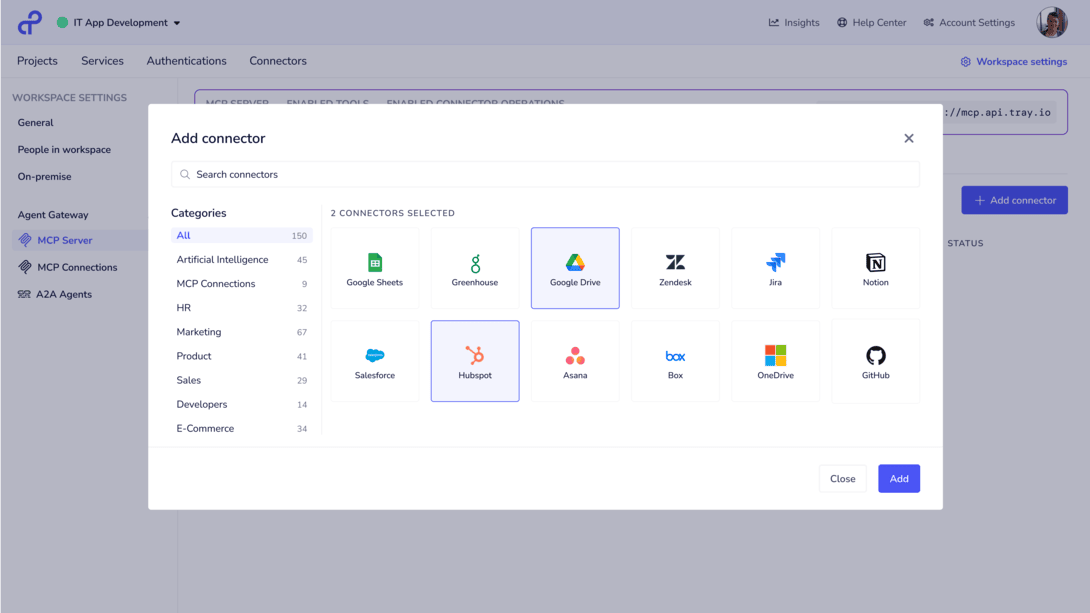
MCP Connector Tools
Image
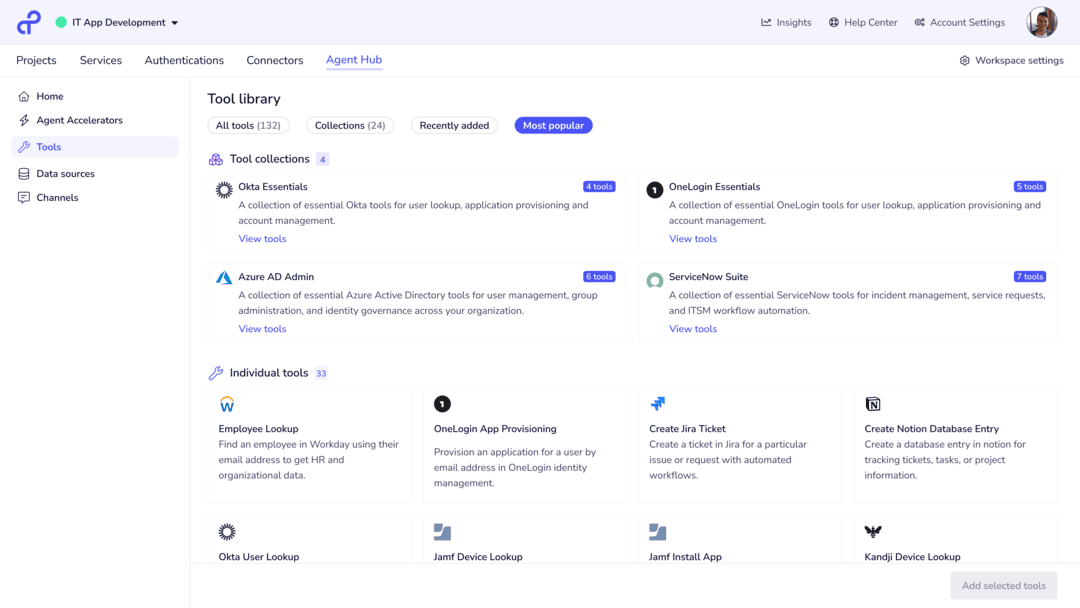
Tray Agent Hub

Video
Inside the Tray ITSM Agent

Video
Product video
The Tray AI Orchestration Platform brings two products together on one foundation. Tray iPaaS connects your systems and puts AI to work inside your processes. Tray Helix deploys, runs and governs the apps your teams build with AI coding assistants.
Many AI projects stop between the pilot and production. The model needs the right data, permission to act in your systems, and controls that security and IT approve. Tray supplies that access and those controls at enterprise scale.
Tray iPaaS
- Integration and automation: process automation, data integration, API management and intelligent document processing on one data model. Tray maintains 700+ connectors.
- AI in any workflow step: AI Palette adds LLM steps that classify records, summarize text and extract fields. The output is typed and maps to the next step.
- Native AI on Amazon Bedrock: Tray native AI connectors use Anthropic and Amazon models hosted on Amazon Bedrock. Bedrock does not store your data or use it to train models.
- Your own models: connect your Amazon Bedrock, Anthropic, OpenAI, Google or Azure OpenAI account. Choose the model for each step.
- AI Gateway: one control point to route LLM calls, apply policy, and monitor usage and cost.
- Build your way: Tray Build, a visual canvas, or Tray Headless from Claude Code, Cursor or any MCP client. Both open the same workflow.
- Agents and MCP: Merlin Agent Builder agents and Agent Gateway for MCP use the same connectors and governance. A workflow you build today can become an agent tool or an MCP tool without a rebuild.
Tray Helix
- One command takes an app from Claude Code, Codex or Cursor to production. Tray operates the managed runtime.
- Every app gets enterprise SSO and managed auth, so no app has hardcoded secrets. Each app also gets scoped role-based access, an audit trail and execution logs.
- The App Registry gives every app a named owner, and AI usage and spend are visible to IT.
Built for production
- 1T+ processes a year and 100% execution uptime.
- Role-based access, audit trails, PII tokenization and observability on every run.
- US, EU and APAC hosting. SOC 1 Type II, SOC 2 Type II, HIPAA, GDPR and CCPA.
Enterprises including Airbnb, DocuSign, Cisco, FedEx and Zuora run on Tray. DocuSign runs 150M tasks a month, and Cisco runs 600M+ tasks a year. Airbnb finished an 8-week integration project in 1 week. Auctane reached a 356% ROI in 3.5 months. Tray.ai is a Visionary in the Gartner Magic Quadrant for iPaaS for the third year.
Buying through AWS Marketplace: purchases can count toward your AWS commitment and go through your existing AWS billing.
Highlights
- Tray native AI runs on foundation models hosted on Amazon Bedrock. Classify, summarize, extract and tokenize PII in any workflow step.
- Tray iPaaS runs 1T+ processes a year on 700+ connectors. DocuSign runs 150M tasks a month. Zuora cut a 23-hour customer brief to 5 minutes.
- Tray Helix takes AI-built apps to production with one command. Every app gets SSO, managed auth, an audit trail and a named owner.
Details
Sold by
Delivery method
Deployed on AWS
New
Introducing multi-product solutions
You can now purchase comprehensive solutions tailored to use cases and industries.

Features and programs
Buyer guide
Gain valuable insights from real users who purchased this product, powered by PeerSpot.

Financing for AWS Marketplace purchases
AWS Marketplace now accepts line of credit payments through the PNC Vendor Finance program. This program is available to select AWS customers in the US, excluding NV, NC, ND, TN, & VT.

Pricing
Custom pricing options
Pricing is based on your specific requirements and eligibility. Request a private offer to receive a custom quote. Sign in to view any offers that have been extended to you.

Legal
Content disclaimer
Vendors are responsible for their product descriptions and other product content. AWS does not warrant that vendors' product descriptions or other product content are accurate, complete, reliable, current, or error-free.
Delivery details
Software as a Service (SaaS)
SaaS delivers cloud-based software applications directly to customers over the internet. You can access these applications through a subscription model. You will pay recurring monthly usage fees through your AWS bill, while AWS handles deployment and infrastructure management, ensuring scalability, reliability, and seamless integration with other AWS services.
Support
Vendor support
Tray.ai support is included with your subscription.
Open a support request: support@tray.ai
Support levels: Advantage (9am to 5pm, Monday to Friday, in your region) and Advantage Plus (24x7x365, with a 1 hour response for Severity 1 issues). Severity levels and response times: https://tray.ai/legal/sla/
Platform status: https://status.tray.ai/ Documentation: https://tray.ai/documentation/ Training: Tray Academy, https://tray.ai/academy/ Security and compliance:
AWS infrastructure support
AWS Support is a one-on-one, fast-response support channel that is staffed 24x7x365 with experienced and technical support engineers. The service helps customers of all sizes and technical abilities to successfully utilize the products and features provided by Amazon Web Services.
Updated weekly

By SS&C Blue Prism

By Mindflow
Top
25
In Data Integration
Top
10
In Intelligent Automation, ML Solutions, Collaboration & Productivity
Sentiment is AI generated from actual customer reviews on AWS and G2
Functionality
Ease of use
Customer service
Cost effectiveness
Positive reviews
Mixed reviews
Negative reviews
AI generated from product descriptions
Multi-System Integration
Connects 700+ enterprise systems through maintained connectors for process automation, data integration, API management and intelligent document processing on a unified data model.
Native AI on Bedrock
Integrates with Amazon Bedrock to run LLM steps for classification, summarization, field extraction and PII tokenization without storing data or using it for model training.
AI Gateway and Policy Management
Provides centralized control point to route LLM calls, apply policies, monitor usage and cost across AI operations.
Multi-Model Support
Enables connection to multiple LLM providers including Amazon Bedrock, Anthropic, OpenAI, Google and Azure OpenAI with per-step model selection.
Enterprise Security and Compliance
Implements role-based access control, audit trails, PII tokenization, enterprise SSO, managed authentication and compliance certifications including SOC 1 Type II, SOC 2 Type II, HIPAA, GDPR and CCPA with multi-region hosting.
AI-Enabled Digital Worker Orchestration
Intelligent digital workers with machine-learning based orchestration to maximize efficiency and flexibility of process automations, with write-once reusable process steps and connectors.
No-Code and Low-Code Integration
Design, develop and manage end-to-end automation lifecycle with no-code or low-code integration to AWS services and third-party software through Digital Exchange and AWS Marketplace.
Fully Managed Cloud Platform
Fully managed intelligent automation platform as a service (PaaS) hosted on AWS with guaranteed 99.9% uptime SLA, including support, maintenance, and platform upgrades.
Pre-Configured Digital Workers with AWS Services
Pre-configured digital workers utilizing AWS services including OCR, ICR, and human-machine forms capabilities for intelligent automation execution.
Secure Multi-Tenant Architecture
Site-to-site VPN connectivity to secure, extensible and scalable platform on AWS with dedicated instance tailored to specific customer requirements.
Autonomous AI Agents
Intelligent, no-code agents that connect to toolchains, understand real-time context, and take action autonomously by reasoning over alerts, tickets, logs, and configs to remediate incidents and enforce security policies.
Native API Integration
4,000+ native APIs including all major AWS services with full integration coverage, eliminating need for middleware or partial coverage solutions.
No-Code Workflow Generation
AI-powered workflow builder that converts natural language prompts into fully configured, ready-to-run workflow blocks using semantic search and contextual suggestions without requiring API knowledge.
Governance and Access Control
Role-based access control (RBAC), audit logs, approval workflows, and full execution traceability with SOC 2 Type II compliance and Bedrock-powered isolation.
Real-Time Collaborative Interface
AI Rooms providing shared workspaces where teams interact with agents, review context, approve actions, and trigger flows directly from chat with human-in-the-loop governance.
Standard contract
No
No
Customer reviews
Melina Souza
Automation has transformed complex data ingestion and now empowers non-technical teams
Reviewed on Jul 30, 2026
Review from a verified AWS customer
What is our primary use case?
Tray.io serves as the core iPaaS orchestration and data ingestion engine between our primary system and numerous external platforms such as ad servers like GAM, FreeWheel, Flitepath, Facebook, ERPs like SAP S/4HANA, and custom reporting MDR workflows.
We use Tray.io for scheduled daily reporting data imports, as our adjuster report trigger that runs at 2:00 AM New York time. Tray checks for active integrations, makes automated API calls to pull reporting CSVs, processes JWT tokens, transforms payloads, and ingests actualized billing and track data back into our databases and Looker analytics.
What is most valuable?
The best features Tray.io offers include the visual workflow builder and HTTP client blocks that enable rapid prototyping and deployment of complex API interactions, including raw HTTP requests, data mappers, and dynamic token generation. I also appreciate Tray Forms that allow us to create self-serve import forms, such as menu MDR forms, rate updates, and cost updates, which empower non-technical users and client partners to trigger automated ingestion pipelines safely. Additionally, callable workflows and subroutines are essential for modular architecture design, allowing us to build single-purpose, reusable workflows that can be triggered by parent workflows.
Coupled with our Looker analytic dashboards, the visual workflow builder and HTTP client blocks are a hugely underrated combination. This allows us to remove technical operation teams from middleman tasks by giving non-technical staff or clients a safe UI to submit CSV updates that execute complex API loops under the hood.
What needs improvement?
Native rate limit and auto-retry handling can be improved, as when hitting 429 errors or too many requests errors during high-volume API loops, Tray.io lacks native configured backoff and retry logic out-of-the-box, requiring complex custom while-loop workarounds. Native workflow versioning also needs improvement since there is no direct integration with GitHub version control for workflow logic, which forces teams to maintain external Git repositories or manual project exports. Additionally, deeper workspace organization should be enhanced, as the workspace organization currently limits to two structural levels, such as projects and workflows, which can make managing hundreds of client workflows challenging without strict external naming conventions.
Native UI embedding or white-labeling capabilities for Tray Forms would also be a major improvement, allowing us to embed forms directly inside third-party application iFrames seamlessly without directing users away.
For how long have I used the solution?
I have been using Tray.io since I joined the company in 2021.
What do I think about the stability of the solution?
Tray.io is highly stable for daily scheduled production runs and event-driven webhooks, provided proper error handling, timeout management, and payload validation are built into the workflow steps.
Tray.io has drastically reduced manual bulk operations across our data solutions and integrations teams, transforming multi-step manual data compares and script executions into turn-key event-driven or scheduled workflows.
What do I think about the scalability of the solution?
Tray.io is a flexible, scalable, and powerful integration platform. Our company uses it for handling high-volume data ingestion and integration orchestration between our platform and external ad services, and it maintains stability and reliability.
What was our ROI?
The ROI is clear, as it eliminates hundreds of engineer hours required to build and maintain custom integration connectors, while empowering client partners to manage complex data ingest self-sufficiently.
What other advice do I have?
My advice for others looking into using Tray.io is to modularize earlier. I recommend not building massive monolithic workflows, but rather creating single-purpose callable workflows and triggering them from parent workflows. Use environment configurations and never hard-code credentials, tokens, or base URLs inside individual connectors. Use account-level configuration data with environment prefixes and design for rate limits. If calling external APIs with strict rate limits, implement batching, pagination, and queue locking mechanisms to prevent queue overloads or HTTP timeout spikes.
When we started using Tray.io, our primary challenge was automating high-volume, multi-tenant ad server delivery reports, campaign synchronizations, and manual CSV imports without forcing engineering to build custom code for every client integration. Tray.io was selected to provide a flexible visual automation platform capable of handling webhooks, complex data transformation, and HTTP endpoint orchestration across both internal workflows and client-facing embedded workspaces. Tray.io has been excellent for that purpose and remains highly stable. I would rate this product an overall 8 out of 10.
Which deployment model are you using for this solution?
Public Cloud
If public cloud, private cloud, or hybrid cloud, which cloud provider do you use?
Amazon Web Services (AWS)
reviewer2865237
Automation has reduced manual data updates but still requires frequent troubleshooting efforts
Reviewed on Jun 25, 2026
Review provided by PeerSpot
What is our primary use case?
My main use case for Tray.io is creating workflows to work with our Zendesk and our other application services.
A specific example of a workflow I have set up with Tray.io is that we use our employee tracking system to bring that information over to Zendesk every time an employee is hired or updated. One in particular would be signature change updates for their emails; when they make a change with HR, Tray.io provides the information over to Zendesk for our Zendesk ops team to make those changes.
Setting up that workflow presented some challenges; Tray.io is not necessarily the easiest platform to work with. We have been using it for a while, and some were set up before I started with the company, so tweaking them can take a little bit of work. It is quite a learning curve even with their academy, but once we get it up and going, it functions fine. The biggest issue we have with Tray.io is that it runs out of memory space and does not process all of our workflows.
If it is not just those basic things, it is primarily the system we use to communicate between all of our other systems.
What is most valuable?
The best features Tray.io offers include the drag-and-drop workflow builder that makes it a lot easier, and I think the automation capabilities are good. However, I feel that we would like it to be a little bit better, but we are making it work.
Tray.io has positively impacted my organization by eliminating a lot of the manual work that we were having to do daily. It has given our team opportunities to work on different projects, and the automation that Tray.io provides saves us a lot of time and solves some of the issues that we were having prior to using it.
I use the drag-and-drop builder across the board; we do the same process for all of our workflows that we have, so it is not one in particular that stands out. All of our workflows are pretty much the same: look at this, bring back this, bring back that, send it to here so that we can send it over to this system. We try to keep it as simple as possible.
What needs improvement?
To improve Tray.io, I wish that there was an easier way to download the information of our workflows to have it in some form of an Excel file that explains our workflows that we built, because we have been trying to find a way to document them to evaluate them, and we are basically having to use Miro to recreate the workflows there. It would be helpful to have a way for those who do not have access to Tray.io to look and see what it was doing and review whether or not we need to make some tweaks. Additionally, errors occur regularly when we have too large a number of employees that come over; for example, at the end of the year when our school staff is off for the summer, they technically go as inactive employees, and processing a large number of them bogs up the Tray.io system and leads to errors. We then have to go into all the Tray.io workflows to find out which piece broke and how to minimize it, so those limitations on how much data we can push overnight are frustrating.
I would appreciate better documentation; I feel that the academy or training I took when I started with the company through Tray.io was adequate and gave us the basics, but I have not really had much experience finding support documents to help when we have problems. Although digging through the logs that Tray.io provides does help, I wish there were more in-depth help to get our systems to work easier. We kind of just bandage it together to keep it working, but it is not something that makes me say I am so glad we have Tray.io.
I landed on that rating because we feel that it is mediocre; it does what we need it to do more often than not, but it does not impress us as it is not always reliable and hands-off. We do have to touch it quite often to make sure it keeps working, and I would love for it to be more powerful, particularly as we grow as a company, which is frustrating. Therefore, it is not something I would recommend to others as a great tool unless you are only moving small pieces of data.
Before we wrap up, I think my additional thoughts about Tray.io mostly repeat the same points I have made previously: it is a strong workflow automation tool that works well with some of our APIs, but I just have not seen it grow and change. This could be due to the fact that we are just not using it to its greatest ability. I think that pricing-wise it is fair; I would love to see a software system be beneficial and worth the money. Right now its flexibility is beneficial since it replaced one of our other systems, so it is better than what it used to be. The complex setup of its conditions can be difficult, but the drag-and-drop feature helps. However, I think it is hard for non-technical people to learn the software, and that is the biggest challenge; you really need to know what you are doing. If you are not using it regularly, it can be difficult to come back because there is not a lot of documentation. Additionally, there is not a clear way to provide individualized documentation. The limitations on data transfer volumes at particular times are also frustrating, and without an easy debugging process, it is hard to address issues. Finding the balance between the needs of a small company and supporting larger data transfers is crucial for setting appropriate expectations regarding what the software system can do.
For how long have I used the solution?
I have been using Tray.io for three years.
What do I think about the stability of the solution?
Setting up that workflow presented some challenges; Tray.io is not necessarily the easiest platform to work with. We have been using it for a while, and some were set up before I started with the company, so tweaking them can take a little bit of work. It is quite a learning curve even with their academy, but once we get it up and going, it functions fine. The biggest issue we have with Tray.io is that it runs out of memory space and does not process all of our workflows.
What do I think about the scalability of the solution?
We then have to go into all the Tray.io workflows to find out which piece broke and how to minimize it, so those limitations on how much data we can push overnight are frustrating.
What was our ROI?
I estimate that we save over 40 hours a week thanks to Tray.io's automation, as it has even eliminated a position on our team because that person was no longer needed once we started the automations.
What other advice do I have?
Honestly, I am not sure that we have used anything that really shows how AI helps us with Tray.io at this point. We are still at the basic level of just doing the very basics and have not used any AI features on it to really improve it.
My advice to others looking into using Tray.io is that when you are getting ready to start using it, make sure that you are aware of the technical capabilities of the person that will be administrating it to ensure it matches the work that needs to be done. I would also say that if there are any automated workflows that AI can provide with Tray.io, that would be great to know because we are not necessarily using that; we do it all manually.
I provided a review rating of five for Tray.io.
Amrit Dash
Automated student enrollments have reduced manual work and now free our team for higher-value support
Reviewed on Jun 04, 2026
Review from a verified AWS customer
What is our primary use case?
We used and evaluated Tray.io for approximately three to six months during a proof of concept evaluation phase. During this period, our engineering and operation teams utilized the platform to build high-volume data integration pipelines, specifically syncing student enrollment data between our student information system and the LMS system that we have. While we ultimately decided to consolidate our day-to-day automation needs on Make due to its lower barrier to entry and visual ease for non-developers, our time with Tray.io gave us a solid understanding of its enterprise-grade capabilities and structure.
Our primary use case during our evaluation of Tray.io was automated student roster management and enrollment synchronization. Specifically, we needed to ensure that when a student registers for a course on our platform, their profile gets updated, and course access to the particular subject is also done across our internal database as well as our LMS systems. A specific example would be that we set up a workflow which would handle batch updates between our core student database that was running on Supabase in Postgres and our LMS system, which was using a version of Canvas during that time. The workflow operated as follows: when a dual trigger is queried, our database is queried at a specific time at night, maybe around 12:00 a.m. or 1:00 a.m., to fetch all the new student registrations and course changes that were done in the last 24 hours. Then, Tray.io received the data as a nested JSON payload. Using the Tray loop helper, the workflow iterated through each student record to map a field in each specific column for student ID, email, course name, and role based on the format required in the LMS API. The logic that was built handled different user roles; if a record indicated a teaching assistant, the workflow sent them specific permission in the LMS, and if it was a standard student, they would be assigned the standard access.
The workflow sent formatted data to the LMS API so that we could create or update enrollments. If an API call failed due to any issues such as invalid email format, Tray.io's error handling branch caught the failure, isolated this specific record, and sent us a notification in our Slack channels with the error details, allowing us to manually fix it while the rest of the batch could sync without any interruption.
What is most valuable?
In our specific use case, several features stood out particularly strong from Tray.io. There is a robust loop and data helpers when dealing with large datasets of student data. The payload structures are rarely flat; we would have nested objects throughout. Tray.io offers highly capable helpers that allow for detailed data manipulation, making the passing of nested JSON data much simpler and easier. There is comprehensive error handling and branching for business-critical workflows such as student enrollments; an important feature is that Tray.io allows us to configure advanced error handling paths for individual steps within a workflow. We can easily set up a try-catch block to define exactly what should happen when API calls fail, and based on that, we can set up the route to alert the team via Slack, which is what we are currently doing. The connector SDK is also very nice; it has a large library of pre-built connectors that can connect a lot of proprietary internal tools directly into Tray.io, allowing the developer to build, test, and deploy custom connectors using Node.js and integrate the data directly into Tray.io.
During our three to six-month evaluation pilot, automating our student enrollment sync with Tray.io delivered proper operational improvements. We reduced our manual data entry and verification work for the operations team by approximately 10 to 15 hours per week during peak registration periods. There were fewer system errors because the system-to-system data mismatch errors were reduced to near zero during our test runs. There were still issues where the student entered the wrong input; these cases were being tracked using error handlers. The pilot proved that automated near-real-time sync was feasible for our infrastructure, helping shape our long-term automation and data integration strategy.
What needs improvement?
Tray.io is definitely a highly powerful tool, but there are three main areas that I feel could be improved. There is a steep learning curve in user accessibility; the builder is highly developer-centric, making it difficult for a non-technical team member to modify or troubleshoot workflows. Introducing a more intuitive visual interface similar to what we have in make.com right now would make the platform much more collaborative and easier to work with for any non-technical folks or newly onboarded engineers, allowing them to be briefed faster.
Visual debugging is another area where troubleshooting complex nested loops can feel very abstract. Having clearer, more visual step-by-step data tracking during test runs would speed up the development and testing process. The pricing model is geared heavily towards enterprise budgets; offering more flexible mid-market pricing tiers would make it more accessible for a growing organization that wants a small start and scale up gradually.
The core platform security is highly robust and easily meets our requirements for SOC 2 and GDPR compliance. However, when utilizing their AI features such as Merlin AI with sensitive student data, we maintain a very cautious approach. While Tray.io provides enterprise-grade governance guardrails and data masking capabilities, our internal compliance policies prevent us from passing any personally identifiable student information directly through AI-driven processors. We trust Tray.io's underlying infrastructure security, but we believe organizations must still enforce strict data filtering protocols on their end to ensure student privacy is maintained.
During our evaluation, we tested the AI capabilities in a sandbox environment, primarily using it to generate workflow drafts and natural language prompts from web data schemas. Strength-wise, it is highly capable when it comes to translating simple text descriptions into functional workflow templates. It serves as a great accelerator, helping to map standard files quickly and reducing the initial setup time for basic integrations. For issues, in the case of highly custom APIs or deeply nested data structures, accuracy declines. We noticed occasional misinterpretation of complex schemas, meaning our developers still had to manually review and correct the outputs. It is a highly helpful productivity booster but still requires human oversight for enterprise-grade reliability.
For how long have I used the solution?
I have been working in my current field for almost four and a half to five years.
What do I think about the stability of the solution?
Tray.io is pretty stable.
What do I think about the scalability of the solution?
It is quite easy to scale.
How are customer service and support?
We never had a chance to interact with customer support directly.
Which solution did I use previously and why did I switch?
We did not use a solution previously; we started using a different solution after using Tray.io.
Which other solutions did I evaluate?
We evaluated Integromat and other apps as well, but Tray.io did stand out.
What other advice do I have?
I give Tray.io an eight out of ten rating mostly because of how it is developer-centric and lacks a low-code platform and the pricing. The reduction in manual data tasks had a direct positive impact on our team's daily focus. Instead of spending hours manually cross-referencing registration spreadsheets and troubleshooting discrepancies between our student databases and the LMS, our operation team directed their time towards high-priority student support. Specifically, during busy intake periods, they were able to focus on resolving complex student billing inquiries, improving onboarding material, and handling edge cases for registration requests much faster. The platform is definitely a value and worth considering for implementation.
reviewer2806989
Webhook workflows have streamlined data routing and improve daily debugging and logic building
Reviewed on May 31, 2026
Review from a verified AWS customer
What is our primary use case?
My main use case for Tray.io is webhook functionality. We send webhooks from our application to Tray.io and then run workflows from Tray.io to our different use cases to send data to multiple other applications.
What is most valuable?
The best features Tray.io offers are debugging, detailed instruction, multiple webhook configuration, workflow items, and flexibility to add logics.
Out of those features, I find myself using logic and debug the most, and they have been the most valuable in my day-to-day work.
Tray.io has positively impacted my organization by helping to manage webhooks easily and workflows easily, and it has improved collaboration so that other clients can use webhooks.
What needs improvement?
There is not much that can be improved in Tray.io. It is a good tool, but debug can be improved further and the solutions can be improved further.
For how long have I used the solution?
I have been using Tray.io for two years.
What do I think about the stability of the solution?
Tray.io is stable in my experience.
What do I think about the scalability of the solution?
Tray.io's scalability is very good. It can be scaled very fast.
How are customer service and support?
I have never had the opportunity to interact with customer support, but it should be good.
Which solution did I use previously and why did I switch?
I have not used a different solution before Tray.io.
How was the initial setup?
Tray.io is deployed in my organization on a public cloud. We use Tray.io itself, so there is no specific deployment. I did not purchase it myself. I think it was purchased directly from Tray.io.
Which other solutions did I evaluate?
I have not evaluated other options before choosing Tray.io.
What other advice do I have?
I rate Tray.io an eight out of ten overall.
I gave Tray.io an eight out of ten because of minor improvements needed, some feasibility to manage and configure solutions, and a need for more flexibility to make it a ten.
Regarding Tray.io's AI capabilities, I have not used them.
I have not used Tray.io's AI capabilities regarding accuracy and reliability of output, but when I did use it, it gave me the results.
My advice to others looking into using Tray.io is to consider it, as it is a good tool that people can use. I gave this review a rating of eight out of ten.
Information Technology and Services
Easy-to-Identify Logs and Audit Trails
Reviewed on Apr 17, 2026
Review provided by G2
What do you like best about the product?
To check for the logs and audits of any events that are easy to identify
What do you dislike about the product?
That the UI seems cluttered at times for a new user
What problems is the product solving and how is that benefiting you?
By being transparent about the logs and activities which in turn is very useful for debugging and fixing