Sold by: Cisco Systems, Inc.
Deployed on AWS
Webex Calling
4.5
Overview
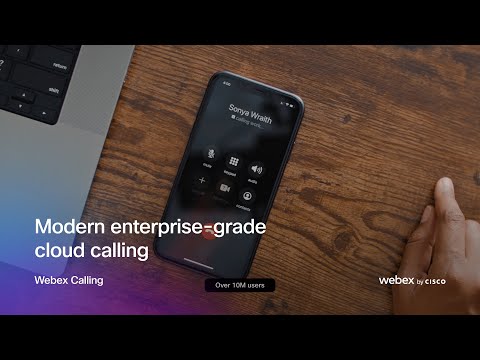
Webex Calling is an AI-powered, enterprise-grade cloud calling solution that enables businesses to dramatically reduce costs by eliminating premises calling infrastructure. Webex Calling scales infinitely to support a global workforce on any device.
Webex Calling is a proven soution, with over 18 million users around the world. Our solution is available in more than 190 markets around the world through our global cloud platform that is protected by a 99.999% SLA and survivability options.
Highlights
- Enterprise-grade cloud calling: Webex Calling delivers a full feature cloud phone system that's available in over 190 markets globally. It's available for workers on any device, and for any workstyle.
- Reliable, flexible deployment options: Webex Calling is available through flexible deployment models that provide a seamless path to the cloud, on a reliable platform backed by a 99.999% SLA and survivability options.
- Centralized administration: Manage Webex Calling through Control Hub, our single-pane-of-glass administration console for the complete Webex Suite and Cisco Devices. Gain further insight with our integrations with ThousandEyes, Cisco Meraki, and Cisco Spaces.
Details
New
Introducing multi-product solutions
You can now purchase comprehensive solutions tailored to use cases and industries.

Features and programs
Buyer guide
Gain valuable insights from real users who purchased this product, powered by PeerSpot.

Financing for AWS Marketplace purchases
AWS Marketplace now accepts line of credit payments through the PNC Vendor Finance program. This program is available to select AWS customers in the US, excluding NV, NC, ND, TN, & VT.

Pricing
Custom pricing options
Pricing is based on your specific requirements and eligibility. Request a private offer to receive a custom quote. Sign in to view any offers that have been extended to you.

Legal
Content disclaimer
Vendors are responsible for their product descriptions and other product content. AWS does not warrant that vendors' product descriptions or other product content are accurate, complete, reliable, current, or error-free.
Delivery details
Software as a Service (SaaS)
SaaS delivers cloud-based software applications directly to customers over the internet. You can access these applications through a subscription model. You will pay recurring monthly usage fees through your AWS bill, while AWS handles deployment and infrastructure management, ensuring scalability, reliability, and seamless integration with other AWS services.
Resources
Support
Vendor support
For questions related to product, pricing, or private offers, reach out to WebexonAWS@cisco.com .
AWS infrastructure support
AWS Support is a one-on-one, fast-response support channel that is staffed 24x7x365 with experienced and technical support engineers. The service helps customers of all sizes and technical abilities to successfully utilize the products and features provided by Amazon Web Services.
Similar products



Zoom helps consolidate communications, connect people, and improve collaboration in the boardroom, classroom, operating room, and everywhere in between.
Customer reviews
LeonoraMiliša
Screen sharing has streamlined technical discussions and reduces misunderstandings in daily meetings
Reviewed on Oct 15, 2026
Review provided by PeerSpot
What is our primary use case?
My main use case for Webex is for conference calls, workshops, and team meetings.
I use Webex for communication and collaboration at work, valuing the ability to discuss technical topics directly with the people involved, especially when an email exchange would take too long or leave room for misunderstanding, making it fast and efficient.
How has it helped my organization?
Webex helps me resolve questions with colleagues more efficiently, particularly when a technical issue is difficult to explain by email, as I can share the relevant application, walk through the settings, and discuss the next steps while everyone follows the same view, reducing misunderstandings and repeated explanations. It also makes remote collaboration more practical because I can work through an issue with someone without needing to be in the same location.
The clearest practical benefit I have noticed since using Webex is less back and forth during technical discussions, with screen sharing allowing me to show the issue and clarify questions in the same session rather than exchanging several emails or arranging another meeting.
What is most valuable?
The best features Webex offers for me are screen sharing, meeting chat, and the audio and video controls, with screen sharing being particularly useful for technical discussions as I can show the exact issue or walk through a configuration instead of trying to explain everything verbally, complemented by meeting chat that provides a place to share links and clarify technical terms without interrupting the speaker. I appreciate the ability to select and check my microphone, speakers, and camera before joining, as well as giving control to someone who wants to explain something or provide support.
The feature I find myself using the most is screen sharing and control giving, especially during technical discussions, as it allows me to show the relevant application, walk through settings, and let everyone follow the same steps, making it easier to pinpoint an issue and clarify what needs to change with less back and forth than explaining everything verbally. Other solutions have screens that obstruct explanation, but Webex does not have that problem.
I appreciate being able to share a specific application rather than my entire desktop, as it helps me keep the discussion focused and avoid exposing unrelated or sensitive information. Combined with meeting chat for links and technical details, this makes screen sharing particularly useful for troubleshooting and demonstrations.
What needs improvement?
I would appreciate clearer controls for switching between shared applications during a presentation, with a more prominent indication of exactly what participants can see. I would also appreciate having microphone, speaker, and connection diagnostics in one easily accessible place, as those improvements would make it easier to manage technical discussions and troubleshoot meeting issues without interrupting the conversation.
For mobile use, I would prioritize an easy way to follow shared technical content on a smaller screen, particularly text and configuration details. For integrations, calendar scheduling and joining meetings with minimal steps matter most to me.
For how long have I used the solution?
I have been using Webex for six months.
What other advice do I have?
I rate Webex a 10 out of 10.
I chose this rating because Webex meets my needs for everyday collaboration, discussing technical issues, sharing the relevant application, and clarifying details in the same meeting, with screen sharing being the biggest reason for my rating as it helps me explain issues clearly and agree on next steps. This rating reflects its value for my needs, even though there are usability improvements I would welcome.
Regarding Webex's AI capabilities, I believe governance and security priorities should include controlling who can enable AI features, what meeting content they process, and who can access the resulting summaries or transcripts, along with wanting clear information about retention and whether content is used for model training.
For Webex's AI capabilities, I check the accuracy and reliability of meeting summaries to ensure they capture decisions, action owners, and deadlines correctly, especially when the discussion includes technical terminology. I would review those details before sharing a summary or relying on its record of agreed actions.
I would advise others looking into using Webex to test it with the types of meetings they actually run, particularly for technical collaboration, checking how clearly participants can read shared applications. Testing guest access, audio devices, and calendar integration early is important to evaluate.
Sirine ELJANNENE
Daily collaboration has become smoother and troubleshooting complex issues is now faster
Reviewed on Oct 14, 2026
Review provided by PeerSpot
What is our primary use case?
My main use case for Webex is online meeting and collaboration. I use Webex for daily technical meetings with colleagues to discuss ongoing projects, troubleshoot issues, and share updates. For example, when troubleshooting an OpenShift issue, I share my screen to review logs and command outputs, collaborate with the team to identify the root cause, and agree on the next steps.
I also use Webex to share technical knowledge, discuss best practices, and coordinate troubleshooting activities and follow up on action items.
How has it helped my organization?
Webex has helped our team collaborate more effectively by making it easier to discuss technical issues, share information in real time, and resolve problems faster. Screen sharing is especially useful, as everyone can review logs and configuration together without lengthy back and forth communication. It also saves time by reducing unnecessary meetings and delays, improves coordination between team members, and helps us make decisions faster, leading to smoother project execution and better outcomes.
Webex has improved teamwork by making communication and collaboration quicker and more efficient. We use it to discuss technical challenges, share screens during troubleshooting, and exchange knowledge in real time. This reduces delays, minimizes unnecessary email exchange, and helps us resolve issues faster.
What is most valuable?
The best features of Webex are high-quality video and audio, screen sharing, chat, and easy collaboration during meetings. Out of those features, I find myself relying on screen sharing the most because it allows me to walk colleagues through a technical issue in real-time, review logs and configuration together, and collaborate on troubleshooting OpenShift clusters problems more efficiently. It makes complex technical discussions easier to understand and helps the team identify a solution faster.
What needs improvement?
Webex could be improved by making the application faster and more reliable, especially during screen sharing and large meetings. Better audio and video quality on unstable internet connection, improved noise cancellation, and easier navigation would enhance the user experience.
It would also be helpful to improve search functionality for past meeting recordings, chat messages, and shared files, so that important technical information could be found quickly. Better integration with project management and incident tracking tools would help us follow up on troubleshooting tasks more efficiently.
Webex's AI capabilities are useful for generating meeting summaries, transcribing discussions, and identifying action items, but accuracy and reliability are essential. AI-generated notes can save time, although they may occasionally miss technical details, misunderstand terminology, or summarize discussions incorrectly. I would like to see improved accuracy in technical conversations, better recognition of specialized terminology, and clear ways to review and correct AI-generated content. Human verification is still important before relying on AI outputs for critical decisions.
For how long have I used the solution?
I have been using Webex for four years.
What other advice do I have?
I give Webex a rating of eight out of ten because it offers reliable video meetings, convenient screen sharing, and effective collaboration tools that help our team communicate and troubleshoot technical issues efficiently. It saves time and improves teamwork. However, there is still room for improvement in application performance, search functionality, integration with other tools, and AI-powered meeting summaries and action item tracking.
Governance and security are very important when it comes to Webex's AI capabilities. Organizations need to ensure that meetings, recordings, transcripts, and shared information are protected with clear data policies, privacy, access control, and transparency about how AI uses data.
We currently use Webex as a public cloud software-as-a-service solution. We use Cisco Webex on cloud infrastructure managed by Cisco rather than deploying Webex directly on AWS, Microsoft Azure, or Google Cloud. I recommend Webex to organizations looking for a reliable platform for online meetings, screen sharing, and team collaboration.
Sasindu A.
Webex Calling Makes Business Calls Centralized, Professional, and Easy to Manage
Reviewed on Oct 14, 2026
Review provided by G2
What do you like best about the product?
What I like best about Webex Calling is the convenience of managing business calls through a centralized communication platform. It helps teams stay connected, handle calls professionally, and communicate with colleagues from different locations. The integration with other collaboration tools can make daily communication more organized, while features such as call forwarding and voicemail help users stay reachable when they are away from their desks. A well-organized interface also makes common calling tasks easier to manage.
What do you dislike about the product?
One area where Webex Calling could improve is the ease of configuring advanced calling features and managing settings. New users may need time to understand the available options, and troubleshooting call-quality issues can sometimes be challenging. A simpler setup process, clearer guidance for administrators, and more detailed troubleshooting tools would improve the user experience and make the platform easier to manage.
What problems is the product solving and how is that benefiting you?
Webex Calling helps simplify business communication by bringing phone calls and calling features into a centralized platform. It makes it easier for team members to communicate from different locations without relying entirely on traditional desk phones. Features such as call forwarding, voicemail, and integration with collaboration tools can help reduce missed calls and improve coordination. Overall, it can make workplace communication more flexible and help teams stay connected throughout the working day.
MoezCHEBBI
Integrated collaboration has streamlined daily teamwork and has accelerated cross‑functional decisions
Reviewed on Oct 13, 2026
Review provided by PeerSpot
What is our primary use case?
My main use case for Webex is enterprise collaboration and communication across distributed teams, where I use it for instant messaging, voice and video meetings, screen sharing, and coordination between technical and business teams. The scenario where I find it most valuable is during cross-functional projects involving participants from different locations. Being able to quickly move from a chat conversation to a voice or video meeting helps accelerate decision-making and resolve issues faster. Screen sharing and file collaboration are particularly useful during technical workshops, troubleshooting sessions, and project planning meetings.
One aspect that is particularly important in our workflow regarding my main use case for Webex is supporting collaboration between technical teams, project stakeholders, and external partners who may be working from different locations. Webex provides a single platform for messaging, meetings, and content sharing which helps keep discussions organized and accessible.
How has it helped my organization?
Webex has had a positive impact on our organization by improving communication, collaboration, and responsiveness across teams. Since messaging, meetings, calling, and file sharing are integrated in a single platform, employees can connect and work together more efficiently without relying on multiple disconnected tools. One noticeable outcome has been faster decision-making. A team can quickly move from a chat discussion to a live meeting, share screens, review information, and reach conclusions in real time. This has helped reduce delay and improve overall productivity.
While we do not formally track collaboration metrics tied specifically to Webex, we have observed noticeable improvements in responsiveness and decision-making. For example, issues that previously required several email exchanges can often be resolved through a quick chat followed by an ad hoc Webex meeting with the relevant stakeholders.
What is most valuable?
In my opinion, the best feature for Webex is the ability to bring messaging, calling, meeting, and file sharing together in a single platform, creating a seamless collaboration experience and reducing the need to switch between multiple applications throughout the day.
Having messaging, meetings, calling, and file sharing in a single platform has significantly improved efficiency for both me and my team. Instead of switching between multiple applications, we can manage most of our communication and collaboration from one place, which saves time and reduces context switching. For example, a technical discussion often starts in a team chat, then quickly moves to a voice or video call if deeper collaboration is needed.
One thing that stands out compared to other collaboration tools I have used is how naturally Webex combines communication and collaboration workflows. Rather than treating chat, meeting, calling, and content sharing as separate experiences, everything feels integrated and consistent.
From my perspective, Webex takes a strong approach to AI governance and security, which is particularly important in enterprise environments where sensitive and business information is discussed and shared.
Based on my experience, Webex AI capabilities have generally been accurate and reliable, particularly for meeting summaries, transcription, and capturing key discussion points. The AI does a good job of identifying the main topics, decisions, and action items from meetings, which helps reduce manual note-taking and improves follow-up efficiency.
What needs improvement?
Overall, my experience with Webex has been very positive, but there are always opportunities for improvement. One area that could be enhanced is the user experience for new users. While Webex offers many powerful collaboration features, some settings and capabilities can take time to discover and fully utilize. Making advanced features easier to find and configure would help accelerate adoption. I would also appreciate seeing continued improvement to search and information discovery across messages, files, and meeting content, especially for large teams that generate a significant amount of collaboration data.
From a mobile perspective, the experience is generally good, but there are times when accessing advanced meeting controls and messaging collaboration space can feel easier on the desktop application. Continued enhancement to the mobile experience would be valuable for users who frequently work while traveling or away from their desk.
I did not give a rating of ten because there is still room for improvement in areas such as advanced search, integration with other business tools, mobile usability, and AI-powered productivity features.
For how long have I used the solution?
Our organization uses Webex for daily messaging, team collaboration, voice calls, video meetings, and file sharing since 2017.
What do I think about the stability of the solution?
In my experience, Webex has been a stable and reliable platform for day-to-day business communication and collaboration.
What do I think about the scalability of the solution?
In my experience, Webex scales very well and is well-suited for organizations of different sizes, from small teams to large enterprises with thousands of users.
How are customer service and support?
Customer support has generally been a positive experience.
What was our ROI?
We have not conducted a formal ROI study specifically for Webex, so I cannot provide exact figures.
What's my experience with pricing, setup cost, and licensing?
My experience with Webex pricing, setup, and licensing has generally been positive. Since Webex is offered as a cloud-based service, deployment and onboarding were relatively straightforward compared to solutions that require significant on-premises infrastructure.
Which other solutions did I evaluate?
Before standardizing on Webex, we considered other enterprise collaboration platforms, particularly Microsoft Teams and Zoom, as they are widely used for messaging, meetings, and remote collaboration.
What other advice do I have?
I would rate Webex a nine out of ten overall, as it provides a reliable, secure, and feature-rich collaboration platform that successfully brings messaging, meeting, calling, and content sharing into a single experience.
Webex is deployed in our organization as a public cloud solution, allowing users to access messaging, meeting, calling, and collaboration services through the Cisco cloud platform without the need to manage the underlying infrastructure ourselves.
We use Webex public cloud service.
My advice to organizations considering Webex is to look beyond meetings and evaluate the entire collaboration ecosystem. The real value of Webex comes from combining messaging, calling, meetings, file sharing, and collaboration spaces into a single platform rather than using separate tools for each function.
Jimmy A.
Call Park Makes Provider Call Hand-Offs Seamless at Our Clinic
Reviewed on Sep 27, 2026
Review provided by G2
What do you like best about the product?
Work at a small clinic and our front desk gets calls that sometimes need to come back to a specific provider mid conversation, used to mean an awkward transfer that occasionally dropped the call entirely. Call park lets the front desk just park it instead, and I pick it up from my own extension whenever I'm free, no risk of losing the call in a bad transfer. Patient never really notices anything happened on our end, just a short pause before I'm on the line.
What do you dislike about the product?
If nobody picks up a parked call within a certain window it just rings back to whoever parked it, which caught our front desk off guard the first couple times since they'd already moved on to other calls and forgot they'd parked one.
What problems is the product solving and how is that benefiting you?
Not risking a dropped call during an awkward transfer has made handing calls between the front desk and providers noticeably smoother. The parked call ringing back if nobody grabs it in time needs some getting used to, front desk had a rough first week forgetting about calls they'd set aside.