Artificial Intelligence
Build an AI-powered recruitment assistant using Amazon Bedrock
According to a people management survey of 748 HR leaders, recruiters spend an average of 17.7 hours per vacancy on administrative work. That’s more than two working days per hire. A separate 2024 SmartRecruiters survey found that 45% of talent acquisition leaders spend more than half their working hours on tasks that could be automated. This administrative burden forces superficial screening that overlooks qualified candidates while advancing matches based on formatting and keyword density rather than genuine competency alignment.
In this post, we demonstrate how to build an AI-powered recruitment assistant using Amazon Bedrock that brings efficiencies to candidate evaluation, generates personalized interview questions, and provides data-driven insights for human hiring decisions. This post presents a reference architecture for learning purposes — not a production-ready solution. Amazon Bedrock and the AWS services used here are general-purpose tools that customers can combine to support a wide variety of use cases, including recruitment workflows. The architecture demonstrates one possible approach; customers should adapt it to their specific requirements.
You learn to deploy specialized AI capabilities for resume parsing, candidate scoring, skill assessment, and interview question generation—with Amazon Bedrock Guardrails providing PII anonymization, prompt attack detection, and bias-related content filtering—all working together through a coordinated serverless architecture. The solution uses the Amazon Bedrock Converse API with Amazon Nova Pro, AWS Lambda for processing, Amazon API Gateway for routing, Amazon DynamoDB and Amazon Simple Storage Service (Amazon S3) for data storage, and Amazon Bedrock Guardrails for responsible AI evaluation.
Solution overview
The AI candidate screening assistant uses foundation models (FMs) available in Amazon Bedrock to help with candidate evaluation, streamline interview preparation, and provide data-driven insights for hiring decisions. The solution processes resumes with comprehensive analysis, calculates multi-dimensional compatibility scores, and generates personalized interview questions based on job requirements and candidate profiles.
The authentication and frontend layer uses AWS Amplify to host the web application and Amazon Cognito for user authentication. Amazon Cognito handles user registration, sign in, and provides JWT tokens that are validated by the Amazon API Gateway Cognito Authorizer on every API request.
The backend layer uses Amazon API Gateway to route requests to specialized AWS Lambda functions, with each Lambda function handling a specific workflow. The Lambda functions call the Amazon Bedrock Converse API to perform deep resume analysis, calculate compatibility scores, and generate role-specific interview questions.
Architecture diagram
The following diagram illustrates the architecture of the AI Recruiting Assistant.
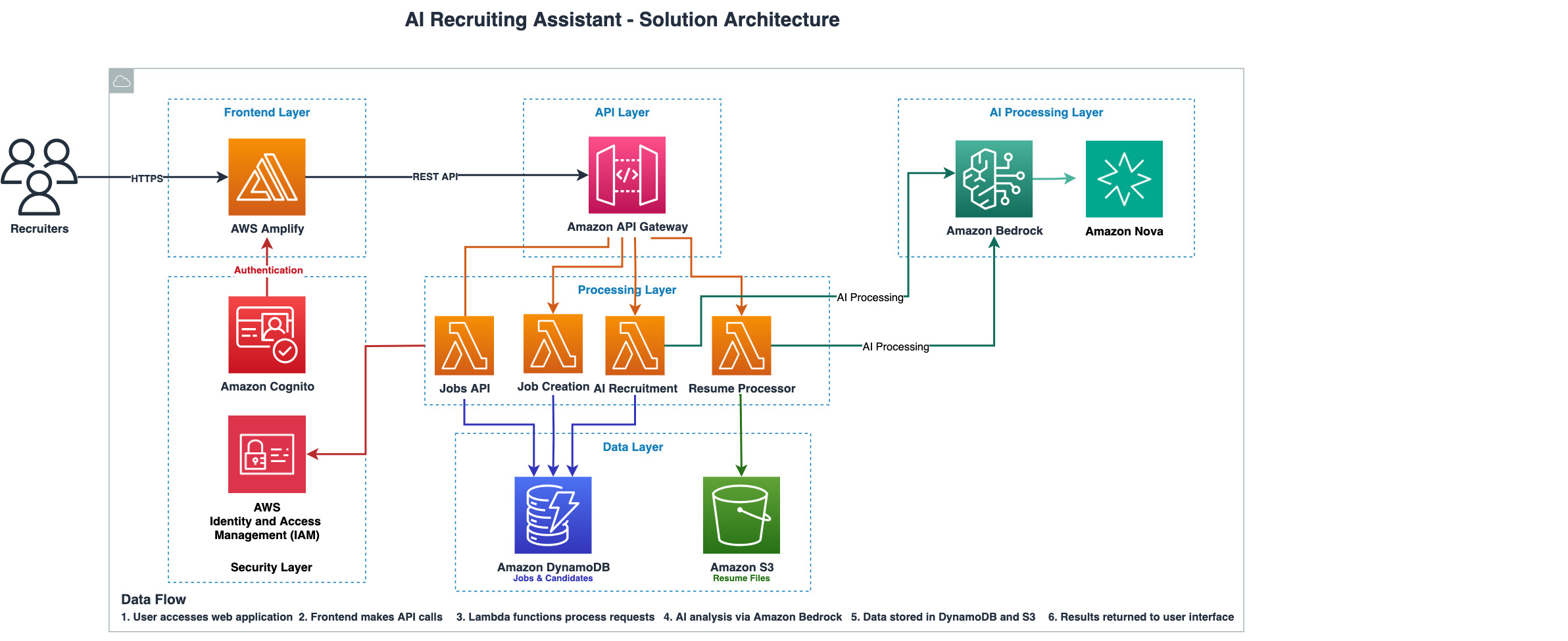
The architecture contains the following key sections:
Frontend Layer: AWS Amplify hosts a responsive React-based web application that provides recruiters with an intuitive interface for managing job postings, reviewing AI-generated candidate assessments, and accessing personalized interview preparation materials.
Security Layer: Amazon Cognito manages user registration and authentication, providing JWT tokens that are validated by the Amazon API Gateway Cognito authorizer on every API request. AWS Identity and Access Management (IAM) roles provide least-privilege access for AWS Lambda functions to interact with storage and AI services. Customers are responsible for properly configuring these security controls.
API Layer: Amazon API Gateway orchestrates client-server communications through RESTful endpoints for job management, AI-powered candidate matching, resume upload processing, and interview question generation services.
Processing Layer: Specialized AWS Lambda functions handle recruitment workflows, each designed with appropriate timeout and memory configurations.
AI Processing Layer: Amazon Bedrock FMs perform analysis using the Converse API to conduct deep resume analysis, calculate multi-dimensional compatibility scores, generate role-specific interview questions, and identify transferable skills. Amazon Bedrock Guardrails filter each request by anonymizing PII in the input, blocking prompt injection attempts from resume content, and denying responses that reference candidate demographics.
The following code snippet shows how the solution uses Amazon Bedrock Guardrails (which automatically anonymize PII in the input before the model processes it), structured prompting with evidence-based scoring, and bias-aware system instructions:
import json

SYSTEM_PROMPT = """You are an expert recruitment analyst. Evaluate
candidates based exclusively on demonstrated skills, experience,
and qualifications. Do not reference or make assumptions based on
candidate names, contact details, demographics, or personal
characteristics. Focus only on job-relevant qualifications.
For every claim, cite the specific resume text as evidence."""

ANALYSIS_PROMPT = """Analyze the following candidate resume against
the job requirements. Return a structured JSON response.

<job_requirements>
{job_description}
</job_requirements>

<candidate_resume>
{resume_content}
</candidate_resume>

Provide your analysis in the following JSON format:
{{
  "compatibilityScore": 0-100,
  "scoreJustification": "Evidence-based reasoning with resume quotes",
  "technicalSkills": {{
    "matched": [{{"skill": "X", "evidence": "resume quote"}}],
    "missing": ["skill3"],
    "transferable": [{{"skill": "Y", "evidence": "resume quote"}}]
  }},
  "experienceAnalysis": {{
    "relevantYears": 0,
    "industryAlignment": "high|medium|low",
    "keyAccomplishments": ["accomplishment with evidence"]
  }},
  "strengths": ["strength with specific resume evidence"],
  "concerns": ["concern with context"],
  "interviewQuestions": [
    {{
      "question": "Targeted question text",
      "purpose": "What this question evaluates",
      "lookFor": "Ideal response indicators"
    }}
  ],
  "overallRecommendation": "strong_match|good_match|partial_match|weak_match"
}}"""

response = bedrock_client.converse(
    modelId=model_id,
    system=[{"text": SYSTEM_PROMPT}],
    messages=[{
        "role": "user",
        "content": [{"text": ANALYSIS_PROMPT.format(
            job_description=job_description,
            resume_content=resume_content
        )}]
    }],
    inferenceConfig={
        "maxTokens": 4096,
        "temperature": 0.2,
        "topP": 0.9
    },
    guardrailConfig={
        "guardrailIdentifier": guardrail_id,
        "guardrailVersion": guardrail_version,
        "trace": "enabled"
    }
)

# Validate informational output for recruiter; not a hiring recommendation
try:
    analysis = json.loads(
        response["output"]["message"]["content"][0]["text"]
    )
except json.JSONDecodeError:
    analysis = {"error": "Model returned invalid JSON"}
Note: We use a low temperature (0.2) to produce consistent, reproducible candidate evaluations. When Guardrails intervenes (for example, blocking a prompt injection embedded in a resume), the response includes a GUARDRAIL_INTERVENED action—implement error handling to log these events and return a safe fallback response to the recruiter.
Data Layer: Amazon DynamoDB stores structured job postings and analysis results. Amazon S3 provides storage for candidate resumes with server-side encryption (AES-256), Block Public Access, and HTTPS-only bucket policies.
The following steps describe the request flow when a recruiter analyzes candidates:
- The recruiter opens the AWS Amplify-hosted web application and authenticates through Amazon Cognito.
- The recruiter creates a job posting with role requirements, required skills, and experience level.
- The recruiter uploads candidate resumes (PDF, DOCX, or TXT format) for the job posting.
- The frontend sends a POST request to the Amazon API Gateway /matches endpoint.
- The API Gateway Cognito authorizer validates the JWT token from the request header.
- API Gateway routes the authenticated request to the AI recruitment Lambda function.
- The Lambda function retrieves the job posting from Amazon DynamoDB and candidate resumes from Amazon S3. The function calls the Amazon Bedrock Converse API with the job requirements and resume content.
- Amazon Bedrock analyzes each candidate, calculating compatibility scores, identifying strengths and concerns, and generating personalized interview questions.
- The results are stored in Amazon DynamoDB and returned to the recruiter in the web interface.
Key capabilities
Intelligent resume analysis
The solution processes resumes, then analyzes them for skill depth and experience relevance rather than relying on keyword matching alone. It calculates compatibility scores against job requirements with specific evidence from the resume text, and identifies transferable skills that manual screening often misses.
Advanced candidate matching
The system compares candidate profiles against job descriptions using natural language processing (NLP) and provides percentage-based match scores with quoted resume evidence. It highlights candidate strengths and concerns while ranking candidates by compatibility for efficient recruiter review.
Personalized interview preparation
The solution creates tailored interview questions based on specific job roles and candidate backgrounds, generating assessment frameworks with scoring rubrics. It produces detailed interview guides with conversation starters and follow-up suggestions.
Workflow automation
The system assists with repetitive administrative tasks and supports bulk actions. It integrates with existing systems through RESTful APIs and provides usage analytics.
Prerequisites
Before you begin, verify that you have:
- An AWS account with appropriate permissions for Amazon Bedrock, AWS Identity and Access Management (IAM), AWS CloudFormation, Amazon API Gateway, Amazon Cognito, Amazon DynamoDB, Amazon S3, AWS Lambda, and AWS Amplify.
- Amazon Bedrock model access for Amazon Nova Pro in your deployment AWS Region. You can use a different supported model of your choice. For current model availability, see Model support by AWS Region.
- The AWS Command Line Interface (AWS CLI) v2.0 or later installed and configured with appropriate credentials.
- Python 3.10 or newer installed.
- Terminal or command prompt access.
Cost estimate: For testing with 100 candidates, the total cost is approximately $1–2 per month. Amazon Bedrock (Nova Pro at $0.80/$3.20 per million input/output tokens) costs under $1 for 100 analyses. Amazon Bedrock Guardrails adds approximately $0.01 per candidate. Other services mentioned in this post fall within the AWS Free Tier for testing volumes. For detailed estimates, use the AWS Pricing Calculator.
Important: Verify AWS Region consistency
Verify that the following are all configured to use the same AWS Region: your aws configure default Region, the Region where you have enabled Amazon Bedrock model access, and all resources created during deployment.
Deploy the solution
Deploy the backend infrastructure. You will incur costs for the AWS resources used in this solution.

The console redirects you to AWS CloudFormation with the template URL prepopulated in the stack parameters.
- For Stack name, enter a name for your deployment (default: AIRecruiterAssistantBlogSetup).
- For BedrockModelId, choose the Amazon Bedrock model to use (default: Amazon Nova Pro).
- Review the stack configuration.
- Choose Create stack.
- After successful deployment, note the following values from the CloudFormation stack’s Outputs tab:
-
- ApiGatewayUrl
- CognitoUserPoolId
- CognitoClientId
- AWSRegion
- AmplifyAppUrl
- AmplifyConsoleUrl
Deploy the frontend application
- Download the AIRecruitingAssistantFrontEndAmplifyDeployment.zip file.
- Navigate to AmplifyConsoleUrl under CloudFormation Outputs.
- Choose the ai-recruitment-system-frontend app.
- Choose Deploy updates.
- For Method, choose Drag and drop.
- Choose the .zip file to upload.
- Choose Save and deploy.
Testing the solution
After the infrastructure is deployed and the frontend application is running, you can test the AI Recruiting Assistant’s core functionality through the web interface.
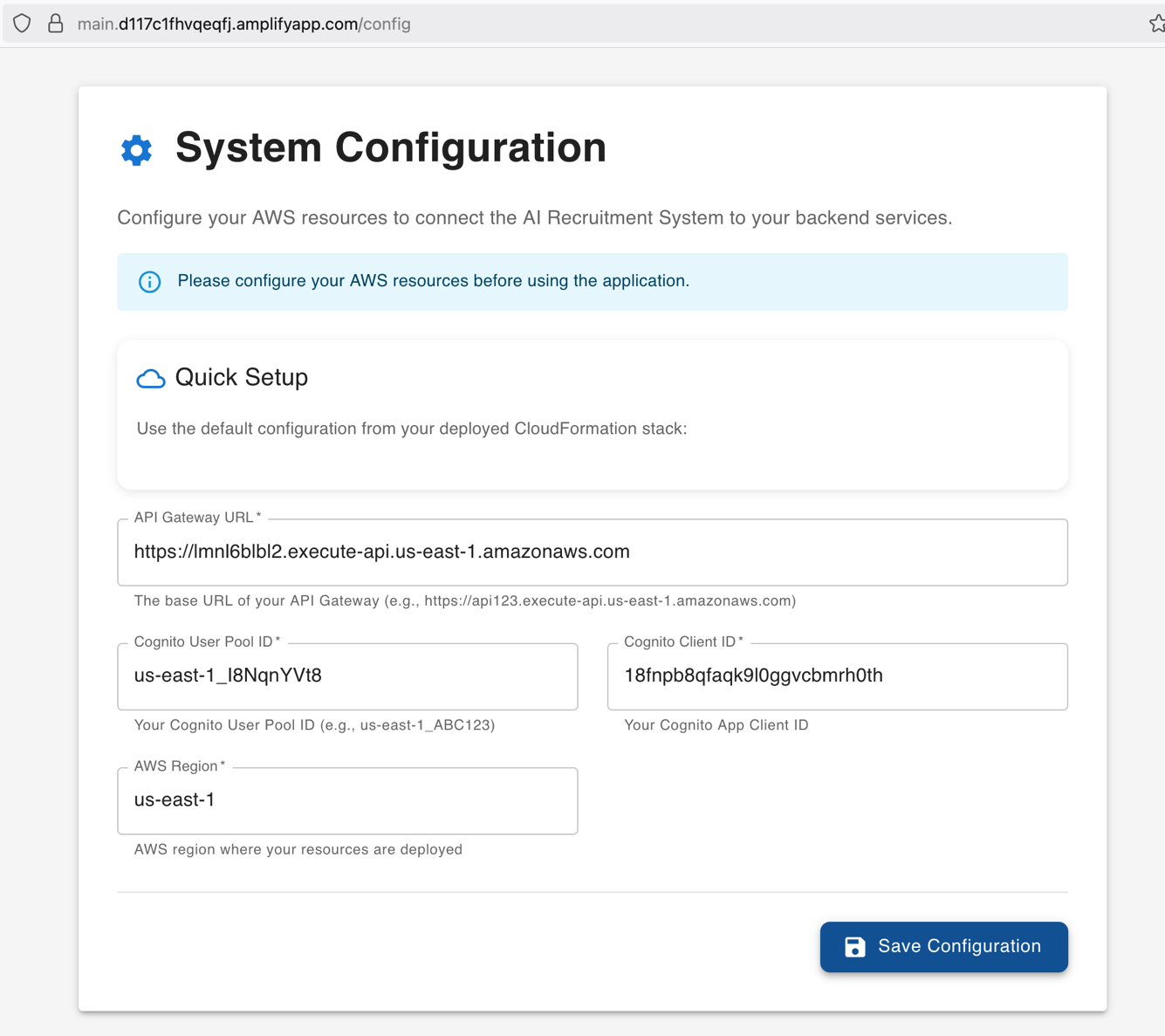
Step 1: Configure application settings
Navigate to the System Configuration page and enter the values from your CloudFormation stack outputs:
- API Gateway URL: Enter the ApiGatewayUrl
- Amazon Cognito User Pool ID: Enter the CognitoUserPoolId
- Amazon Cognito Client ID: Enter the CognitoClientId
- AWS Region: Enter the AWS Region
Step 2: User registration and sign in
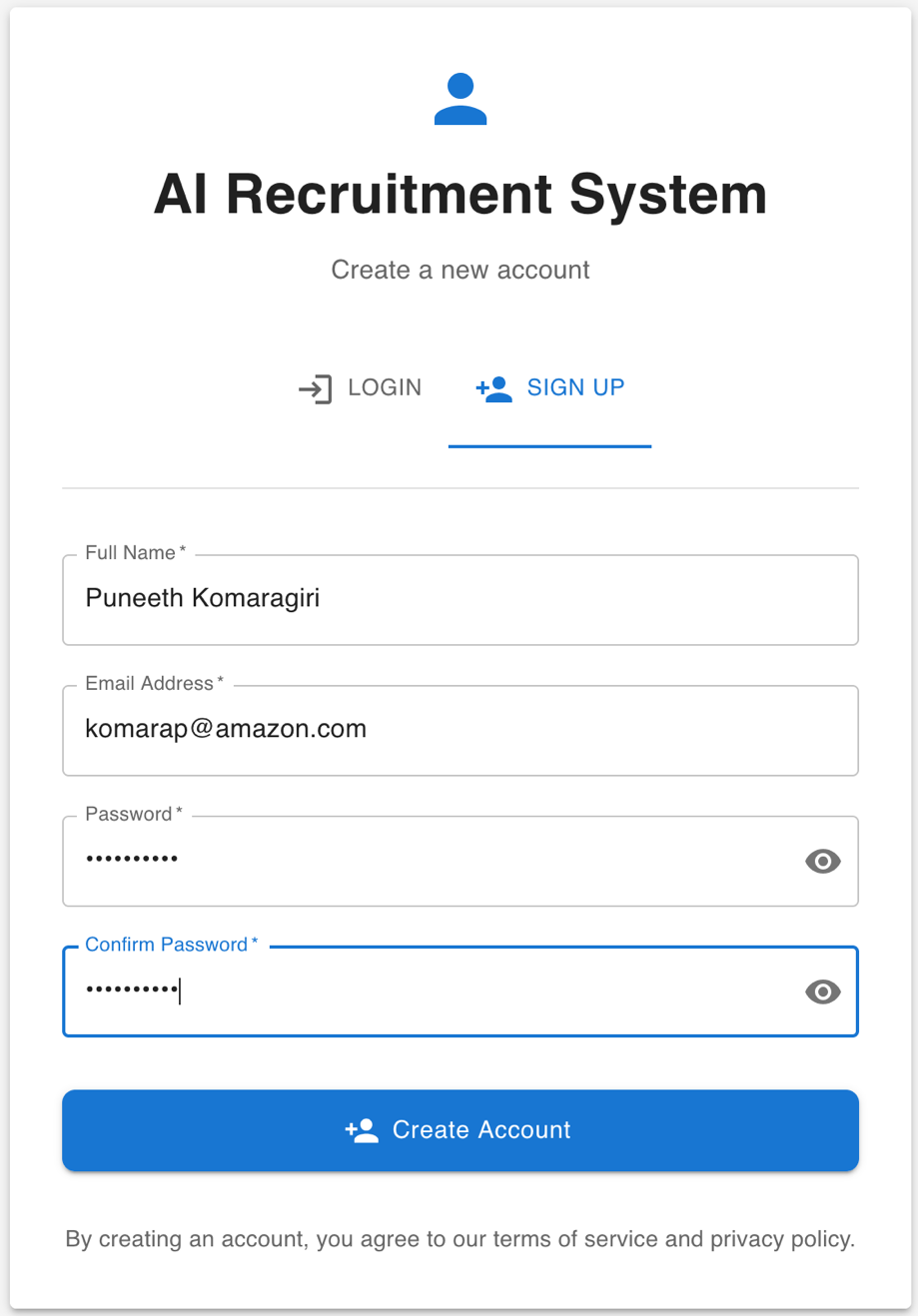
- Choose SIGN UP on the login page.
- Enter your name, email, and a secure password.
- Choose Create Account.
- Enter the one-time verification code sent to your email.
- Choose Verify Email.
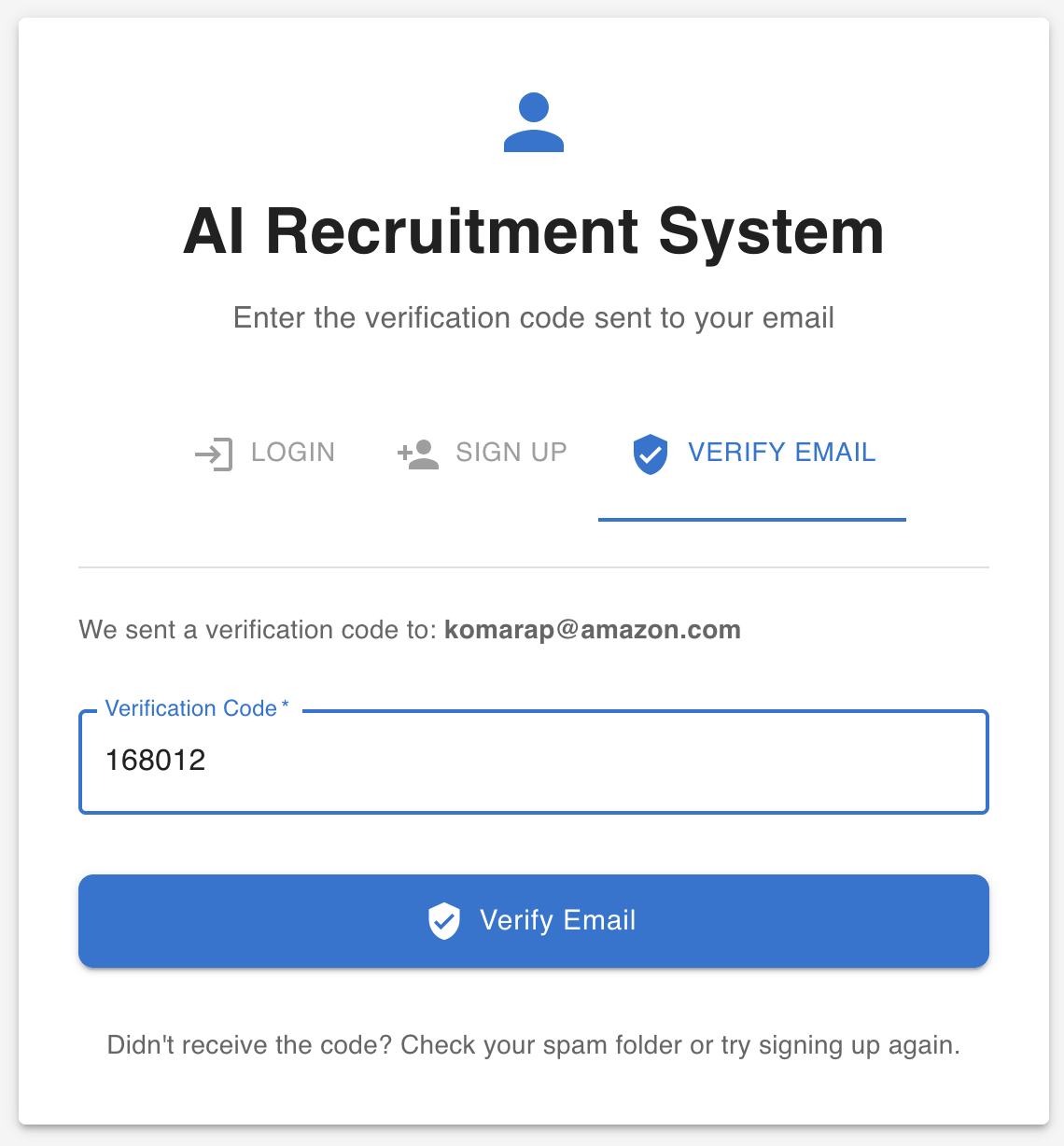
- After successful verification, sign in using your email and password.
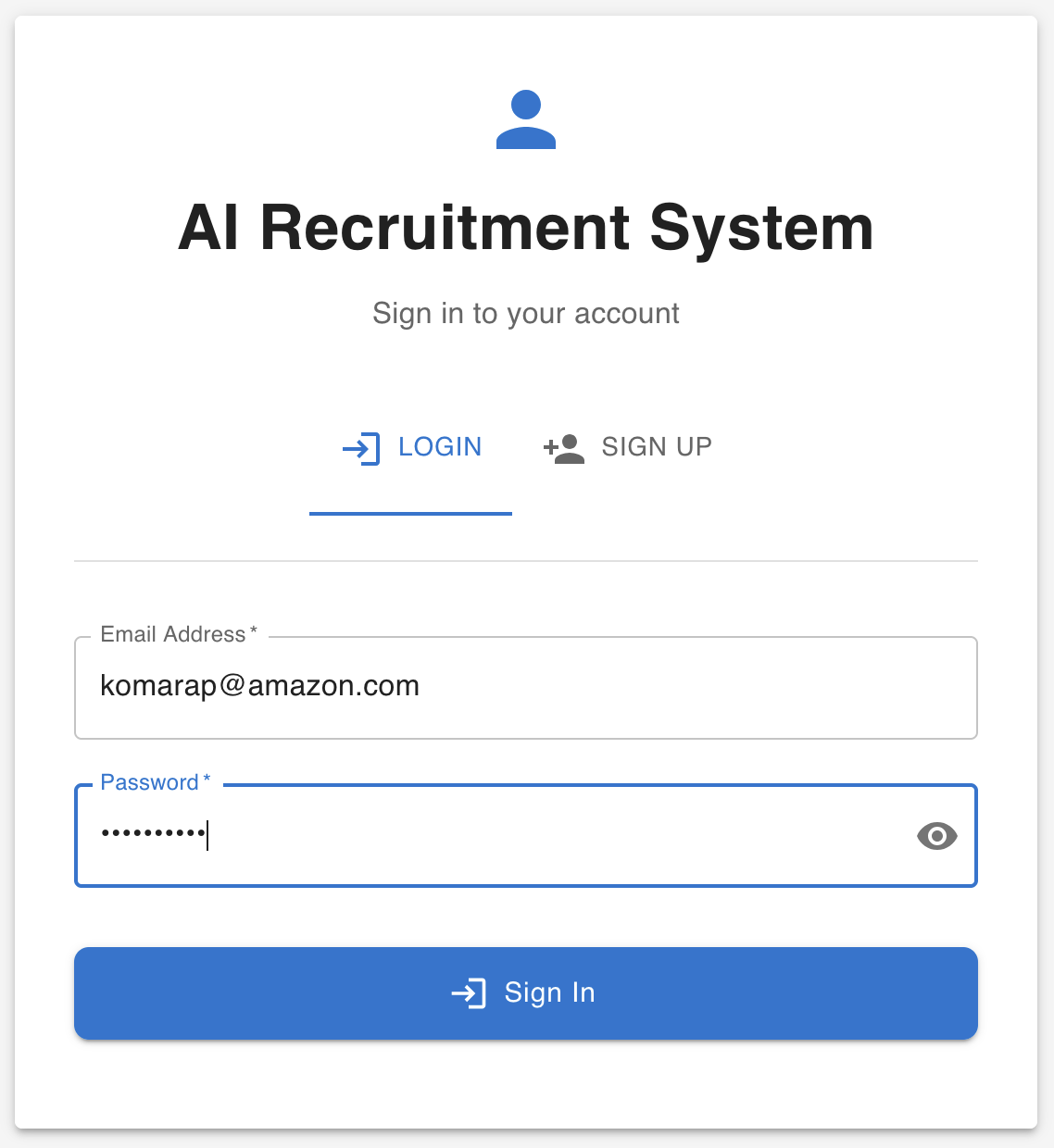
Step 3: Create a job posting
- Navigate to the AI Recruiting Assistant dashboard and create a new job posting.
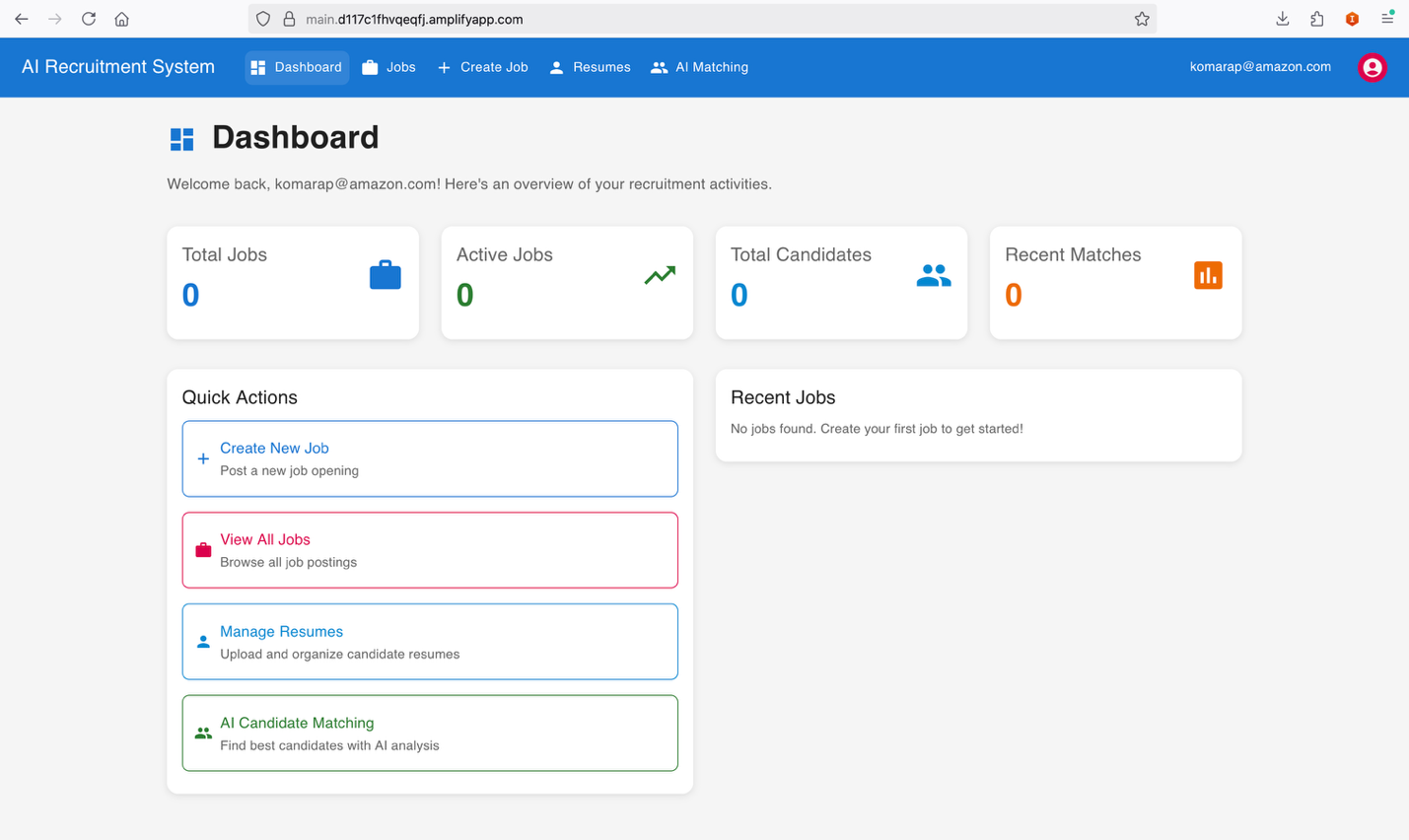
- Specify detailed requirements including job title, required skills, experience level, and job description. This information forms the foundation for AI-powered candidate matching and analysis.
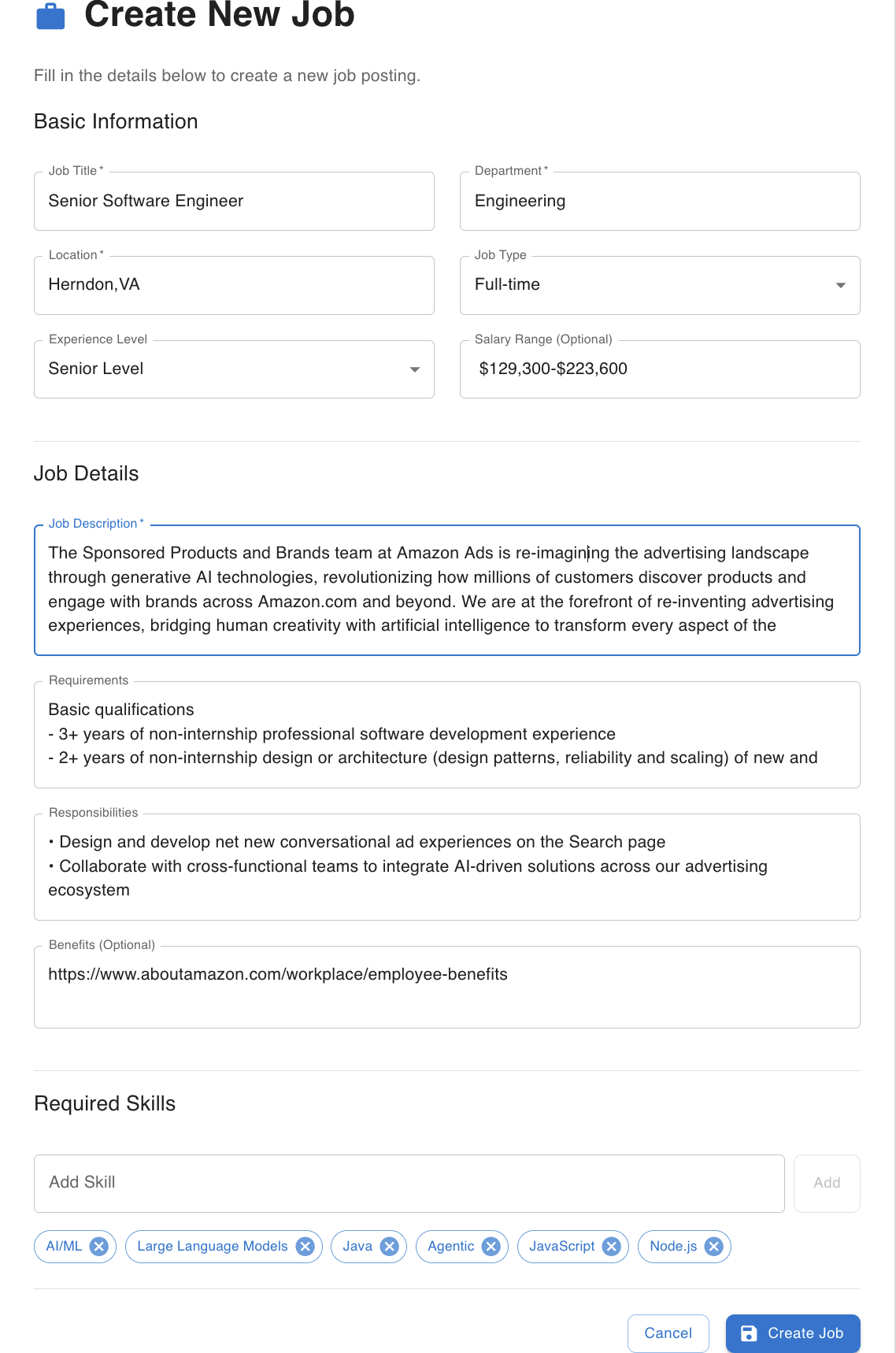
- Choose Create Job. This will create the job in the recruitment portal.
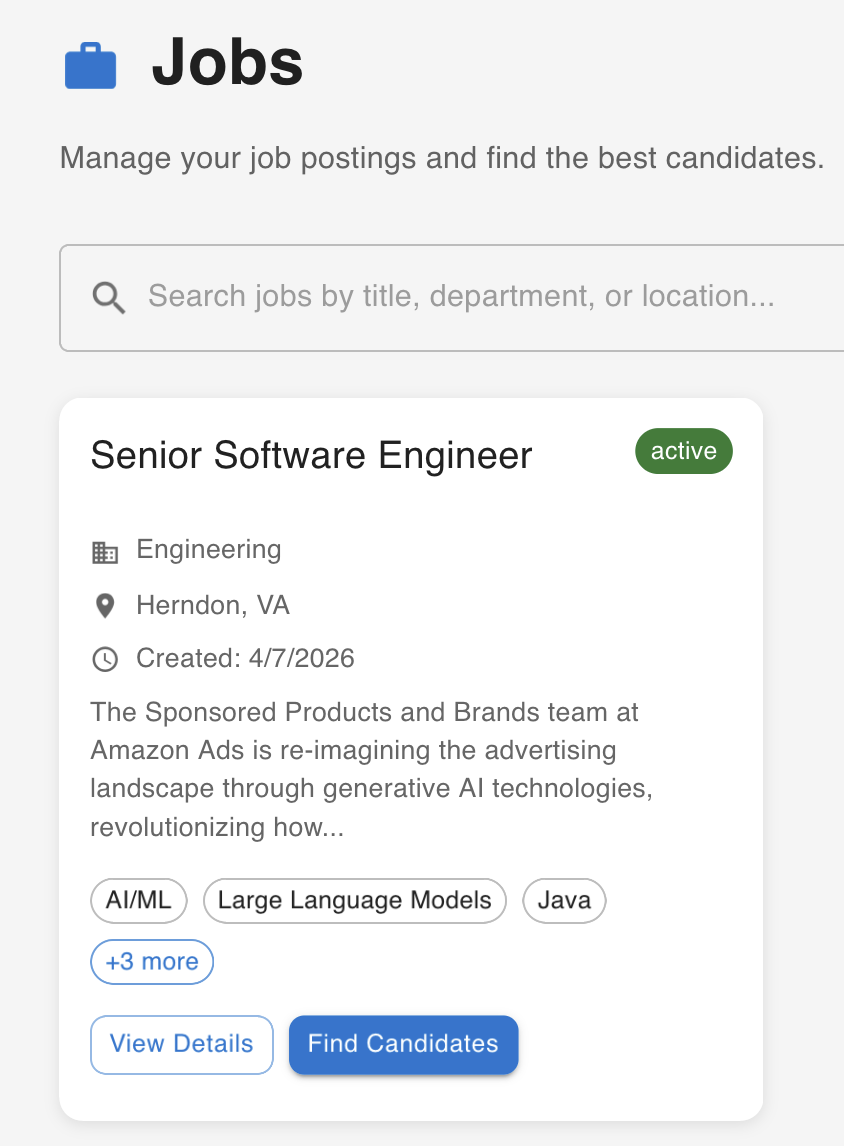
- Choose View Details to review the job details.
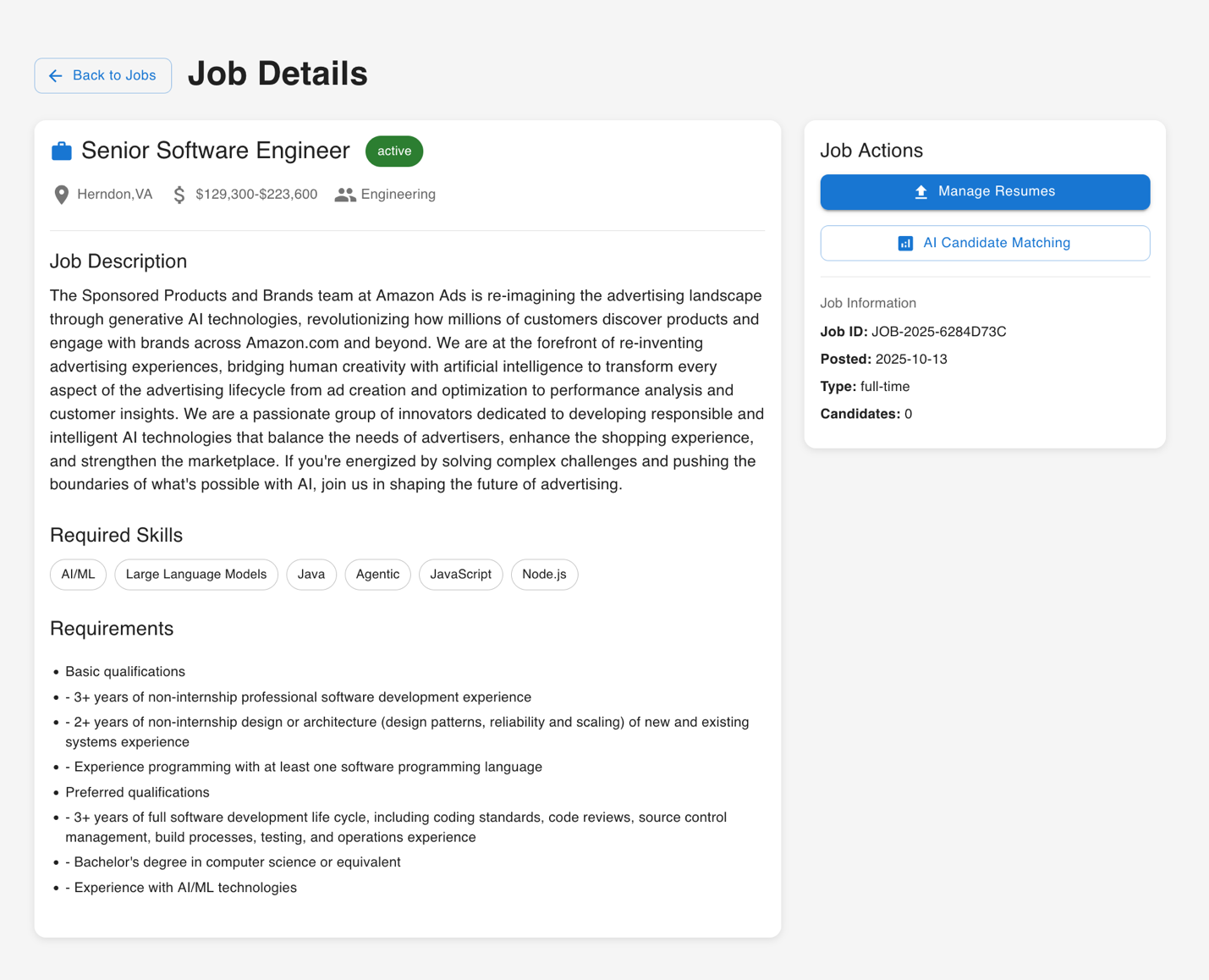
You can choose Manage Resumes to upload candidate resumes for the job that was created.
Step 4: Upload candidate resumes
- Use the Upload Resumes functionality to submit candidate applications for analysis. The system accepts PDF, DOCX, and TXT file formats.
Note: This UI-based upload demonstrates the solution’s functionality for testing purposes. In production environments, resumes would typically be submitted through your organization’s job portal, automatically stored in Amazon S3, and processed through event-driven triggers.
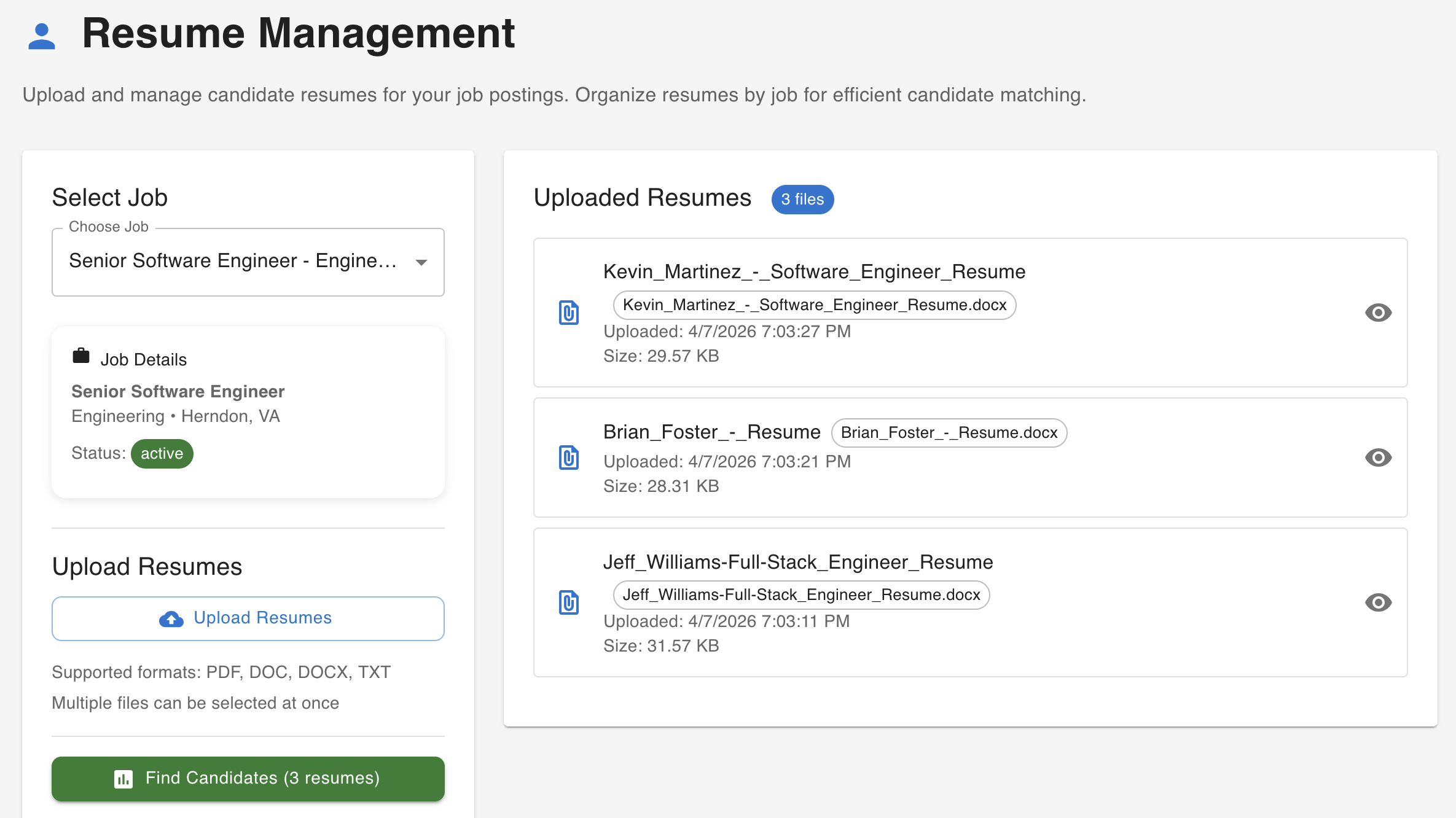
Step 5: Generate AI analysis and interview questions
- Choose Find Best Matches to start an AI analysis of the uploaded candidates against your job posting. The system processes the resume content, calculates compatibility scores, identifies key strengths and concerns, and generates personalized interview questions.
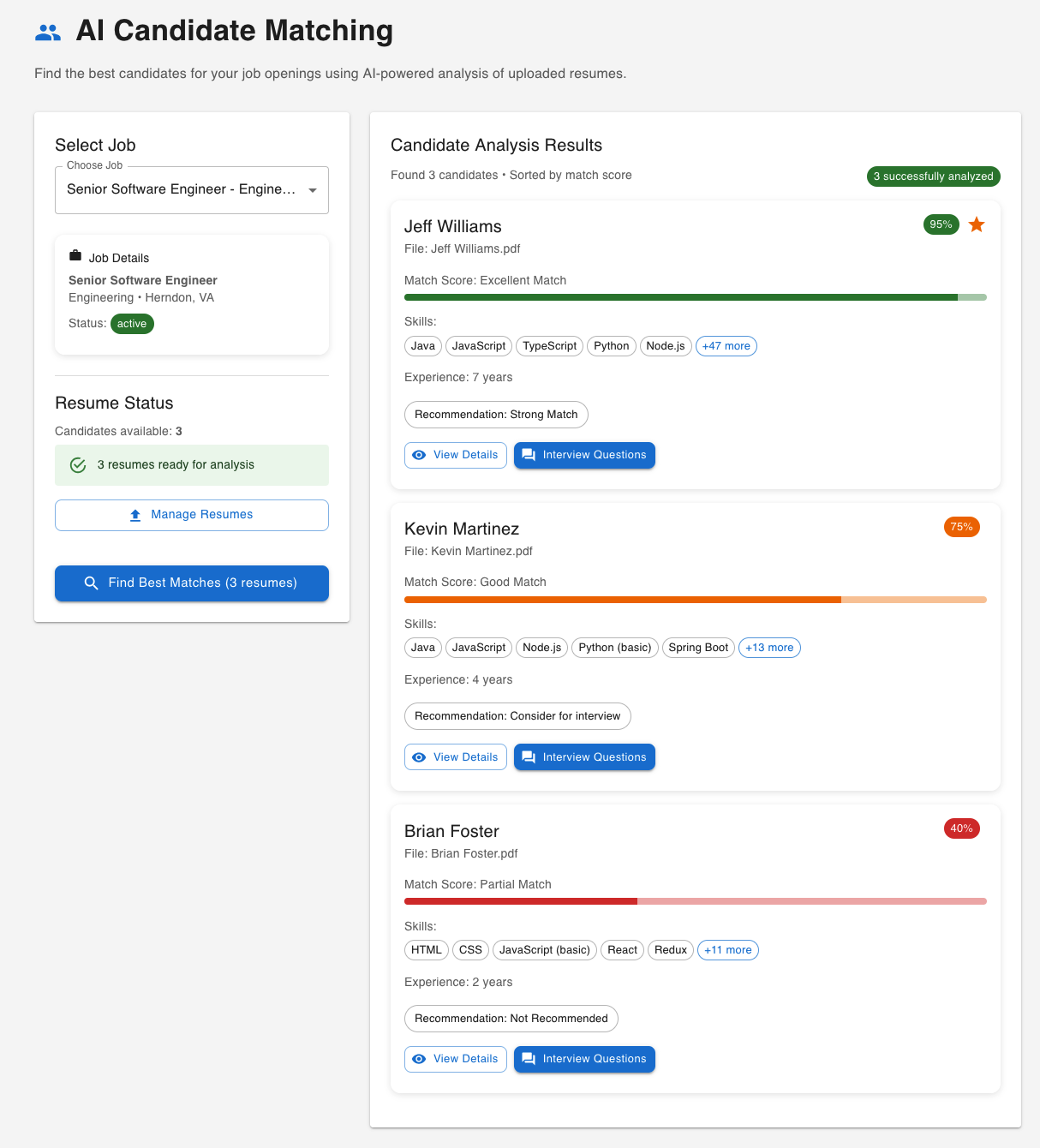
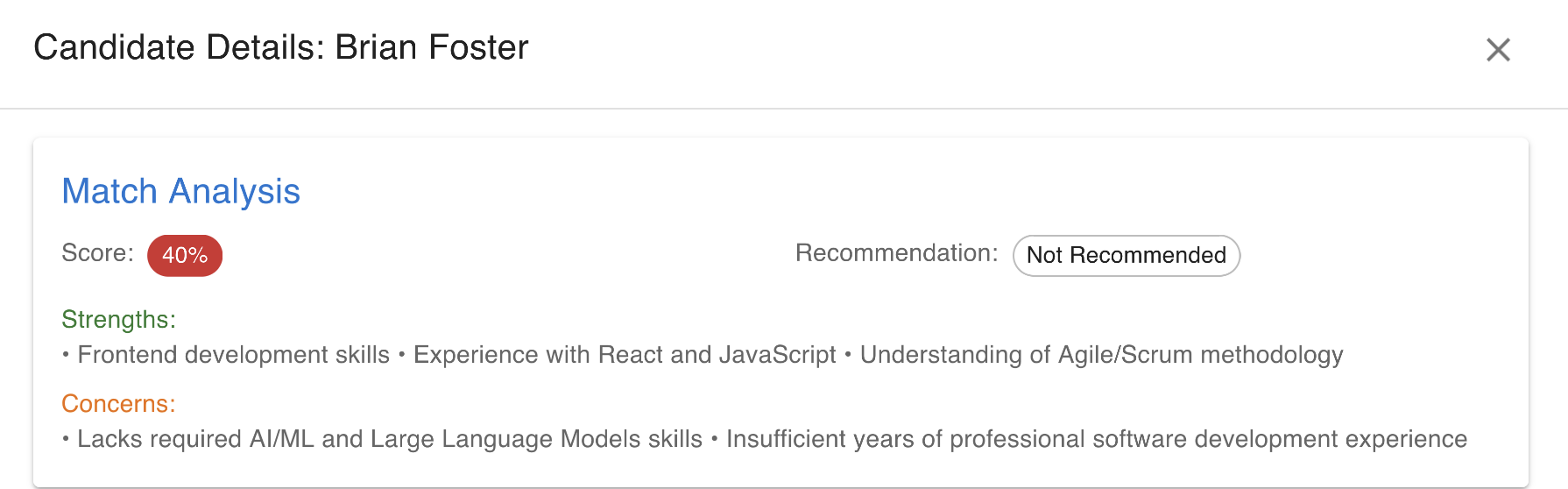
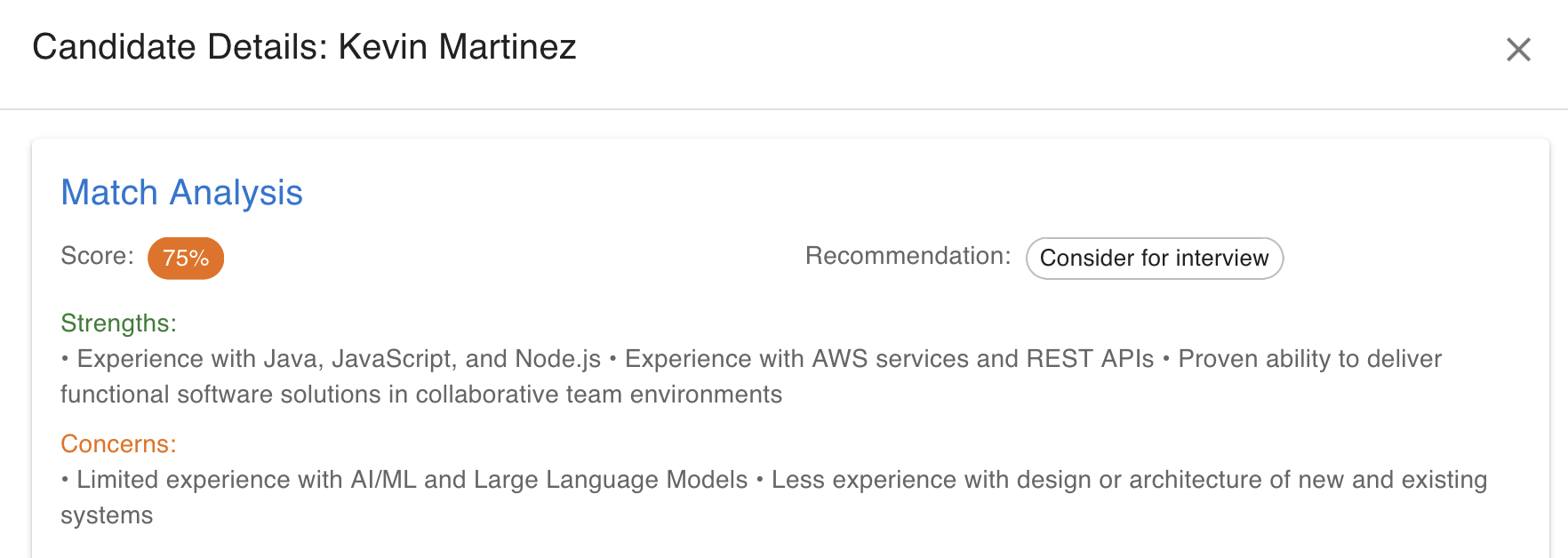
- Choose View Details to review candidate details, match score, strengths, concerns, and interview recommendations.
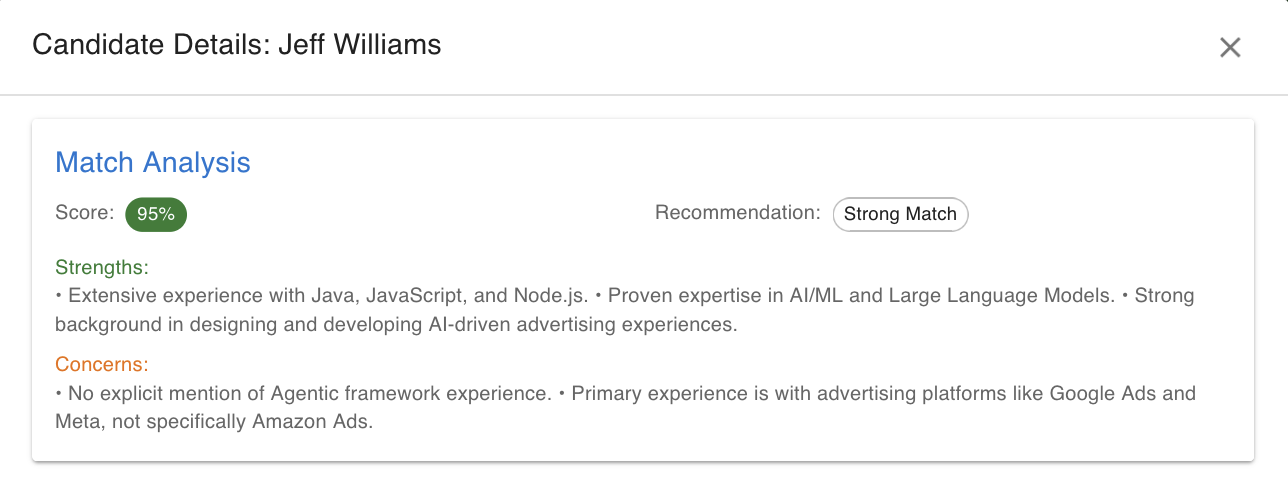
- Use the Interview Questions button to generate personalized interview questions.
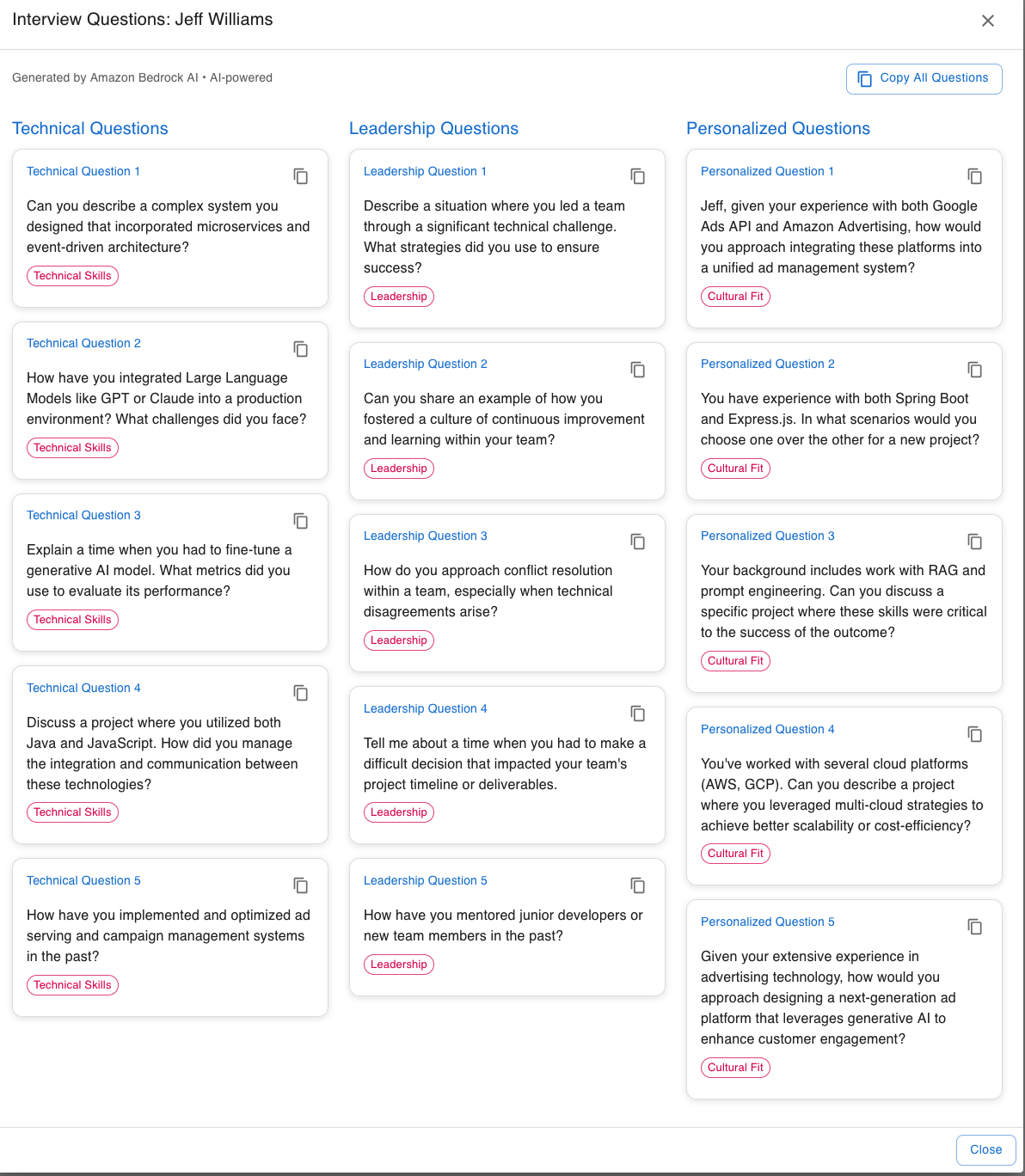
- The results include compatibility scores, skills assessments, experience analysis, interview questions, and key insights—all backed by specific evidence from the resume.
Before deploying to production, review the following security, compliance and scaling considerations.
Security and shared responsibility
Security is a shared responsibility between AWS and customers. AWS is responsible for the security of the underlying cloud infrastructure, while customers are responsible for securing their data, configuring access controls, implementing encryption, and verifying their use of AWS services meets their compliance requirements. For more information, see the AWS Shared Responsibility Model.
The CloudFormation template implements the following security controls:
- S3 Block Public Access enabled on buckets
- Amazon API Gateway Cognito authorizer validating JWT tokens on non-OPTIONS methods
- S3 server-side (AES-256) and DynamoDB encryption for candidate resumes at rest with point-in-time recovery enabled
- Amazon API Gateway stage-level throttling (100 requests/second, burst limit 50)
- Amazon Bedrock IAM permissions scoped to the specific FM and Lambda execution roles with least-privilege IAM policies scoped to specific resource ARNs
- Amazon Bedrock Guardrails with prompt attack detection, PII anonymization, demographic bias topic denial, and content filtering (prevents PII leakage)
- S3 bucket policy enforcing HTTPS-only access
- S3 lifecycle policy for automatic resume expiration (configurable retention period for GDPR/CCPA compliance)
- Amazon Cognito with optional MFA (TOTP) for user authentication
- AWS X-Ray active tracing on Lambda functions and API Gateway for end-to-end request visibility (improves detection)
Customers are responsible for configuring Amazon Cognito user pool policies, managing user access, enabling AWS CloudTrail for audit logging, and adding security controls based on their organizational requirements.
Threat model and security analysis
To verify the security of our AI recruitment system, we conducted a threat modeling exercise to identify potential security risks, analyze attack vectors, and validate our security controls. This section documents the key threats facing the system—including unauthorized access to candidate PII, prompt injection attacks through resume content, and API abuse—along with their attack vectors, mapped mitigations, and residual risk assessments. By systematically addressing these threats, we help protect candidate privacy, maintain system integrity, and meet enterprise security standards.
AI fairness and responsible use
This solution assists with candidate evaluation and scoring, which is a high-risk AI application. Customers are responsible for validating that AI-generated assessments don’t introduce bias across protected classes. Consider implementing fairness testing procedures, regular audit reviews of AI-generated scores, and mandatory human review checkpoints at critical decision points. Recruiters remain responsible for final hiring decisions and should use AI-generated insights as one input among many in their evaluation process.
Data privacy and compliance
Customers are responsible for verifying that their implementation complies with applicable data protection regulations including GDPR, CCPA, and regional employment laws. Consider implementing data retention policies using Amazon S3 lifecycle rules, data deletion workflows for candidate right-to-erasure requests, and access logging through AWS CloudTrail to track who accessed candidate information. AWS provides security capabilities and compliance certifications for the underlying services, but customers must configure these features according to their specific regulatory requirements.
Input validation and content safety
The solution accepts user-uploaded resumes and processes them through Amazon Bedrock FMs. Consider implementing file size limits for resume uploads, content validation using file type inspection (not just file extensions), and input sanitization for job posting form fields to help prevent injection attacks. Amazon API Gateway request throttling can help prevent abuse of the API endpoints.
Scaling to enterprise grade
This solution is designed for testing and evaluation. When scaling to a production environment, consider the following enhancements across security, observability, and operational resilience:
- API protection: Add AWS WAF to your Amazon API Gateway stage with rate-based rules to prevent abuse and the AWS Managed Common Rule Set for OWASP top 10 protection. This adds approximately $6/month but provides distributed denial-of-service (DDoS) mitigation and bot filtering.
- Observability and alerting: Configure Amazon CloudWatch alarms for AWS Lambda error rates, Amazon API Gateway 5xx responses, and Amazon Bedrock throttling events. Enable Amazon Bedrock model invocation logging to capture request/response pairs for audit trails. Use AWS X-Ray traces (already enabled in this solution) to identify latency bottlenecks across the request flow.
- Output validation: Implement retry logic with exponential backoff for cases where the model returns malformed JSON. Store system prompts in AWS Systems Manager Parameter Store for versioning without redeployment, or use Amazon Bedrock prompt management for centralized prompt creation, optimization, versioning, and side-by-side comparison across foundation models.
- Concurrency management: Set AWS Lambda reserved concurrency to prevent a burst in analysis requests from exhausting your Amazon Bedrock service quota. Monitor Amazon Bedrock throttling metrics and request service quota increases before scaling.
- Data lifecycle automation: The solution includes S3 lifecycle policies for resume expiration. For production, integrate with your organization’s data retention policies and implement automated deletion workflows for candidate right-to-erasure requests under GDPR and CCPA.
Model flexibility
The Converse API abstraction helps provide flexibility to upgrade to newer FMs as they become available, without requiring application code changes. The CloudFormation template includes a parameter for selecting the Amazon Bedrock model, so you can switch between supported models based on your accuracy and cost requirements.
Clean up
Important: AWS resources deployed by this solution incur ongoing charges until deleted. This includes Amazon S3 storage, Amazon DynamoDB tables, AWS Amplify hosting, and Amazon Cognito user pools. AWS Lambda and Amazon Bedrock incur charges only when used. Complete the following cleanup steps to stop incurring charges.
Warning: Deleting the Amazon S3 bucket permanently removes candidate resumes and generated interview materials. If you must retain this data for compliance, legal, or record-keeping purposes, export or back up the bucket contents before deletion.
- Empty the Amazon S3 bucket: Navigate to the Amazon S3 console, select the bucket created by the solution, choose Empty, and confirm.
- Delete the AWS Amplify app: Navigate to the AWS Amplify console, select the ai-recruitment-system-frontend app, and choose Delete.
- Delete the CloudFormation stack: In the AWS CloudFormation console, select your stack and choose Delete. This removes the Lambda functions, Amazon API Gateway, Amazon DynamoDB tables, Amazon Cognito resources, and IAM roles.
- Verify the Amazon S3 bucket deletion: If the bucket wasn’t automatically deleted by CloudFormation, navigate to the Amazon S3 console and delete it manually
- Verify cleanup: In the AWS CloudFormation console, confirm the stack status shows DELETE_COMPLETE.
- Check the Amazon S3 console to verify the bucket has been removed.
- Check the AWS Amplify console to verify the app has been removed.
Next steps
After deploying and testing this solution, consider the following enhancements:
- Multi-turn conversational recruiting: Use Amazon Bedrock AgentCore with the Strands Agents SDK to build a conversational recruiter assistant with memory across sessions, enabling follow-up questions and context-aware interactions.
- AI-assisted candidate outreach: Add an AWS Step Functions workflow triggered by high match scores that generates a personalized outreach email draft and notifies the recruiter for review. The recruiter can view the candidate profile, edit the draft, and approve or reject the outreach. Approved emails can be sent through Amazon Amazon Simple Email Service (Amazon SES).
- Real-time resume ingestion pipeline management: Replace manual uploads with an event-driven pipeline using Amazon S3 event notifications and AWS Step Functions to automatically process resumes as they arrive from your job portal.
- Bias auditing dashboard: Build an Amazon QuickSight dashboard that tracks score distributions across anonymized demographic groups to monitor for statistical bias in AI-generated assessments over time.
Conclusion
The AI Recruiting Assistant shows how Amazon Bedrock can help reduce the administrative burden that consumes over 17 hours per vacancy for the average recruiter. By using foundation models through the Converse API, you can automate resume screening, candidate scoring, and interview question generation — relieving recruiters to focus on candidate evaluation and relationship building that drive hiring success. According to LinkedIn’s 2025 Future of Recruiting report, talent teams using generative AI tools save roughly 20% of their work week, the equivalent of one full day.
The architecture is extensible, so you can adapt it to your recruitment workflows. To add capabilities like AI-assisted candidate outreach, intelligent scheduling, or dynamic follow-up sequences, add Lambda functions and API Gateway endpoints.
The sample code in this post is made available under the MIT-0 license. See the LICENSE file for details.
Disclaimer: This content is provided for informational purposes only and should not be considered legal or compliance advice. Customers are responsible for making their own independent assessment of the information in this document and any use of AWS products or services.